Mobile menu toggle

Top Stories

Read Cult of Mac’s latest posts on Top Stories:

Make taking iPhone screenshots easy again

By

Make taking iPhone screenshots easy again
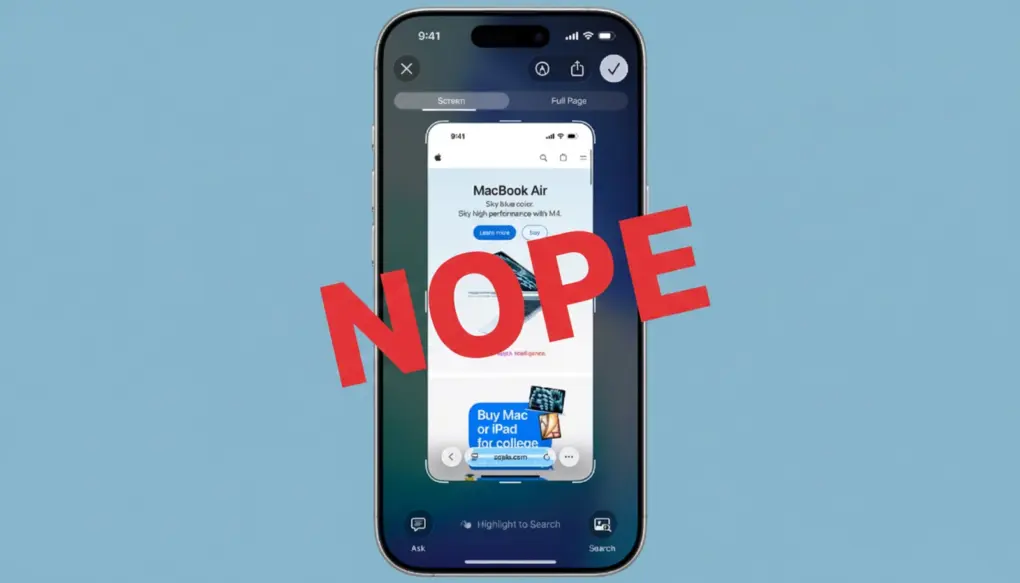
Apple made taking iPhone screenshots in iOS 26 too complicated.
Photo: Ed Hardy/Cult of Mac

iPhone screenshots can be simple again. Change a setting, and you can get rid of the complex new system Apple created for iOS 26 to capture an image of your iPhone screen.

Here’s what to do. Don’t worry — switching back is easy.

Top 10 ways to maximize AirPods Pro 3 for work and play

By

maximize AirPods Pro 3
Find great ways to maximize AirPods Pro 3 through new or simply improved features.
Photo: D. Griffin Jones/Cult of Mac

Your AirPods Pro 3 aren’t just another pair of wireless earbuds — they’re your gateway to more productive workdays, more immersive entertainment experiences and even refined fitness tracking without Apple Watch.

Whether you’re crushing deadlines from your home office, unwinding with your favorite playlist, or going for a run, you can maximize AirPods Pro 3 through features that transform how you interact with audio throughout your day.

CalDigit TS5 Plus is a Thunderbolt dock without limits [Review] ★★★★★

By

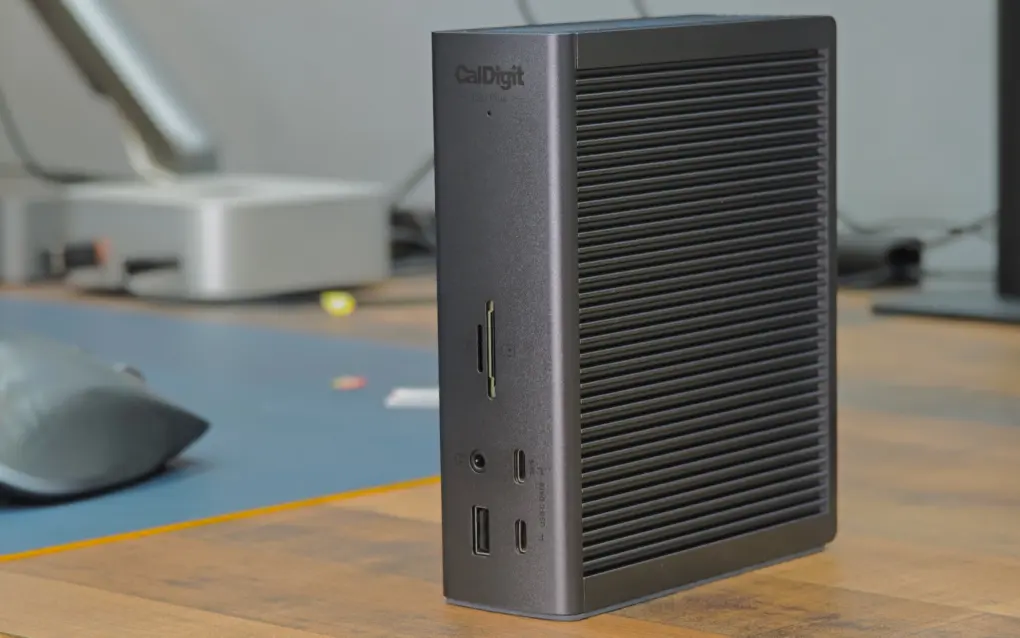
CalDigit TS5 Plus standing vertically on a table★★★★★
CalDigit TS5 Plus is the king of Thunderbolt 5 docks.
Photo: Rajesh Pandey/Cult of Mac

A Thunderbolt 5 dock makes it easy to connect multiple high-bandwidth devices to your MacBook — all with a single cable. While there are plenty of options, as you’ll see from this review, the CalDigit TS5 Plus is the dock for Mac power users.

It stands out from the competition by offering features you’ll not find elsewhere. If you have the budget, the CalDigit TS5 Plus is the Thunderbolt 5 dock to own. Find out what makes it special in my hands-on review.

Master Mac screenshots: Every shortcut and trick you need to know

By

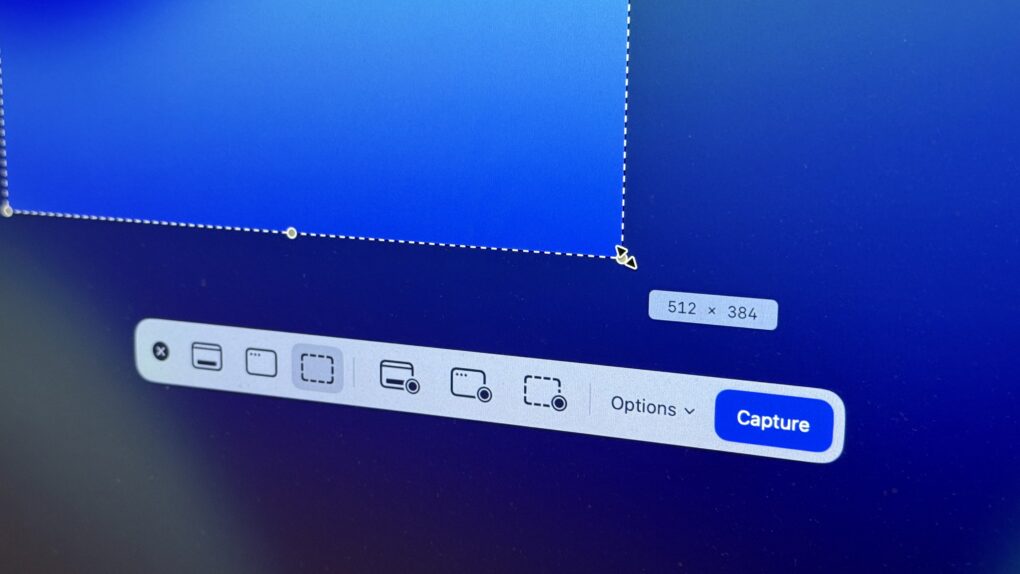
Take Screenshot on Mac
The Screenshot app in macOS provides a useful toolbar offering advanced screenshot features. Here's how to use it.
Photo: D. Griffin Jones/Cult of Mac

The Mac offers many options for taking screenshots without installing third-party apps. You can take a Mac screenshot that shows the entire screen, get a clean image of a specific window, or select specific areas to capture. There’s also a built-in way to take a video of your Mac screen (and even record a voiceover for your screen recording using your microphone, headset or AirPods.)

We’ll show you how to take a Mac screenshot and screen recording so you can familiarize yourself with all the options.

Everyone should know this essential iPhone safety feature

By

Check In for iPhone
A smarter way to keep tabs on your loved ones’ travels and activities.
Image: D. Griffin Jones/Lewis Wallace/Cult of Mac

Check In is an iPhone feature that tracks your travels and lets contacts know when you’ve safely reached your destination or finished a workout. It’s great for traveling, for kids trudging to and from school, for going on a date, and for biking on a dangerous road.

With this feature enabled, you no longer need to remember to text someone when you make it home safely — your iPhone will let them know for you.

Check In is like sharing your ETA in Apple Maps, but tweaked for personal safety. Friends, family and loved ones will be automatically notified if you’re stopped for any reason before reaching your destination.

The safety feature also offers timer-based check-ins, which come in handy for situations like meeting a stranger from Craigslist. If you don’t check in after a set time, your iPhone will alert your contacts.

Here’s how to use it — frankly, everyone should know how this works (especially parents).

Hate iPhone’s new ‘slide to stop’ alarm? Get the old button back.

By

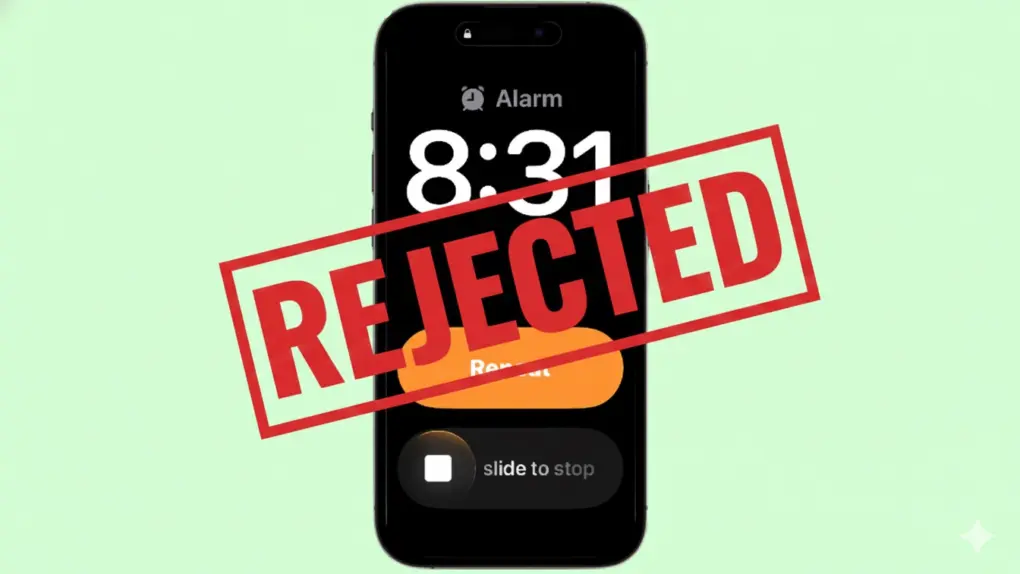
How to turn off the new iPhone 'slide to stop' gesture in iOS 26.1
You don't have to use the iPhone's new slide-to-stop gesture for alarms.
Graphic: Cult of Mac

Apple recently changed the way you turn off alarms on your iPhone, switching to a new slide-to-stop gesture. The new method is designed to help you. But if you just can’t stand it, going back to the old way — stopping alarms with a button — is easy.

Here’s how to make the quick change.

Secret trick will stop your iPhone from updating to iOS 26 — forever!

By

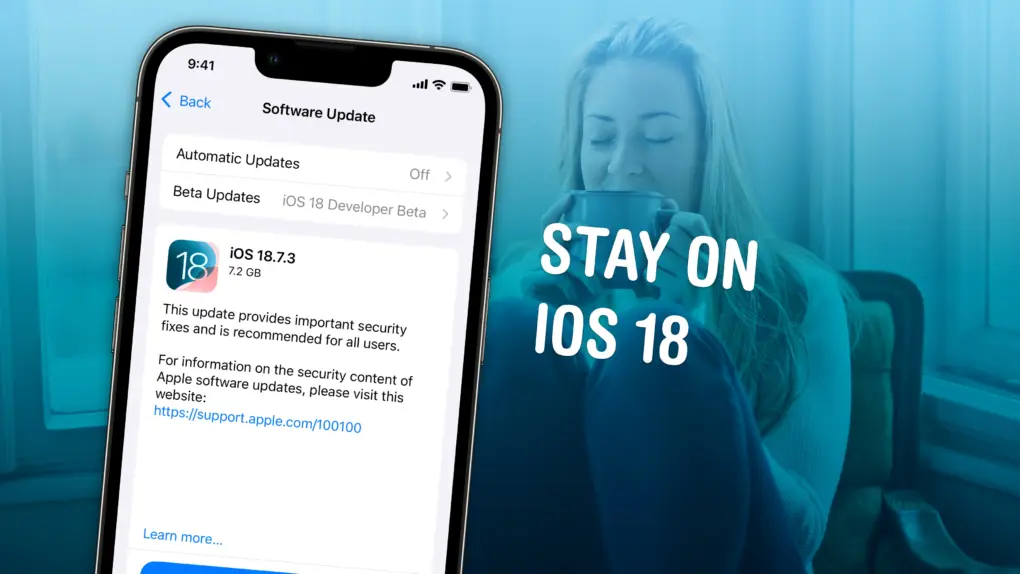
Image of an iPhone with the words
Wary of Liquid Glass? You can stay on iOS 18 forever.
Image: D. Griffin Jones/Cult of Mac

Not ready to take a gamble on iOS 26? You can stop an iOS update in its tracks if you don’t want to be pushed into the latest version.

There are all kinds of reasons you might not want to upgrade. Maybe you like the speed and stability of iOS 18. Perhaps you don’t want Apple’s divisive new Liquid Glass user interface slowing down your aging iPhone.

While Apple is finally starting to push people to update to iOS 26, you don’t need to go along with the crowd. Obviously, you can disable automatic updates to put on the brakes, but it won’t be long before Apple starts sending push notifications and red badges, encouraging you to update.

Luckily, there’s a secret trick to hide those and make sure your phone stays on iOS 18 for as long as you like.  Here’s how.

iPadOS 26.2 delivers major Split View improvement — here’s how to use it

By

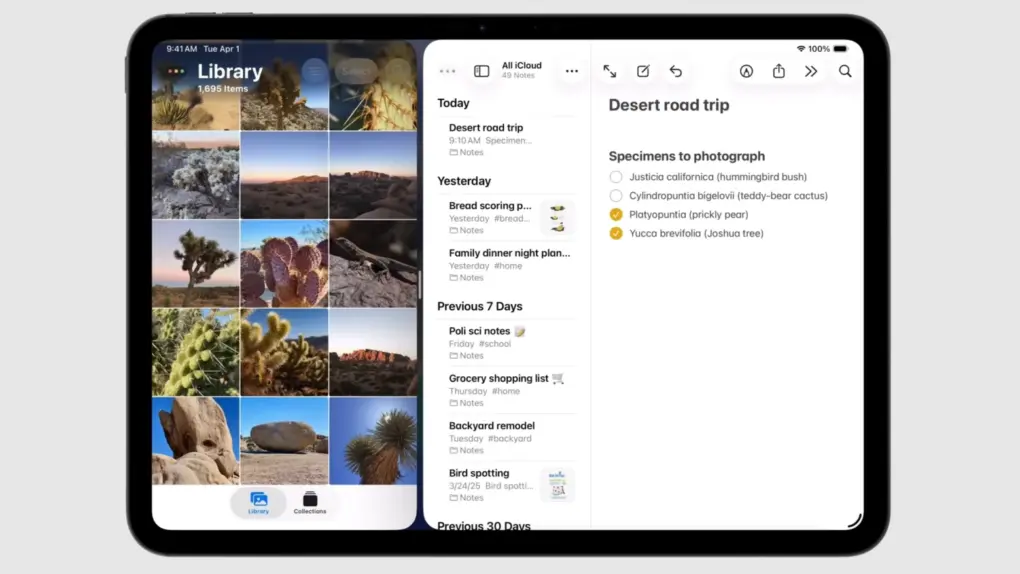
iPadOS 26.2 delivers major Split View improvement — here’s how to use it
Rejoice, iPad fans! Apple restored the best feature of Split View in iPadOS 26.2.
Screenshot: Apple

iPad users once again gain access to classic Split View multitasking in iPadOS 26.2. It’s back to being the best way to use two applications side-by-side on your iPad.

Apple nerfed Split View in iPadOS 26, but the latest OS update walks that mistake back — it’s as good as it’s ever been. Here’s how to use the revised version.

Everything new in iOS 26.2: Great new features (and plenty of bug fixes)

By

iOS 26.2 features
iOS 26.2 could be the one everyone is pushed to update to.
Image: Apple/D. Griffin Jones/Cult of Mac

In addition to hundreds of bug fixes, iOS 26.2 brings much-needed refinement to the iPhone’s operating system — along with more than 20 new features.

iOS 26.2, which Apple released Friday, lets you turn your reminders into alarms, so they’re impossible to ignore. Apple Podcasts gains automatic chapters and links. And the controversial Liquid Glass user interface continues to be refined and tweaked.

There are subtle improvements everywhere. Here’s the complete list of exciting changes in iOS 26.2. Keep reading or watch our video.

Apple’s iOS 26 push draws cheers from some, frustration from others

By

Apple’s iOS 26 push draws cheers from some, frustration from others
iPhone users are divided on iOS 26 and Liquid Glass. But general opinion might not be what you think.
Image: ChatGPT

Apple has begun actively encouraging iPhone users to move from iOS 18 to iOS 26, and social media is filling up with people complaining about Liquid Glass, with the occasional compliment for the new look.

Trying to find out what most people really think about the new version, Cult of Mac polled its readers, and their answers might surprise you.

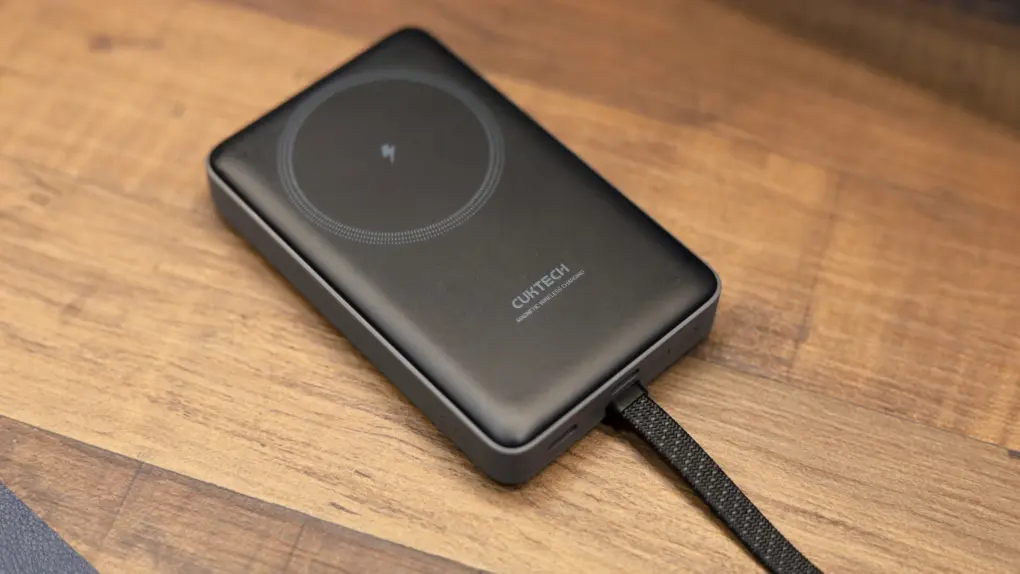
Cuktech’s 10,000mAh magnetic power bank keeps charging simple, reliable and cheap [Review] ★★★★☆

By

Photo of Cuktech 10,000mAh magnetic power bank sitting on a table★★★★☆
The Cuktech magnetic power bank is a great everyday companion.
Photo: Rajesh Pandey/Cult of Mac

Cuktech’s 10,000mAh magnetic power bank offers the best of both worlds: wireless charging and fast wired charging. Its lightweight design makes it easy to carry — and its tiny price tag makes it a bargain and a half.

This little wonder even packs a built-in USB-C cable, making it the only power bank you need to toss in your bag.

As you’ll see from our review, if you’re looking for a convenient and reliable iPhone charger at an affordable price, Cuktech’s 10,000mAh magnetic power bank is worth buying.

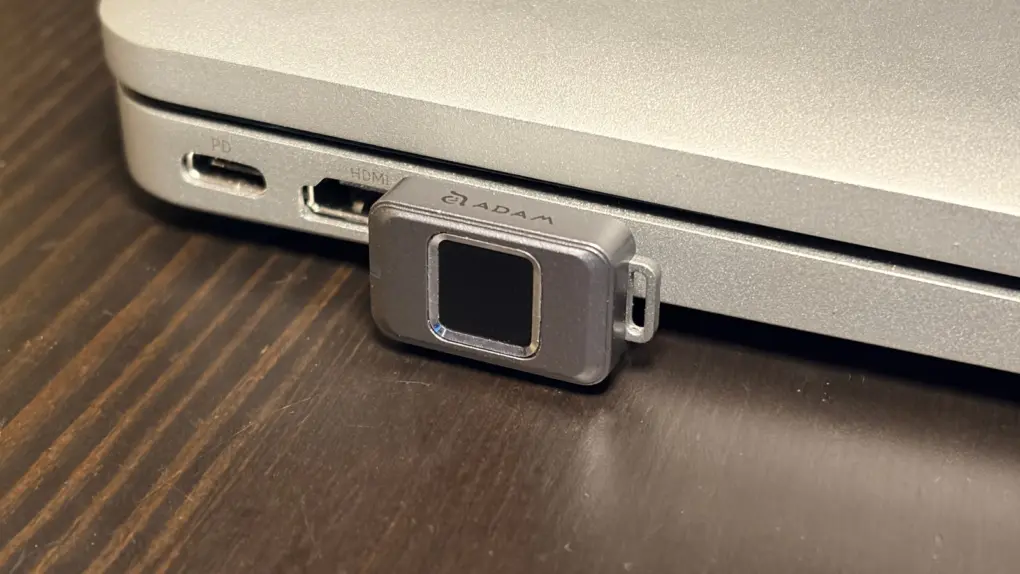
Tiny, fingerprint-secured SSD keeps your data locked tight but instantly accessible [Review] ★★★★

By

Adam Elements iKlips S review★★★★
Easily secure your privacy with the iKlips S.
Photo: Ed Hardy/Cult of Mac

No one but you can access the files stored on the iKlips S, a tiny SSD from Adam Elements. Simply tap your finger on the drive to unlock it. The biometric security system is similar to Apple’s Touch ID and keeps everything on the SSD private. No passwords are necessary.

File transfers are quick, and the drive uses USB-C, so it works with a broad array of computers, including Mac, iPad and iPhone.

I put the iKlips S through testing for this review and came away quite satisfied with its performance. Just be aware, though, that you’re paying a premium for the extra security. We can get you a 30% discount, though!

Apple TV dominates Golden Globes race, eclipsing Netflix and HBO in prestige TV

By

Apple TV eclipses Netflix and HBO in prestige TV
This awards season may recognize Apple TV's dedication to quality like never before.
Photo: Apple

Apple TV has emerged as the streaming platform to beat this awards season, capturing half of the Best Drama series nominations at the 2026 Golden Globe Awards unveiled Monday — a remarkable achievement that signals the tech giant’s arrival as a major force in prestige television.

Three of the six nominations in the coveted Best Drama TV series category belong to Apple — the mind-bending workplace thriller Severance, the darkly humorous espionage drama Slow Horses and the breakout new sci-fi series Pluribus. That puts Apple ahead of streaming rivals Netflix and HBO Max, which each landed only one drama series nomination in the category.

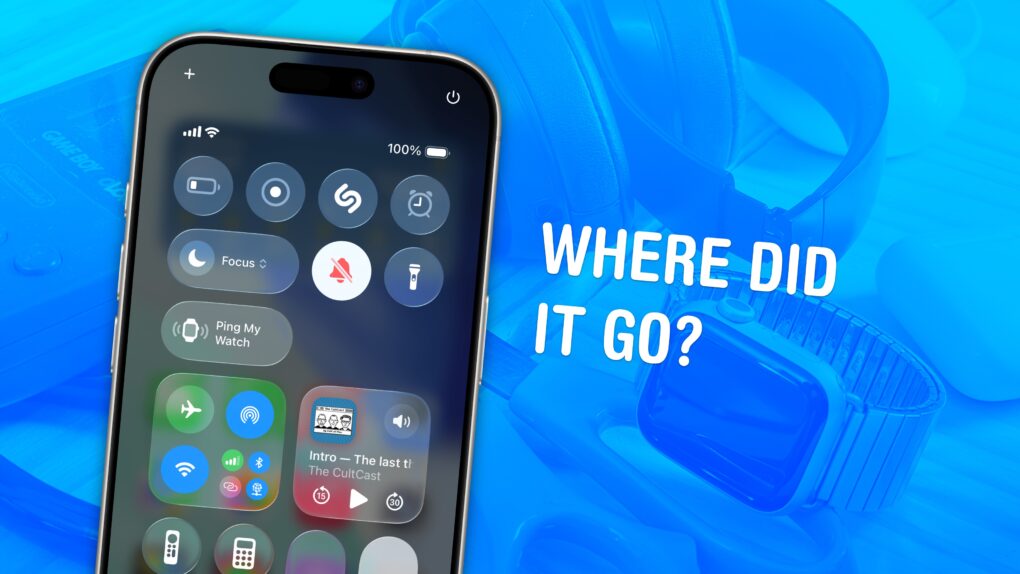
How to ping your lost Apple Watch from your iPhone

By

Ping Apple Watch from iPhone: “Where Did It Go?”
It's not easy to find in a pile of miscellaneous clutter.
Image: D. Griffin Jones/Cult of Mac

You can ping a lost Apple Watch from your iPhone, giving you an easy way to find your misplaced wearable.

If you take your Apple Watch off at the end of the day, forgetting to throw it on the charger, you might not remember where you left it the following morning. (The reverse has always been a cool feature of the Apple Watch. Read our post: How to find your lost iPhone with Apple Watch.)

Now, you can find a lost Apple Watch from your iPhone. Here’s how it works.

Shopping for Apple fans? These gifts can’t miss. [Updated]

By

geeky gifts for Apple users
You can find plenty of weird and wonderful gifts for Apple fans.
AI image: Grok

Whether you’re shopping for an Apple aficionado who still treasures their original iPod or the productivity ninja who lives and breathes the latest iOS updates, finding the perfect geeky gift can feel like searching for a needle in a digital haystack. Fear not! We gather some of the most ingenious, innovative and downright cool gadgets that’ll make any Apple user’s heart skip a beat. 

From retro-inspired accessories that pay homage to Apple’s legendary design heritage to cutting-edge smart home integrations that would make even Tim Cook jealous, these gifts bridge the gap between nostalgia and innovation. Each selection celebrates the unique blend of form, function, and pure geek appeal that defines the Apple ecosystem. And return to this post, because we’ll keep adding to it. 

Designers sound positively giddy about Apple’s new UI chief

By

Fellow designers are giddy about Steve Lemay, Apple's new UI chief.
Praise for Steve Lemay pours in from current and former members of Apple's UI design team.
Photo: LinkedIn/Cult of Mac

The best people to ask about Steve Lemay, the new head of user interface design at Apple, are the people who’ve worked with him.

Spoiler alert: They seem absolutely thrilled. The word “excited” keeps coming up in their comments on the change in leadership.

Here’s what the people in a position to really know Lemay have to say about him.

The real reason Meta poached Apple’s UI design chief

By

Screenshot of Apple VP of human interface design Alan Dye talking about the Vision Pro headset.
Lots of Apple fans are saying good riddance to Alan Dye, but they're overlooking his best work.
Screenshot: D&AD

Alan Dye, the former chief of Apple’s user interface design, has done brilliant, groundbreaking work — but almost no one is getting to experience it.

Dye just got poached by Meta, and the majority opinion among Apple fans seems to be “don’t let the door hit you on the way out.”

Some of Dye’s critics, like John “King of the Apple nerds” Gruber, are scathing. “His tenure is considered a disaster by actual designers inside and outside the company,” Gruber wrote after Dye’s departure from Apple became public Wednesday.

Dye, of course, is not perfect. He is rightly getting criticized for Liquid Glass, the shiny new interface in Apple’s operating systems, that’s been tweaked, rolled back, tweaked again, and is now semi-optional for users who don’t want it.

Where’s the conviction Apple is famous for? Steve Jobs must be spinning.

But Dye’s best work is spectacular, important and deep. You’ve just not seen it.

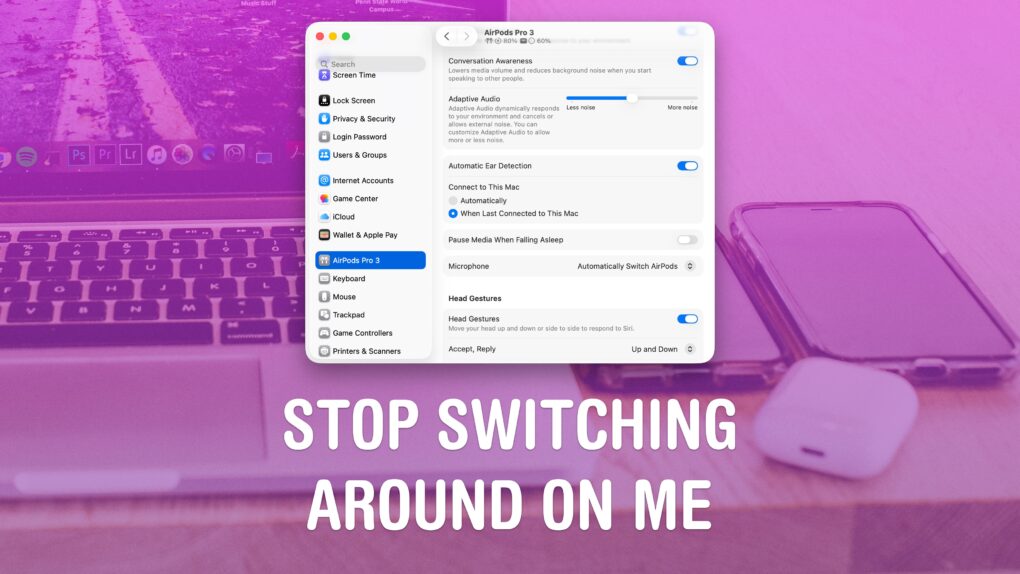
How to stop your AirPods from switching between devices

By

Stop Switching Around On Me
Apple’s “intelligent” AirPods switching can get annoying.
Image: D. Griffin Jones/Cult of Mac

If you’re trying to listen to podcasts or music on your iPhone, it can be annoying when your AirPods keep switching to other devices, like your Mac or iPad.

Personally, I don’t mind this behavior. If I’m sitting at my Mac, I want to use the Music and the Podcasts apps on the Mac. But a lot of people consider their iPhone their primary device — and always want to play audio from their phone, no matter which other device they’re using.

If you want your iPhone to retain supreme control over your ears, here’s how to disable AirPods auto-switching.

Meet Apple’s new UI chief, the man Steve Jobs called ‘Margaret’

By

Photo of Stephen Lemay, new Apple UI designer, with background that goes from orange to yellow.
Stephen Lemay will step into the shoes of the departing Alan Dye as Apple's new lead UI designer.
Photo: LinkedIn

Meet Steve Lemay, the new head of user interface design at Apple — the highest-profile software design job at the giant company, and possibly the world.

Unfortunately for Lemay, who has worked at Apple since 1999, he shares the same first name as the late Steve Jobs, who nicknamed him “Margaret” — a name that reportedly stuck.

Aside from being called “Margaret” internally at Apple, Lemay has a long and stellar design record at the company. He’s helped shape everything from OS X to visionOS. He is named on hundreds of patents and helped develop one of Apple’s most highly celebrated UI tricks.

Apple design chief quits for Meta. Some say good riddance!

By

Alan Dye, former Apple VP Human Interface who quit to join Meta.
Photo: Apple

Apple’s set to lose yet another top executive as Alan Dye, the company’s head of user-interface design, departs for Meta Platforms, according to a new report Wednesday. While some view this as a coup for Meta, others seem tickled pink to see Dye head for the exit.

This major news instantly inspired Liquid Glass-fueled snark over whether Dye’s departure is really such a big loss for the iPhone giant.

Tiny snap-on iPhone game controller is always ready to play [Review] ★★★★

By

Abxylute M4 review: Tiny iPhone game controller★★★★
Your iPhone is always ready to have fun with the Abxylute M4 game controller.
Photo: Ed Hardy/Cult of Mac

The Abxylute M4 game controller is genuinely pocket-size, but clip it to your iPhone and you’ll have all the buttons and sticks you want to play retro and modern games.

It clings to your iPhone’s MagSafe connector, plus it includes a stand for detached gaming.

I enjoyed testing out the pint-size game controller with my iPhone 17, as long as I accepted the reasons for its necessary limitations. The affordable price helped a lot, too.

The real reason Apple turned to Intel chips again

By

The real reason Apple turned to Intel chips again
Apple and Intel are patching things up. Here's why.
Image: ChatGPT

Your next Mac might run on an Intel processor, which is a gigantic surprise, considering Apple dropped the chipmaker years ago in favor of Taiwan Semiconductor Manufacturing Company.

But there’s a standout reason why Apple needs Intel — and it might not be what you think.

How to find your music stats with Apple Music Replay 2025

By

Apple Music Replay graphic
Find your top songs of the year.
Image: D. Griffin Jones/Cult of Mac

Apple Music Replay is a great way to find your music stats for the past year: the most played songs, artists and albums in the last 12 months. Similar to Spotify Wrapped and the like, your annual Apple Music Replay is a fun way to see what tracks you listened to most.

Fun fact: Apple usually publicizes Apple Music Replay in December, but it’s actually updated weekly and available throughout the whole year! You can check in whenever you want to see how your year is shaping up.

We’ll show you how to find it and how to share your top music of the year to your friends and social media.

Live now: Best Cyber Monday MacBook deals 2025 are selling fast

By

Stylized photo of a MacBook Air on a yellow background to illustrate MacBook Black Friday deals 2025
There's no better time to buy a new laptop.
Image: Cult of Mac

This Cyber Monday, you can find stellar discounts on a new MacBook. With Intel Macs aging out, there’s no better time to upgrade to the latest models that run on far-superior Apple silicon processors.

Whether you’re looking at the base MacBook Air or a specced-out MacBook Pro, you can rack up hundreds of dollars in savings by upgrading this week. 

Take a look at these Cyber Monday deals on MacBooks and get ready to make your next big move.