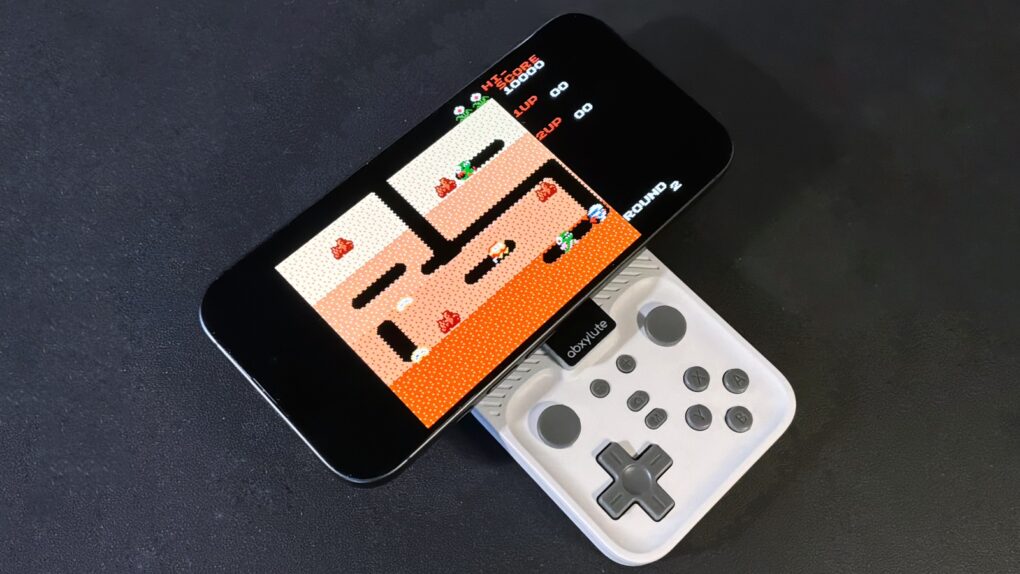
The Abxylute M4 game controller is genuinely pocket-size, but clip it to your iPhone and you’ll have all the buttons and sticks you want to play retro and modern games.
It clings to your iPhone’s MagSafe connector, plus it includes a stand for detached gaming.
I enjoyed testing out the pint-size game controller with my iPhone 17, as long as I accepted the reasons for its necessary limitations. The affordable price helped a lot, too.
Abxylute M4 game controller review
Clip-on iPhone game controllers offer a huge boost in comfort and control by transforming the phone into a handheld console with physical buttons, joysticks and triggers that are far more precise than touch controls. Plus, they free up screen space since your thumbs aren’t covering part of the display, and provide better responsiveness for fast-paced games where accuracy matters.
A disadvantage is that they generally aren’t very portable. The most comfortable clip-on game controller I’ve ever used was also the bulkiest. And if the accessory is so big you leave it at home, it’s not doing you much good in the car, on the bus or on a plane.
But the Abxylute M4 is designed for maximum portability while still finding room for all the buttons, joysticks and triggers needed for the many, many games playable on an iPhone. And the controller solidly connects to the handset. Or use it in detached mode. Maybe connect to your iPad instead.
And it’s really quite affordable.
The M4 Snap-On Controller is tiny yet powerful companion for every gamer who refuses to choose between portability and performance.
- Fits in your palm
- All the standard buttons and joysticks
- Miniature game controls are a bit cramped
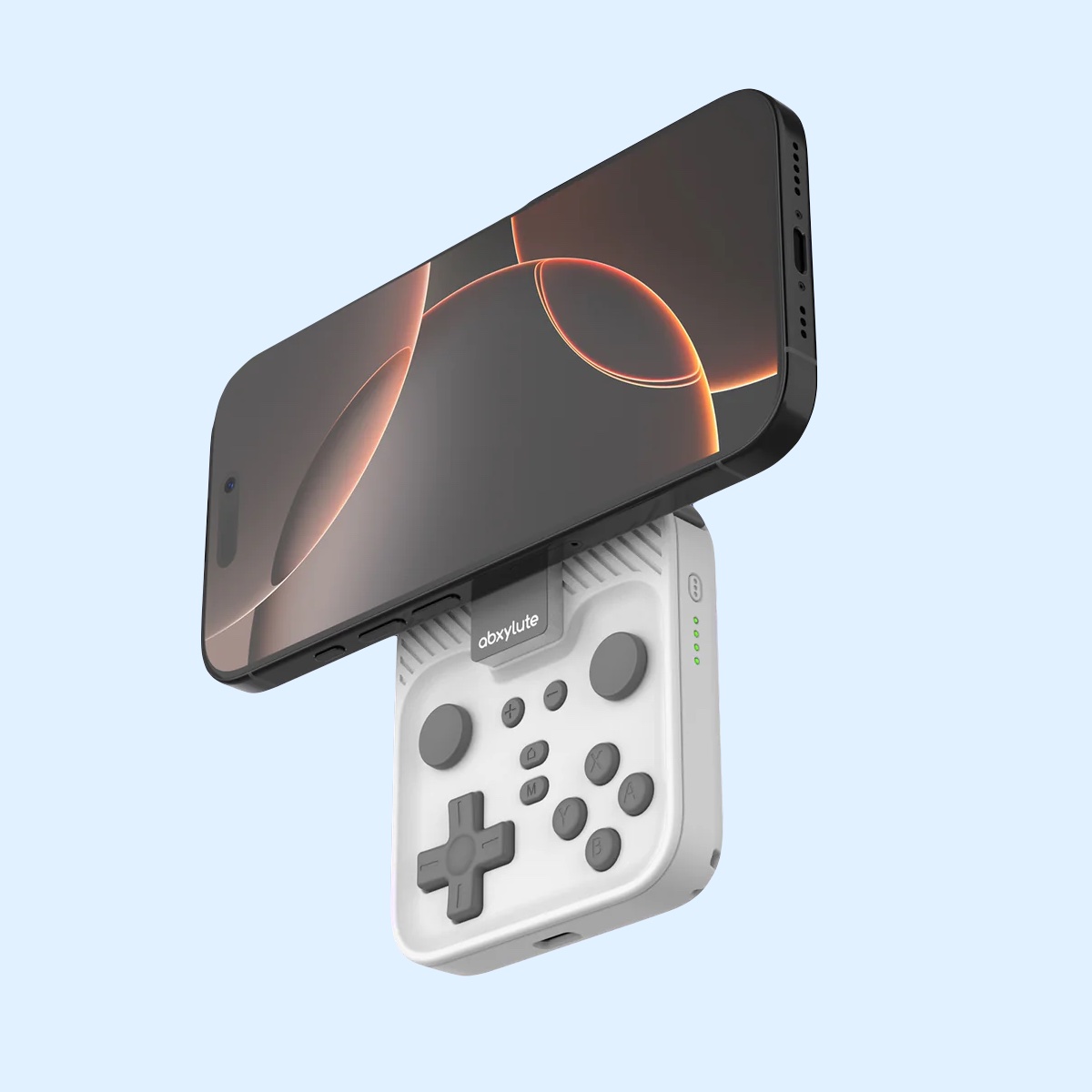
Table of contents: Abxylute M4 review
- Game controller the size of my palm
- About those buttons, joysticks and triggers
- Fun with magnets
- Get a grip
- Performance: Let’s play some games!
- Abxylute M4 review: Final thoughts
- Pricing
Game controller the size of my palm
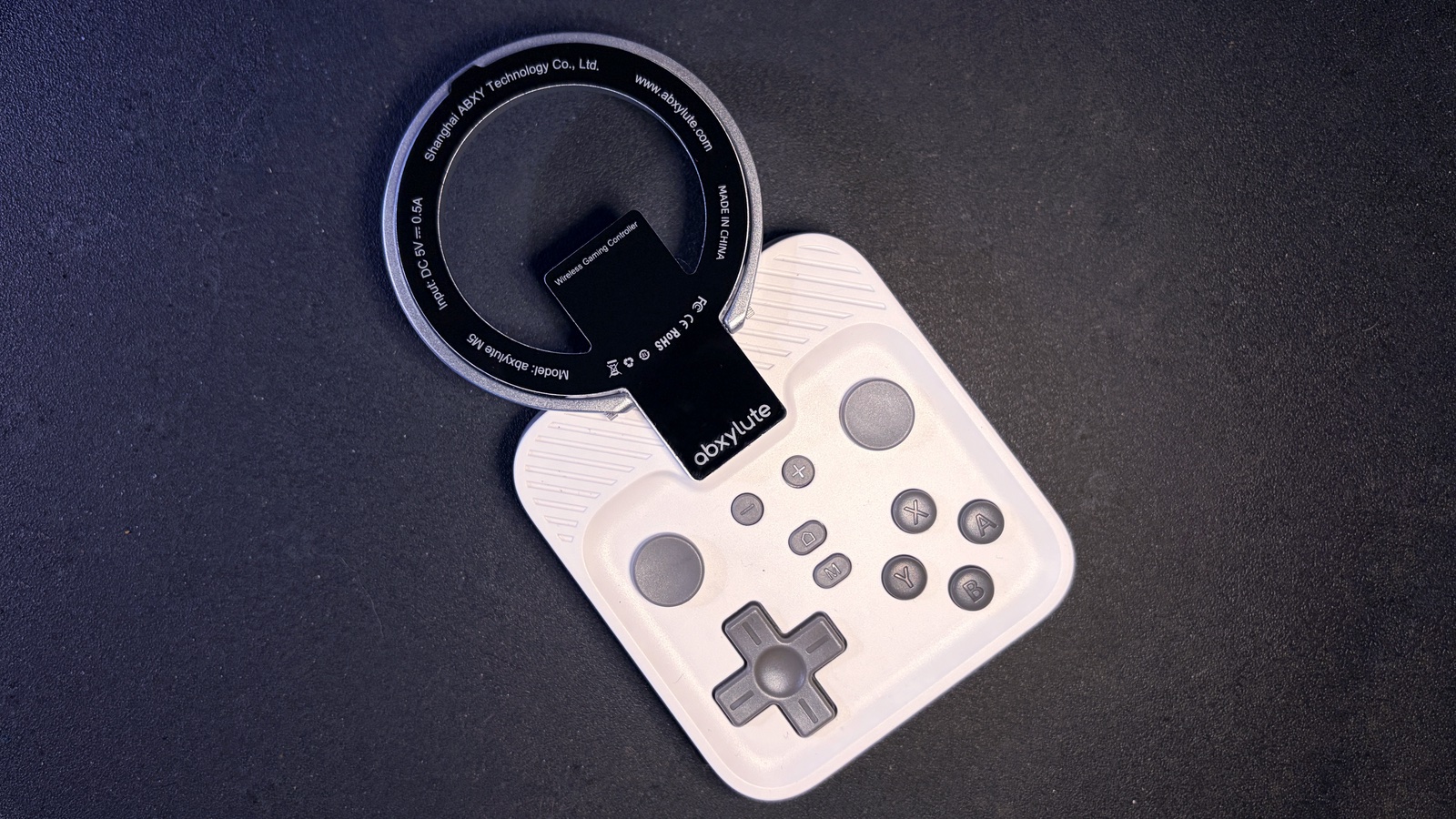
Photo: Ed Hardy/Cult of Mac
This is one of the smallest game controllers I’ve ever used: 3.0 inches by 2.7 inches by 0.6 inches. It fits on the palm of my hand. That makes the Abxylute M4 easily pocketable, or it can ride in a purse or the pocket of a backpack.
Nevertheless, the clever designers at Abxylute managed to find room for all the standard controls. Left and right joysticks, ABXY buttons, D-pad, shoulder buttons and triggers. They are all there.
You can choose from black, orange or gray. My review unit is the latter color.
About those buttons, joysticks and triggers
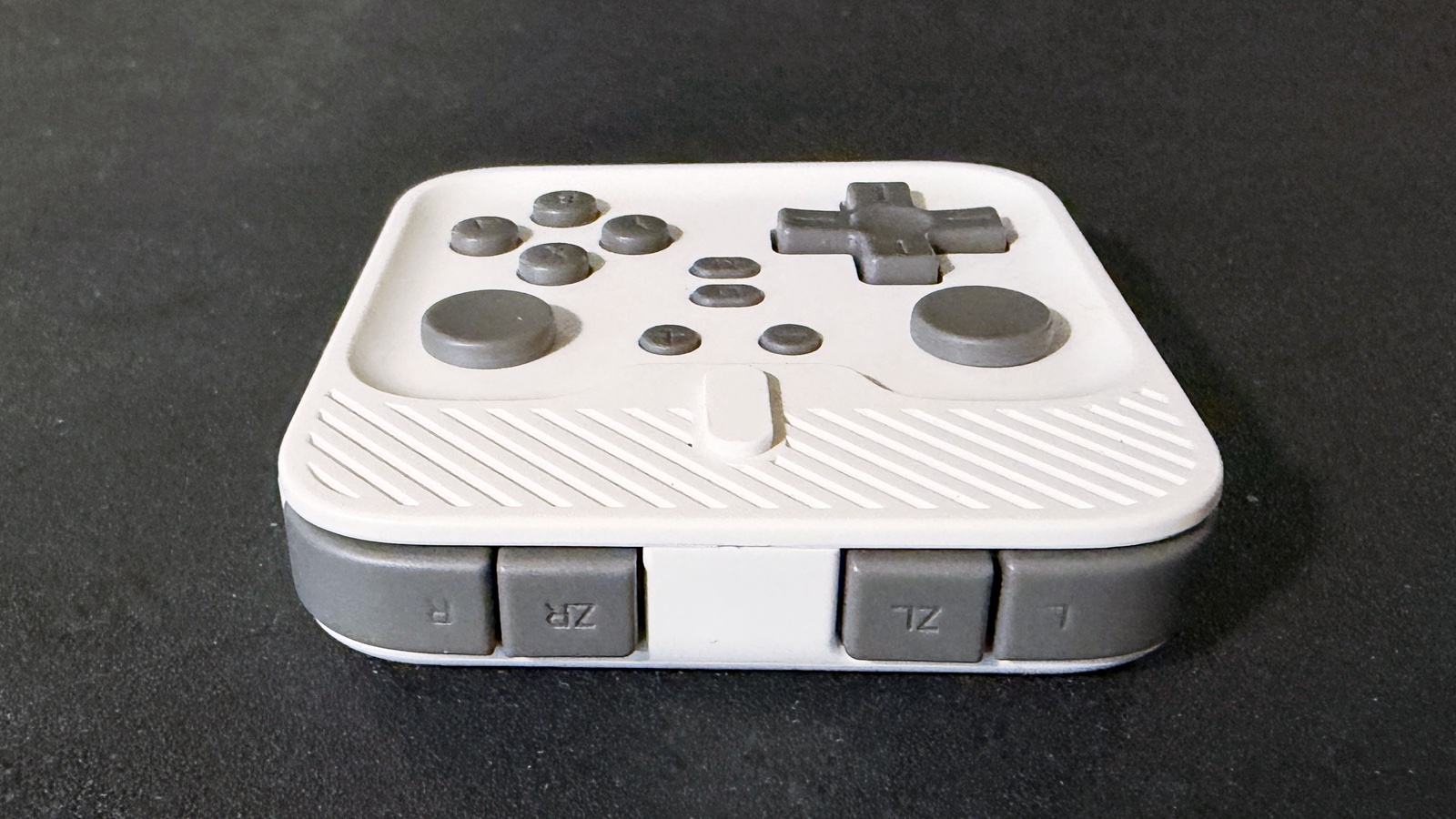
Photo: Ed Hardy/Cult of Mac
Squeezing all those gaming controls into a few square inches required Abxylute to make some compromises. The left and right joysticks have a design I’ve never seen before: they sit flush with the controller’s casing so they look like buttons. When I started testing the M4, I was very suspicious of the design. They felt weird. But about half an hour of gaming later, I realized I’d stopped thinking about the sticks — I was just using them. And it was fine.
The shoulder buttons and triggers are small and side by side. I got used to this arrangement as well, but I can’t recommend this controller for games that require you to use these constantly, like some FPSs.
The D-pad and ABXY buttons are quite usable, though I quickly used the Settings application to reconfigure the layout of buttons. I prefer ABXY, but the M4 uses BAYX.
Fun with magnets
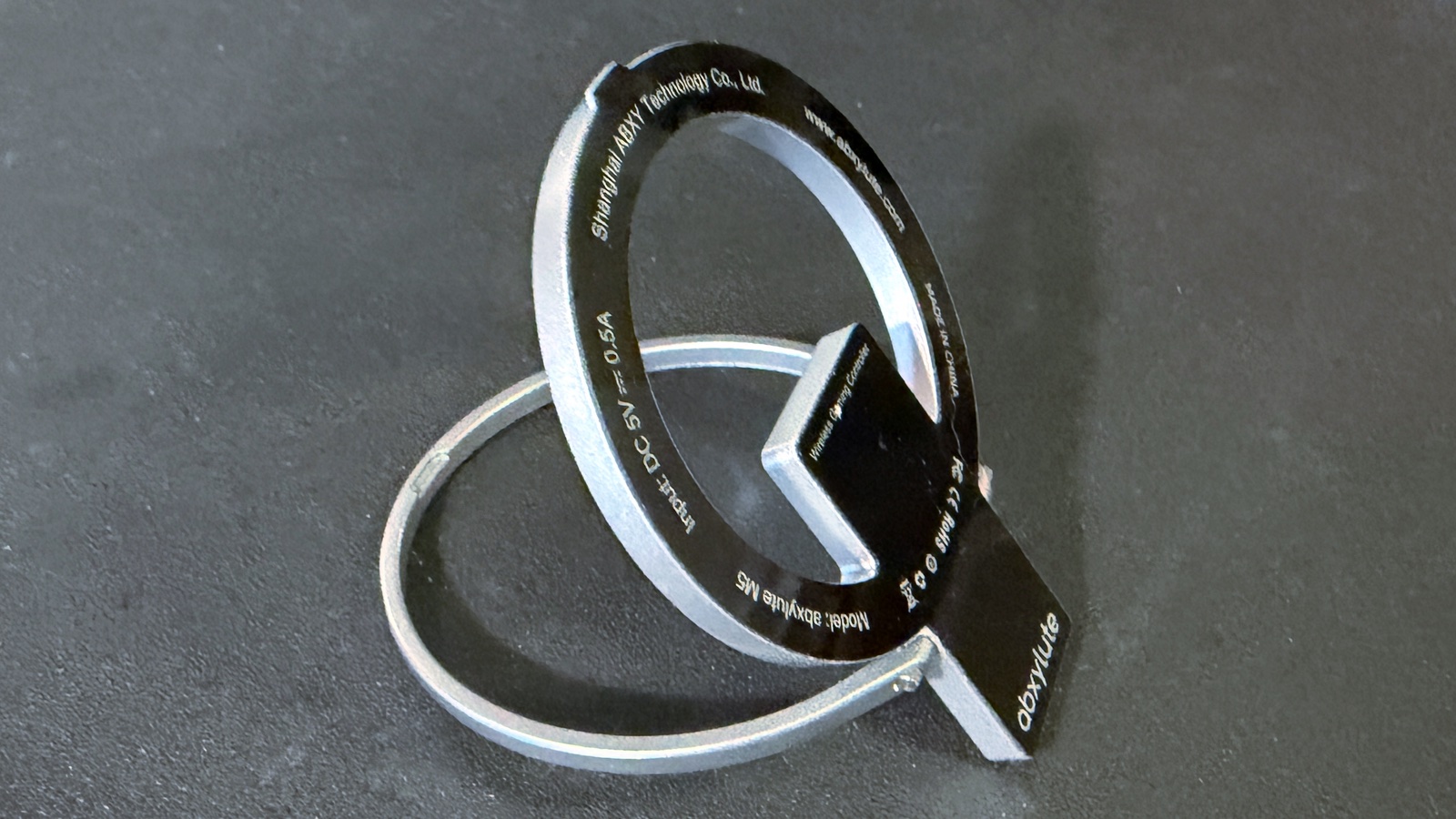
Photo: Ed Hardy/Cult of Mac
The Abxylute M4 has a modular design. There’s the main unit with all the buttons, but the standout feature is the kickstand ring. This is removable so it can be positioned where you need it.
Put it at the top of the game controller to hold your iPhone while you play. Or rotate the ring around so it sits over the buttons to make the accessory easily portable. It even helps protect the controls in transit.
Setup is quick. Press the M4’s power button, flip the kickstand ring around, place your iPhone on the ring, and start gaming.
The M4’s kickstand ring includes strong magnets so it clings tightly to the magnets built into the back of your iPhone. And the ring firmly attaches to the main unit, so don’t be concerned that your iPhone will fall off the controller while you’re playing. It never happened to me in my hours of testing.
It’s called a kickstand ring because it has a kickstand built into it. Detach the controller from the ring, and you can game with your iPhone propped up on a flat surface in front of you via the Bluetooth connection. It’s a convenient way to play for long periods.
Abxylute points out that you can carry the game controller around while it clings to the back of the iPhone. The combination is about an inch thick, so I’m not sure how practical this is.
Get a grip
Another of the compromises needed to get the Abxylute M4’s tiny shape is the complete lack of grips. If you grew up with a Game Boy, you might not miss them. But it’s a different story for those accustomed to Xbox or PlayStation controllers.
Holding the controller between your hands with the iPhone above it on the ring is a top-heavy arrangement. And your case size will affect this. It’s not a deal breaker, though — I truly enjoy the time I spend playing on the M4.
Let’s play some games!
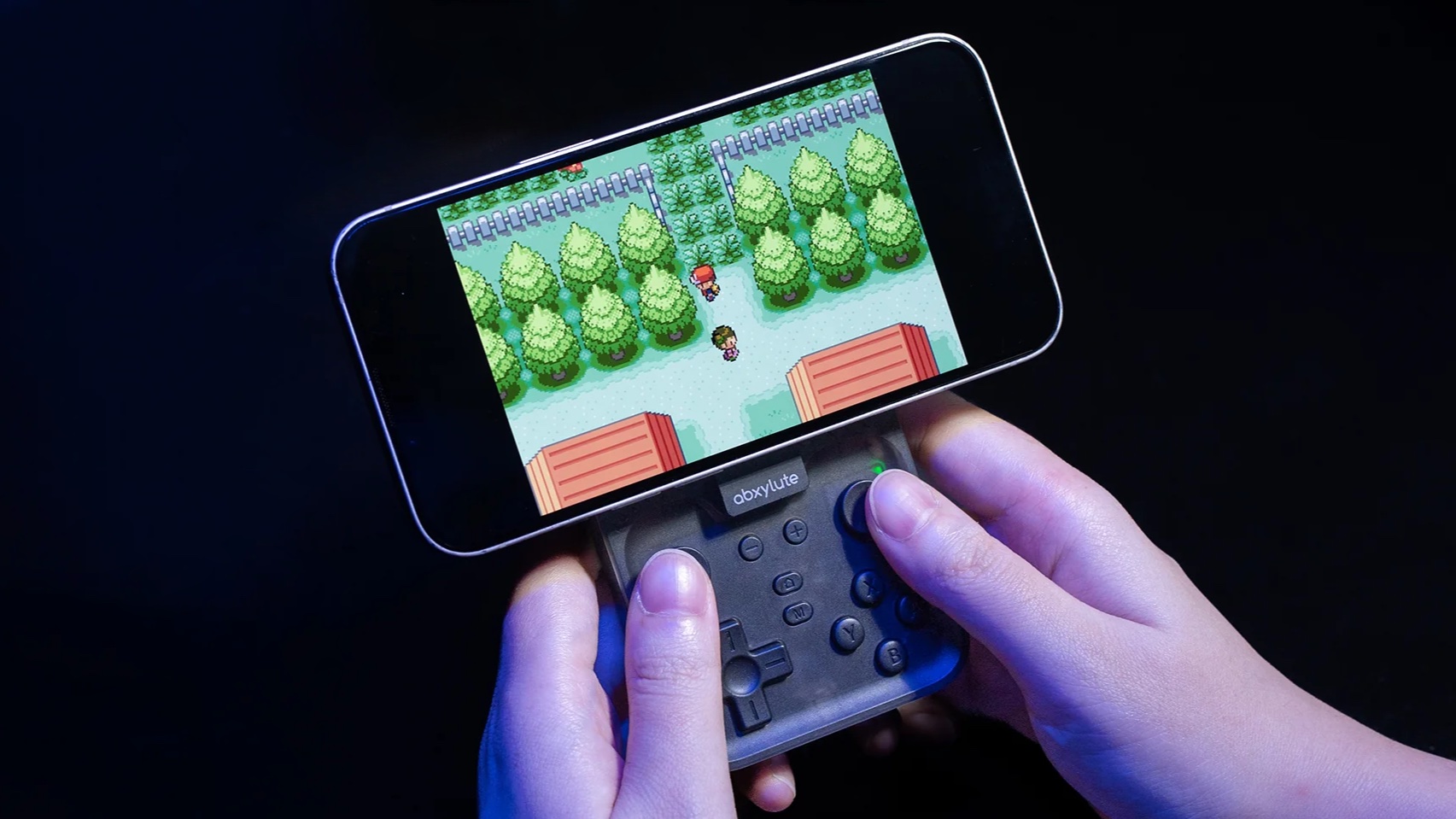
Photo: Abxylute
Abxylute created the M4 in the wake of Apple’s decision in 2024 to finally allow retro game emulators in the iPhone App Store. Thanks to Delta, RetroArch and others, it’s possible to play games from the Game Boy handheld console, as well as NES, SNES, Nintendo 64 and Nintendo DS.
I fired up Delta, connected the M4, and started playing. It went great — physical controls are a vastly better option than on-screen ones, even if all you’re playing is DigDug. It really took me back to the days of the Game Boy.
And, of course, there are huge numbers of games written for the iPhone. I used the M4 to play one of my favorites, Oceanhorn: Chronos Dungeon. This is a simpler game that the controller can easily handle. These games can be played with on-screen controls, but having physical buttons and sticks makes them much more fun.
Then I went all-in with Oceanhorn 2: Knights of the Lost Realm. This is a full-featured RPG that pushed the Abxylute M4 to its limits. It was playable and fun, but a larger controller is probably a better option if your plan is to play advanced RPGs on your iPhone every day.
Abxylute M4 review: Final thoughts
The best game controller is the one you have with you. If you’re on a long, boring trip, the controller you left at home because it’s too bulky might as well not exist at all. The Abxylute M4 tucks easily into a pocket. Yes, the design has compromises, but it’s a heck of a lot more fun than struggling with on-screen game controls.
“We built M4 for that instant of happiness when waiting in line or commuting, the small moments that add up to big memories,” said Donald Zhang, Founder & CEO, Abxylute.
M4 is simply ideal for retro gaming, and I really enjoyed playing more demanding games. It’s not the best option for console-quality FPSs or RPGs, though.
★★★★☆
Pricing
The Abxylute M4 is selling on Kickstarter, where you can pick it up for about $39 at the pre-order price. After launch, the cost goes up to $49.
The Kickstarter campaign got fully funded in under a minute, but will continue through December 23. Abxylute promises deliveries will begin in December.
The M4 Snap-On Controller is tiny yet powerful companion for every gamer who refuses to choose between portability and performance.
- Fits in your palm
- All the standard buttons and joysticks
- Miniature game controls are a bit cramped
Abxylute provided Cult of Mac with a review unit for this article. See our reviews policy, and check out more in-depth reviews of Apple-related items.

Ed Hardy has been writing full-time about tech for 26 years, and using it for much longer than that. His intro to Apple was a Macintosh SE/30 (which he still has), but now he uses a 13-inch iPad Pro as his primary computer.
That’s because he’s a “tablet first” type of guy. Rather than use a Macbook, he connects a keyboard case to the iPad. And instead of a desktop Mac, he connects his tablet to a 27-inch display and full-size keyboard. (So don’t try to tell him that everyone has to use a Mac to be productive.)
Before coming to Cult of Mac, Ed wrote for NotebookReview, TabletPCReview and Brighthand, as well as other sites.

