The Apple iMac is an all-in-one desktop computer known for its sleek design, vibrant Retina display, and powerful performance. Housed in a thin aluminum enclosure, the iMac combines the computer and display into a single unit, reducing clutter and emphasizing elegance. It runs macOS and is available in multiple screen sizes and configurations, making it suitable for both everyday users and creative professionals.
Since its creation decades ago, the iMac has consistently blended style, simplicity, and power, becoming a favorite among creatives, students and home users alike.
iMac history
The Apple iMac was first introduced in 1998 by Steve Jobs and marked a major turning point for Apple. The original iMac G3 was famous for its colorful, translucent plastic case and all-in-one design, which helped revive the company’s fortunes during a difficult time.
The latest models, powered by Apple Silicon chips like the M4, offer fast performance, energy efficiency, and support for high-resolution graphics and advanced workflows.
Like all Macs, it runs macOS. macOS is a powerful and secure operating system with loads of convenient and easy-to-use features built right in.
The Mac has many of the same apps you can find on the iPhone and iPad. Safari, Mail, Messages, Music, Photos, and productivity apps like Pages and Keynote, run on all the platforms. Using iCloud, your data in each of these apps can sync to their peers on iOS and iPadOS.
Screen shot iMac
It’s easy to take a screen shot on the Mac using the Screenshot app. Hit Command-Space (⌘␣) to bring up Spotlight, type in Screenshot, then hit Return to launch it. There’s also a shortcut you can use — Shift-Command-5 (⇧⌘5). You’ll see a floating menu appear near the bottom of your screen.
Capture Entire Screen takes a full screenshot of your entire display. By default, it’ll be saved to the Desktop.
Capture Selected Window takes a screenshot of one app specifically. Hold down Option (⌥) if you don’t want it to include the shadow.
Capture Selected Portion lets you drag a marquee over a specific area.
You can also record your screen using the Screenshot app:
Record Entire Screen will capture the entire display.
Record Selected Portion lets you drag a marquee over a specific area.
Under Options, you can choose where your screenshots will go, set a start timer, choose whether or not to include the mouse pointer, choose to include your microphone voiceover in a recording and more. Read more details in our full how-to article.
Use iMac as monitor
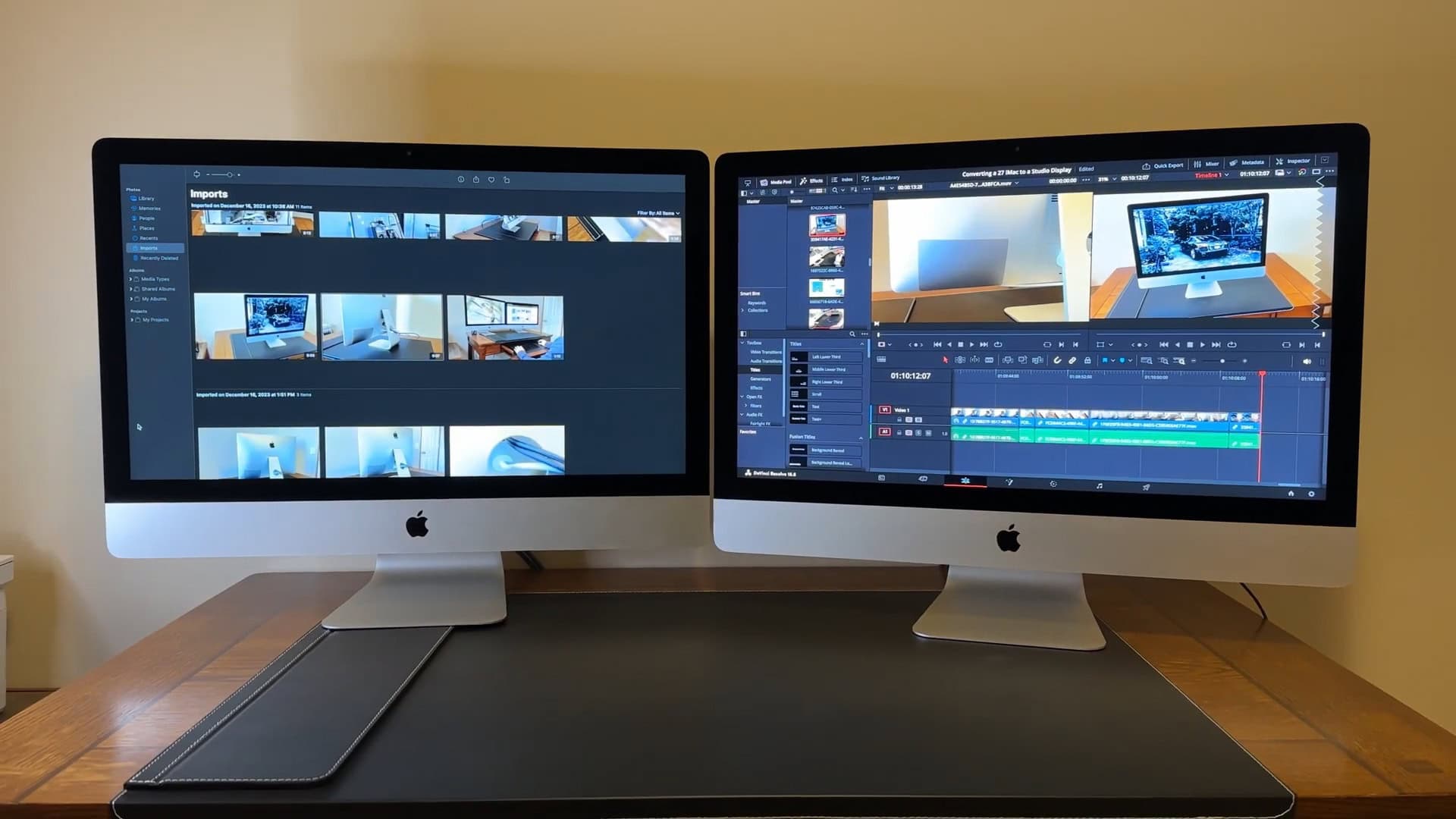
One of these is actually an external display, with specs similar to the Apple Studio Display.
iMacs used to be able to work as a secondary display using a feature called Target Display Mode. Unfortunately, after the switch to Retina displays, Apple dropped this feature.
However, you can use an iMac 5K as an external monitor with some modding. It’s not for the faint of heart — you need to open it up (itself a challenge), disassemble and remove its computer parts, and carefully reinstall and connect a new display controller board. It might be a lot of work, but in the end, you’ll have a 5K 27-inch display (just like the Studio Display) for far cheaper.
iMac Price
The entry-level model starts at $1,299. It comes with a 24-inch 4.5K Retina display, 256 GB storage, 16 GB unified memory, an M4 chip, Two Thunderbolt 4 / USB 4 ports, a Magic Mouse and Magic Keyboard.
You can get a model with a more powerful chip and 512 GB of storage for $1,699, upgrade to 24 GB of memory on top of that for $1,899, or build a custom order from apple.com.
iMac vs Mac mini
Two Apple desktops side-by-side.
The iMac is an all-in-one computer to meet productivity and consumer needs. The Mac mini is a more modular machine that meet a greater range of needs.
The Mac mini doesn’t come with a built-in display, nor a keyboard and mouse. You can pair it with a cheaper display and use the peripherals you already have if you’re looking to save money. You could also scale it up with a more powerful Pro chip inside, fancy mechanical keyboard and a bigger 27-inch display.
However, it only comes in silver, not the wide range of colors. And the Mac mini isn’t as tidy of a setup, being a separate computer. On the plus side, though, its pared-down design comes at a cheaper $599 starting price.
Apple's popular keyboard is wireless, rechargeable and includes the popular Touch ID feature. Works with Mac computers with Apple Silicon; US English, white keys.
With the computer, you get the Apple Magic Keyboard. It comes in a few different varieties: a compact version and a full-size layout, both with and without a Touch ID key. Some have white key caps and some have black for a more pro look. The special color-matched versions are only available when you buy it with the computer.
However, it works with any Bluetooth or USB-C keyboard. And with a simple adapter, you could use any old USB keyboard (or even ADB keyboard) with it.
iMac models
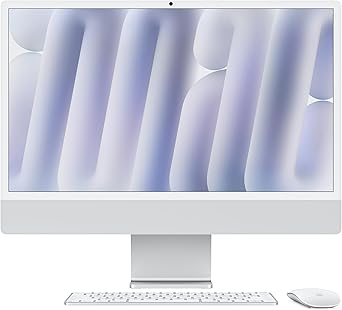
M4 iMac (newest model)
The Apple silicon models come in a parade of playful colors.
The newest M4 model brings big power to the all-in-one. In our review, we found the M4 can handle all kinds of creative work, from video editing to podcasting to graphic design swimmingly. The 24-inch 4.5K Retina display is sufficient for pro apps like Final Cut Pro, Logic Pro and Photoshop.
It comes in six bright, vivid colors: green, yellow, orange, pink, purple and blue; in addition to silver. They come with a color-matched Magic Keyboard and Mouse (or Trackpad) and even a color-matched power cable.
It has a great value as a big, bright and beautiful all-in-one computer. And the design is sure to become a future classic.
iMac Pro
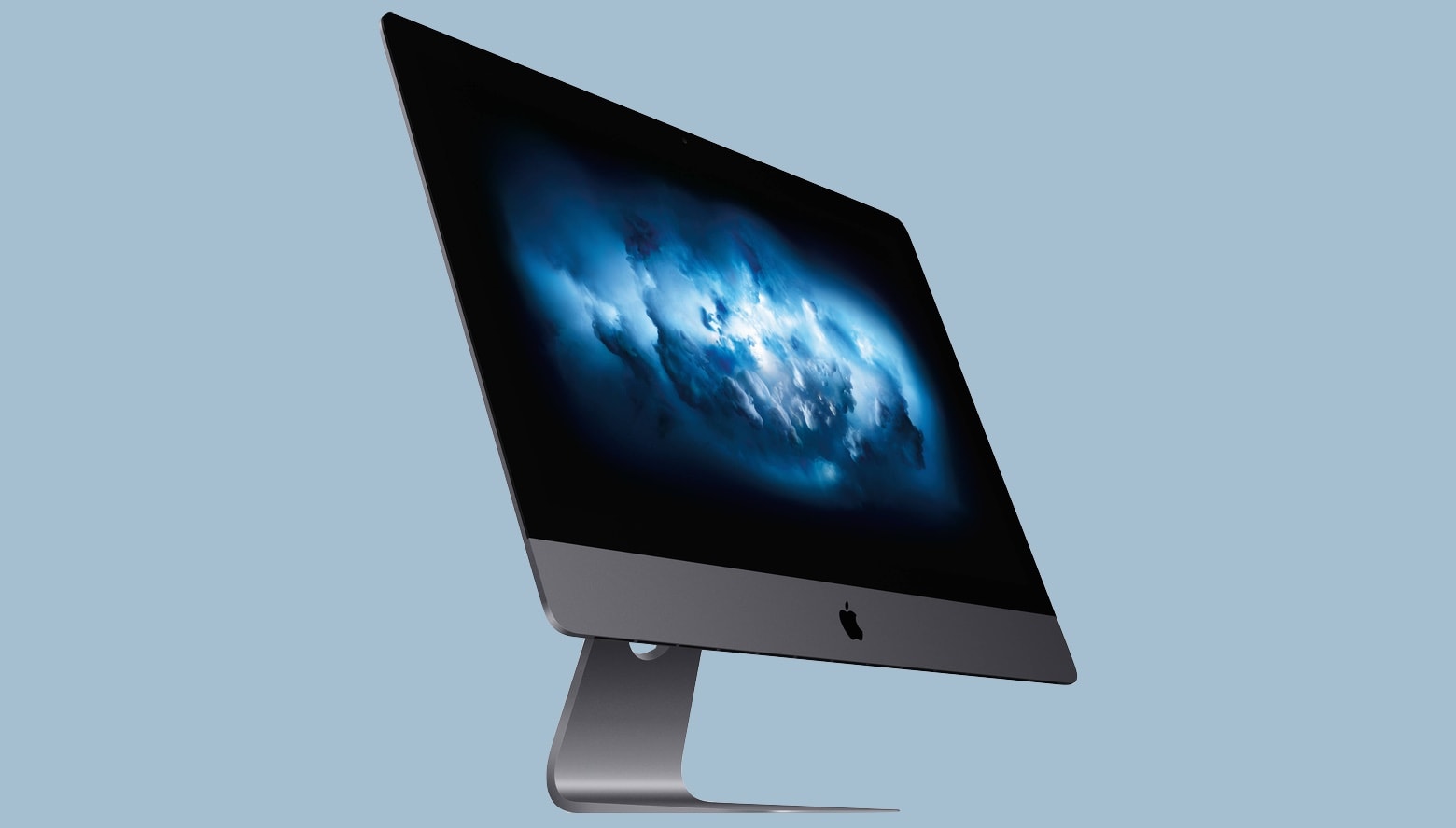
The one and only pro all-in-one.
The iMac Pro was a one-off model from 2017 that was discontinued after the Apple silicon model was introduced. It came with powerful specs at the time — an Intel Xeon processor with 8, 10, 14 or 18 cores; up to 256 GB of memory; advanced AMD graphics; up to 4 TB of SSD storage. It featured the same 5K display as the 27-inch iMac.
It was originally developed to replace the cylindrical Mac Pro, but in the end, Apple decided to make a new Mac Pro tower, too. The all-in-one is now a consumer product rather than a pro one. The high end of the lineup is filled by the Mac Studio and Studio Display.
iMac 5K 27-inch
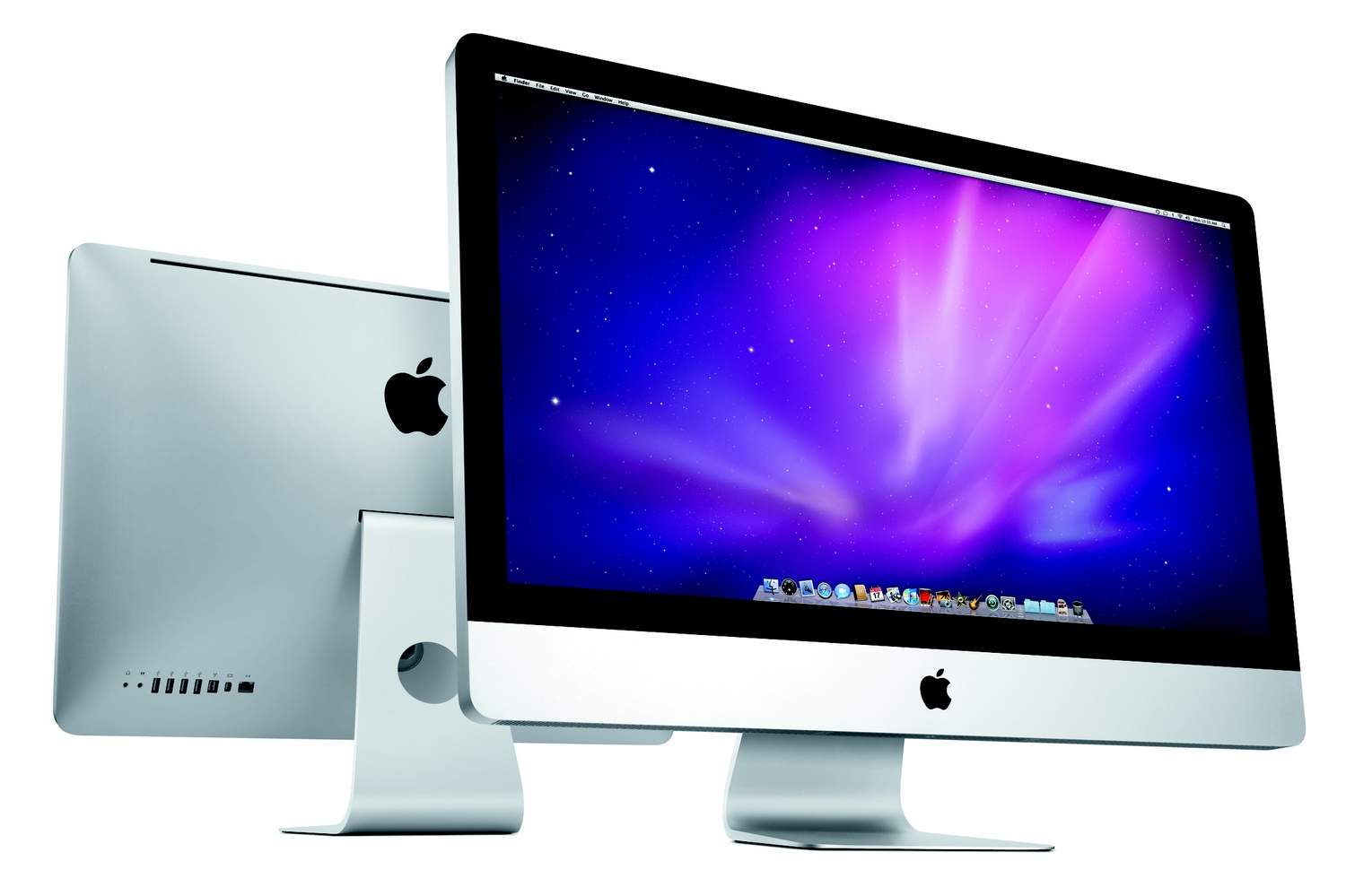
Apple used to make much larger models with a 5K Retina 27-inch screen.
Since the switch to Apple silicon, Apple has decided to make a single 24-inch model, pushing pro customers towards the Mac Studio with a Studio Display.
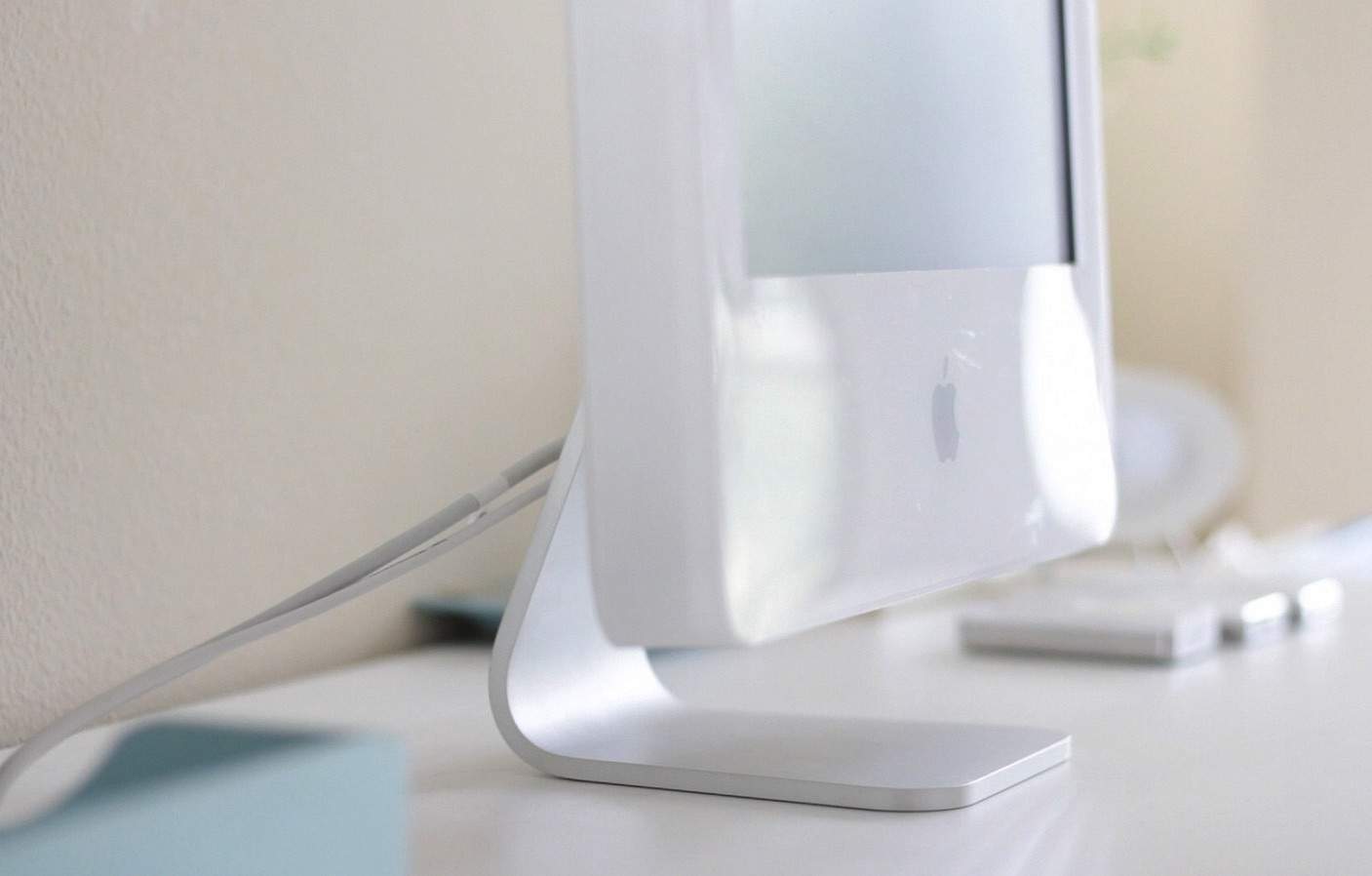
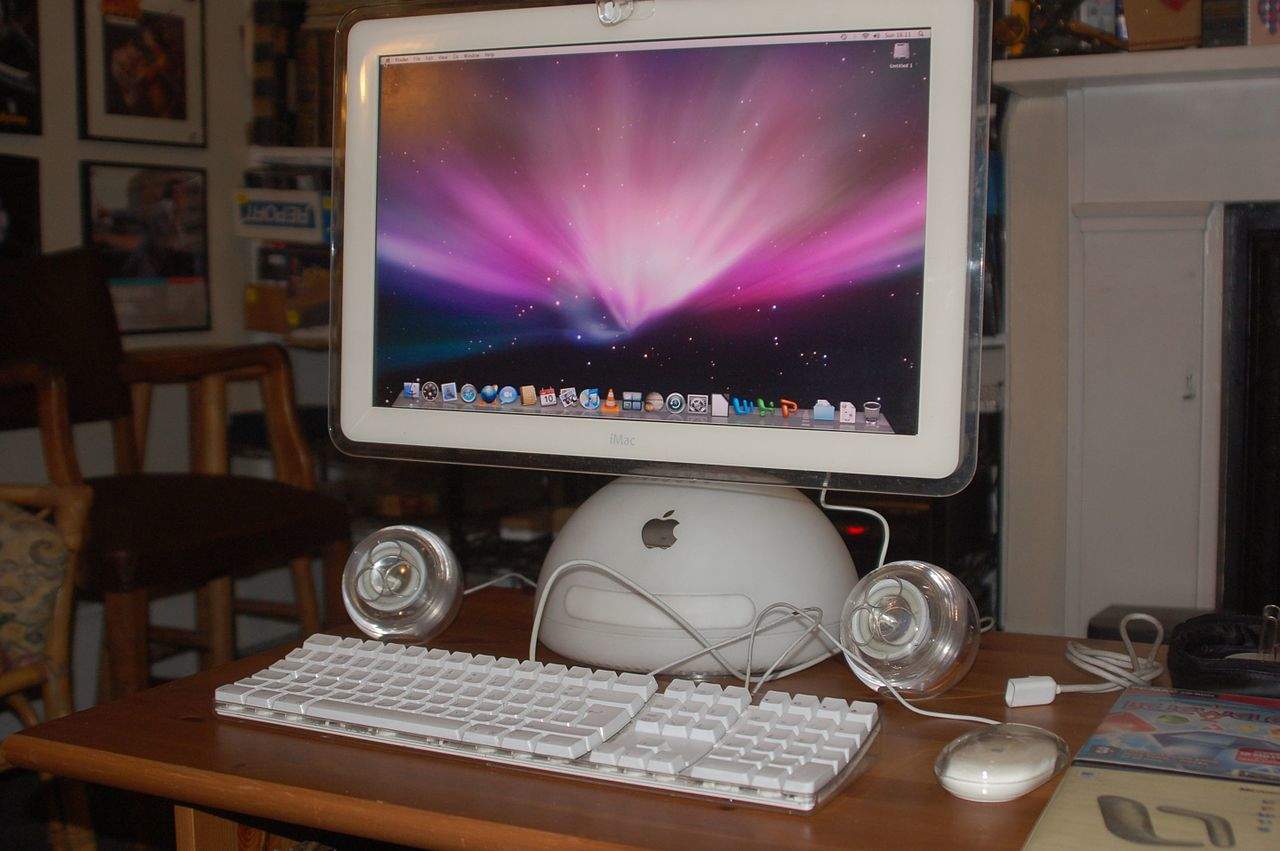
iMac G5
The G5 looked like the world’s biggest iPod.
The G5 set the design that would be used for the next 20 years and beyond — an all-in-one built entirely into the display with a chin on the front and a curved aluminum stand. Although, later models would be far less chunky with less white plastic.
This design carried over to the very first models with an Intel chip inside. However, it was soon replaced with an aluminum and glass unibody design.
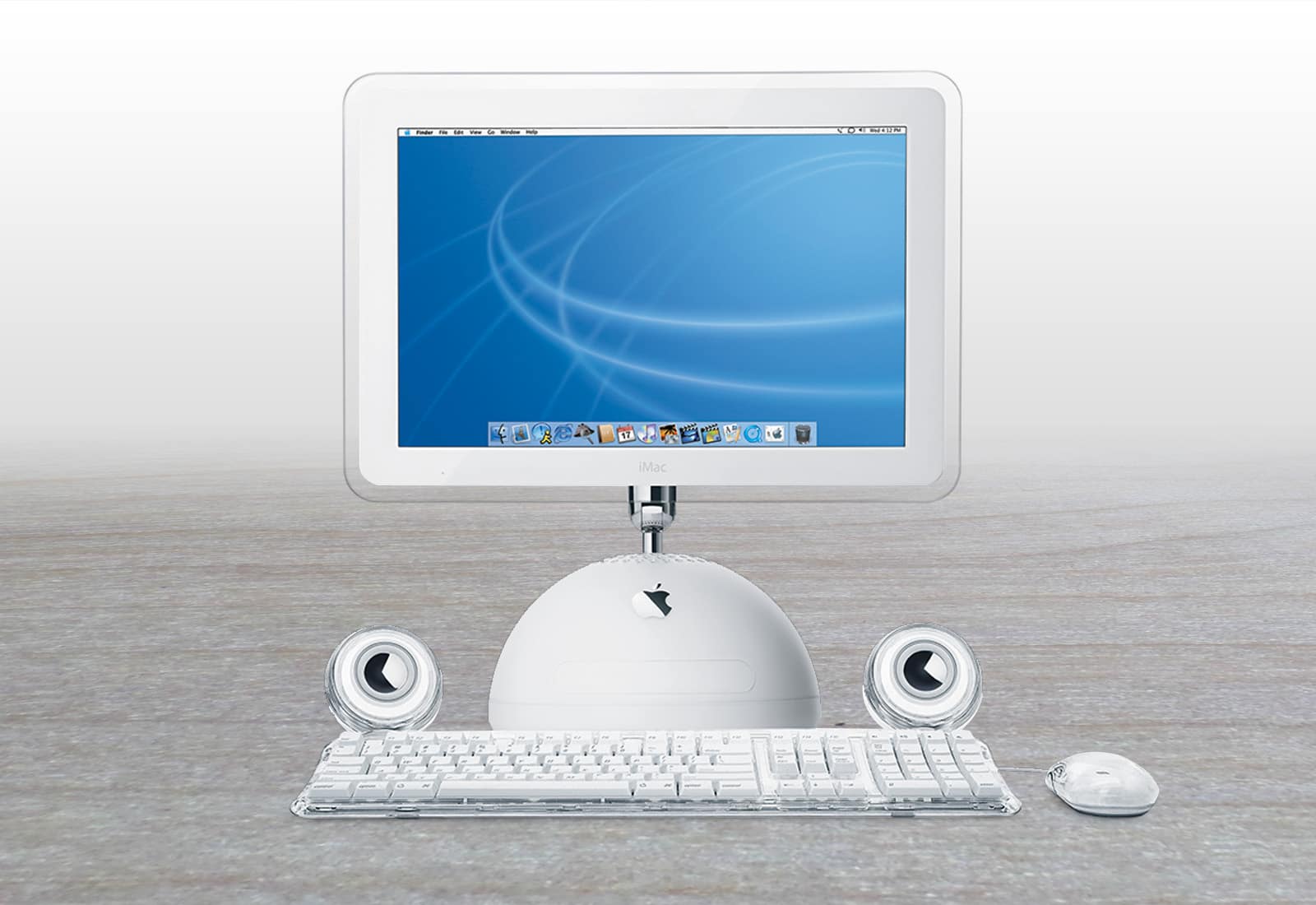
iMac G4
The G4 was among Apple’s most attractive Macs.
The next big redesign came with the G4 model. As Apple’s first consumer all-in-one with a flatscreen, Apple had to rethink the entire shape of the computer.
Its sunflower design has a practical reason. CDs and spinning hard drives of the early 2000s wouldn’t perform as well if they were set vertically behind the display. Thus, the display was allowed to float above the rest of the computer, built into a round base.
The aluminum display arm was easy to raise, lower, tilt and spin around. It set a gold standard for precision design and engineering.
It ditched the bright color options for a stark white and translucent design. After the iPod became another runaway success, the white look of Apple products became the iconic style of the whole G4 and G5 era.
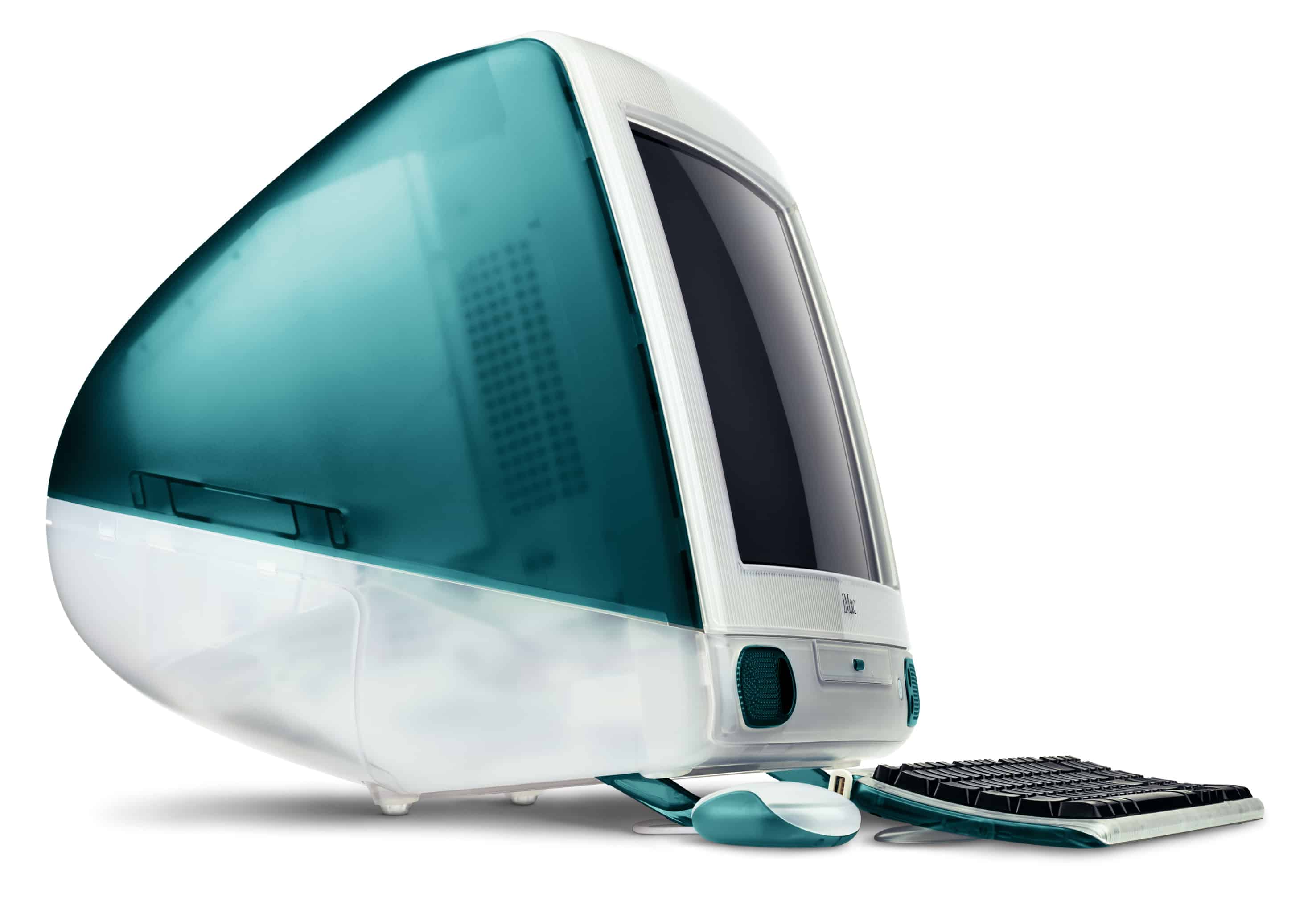
The iMac G3 was the first. It replaced the big, complicated and messy lineup of beige computers Apple was selling before. It kicked off a sensation of similarly-colored translucent plastic products.
Its appeal came from its bright blue and consumer-friendly design, but also as an easy appliance to get on the internet. It didn’t come with a giant mess of cables, and its built-in modem simplified the process.
It was a big hit that came at a critical time in Apple’s history, saving the company from near disaster. Subsequent models came in a greater variety of colors — and some wacky ones at the end.
The iMac is often on sale with good deals on Amazon. You can find bigger deals on the more expensive configurations. However, Amazon has a limited number of premade configurations, and does not allow you to fully build-to-order a Mac.
Apple Store iMac
Five colors on display in an Apple Store: Yellow, Pink, Purple, Green and Blue.
You can always check one out at a nearby Apple Store. Some larger Apple Stores carry a few different colors on display. However, if you’re buying in-store and you want a model with particular specs, you may not be able to get the color you want. Custom orders are best placed online. Although, all the colors are pretty excellent.
iMac reset
You need to properly reset your iMac before you trade, sell or pass it down. That way, the new owner will be able to set it up as brand new, with none of your data left on it.
First, make sure that a recent Time Machine backup is in place. You can check this in System Settings > Time Machine. Make sure that “Backups” shows a recent date and time. Otherwise, right-click on your Time Machine and click Back Up Now.
After setting up your new device, go to System Settings > General > Transfer or Reset, click Erase All Content and Settings and follow the instructions.
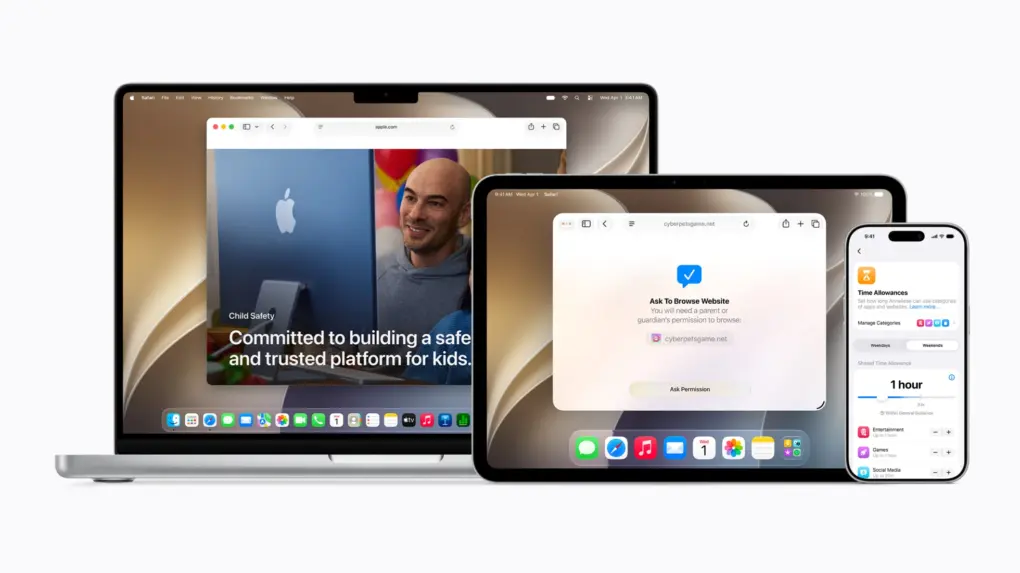
The new tools should help parents create safer digital experiences for their kids. Photo: Apple
A sweeping set of child safety features including parental controls give families sharper tools for managing what kids see, who they talk to and how long they spend on devices, Apple said Monday at WWDC26.
“At Apple, our mission has always been to create technology that empowers people and enriches their lives, while helping keep them safe,” said Sumbul Desai, M.D., Apple’s vice president of Health and Fitness.
“Our approach to helping families create safer digital experiences is grounded in the belief that every child is unique,” she added. “That’s why we build simple and intuitive tools, based on expert guidance, to let parents tailor their kids’ digital journey.”
The features arrive with iOS 27, iPadOS 27, and macOS 27 this fall.
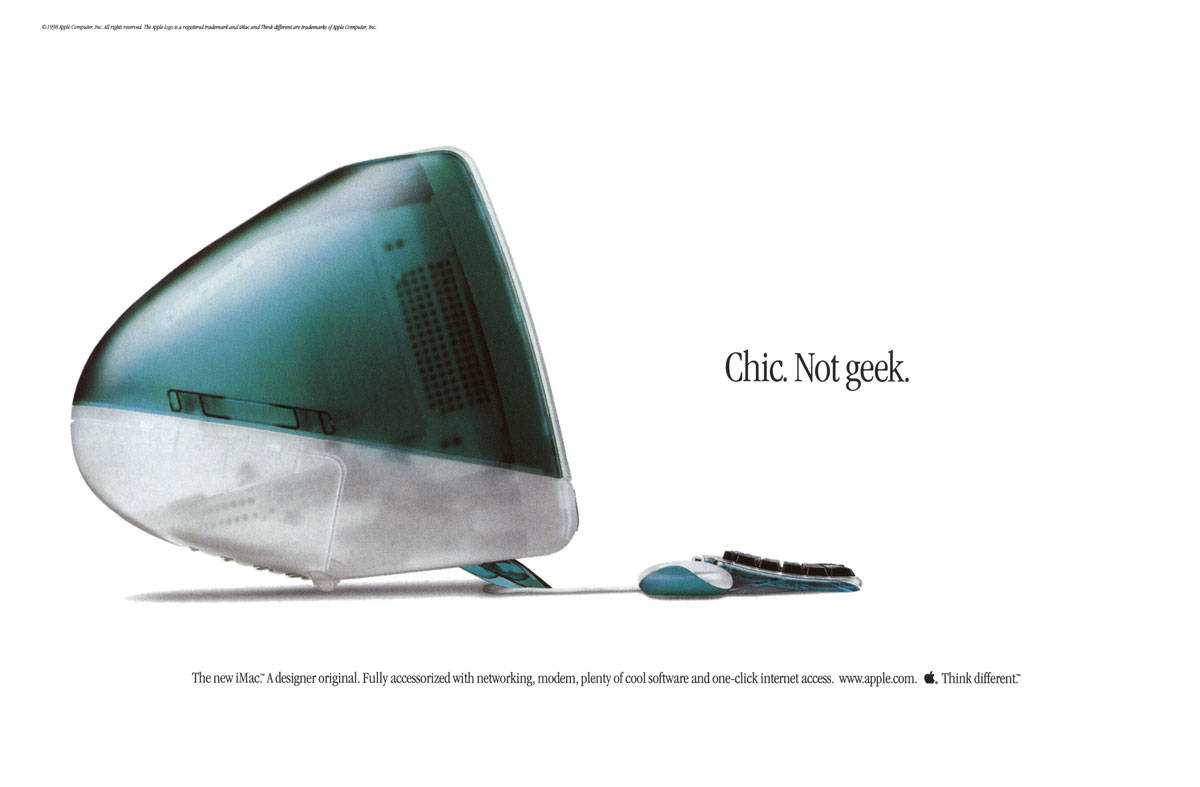
The original iMac looked different from any other computer. Photo: Apple
May 6, 1998: Apple CEO Steve Jobs unveils the original iMac, a brightly colored, translucent computer that will help save the company.
Coming just 10 months after Jobs’ new management team took over the struggling company, the iMac loudly announces that the days of Apple quietly fading into the background are over. The colorful computer marks the start of a very successful run for Cupertino.
This 2019 MacBook Pro with an Intel chip will not get macOS 27. Photo: Charlie Sorrel/Cult of Mac
Anyone still using an Intel Mac needs to know that when macOS 27 launches this fall, it won’t be available for computers that don’t use Apple’s own processors.
It’s not like your Intel-based Mac will suddenly explode in your face because it’s running an older version of macOS, but the odds of getting hacked go up considerably. Here’s why.
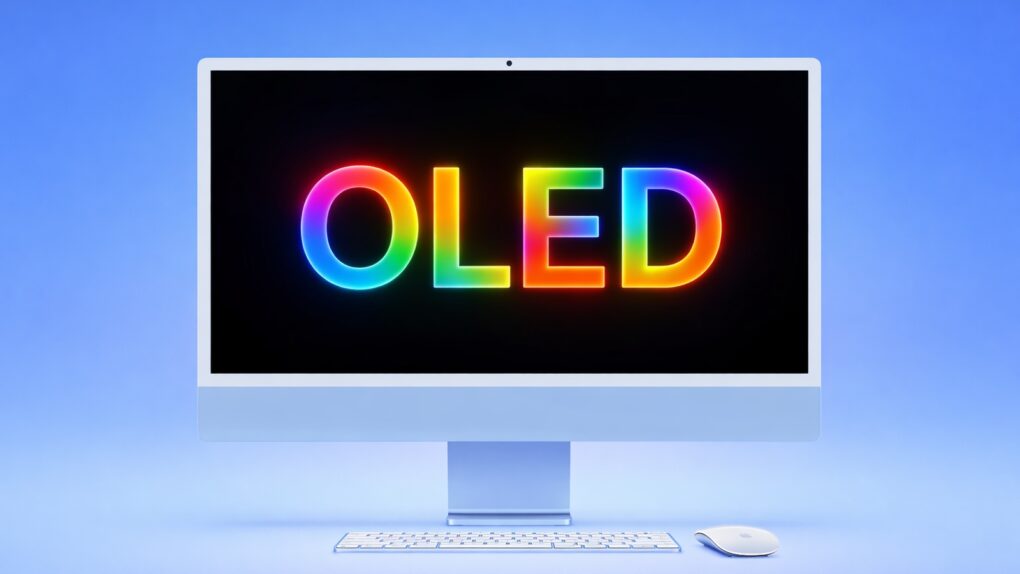
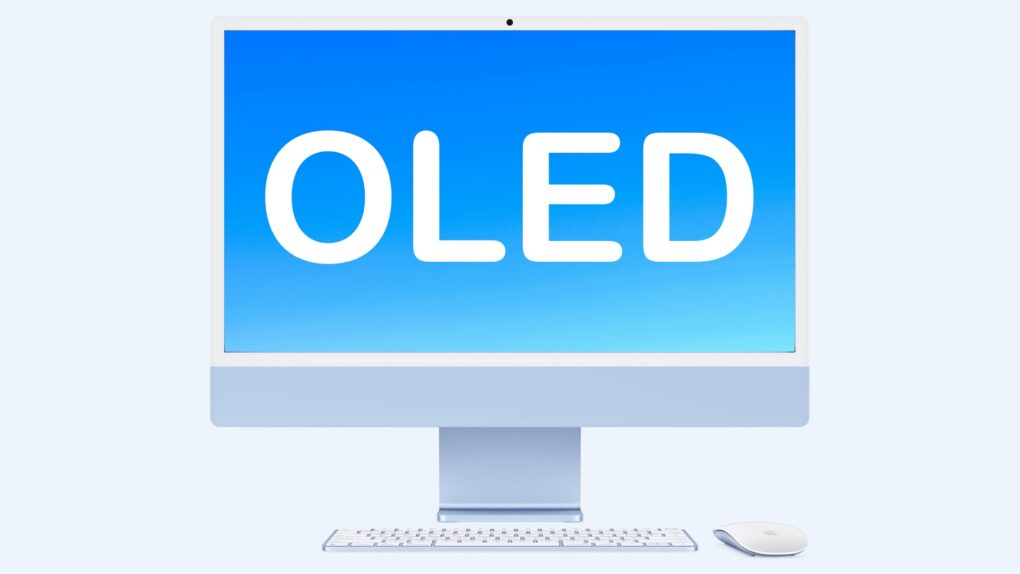
Apple is exploring an iMac with a gorgeous OLED display. AI image: ChatGPT/Cult of Mac
Apple’s first desktop Mac with an OLED screen is in early development, according to a report coming out of the company’s supply chain in Asia. That would give the all-in-one desktop a truly beautiful display.
At this point, OLED screens typically go into Apple’s premium models. It’s not clear if that’ll hold true for the iMac, however.
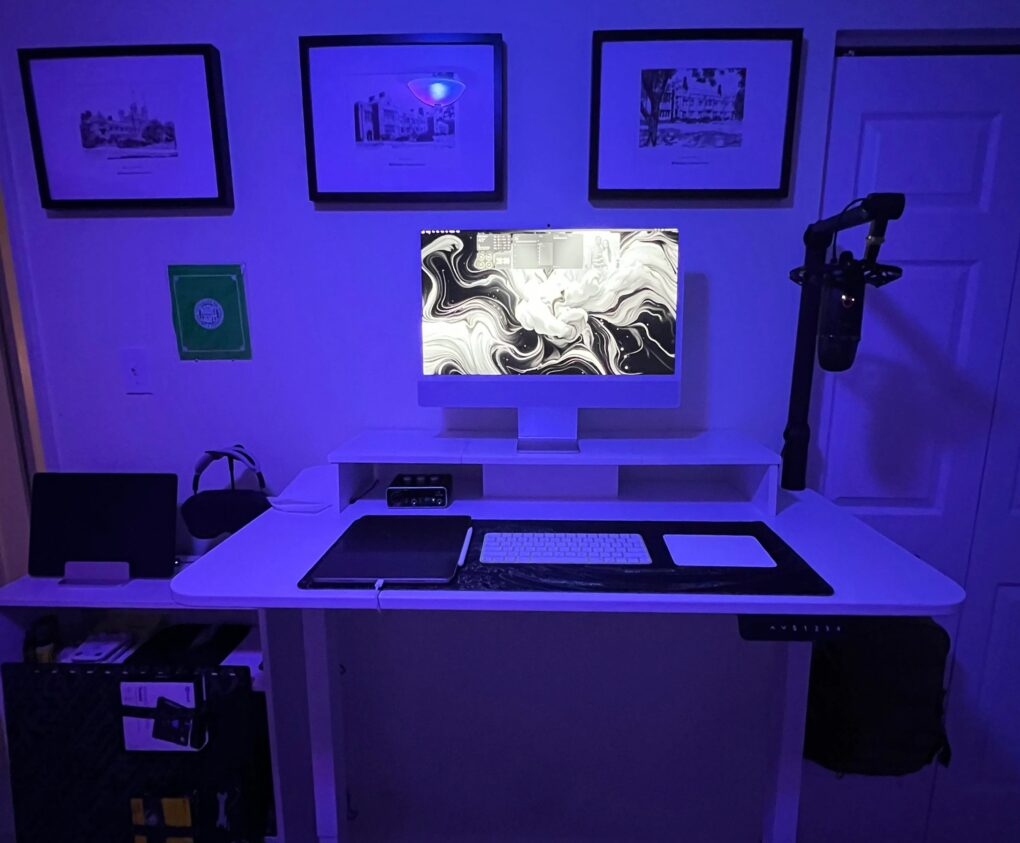
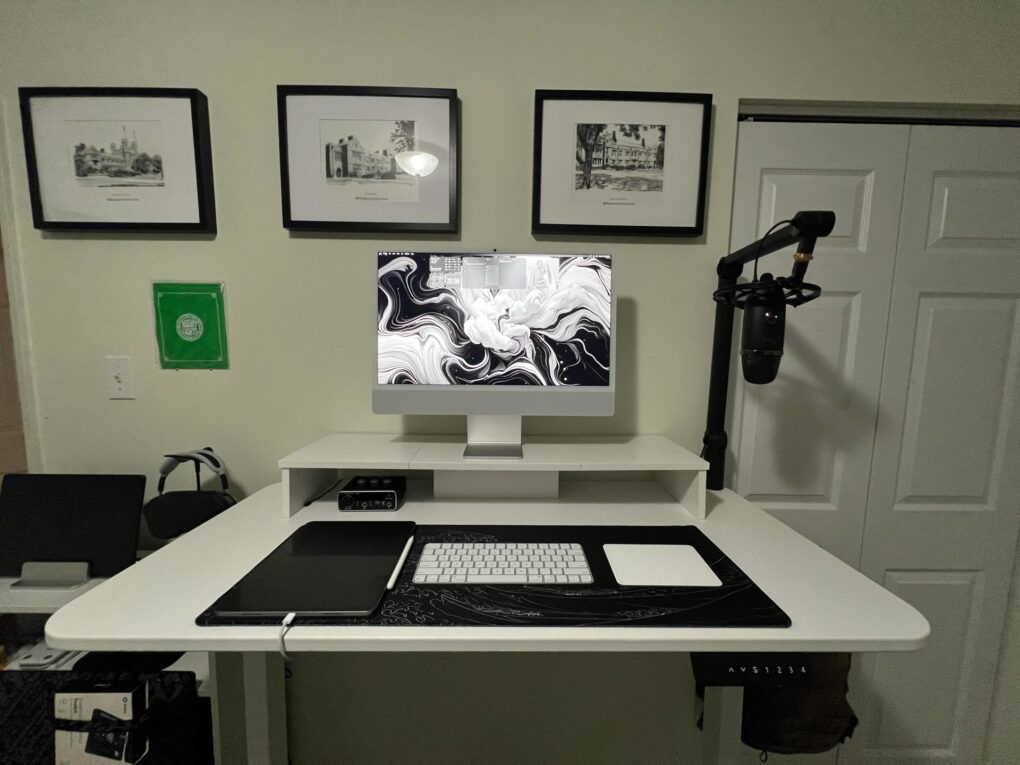
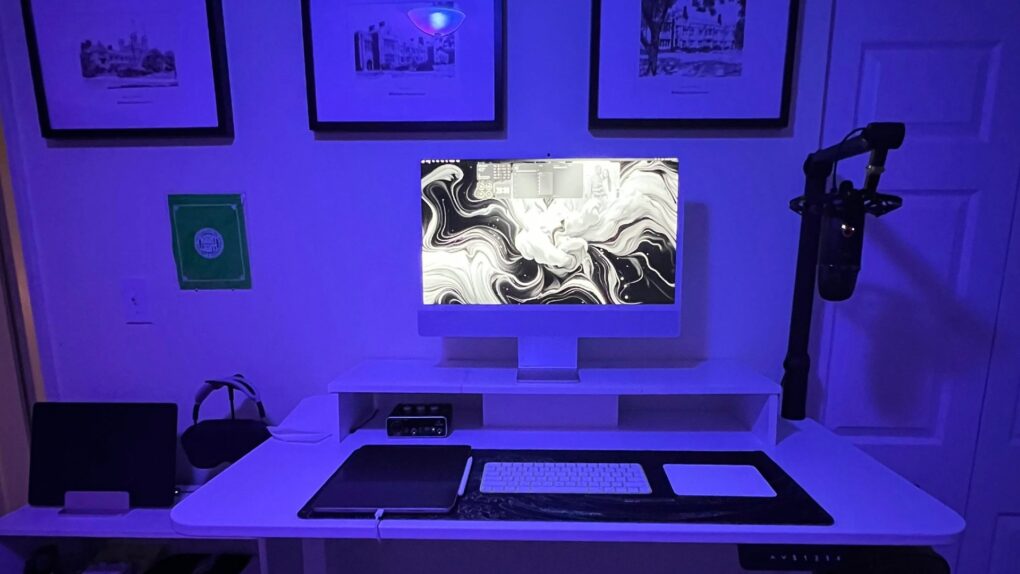
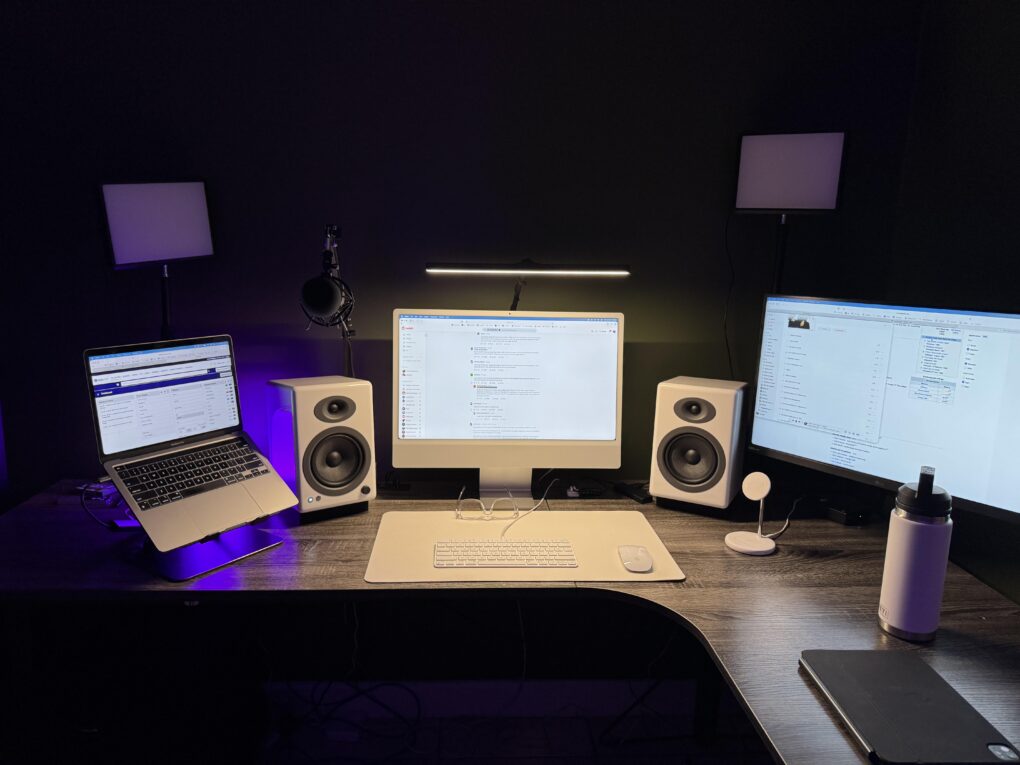
This M4 iMac setup packs great audio gear, too. Photo: [email protected]
The iMac has always occupied a special place in Apple’s lineup — a beautifully integrated all-in-one desktop computer that bundles a 4.5K Retina display, camera, speakers and microphone into a single elegant slab of aluminium with color-matched accessories.
Yet despite the machine’s considerable visual appeal, iMac setups are a surprisingly rare sight in Cult of Mac‘s long-running Setups section. I noted in March 2025 that, out of 616 Setups articles written over more than four years at that time, only 11 featured an iMac as the centrepiece. That’s partly due to the fact that Apple desktop sales. They made up just 14% of Mac sales in 2024, while MacBooks accounted for a whopping 86%.
These were two of the wackier Macs ever. Photo: Apple
February 22, 2001: The iMac Special Edition, sporting wild designs that would make a hippie happy, puts a wacky face on the colorful computer that saved Apple’s bacon at the turn of the century. The Flower Power iMac and Blue Dalmatian iMac evoke tie-dye shirts and other unconventional ’60s-era imagery.
A far cry from the super-serious, aluminum-heavy industrial design that will come to define Apple in subsequent years, these colorfully patterned iMacs stand out as some of the most irreverent computers Cupertino ever dreamed up. (C’mon, when was a real Dalmatian blue?)
Under the crazy-looking exteriors, a pretty darn great iMac G3 hums along.
Wi-Fi on your Mac or iPad just got faster. AI image: ChatGPT/Cult of Mac
Apple silently gave some Macs and iPads a Wi-Fi speed boost with macOS Tahoe 26.2 and iPadOS 26.2. The update enables 160MHz channel bandwidth support on 5GHz Wi-Fi networks, eliminating a restriction that tamped down the maximum possible speeds.
The additional bandwidth should let your recent Mac or iPad benefit from higher throughput.
Let's get that nice new Mac set up, shall we? Photo: Apple
It’s a great season to get a new Mac, since every model is a great buy. If you’re one of the lucky people to get one this year, here’s how to set up your Mac like a pro.
So rip open that box, tear off that plastic, and let’s get to the good stuff.
Here is Cult of Mac’s guide to setting up your new Mac the right way.
A gorgeous OLED display might come to Apple’s all-in-one iMac. Graphic: Apple/Cult of Mac
An iMac with an OLED display is in development, according to a fresh supply-chain leak. This would bring a significant upgrade to the look of Apple’s all-in-one desktop computer for the consumer market.
The report comes shortly after a new professional-grade iMac was rumored. Clearly, it’s a big week for Apple desktops.
Apple's 20-inch iMac G4 in all its glory. Photo: Wikipedia CC
November 18, 2003: Apple debuts a new iMac G4 sporting a 20-inch screen, the company’s biggest flat-panel all-in-one computer ever.
The introduction makes an already superb Mac even better. Somehow, though, the additional screen real estate makes the new Mac weigh twice as much as the 17-inch model.
If you are looking to buy an iMac, there’s no need to pay full price. Photo: Apple
A new M4 iMac deal knocks 9% off the price of Apple’s 24-inch computer, dropping it to just $1,182.10. The all-in-one desktop machine is right for both families and businesses.
Besides its stellar performance, the machine stands out for its beautiful 4.5K Retina display and sleek design.
October 20, 2009: Apple goes big with its iMac redesign, introducing the first 27-inch all-in-one Mac. The sleek, sophisticated aluminum unibody design looks so good that the iMac will remain virtually unchanged for years.
As with the first Macintosh with a built-in CD-ROM drive, the iMac’s 27-inch display represents a sea change for tech. The big, beautiful screen signals that larger displays need no longer remain the domain of pampered professionals.
An M5 MacBook Air, Mac mini and Mac Studio are all on the way. Image: Apple/Cult of Mac
The Apple M5 chip jumped from rumor to reality Wednesday with the launch of MacBook Pro and iPad Pro models running the new cutting-edge processor. But so far, there’s been no official mention of an M5 Mac mini, M5 MacBook Air, M5 Studio or M5 iMac.
Here’s when the next generations of these Macs are rumored to reach customers, along with the probable launch dates of the M5 Pro and M5 Max versions of the MacBook Pro.
Can you beat us at our own predictions game? Image: Cult of Mac
This week on Cult of Mac’s podcast: With Apple’s Awe Dropping event bearing down on us, it’s time to once again put our professional reputations (and our personal dignity) on the line with our traditional predictions game!
Who will win this time? And will a CultCast listener steal the glory once again?!?
Also on The CultCast:
A stripped-down version of the Vision Pro, possibly called the Vision Air, could reduce the strain on users’ necks (and wallets).
A proposed iMac Lego set is gaining supporters online. Let’s take it over the top!
Apple wins one in court — and it’s a big one. A judge rules that the $20 billion payments that Google forks over to Apple each year can continue.
August 31, 2004: Apple launches the iMac G5, a distinctive, white plastic computer that looks a little like the world’s biggest iPod.
Housed in a 2-inch-thick enclosure reminiscent of Apple’s Cinema Displays, the new all-in-one machine bridges the gap between the pleasing plasticity of the iconic original iMac and the minimalist form factor of the ultra-slim aluminum Macs that will follow.
“Just like the iPod redefined portable digital music players, the new iMac G5 redefines what users expect from a consumer desktop,” says Phil Schiller, Apple’s senior vice president of worldwide product marketing, in a press release. “With the entire system, including a gorgeous 17- or 20-inch display, just two inches thin, a lot of people will be wondering ‘where did the computer go?’”
On this day in 1998, the world said "hello" to the computer that would save Apple. Photo: Apple
August 15, 1998: The original iMac — Apple’s brightly colored, translucent Macintosh relaunch — goes on sale to a rabid audience. Apple co-founder Steve Jobs‘ first major new product since returning to Cupertino, the internet-ready iMac G3 line will cement his legacy as a forward-thinking tech visionary.
The all-in-one computer also introduces the world to the design talents of Jony Ive — and pretty much saves Apple in the process.
What can you use it for? Quite a lot, actually. Image: D. Griffin Jones/Cult of Mac
There are lots of things you can do with an old Mac. No one will fault you for upgrading to Apple’s latest and greatest, but your old Mac can still find a job to do, too.
It used to be that when your old iMac kicked the can, you hollowed it out and made an aquarium or a desk lamp. These days, Macs have a much longer shelf life. The right model can give you years upon years of loyal service. (Not to mention, modern Macs are too thin to house a fish.)
Here are the six best things you can do with an old Mac. Watch our latest video or keep reading below.
This user ponders replacing both the M1 MacBook Pro and the M3 iMac, possibly with an M4 Pro MacBook Pro. Photo:
Today’s featured setup user seeks out and gets good advice on his upgrade questions. He runs an aging MacBook Pro and a more recent iMac, but wonders about replacing them both with a newer MacBook Pro, perhaps an M4 Pro model. Commenters on his post offered useful thoughts, below, on future-proofing choices of Mac models as well as external display options.
The iMac G4 brings a "breathtaking" giant screen to desktops everywhere. Photo: Apple
July 17, 2002: Apple ships a new super-sized iMac G4 with a 17-inch widescreen LCD display that becomes the envy of most computer users at the time.
“The best consumer desktop just got even better,” says Apple CEO Steve Jobs of the company’s new all-in-one computer in a press release. “Having this gorgeous 17-inch flat screen floating in mid-air right in front of you is simply breathtaking. There’s nothing like it in the PC world.”
This is the user's "before" picture, with 2017 iMac. See the "after" picture below. Photo: [email protected]
I love the “before” and “after” setups posts with photos on social media. Today’s is on the basic side, but it’s always fun to see clear visuals of what people do. In this one, an iMac toiling away for eight years gets judged into well-deserved retirement by Apple’s hot little M4 desktop machine on a Satechi Mac mini hub that greatly expands connectivity and storage. With the iMac’s lovely screen gone, the new rig is a Dell-4K-display-Mac-mini combo.
Apple keeps selling more and more Macs each quarter. Photo: Apple
Mac shipments increased 21.4% in the second quarter of 2025, according to a market research firm. Apple has shown strong growth in shipments every quarter since the launch of multiple M4-powered Mac models began last autumn, and the new chip has helped grow the company’s share of the global market.
Most of the top Windows makers also saw growth last quarter, but none can match Apple’s pace.
This user's Blue Yeti mic on a nice boom arm plus a Behringer audio interface get the job done. Photo: [email protected]
Sometimes a computer setup showed off on social media demonstrates just how easy and affordable it can be to add a nice set of audio gear for podcasting, streaming, Zoom meetings and more. Today’s M4 iMac workstation sets a good example. It not only includes AirPods Max, Apple’s premium over-ear headphones. It also features one of the most popular USB microphones mounted on a boom arm, plus a capable audio interface. And it’s all pretty much plug and play, so the user can start broadcasting or recording in minutes.
As the user points out, an iMac setup is a clean setup because so many components are included in the desktop computer. Photo: [email protected]
When I came across today’s M4 iMac setup on the interwebs, I realized how rarely they come up in Cult of Mac‘s setups coverage. Out of 616 articles I’ve written about setups to date — over more than 4 years — this is only the 11th one to feature an iMac (plus a few others from before I took over the setups beat). And that small number doesn’t come from any hatred of iMacs on my part. It’s just that users seem to flaunt them much less on social media than other hardware. And they’re not top sellers for Apple.
These new models helped spur Mac shipments in Q4 2024. Photo: Apple
Mac shipments in the last three months of 2024 rose sharply, hitting 17.3% in year-over-year growth according to a market research firm. Apple enjoyed a better growth rate than any of its top rivals, some of which saw their shipments decline.
The company also experienced growth in Mac shipments for the entire year compared to 2023.




 A sweeping set of child safety features including parental controls give families sharper tools for managing what kids see, who they talk to and how long they spend on devices, Apple said Monday at WWDC26.
 May 6, 1998: Apple CEO Steve Jobs unveils the original iMac, a brightly colored, translucent computer that will help save the company.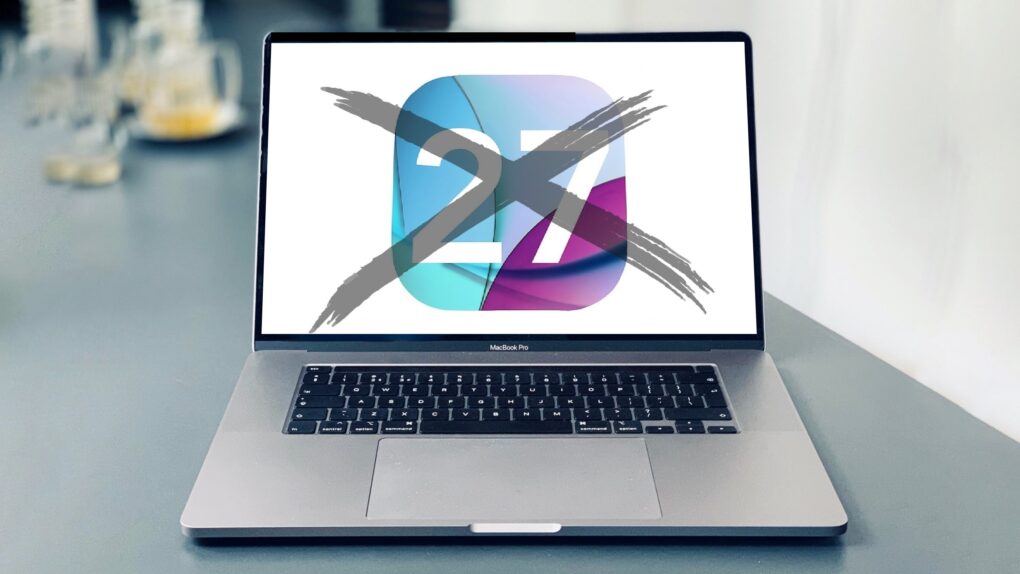
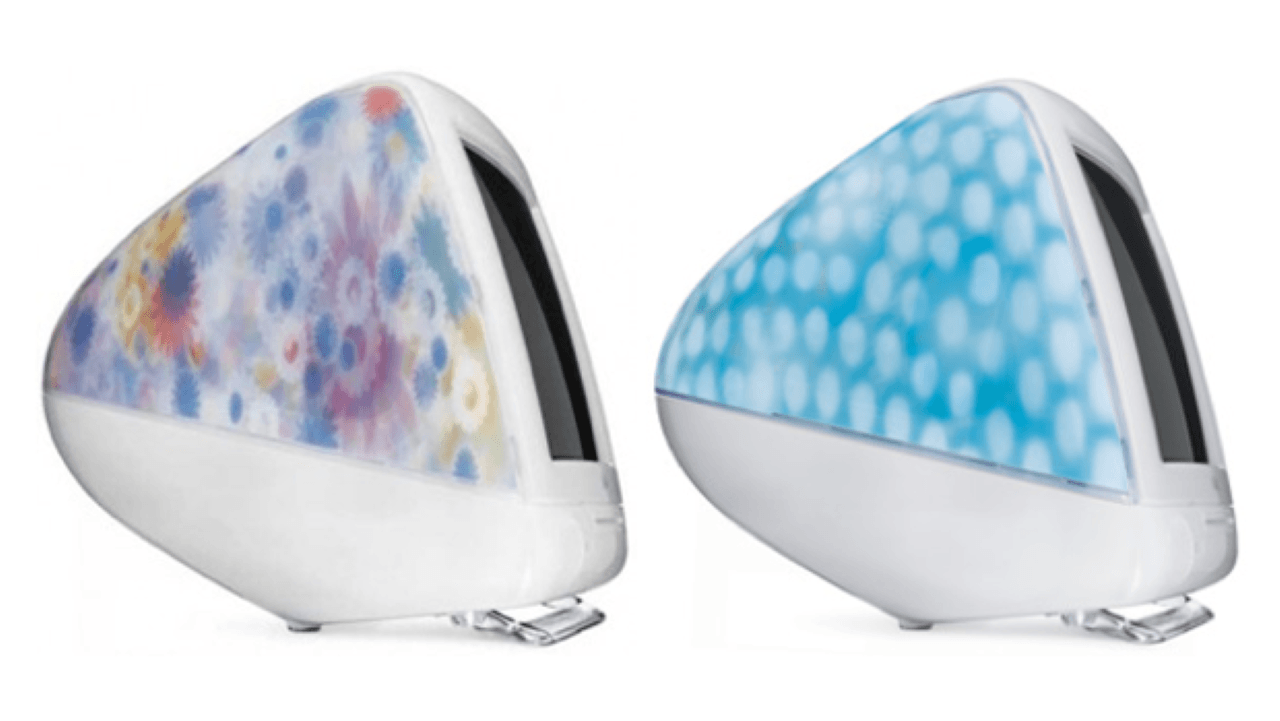
 February 22, 2001: The iMac Special Edition, sporting wild designs that would make a hippie happy, puts a wacky face on the colorful computer that saved Apple’s bacon at the turn of the century. The Flower Power iMac and Blue Dalmatian iMac evoke tie-dye shirts and other unconventional ’60s-era imagery.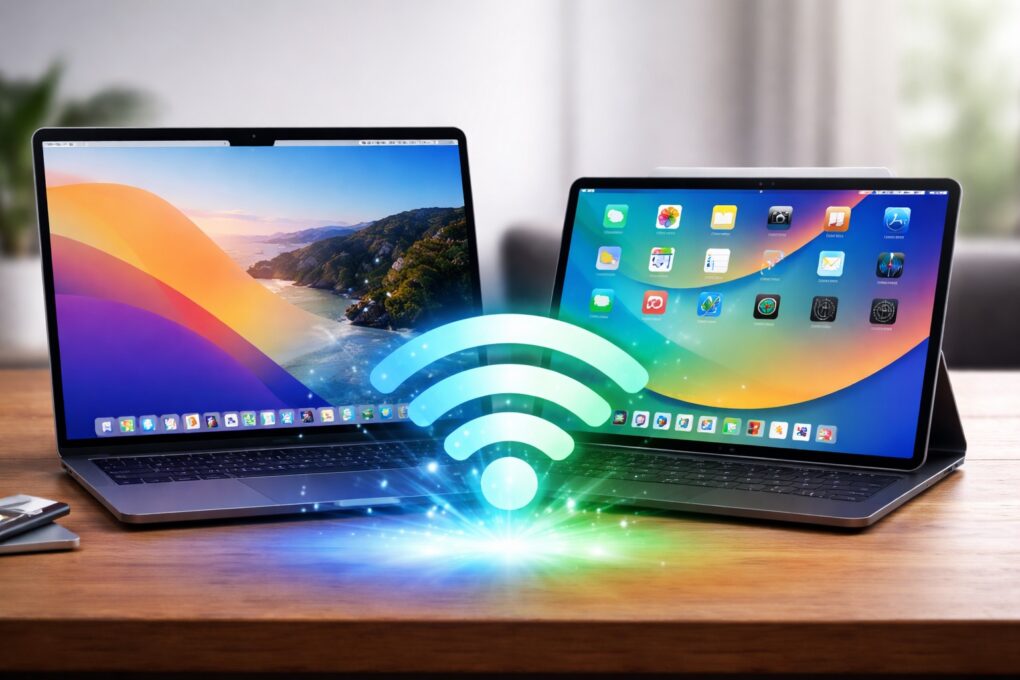
 November 18, 2003: Apple debuts a new iMac G4 sporting a 20-inch screen, the company’s biggest flat-panel all-in-one computer ever.
 October 20, 2009: Apple goes big with its iMac redesign, introducing the first 27-inch all-in-one Mac. The sleek, sophisticated aluminum unibody design looks so good that the iMac will remain virtually unchanged for years.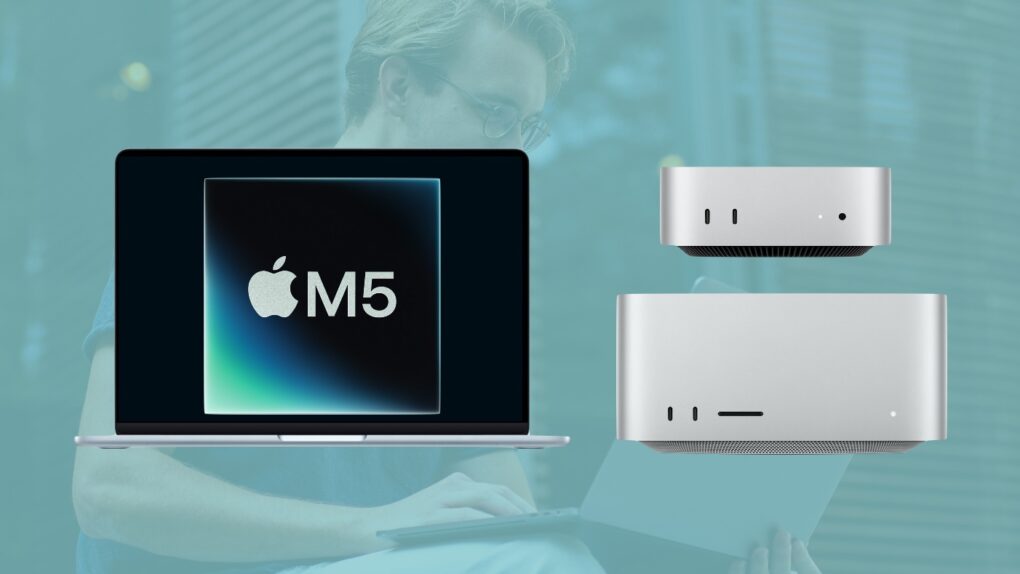
 August 31, 2004: Apple launches the iMac G5, a distinctive, white plastic computer that looks a little like the world’s biggest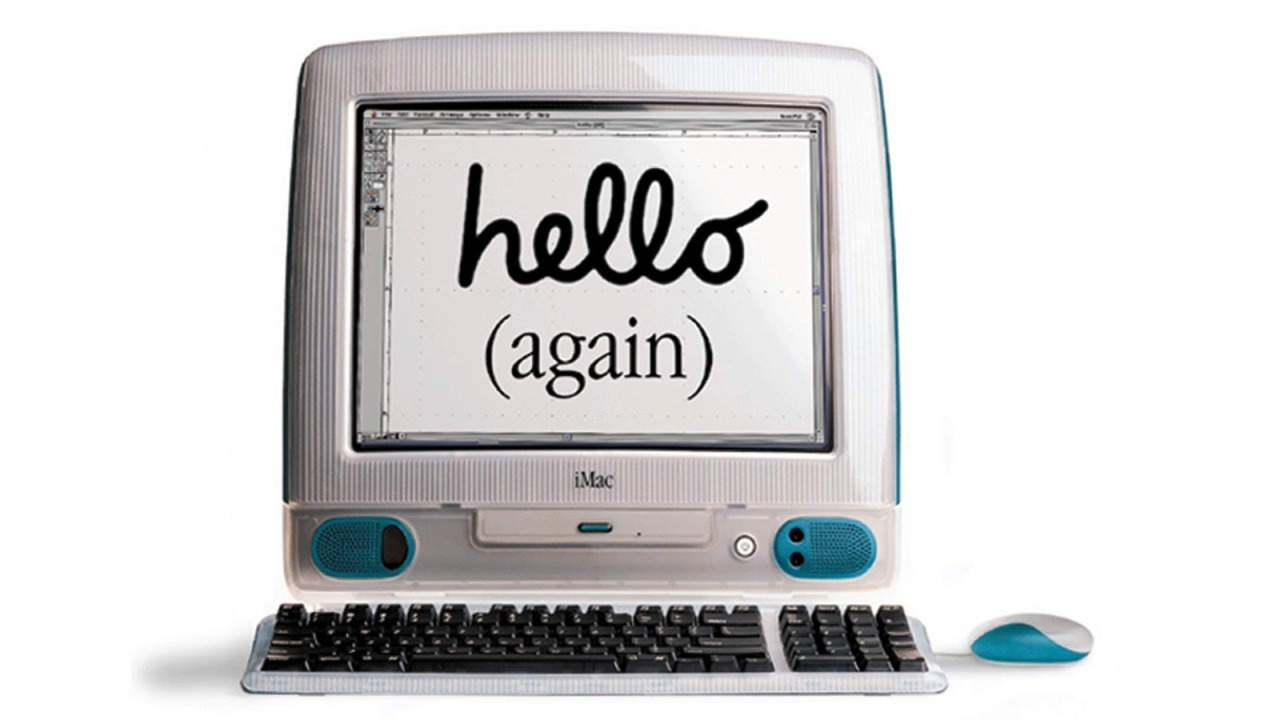
 August 15, 1998: The original iMac — Apple’s brightly colored, translucent Macintosh relaunch — goes on sale to a rabid audience. Apple co-founder
 July 17, 2002: Apple ships a new super-sized iMac G4 with a 17-inch widescreen LCD display that becomes the envy of most computer users at the time.