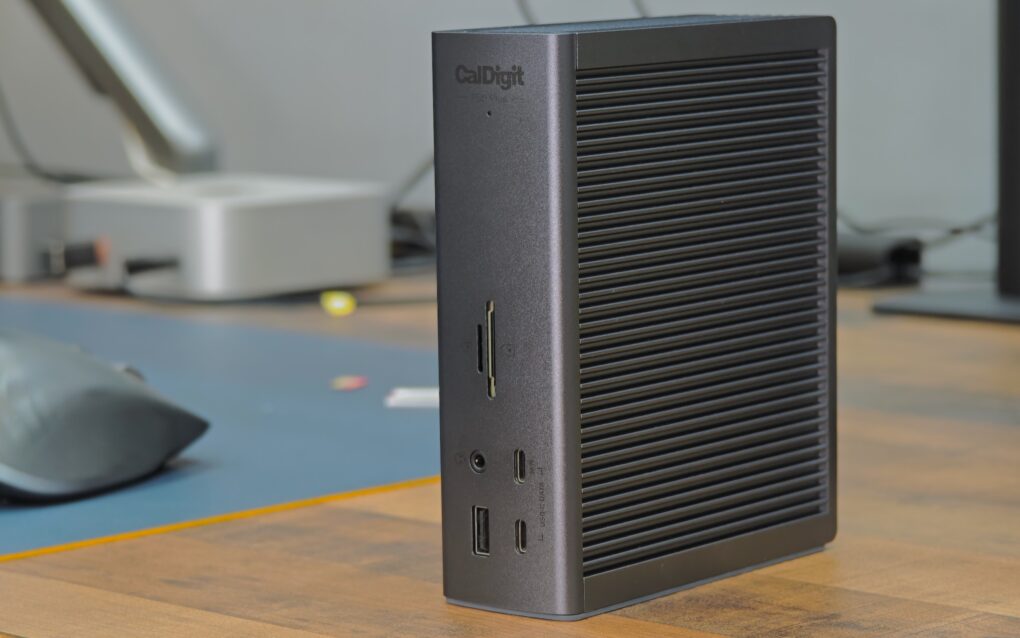
A Thunderbolt 5 dock makes it easy to connect multiple high-bandwidth devices to your MacBook — all with a single cable. While there are plenty of options, as you’ll see from this review, the CalDigit TS5 Plus is the dock for Mac power users.
It stands out from the competition by offering features you’ll not find elsewhere. If you have the budget, the CalDigit TS5 Plus is the Thunderbolt 5 dock to own. Find out what makes it special in my hands-on review.
CalDigit TS5 Plus review
If you plug multiple accessories into your Mac, a Thunderbolt dock is a must. Thunderbolt 5 docks are even better, as they take full advantage of the additional bandwidth to offer more ports and flexibility. And the best part? All of them connect to your MacBook through just a single cable, which can also charge the laptop.
While I’ve used several Thunderbolt docks before, including the OWC 11-11 port Thunderbolt 5 dock, the CalDigit TS5 Plus is in a league of its own. That should not be a surprise, as CalDigit’s previous Thunderbolt offerings stand out for their performance, flexibility and reliability.
With the TS5 Plus, the company takes things to another level altogether. The dock offers an unparalleled selection of 20 ports, including 10Gb Ethernet. And the multiple high-powered USB-C ports ensure the TS5 Plus can run high-power accessories or charge your secondary devices.
The CalDigit TS5 Plus is a premium hub meant for power users with demanding workloads. It fully utilizes the Thunderbolt 5's bandwidth to 20 ports, including multiple TB5 and USB-A/C, 10GbE networking and up to 140W host charging.
- Only dock with 10GbE port
- Only dock with dual USB controllers
- 330W power supply
- Variety of ports, including USB-C with up to 36W power output
- Expensive
- Can get hot under load

Table of contents: CalDigit TS5 Plus review
Hardware and design
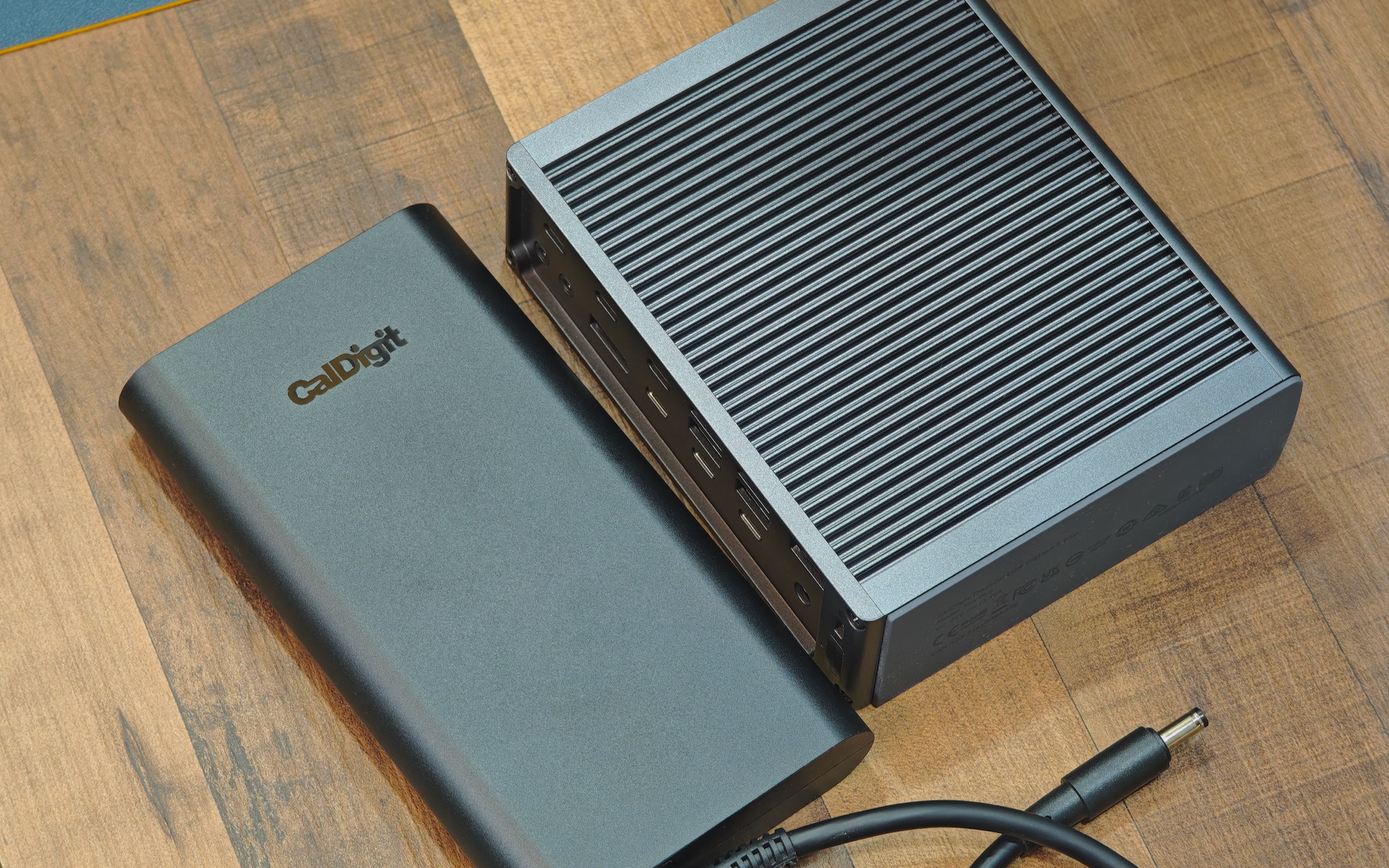
Photo: Rajesh Pandey/Cult of Mac
Many Thunderbolt dock manufacturers have jumped on the trend of integrating the power supply into the chassis itself. To work around the extra heat that’s generated, they use an active cooling system. That’s not the case with the CalDigit TS5 Plus, as it sticks to a two-part approach. There’s the dock itself, plus a separate, oversized power brick that’s longer than the dock itself.
In fact, oversized might be an understatement. After using countless docks, this is easily the chonkiest power brick I’ve come across. There’s a good reason, though. The adapter pushes a massive 330W of power — significantly higher than the competition. It uses a barrel connector to transfer power to the dock.
All that power ensures the CalDigit TS5 Plus can fast charge your MacBook Pro and other connected USB-C accessories simultaneously. No other Thunderbolt dock can claim to do this.
As for the T5 Plus itself, it looks similar to CalDigit’s previous TS4 and TS3 Plus offerings. To make room for the additional ports, the dock comes with a larger footprint, measuring 6.1 inches by 1.85 inches by 5 inches (155 mm by 47 mm by 127.9 mm).
An understated aluminum enclosure
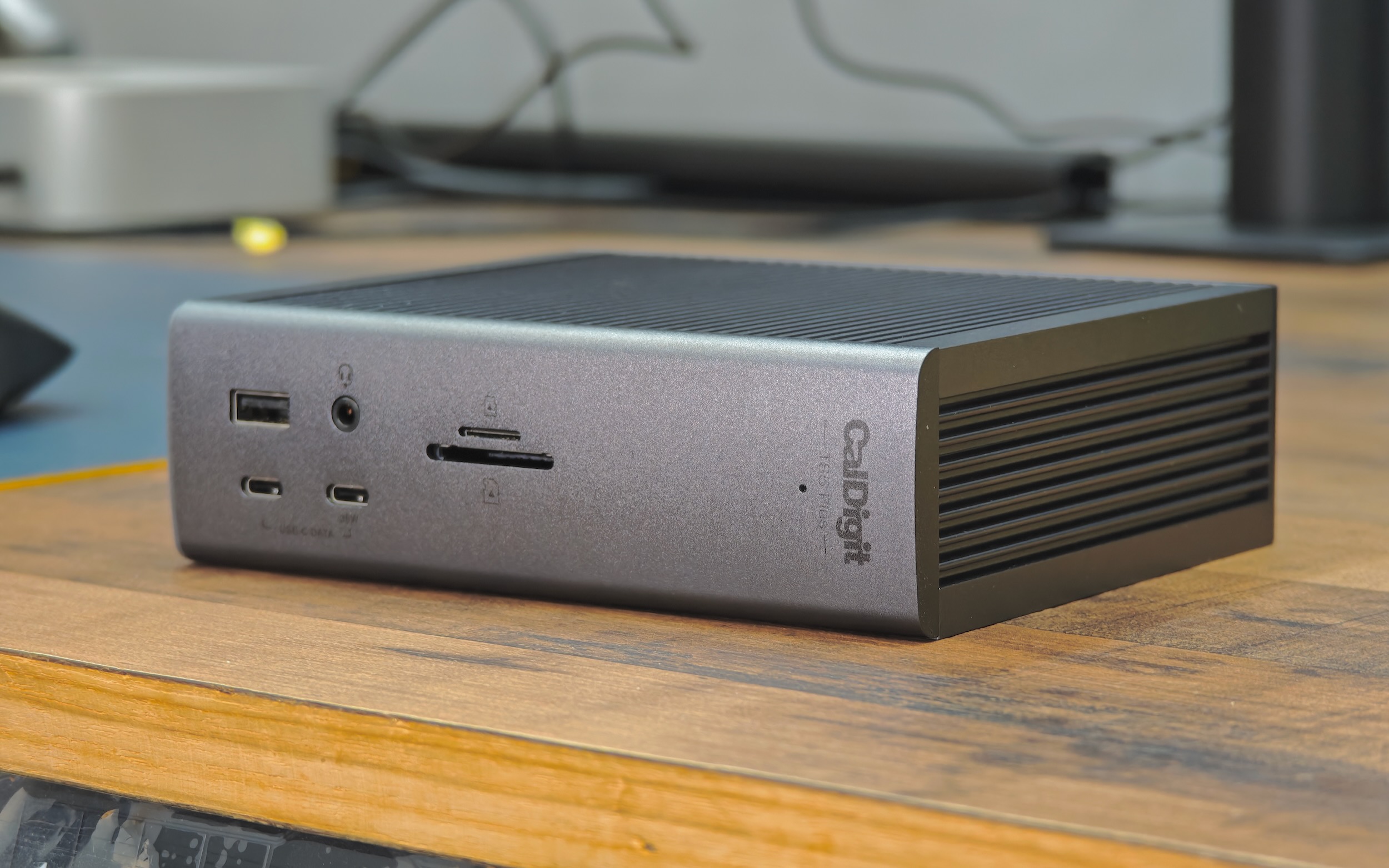
Photo: Rajesh Pandey/Cult of Mac
The TS5 Plus is entirely made of aluminum, with ventilation grilles on the top and bottom to increase the effective heat-dissipation area. Unlike some other docks, CalDigit’s offering does not include a built-in fan. Instead, its aluminum chassis acts as a passive heatsink, drawing heat away from the core components and dispersing it across the body.
The TS5 Plus features antislip rubber feet on the bottom. However, you can use it in either portrait or landscape orientation. CalDigit includes two rubber strips in the box to elevate the dock for horizontal placement and help with airflow.
CalDigit only offers the TS5 Plus in a single black color, which closely matches the space gray MacBook Pro’s shade. That color gives it an understated and stealthy look. However, if, like me, you own a silver MacBook Pro or Mac mini, the color mismatch is noticeable.
Still, the understated design of the CalDigit TS5 Plus ensures it doesn’t look out of place on my desk next to the M4 Pro Mac mini or my 16-inch MacBook Pro. A small white LED on the front glows only when the dock is powered on and in use.
CalDigit bundles a 1-meter Thunderbolt 5/240W braided cable with the TS5 Plus. That’s slightly longer than the 0.8-meter cable most docks come with.
CalDigit TS5 Plus review: I/O options galore with 20 ports

Photo: Rajesh Pandey/Cult of Mac
The TS5 Plus takes full advantage of Thunderbolt 5’s extra bandwidth over Thunderbolt 4 (80Gb/s versus 40Gb/s) to offer a range of ports.
Front ports:
- 1 × USB-A 3.2 gen 2 — up to 10Gbps | 1.5A | 7.5W charging
- 1 × USB-C 3.2 gen 2 (data) — up to 10Gbps | 1.5A | 7.5W charging
- 1 × USB-C 3.2 gen 2 (charging + data) — up to 10Gbps | 36W power output
- 1 × 3.5mm audio combo jack
- 1 × microSD card slot (UHS-II)
- 1 × SD card slot (UHS-II)
Rear ports:
- 3 × USB-C 3.2 gen 2 — up to 10Gbps
- 1 × DisplayPort 2.1
- 2 × Thunderbolt 5/USB4 v2 (downstream) — 36W power output per port
- 1 × Thunderbolt 5/USB4 v2 (host/upstream) — up to 140W charging for MacBook Pro
- 4 × USB-A 3.2 gen 2 — up to 10Gbps |1.5A | 7.5W charging each
- 1 × 10GbE Ethernet
- 1 × DC power input, 24V ⎓ 13.75A
- 1 × Kensington Security Slot
In total, the CalDigit’s flagship dock Plus packs 10 (!) USB ports. And the one at the front can provide up to 36W of power to the connected device. I use it to charge my phones and iPads.
Similarly, the two downstream Thunderbolt 5 ports on the rear each deliver up to 36W of power. This ensures high-bandwidth, power-hungry Thunderbolt drives stay stable and don’t drop connections under heavy load.
The best part? All USB ports on the dock support offline charging, except for the two USB-A ports on the rear. This means you can charge connected devices even when your Mac is shut down or in sleep mode.
Dual USB-C controllers enable high-end performance
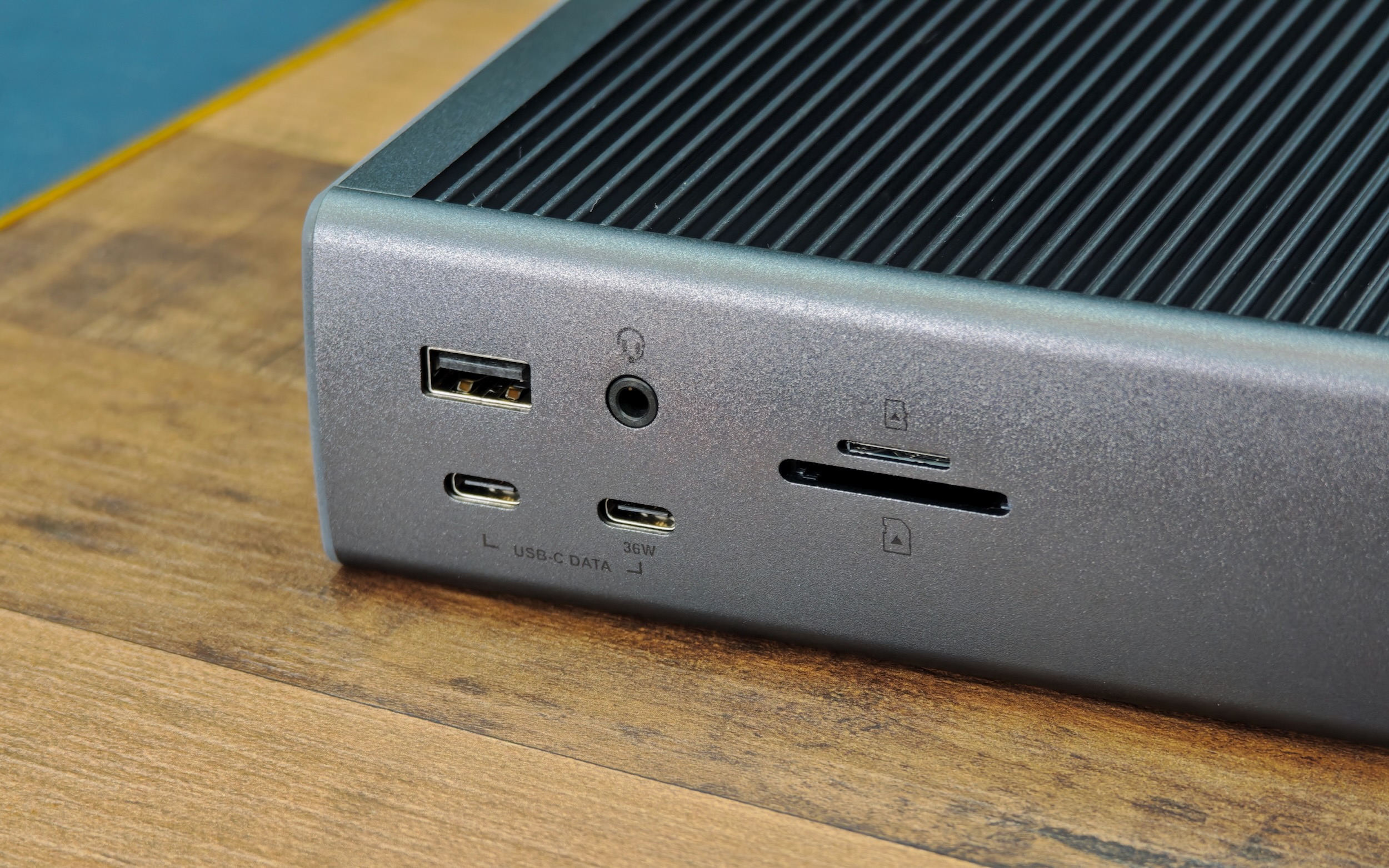
Photo: Rajesh Pandey/Cult of Mac
Another highlight of the TS5 Plus: dual USB controllers — a feature you won’t find on any other dock. This ensures that even with all USB ports in use, your devices will never fight for bandwidth. This also helps if you plan to use a superfast Thunderbolt or USB-C drive to extend your Mac’s storage on the cheap.
I’ve faced this problem on some docks, when connecting multiple SSDs and hard disks, and moving files between them, ends up choking everything. That has not been the case with the TS5 Plus so far.
With a Mac, the CalDigit TS5 Plus can drive two monitors at once. But this is an Apple limitation and has nothing to do with CalDigit itself. With a Windows machine, it can drive three displays simultaneously.
The TS5 Plus has another ace up its sleeve. It’s the only dock on the market to feature a 10Gb Ethernet port. This could be extremely helpful if you use a network-attached storage device.
You can also use the CalDigit TS5 Plus with older Macs featuring a Thunderbolt 4 or 3 port. However, many ports will not operate at full speed then. The dock is not compatible with Thunderbolt 3 Windows PCs.
CalDigit TS5 Plus review: Serious performance
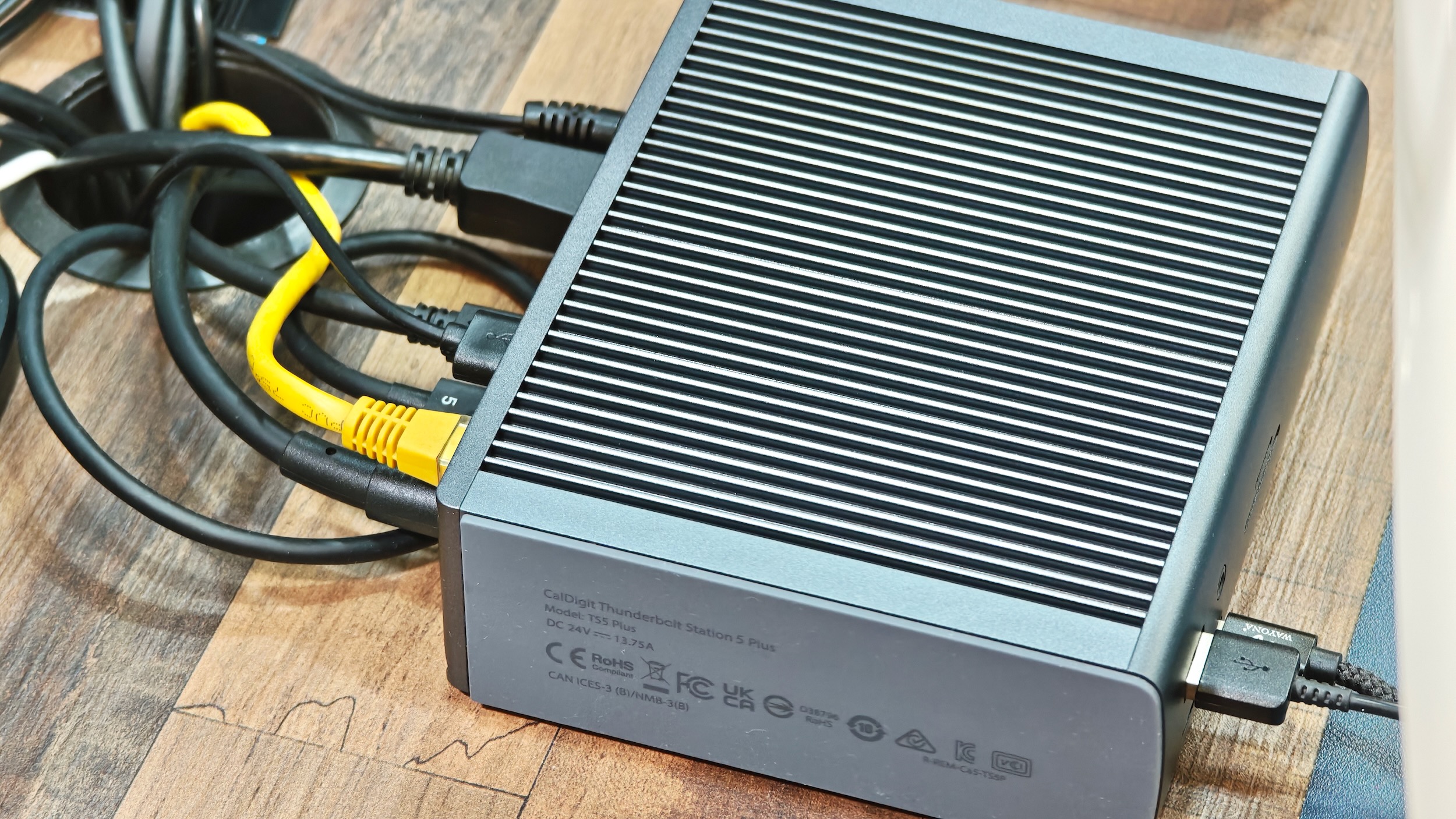
Photo: Rajesh Pandey/Cult of Mac
I’ve pushed the CalDigit TS5 Plus hard in my couple of weeks of testing for this review. I hooked up dual monitors, attached four or five USB devices, including multiple SSDs and a NAS — albeit over a 2.5GbE network connection.
I transferred data between multiple connected drives and moved large files from the NAS to my MacBook Pro simultaneously. That’s in addition to the dock driving two external displays and charging my MacBook Pro at its full 140W speed. The CalDigit TS5 Plus handled this workload without breaking a sweat. And even after all that, I’m confident I still haven’t pushed the dock anywhere near its limits.
More importantly, the TS5 Plus supplied consistent power to my MacBook Pro and all other high-powered USB and Thunderbolt accessories. This is a major problem with other docks, as they dynamically adjust the output under heavy load because of an insufficient power supply.
It’s all about that thick power brick
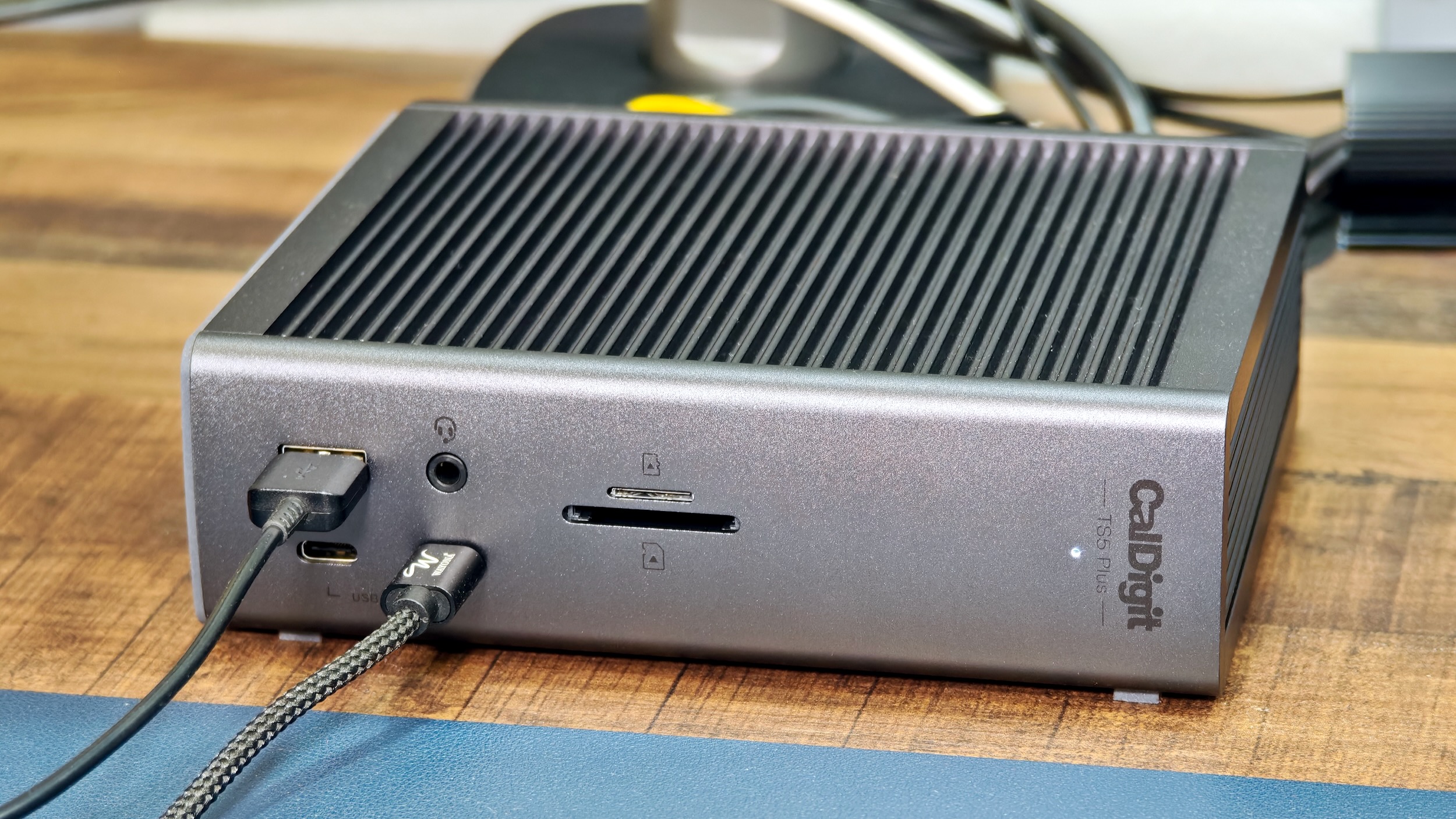
Photo: Rajesh Pandey/Cult of Mac
The hefty 330W power brick that comes with the TS5 Plus tackles this problem with ease. It’s the only dock on the market that claims to deliver full power to all connected devices at once. And that’s all due to that chunky power brick.
I noticed only one problem with CalDigit’s dock during my testing: heat. Under load, the dock gets noticeably warm, reaching temperatures of 104 to 105.8 degrees Fahrenheit (between 40 and 41 degrees Celsius).
It’s not hot enough to burn your fingers, but it can be uncomfortable to touch — especially considering this was in a relatively cool ambient environment of 64 to 68 degrees Fahrenheit (18 to 20 degrees Celsius). In hotter summer months, those temperatures will almost certainly climb higher. So, expect the dock to add more ambient heat around your desk and make the room hotter during warm months.
Pricing and warranty
The CalDigit TS5 Plus retails for $499.99, making it one of the most expensive Thunderbolt docks on the market. But it’s also one of a kind. While some docks may offer more ports on paper, none deliver the same level of high-bandwidth connectivity and consistently reliable power as CalDigit’s flagship dock. For additional peace of mind, CalDigit offers a two-year warranty as standard.
The TS5 Plus targets power users with truly demanding workflows. Despite its steep price, there’s high demand for it — the dock is frequently sold out on both CalDigit’s website and Amazon.
CalDigit TS5 Plus review: Conclusion
If your workflow demands it and the price doesn’t scare you, the CalDigit TS5 Plus is worth every dollar. It’s the kind of dock you buy once and rely on for years without compromise. There’s no alternative to this dock with the same features: 10Gb Ethernet, a 330W power supply and dual USB controllers with multiple fast charging USB ports.
For less demanding setups, the CalDigit TS5 is the smarter pick. It comes with fewer ports than the TS5 Plus, but its 15-port layout will satisfy the needs of most users. It still delivers 140W of power while including a 2.5GbE port along with a 240W power brick. More importantly, it’s $100 cheaper ($399.99 retail).
★★★★★
Buy from: Amazon or CalDigit
The CalDigit TS5 Plus is a premium hub meant for power users with demanding workloads. It fully utilizes the Thunderbolt 5's bandwidth to 20 ports, including multiple TB5 and USB-A/C, 10GbE networking and up to 140W host charging.
- Only dock with 10GbE port
- Only dock with dual USB controllers
- 330W power supply
- Variety of ports, including USB-C with up to 36W power output
- Expensive
- Can get hot under load
CalDigit provided Cult of Mac with a review unit for this article. See our reviews policy, and check out other in-depth reviews of Apple-related items.

Rajesh has been writing about consumer technology for over a decade, with a strong focus on iPhones, Macs and Apple’s ecosystem. He enjoys digging into Apple software updates, hardware changes, and discovering new Mac apps that make work faster and more enjoyable.
You can reach out to him at mail[at]rajeshpandey.me.

