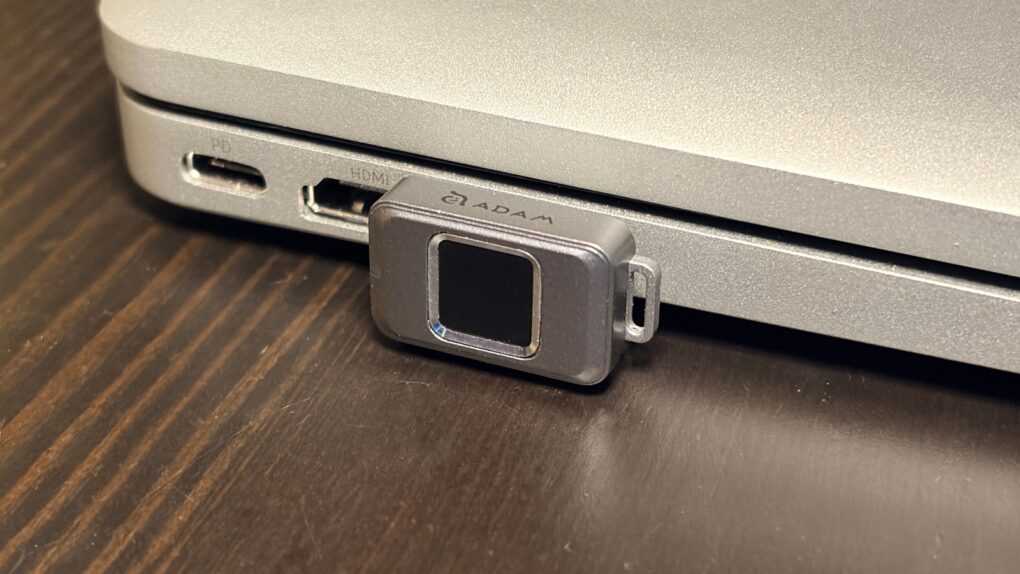
No one but you can access the files stored on the iKlips S, a tiny SSD from Adam Elements. Simply tap your finger on the drive to unlock it. The biometric security system is similar to Apple’s Touch ID and keeps everything on the SSD private. No passwords are necessary.
File transfers are quick, and the drive uses USB-C, so it works with a broad array of computers, including Mac, iPad and iPhone.
I put the iKlips S through testing for this review and came away quite satisfied with its performance. Just be aware, though, that you’re paying a premium for the extra security. We can get you a 30% discount, though!
Adam Elements iKlips S review
Solid-state drives with built-in biometric security offer a brilliant blend of data protection, speed and convenience. By integrating authentication directly into the hardware, there’s no need for passcodes.
Biometric access streamlines your workflow: unlock sensitive files instantly without installing special software or typing in passwords. And because the security is handled within the drive itself, there’s less exposure to malware.
As the iKlips S from Adam Elements demonstrates, the result is a storage solution that’s secure and easy to use, especially for professionals handling confidential information or anyone who wants stronger protection with minimal hassle.
Built on four core values: Small, Speed, SSD and Secure. The miniature USB-C drive offers fingerprint security technology to significantly enhance data protection and privacy.
- Fingerprint lock means no password to remember
- Very, very portable
- Fast
- No encryption
- 256GB capacity is the only option
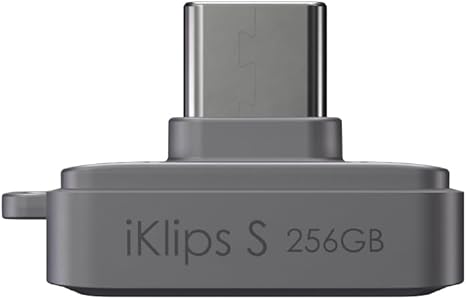
Table of contents: Adam Elements iKlips S review
- So small it makes a thumb drive seem huge
- SSD with biometric security
- A note about encryption
- Speedy file transfers
- Adam Elements iKlips S review: Final thoughts
- Pricing
So small it makes a thumb drive seem huge
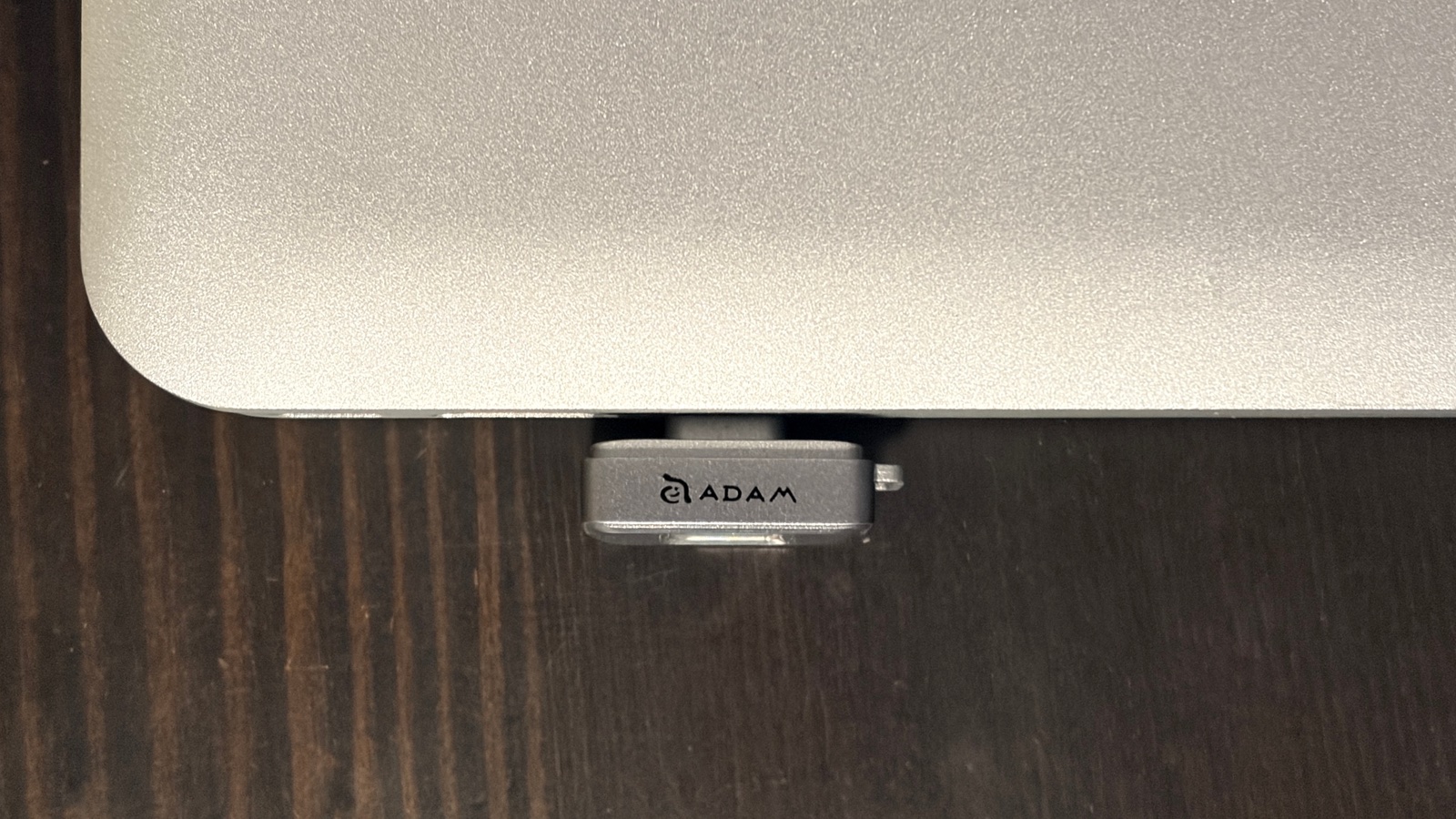
Photo: Ed Hardy/Cult of Mac
Thumb drives got their name because they are as small as a thumb, unlike the bulky hard drives of the past. Now, today’s new generation of SSDs makes thumb drives look big and clumsy. The iKlips S is a mere 1.0 inches wide by 0.6 inches tall and 0.7 inches thick — about 0.4 inches projects outside a computer’s USB-C port. It’s about the size of the last joint on my pinky finger.
That’s small enough to be a “leave-in” drive that stays perpetually in your Mac, acting as always-available additional storage. However, if used that way, you lose most of the security advantages that are the highlight of the SSD. The contents aren’t locked if you leave the drive in your computer.
The iKlips S doesn’t fit tightly against the side of your MacBook because it’s designed to be usable with an iPhone still in its case. My Otterbox case is no hindrance to using the storage accessory, for instance.
Speaking of cases, Adam Elements doesn’t include one for the SSD, but the accessory does come with a dust cap to keep lint, etc., out of the USB-C connector.
There’s a small loop built into the drive so you can attach it to your keychain. Use caution, though — SSDs are tough, but keychains take a lot of punishment. Still, you should connect the drive to something. It’s small enough to be easy to misplace. Adam Elements supplies a clever finger ring. Attach this, and you’ll be less likely to lose the device.
The exterior is silver, and corners and edges are rounded, so the design matches the look of Apple devices. Generally speaking, anyway.
SSD with biometric security
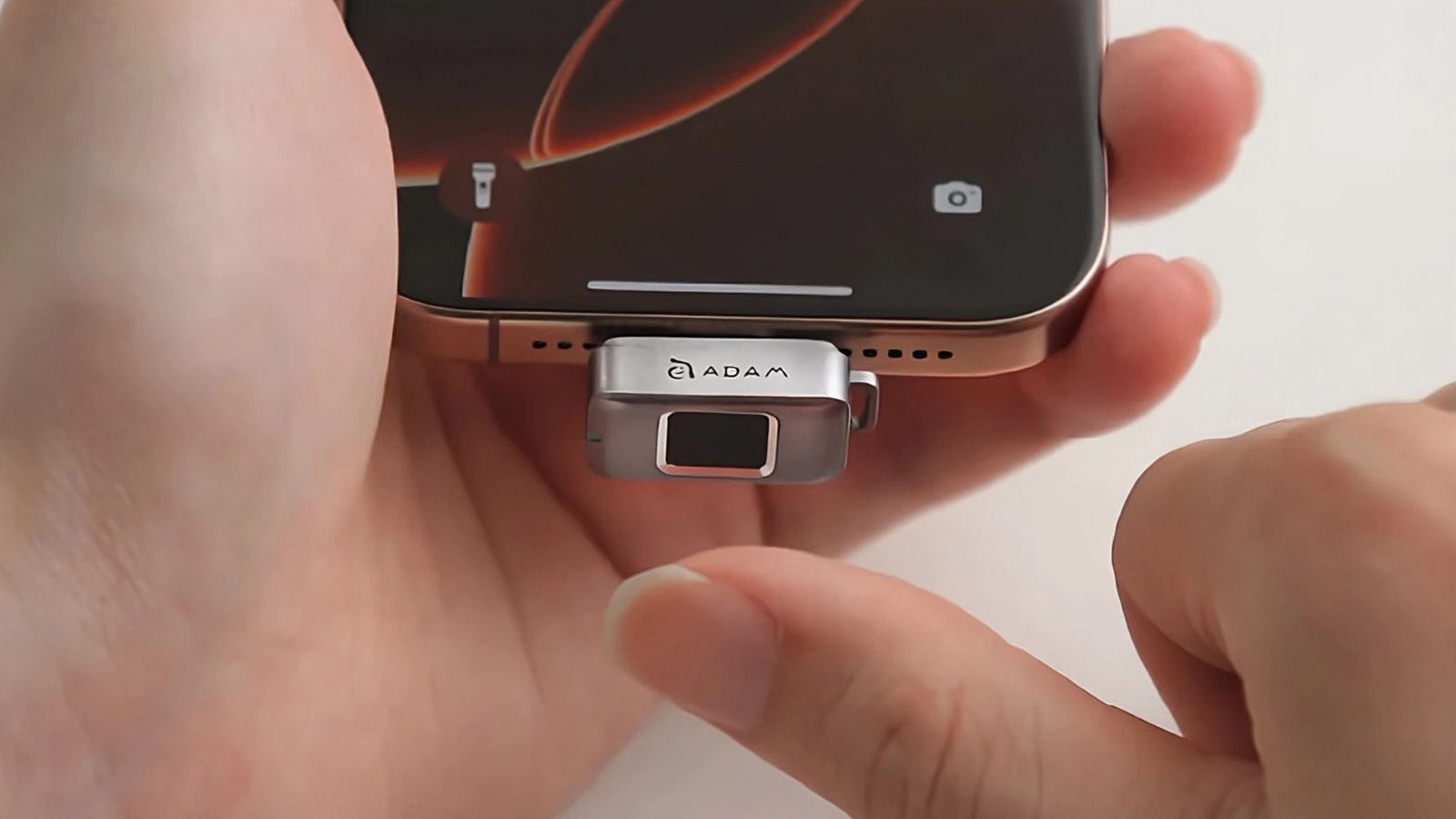
Photo: Adam Elements
Plug the iKlips S into your Mac or iPad, and it won’t appear in the file manager at all. An LED light glows red to show the drive is locked.
You must touch the fingerprint reader on the SSD with a finger it’s been trained to recognize to unlock it. The LED then turns green, and the drive shows up in the Finder, the Files app, whatever.
I did quite a bit of testing and was never able to trick the iKlips S into unlocking with a fingerprint it wasn’t trained on. Conversely, it never failed to unlock when it should.
I love the simplicity of the iKlips S. Plug it in, tap one side, and it’s ready to go — no password to type in. This also contributes to making it accessible by so many types of electronics. Even my Roku could use this SSD, once I unlocked it.
Remove the drive from your computer, and it’s instantly locked again.
While that’s tremendously convenient, it also means this SSD isn’t ideal as “leave-in” storage. If it’s in your Mac, and you’ve unlocked it, the files are readable to anyone with access to your computer, even if you unlocked the drive days ago.
You can train the iKlips S to unlock with up to 20 different fingers, so a group can share one.
A note about encryption
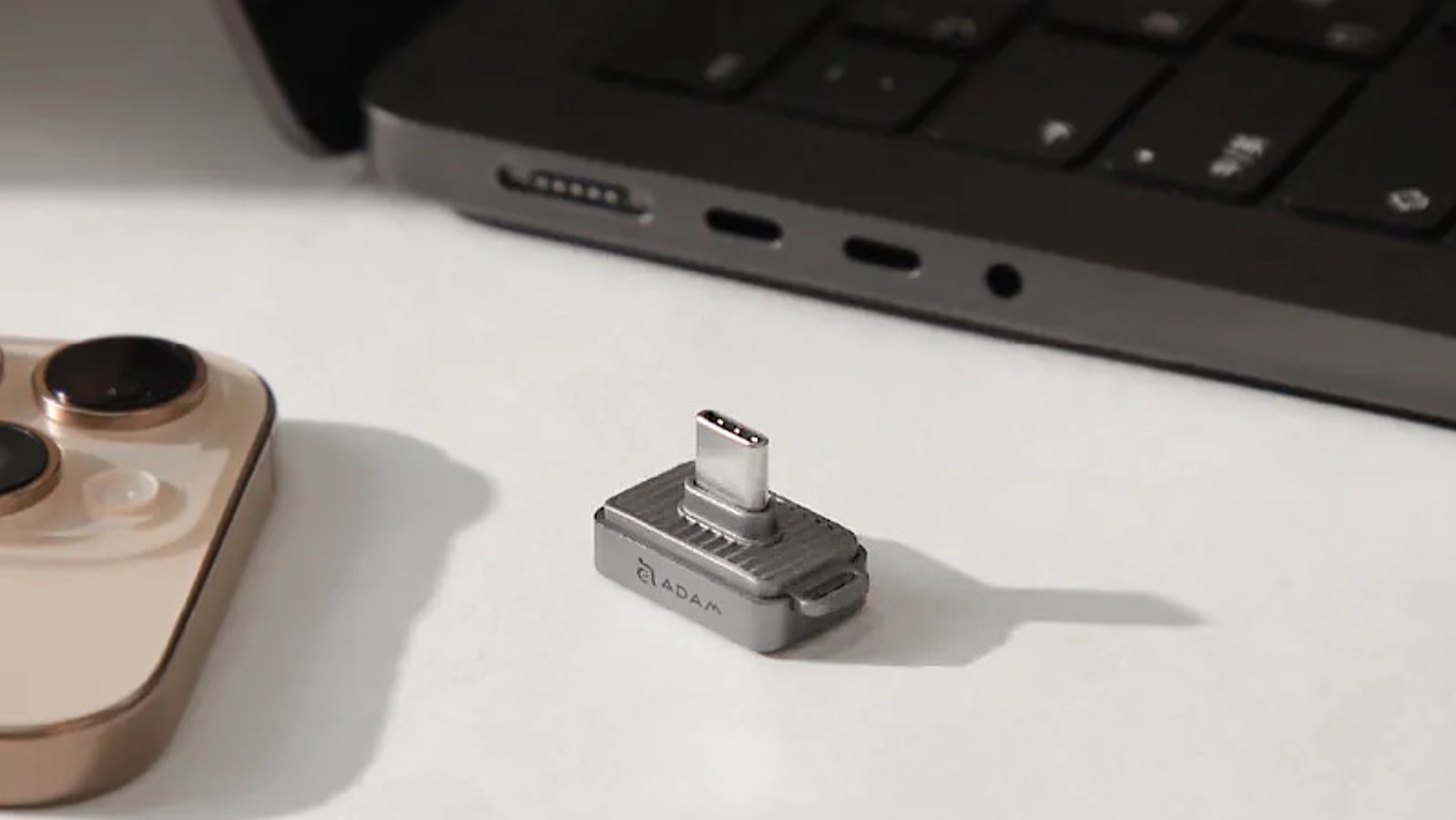
Photo: Adam Elements
While the iKlips S locks files so they can’t be accessed until the drive is unlocked, it does not encrypt them. This means that an expert can disassemble the SSD, remove its storage chip, and read its contents. This takes someone with specialized knowledge and equipment, though.
That makes this drive secure enough for most files you want kept private. Maybe it’s your will and other financial documents. Or it could be a collection of files with proprietary company information on them.
But if you’re carrying national security secrets, I recommend the Kingston IronKey Vault Privacy 80ES, an SSD that both locks and encrypts files. It’s enormously larger than the iKlips S, but more secure.
Speedy file transfers
Adam Elements says the iKlips S can transfer files at up to 450 MBps. Of course, I ran some tests to get real-world data.
I was able to transfer a 1GB test file onto the drive in about 3.4 seconds, or roughly 290 MBps. However, much larger files go slower. The data transfer rate for a 10GB test file was approximately 120 MBps.
But at least the iKlips S can handle very large files. That’s because it’s formatted in exFAT.
The SSD is plenty fast enough to store legal documents you want kept private, or proprietary company files. It is not fast enough to record high-resolution/high-framerate ProRes video by an iPhone Pro. For that, try a Planck SSD instead.
Adam Elements iKlips S review: Final thoughts
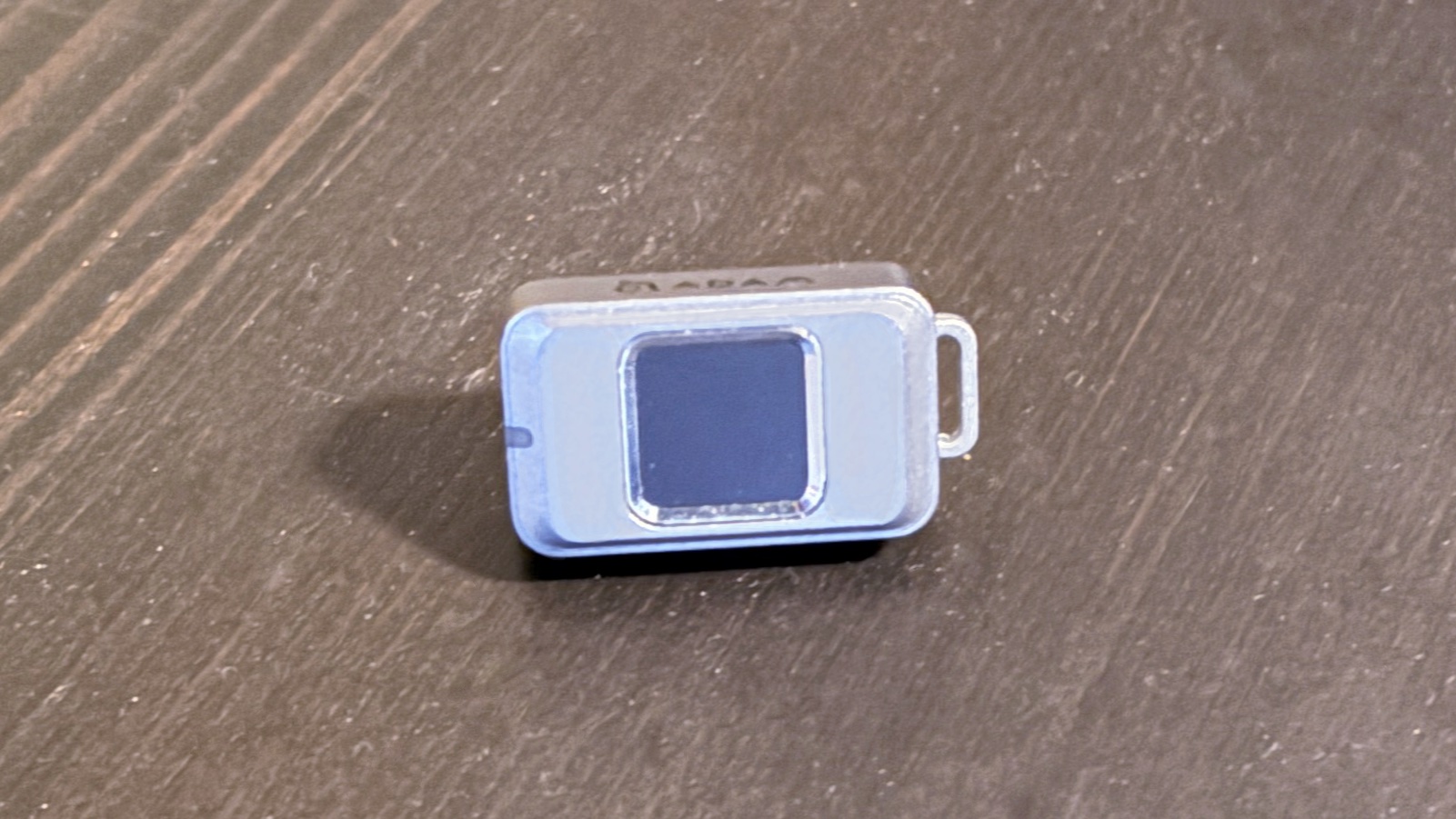
Photo: Ed Hardy/Cult of Mac
Apple tries its best to secure the files stored on iCloud, even offering an option to encrypt what’s stored in the cloud. But there’s a feeling of confidence that comes with your private files in your possession. And it’s even better having them locked behind biometric security so only you (and people you trust) can access them.
The iKlips S is easy to use, and fast, too. Plus, it works with just about any device that supports USB. Only the fact that an expert can disassemble it and access the files keeps it from getting top marks. And don’t overlook that it tops out at 256GB — though a 512GB version is scheduled for release in 2026.
★★★★☆
Pricing
The Adam Elements iKlips S costs $89, and includes 256GB of storage. But Cult of Mac scored you a deal: buy on Amazon and use the promo code 30COMIKLPS to knock a whopping 30% off the price. That cuts the cost to $62.30. The special deal lasts from December 10, 2025 to January 1, 2026, so don’t delay.
Built on four core values: Small, Speed, SSD and Secure. The miniature USB-C drive offers fingerprint security technology to significantly enhance data protection and privacy.
- Fingerprint lock means no password to remember
- Very, very portable
- Fast
- No encryption
- 256GB capacity is the only option
Note that you can get the Sandisk Extreme Fit USB-C, a similar 256 GB SSD without any security, for under $30 (read my review). The addition of biometric security included in the product from Adam Elements justifies the extra cost… if you really need it.
Adam Elements provided Cult of Mac with a review unit for this article. See our reviews policy, and check out more in-depth reviews of Apple-related items.

Ed Hardy has been writing full-time about tech for 26 years, and using it for much longer than that. His intro to Apple was a Macintosh SE/30 (which he still has), but now he uses a 13-inch iPad Pro as his primary computer.
That’s because he’s a “tablet first” type of guy. Rather than use a Macbook, he connects a keyboard case to the iPad. And instead of a desktop Mac, he connects his tablet to a 27-inch display and full-size keyboard. (So don’t try to tell him that everyone has to use a Mac to be productive.)
Before coming to Cult of Mac, Ed wrote for NotebookReview, TabletPCReview and Brighthand, as well as other sites.

