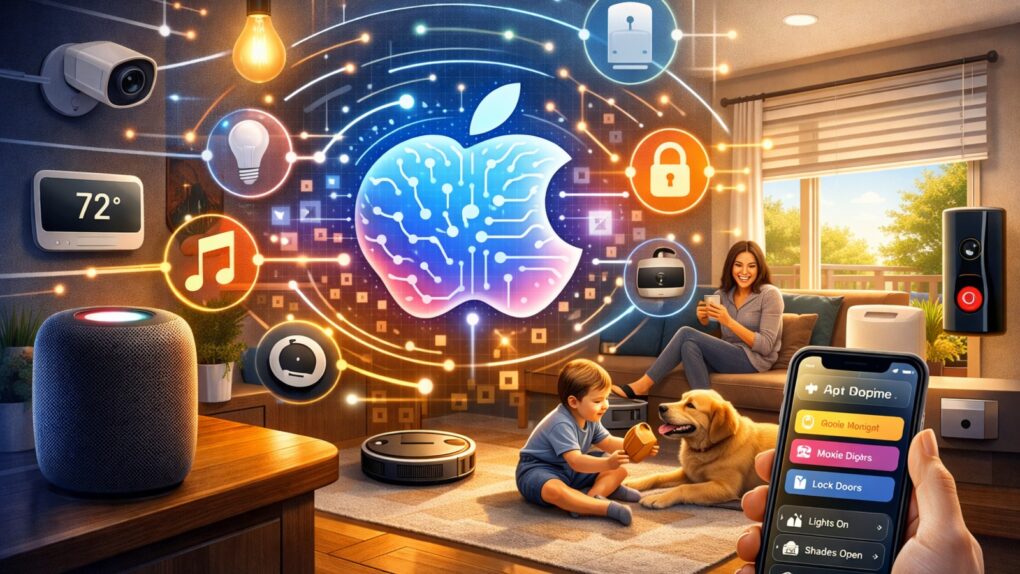
Updates unveiled at WWDC26 should boost Apple's Home app nicely. AI image: ChatGPT/Cult of Mac
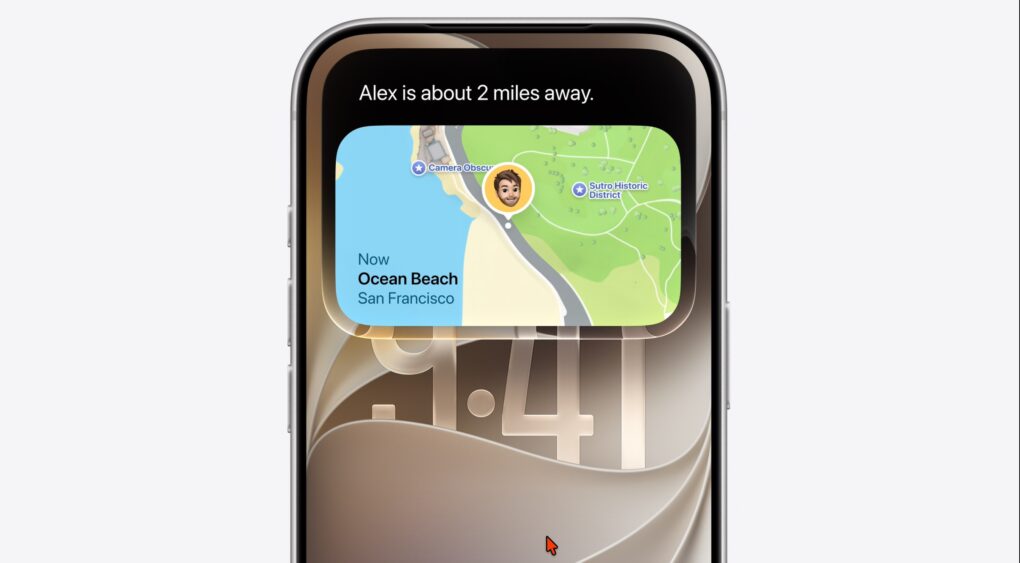
WWDC26 drew plenty of attention for the rebuilt Siri and the relatively substantial iOS 27 overhaul. But buried beneath those headlines lies Apple’s biggest push yet to turn the Home app into a genuinely capable smart home platform. iOS 27 and tvOS 27 updates make your home smarter, from AI-powered security cameras to a more reliable wireless backbone.
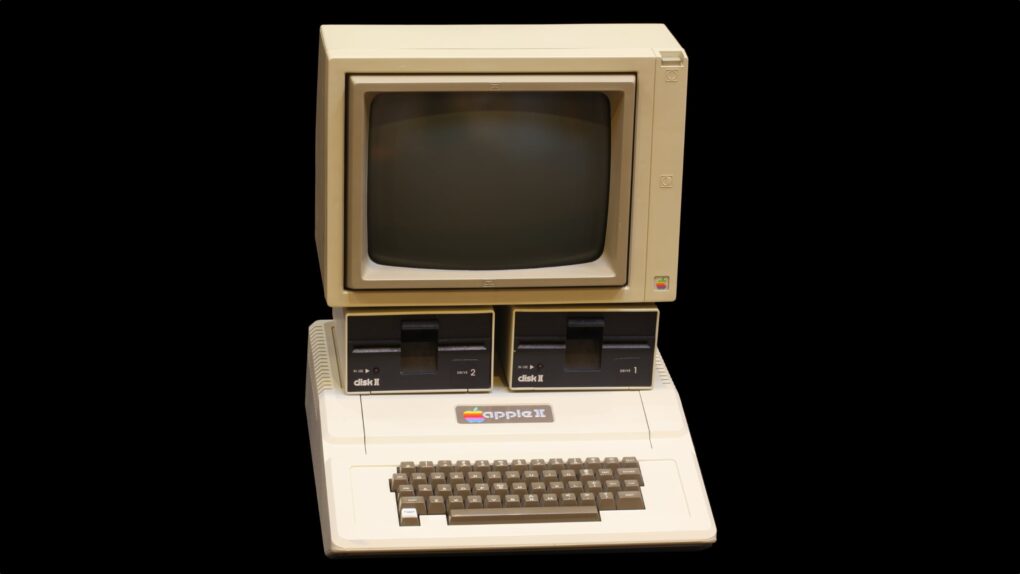
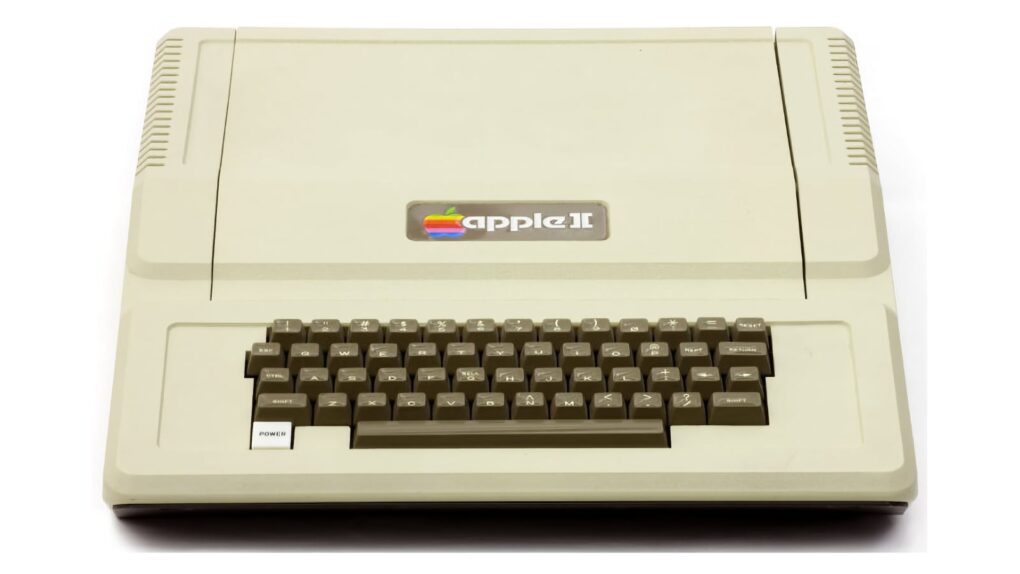
The Apple II computer changed the game for personal computing. Photo: Rama/Wikimedia CC
June 10, 1977: Apple Computer Inc. ships its first Apple II computer.
A hulking beige behemoth with 4KB of RAM (upgradeable to a whopping 48KB), the Apple II is the computer that will define Apple for a generation of fans. Retailing at $1,298, it cost the equivalent of a handful of MacBook Pros today — even though it seemed a total bargain at the time.
Apple's new AI-powered Extend and Reframe image tools show real promise. Graphic: Ed Hardy/Cult of Mac
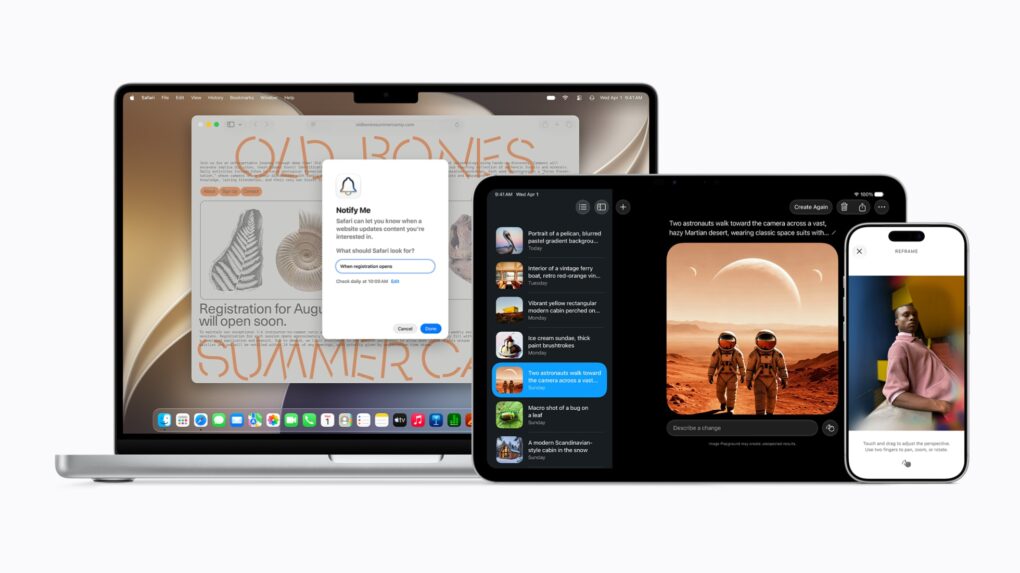
The Reframe and Extend tools Apple added to the Photos app in iOS 27, iPadOS 27 and macOS 27 are excellent examples of how AI can be used to improve our lives. With these AI-powered editing options, a picture that’s almost amazing can be noticeably improved.
Plus, they don’t have the drawbacks of artificial intelligence that make so many people uncomfortable.
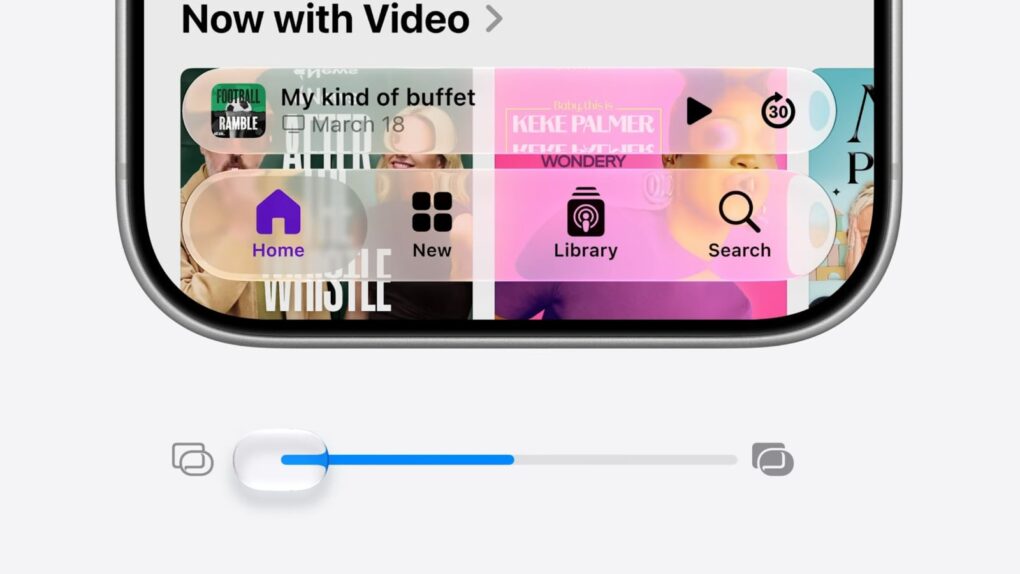
Apple provides more options for tweaking Liquid Glass in iOS 27, macOS 27 and iPadOS 27. Image: Apple
Refinements to Apple’s divisive Liquid Glass user interface in iOS 27, iPadOS 27 and macOS 27 address many of the quirks that made some people despise the glossy new UI over the past year.
Apple straightforwardly addressed users’ concerns during Monday’s WWDC26 keynote. And Shubham Kedia, Apple’s human interface design director, said Apple updated “the foundations of how Liquid Glass is built” for this year’s new operating systems.
“Last year, we introduced our most ambitious cross-platform design update ever with Liquid Glass, which made apps and experiences even more expressive and delightful,” said Kedia. “Like with all major design updates, there’s a natural process where we take a bold leap forward and then we continue to iterate.”
Will the changes to Liquid Glass satisfy users who dislike the current state of affairs? The first developer betas are out, and early reactions seem mostly positive. Here are the biggest changes coming to Apple’s design language this year.
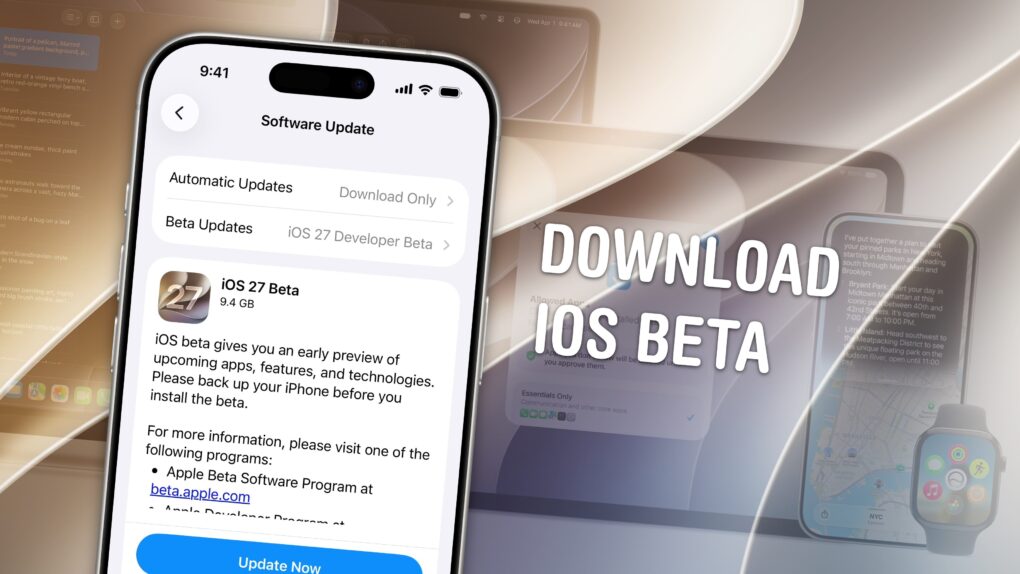
Of course, there are a few things you should look out for. Beta software is buggy and can lead to data loss. That being said, iOS 26 has been buggy since September. iOS 27 promises broader system stability — unlike most early betas, in my testing, the system runs smoother than before. But it comes at the expense of odd behavior you may find in third-party apps, since they haven’t been updated to support the new changes to Liquid Glass.
If you want to try it out, you should make sure you have a backup of your most important data with two copies of your photo library before you try installing. I’ll show you how.
Your Apple Watch Ultra isn't suddenly obsolete because it can't install watchOS 27. Photo: Apple
When Apple unveiled watchOS 27 at WWDC26 on Monday, it also revealed that the new version drops support for several Apple Watch models. That leaves many users wondering what this means for their wearable — did it just become rubbish?
Here’s what’s really going on, and why you should be able to keep using the device for years to come.
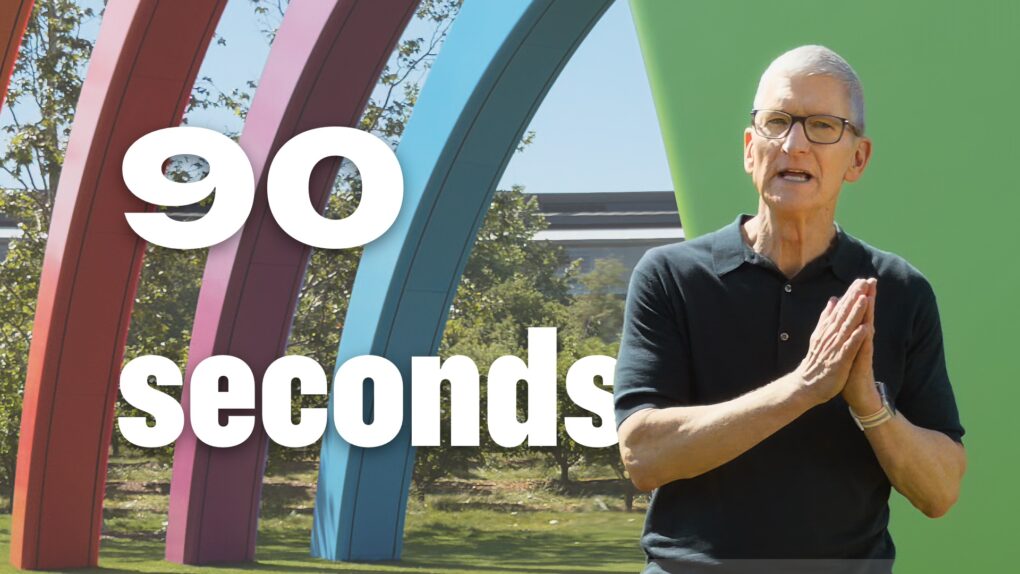
Watch the keynote in just 2.0% of the time. Image: Apple/D. Griffin Jones/Cult of Mac
At the WWDC26 keynote, Apple announced the next versions of all its operating systems with a swath of AI features. There are tweaks to the Liquid Glass design, a wide array of tiny quality-of-life and performance improvements, draconian parental controls and limits, and AI in every corner of the operating system.
It was an unusual WWDC keynote that disposed of the typical platform-by-platform format, and a relatively brisk runtime. But if you don’t have 76 minutes to spare, you can get the gist in just 90 seconds.
Apple's "Switch" ad turns Ellen Feiss into an unlikely internet superstar. Photo: Apple
June 9, 2002: Apple launches its “Switch” advertising campaign, featuring real people talking about their reasons for switching from PCs to Macs. Apple’s biggest marketing effort since the “Think different” ad campaign a few years earlier, one “Switch” ad in particular turns a 15-year-old high-school student named Ellen Feiss into an unlikely star.
She becomes a viral sensation after viewers suggest she was stoned while filming her sleepy-eyed “Switch” spot about a homework-devouring PC.
The new tools should help parents create safer digital experiences for their kids. Photo: Apple
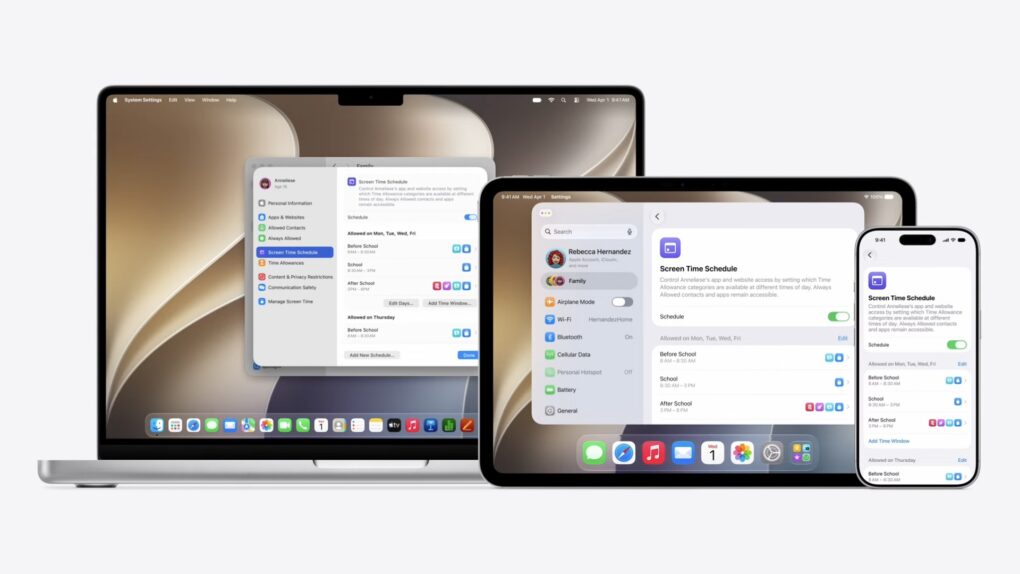
A sweeping set of child safety features including parental controls give families sharper tools for managing what kids see, who they talk to and how long they spend on devices, Apple said Monday at WWDC26.
“At Apple, our mission has always been to create technology that empowers people and enriches their lives, while helping keep them safe,” said Sumbul Desai, M.D., Apple’s vice president of Health and Fitness.
“Our approach to helping families create safer digital experiences is grounded in the belief that every child is unique,” she added. “That’s why we build simple and intuitive tools, based on expert guidance, to let parents tailor their kids’ digital journey.”
The features arrive with iOS 27, iPadOS 27, and macOS 27 this fall.
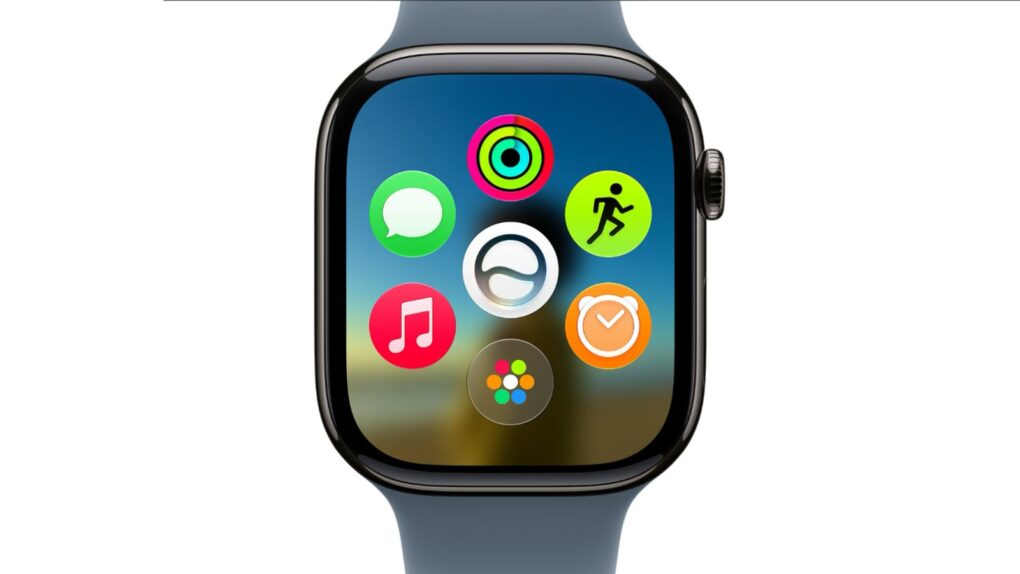
A new dyanamic app grid in watchOS 27 puts Siri AI right in the thick of things. Image: Apple
watchOS 27 will bring the new Siri AI, a smarter Workout Buddy and other useful new features to Apple Watch. While the wearable didn’t receive much attention during the WWDC26 keynote on Monday, Apple said watchOS will get AI-powered upgrades like the rest of its platforms.
“You can start chatting with Siri on your iPhone, pick up where you left off on your iPad, and wrap up on your Mac,” said Mike Rockwell, Apple’s VP of Siri engineering, during the keynote. “We’re also tailoring Siri AI for watchOS. So you can ask questions and take action right on your wrist. And you can also tap into the Siri app using the new app grid on Apple Watch.”
As Apple said, "With its new architecture and capabilities, the next generation of Apple Intelligence powers helpful features across the system, simplifying the things users do every day." Photo: Apple
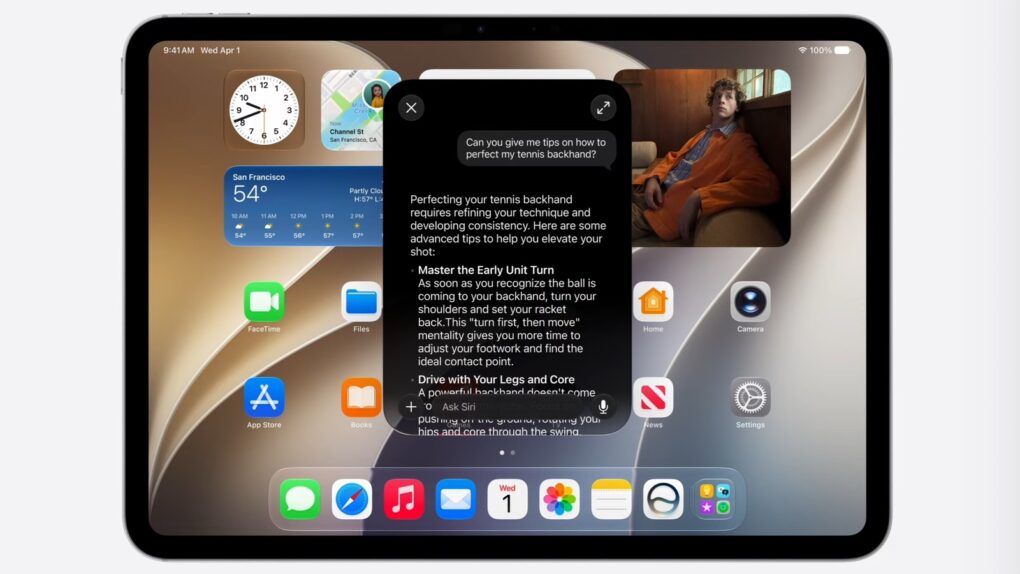
While Siri got a complete redesign to include a dedicated chatbot app, on-screen awareness and deeper integration with third-party tools, that’s not the only AI upgrade cited by Apple in Monday’s WWDC26 keynote. A bunch of new Apple Intelligence features are set to upgrade your life, too.
“Truly helpful AI must be centered on our users’ needs, deeply integrated into the products they rely on every day, grounded in personal context, and built with privacy at every step. That is our vision for Apple Intelligence,” said Craig Federighi, Apple’s senior vice president of software engineering.
“With useful features for browsing the web, expressing creativity, editing photos and so much more, today marks a big step forward on our journey to integrate powerful AI into the core of our platforms and make our products even more personal and useful,” he added.
The new features will become available with the release of iOS 27 and other OS updates coming in September 2026.
A standout feature of iPadOS 27 is a new standalone Siri AI chatbot. Screenshot: Apple
iPad users got their first look at iPadOS 27 on Monday, with Apple using the keynote address of WWDC26 to tout improvements to stability and performance before taking a deep dive into new AI-related features.
There are a great many enhancements for tablet users. Here are the standouts.
Siri gets a whole new look, and a ton of new AI capabilities, in iOS 27. Image: Apple
The much-anticipated iOS 27 update for iPhone showcased at the Worldwide Developers Conference rebuilds the Siri voice assistant from the ground up as Siri AI, improves Apple Visual Intelligence, offers an improved Camera app, fixes myriad bugs and more, Apple said Monday. It turned out to be quite the consequential update.
“We’re excited to bring a wide range of improvements to each of our platforms, making them even more useful and delightful,” said CEO Tim Cook as he began to close out the keynote presentation. It’s expected to be his last before he steps down from the role on September 1.
June 8, 2009: Apple introduces OS X Snow Leopard, a version of its Mac operating system that ranks among the company’s finest desktop updates.
Showcased at Apple’s Worldwide Developers Conference in San Francisco, Snow Leopard doesn’t seem as flashy as some other Mac operating system upgrades. In fact, Apple famously includes a slide in its WWDC presentation touting “0 new features.” However, OS X Snow Leopard more than delivers on Apple’s core values, paving a path to a bright future for the Mac.
Inside its beefy chassis, the PowerBook 180c packed a beautiful color screen. Photo: Wikipedia CC
June 7, 1993: Apple debuts the PowerBook 180c, a solid upgrade that brings a world of dazzling colors to the company’s laptop line.
The 180c’s big improvement over the grayscale PowerBook 180, which launched the previous October, is its active-matrix, 256-color screen. Such a screen is something of a novelty for laptops in the early 1990s.
Make a presentation that leaves an impression. Image: Apple/D. Griffin Jones/Cult of Mac
If you want to create the best possible Keynote presentation, you should follow a few simple rules — and ape the style of the keynote GOAT, Steve Jobs.
Time to play the predictions game again! Image: Cult of Mac
This week on the Cult of Mac podcast: As per tradition, we match wits with our predictions about what we’ll see at Apple’s WWDC26 keynote. Griffin and I are joined by two special guests, Charlie Sorrel and Graham Bower, for this year’s installment of the WWDC prediction game.
What will the new Siri do? Will Apple unveil new hardware? And who, exactly, will get how much screen time?
We chisel our answers into digital stone on 10 tricky questions (which also serve as a jumping-off point to discuss Apple’s future and strategies). And, as always, you can play along! Just be sure to submit your answers (via this Google Docs form) before Monday’s WWDC26 keynote.
Also on the Cult of Mac podcast:
The “dark cherry” color rumored for iPhone 18 Pro looks pretty funky, if the latest dummy models can be trusted. Some of us love it, some not so much.
With the first folding iPhone on the way, iOS 27 seems primed for true multitasking.
Apple’s smart glasses reportedly got delayed again. Will they be worth the wait?
And finally, Graham discusses what it’s like being an extremely late adopter of Apple’s Vision Pro headset.
Listen to this week’s episode of the Cult of Mac podcast in the Podcasts app or your favorite podcast app. (Be sure to subscribe and leave us a review if you like it!) Or watch the video live stream, embedded below.
Apple Intelligence and Visual Intelligence should get a jolt of new features at WWDC26. AI image: Google Gemini/Cult of Mac
Everybody expects Apple’s Siri voice assistant to get a big AI-powered makeover Monday at WWDC26. But there’s more to the picture, in that Apple Intelligence and Visual Intelligence will see a bunch of separate new features, too, according to rumors rounded up in a new report Friday.
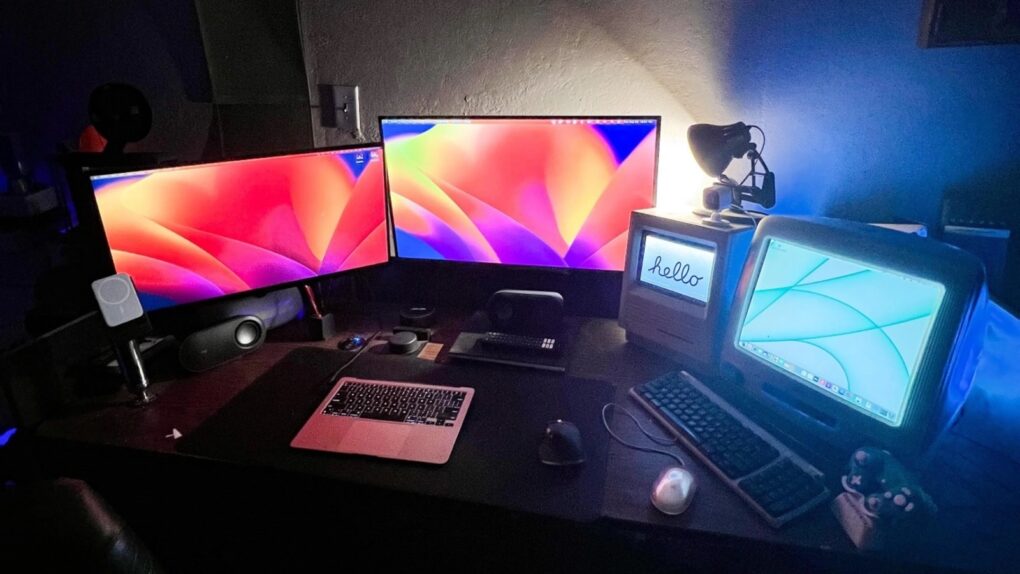
Bask in the warm glow of antique Macs actually being used. Photo: [email protected]
Apple designs hardware for the ages — sometimes quite literally. The Cult of Mac Setups archive is full of users who never got around to retiring an old Cinema Display. Or who deliberately hunt one down online for new-to-them use. Some keep a 2013 “trash can” Mac Pro running as a daily driver because it still gets the job done. Some love old gear so much they maintain as much as possible — or at least classic posters — in their setup. And here’s the result: the best vintage and retro Setups in our archive.
June 5, 1977: The first Apple II, the personal computer that will put Cupertino on the map, goes on sale.
Previously shown off to a few thousand rabid fans at the West Coast Computer Faire, the Apple II’s arrival means the masses can finally get their hands on the breakthrough machine. A base unit costs $1,298 — the equivalent of nearly $7,200 today.
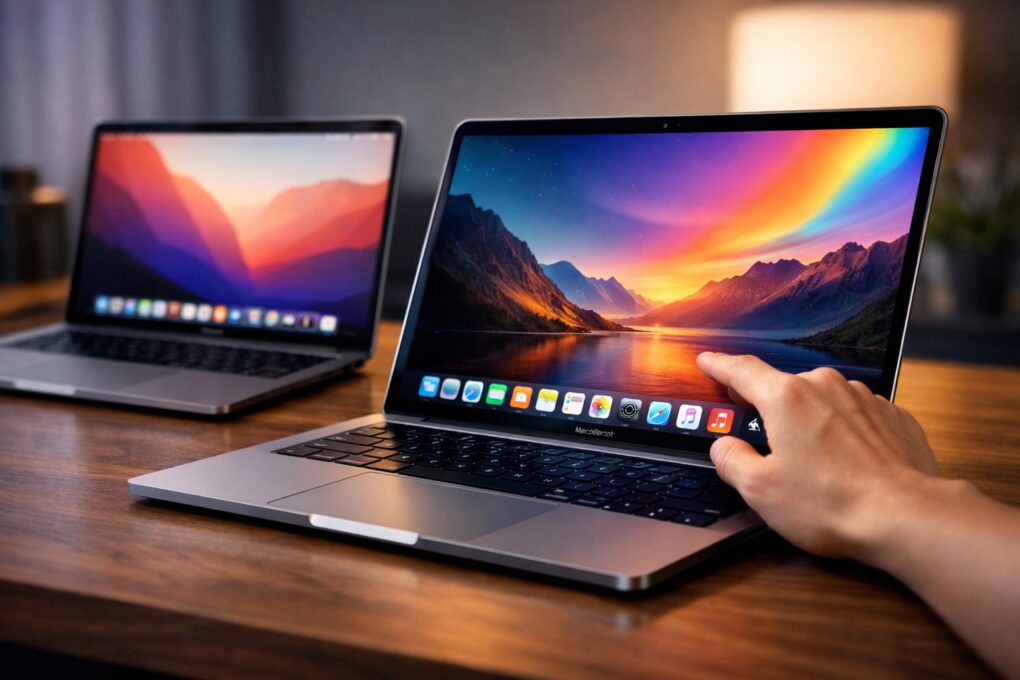
Get ready to pay more for OLED MacBook Pro, which might be called MacBook Ultra (with a touchscreen!). AI image: ChatGPT
Apple’s long-anticipated high-end MacBook — the OLED-display machine, possibly with touchscreen, that many expect Apple to call the MacBook Ultra — could arrive a lot sooner than expected, according to a new report Thursday. As in, possibly as soon as 3Q 2026, which probably means September.
App Store developer sales hit $1.4 trillion in 2025, thanks in part to AI-focused apps. Photo: Apple
The App Store ecosystem generated more than $1.4 trillion in developer billings and sales during 2025, Apple said Thursday. The figure nearly triples what the platform posted in 2019 and underscores how central the App Store has become to digital earnings. And artificial intelligence-boosted apps played a huge role.
★★★☆☆
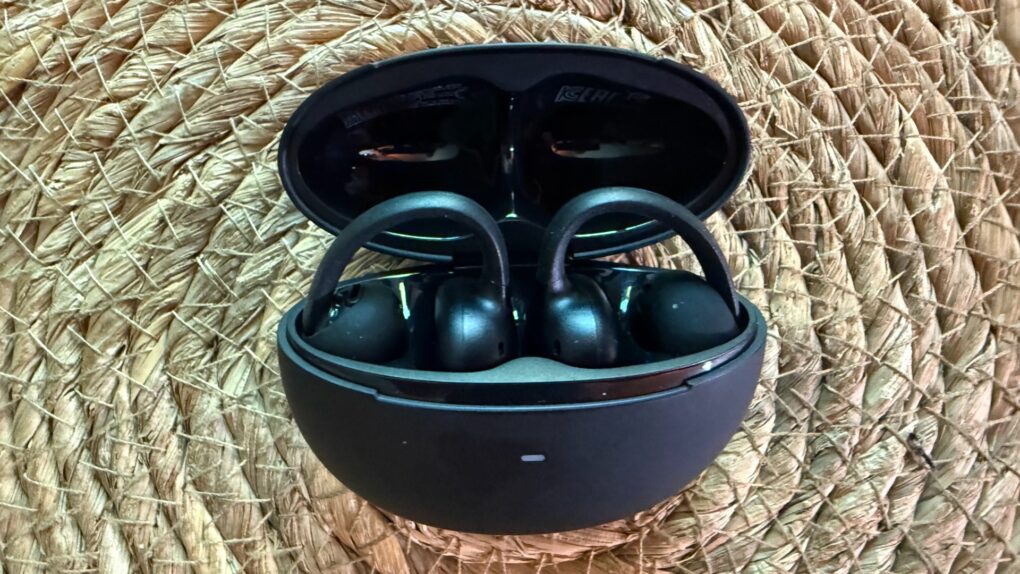
Baseus Bowie MC2 open-ear clip-on earbuds make a solid case for value. But they suffer from a few limitations. Photo: David Snow/Cult of Mac
At $79.99, Baseus’s new Bowie MC2 enters a crowded field of clip-on open-ear earbuds looking to challenge better-known names. Are they worth a try? My Baseus Bowie MC2 Open-Ear Earbuds review finds they might fit the bill for for users who hate having anything in their ears and for those who want an unobtrusive workout buddy. But they have some shortcomings to work out. Here’s what you actually need to know before buying.
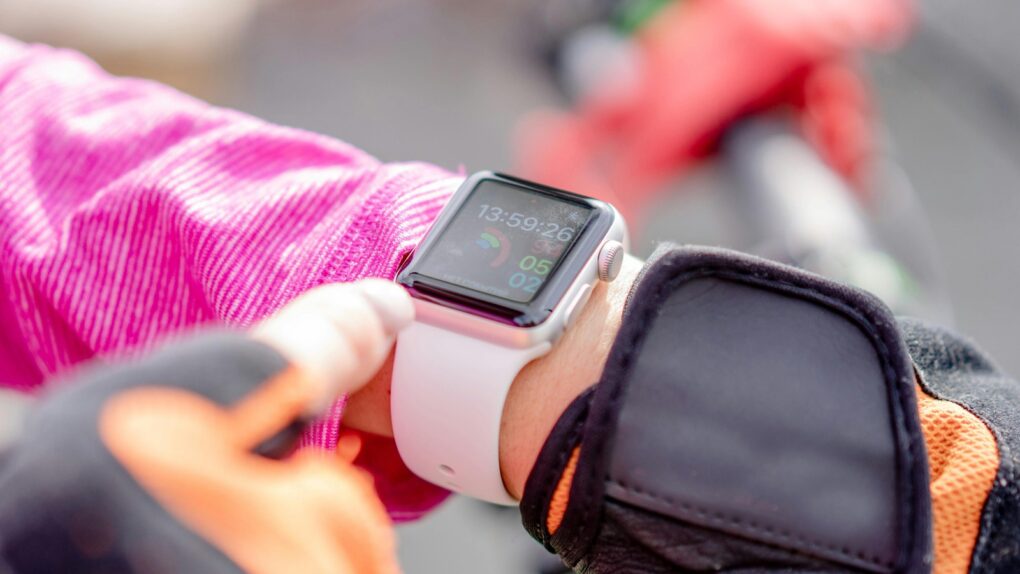
You'll find it easier to close your Apple Watch exercise rings with these tips. Photo: Atlantic Ambiance/Pexels
The Apple Watch helps people stay more active by encouraging wearers to stand, move around and exercise. But its workout tracking has a few quirks that users should understand.
Knowing about these Apple Watch exercise oddities — and how to work around them — can help you avoid frustration as you get fit.

 June 10, 1977: Apple Computer Inc. ships its first


 June 9, 2002: Apple launches its “Switch” advertising campaign, featuring real people talking about their reasons for switching from PCs to Macs. Apple’s biggest marketing effort since the “Think different” ad campaign a few years earlier, one “Switch” ad in particular turns a 15-year-old high-school student named Ellen Feiss into an unlikely star.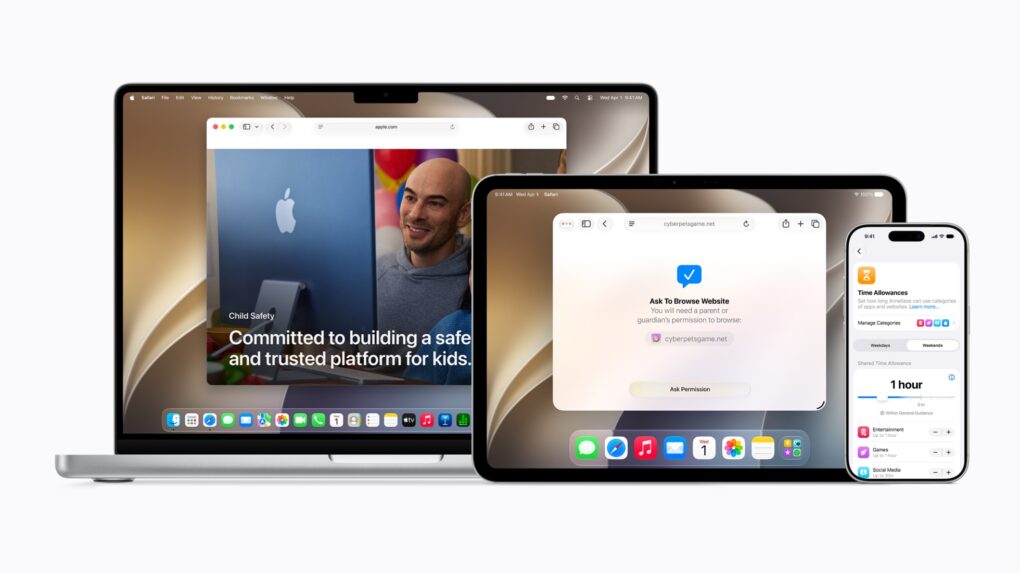

 June 8, 2009: Apple introduces OS X Snow Leopard, a version of its Mac operating system that ranks among the company’s finest desktop updates.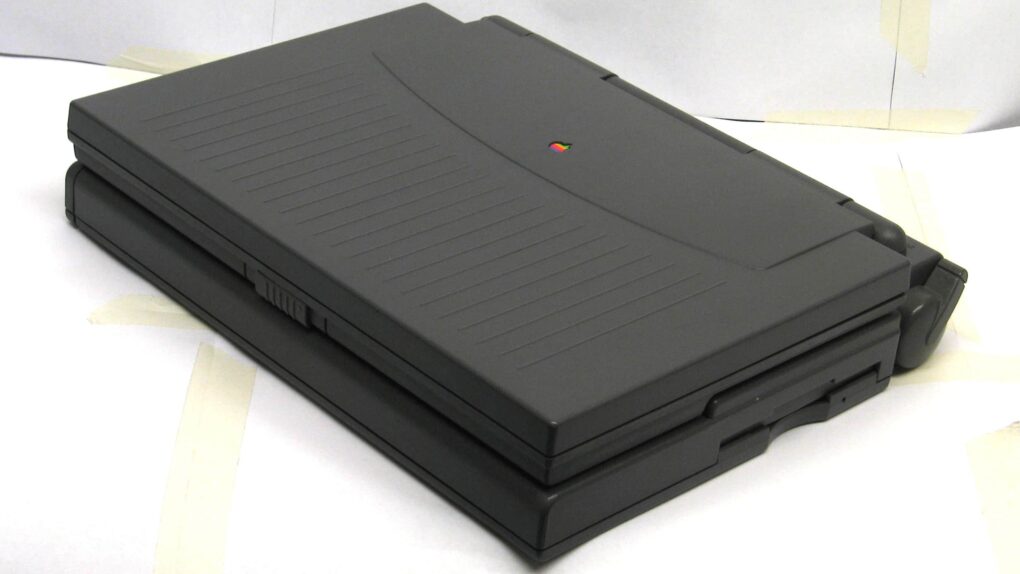
 June 7, 1993: Apple debuts the PowerBook 180c, a solid upgrade that brings a world of dazzling colors to the company’s laptop line.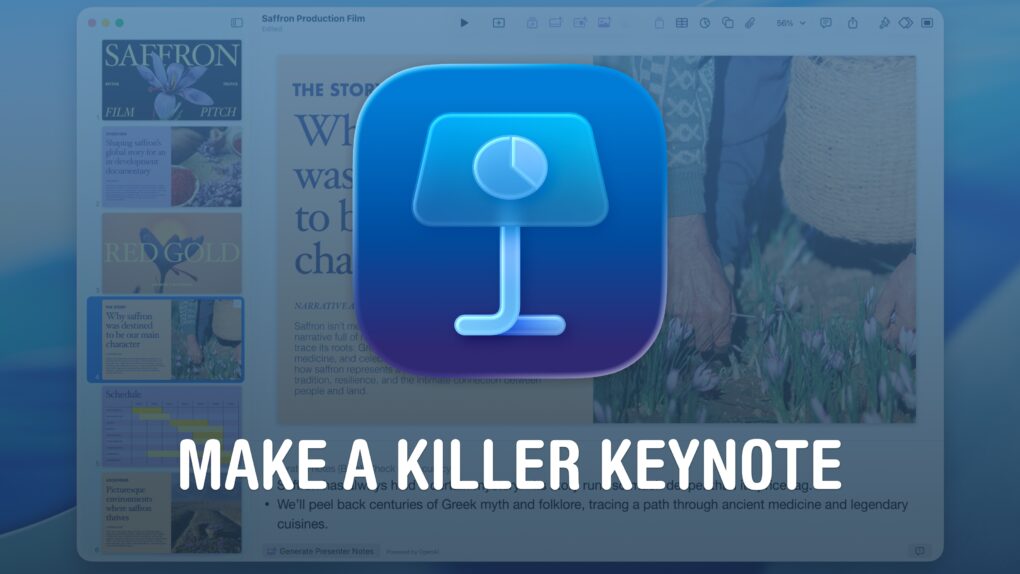
 June 5, 1977: The first