Mobile menu toggle

Reviews

Here at Cult of Mac, we regularly review Apple products and other tech gear and accessories. We also frequently write about Apple TV+ offerings. If we receive a review unit, we disclose it. (Read our reviews policy.) We frequently employ affiliate links. If you purchase a product after clicking a link from our website, we might earn a commission.

Read Cult of Mac’s latest posts on Reviews:

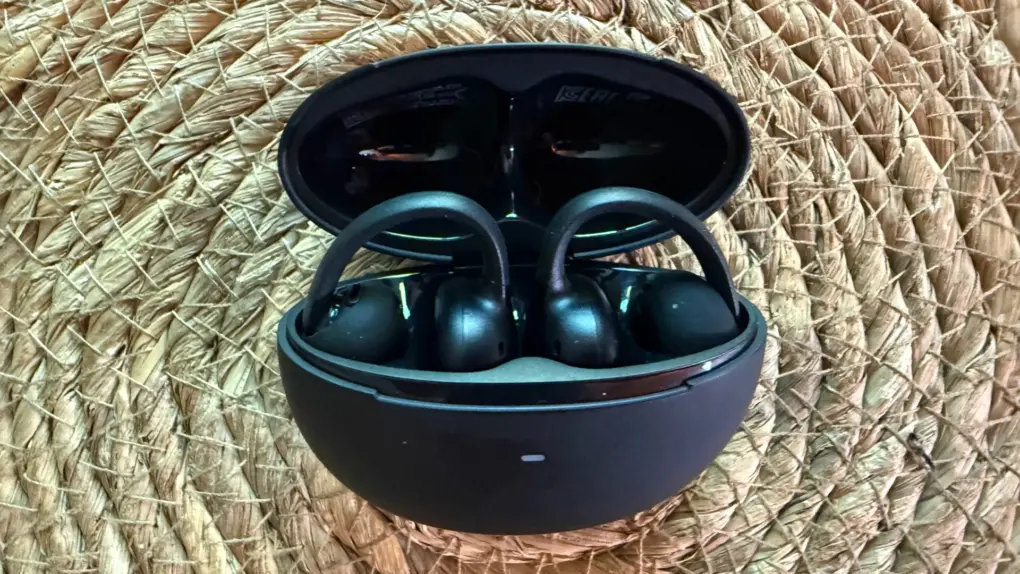
Affordable new open earbuds bring stamina, comfort — and a few problems [Review] ★★★☆☆
By

Baseus Bowie MC2 Open-Ear Earbuds review★★★☆☆
Baseus Bowie MC2 open-ear clip-on earbuds make a solid case for value. But they suffer from a few limitations.
Photo: David Snow/Cult of Mac

At $79.99, Baseus’s new Bowie MC2 enters a crowded field of clip-on open-ear earbuds looking to challenge better-known names. Are they worth a try? My Baseus Bowie MC2 Open-Ear Earbuds review finds they might fit the bill for for users who hate having anything in their ears and for those who want an unobtrusive workout buddy. But they have some shortcomings to work out. Here’s what you actually need to know before buying.

Tiny, low-cost portable speaker finds a place in any audio arsenal [Review] ★★★★☆

By

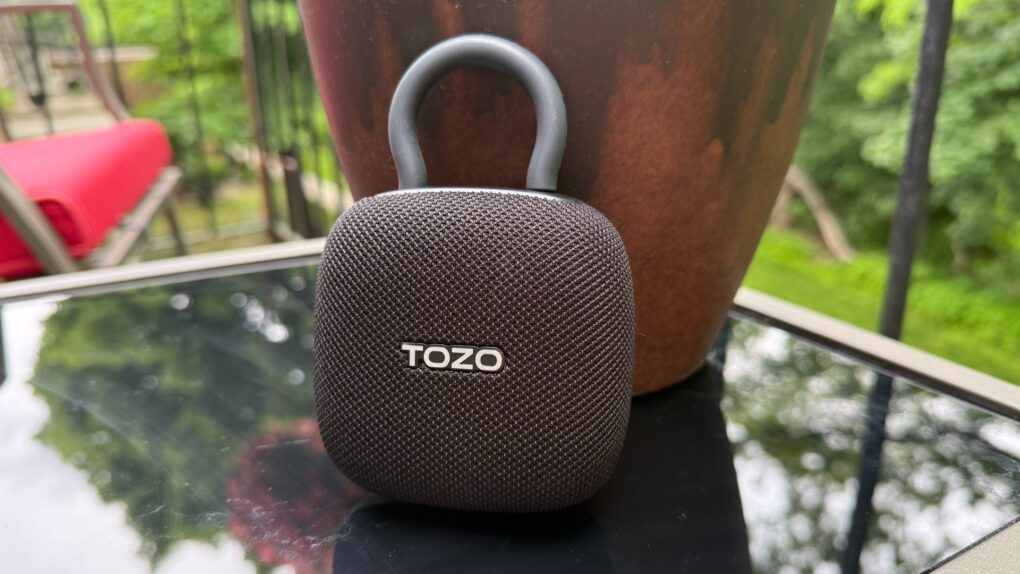
Tozo PE1 Portable Wireless Sports Speaker review★★★★☆
Tozo's PE1 just might be the tiny addition your audio arsenal needs. At its low price, why not?
Photo: David Snow/Cult of Mac
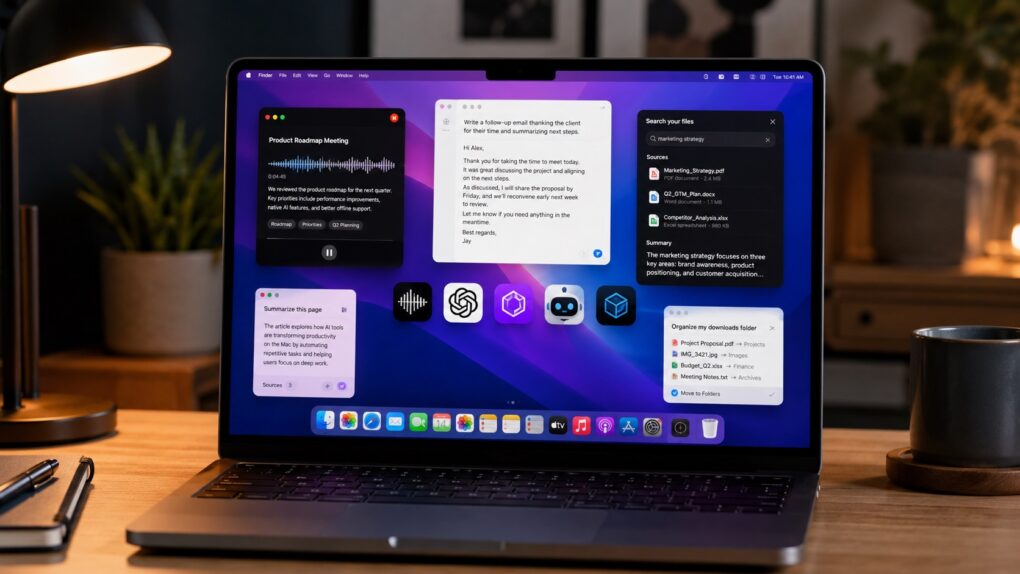
Apple users live in one of the most polished hardware ecosystems on Earth. Every accessory entering that orbit gets held to a higher standard — not just for specs, but for how effortlessly it fits in. My Tozo PE1 Portable Wireless Speaker review concludes that the tiny gadget finds a place quite easily, with great sound, fantastic portability and solid durability. Plus it’s incredibly inexpensive. 

Why AirTag 2 makes an even better pet tracker

By

AirTag 2 makes a great low-cost pet tracker for cats (or dogs).
Photo: Ed Hardy/Cult of Mac

Don’t let your beloved cat or dog wander around without some kind of tracking device. If your fuzzy buddy goes missing, you’ll regret not having some way to locate them.

And the good news is it’s cheap and easy. I put Apple’s AirTag 2 on my cat’s collar as a pet tracker, and it’s going very well. Here’s why you should consider it for your own pet … including replacing a first-gen model.

New Logitech mouse does its best to be comfortable to use [Review] ★★★★

By

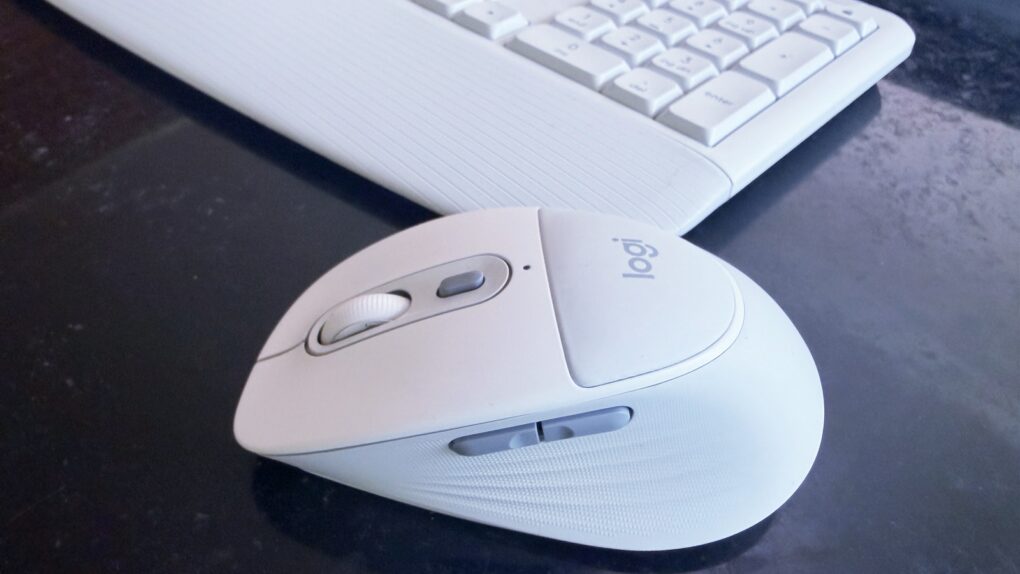
Logitech Signature Comfort Plus M850 L and MK880 Combo review★★★★
The Logitech Signature Comfort Plus M850 L mouse is also available with a keyboard.
Photo: Ed Hardy/Cult of Mac

The new Logitech Signature Comfort Plus M850 L is the company’s first-ever mouse with a palm cushion. It’s all part of making the mouse comfortable to use over the long haul. And it includes silent switches, SmartWheel scrolling and more.

It can be paired with the Signature Comfort Plus MK880 keyboard, which has its own cushion.

I tested both in my home office for this hands-on review.

3 reasons to watch Widow’s Bay on Apple TV

By

3 reasons to watch Widow's Bay on Apple TV
Every New England fisherman dreads the Sea Hag's embrace. And so will you.
Photo: Apple

There’s a moment in the second episode of Widow’s Bay on Apple TV when Mayor Tom Loftis, played by Emmy winner Matthew Rhys, sits in the lobby of a deeply haunted New England island inn and shares drinks and a board game with a stranger. They chat about his upbringing, his dreams for the town, his failures as a father. It sounds cozy. But it isn’t.

Something is very, very wrong with his companion — and with the room itself — and the horror creeps in so gradually and so quietly that by the time it fully lands, you realize you’ve been holding your breath. That scene, in miniature, is what Widow’s Bay is: a show that disarms you with warmth and wit before the floor drops out.

As a born-and-bred New Englander who inexplicably returned to this accursed place after 30 years away, I found the show got me pretty good. 

Soundcore Liberty 5 Pro Max: Great earbuds, extraordinary case [Review] ★★★★★

By

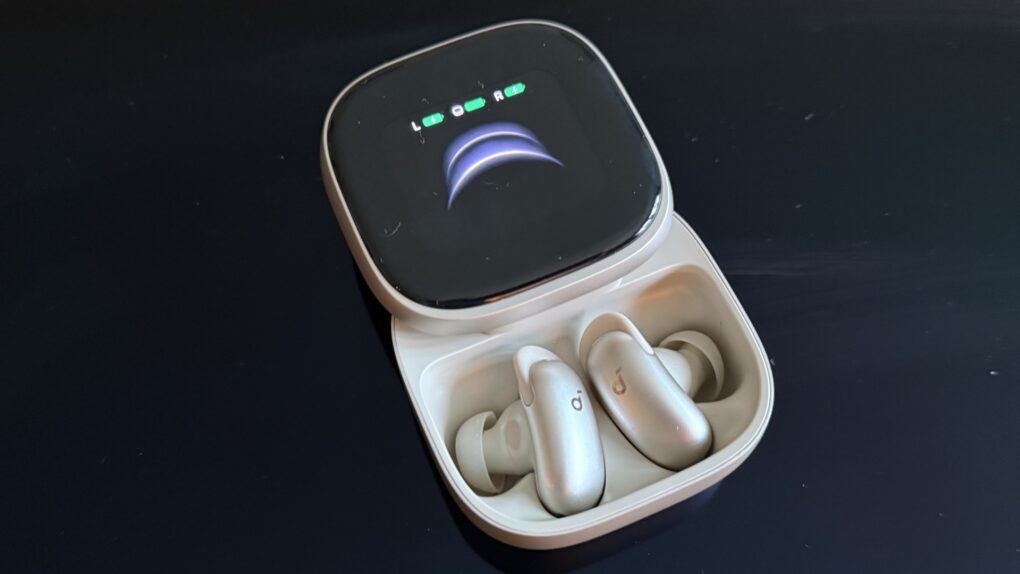
Soundcore Liberty 5 Pro Max earbuds review★★★★★
You can tweak lots of settings on the big AMOLED screen, and also access AI Note Taker.
Photo: David Snow/Cult of Mac
There’s a well-worn law of consumer electronics: the further you push into “Pro Max” territory, the more you’re paying for marginal improvements that most people don’t need. This Soundcore Liberty 5 Pro Max earbuds review finds the new buds challenge that rule in an interesting way.

The earbuds inside the case are identical to those in the $169.99 Liberty 5 Pro I reviewed yesterday — same drivers, same ANC, same battery life, same call quality. What you’re paying an extra $60 for, almost entirely, is the case. But it’s a truly remarkable case.

Soundcore Liberty 5 Pro earbuds offer brilliant call clarity [Review] ★★★★

By

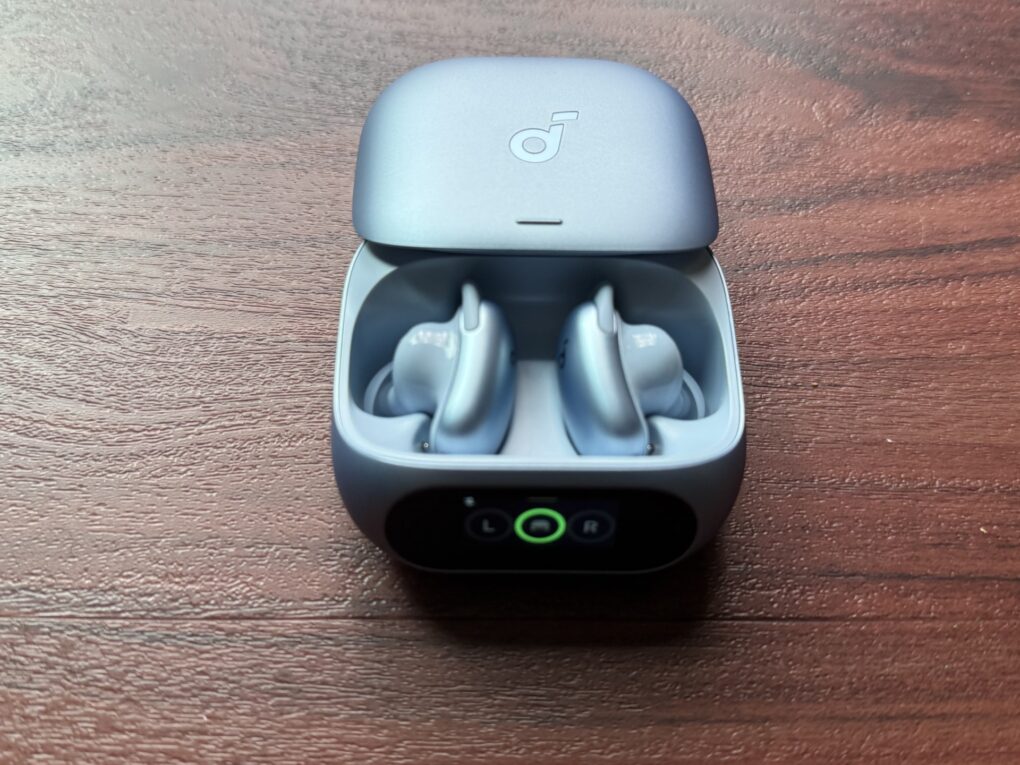
Soundcore Liberty 5 Pro earbuds in case★★★★
Soundcore Liberty 5 Pro use AI for clear calls and come with a touchscreen charging case.
Photo: David Snow/Cult of Mac
Anker’s Soundcore sub-brand spent years punching above its weight in the budget and midrange earbuds market, and Liberty 5 Pro is an ambitious new swing. Released alongside the pricier Liberty 5 Pro Max (reviewed separately tomorrow), these $169.99 earbuds aim squarely at anyone who wants AirPods Pro-level features without paying AirPods Pro prices.

This Soundcore Liberty 5 Pro earbuds review finds them excellent overall. They particularly excel at call clarity.

This powerful Ugreen NAS made me forget about Synology [Review] ★★★★★

By

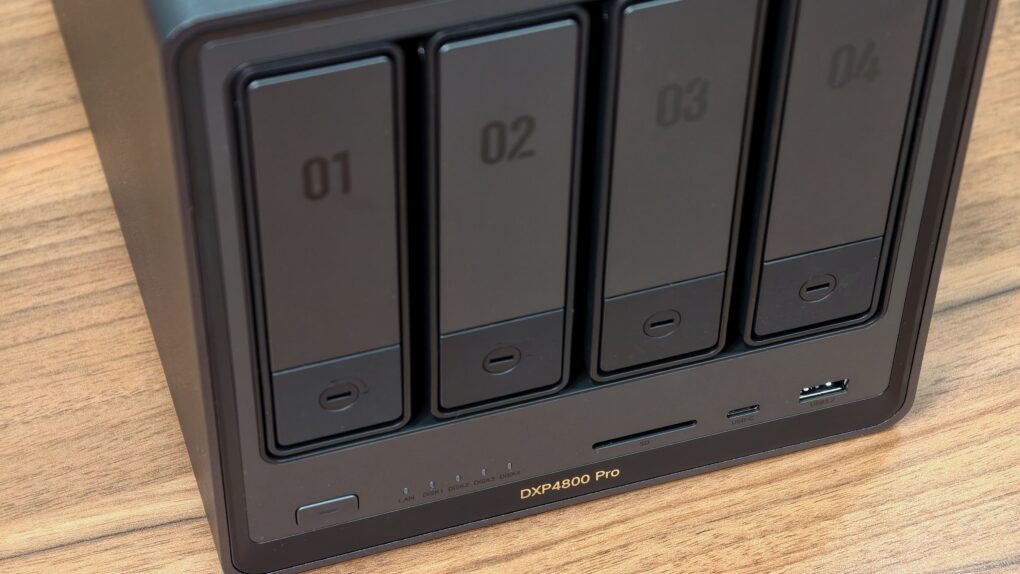
Ugreen DXP 4800 Pro review★★★★★
The perfect NAS for most users.
Photo: Rajesh Pandey/Cult of Mac

The Ugreen DXP4800 Pro is the kind of network-attached storage device, aka NAS, that blurs the line between simple network storage and a compact home server. It packs enough power to handle Plex streaming, Docker containers, virtual machines and multidevice backups.

With a faster processor and improved bandwidth over its predecessor, the DXP4800 Pro delivers a noticeable performance boost for users who want more than just basic file storage.

This added flexibility makes the DXP4800 Pro stand out.

Dump the HDMI cable but keep 4K with this premium wireless adapter [Review] ★★★★

By

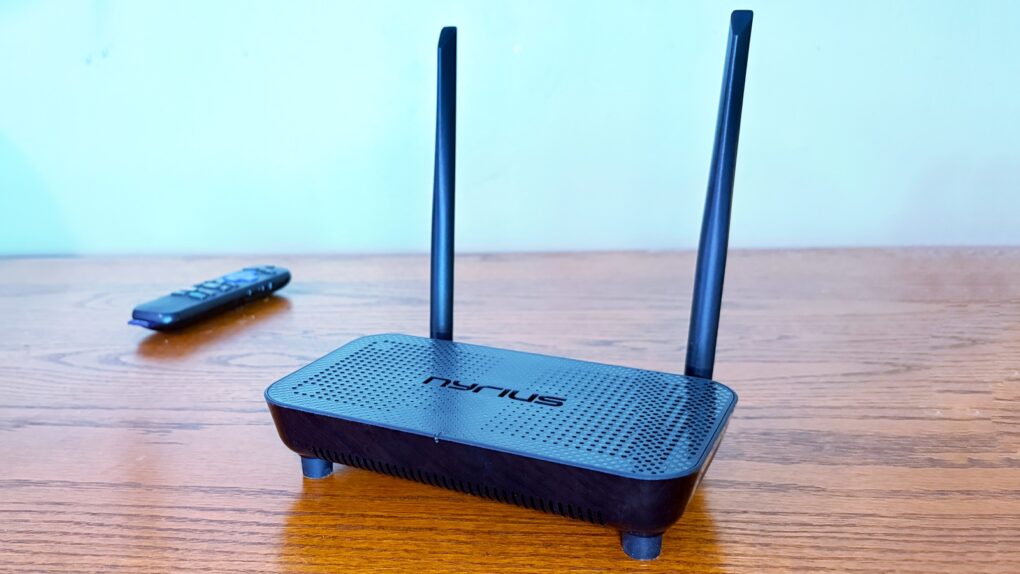
Nyrius Phoenix Home True 4K60 Wireless HDMI Video Transmitter & Receiver review★★★★
Support for 4K60 makes this wireless HDMI adapter perfect for your home entertainment center.
Photo: Ed Hardy/Cult of Mac

The Nyrius Phoenix Home True 4K60 Wireless HDMI Video Transmitter & Receiver (TBB85) lets you connect your MacBook to your TV without the hassle of stretching a cable between them.

I recently reviewed the Nyrius Orion Prime, which is the light-duty version. The company’s new model is the top-of-the-line option, packed with premium features, especially support for 4K60 video, but also a 500-foot range.

I tested the device and came away impressed.

Steve Jobs in Exile is the essential telling of Jobs’ NeXT years [Book review] ★★★★★

By

Steve Jobs in Exile with a stack of other Apple books: Small Fry, The Secret History of Mac Gaming and Apple: The First 50 Years★★★★★
Steve Jobs in Exile among other classic Apple books.
Photo: D. Griffin Jones/Cult of Mac

Steve Jobs in Exile by Geoffrey Cain serves up a comprehensive history of that other computer company Steve Jobs founded, NeXT.

The book, released Tuesday, starts in 1985 with Steve Jobs being forced out of Apple. It tells the tumultuous tale of what happens after Jobs poaches five Apple employees, they all gather in his bare living room, and ask, “Well … now what?” 

Starting fresh at just the right moment in history, they invented the computer architecture of the modern era with a powerful UNIX foundation, object-oriented programming and emerging web technologies. It’s an intensely frustrating tale of Jobs blowing chances at success left and right, letting perfection be the enemy of the good. 

Pair this book with Apple: The First 50 Years and you have the complete picture. It’s a shorter read that covers fascinating years where Steve grew up as a leader. 

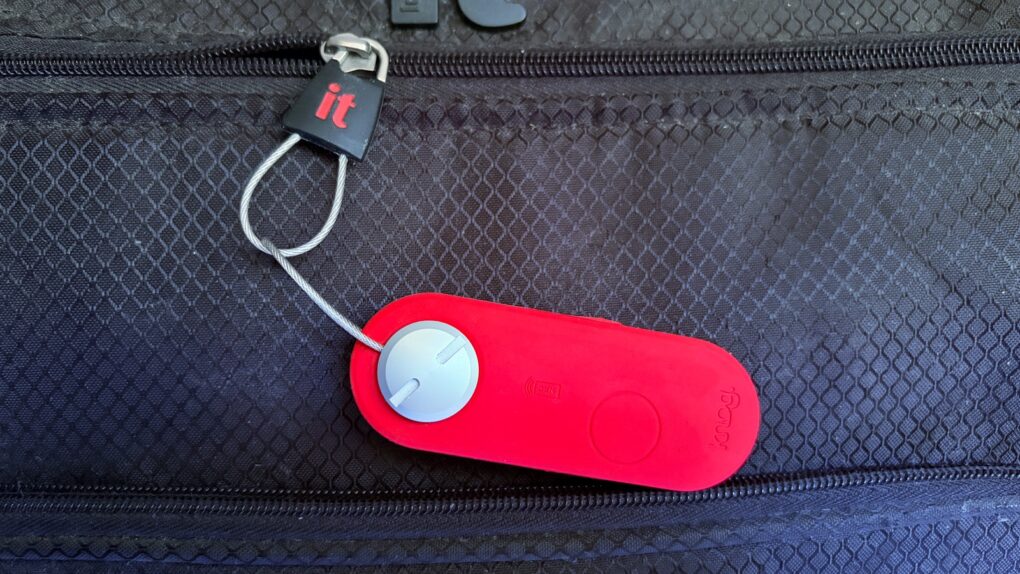
New luggage tracker is the loudest reason to ditch AirTags for travel [Review] ★★★★★

By

Knog Scout Travel review: The loudest reason to skip Airtags★★★★★
The Knog Scout Travel can track your luggage and help prevent it from getting stolen.
Photo: Ed Hardy/Cult of Mac

The Knog Scout Travel is a tracker tag that stands out with an 85 decimal motion-sensitive alarm. Put it on your suitcase, and if someone moves it, the tag will let everyone nearby know it.

And it supports Apple’s Find My network, so the tag (and your luggage) can be tracked down almost anywhere if they go missing.

I put this travel accessory to the test. Here’s how it stood up.

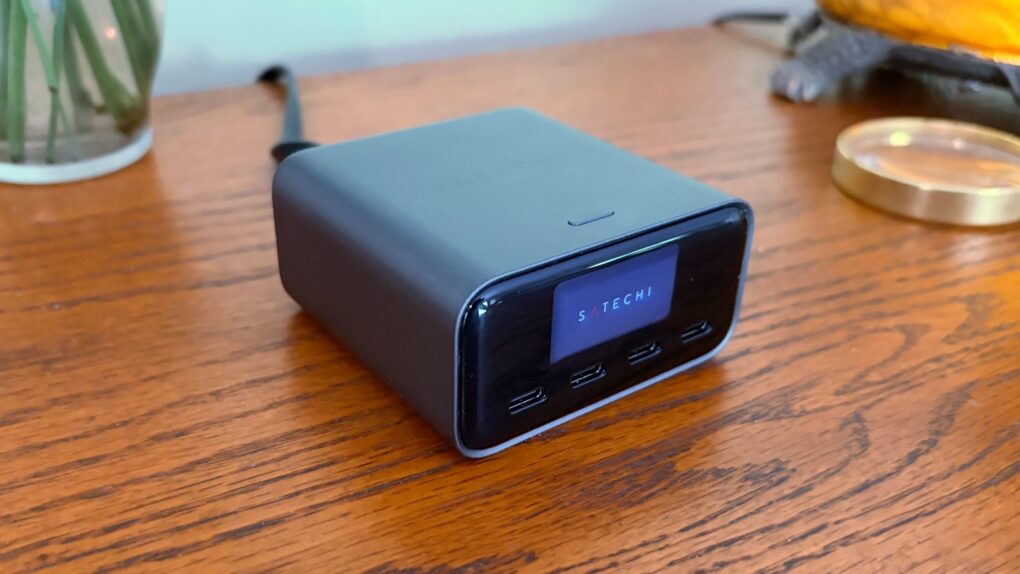
Satechi adds a real-time display to its powerful desktop charger [Review] ★★★★★

By

Satechi ChargeView 140W Desktop Charger review: Intelligent power★★★★★
The Satechi ChargeView 140W Desktop Charger provides power you can see.
Photo: Ed Hardy/Cult of Mac

The Satechi ChargeView 140W Desktop Charger offers four USB-C ports to power up a MacBook, iPad, iPhone and other accessories all at once. The standout feature is a display that shows just how much current is flowing through each port.

I put the charger through testing to see how it stands up to real-world use. Here’s what I found.

Finally, a compact USB-C hub that handles dual displays properly [Review] ★★★★

By

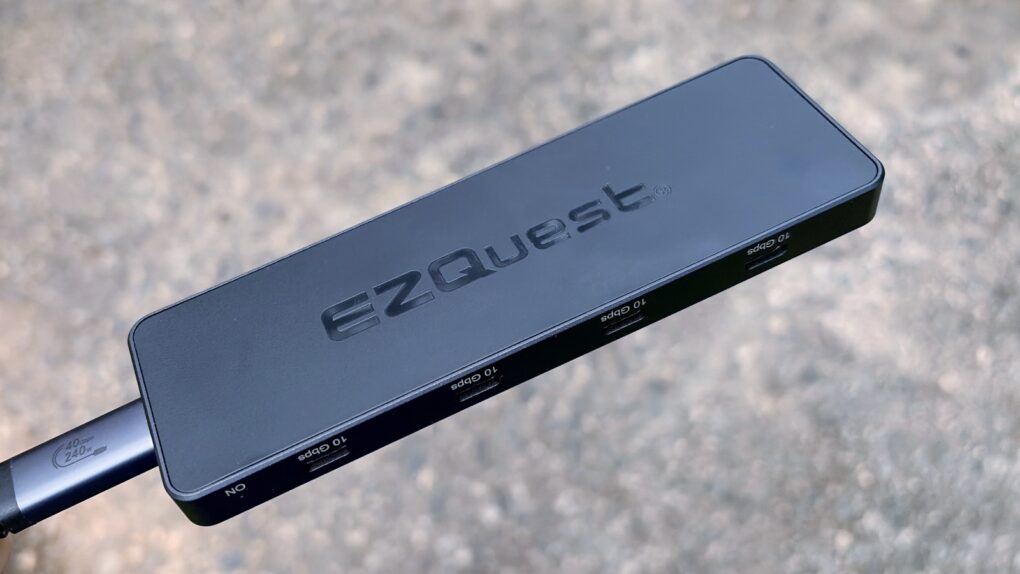
EZQuest USB 4 Dual Display 8-in-1 Hub review★★★★
Get eight USB-C ports in a pleasingly small package with this new hub from EZQuest.
Photo: Ed Hardy/Cult of Mac

The EZQuest USB 4 Dual Display 8-in-1 Hub is for Mac users who have gone all-in on USB-C ports. It boasts no less than seven high-speed ports and an eighth just for charging. And it takes up just one port on your Mac.

Unlike the USB-C ports in most hubs, EZQuest’s can be used for external screens, removing the need for HDMI. One or two displays are supported, depending on the computer the accessory is attached to.

As someone ready to dump all the old legacy ports, I happily put this product through testing.

These are my top 8 must-have Vision Pro accessories

By

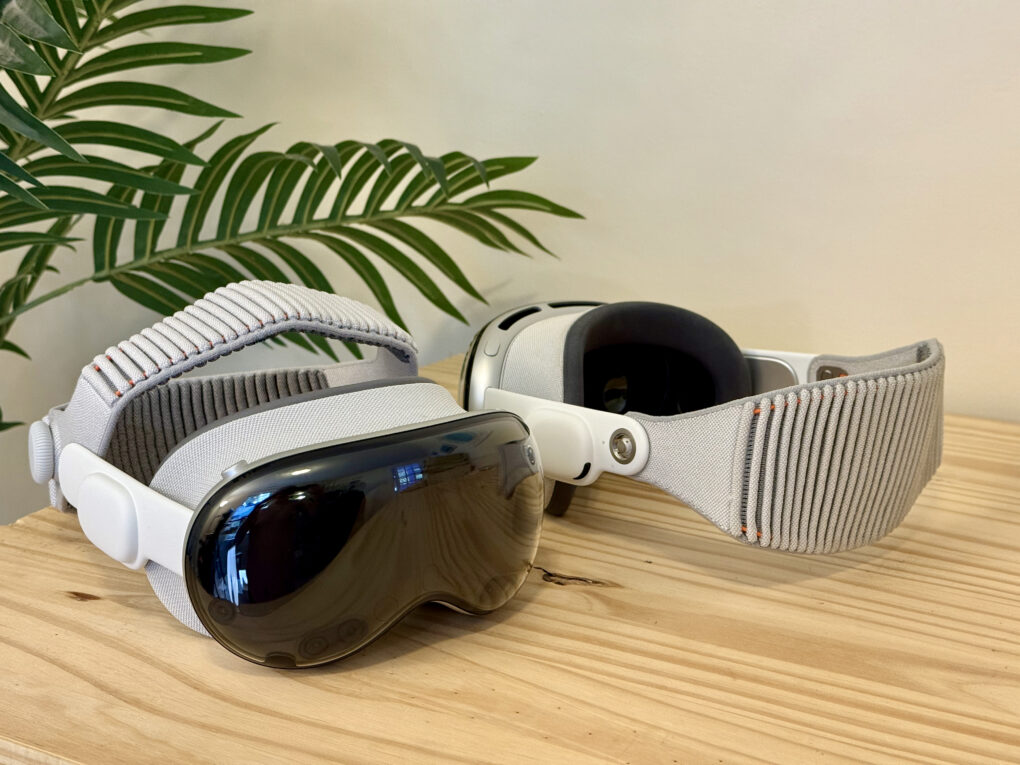
M5 and M2 Vision Pro sitting side by side, one of them turned around, in front of a fake palm tree.
Trick out your Vision Pro with these essentials.
Photo: D. Griffin Jones/Cult of Mac

After shelling out well over $3,499 for a Vision Pro, I hope you have some money left over to buy some of the must-have accessories that make Apple’s headset even better. 

The experience out of the box is great, but to start, you’ll probably want a case to put your Vision Pro in. If you want to use the headset for browsing the web, messaging, writing or any amount of work, you’ll want a keyboard and trackpad. And for games, you’ll need a controller.

If you don’t have pockets (or the pockets you have prove insufficient), you’ll want a battery holster for walking around. And if you’re walking around, you’ll definitely want a protective cover for that expensive curved piece of glass. 

Here are all the accessories I use to make the most of my Vision Pro. 

This smart telescope changed the way I look at the stars [Review] ★★★★

By

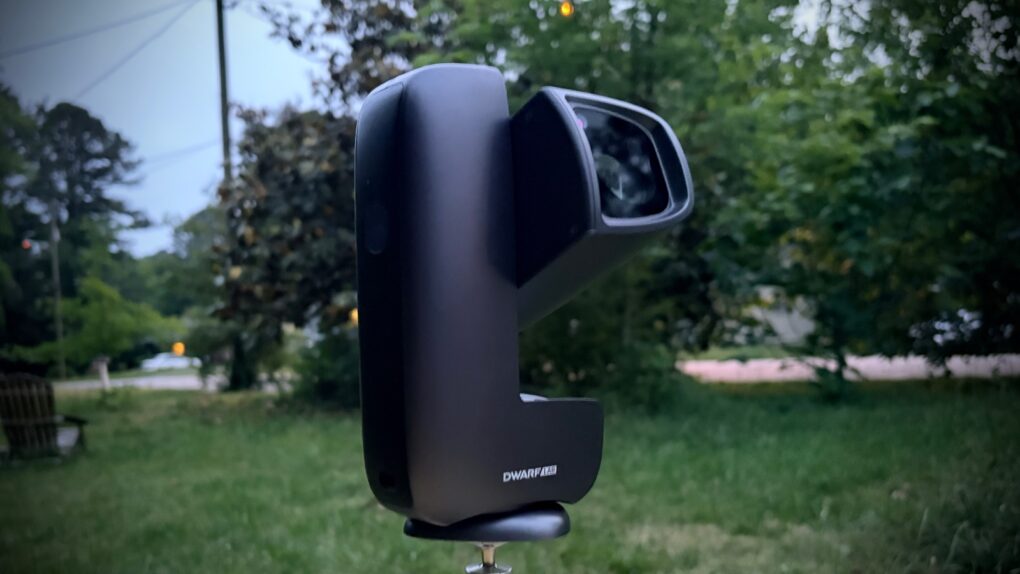
DwarfLab Dwarf Mini Smart Telescope review★★★★
The DwarfLab Dwarf Mini captures gorgeous pictures of the cosmos, despite its small size.
Photo: Ed Hardy/Cult of Mac

The Dwarf Mini smart telescope from DwarfLab cooperates with your iPhone to help you take amazing pictures of the stars — even in locations where you probably think it’s impossible. And it’s all thanks to the miracle of long-exposure images.

Even better, the telescope is comparatively tiny and sets up in minutes.

As a long-time stargazer, I was thrilled to test out the Dwarf Mini. And even more thrilled with the results.

I tried the most powerful Thunderbolt dock ever made [Review] ★★★★★

By

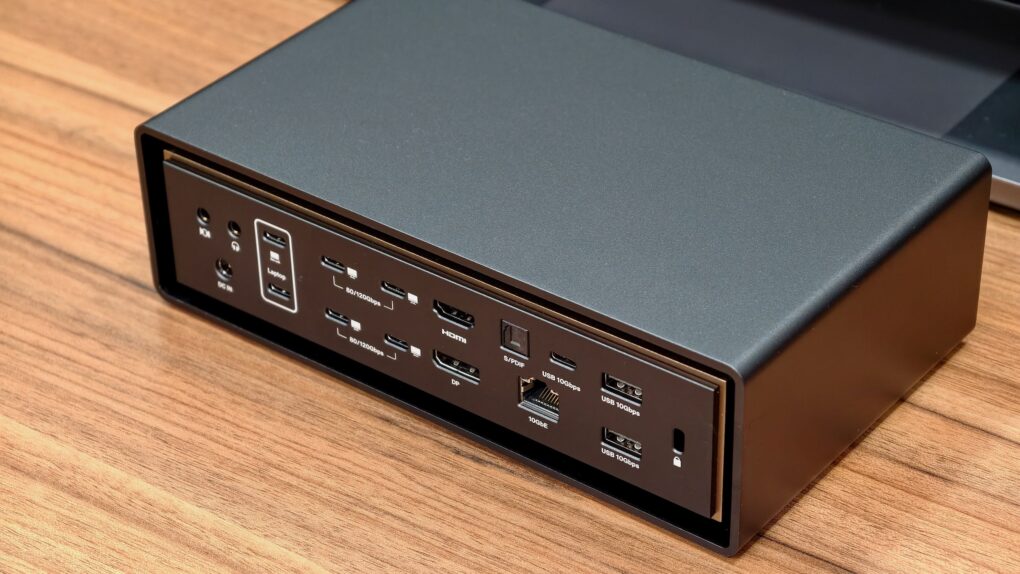
Photo of the Ivanky FusionDock Ultra on a desk, used to illustrate a review of the unique Thunderbolt 5 dock.★★★★★
The iVanky FusionDock Ultra currently ranks as the king of Thunderbolt 5 docks.
Photo: Rajesh Pandey/Cult of Mac

With plenty of ports, power and bandwidth, Thunderbolt docks form the backbone of a modern MacBook-powered workstation — and the iVanky FusionDock Ultra takes things to the extreme. It packs an absurd number of ports and promises enough bandwidth to handle just about anything you can throw at it.

Find out what makes the iVanky FusionDock Ultra so special in our review.

Highly adaptable Edifier M90 speakers earn a spot in any Apple setup [Review] ★★★★

By

Edifier M90 speaker review★★★★
Edifier M90 speakers in white replace the inexpensive sound bar I was using to boost my Roku TV's audio. They'd be great with Apple TV, too.
Photo: David Snow/Cult of Mac
Apple’s ecosystem has never sounded better — AirPods, HomePods, Apple TV with Dolby Atmos — and yet the humble desktop speaker often remains an afterthought. For Mac users who spend long hours at a monitor or in front of a gaming console or smart TV, the audio situation can range from mediocre built-in speakers to a rat’s nest of half-compatible gear. But this Edifier M90 speaker review explains how the stellar new boxes do a great job of solving any number of audio problems in different settings. They bring potent audio power to practically any gear. 

Value-packed EarFun Clip 2 open-ear earbuds put awareness first [Review] ★★★★☆

By

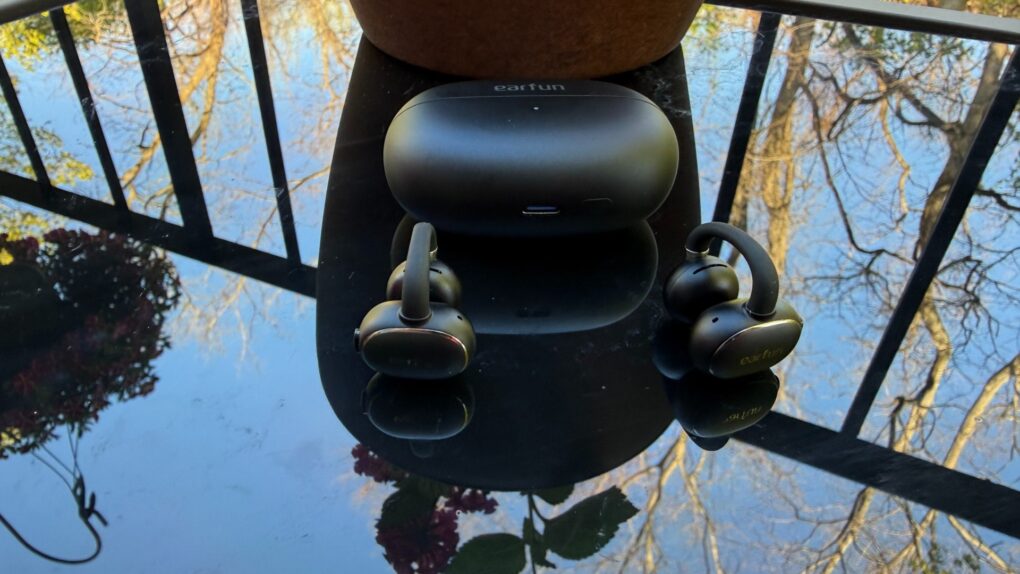
EarFun Clip 2 earbuds review★★★★☆
EarFun Clip 2 open-ear earbuds clip gently on your ears for secure comfort.
Photo: David Snow/Cult of Mac
First announced at CES 2026 in January and released Monday, EarFun Clip 2 open-ear earbuds arrive with an unusually ambitious spec sheet for $79.99 (or less with launch discount). EarFun says Clip 2 is the world’s first Hi-Res comfort ear-clip earbuds with built-in AI translation priced under $80 — a claim that would sound like marketing bluster if the hardware didn’t largely back it up. After spending time with them, here’s my EarFun Clip 2 earbuds review with an honest verdict.

This Anker 3-in-1 charging stand quickly powers up your iPhone [Review] ★★★★

By

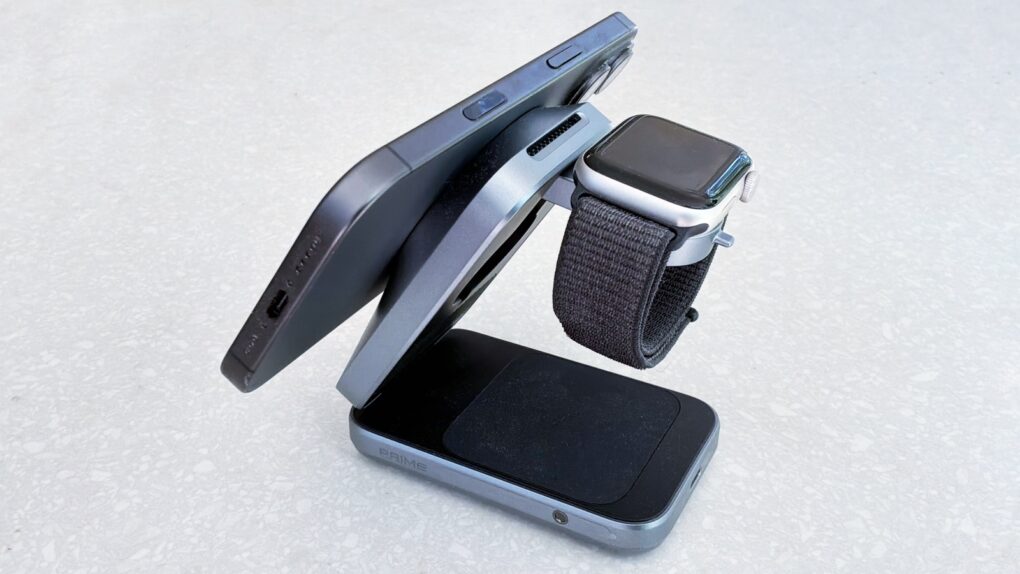
Anker Prime Wireless Charging Station review: for iPhone, Apple Watch and more★★★★
Juice up your iPhone, Apple Watch and more with the Anker Prime Wireless Charging Station.
Photo: Ed Hardy/Cult of Mac

No patience for slow wireless chargers? Then you need to check out the Anker Prime Wireless Charging Station. It delivers up to 25W, and so can give an iPhone 17 a nearly 50% charge in half an hour. There’s even a fan to keep things cool.

At the same time, the accessory boasts charging mats for an Apple Watch and an AirPods wireless charging case. And it folds up for easy travel.

I put Anker’s sleek 3-in-1 fast-charger through its paces for this review. Here’s what I learned.

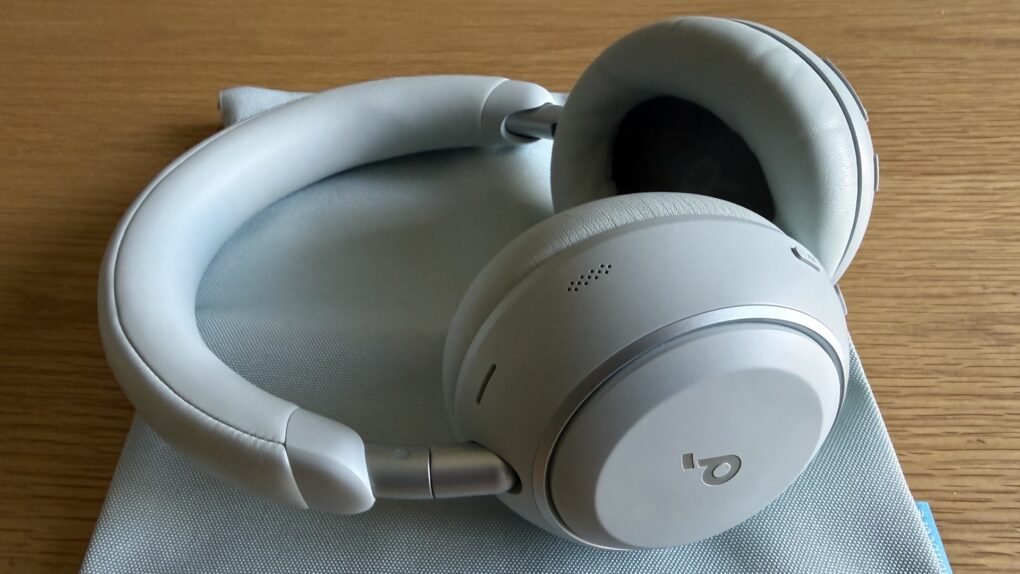
Soundcore Space 2 headphones: Supreme sound, comfort and features [Review] ★★★★★

By

Soundcore Space 2 headphones review★★★★★
I loved Soundcore's Space One Pro headphones from 2024, and the new set improves on them.
Photo: David Snow/Cult of Mac
Soundcore, Anker Innovations’ audio brand, quietly built a reputation as the go-to name for people who want serious headphone performance without the flagship price tag. Its Space One headphones earned a following as one of the best budget ANC options on the market, and that set the bar for their successor quite high. The new Soundcore Space 2, which launched at Mobile World Congress in Barcelona before going on sale Tuesday, clears that bar with room to spare.

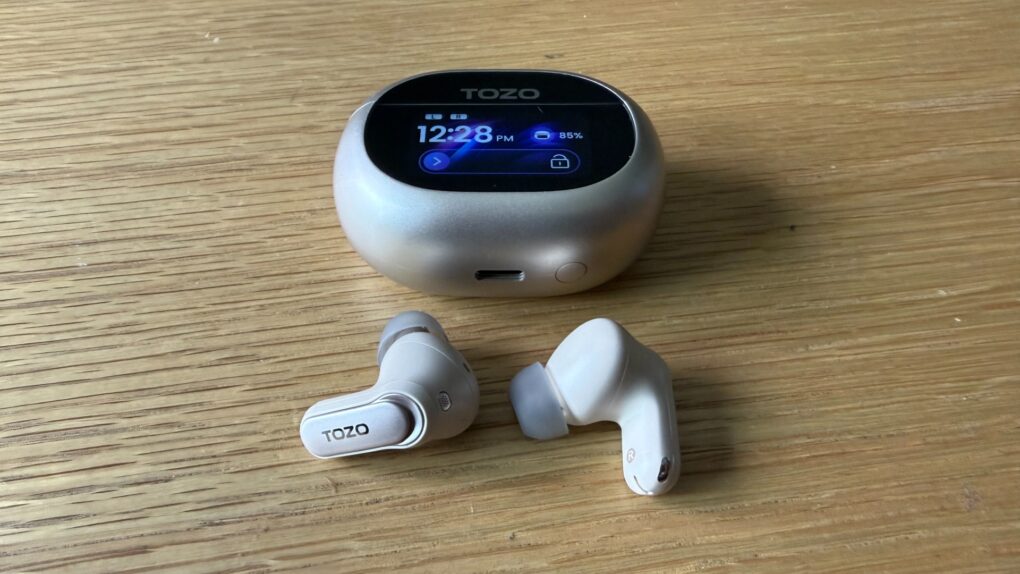
Top new Tozo earbuds bring near-AirPods quality for much less [Review] ★★★★

By

Tozo NC20 Pro earbuds review★★★★
Tozo's new NC20 Pro earbuds come with a wireless touchscreen case and fantastically long battery life.
Photo: David Snow/Cult of Mac
Apple users are trained to reach for AirPods. It’s Pavlovian at this point. But at a regular price of $79 or less — roughly the price of a single AirPods replacement bud — the new Tozo NC20 Pro does things AirPods 4 won’t. And Tozo launch deals get you these excellent buds for much less than the list price — currently $59.49 on Amazon, for example.

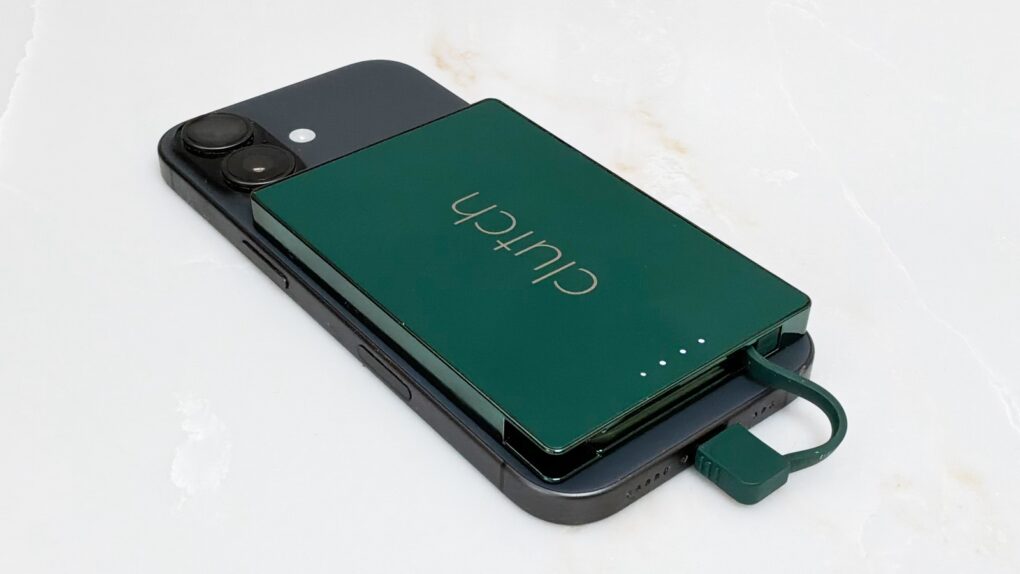
Slim MagSafe iPhone power bank is made for wireless charging haters [Review] ★★★★

By

Clutch Pro review: Slim power bank without wireless charging★★★★
With Clutch Pro, you can have a slim power bank while avoiding wireless charging.
Photo: Ed Hardy/Cult of Mac

The Clutch Pro is for anyone who wants a very slim power bank that magnetically attaches to their iPhone, but who doesn’t like wireless charging. This tiny 5,000mAh external battery includes a USB-C connector on a cable for easy charging.

I tested it with my iPhone 17 and my iPad too. Here’s why I like it.

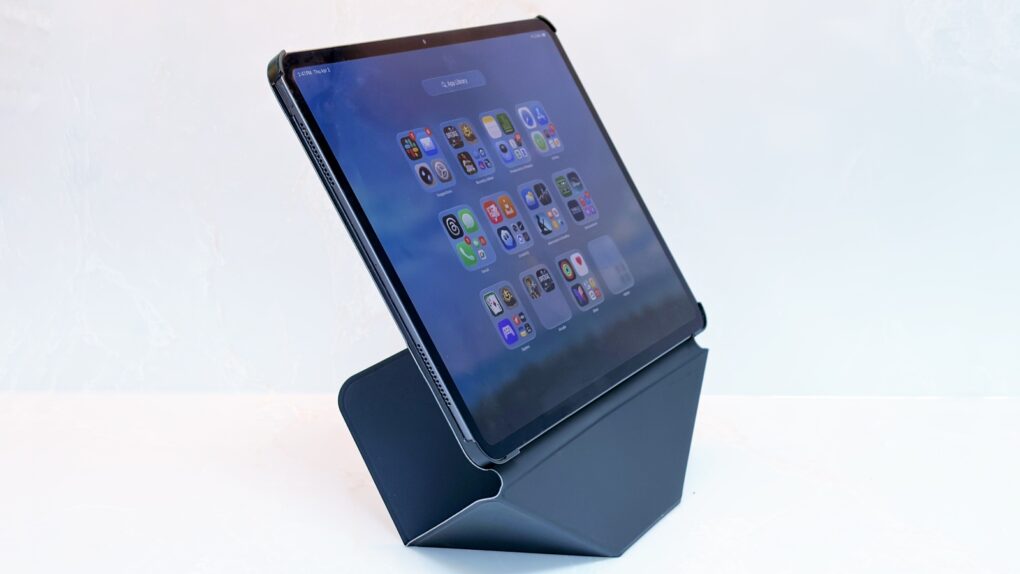
Origami case/stand elevates your iPad for easy viewing [Review] ★★★★

By

The Moft Dynamic Folio Case does tricks other iPad case/stands can't.★★★★
The Moft Dynamic Folio Case protects your iPad, and is also a brilliant stand for it.
Photo: Ed Hardy/Cult of Mac

The Moft Dynamic Folio Case does tricks other iPad case/stand combinations can’t. Most notably, it can lift the iPad up several inches, making the screen easier to see.

Beyond that, the accessory can be folded into shapes that support the tablet at a range of angles. It can even hold your iPhone next to your iPad. It’s very flexible, and it protects the tablet, too.

I’ve been using Moft’s latest for several weeks. That’s a lot to like here.

AirPods Max 2 are gorgeous, dreamy headphones — for now [Review] ★★★★☆

By

Purple AirPods Max 2 hanging on a banana stand in front of a fake palm tree★★★★☆
The purple AirPods Max 2 are gorgeous.
Photo: D. Griffin Jones/Cult of Mac

AirPods Max 2 are the surprise update to Apple’s premium over-the-ear headphones. Now offering feature parity with the regular AirPods 4 and AirPods Pro 3 — thanks to the H2 chip inside — the headphones’ $549 price tag makes some kind of sense.

The design and controls remain unchanged from the originals, for better and worse. That includes the silly “Smart Case.” But the signature beautiful, booming sound and excellent noise cancellation are better than ever. If you’ve never tried AirPods Max before — only the lesser AirPods and maybe a few pairs of cheaper headphones — you are well and truly unprepared for the remarkable music these cans will pump into your ears.

You don’t need to be a big audiophile to love the AirPods Max 2. But considering how Apple has mistreated the product line so far, you have to be a little bold to buy them yourself.