Mobile menu toggle

Today in Apple history: iPhone OS 3 brings copy/paste to iPhone

By •

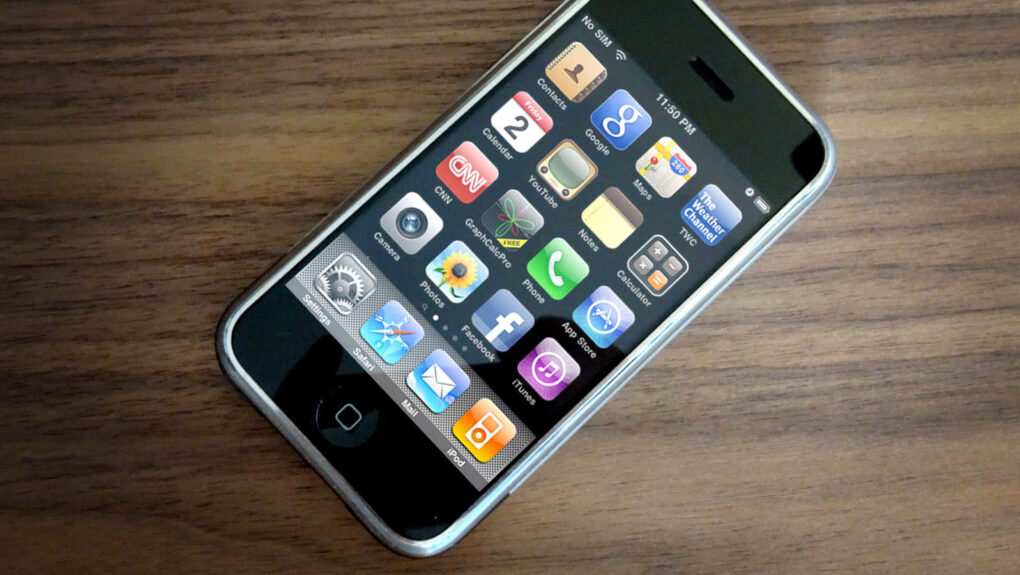
Photo of an iPhone running iPhone OS 3
iPhone OS 3 turned Apple's smartphone into a much more capable device.
Photo: Ste Smith/Cult of Mac

friday_17 June 17, 2009: Apple releases iPhone OS 3, the third iteration of its mobile operating system (and the last before a name change to “iOS”). It adds Cut, Copy and Paste functionality, among the most requested features since the original iPhone shipped in 2007.

“iPhone 3.0 has more than 100 new features for our customers,” says Scott Forstall, Apple’s senior vice president of iPhone software, as he demos the new operating system in front of developers. “Let me walk you through just a few, starting with Cut, Copy and Paste. So, we’ve been working really hard to design an easy-to-use, straightforward user interface for Cut, Copy and Paste on our large touchscreen display, and we think we’ve nailed it.”

iPhone OS 3 also brings a host of other new features, including MMS, a landscape keyboard, support for audiobooks and iTunes video, and Spotlight search, which users can access by swiping left on the iPhone’s Home Screen. And the Find My iPhone app comes along for the ride.

I tested the new Siri AI against Apple’s claims. Here’s how it went.

By •

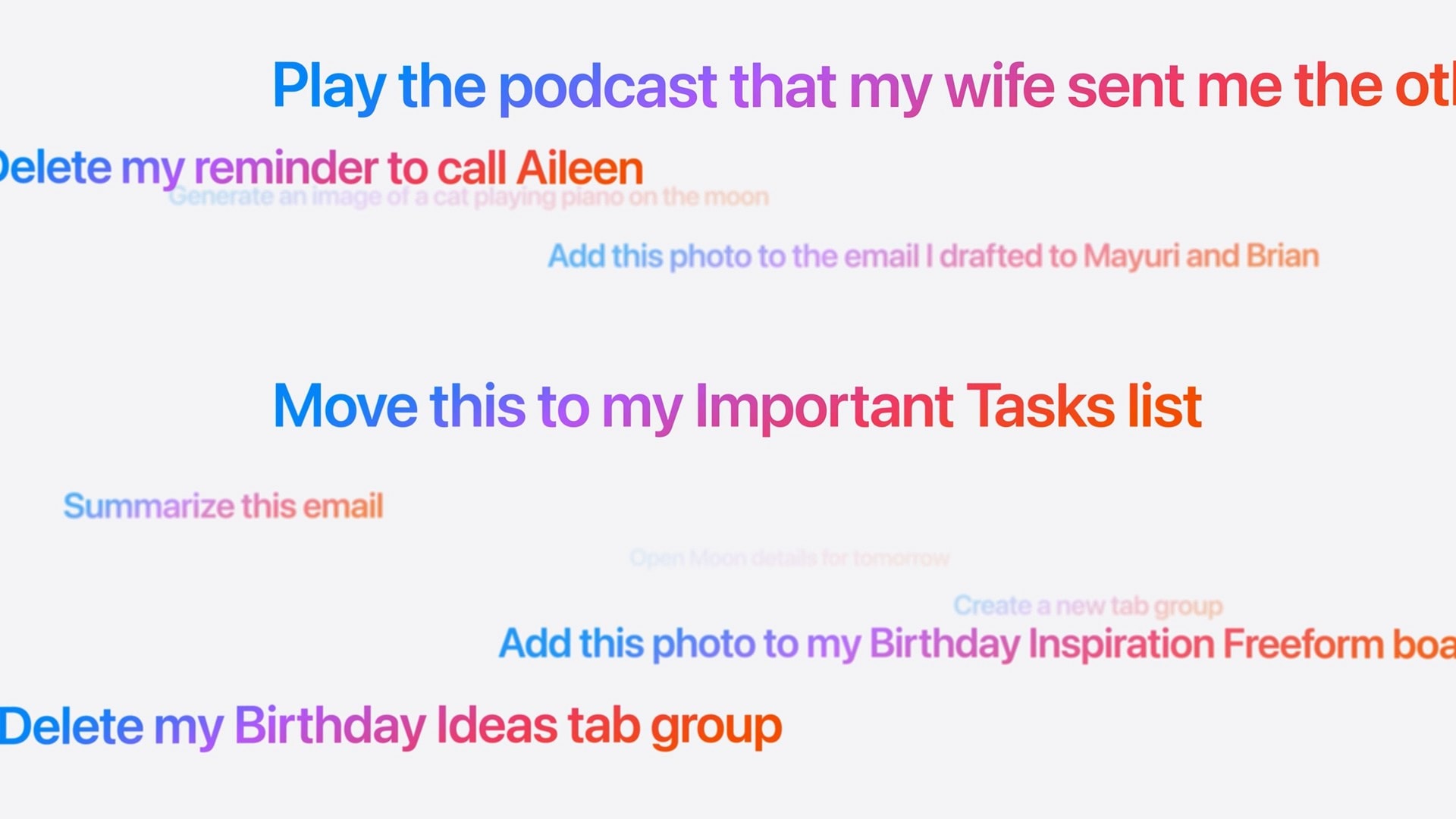
Screenshot of prompts to Siri: Play the podcast that my wife sent me the other day Delete my reminder to call Aileen Generate an image of a cat playing piano on the moon Add this photo to the email I drafted to Mayuri and Brian Move this to my Important Tasks list Summarize this email Create a new tab group Add this photo to my Birthday Inspiration Freeform boa Delete my Birthday Ideas tab group
These are the kinds of things you’ll be able to ask the new, smarter Siri.
Image: Apple

Did Apple finally get it right — is the new Siri AI useful? In my early Siri AI testing, I think the answer to that question is a resounding “yes.” I took the three biggest demos from Apple’s keynote and replicated them with my own questions based on my own personal context. In nearly all the tests, it performed just as well as Apple’s examples.

I’ve been throwing Siri AI, now available in the first developer beta of iOS 27, all kinds of other questions, too. Foolishly, I put the beta on my main iPhone, so I’ve been using it as my one and only voice assistant for a week now.

While its smarts aren’t going to shock you if you’ve used a chatbot before, its private, secure access to your entire digital life is something nothing else can offer. (And, some would say, an anticompetitive advantage.)

Siri AI is the real deal.

Apple finally explains why your Mac has been blocking Terminal commands

By •

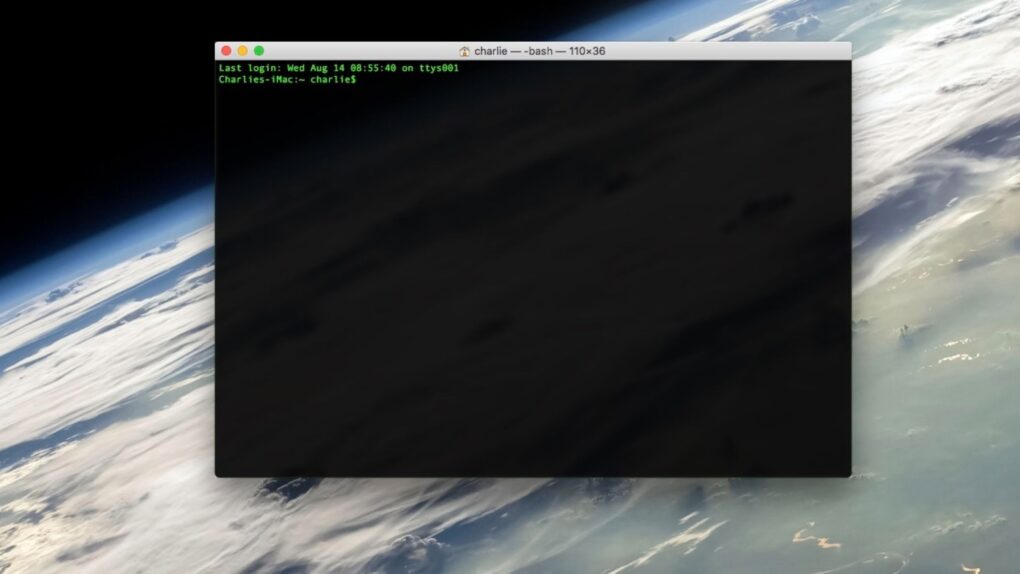
A photo of the Terminal app on macOS used in a story about macOS Tahoe block commands warning explanation.
Apple's new Terminal alerts intercept pasted malicious commands before they can do damage.
Image: Cult of Mac

If your Mac showed a warning the last time you tried to paste something into Terminal, Apple just explained what’s going on. Turns out, your Mac has been quietly blocking and protecting you from an increasingly common scam.

The feature, which shipped back in March with the macOS Tahoe 26.4 update, blocked pasted Terminal commands without explanation. Apple published an official support document on Monday explaining what those alerts mean — and what to do when one appears.

You’ll never misplace this slim Moft iPhone wallet stand [Review] ★★★★☆

By •

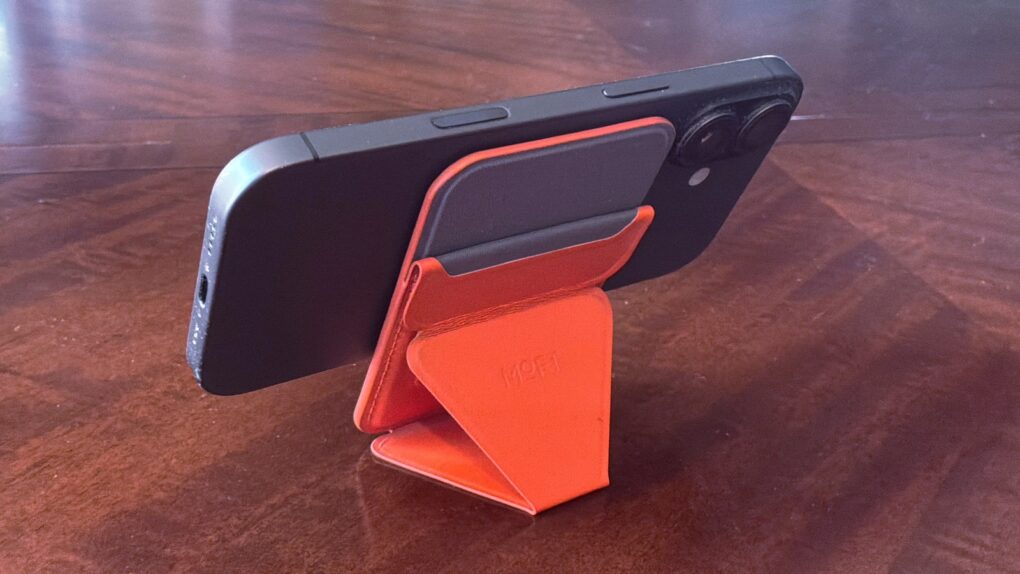
Moft Trackable Snap-on Phone Stand & Wallet review★★★★☆
The Moft Trackable Snap-on Phone Stand & Wallet beats most rivals thanks to Apple's Find My support.
Photo: Ed Hardy/Cult of Mac

Moft managed to pack an amazing number of features into the Trackable Snap-on Phone Stand & Wallet, an iPhone accessory that’s a mere quarter of an inch thick. It’s a wallet that clings magnetically to your handset that also acts as a convenient travel stand. Even better, you can track its location from your phone with Apple’s Find My app.

Want more? Moft also offers the Trackable Tripod Wallet, a premium version that’s a bit thicker but acts as an elevated stand and selfie stick with a Camera shutter button.

I put both accessories through real-world testing, and one of them found a permanent place in my pocket.

Today in Apple history: iPhone 4 preorders set an impressive record

By •

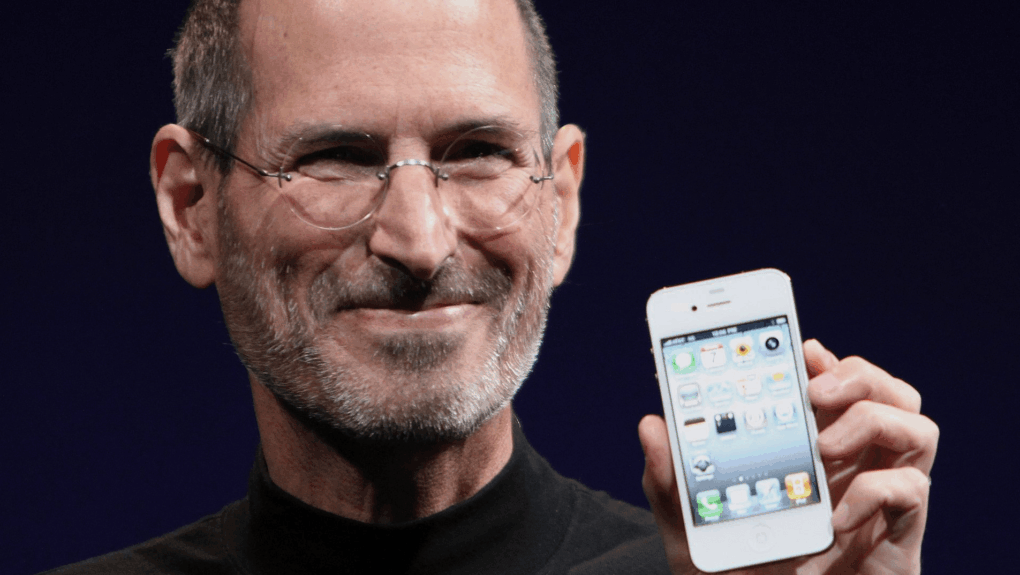
Photo of Steve Jobs holding an iPhone 4
The iPhone 4 became a hit right out of the gate.
Photo: Matthew Yohe/Wikipedia CC

June 16: Today in Apple history: Apple receives record preorders for iPhone 4 June 16, 2010: Apple reports a massive surge of interest in its latest smartphone, with iPhone 4 preorders racking up 600,000 sales on their first day.
The company calls the number “far higher” than expected. At the time, it’s the most iPhone preorders Apple has ever taken in a single day. AT&T suffers server problems thanks to the demand — with 10 times the usual traffic on its website. It’s proof positive that Apple is onto a winner!

iPhone 18 could get 50% more RAM without a price hike

By •

iPhone 17
iPhone 18 may buck the RAM-ageddon trend.
Photo: Ed Hardy/Cult of Mac

Apple will supposedly bump the base model iPhone 18’s RAM by 4GB for a total of 12GB. The additional memory will ensure the new iPhone supports all Apple Intelligence features in iOS 27.

A DigiTimes report says that despite memory becoming substantially more expensive, the company does not plan to bump the iPhone 18’s price.

Mophie fixes flaws in wireless charging with new StealthCharge system

By •

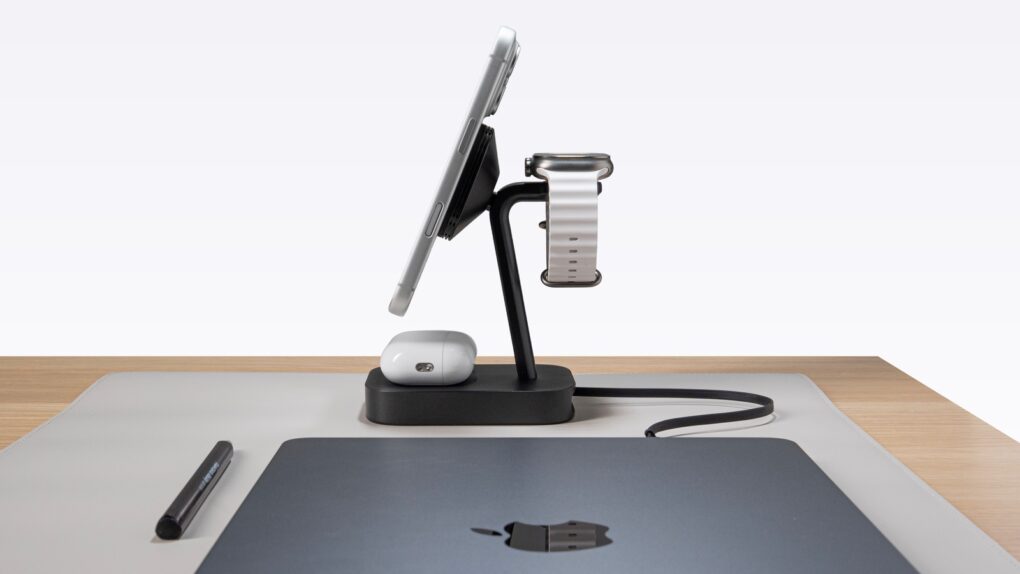
Mophie StealthCharge wireless chargers run cooler and faster
The Mophie 4-in-1 Wireless Charge Stand works faster because of StealthCharge tech.
Photo: Mophie

Mophie makes loads of wireless chargers, so it’s as aware as anyone of the flaws in the technology. That’s why it developed StealthCharge, its improvement to Qi2.2 that lets wireless chargers run more quickly because they stay cooler.

The tech is built into two new desktop chargers plus a travel one. Apple likes these enough that all three are available from the Apple Store, as well as directly from Mophie.

Apple’s next privacy change is happening behind the scenes

By •

Hide my email and Sign in with Apple will use a unified domain.
Apple’s privacy-focused email services are getting a unified domain.
AI image: ChatGPT

Starting “later this summer,” Apple will use a unified domain for Sign in with Apple and Hide My Email. The two services will use the private.icloud.com domain.

The change will only apply to email IDs generated in the future. Existing accounts will continue to work with the old domain.

iOS 27 isn’t done yet: Additional features might arrive in September

By •

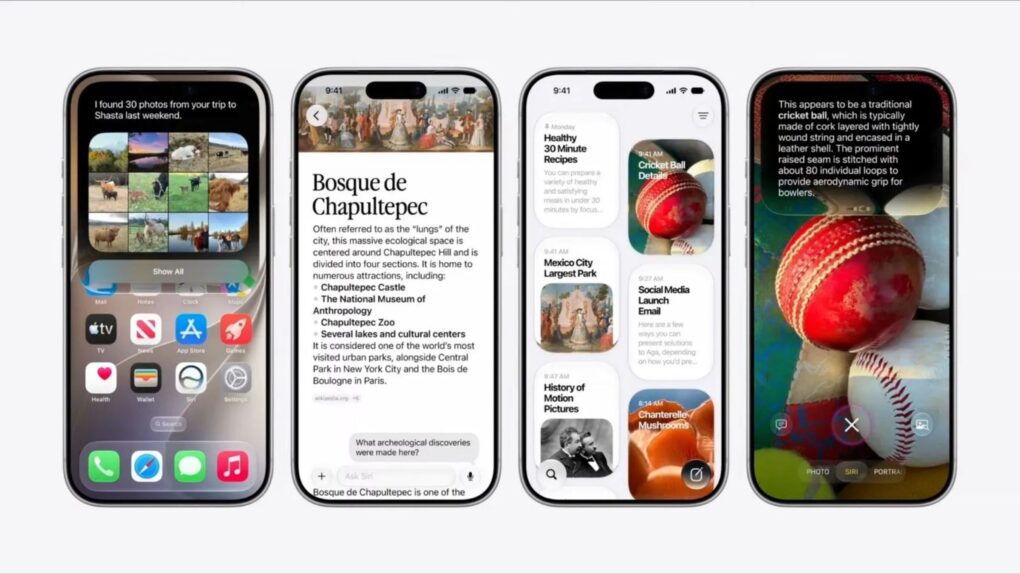
Four iPhone screenshots showing iOS 27 used in a story about unannounced features.
Three exciting features that Apple skipped at WWDC26 might still be headed your way.
Photo: Apple

Three rumored features that Apple didn’t mention at WWDC26 last week — a customizable Camera app, Siri support for third-party AI chatbots, and a Modular watch face that works on regular Apple Watches — might arrive this fall.

These features all bubbled up in the rumor mill before Apple’s annual Worldwide Developers Conference, but it looks like we won’t see them until September.

New Philips Hue Sports Live software syncs smart lights to World Cup action [Now available]

By •

Philips Hue Sports Live
Sports Live software doesn't need a hardware connection to react to action onscreen. It uses data.
Photo: Signify

Update: In time for the soccer World Cup in the United States, Canada and Mexico, a new Philips Hue app update unlocks the new Sports Live feature we reported on in May, below. Users had their first chance to try it Thursday with Mexico and South Africa’s opening match, Signify said in a blog post.

 Original post, May 7, 2026:

Philips Hue and its sibling smart-lighting brand WiZ both get a new feature soon that could change how you watch the World Cup this summer, parent company Signify said Thursday. Called Sports Live, the software uses real-time match data to trigger lighting effects in your home whenever key moments happen on the pitch — goals, yellow cards, red cards — with no manual input or hardware required.

“With Sports Live, we’re moving beyond the traditional screen-based sync offering, broadening the role of smart lighting in at-home sports entertainment,” said said John Smith, business leader for Connected Lighting at Signify.

“By using live match data to trigger lighting in real time, we’re creating a new level of precision and immersion in how fans experience sports at home, making every match a truly memorable occasion,” he added.

Apple, please jump on the removable-battery bandwagon

By •

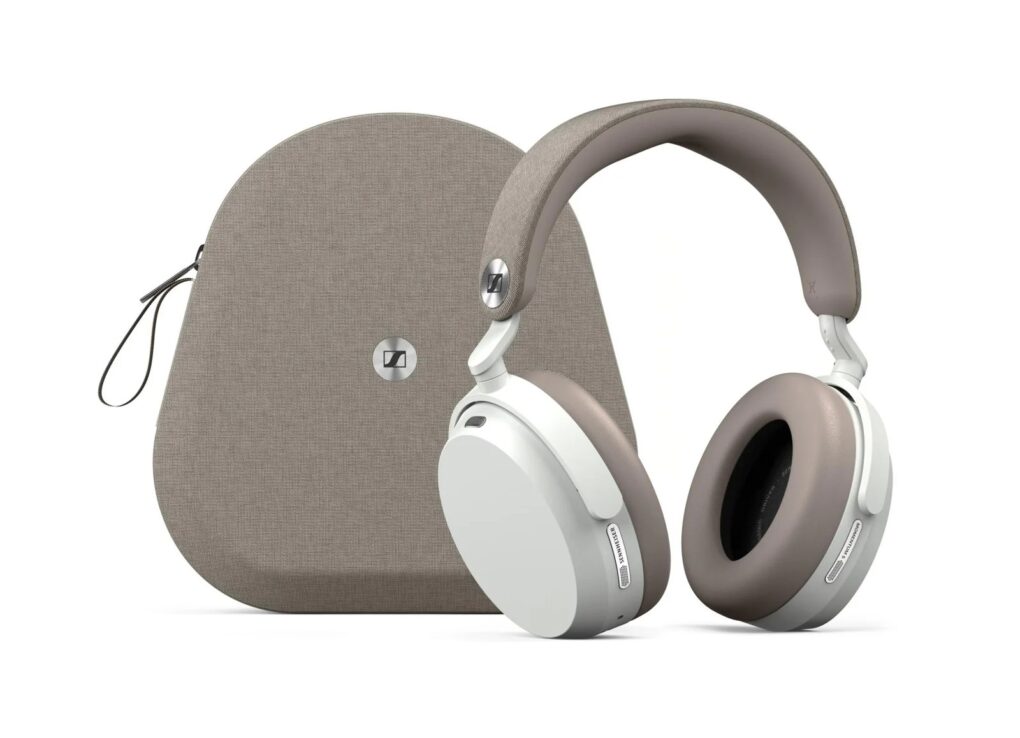
Sennheiser Momentum 5 headphones in white with case
Shown here in white with their carrying case, Sennheiser Momentum 5 Wireless headphones let you easily swap out the battery yourself. That can add years of product life.
Photo: Sennheiser

Something is changing in portable audio. In the past year, several well-known audio brands have made a design commitment that sounds almost quaint in the age of sealed, glued-together gadgets. They put a battery in their speakers and headphones that you can actually take out and swap yourself.

That’s environmentally responsible, consumer-friendly and adds much longer life to premium products.

So Apple, take note: Marshall, Sennheiser, Philips, JBL and Noble Audio all embraced user-replaceable batteries in recent products. AirPods Max and Beats speakers and headphones still don’t. But they should, for the good reasons above — and to not lose out to competitors following this positive trend.

Shocker! Image Playground in iOS 27 is actually useful.

By •

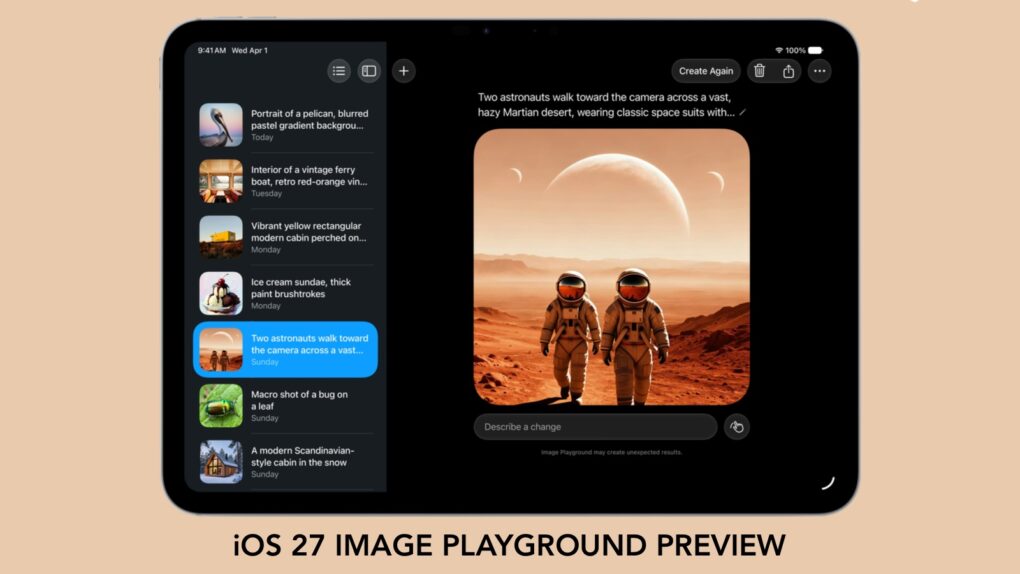
Image Playground in iOS 27 preview
With iOS 27, we'll have to stop thinking of Image Playground as rubbish.
Graphic: Apple/Cult of Mac

Forget what you know about Apple’s Image Playground — the app is no longer terrible. There’s a new version on the way, and it finally fulfills the promise Apple made two years ago.

Later this year, your iPhone is getting an AI tool that’s truly capable of generating images based on your descriptions. And the software can avoid many of the usual problems that cause some people to reject artificial intelligence tools.

Today in Apple history: iPad 2 leak lands insiders in prison

By •

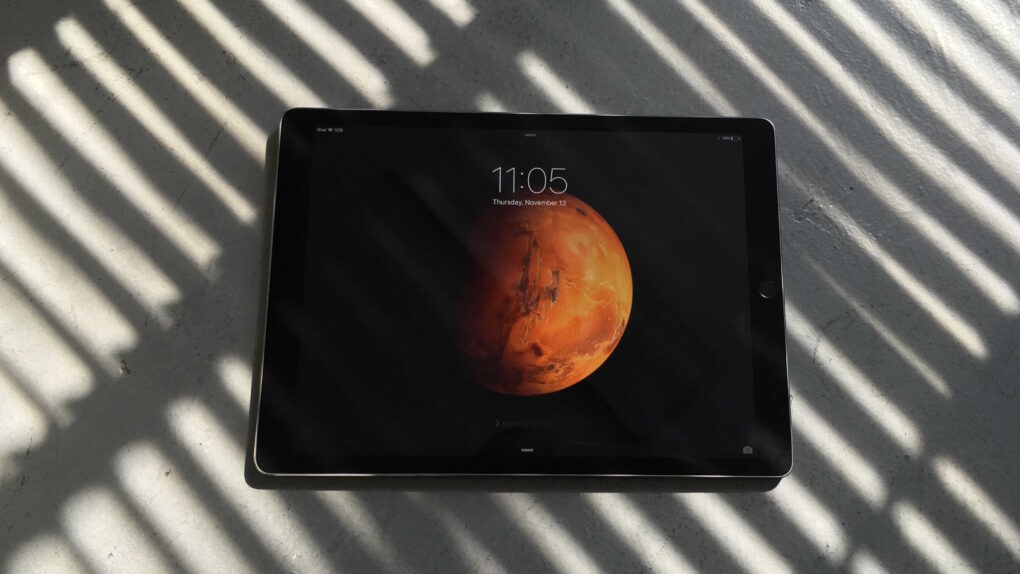
Photo of the iPad Pro lying on the ground with amid shadows from window blinds.
Leaking pre-release images could land you behind bars.
Photo: Leander Kahney/Cult of Mac

June 15: Today in Apple history: iPad 2 leak lands insiders in prison June 15, 2011: Chinese authorities sentence three people to prison for leaking information about the iPad 2 prior to its release.

The Foxconn R&D employees receive sentences ranging from one year to 18 months. They also must pay fines between $4,500 and $23,000. If you ever wonder why more Apple products don’t leak prior to release, this might help explain why!

Today in Apple history: Paul McCartney is unlikely star of iTunes ad

By •

Screenshot from Apple's vividly animated iTunes ad with Paul McCartney performing
A vividly animated Apple ad showcases Paul McCartney's "Dance Tonight."
Photo: Apple

June 14: Today in Apple history: Paul McCartney iTunes ad features Dance Tonight June 14, 2007: Paul McCartney sings his new song “Dance Tonight” in an iPod + iTunes ad, the latest in a series of Apple spots starring music industry legends.
The new animated ad signifies a thawing of the icy relationship between Apple and McCartney, whose original band, The Beatles, has been locked in a legal battle with Cupertino for decades.

Siri AI: This time Apple means it! [Cult of Mac podcast No. 24]

By •

Image of Siri AI logo on black background with the words,
After whiffing a couple years ago, Apple hits it out of the park with Siri AI.
Image: Cult of Mac

Apple WWDC26: This week on the Cult of Mac podcast: For once, Siri doesn’t leave us exasperated! After a week of WWDC26 surprises, we’re genuinely stoked about the promise of Siri AI.

Also on the Cult of Mac podcast:

  • The good news doesn’t stop with Siri. Loads of new Apple Intelligence features look useful and thoughtfully implemented.
  • Apple faces off against the European Union, and it looks like EU iPhone and iPad users will pay the price.
  • We talk about the new features coming in iOS 27, macOS 27 and watchOS 27.
  • And finally we wrap up with the results of our WWDC26 predictions game.

Listen to this week’s episode of the Cult of Mac podcast in the Podcasts app or your favorite podcast app. (Be sure to subscribe and leave us a review if you like it!) Or watch the video live stream, embedded below.

Apple is fixing the Mail app’s broken search in iOS 27

By •

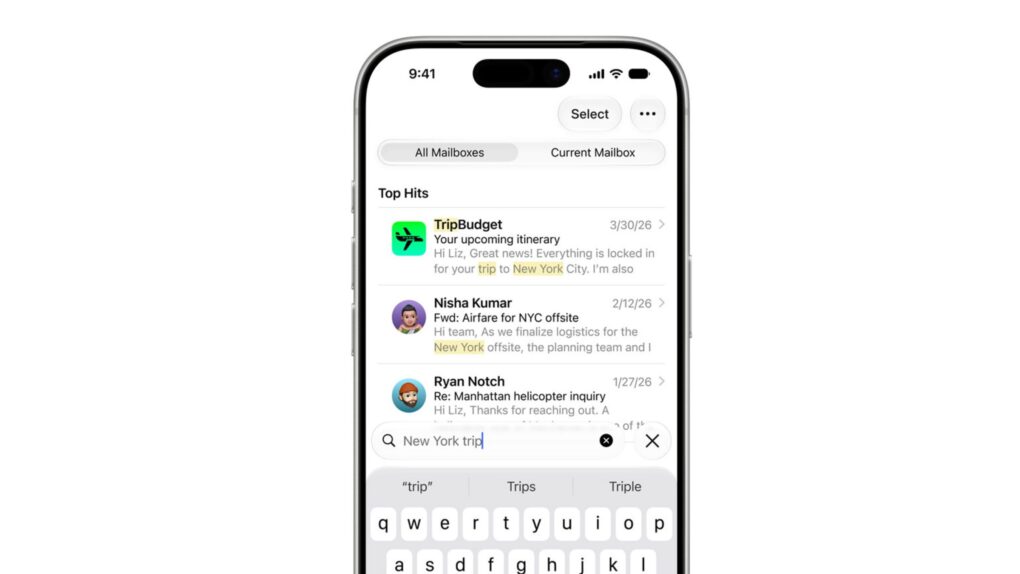
A photo of Apple's Mail app for the iPhone used in a story about the iOS 27's Mail app update.
Apple Mail gets a ground-up search overhaul in iOS 27.
Image: Apple

Apple WWDC26: Apple Mail’s search has been broken for years, and everyone knows it. But iOS 27 should fix that.

When it arrives later this year, it will bring a completely rebuilt Mail search with features such as a new on-device index, relevance ranking and the ability to reindex old emails. The emails you know exist but can never find? Your iPhone will finally be able to surface them.

Today in Apple history: Eddy Cue takes the stand to defend iBooks pricing

By •

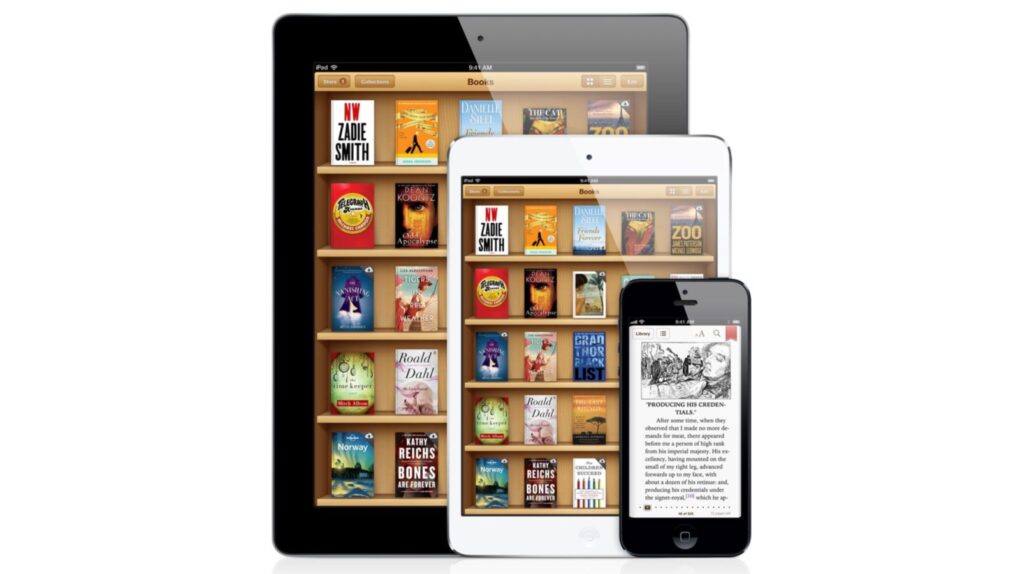
History of the iBooks pricing lawsuit
Eddy Cue took the stand to testify about Apple's e-book pricing in a 2013 antitrust trial targeting the iBooks Store.
Photo: Apple

June 13: Today in Apple history: Eddy Cue takes the stand to defend iBooks pricing June 13, 2013: Apple exec Eddy Cue takes the stand to defend the company’s iBooks business strategy in an antitrust case regarding e-book pricing.

Cue, Apple’s senior vice president of internet software and services, runs the iBooks Store initiative. His testimony proves vital to a case brought by the Department of Justice, in which potential damages climb well into the nine figures.

Skip the waitlist: Get the new Siri AI right now on macOS Golden Gate

By •

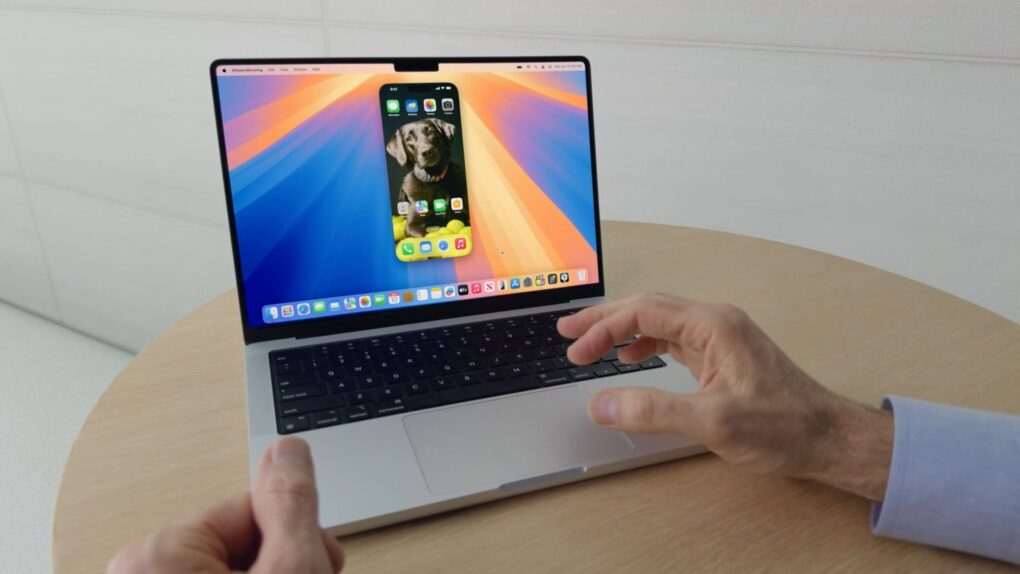
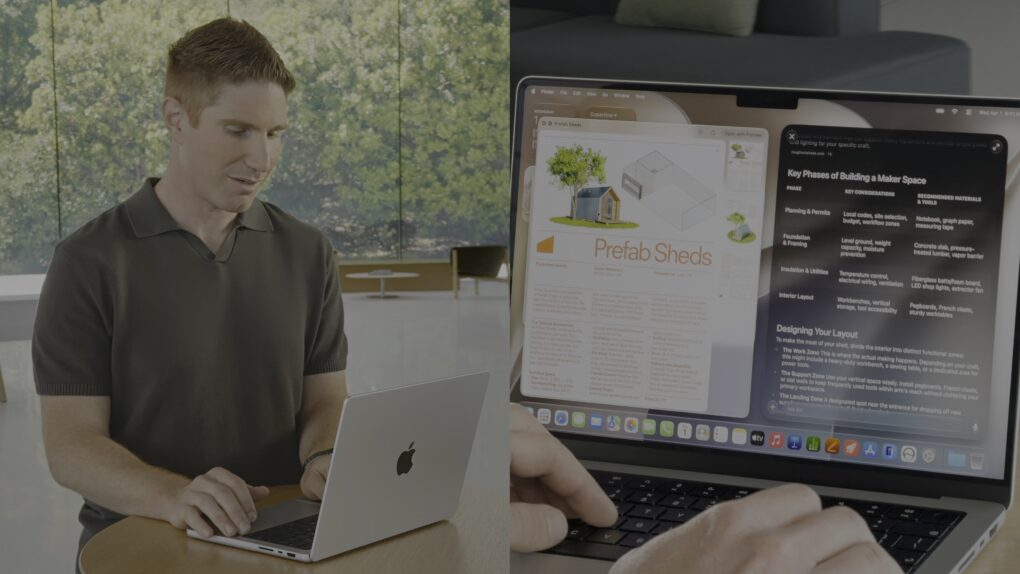
Justin Titi, Apple’s senior director of intelligent system experience engineering, using Siri AI on a MacBook Pro
It’s worth the wait. But you also don’t have to wait.
Photo: Apple

Even after updating all your devices to the OS 27 betas, you can’t get the new Siri AI right away. There’s a waitlist, and users are reporting that it can take days to get accepted. But on macOS Golden Gate, you can skip the waitlist with a little Terminal command.

First, you’ll need to install macOS Golden Gate. If you want to play it safe by installing it on an external volume, you’ll be disappointed — Apple Intelligence only works when macOS is running from your internal storage. So playing it safe is a little harder, unless you have enough free internal space to make a partition.

Whatever your approach, here’s how you can try out the new Siri on your Mac right now.

Update: In macOS 27 developer beta 2, this method no longer works, but there may be another solution.

Apple clears the clutter out of the App Store

By •

App Store
Apple is ready to dump copycat applications from the App Store.
Graphic: Apple/Cult of Mac

Finding useful software in the App Store is about to get easier. Apple is apparently preparing to remove what it describes as “opportunistic” apps that provide little value to iPhone and iPad users.

It already had a policy of not approving applications that are “indistinguishable from what’s already widely available.” This week, it quietly warned developers that it will start removing low-value software that doesn’t attract attention from users.

3 ways the new Brydge Max iPad keyboard case beats Apple’s Magic Keyboard [Review] ★★★★☆

By •

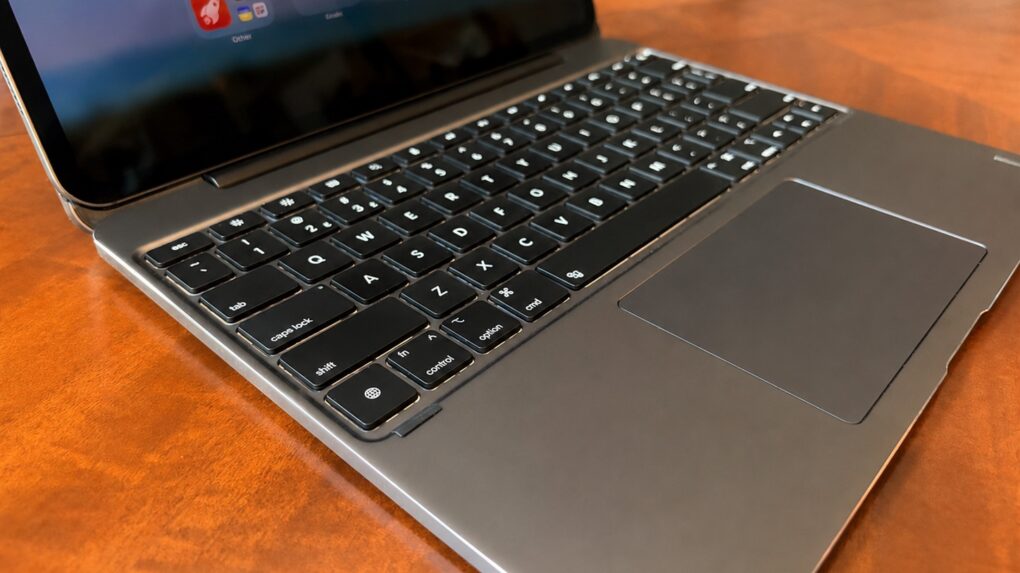
Brydge Max 13.0 review★★★★☆
The Brydge Max 13.0 might be the best iPad keyboard case on the market.
Photo: Ed Hardy/Cult of Mac

The recently launched Brydge Max is a premium iPad keyboard case that takes on Apple’s Magic Keyboard head-to-head. Like its rival, the accessory uses a cantilever design to hold the tablet up so that it is seemingly floating over the keyboard, but Brydge’s product offers much wider viewing angles plus a gorgeous aluminum exterior.

I’m reviewing the version for 13-inch iPad models, and there’s another for 11-inch models. No matter the size, the case includes a backlit keyboard plus a trackpad.

Here are all the ways the brilliant Brydge Max 13.0 comes out ahead of the Apple Magic Keyboard, and a couple of ways it doesn’t.

Today in Apple history: Steve Jobs delivers epic commencement address at Stanford

By •

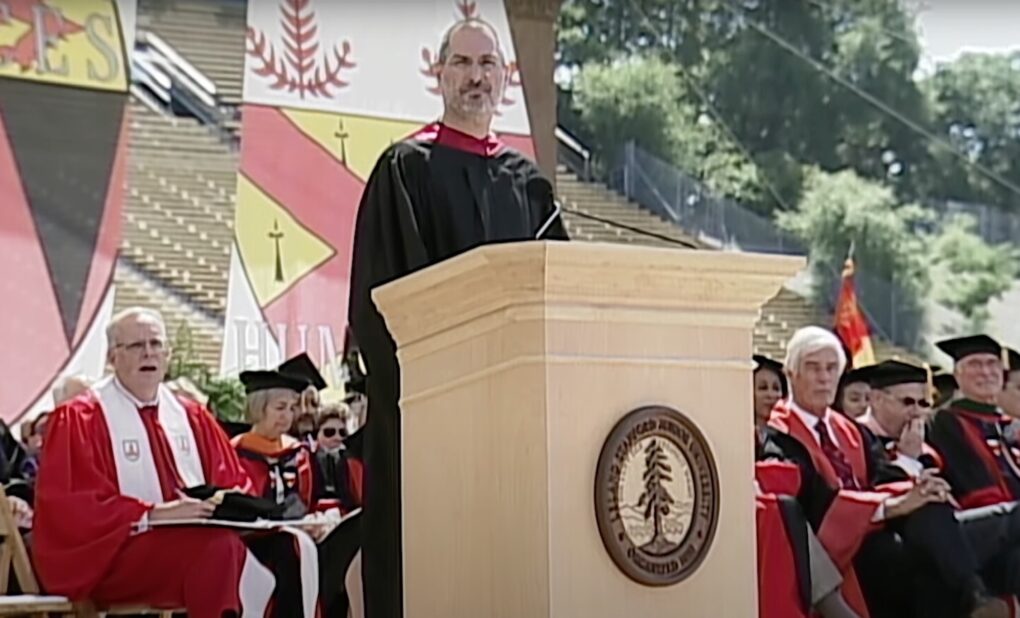
Steve Jobs delivers legendary commencement speech from podium at Stanford University in California.
Steve Jobs inspired generations with his legendary Stanford commencement address.
Photo: Steve Jobs Archive

June 12: Today in Apple history: Steve Jobs delivers Stanford commencement speech June 12, 2005: Apple CEO Steve Jobs delivers a brilliant commencement speech to graduating students at Stanford University.

Packed with incredible insights, the motivational speech includes many memorable lines that capture the essence of Jobs’ incredible life — and provide a template for success through following your passions. And he does it all in less than 15 minutes.

Best compact Mac setups: Big ideas, small spaces

By •

best compact Mac setups
It fits under the stairs. And it's not like it's an incomplete setup, either.
Photo: [email protected]

Not everyone has a spacious home office, a purpose-built studio or a spare room to dedicate to a dream workstation. The Cult of Mac Setups archive is full of people working in bedrooms, studio apartments, shared living spaces, dorm-adjacent Manhattan rooms and any other constraint that life in a city tends to impose. But space limitation, it turns out, is one of the great engines of creative thinking in a setup. The best compact Mac setups, below, find ways to thrive in tight spaces.