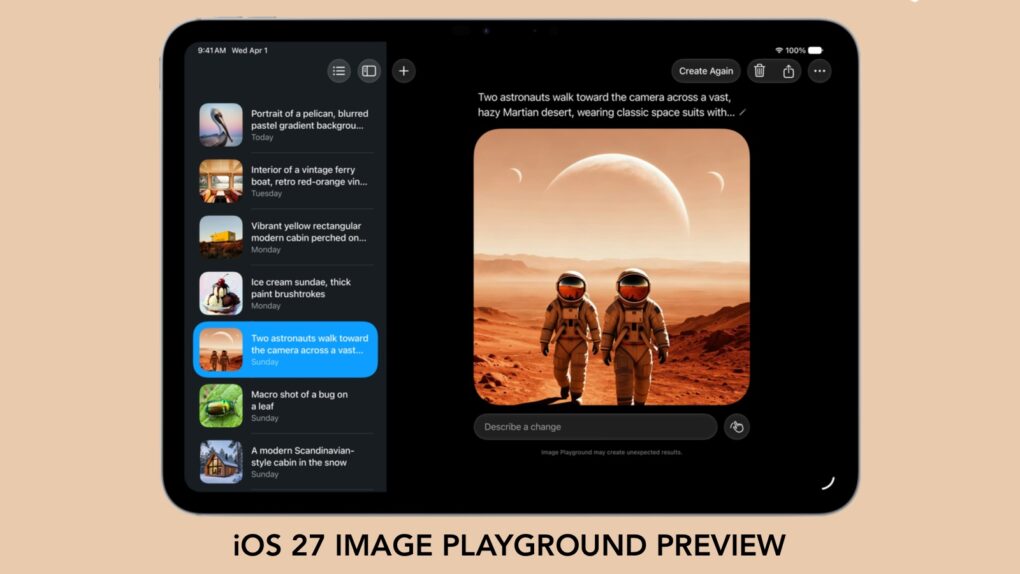
Forget what you know about Apple’s Image Playground — the app is no longer terrible. There’s a new version on the way, and it finally fulfills the promise Apple made two years ago.
Later this year, your iPhone is getting an AI tool that’s truly capable of generating images based on your descriptions. And the software can avoid many of the usual problems that cause some people to reject artificial intelligence tools.
The 2024 iPhone Image Playground was complete rubbish
One of the flagship features of Apple Intelligence unveiled at WWDC24, Image Playground lets users quickly create playful, AI-generated images from text prompts, photos and suggested concepts. It was Apple’s answer to generative AI image tools from Midjourney, OpenAI’s ChatGPT, Google’s Gemini, etc.
Problem is, Image Playground produced cartoon-y images with all the typical AI flaws, like too many limbs or fingers. It quickly became one of the most criticized Apple Intelligence features because many users found it far less capable and more restricted than rival AI image generators.
Thankfully, Apple used last week’s WWDC26 keynote to unveil a new generation of Image Playground. My co-worker D. Griffin Jones and I have been testing it in the first iOS 27 developer beta. I’m fairly upbeat about the new app, but Griffin points out there’s lots of room for improvement before it launches this fall.
Ed’s take: Image Playground in iOS 27 is already quite good!
“Image Playground offers powerful new ways for users to bring their imagination to life, including creating high-quality images in a photorealistic style,” said Apple at WWDC26.
But Apple made a lot of promises about this app when it launched in 2024, while the results were … underwhelming. That’s no longer true for the upcoming version.
Example images
To demonstrate the improvements coming to Apple’s AI image generation software, I’ll show some images I created with the old version versus the new version.
Here at Cult of Mac, we talk about the person who’s in charge of the home page at any given time as “having the football.” When the time comes to hand off the football, I ask Image Playground to create a fun image to post in our Slack channel.
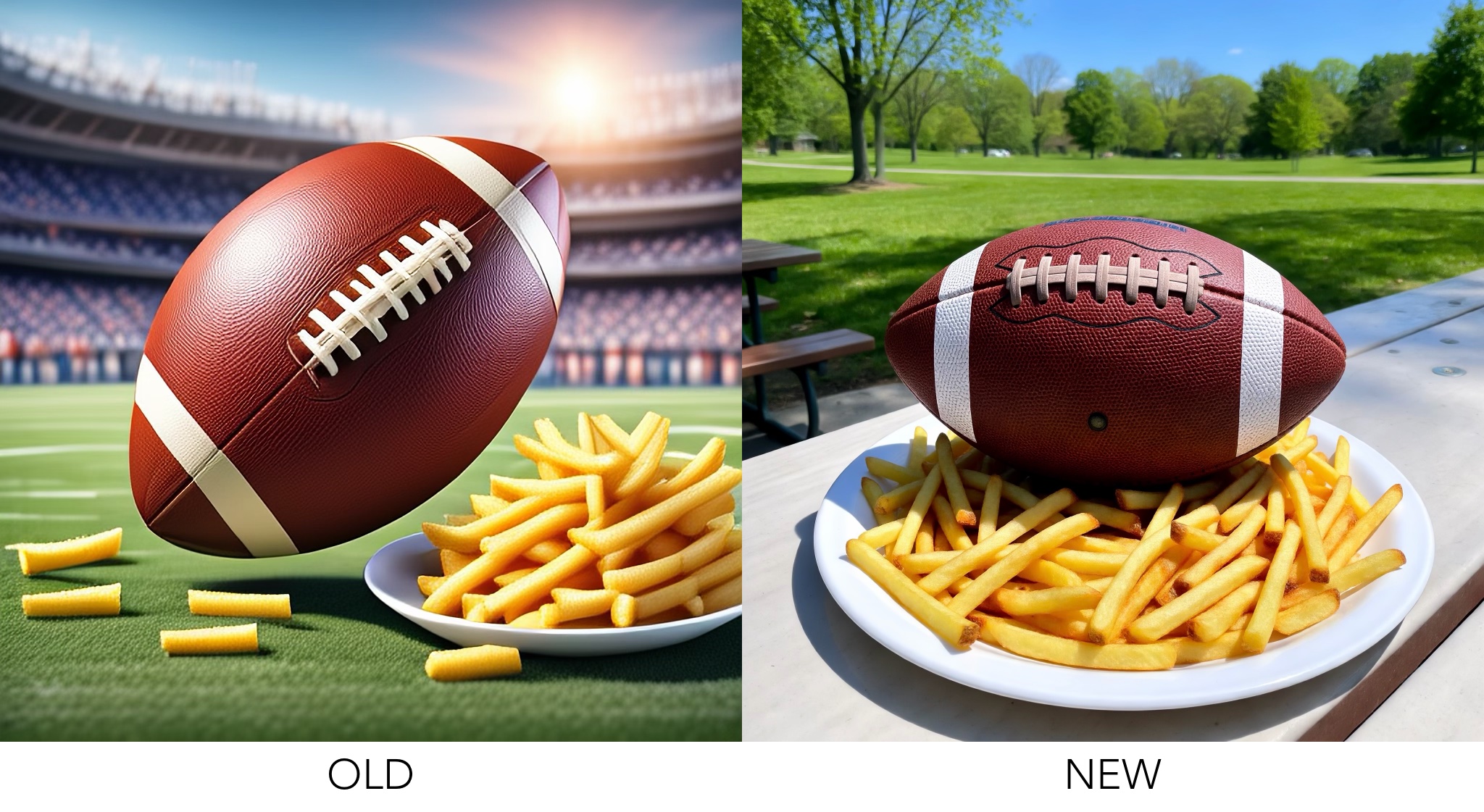
Photo: Ed Hardy/Cult of Mac
In my first example, the prompt was “an American football with French fries.” Note that the older version of Image Playground messed up the lacing of the football.
In contrast, the 2026 version looks great. The football is shaped perfectly, and the fries even look delicious.
Images: Ed Hardy/Cult of Mac
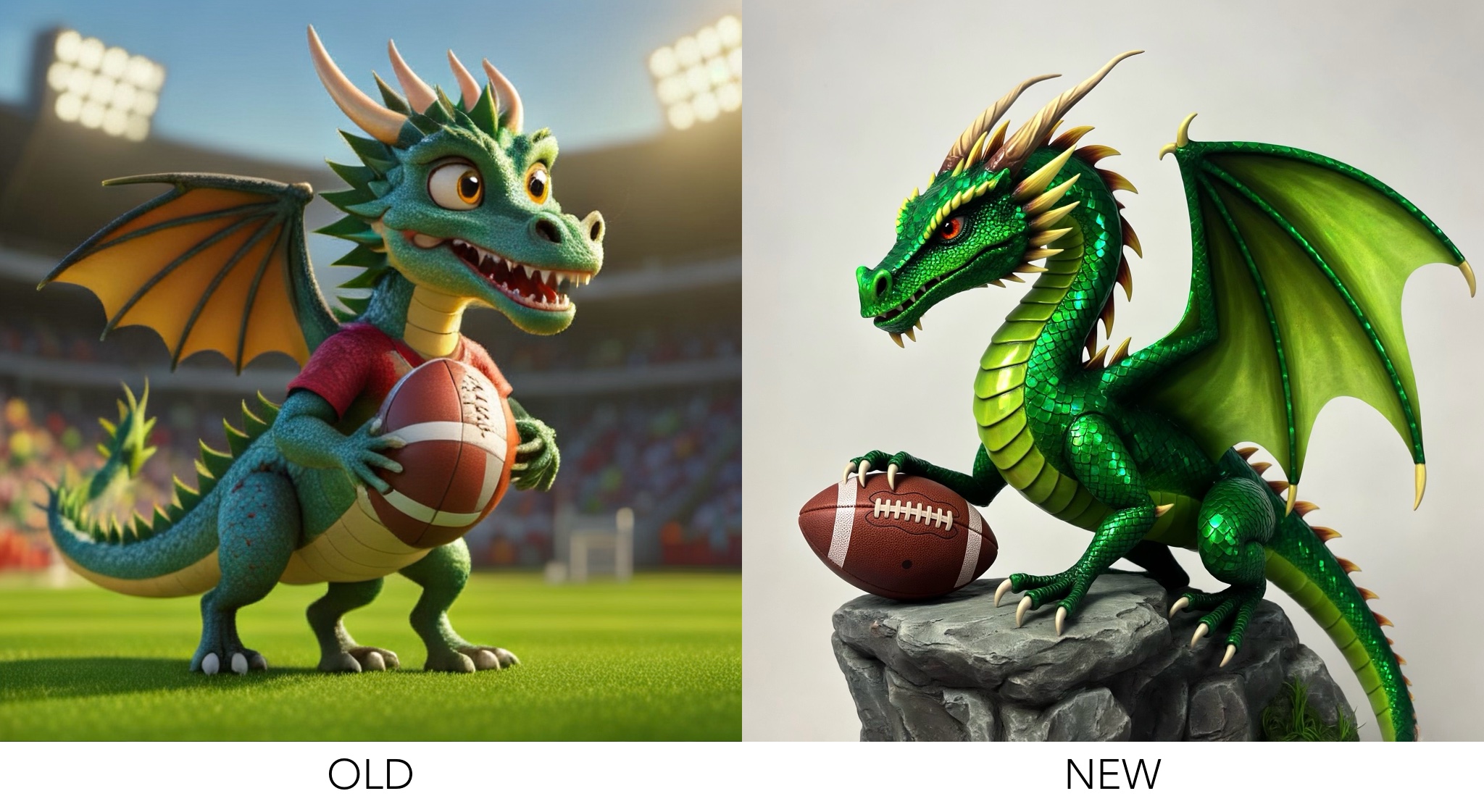
The next prompt was “A dragon holding a football.” Note that the dragon generated by the old version of the app has five limbs, while the football is almost completely wrong. Also, the dragon looks derpy.
But the new version of the app made a cool-looking dragon and a correctly shaped football.
Great for generating fun AI images that won’t embarrass you
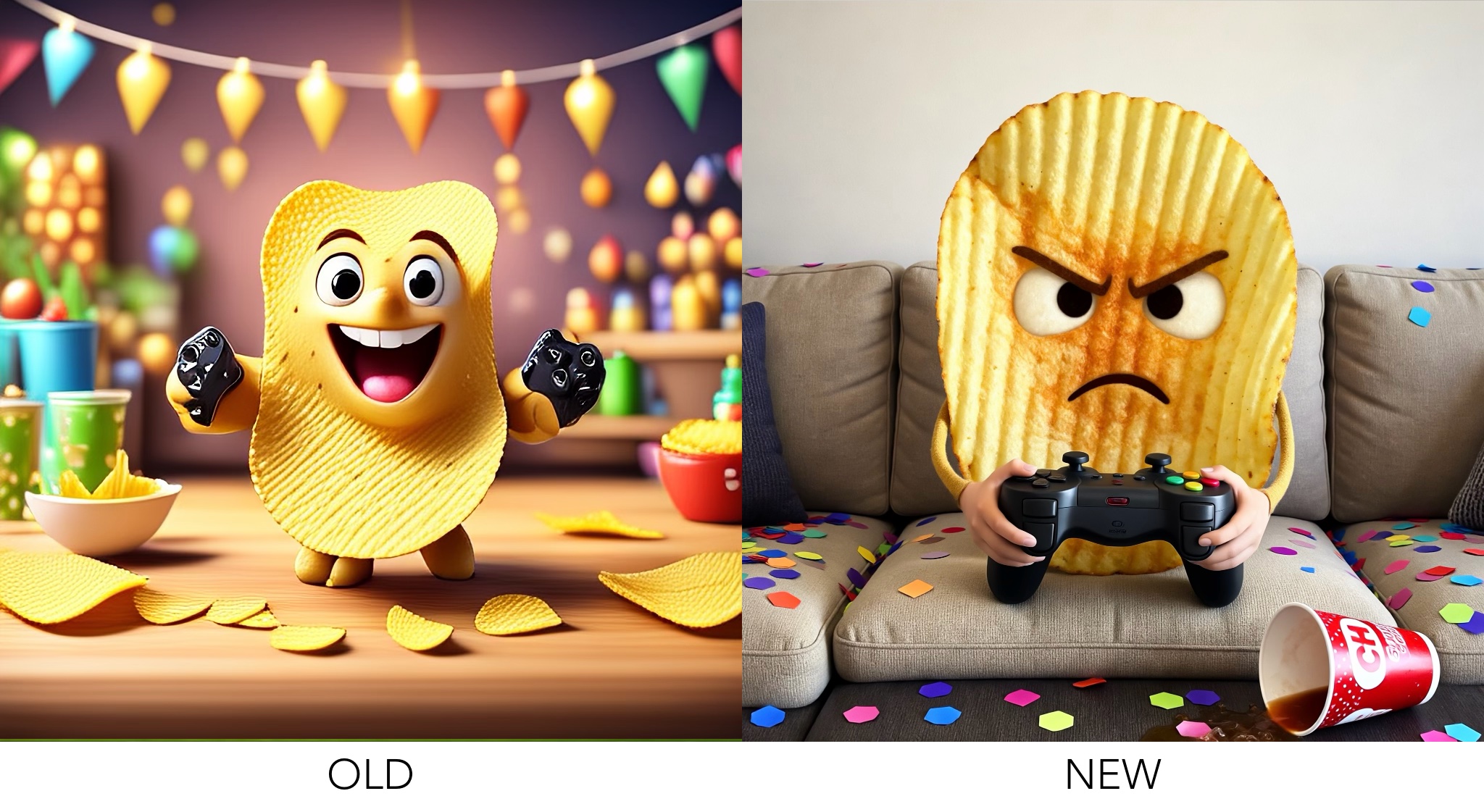
Image: Ed Hardy/Cult of Mac
My third example prompt for Image Playground was for a get-together I had a while back. I asked for a “potato chip playing video games, party.” Again, the anthropomorphic potato chip made by the old version of the app looks derpy (with three legs), and those game controllers are just sad.
But the 2026 version of the app did a great job. I’d happily send that image to my friends in a party invitation.
Keep in mind, I’m only exploring a few of the possibilities of this software for this preview. This is not a full review, and I’m not demonstrating all of the app’s capabilities. I’m not getting into different image styles, for example.
Griffin: Room for improvement
And before I say anything else, it is important to note that we’ve been playing around with the first developer beta of the new Image Playground. Apple won’t release the full version to the general public for at least three months. There’s plenty of time for further improvement.
Which is good. My co-worker Griffin argues that the new version of the app is about where rival AI image-generation systems were roughly two years ago.
“It still utterly fails at text, and the low parameters mean that complex images have a lot of repeated elements, just like ChatGPT two years ago,” said Griffin.
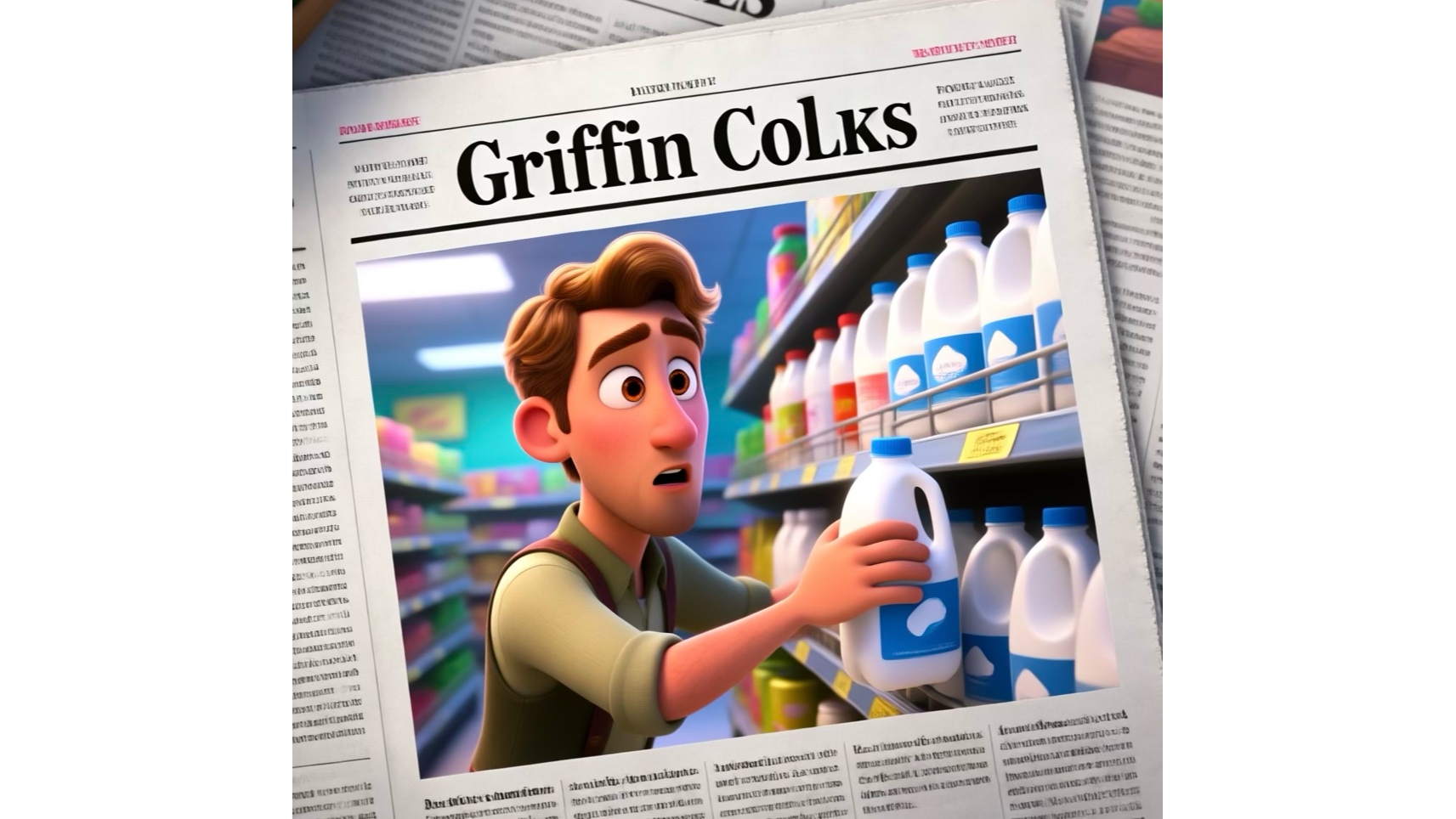
Image: D. Griffin Jones/Cult of Mac
Prompt: “Griffin photographed in a newspaper surprised taking a gallon of milk off the shelf in a store”
The image produced by Apple’s software looks great, but the generated text is obvious gibberish.
To be clear, Image Playground can handle text specified in the prompt. Ask for a banner saying “Happy Birthday” and that banner will be in the image, for example. It just doesn’t handle generated text well.
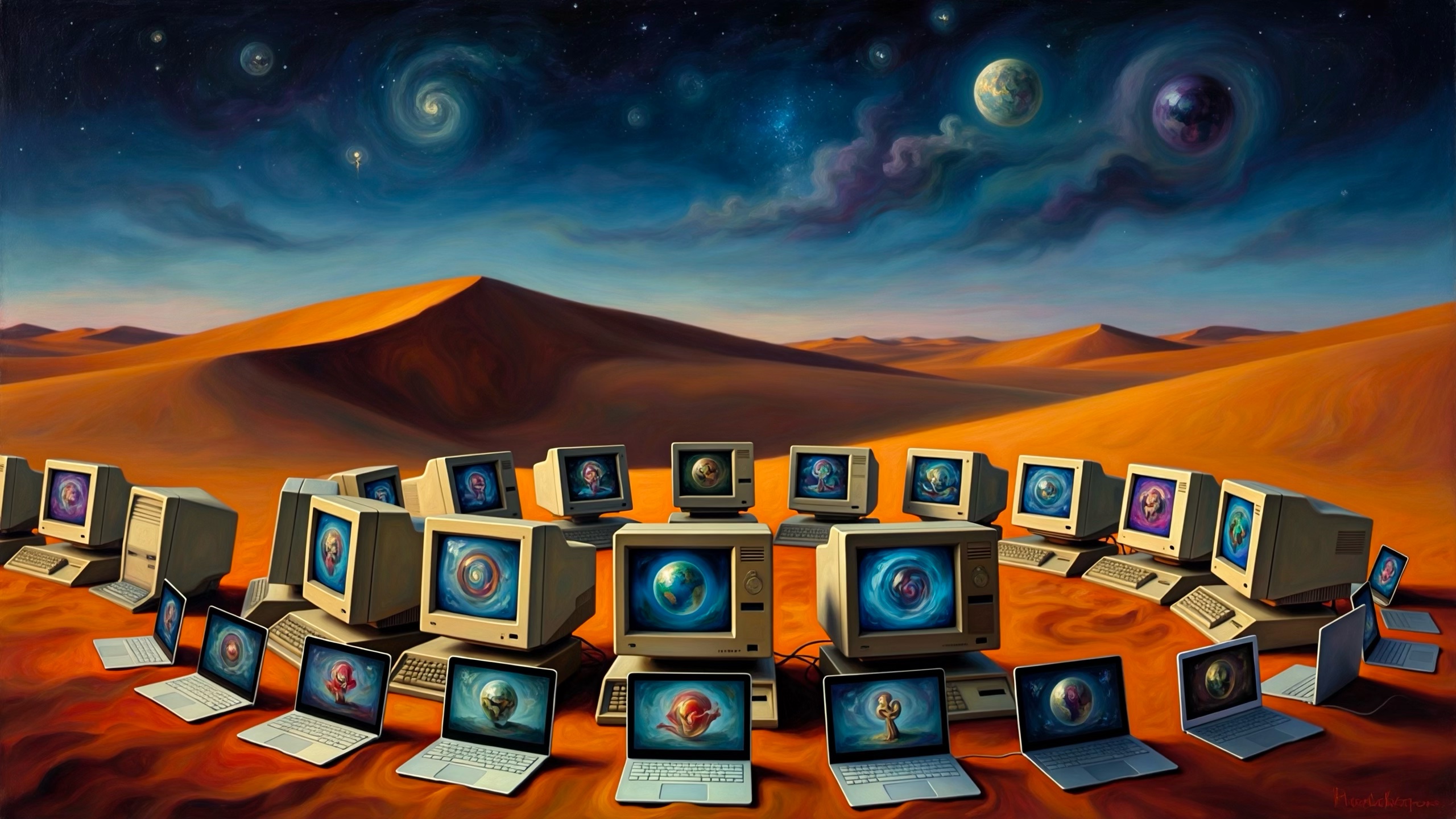
Image: D. Griffin Jones/Cult of Mac
Prompt: “Computers old and new having a party in the desert” “surrealist painting”
The computers in the image generated from this prompt all look virtually identical, showing the AI simply repeated the same elements.
Mixed local and remote generation
In addition to the results shown above, there are more reasons to like the 2026 version of Image Playground.
Many people object to AI for three reasons:
- Data centers are an environmental problem
- Remote processing is a privacy nightmare
- AI can result in job loss for creative professionals.
Luckily, Image Playground gives you the option to avoid these drawbacks.
Image Playground: A more private AI image generator
Most images created in Apple’s app are done on your computer. Create simple pictures, and your prompt won’t go to a data center, and no one but you knows what you asked for or what image resulted.
There is an exception, though. High-quality images in the photorealistic style are created using Private Cloud Compute — that’s Apple’s remote AI service. The process is still private, but you might want to be aware of what’s happening.
Plus, Apple promises that “generated images will automatically include a hidden SynthID watermark to identify them as AI-generated.” And while the 2026 version of Image Playground is vastly better than the 2024 one, it’s not putting anyone out of a job. The pictures it creates are ideal for a party invitation, but there’s no way Coca-Cola or Delta Air Lines will use the software to create new advertisements.
All of these serve as good reasons to pick the app over ChatGPT or Midjourney. We should all look forward to creating fun images for social media, personalized wallpapers, etc., when the greatly updated version of Image Playground launches with iOS 27, macOS 27 and iPadOS 27 this fall.

Ed Hardy has been writing full-time about tech for 26 years, and using it for much longer than that. His intro to Apple was a Macintosh SE/30 (which he still has), but now he uses a 13-inch iPad Pro as his primary computer.
That’s because he’s a “tablet first” type of guy. Rather than use a Macbook, he connects a keyboard case to the iPad. And instead of a desktop Mac, he connects his tablet to a 27-inch display and full-size keyboard. (So don’t try to tell him that everyone has to use a Mac to be productive.)
Before coming to Cult of Mac, Ed wrote for NotebookReview, TabletPCReview and Brighthand, as well as other sites.


2 responses to “Shocker! Image Playground in iOS 27 is actually useful.”
is for babies (babba, booboo, I can’t take text for input – So Apple
Nobody gives a Sh%t, if iOS 27 isn’t available for your device