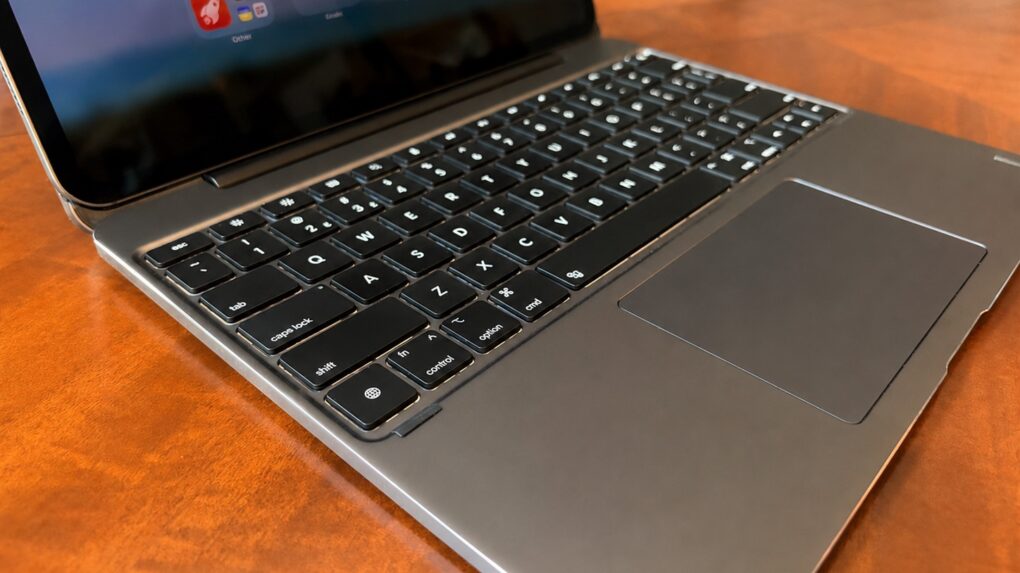
The recently launched Brydge Max is a premium iPad keyboard case that takes on Apple’s Magic Keyboard head-to-head. Like its rival, the accessory uses a cantilever design to hold the tablet up so that it is seemingly floating over the keyboard, but Brydge’s product offers much wider viewing angles plus a gorgeous aluminum exterior.
I’m reviewing the version for 13-inch iPad models, and there’s another for 11-inch models. No matter the size, the case includes a backlit keyboard plus a trackpad.
Here are all the ways the brilliant Brydge Max 13.0 comes out ahead of the Apple Magic Keyboard, and a couple of ways it doesn’t.
Brydge Max 13.0 review
I’ve been an iPad user since the day it launched, and quickly realized that adding a keyboard case upgrades the tablet into a much more capable device. A physical keyboard makes it faster and more comfortable for me to write articles, emails, etc., compared to using the on-screen one.
A few years ago, Apple embraced using trackpads/mice with iPad because so many people are accustomed to using these with a keyboard, even on computers with touchscreens.
There are many iPad keyboard cases to choose from, with Apple’s own Magic Keyboard the stand-out option. But the new Brydge Max 13.0 and 11.0 give it some heavy competition. Here’s why.
A full-size aluminum keyboard case engineered for the M4 and M5 iPad Pro 13". Adjustable backlit keys, a multi-touch glass trackpad, and a 270° hinge that tilts to any angle.
There are also versions for the 13-inch iPad Air, 11-inch iPad Pro and 11-inch iPad Air.

Table of contents: Brydge Max 13.0 review
- 1. A beautiful all-aluminum iPad folio case
- 2. A brilliant, very flexible stand
- 3. Much more affordable
- Where Brydge Max 13.0 and Apple Magic Keyboard (mostly) tie
- Where the Apple Magic Keyboard wins
- Brydge Max 13.0 review: Final thoughts
- Pricing
1. A beautiful all-aluminum iPad folio case
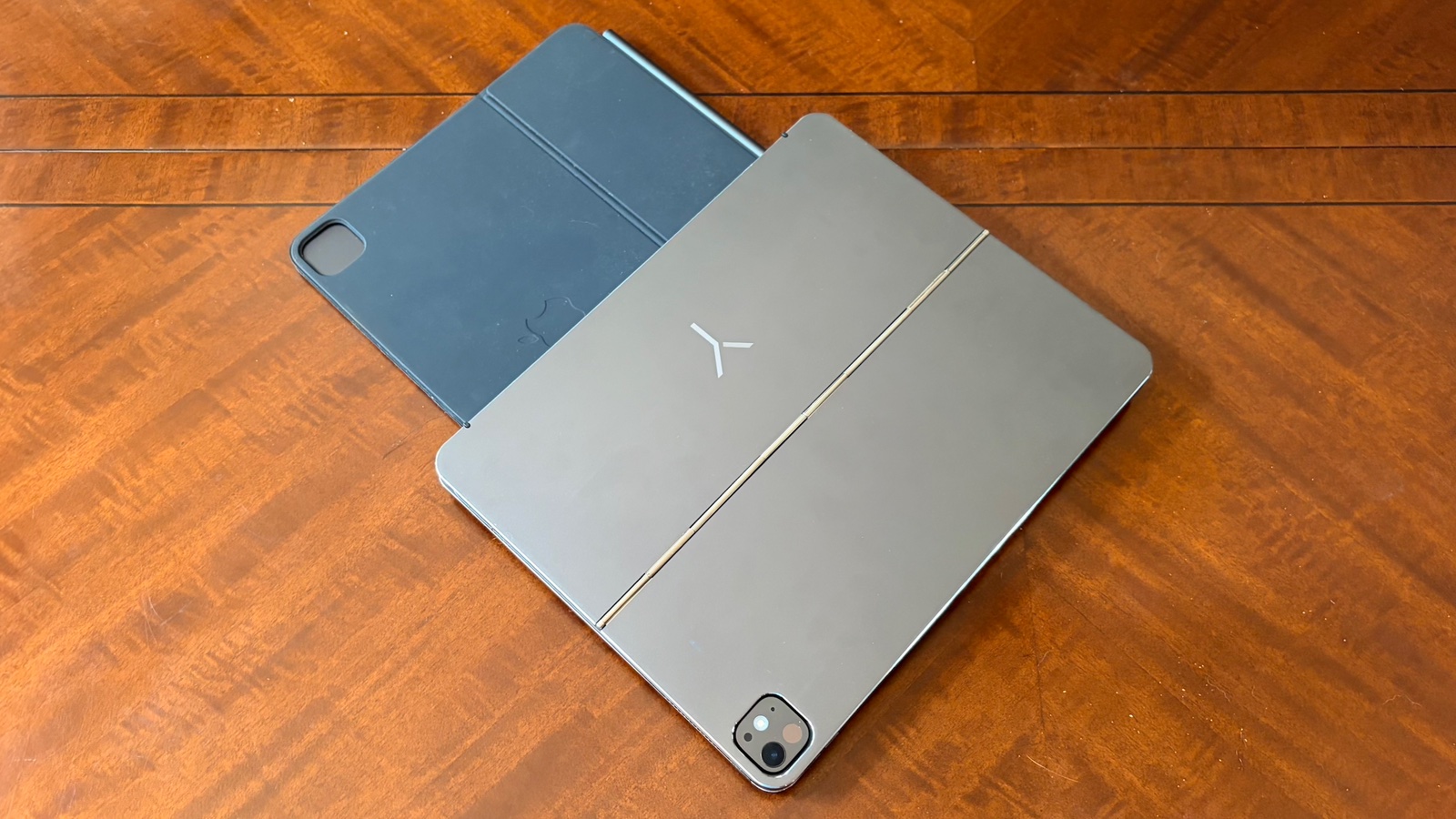
Photo: Ed Hardy/Cult of Mac
I love the look of the Brydge Max 13.0. My review unit looks fantastic. The aluminum exterior looks very professional. And it’s stood up to weeks of use without a scratch, including going on a beach vacation.
My review unit is the graphite black color, and the product also comes in silver.
There’s no other way to say it: the exterior of the Magic Keyboard is ugly. The one I use is a dull black polyurethane material. This stands up to heavy use, but it’s not in any way attractive. And the white version gets dirty quite easily.
If you want a keyboard case that makes you look like a pro, the best choice is obvious: the Brydge Max.
2. A brilliant, very flexible stand
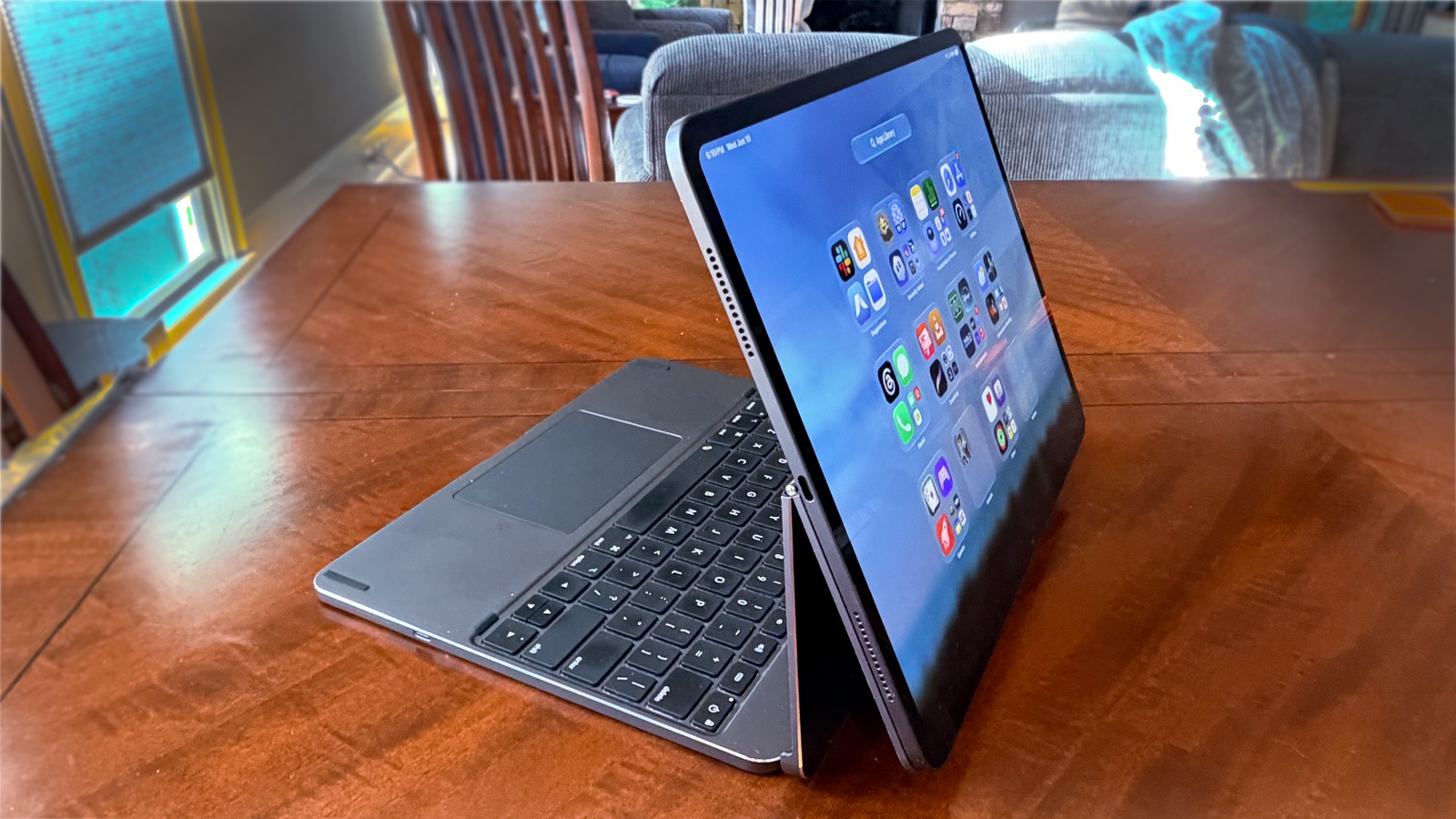
Photo: Ed Hardy/Cult of Mac
I must congratulate the designers of the Brydge Max 13.0 for its innovative stand.
Simply open the clamshell and you can start using your tablet in the traditional laptop style.
But that’s only just the start. A second hinge enables the cantilevered design that looks so very cool. The Apple Magic Keyboard uses this too, but Brydge did it better. The bottom section of its stand leans back farther, so it does not crowd the keyboard, unlike Apple’s version.
And the second hinge on the Max 13.0 and 11.0 allows the screen to tilt back much farther than Apple’s. Way, way back. A full 270 degrees — to the point where the iPad faces the opposite direction.
This is perfect for watching long video. Better than any MacBook, actually. I don’t like having the keyboard sit between me and the screen when watching TV or movies, and with the Brydge Max 13.0 it doesn’t have to. It’s an option the Apple Magic Keyboard can’t match.
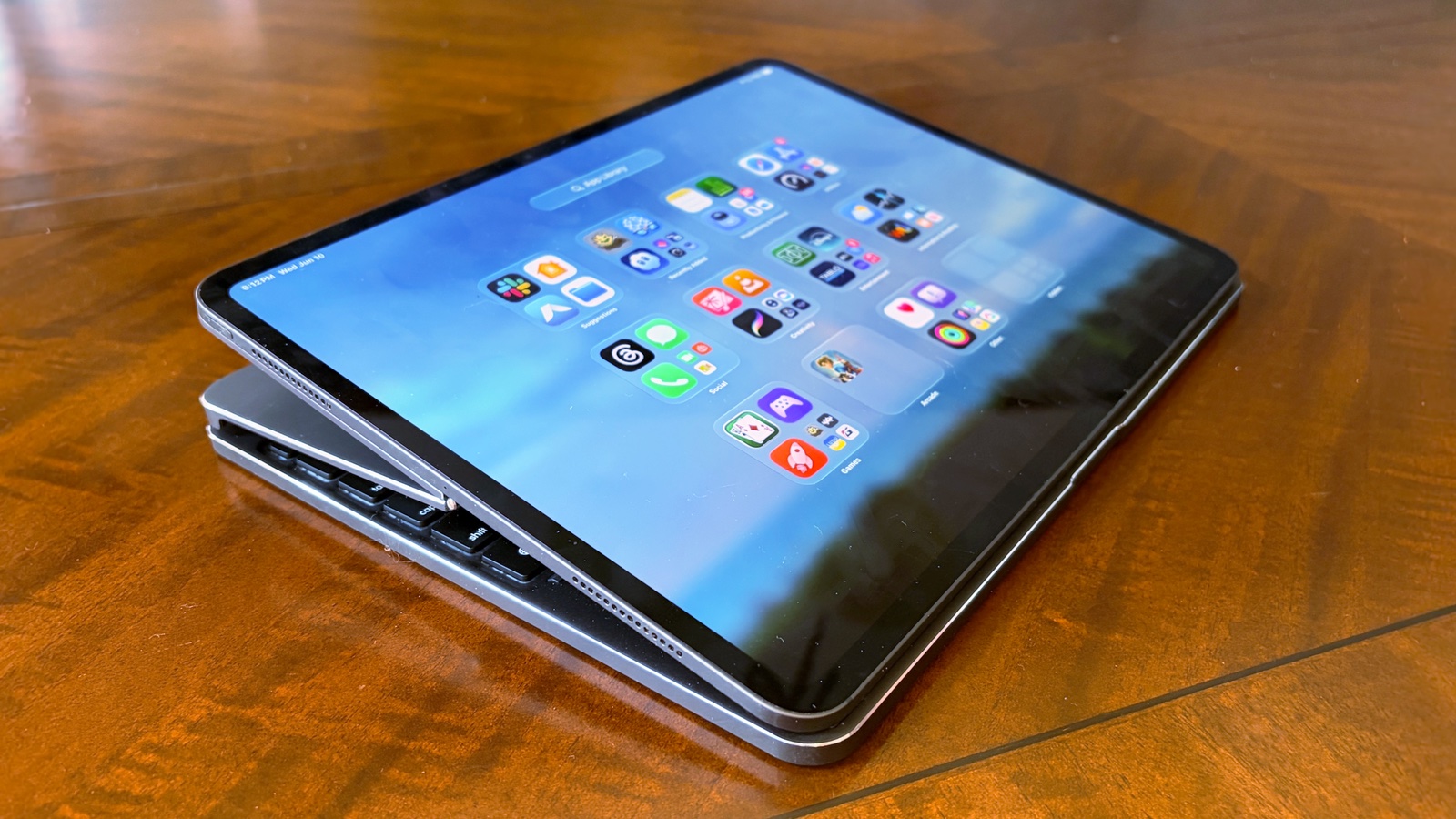
Photo: Ed Hardy/Cult of Mac
Alternatively, I can flip the screen around and then fold it down over the keyboard. In this configuration, I can easily draw on the iPad screen with an Apple Pencil. It’s another trick Apple’s keyboard case can’t match.
Actually, I was concerned that this might be too much for the hinge, and I was nervous about recommending using the keyboard case this way in the review, so I asked Brydge about it.
A company spokesperson told me, “The 270 Max View hinge is one of the truly unique features on the Max keyboard. Whether you’re writing, sketching, or just reading, the angle is designed to be comfortable for extended use. The hinges are very sturdy and will hold up to regular use at that angle, so you can confidently recommend it.”
In short, the Brydge Max is undeniably far more flexible than its rival.
3. Much more affordable
Apple’s iPad keyboard case is a brilliant piece of kit, but the 13-inch version sells for a whopping $349. The 11-inch variant costs $299.
In contrast, the Brydge Max 13.0 for iPad Pro costs $259 — that’s 26% less. The Max 11.0 for iPad Pro sells for $239 — that’s 20% less.
Where Brydge Max 13.0 and Apple Magic Keyboard (mostly) tie
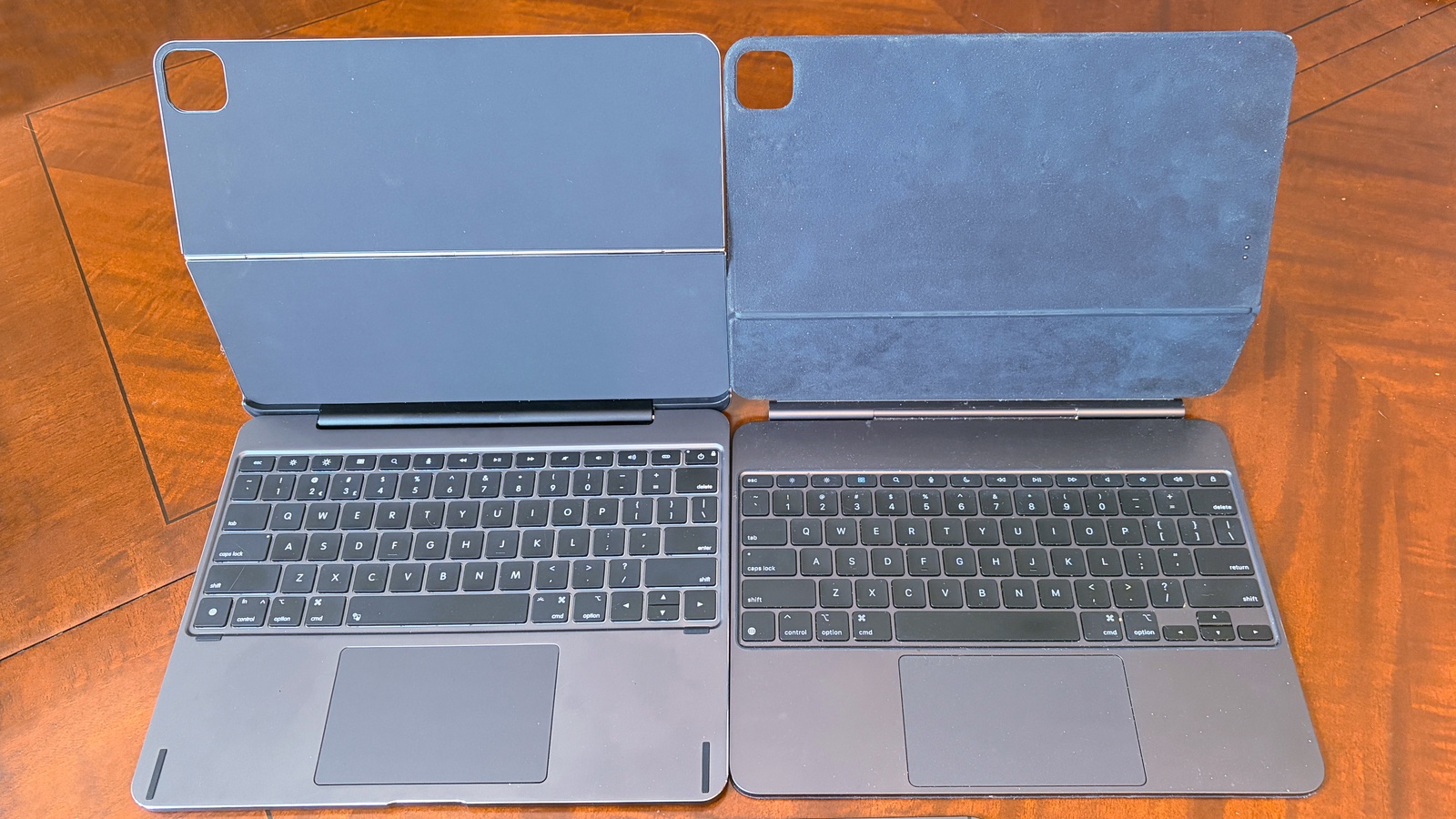
Photo: Ed Hardy/Cult of Mac
The most critical feature of this type of iPad accessory is the actual keyboard, so I’m happy to say that Apple’s and Brydge’s are excellent. Typing is similar to using any laptop, and both include backlights plus a row of multimedia control keys above the usual keyboard layout.
I’ve typed more hours on the Magic Keyboard than I can count, and then tested the Brydge Max for weeks. Really, using them feels essentially the same.
Still, you might prefer one or the other based on one factor: sound. My Brydge Max 13.0 review unit is fairly “clicky,” by which I mean it’s louder than the Magic Keyboard. It’s not “rain on a tin roof,” but if you like a clickier keyboard, this might be for you.
And the trackpads built into each of these accessories are equally good. At 4.4 inches by 2.75 inches, Brydge’s is slightly taller, but I find the two trackpads just as easy to use. They are both glass, and every gesture I tried on Apple’s keyboard also works on Brydge’s.
That said, the Max 13.0 has a trick Apple’s can’t match: a key combo quickly disables the trackpad.
Where the Apple Magic Keyboard wins
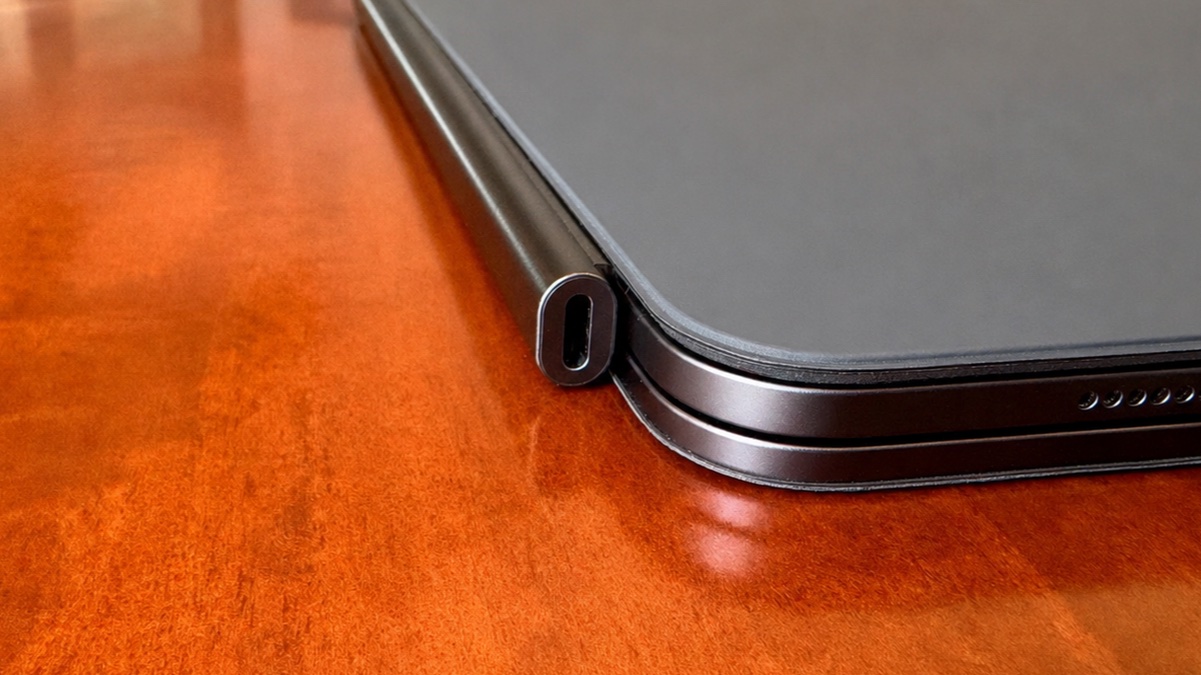
Photo: Ed Hardy/Cult of Mac
As I mentioned earlier, the exterior of Brydge’s keyboard case is aluminum, while Apple’s is a polyurethane material. All that metal looks stellar, but it adds to the weight. My Brydge Max 13.0 review unit comes in at 2.4 pounds, while the Apple Magic Keyboard I use with the same tablet weighs 1.5 pounds. That 0.9-pound difference is quite noticeable, considering the iPad Pro only weighs 1 pound.
Plus, Apple’s keyboard case offers another definite advantage. It communicates via the Smart Connector on the back of the iPad, so no Bluetooth hassles. And the accessory includes a USB-C port that can be used to charge the tablet, freeing the computer’s own USB-C port to be used for other accessories. Brydge’s keyboard case uses Bluetooth, and its USB-C port is only there to charge the accessory’s own battery.
Brydge Max 13.0 review: Final thoughts
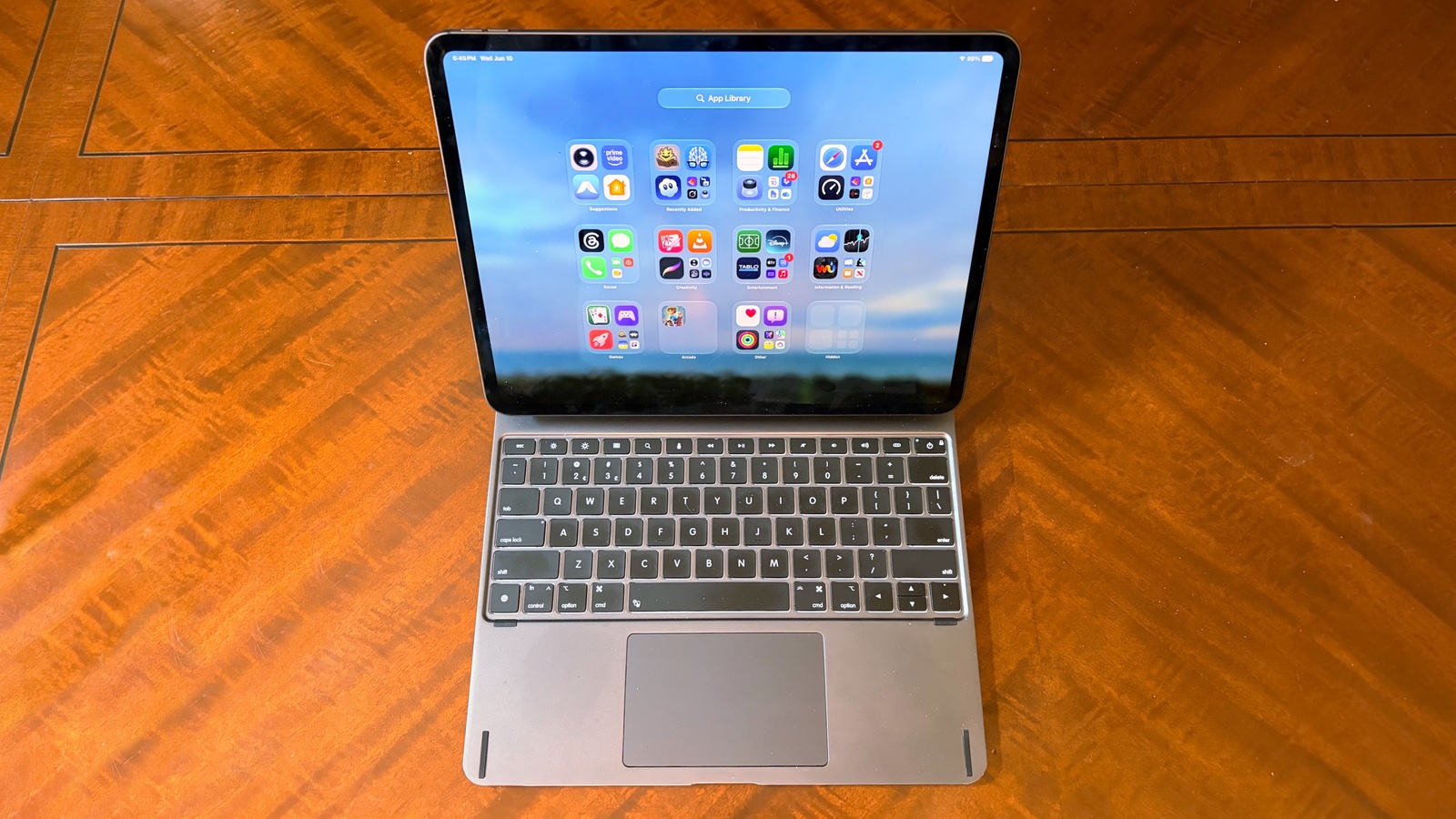
Photo: Ed Hardy/Cult of Mac
The Brydge Max 13.0 and 11.0 do more than simply add a keyboard and trackpad to the iPad — they transform the tablet into a professional-looking laptop any executive could proudly use. But the iPad easily becomes a tablet again, giving users the best of both worlds.
While much of that is also true of the Magic Keyboard for iPad, Apple’s rival offering is neither as attractive nor as flexible, and it’s much more expensive. But it is noticeably lighter.
★★★★☆
Pricing
As noted, the Brydge Max 13.0 for iPad Pro costs $259, while the Max 11.0 for iPad Pro sells for $239.
Make sure you buy the right model. There is a separate version for the 13-inch iPad Air that costs $239. And the one for the 11-inch iPad Air costs $209.
A full-size aluminum keyboard case engineered for the M4 and M5 iPad Pro 13". Adjustable backlit keys, a multi-touch glass trackpad, and a 270° hinge that tilts to any angle.
There are also versions for the 13-inch iPad Air, 11-inch iPad Pro and 11-inch iPad Air.
Brydge provided Cult of Mac with a review unit for this article. See our reviews policy, and check out more in-depth reviews of Apple-related items.

Ed Hardy has been writing full-time about tech for 26 years, and using it for much longer than that. His intro to Apple was a Macintosh SE/30 (which he still has), but now he uses a 13-inch iPad Pro as his primary computer.
That’s because he’s a “tablet first” type of guy. Rather than use a Macbook, he connects a keyboard case to the iPad. And instead of a desktop Mac, he connects his tablet to a 27-inch display and full-size keyboard. (So don’t try to tell him that everyone has to use a Mac to be productive.)
Before coming to Cult of Mac, Ed wrote for NotebookReview, TabletPCReview and Brighthand, as well as other sites.

