
The hack that some Mac users were using to try out the new Siri AI, skipping the waitlist, no longer works.
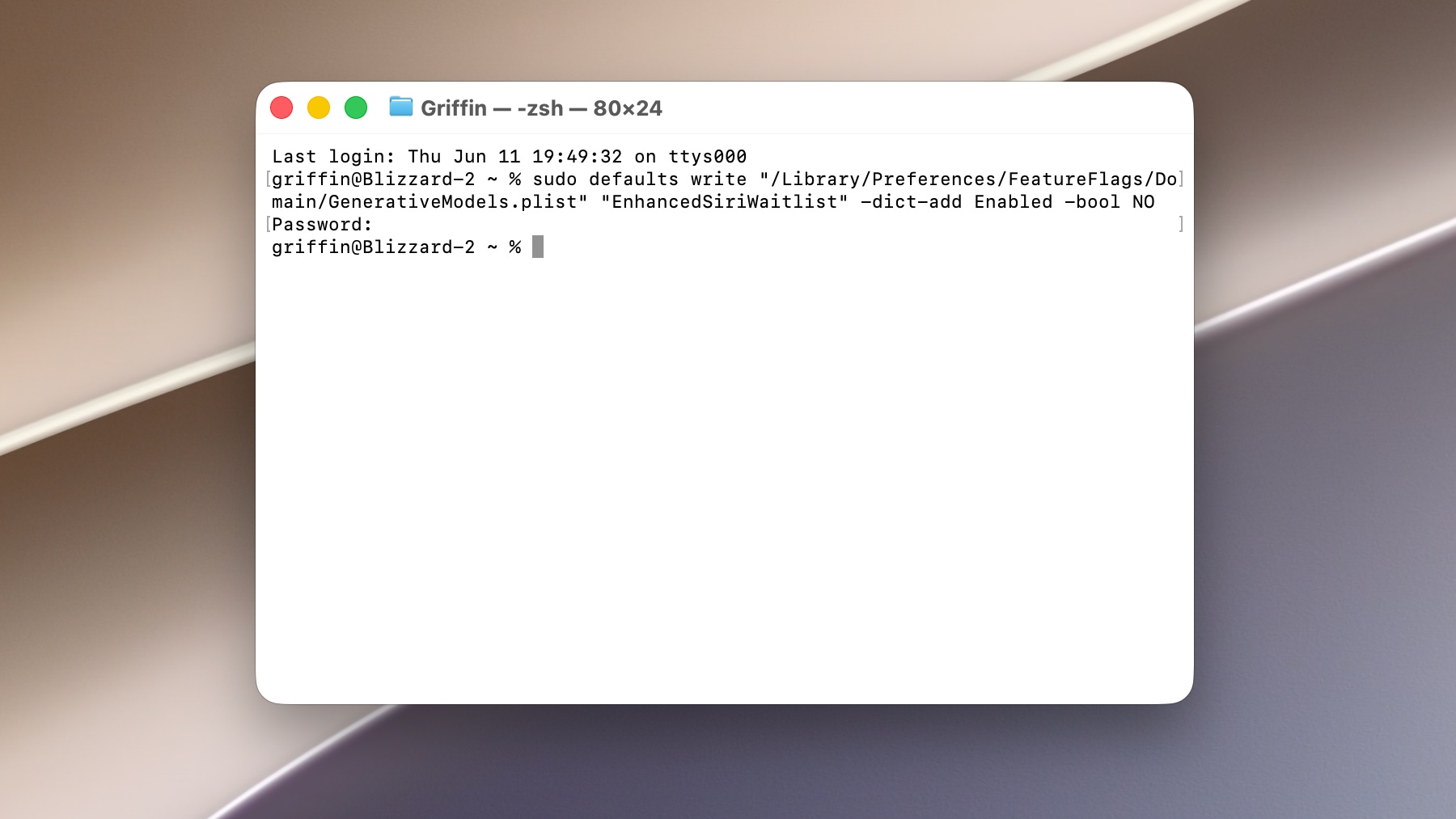
Apple released the second developer beta of all its OS 27 updates yesterday. In macOS 27 developer beta 2, the hidden Terminal command no longer enables Siri AI. After you update, you’ll find yourself back on Apple’s waitlist. If you previously enabled it on your Mac, your access will be revoked.
But no worries — some users on Reddit may have found a way to get yourself accepted fast.
The Mac Terminal command no longer works
Screenshot: D. Griffin Jones/Cult of Mac
Siri AI is an exciting step forward for the assistant that has long been the butt of the joke. With Apple Intelligence, it’s smart, capable, understands you and can do more on your behalf. In my own testing, it’s really worth the wait.
Instead of sitting on the interminable waitlist, Mac users were copying and pasting a Terminal command that instantly enabled the new Siri on their computers. It’s a far more magical experience on the iPhone, but at least you could test it out.
But that is no more. With macOS 27 developer beta 2, released yesterday, the trick no longer works. Cult of Mac reader Erik MH says, “the new Developer Beta update cut me off from New Siri: ‘Joined waitlist,’ just as with iOS and iPadOS. Re-trying this procedure has no effect.”
Apple is essentially yelling at its users to get back in line.
…but there might be another way in
Users on Reddit are reporting another potential workaround — and it’s actually even better. This may be a way to get yourself through the waitlist across all your devices, not just your Mac.
- First, obviously, you update to iOS 27.
- Generate some graphics with Image Playground.
- After generating an image, tap the More button (⋯) in the upper right and tap Something Isn’t Right to send in feedback. (I suggest giving Image Playground a prompt that would make it generate text, like a photo of a newspaper or book, so that you can submit valid feedback about it not looking right.)
- After sending in multiple pieces of feedback, go back to Settings > Siri and it may offer you the new Siri AI.
Apparently, after submitting some feedback, it’s possible that Apple will fast-track you through the waitlist. After all, Apple is looking for developers who can provide valuable feedback through the beta testing period. Look for the More button (⋯) across various other Apple Intelligence features and send in feedback. You might get the new Siri AI early.
I can’t personally test it myself, since I was already accepted two weeks ago. If you try this out, you can comment below, send me a message via Mastodon or write me an email and let me know how it works out.

D. Griffin Jones was a writer, podcaster and video producer for Cult of Mac. Griffin has been a passionate computer enthusiast since 2002, when he got his first PC — but since getting a Mac in 2008, he hasn’t turned back. His skills in graphic and web design, along with video and podcast editing, are self-taught over 20+ years. Griffin has a bachelor’s degree in computer science and has written several (unpublished) apps for Mac and iOS. His collection of old computers is made up of 40+ desktops, laptops, PDAs and devices, dating back to the early ’80s.
Griffin writes for his personal blog, Extra Ordinary, and is currently looking for work.

