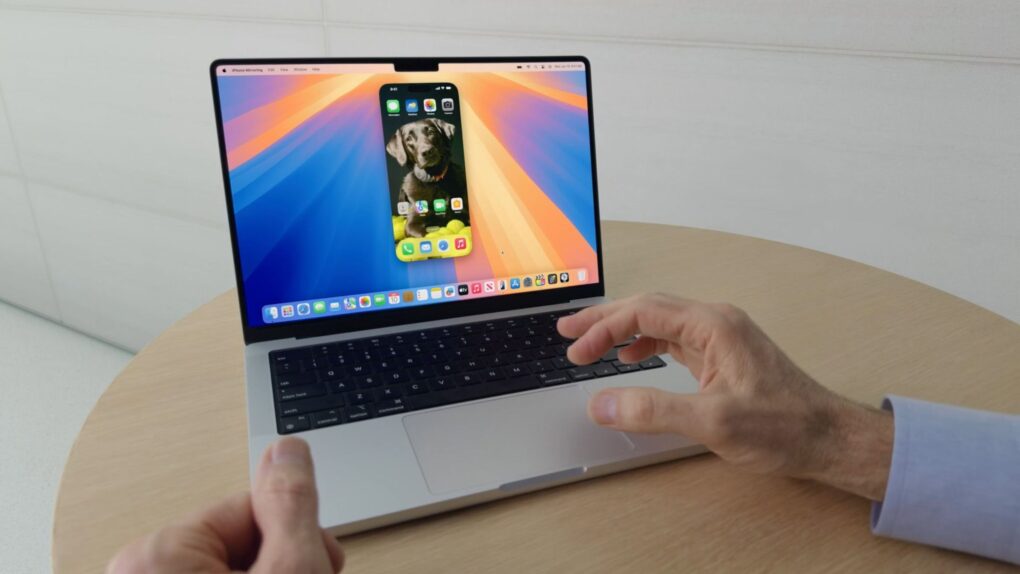
iPhone Mirroring, which lets you view and control your iPhone from your Mac, finally gets some features it deserved from day one in macOS 27 Golden Gate. The three notable improvements are resizable windows, Control Center access and DRM video playback.
iPhone Mirroring gets resizable windows and more in macOS 27
Apple’s vision for iPhone Mirroring was to allow seamless, wireless interaction with an iPhone (including its apps and notifications) right from the Mac’s desktop. But the cross-platform feature, introduced in iOS 18 and macOS Sequoia, was held back by awkward limitations.
If you use iPhone Mirroring regularly, you already know them. The window was locked to three presets, and the Control Center’s swipe-up gesture didn’t work. And if you tried to play a DRM-protected video, you would be greeted with a black screen. But this year’s macOS 27 update puts these problems to rest.
The biggest change coming to iPhone Mirroring is free-form window resizing. Previously, you could only make them smaller, larger or adjust them to their actual size. These choices barely fit the Mac’s desktop layout. When macOS 27 arrives this fall, you will be able to resize mirrored iPhone windows just like other apps on your Mac.
But there’s a catch. Free resizing may only work with Apple’s native iOS apps, at least at first. Third-party developers might need to update their apps once iOS 27 rolls out to support this meaningful upgrade.
The flexible, resizable windows feature also has a broader implication. The feature neatly aligns with Apple’s much-rumored folding iPhone, possibly called the iPhone Ultra, which is expected later this year. iPhone Mirroring in macOS 27 would support the device’s unusual aspect ratio right from the start.
Control Center and DRM video playback (plus a new icon)
The other two iPhone Mirroring upgrades also bring much-needed changes. macOS 27 will allow you to access the Control Center when mirroring iPhone apps in two ways. You can either use the CMD+4 keyboard combo or use the View menu in your Mac’s menu bar.
The other fix is DRM video support. On macOS 26, if you mirrored your iPhone and played DRM-protected videos from streaming apps or rented movies, a black screen would show up. But Apple will remove that limitation in macOS 27.
Apple also gave iPhone Mirroring a new icon in macOS 27, which falls in line with the company’s visual refresh of stock apps introduced this year.

Anurag Chawake is a tech-focused writer specializing in smartphones, apps and consumer technology. His interest in computers began during the Windows 98 era, eventually leading him to explore everything from operating systems to mobile devices and PC hardware. Anurag previously contributed to The Indian Express, covering Apple, Android, gaming and the broader technology landscape.

