Not everyone has a spacious home office, a purpose-built studio or a spare room to dedicate to a dream workstation. The Cult of Mac Setups archive is full of people working in bedrooms, studio apartments, shared living spaces, dorm-adjacent Manhattan rooms and any other constraint that life in a city tends to impose. But space limitation, it turns out, is one of the great engines of creative thinking in a setup. The best compact Mac setups, below, find ways to thrive in tight spaces.
This post contains affiliate links. Cult of Mac may earn a commission when you use our links to buy items.
Best compact Mac setups: Big ideas, small spaces
Limited space can lead to MacBooks mounted on pegboards and kitchen tablet stands helping to clear the desk entirely. It can require accommodations like Mac minis hidden under desks in brackets, invisible to the eye but doing all the heavy lifting. And it can make people wall-mount TV displays with everything else on a pegboard, leaving the horizontal surface completely free.
The following 12 rigs from the Setups archive represent the best small-space solutions — some modest in ambition, some surprisingly ambitious given the constraints. All of them can instruct anyone who has ever looked at their desk and thought, “there has to be a smarter way.”
12. ‘Maximalist’ Mac mini setup takes up a tiny bit of Manhattan
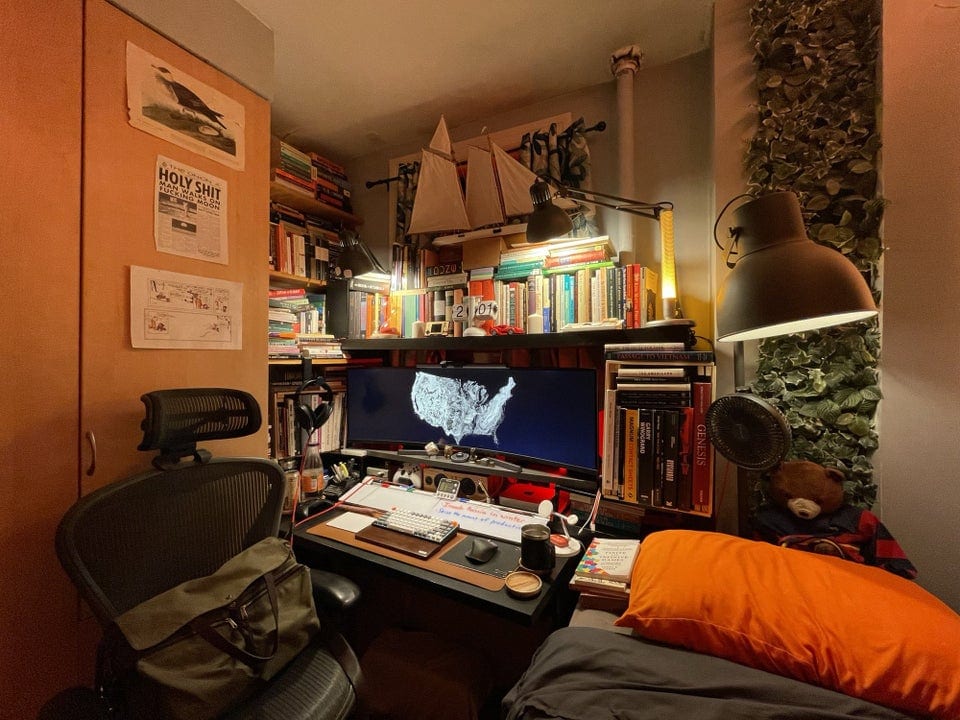
Photo: [email protected]
The setup’s social media title sets the scene. A student “in-between jobs at the moment” packed a Mac mini workstation into what appears to be a bedroom corner in Manhattan — where bedroom corners are priced accordingly. An M1 Mac mini drives an unusually wide display for the space available, with peripherals stacked and organized with the density of someone who has made peace with working in a compact room. “It’s so functional given the limited space,” one commenter said. The user’s self-description as a “maximalist” is cheerful self-awareness — the desk is genuinely packed — but the underlying discipline is real. Making a multi-use workstation work in a New York bedroom takes a particular kind of commitment.
Read more: ‘Maximalist’ Mac mini setup takes up a tiny bit of Manhattan
This desktop computer pad for notetaking is an 18-inch x 6-inch whiteboard with storage. Includes one dry erase marker (model GDP186M).

The new Mac mini is smaller, lighter and 50× more adorable. It's super-powerful and by far the best deal in computing right now.
- Powerful M4 Pro chip
- 512GB storage
- 24GB unified memory
- Compact desktop design
- Headphone jack on front
- BYODKM (bring your own display, keyboard and mouse)

11. Tiny apartment benefits from beautifully backlit Studio Display
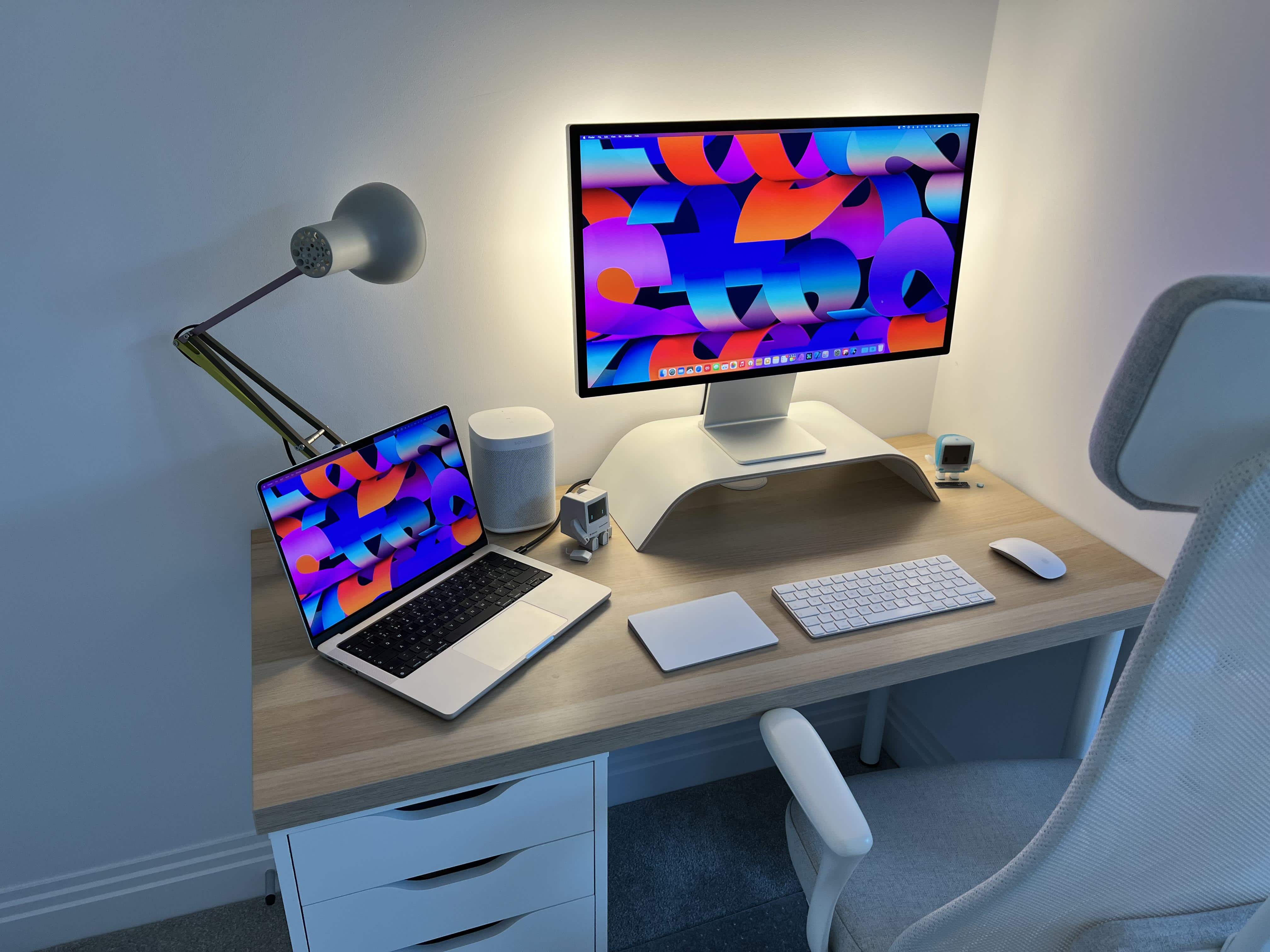
Photo: [email protected]
Here a three-room apartment in London provides the context. Space is a genuine constraint, and the desk setup occupies whatever can be carved out. But an M1 Pro MacBook Pro and a new Studio Display make the most of it. And the standout feature is Govee bias lighting deployed behind the Studio Display, casting the wall in a warm, ambient glow that transforms the tight space. The bias lighting both reduces eye strain and makes the corner feel like a considered, intentional workspace rather than a laptop shoved against a wall. A HomePod mini provides audio. Compact by any standard, but the bias-lit Studio Display elevates it well above what the room size would suggest was possible.
Read more: Tiny apartment benefits from beautifully backlit Studio Display
Apple's 27-inch 5K Retina monitor, with nano textured glass and tilt-adjustable stand.

This solid-wood desk shelf features eco cork legs. It holds laptop computer, TV, PC and/or printers, and includes storage underneath for accessories.
10. Two secrets of super-clean desktops
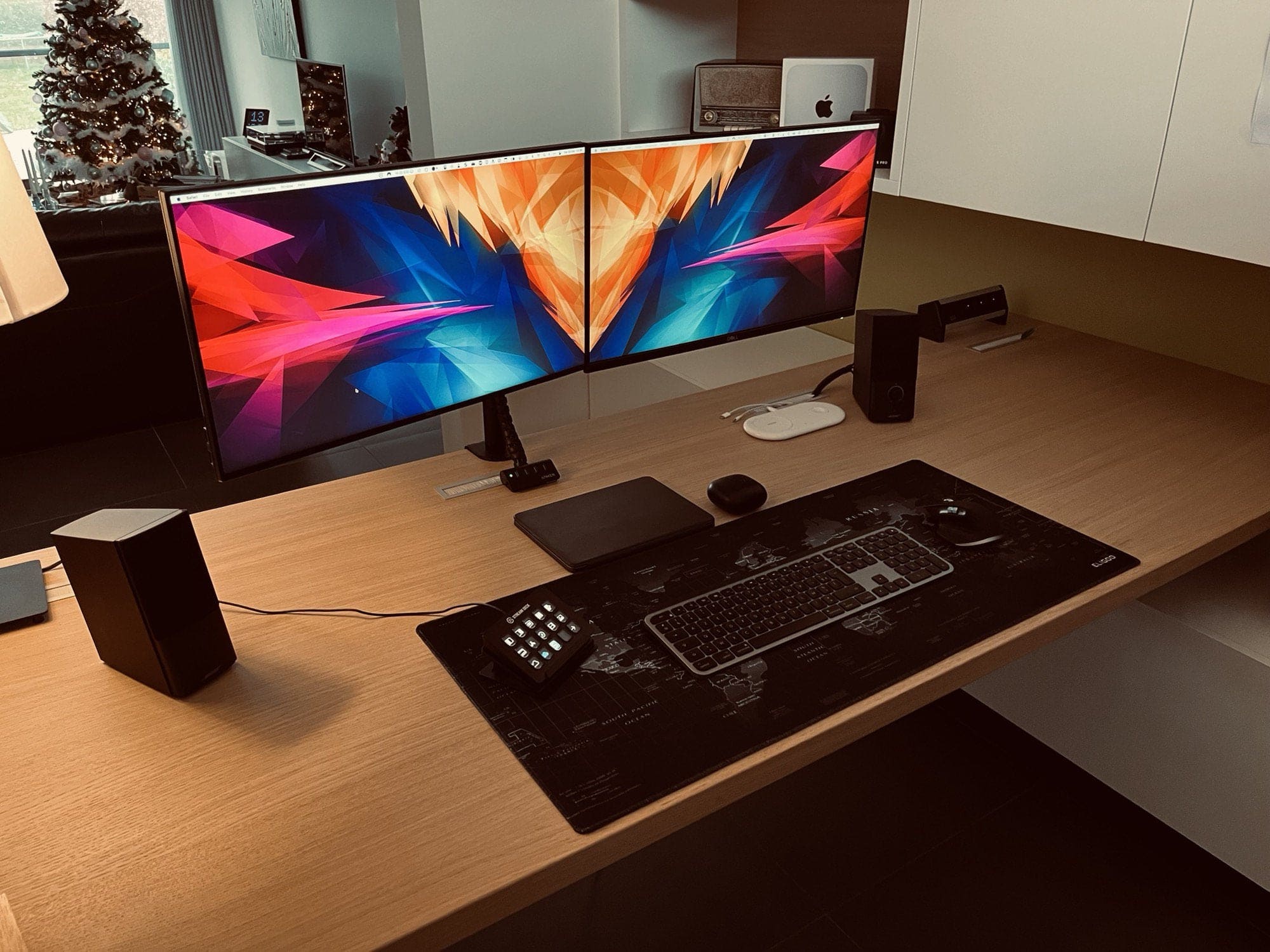
Photo: [email protected]
Mac mini under the desk. That’s the first secret, and it’s a genuinely powerful one. The user keeps an M1 Mac mini in a Sabrent under-desk mount completely out of sight, cables running cleanly to it. So the desk surface holds only two 24-inch Dell displays, a keyboard and a mouse. The second secret: keeping the computer hidden means fewer visual distractions and more mental space. The Sabrent under-desk bracket screws to the bottom of almost any desk and holds the mini firmly out of the way. For anyone working in a small room where every surface counts, hiding a Mac mini under the desk reclaims a meaningful amount of psychological as well as physical space.
Read more: Two secrets of super-clean desktops
This adjustable monitor arm desk mount fits 13-27-inch screens. The height-adjustable dual arm bracket features 360-degree rotation and full-motion tilt.

This is a handy mount for walls and under desks that comes in black (model BK-MABM).

9. Under-desk mount keeps pesky Mac mini out of the way
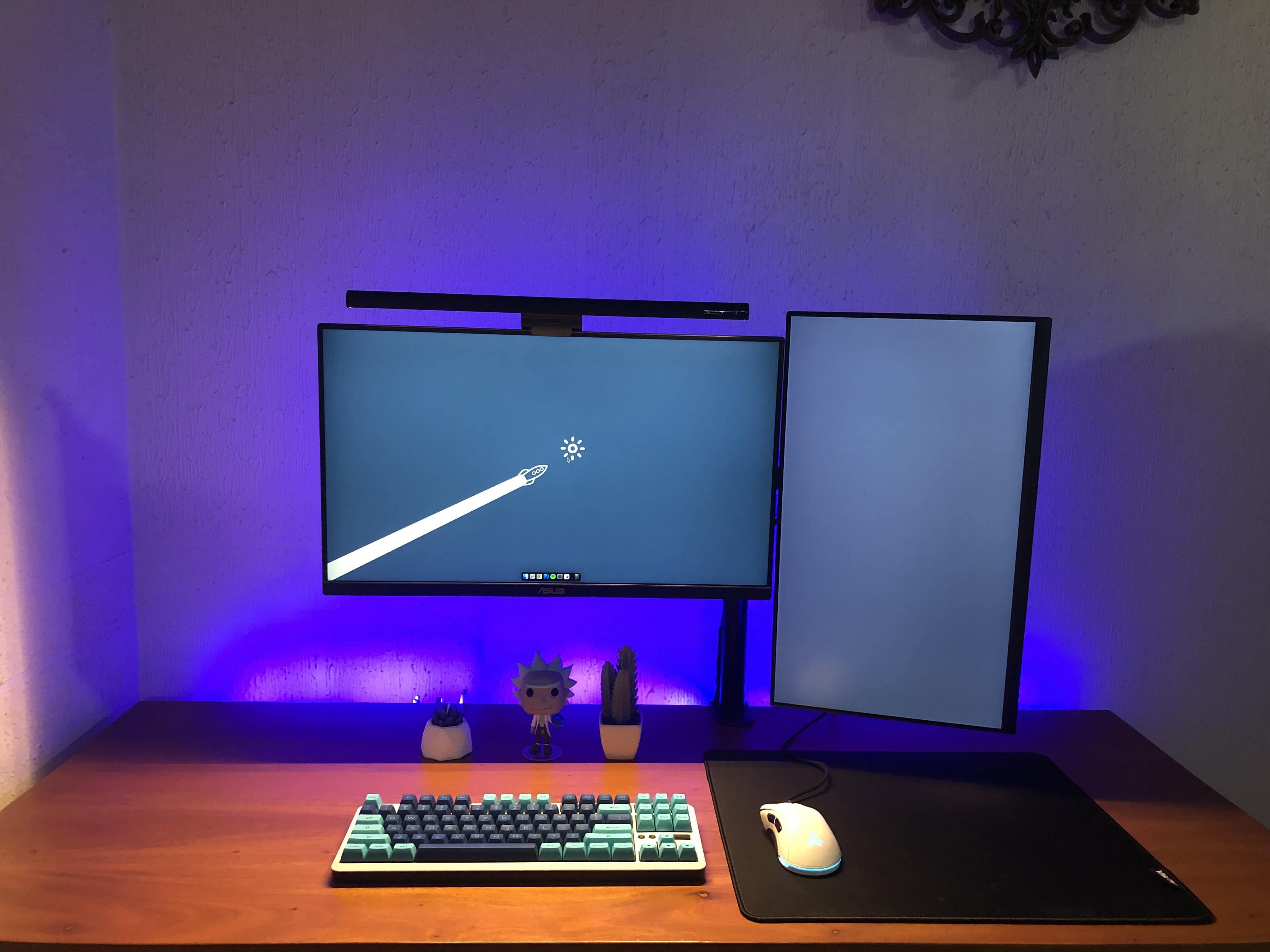
Photo: [email protected]
This one makes the case for under-desk Mac mini mounting — with a specific setup as the example. The user keeps a Mac mini in an under-desk bracket attached to the underside of their desk, routing cables neatly to an external display and peripherals. The article walks through the practical considerations: which brackets work best, how cable management changes when the computer is mounted upside down and why hiding the computer rather than displaying it makes the desk feel dramatically calmer. For a small-desk or small-room setup, eliminating the computer from the visible workspace is one of the highest-impact changes available.
Read more: Under-desk mount keeps pesky Mac mini out of the way
This wall mount also works under desk for Mac mini 2010-2020. Its acrylic surface is scratch-proof.

8. This might be the perfect space-saving speaker

Photo: [email protected]
Some people in small spaces skip desktop speakers entirely because they simply cannot spare the room. This Mac Studio setup proposes a solution: Gallo Acoustics Micro Speakers, each just 4 inches in diameter, made of metal, described by Gallo as the “audiophile’s choice in the compact speaker category.” They disappear on a desk but deliver a sound stage the article calls surprisingly large. The uses places them in an M1 Max Mac Studio and custom gaming PC setup. They manage to keep the desk clean despite the relatively ambitious hardware configuration. Whether or not they compete with larger bookshelf speakers, the fact that they take up almost no space while delivering real audio quality makes them a compelling small-space choice.
Read more: This might be the perfect space-saving speaker
This all-metal, 4-inch, 100-watt speaker packs powerful sound in a compact package. Choice of colors, finishes and mounting styles.

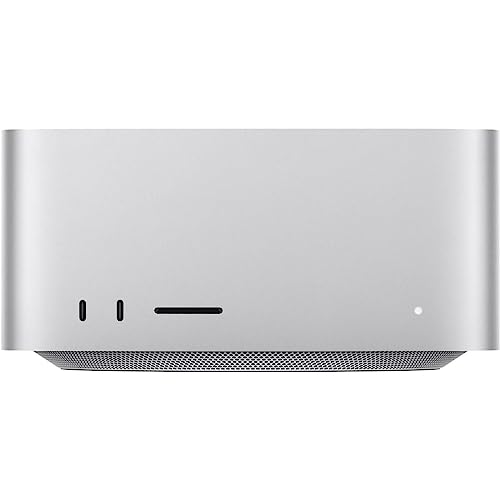
This version of Apple's powerful desktop computer comes with an M2 Max chip and 32GB of unified memory.
7. Small desk fits mini-but-mighty workstation
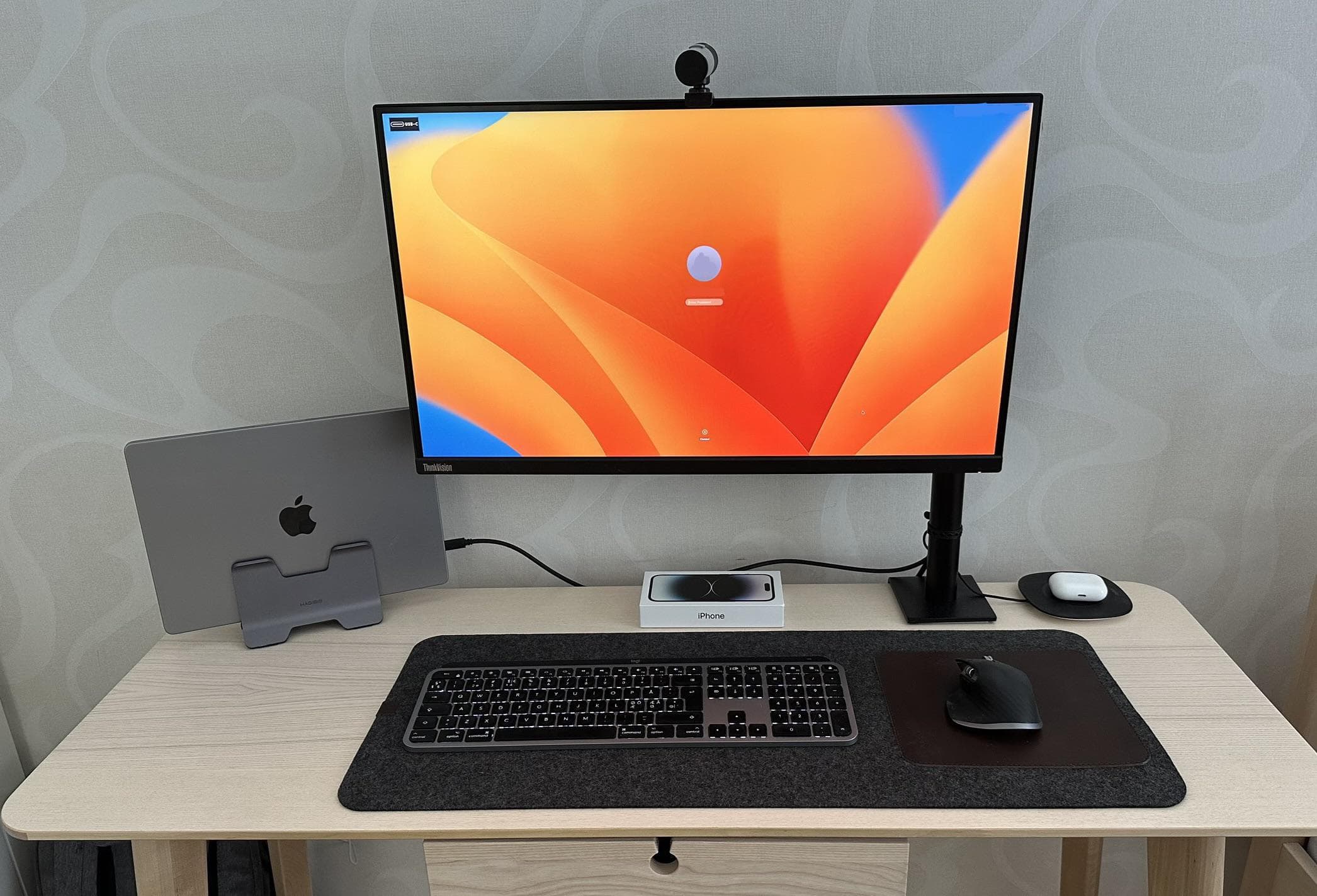
Photo: [email protected]
A MacBook Pro in clamshell mode on a vertical Hagibis laptop stand, a 27-inch Lenovo QHD display on a monitor mount, a Magic Keyboard, an MX Master 3 mouse and AirPods Pro on a small tray. That is the entire setup — and it fits comfortably on a small desk because no component is any larger than it needs to be. The user made deliberate small-desk choices at every step: a modest display rather than a 49-inch behemoth, a laptop stand rather than an open laptop and a display that doubles as a USB-C hub eliminating the need for a separate dock. The result is a fully functional professional workstation that asks almost nothing of the horizontal surface it occupies.
Read more: Small desk fits mini-but-mighty workstation
This vertical stand for MacBook sits on the desk unobtrusively and locks the laptop securely. It saves space and provides airflow.

Wireless Performance Mouse with Ultra-fast Scrolling, Ergo, 8K DPI, Track on Glass, Quiet Clicks, USB-C, Bluetooth, Windows, Linux, Chrome - Pale Grey

6. Monitor arm laptop tray floats display and MacBook Air

Photo: [email protected]
An M3 MacBook Air and its 34-inch LG ultra-wide display both sit on the same monitor arm — the laptop on a tray attached to the arm, the display on the arm itself — leaving essentially the entire desk surface free. Nothing touches the desk except the keyboard and mouse. The user spent years assembling this configuration. The monitor arm laptop tray pairing is the key. It reclaims all the space a vertical stand, laptop and display would normally occupy and moves it into the air above the desk. The approach wouldn’t suit everyone — you lose the built-in screen as a secondary display — but as a space-clearing strategy, it’s hard to beat.
Read more: Monitor arm laptop tray floats display and MacBook Air
This 2-in-1 adjustable dual-arm mount suits up to 32-inch LCD computer screens and 12-to-17-inch laptops (silver).

Built for Apple Intelligence, this super-lightweight laptop packs power. It features a 15.3-inch Liquid Retina Display, 24GB Unified Memory, 512GB SSD Storage, backlit keyboard, Touch ID;. Midnight color.
- Slim and lightweight
- Large and brilliant screen
- Plenty of memory and storage
- May lack some features compared to MacBook Pro

5. A pegboard for setup storage is clean workspace solution

Photo: [email protected]
An M2 MacBook Pro drives a 27-inch monitor on a small desk, with a wall-mounted Ikea Skadis pegboard to the left handling storage. So cables, headphones, a microphone and miscellaneous accessories all get moved off the desk surface and onto the wall. The article makes the case for pegboards as an underrated space tool — every item on the board is something that would otherwise be sitting on the desk or stuffed in a drawer. A dark, focused aesthetic and a monitor light bar complete a setup that feels tidy and deliberate despite being equipment-dense. Commenters have a love/hate relationship with pegboards, but their space-clearing function is inarguable.
Read more: A pegboard for setup storage is clean workspace solution
This Ikea Skadis pegboard in white measures 30 inches by 22 inches. It also comes in black or wood colors. You can buy accessories like hooks and bins separately.

4. That’s one (unique) way to mount a MacBook Air
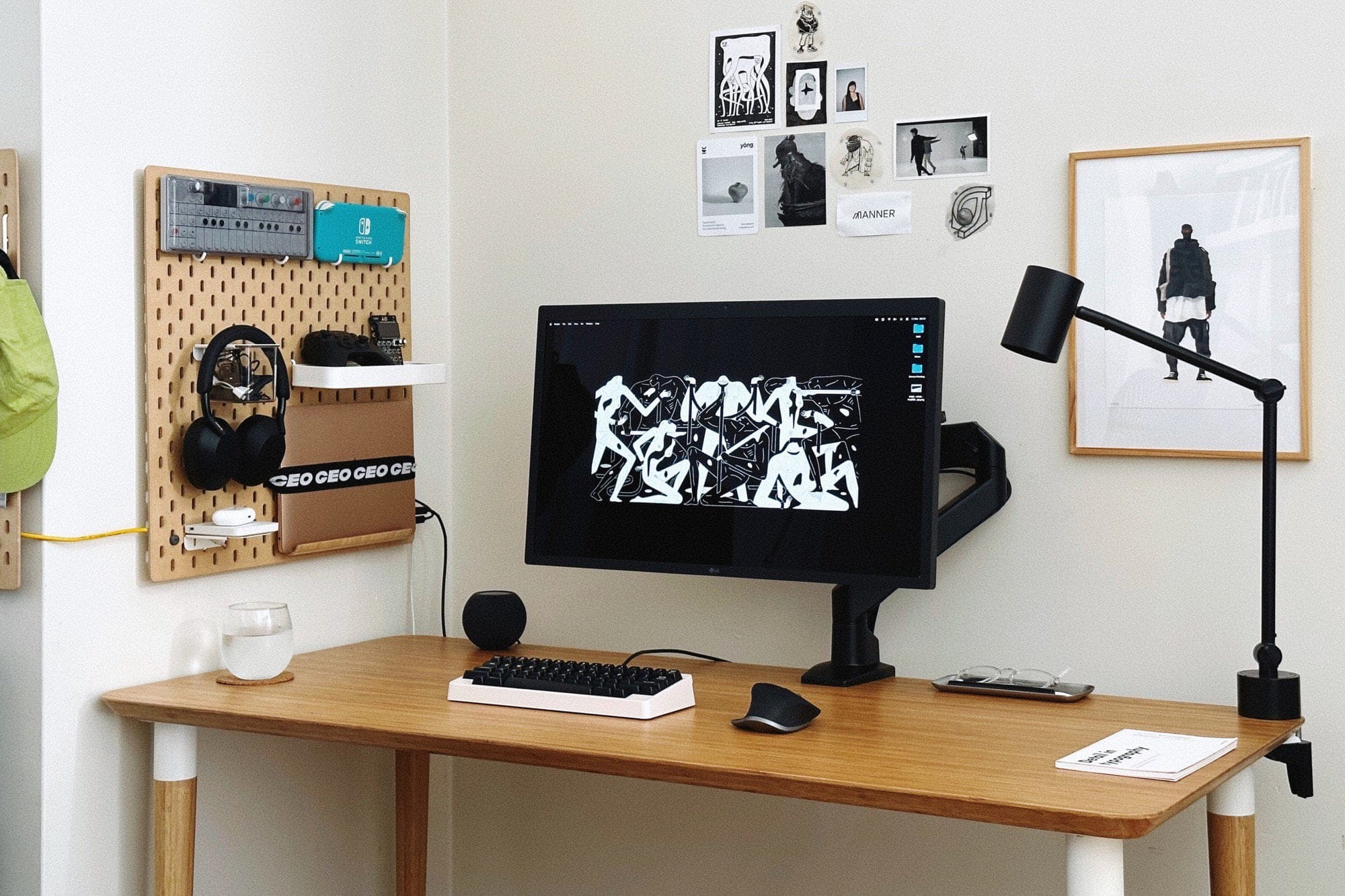
Photo: [email protected]
An M1 MacBook Air is mounted vertically on a wall pegboard using a kitchen tablet stand and a strap. That removes the laptop from the desk entirely while keeping it connected, accessible and in use. Below it sits a desk with an LG 27-inch UltraFine 5K display, a mechanical keyboard and a mouse. So the wall does tons of storage duties. “Want to save some space on the desk? Try mounting your laptop on a pegboard,” the article summarizes. Also on the pegboard: a Teenage Engineering OP-1 synthesizer, displayed rather than stored, adding an artistic dimension to what is fundamentally a space-hacking solution. This may be the most inventive MacBook mounting arrangement in the archive.
Read more: That’s one (unique) way to mount a MacBook Air
LG's IPS display with 5K (5120 x 2880p) resolution pairs well with Macs as well as the similar Studio Display. Features DCI-P3 99% color gamut and Thunderbolt 3 port.
- Crisp 5K (5120 x 2880p) resolution
- Pairs well with Macs and Studio Display
- DCI-P3 99% color gamut
- Costs less than Studio Display, but still pricey

This stout arm fits 17-inch to 32-inch screens, with full motion -- adjustable tilt, swivel and rotation. Includes desk clamp and grommet base.
- Solid arm with full-motion capability
- 2 desk-mounting options
- Choice of colors
- You can find cheaper ones, but you may get what you pay for

3. Tips to mount MacBook out of the way in setup
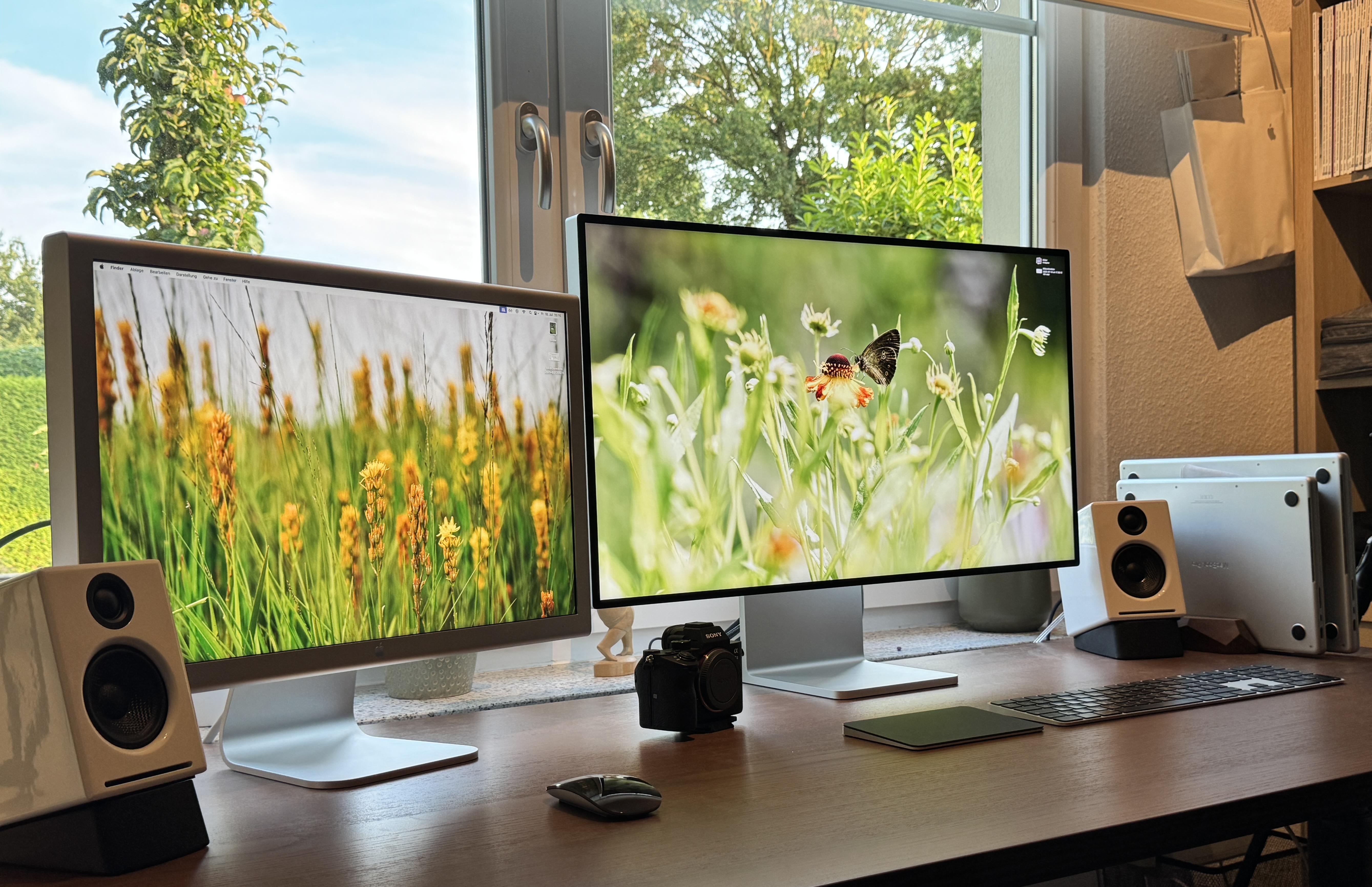
Photo: [email protected]
This article is probably the Setups archive’s most comprehensive small-space resource. The setup earns the top slot for that reason. It covers every known method for removing a MacBook from a desk surface — vertical clamshell stands, under-desk mounts, pegboard hooks, shelf placements behind the monitor, side-of-desk hanging organizers — with specific product recommendations for each. Commenter recommendations included mounting both laptops on an Ikea Skadis pegboard bolted to the inside of the desk. Paired with a monitor arm, it transformed the desk from cluttered to genuinely open. As a practical how-to resource for small-space Mac users, not much else in the archive comes close.
Read more: Tips to mount MacBook out of the way in setup
This under-desk or wall-mounted rack mount can hold a laptop, keyboard or other small devices like a cable box or router. It's great for keeping your MacBook hidden from view and out of the way.

This is a no-drill steel hanging desk organizer that can hold a connected laptop and other items. Great for the home office, it creates a storage area off the side of your desk.

This Ikea Skadis pegboard in white measures 30 inches by 22 inches. It also comes in black or wood colors. You can buy accessories like hooks and bins separately.
There's no better monitor for your Mac than Apple's 32-inch Pro Display XDR. Apple even sells a variant with a nano-texture glass that helps cut down on unwanted glare.
- Incredible 6K resolution
- Generous screen space
- Nano-texture glass option
- Expensive, and options add more cost

2. Great use of space in MacBook setup with wall-mounted display

Photo: [email protected]
A mechanical engineering student in a bedroom that doubles as a workspace and entertainment area solved the space problem radically. They wall-mounted a 43-inch Samsung QN90B 4K smart TV — not on a stand, not on an arm, but directly on the wall with a custom MDF backing panel. A pegboard beside it holds keyboards, game controllers and peripherals. The desk below is completely clear. MacBook, PC, PS5 and Apple TV all feed the same screen. “I had to compromise between a workspace and an entertainment area to save costs,” the user said. The wall-mounting of both the display and the peripheral storage is the cleanest possible expression of a fundamental small-space principle. If you can move it off the horizontal surface, do it.
Read more: Great use of space in MacBook setup with wall-mounted display
This large QLED smart TV features 4K resolution, Dolby Atmos with object tracking, Motion Xcelerator, Real Depth Enhancer Pro and Alexa built-in (QN43QN90D, 2024 model).
- Big screen with vivid colors
- Dolby Atmos with Object Tracking Sound
- Fast 144Hz refresh rate for gaming
- Many new smart TVs are larger

Govee's AI Sync Box with RGBIC LED backlighting for TVs supports 8K@60Hz, 4K@144Hz, VRR and ALLM. It works with Matter and Alexa. Includes 75 LED lights.
- AI screen and lighting synchronization
- Brightness of 45O lumens
- Supports Matter standard and Dolby Atmos
- Not specific to HomeKit
- TV backlight requires external HDMI input source for color extraction

1. Compact MacBook Pro station wins for best use of space
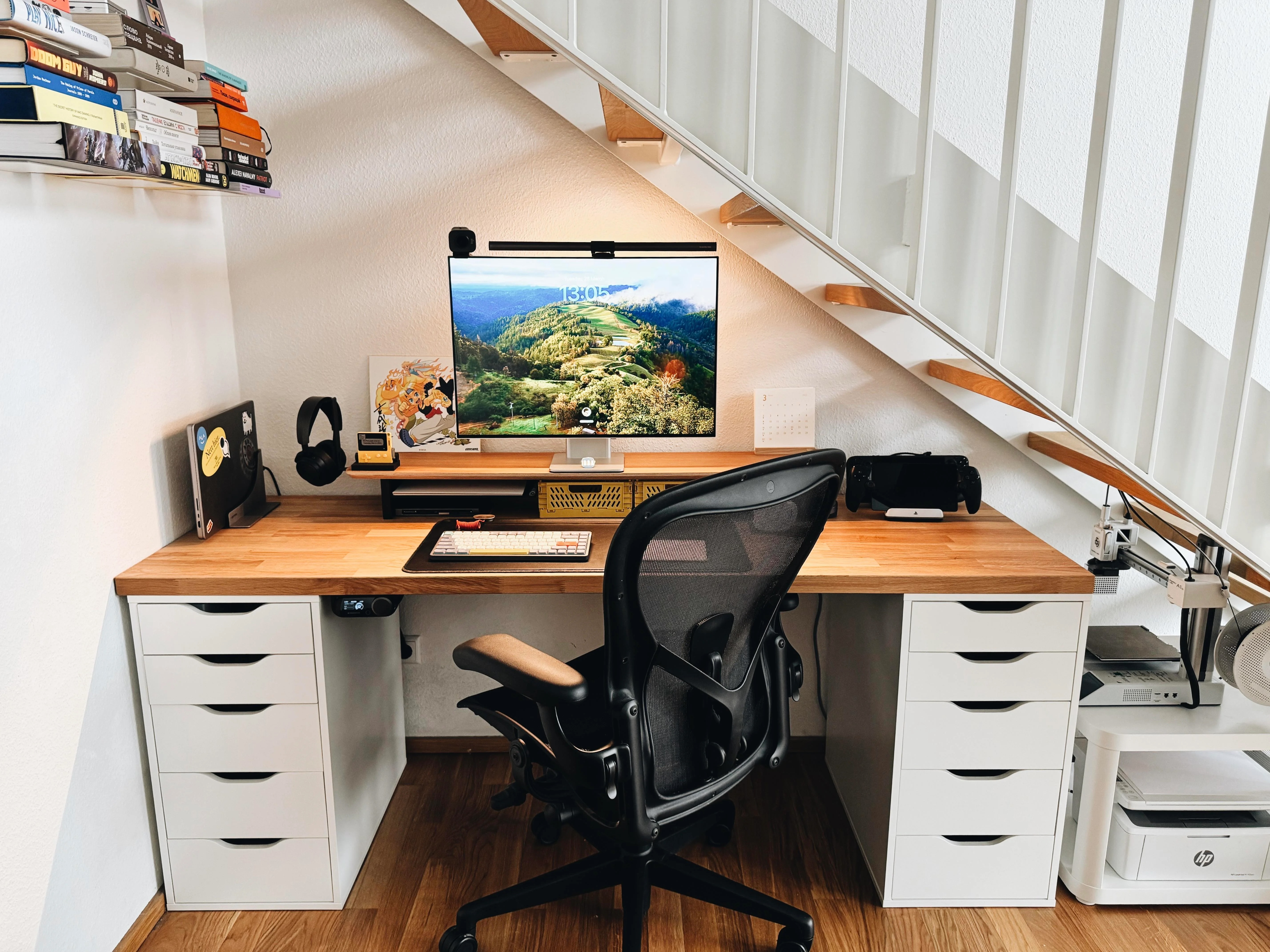
Photo: [email protected]
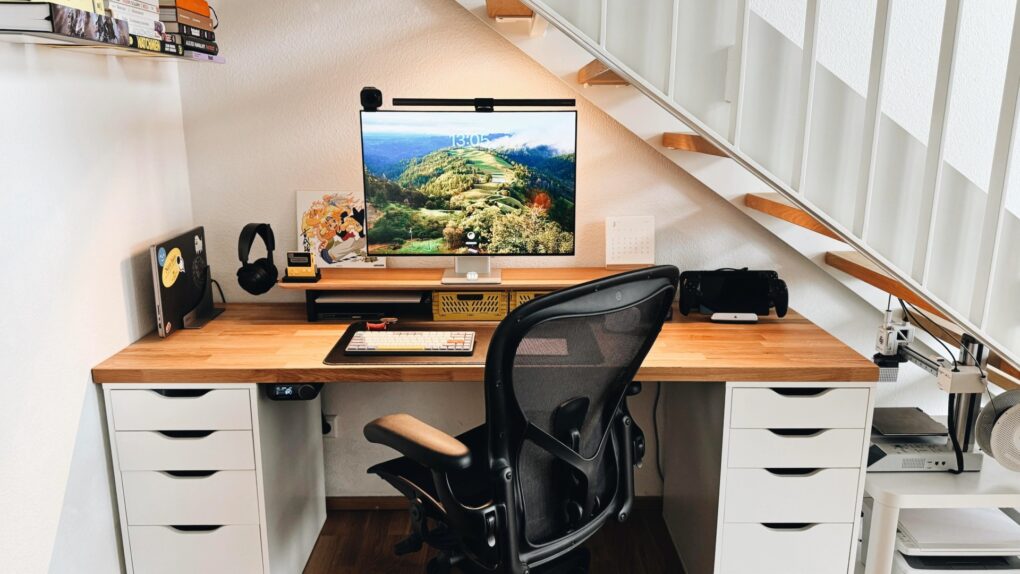
This MacBook Pro setup so excels at saving space it fits more into its little nook under a staircase than many people, including me, fit in setups without that constraint. In addition to the usual, they’ve even got multiple game systems, two printers and a book collection in there. And the user still rocks a version of my previous laptop, the great M1 Pro MacBook Pro. It drives a compact, 28-inch Huawei MateView monitor with a BenQ Screenbar Halo light and a Logitech StreamCam webcam mounted on top. The display sits on a Balolo desk shelf. And he runs two docks — a Satechi Thunderbolt 4 dock and an Ascrono MacBook Docking Station. But all that’s really just the tip of the iceberg.
Read more: Compact MacBook Pro station wins for best use of space
This powerful dock for computers and attached peripherals features 96W charging, dual monitor HDMI 4K/60Hz, 40Gbps data transfer, 2 USB 3.2, Ethernet for Mac/Windows. Requires DisplayLink software.

Complete with a wireless controller, this glare-reducing monitor light bar lets you adjust brightness and color temperature.
- Glare-free front lighting
- Ambient back lighting
- Wireless controller
- Somewhat expensive


David Snow, an expert on Apple hardware and software, writes on a variety of technological and cultural topics for Cult of Mac. They include Apple news, technology buying guides, and features about computer setups and Apple TV shows and movies.
With 30 years of experience covering technology and other subjects, he has written and edited for numerous print and online publications, including CMP Media, TechTV.com, CNET, Wired News, Red Herring magazine, Law.com, The National Law Journal and Law Technology News magazine. Among other roles, he served as executive editor of the Law.com network of websites and editorial director, technology, for ALM Media.
Snow graduated with a B.A. from Syracuse University with majors in magazine journalism and psychology. While there, he worked as a reporter for The Daily Orange newspaper and associate editor of Equal Time magazine.
Founder of the blog At the Waterline, he can be reached on X (formerly Twitter) via @atthewaterline and on Mastodon via @dsnow.

