Mobile menu toggle

Top Stories - page 21

Dump that HDMI cable for this easy-to-use wireless video transmitter [Review] ★★★★

By

Nyrius Orion Prime wireless video transmitter review★★★★
Replace that bulky HDMI cable with a wireless video transmitter.
Photo: Ed Hardy/Cult of Mac

The Nyrius Orion Prime Wireless USB-C to HDMI Video Transmitter & Receiver frees you from needing to string an HDMI cable across your office or living room. Plug one gizmo into your MacBook, iPad, or iPhone, and another into your TV, and they’re connected.

The wireless adapter sends HD video a surprising distance and doesn’t require a Wi-Fi network.

I tested the wireless video transmitter out for myself and came away impressed. That said, it does have a limitation that makes it better for entertainment than work.

Will Jony Ive’s secret new AI products kill Apple? Doubtful.

By

AI-generated image of Jony Ive and Sam Altman with a next-gen AI device.
An AI-generated image of Jony Ive and Sam Altman with a next-gen AI device.
AI image: Grok/Cult of Mac

Will Jony Ive and Sam Altman’s new partnership dethrone Apple? A lot of people seem to think that in a battle of OpenAI vs. Apple, the iPhone maker is on borrowed time.

Looking at social media, the hype about OpenAI’s acquisition of Ive’s startup io is off the charts. Many pundits predict doom for Apple, which is already widely assumed to be woefully behind in AI. Apple’s stock took a big dive on the news of OpenAI’s acquisition of Ive’s secret company Wednesday.

But I highly doubt that Ive and Altman will topple Apple from its throne. Apple still has massive advantages — and they’re perhaps unassailable. Here’s why.

3 reasons to watch Murderbot on Apple TV+

By

Murderbot season 1 review
Your weekend should include watching Murderbot. You’ll be glad you did.
Image: Apple TV+/Cult of Mac

The sci-fi action comedy Murderbot season 1 is the hottest show premiering this weekend. Apple TV+ turned an award-winning collection of novels into a series that’s fun to watch, with an enjoyable mix of laughs and fight sequences… with some suspense mixed in.

Here’s why you should tune in this weekend, whether you’ve read Martha Wells’ books or not.

Test your connections with this tiny USB multimeter [Review] ★★★★

By

StarTech.com USB-C Power Tester★★★★
Find out why your iPad isn’t charging with this mini multimeter.
Photo: Ed Hardy/Cult of Mac

With the StarTech.com USB-C Power Tester, you can easily look for charging problems in your setup. It’s a quick and easy way to ensure your devices are getting all the power they’re supposed to.

I tested the inexpensive little multimeter out. Here’s what I found.

What’s the deal with that orange and green dot on your iPhone?

By

What Does That Dot Mean?
A long-standing mystery solved.
Image: D. Griffin Jones/Cult of Mac

What does the orange dot on your iPhone mean — and while we’re at it, how about the green dot? These mysterious dots can appear in the Dynamic Island of newer iPhones, or in the upper right corner of older models, near the battery icon.

The dots are part of Apple’s vast system of privacy and security features built into the iPhone. Of course, these privacy features only work if you know what they mean and how to use them — so keep reading for the answer below.

Easily identify the birds you hear with Merlin Bird ID [Awesome Apps]

By

Merlin Bird ID
Start a new hobby with Merlin Bird ID.
Image: Cult of Mac
Awesome Apps

Spring is here, and the air is full of birdsong. The Merlin Bird ID app tells you what type of birds you’re hearing … plus it’s quick, easy and free.

With this software from the Cornell Lab of Ornithology on your iPhone, you can learn about all the birds around you — you might be surprised how many of them there are. And if you get interested, you’ll soon be able to identify them without the app.

Everything new in iOS 18.5

By

iOS 18.5
iOS 18.5 is high, but somewhat light on changes.
Image: Ed Hardy/Cult of Mac

After over a month of beta testing, iOS 18.5 is now available for all compatible iPhones. Unlike previous point iOS 18 releases, the new build does not pack any significant new features.

The update mainly includes minor changes, but older iPhones will receive one major new feature. Keep reading to know about everything new in iOS 18.5 and iPadOS 18.5.

These Swift Student Challenge winners hope to change the world through code

By

meet Swift Student Challenge winners
From left, Marina Lee, Taiki Hamamoto, Luciana Ortiz Nolasco and Nahom Worku are four of this year’s Swift Student Challenge winners.
Photo: Apple

Apple’s annual Swift Student Challenge coding competition showcases young talent whose apps never cease to inspire. This year is no different, as Apple profiles four coders working to preserve cultural heritage, improve disaster preparedness, connect astronomy enthusiasts and expand educational access. Meet Swift Student Challenge winners and their inspiring coding projects below.

These four are part of a group of 50 winners who will attend WWDC25 in person at Apple Park in Cupertino for a three-day program.

“We’re always inspired by the talent and perspective young developers bring to the Swift Student Challenge,” said Susan Prescott, Apple’s vice president of Worldwide Developer Relations. “This year’s winners show exceptional skill in transforming meaningful ideas into app playgrounds that are innovative, impactful, and thoughtfully built — and we’re excited to support their journey as they continue building apps that will help shape the future.”

Mac mini rig elevates cable management to art form [Setups]

By

desk cable management
There's a reason this desk and setup look so clean and tidy. And that reason is hidden under the desk.
Photo: [email protected]

The best desk cable management seems like magic because it makes things disappear. Today’s M4 Mac mini setup with dual 4K displays shows that off beautifully, hiding most of the workstation’s gear underneath an elegant desk.

“That cable management is art,” said one appreciative commenter.

In this case, the user made the cable-management parts using a 3D printer. But you can achieve the same effect using a few inexpensive products that aren’t difficult to install.

Backbone Pro makes the best iPhone game controller way, way better [Review] ★★★★★

By

Backbone Pro★★★★★
There’s no better way to improve mobile gaming than with Backbone Pro.
Photo: Ed Hardy/Cult of Mac

The Backbone Pro game controller that launched Tuesday wraps around your iPhone and connects via USB-C, but it can also connect to your Mac or iPad via cable or Bluetooth. Plus, it adds remappable rear buttons to the standard mix of sticks, triggers, D-pad and more.

Backbone already makes the best iPhone game controller, and my hands-on experience with this new premium version found that it takes mobile gaming to a whole new level.

Schedule an email to send in the future in Apple Mail

By

Never Forget to Send It
Let your computer handle sending emails. It’s what they’re good at.
Image: D. Griffin Jones/Cult of Mac

You can save time — and make sure your messages always go out when they’re supposed to — when you schedule email from the Apple Mail app. You can set your mail to deliver at any date or time in the future, whether it’s next Monday at 9 a.m. sharp, in two weeks’ time or even years from now.

If you work with someone in a different time zone, you can schedule messages to arrive just when they start their workday, which is especially helpful if the allotted time is in the middle of the night for you. You can schedule a series of reminders for that one irritatingly forgetful client of yours. Or, if you work remotely, you can try (and risk) prewriting messages to your boss to maintain the illusion of regular work. You can even schedule emails to remind you of an important anniversary, years down the line.

It’s easy to set up. Keep reading or watch our short video.

My iPhone 17 Air wish list: 5 features Apple shouldn’t skip

By

iPhone 17 Air render
Slim isn’t enough for the iPhone 17 Air.
Photo: ChatGPT/Cult of Mac

Apple seems set to give the iPhone lineup its biggest refresh in years with a new, slender model. Possibly called the iPhone 17 Air, the rumored model reportedly will focus on slimness, like other “Air” devices in Apple’s lineup.

In my opinion, a thinner body alone won’t be enough to make it a hit. If Apple truly wants the iPhone 17 Air to stand out, it needs more than just sleek looks. Here’s what I hope to see.

Let Apple Mail organize your emails for you

By

Sorting So You Don’t Have To
And with Writing Tools, it can reply to your emails for you, too.
Image: D. Griffin Jones/Cult of Mac

With the new automatic mail categorization in Apple Mail, you can organize your emails and keep your personal inbox less cluttered. It’ll intelligently put all your newsletters, receipts and promotions into separate folders.

If you struggle keeping up with your inbox, this feature is a great way to make your email easier to understand at a glance.

Keep reading below or watch our quick video.

Create custom emoji in Messages using Genmoji

By

Make Your Own Emoji
Genmoji can fit every occasion.
Image: D. Griffin Jones/Cult of Mac

Using Apple’s Genmoji, you can create custom emoji when you can’t find the exact right one to express yourself nonverbally. The Apple Intelligence feature generates emoji on the fly based on your descriptions.

Finally, you can enhance your conversations about ostriches or shovels or tissue boxes with your own custom emoji. Or make an emoji that matches your pet, like a white cat or a Pomeranian dog. You can even make emoji versions of people you know.

Here’s how to use the fun new feature.

Look things up with your iPhone’s camera using Visual Intelligence

By

Looking up a computer mouse using the camera with Visual Intelligence, captioned, “Look It Up With The Camera”
Search for products and get information with Visual Intelligence.
Image: D. Griffin Jones/Cult of Mac

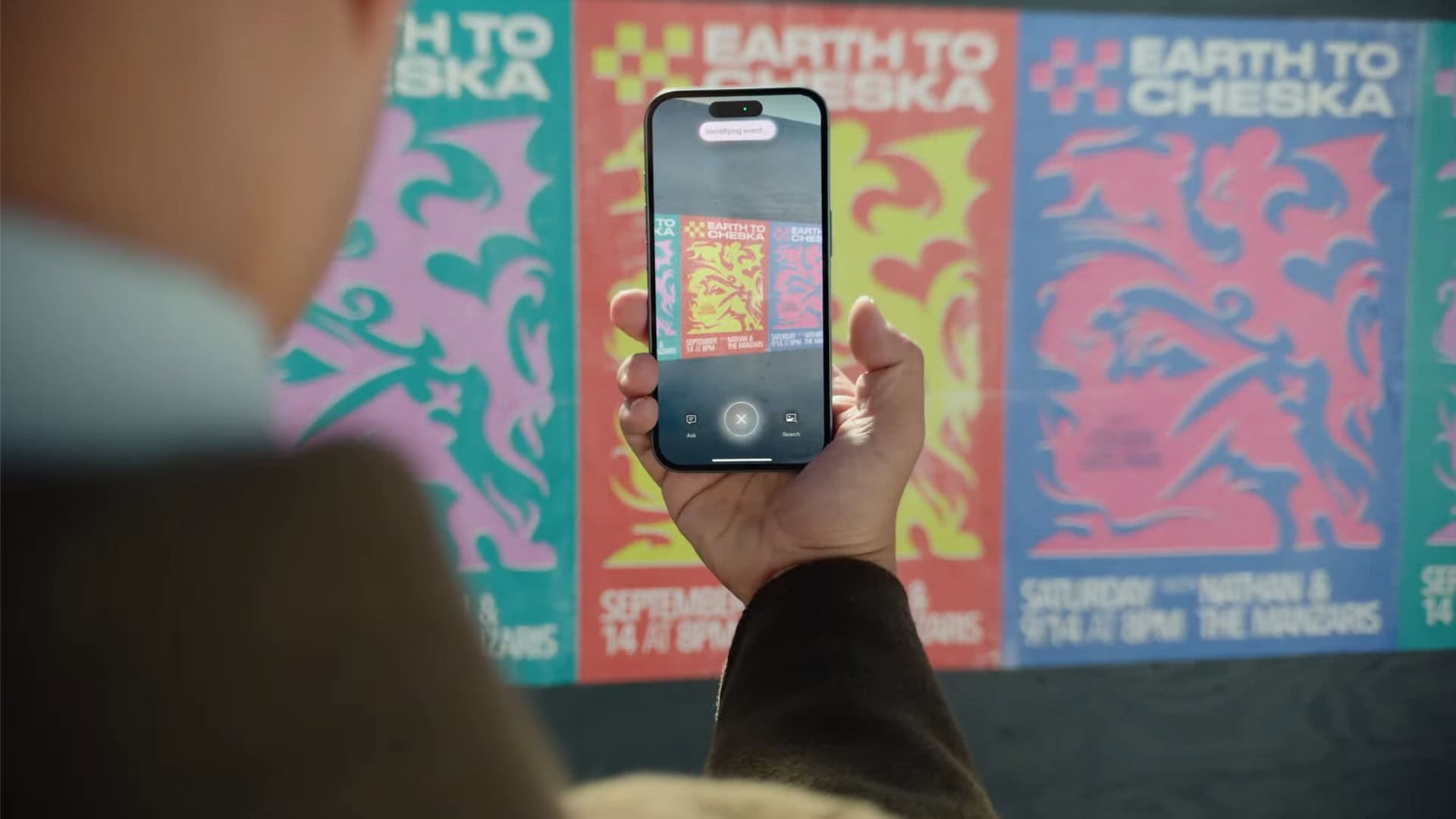
Apple’s new Visual Intelligence feature provides a quick way to find information just by pointing an iPhone 16’s camera at an object in the real world. Then you can ask ChatGPT to explain what you’re looking at, do a reverse image search to find products and look things up visually, get information on a business as you walk down the street, quickly add events to your calendar and identify plants and animals.

With the release of iOS 18.4, Apple added the capability to use Visual Intelligence on iPhone 15 Pro models. Here’s how it works.

Your wait for an amazingly affordable iPhone game controller ends now [Review] ★★★★★

By

GameSir X5 Lite★★★★★
The GameSir X5 Lite is fun and a great value.
Photo: Ed Hardy/Cult of Mac

The GameSir X5 Lite is the game controller for those who’ve hoped for a truly affordable way to add physical buttons and sticks to their iPhone. It costs a fraction of the price of its chief rival.

But don’t call it cheap. The accessory includes Hall Effect sticks plus a full set of the buttons and triggers needed for cloud gaming or on-device apps.

I enjoyed my time testing the GameSir X5 Lite — read the full review to find out why.

Don’t let iOS 18’s radically redesigned Photos app throw you for a loop

By

An image of the icon for Apple's new Photos app in iOS 18, along with the words,
The revamped Photos app in iOS 18 is a big change. Learn how to use it now.
Image: D. Griffin Jones/Cult of Mac

Apple’s redesigned Photos app in iOS 18 brings the biggest changes ever to how you browse your pictures, videos and memories on your iPhone. Gone are the separate tabs across the bottom. Now the Photos app delivers a single, scrollable view. Scroll up to see your library; scroll down to sort through albums, people and memories.

It takes some getting used to — and the big changes are driving some people absolutely insane. To get a grip on all the changes, you need to learn where to find your recently saved images, deleted photos and your album of hidden photos.

Here’s how it works.

Satechi Stand & Hub for M4 Mac mini: Sleek and super-useful [Review] ★★★★

By

Satechi M4 Mac mini hub and stand★★★★
The Satechi Stand & Hub for the M4 Mac mini is a sleek and practical accessory.
Photo: Rajesh Pandey/Cult Of Mac

The M4 Mac mini stands out as one of the best value-for-money Macs in Apple’s lineup. But it’s not perfect, with the lack of an SD card slot and USB-A ports being two major annoyances. Satechi’s Mac Mini M4 Stand & Hub with SSD Enclosure aims to address these flaws while offering a way to expand storage on the cheap.

That’s a bold pitch. So, does the accessory deliver? Here’s what I found.

How to manually add a workout to Apple Fitness+

By

Log Your Own Workouts
Add workouts by hand if you’re missing some.
Image: D. Griffin Jones/Cult of Mac

You can manually add a workout to Apple Fitness+ if you need to log some exercise while you weren’t wearing your Apple Watch. Maybe your watch ran out of battery at the start of your run, or maybe you simply forgot to turn it on. By adding a missing workout, you can give yourself credit for the exercise you did.

This power could be used for evil as well as good. You could, hypothetically, say you ran a three-hour marathon every day last week. But you would only be fooling yourself.

To find out how to add a workout to Apple Fitness+, watch our short video or keep reading below.

Apple shifts robotics team to hardware as leadership shuffle continues

By

Apple robotics team gets new leadership
This fanciful AI image may or may not approximate future Apple robotic products.
AI image: Grok

In another significant leadership reshuffle at Apple, a little-known robotics team will soon move from AI chief John Giannandrea’s oversight to John Ternus, Apple’s senior VP of Hardware Engineering, according to a new report Thursday.

This shift follows last month’s decision to remove Siri from Giannandrea’s responsibilities after concerns about execution on product development.

iPhone 17 ‘Air’ and Pro models set to get memory boost for AI

By

iPhone 17 rumors
Even the rumored super-slim iPhone 17 "Air" may get 12GB RAM to handle AI tasks.
Photo: Ed Hardy/Cult of Mac

Most of Apple’s upcoming iPhone 17 lineup may receive a significant memory upgrade that will power the next generation of Apple Intelligence features, supply chain analyst Ming-Chi Kuo said Thursday. The iPhone Series 17 RAM boost will even come to the rumored ultra-thin iPhone 17 “Air.”

10 years of Apple Watch history: A timeline

By

Apple Watch: 2015 to 2025.
Technically it was announced in 2014, so it’s a little over ten years.
Image: Apple/D. Griffin Jones/Cult of Mac

For the 10th anniversary of its launch, we compiled over a decade of Apple Watch history into a quick timeline. Starting with the original three collections — including models in solid 18 karat gold — all the way to today’s far more advanced (and sensible) Apple Watch Series 10 and Ultra 2.

The Apple Watch was the first major product introduction of Tim Cook’s reign as Apple CEO. There was immense pressure on Apple to prove that it could still innovate without Steve Jobs. While the Apple Watch wasn’t as flashy as the iPhone and iPad, it’s grown into an incredible business rife with breakthrough technology, in one of the most physically constrained form factors yet.

New videos show shocking thinness of iPhone 17 Air

By

thin iPhone 17 Air
Actually handling the dummies seemed to really impress people in terms of their remarkable thinness.
Photo: Unboxing Therapy

Two new videos surfaced recently that use dummy units to show just how incredibly — even shockingly — thin the iPhone 17 Air will be when it comes out in several months.

“That’s futuristic,” one reviewer exclaimed, adding he doubted Apple will sell any other iPhone Series 17 models when customers see and feel the rumored slim model.

Hey, Siri: Welcome your new Vision Pro overlords

By

Siri management shakeup
The new head of Siri development has one job: make it stink less.
AI image: ChatGPT/Cult of Mac

In a shake-up aimed at revitalizing Apple’s aging Siri voice assistant, the iPhone giant brought in Mike Rockwell to lead a comprehensive overhaul now in progress, according to a new report. First, the former head of Vision Pro software continues revitalizing the Siri leadership team in the Vision Pro team’s image.

Save with Ugreen’s solid AirTag alternative plus wallet tracker [Review] ★★★★

By

Ugreen Smart Finder Tracker review★★★★
Ugreen's pair of trackers are effective and affordable.
Photo: David Snow/Cult of Mac

Ever misplaced your wallet or keys right when you’re rushing out the door? This Ugreen Smart Finder tracker review might help solve that universal frustration on the cheap. Whether you’re considering the standard Smart Finder or its wallet-sized counterpart, both promise to keep your valuables just a tap away through Apple’s Find My network.

These Bluetooth trackers pack some interesting features that set them apart from typical item finders — specifically their compact design, reliable tracking capabilities and low prices.