Your sweetheart should be very happy with any of these picks. AI image: ChatGPT/Cult of Mac
“Love is a many-splendored thing,” goes the old saying — like a multifaceted, intricately cut diamond. Fortunately, your valentine probably doesn’t expect a diamond for a gift on February 14 (hopefully, for the sake of your wallet). But you can still spend loads of cash on Apple’s picks for Valentine’s Day gifts. We selected a bunch below.
Which is the better creative suite? AI image: ChatGPT/Cult of Mac
Apple Creator Studio and Adobe Creative Cloud take very different approaches to creative software. One focuses on deep hardware integration and streamlined workflows, while the other prioritizes breadth, flexibility and industry-standard tools.
Both of these subscription app bundles promise powerful creative capabilities. However, which one actually makes more sense depends on your requirements, capabilities and workflow.
Our guide to Apple Creator Studio versus Adobe Creative Cloud will help you decide which bundle is right for you.
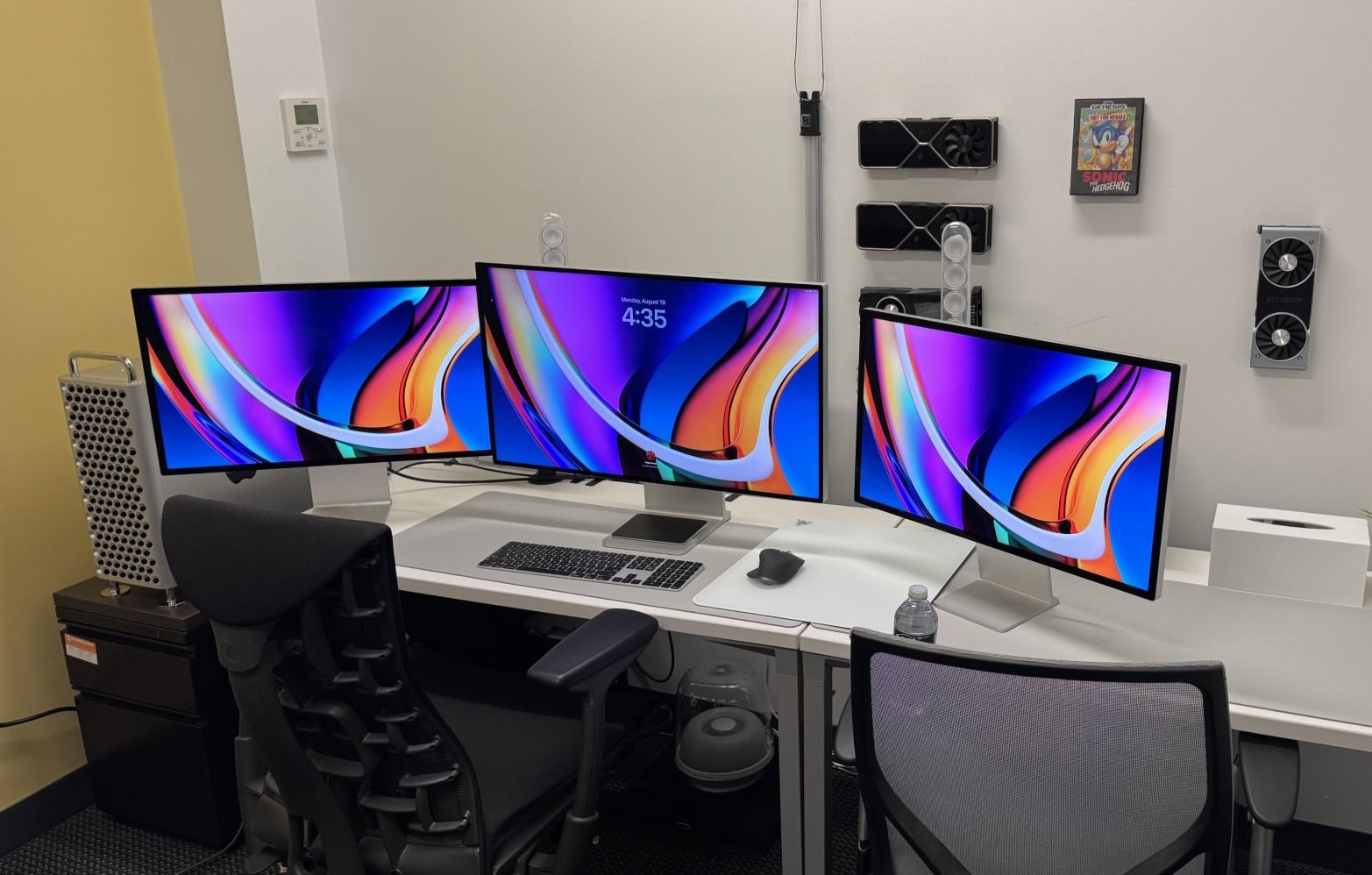
So ... crippled by envy much? This one has a high-end M2 Ultra Mac Pro, a Mac Studio, a Pro Display XDR and two Studio Displays. Photo: [email protected]
For Apple enthusiasts, one Mac is great — but two or more? That’s when things get seriously interesting. Years of Cult of Mac Setups coverage has showcased hundreds of impressive workstations. But these top 10 multi-Mac setups stand out as particularly fascinating examples of how power users leverage Apple’s ecosystem to its fullest potential.
From new M4-powered machines paired with vintage “trash can” Mac Pros to dual MacBook configurations seamlessly integrated with desktop Macs, these workstations demonstrate that having multiple Macs isn’t just about redundancy. It’s about optimizing workflow, separating concerns and yes, indulging in a bit of Apple-fandom excess.
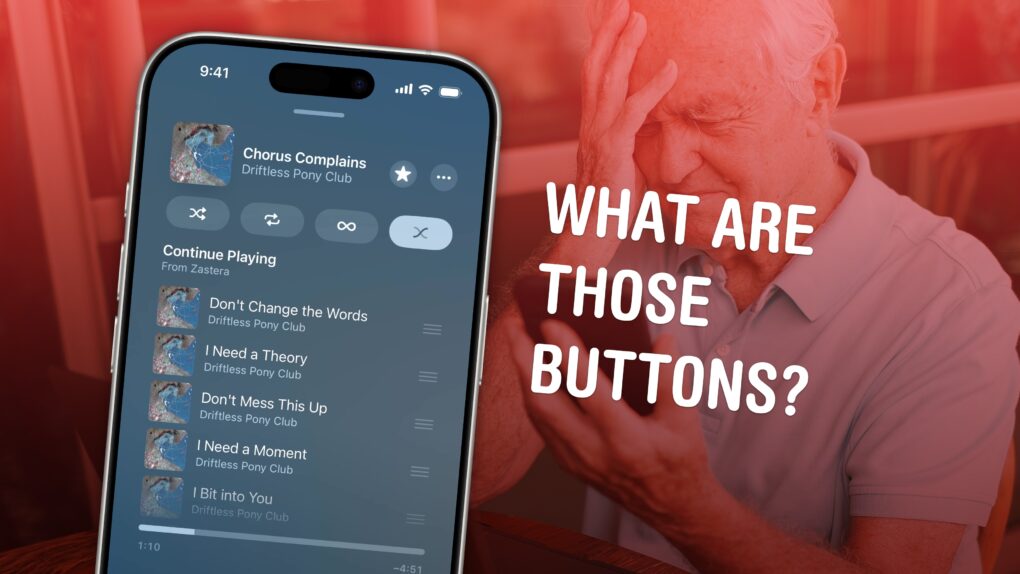
It's not really obvious what these buttons do. Image: D. Griffin Jones/Cult of Mac
All the tiny signs, symbols and icons on the Apple Music app’s Now Playing screen lack labels — and it’s not obvious at all what they do. Do you know what tapping the infinity symbol does? How about the two wavy lines?
This quick guide runs through all the Apple Music buttons and controls, so you can get acclimated to its interface. Keep reading or watch our short video.
★★★★☆
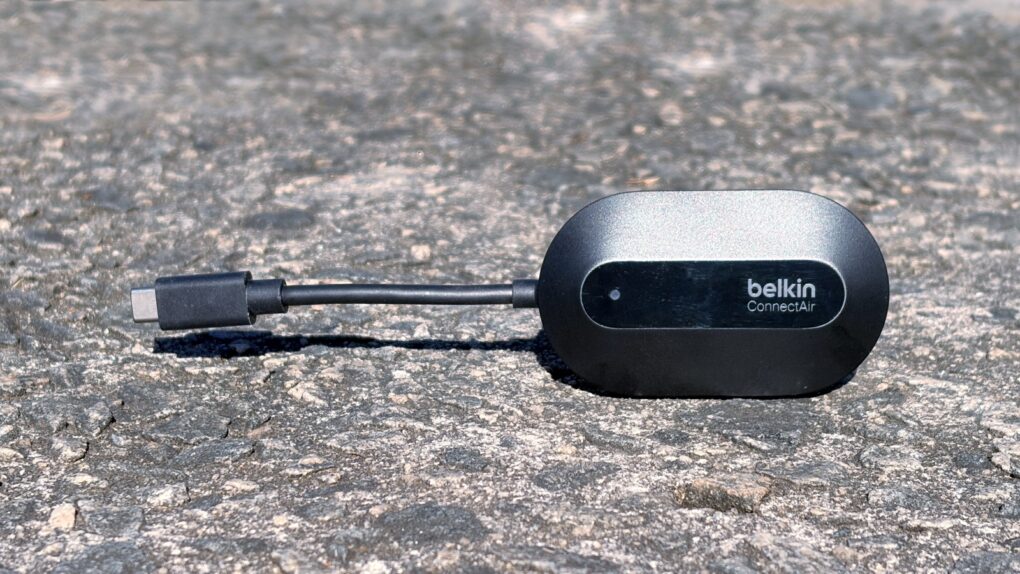
The Belkin ConnectAir Wireless HDMI Display Adapter is so much less clutter than a cable, but does the same job. Photo: Ed Hardy/Cult of Mac
Stop connecting your Mac to TVs with a cumbersome cable. The Belkin ConnectAir Wireless HDMI Display Adapter saves you from needing to stretch a wire across your living room, classroom or conference room.
All it takes is plugging one component into the USB-C port on your Mac, iPad or iPhone and the other component into the HDMI port on any TV. Now you’re ready to watch a movie.
I put the new accessory to the test, including its promise of plug-and-play connectivity. Here’s how it performed.
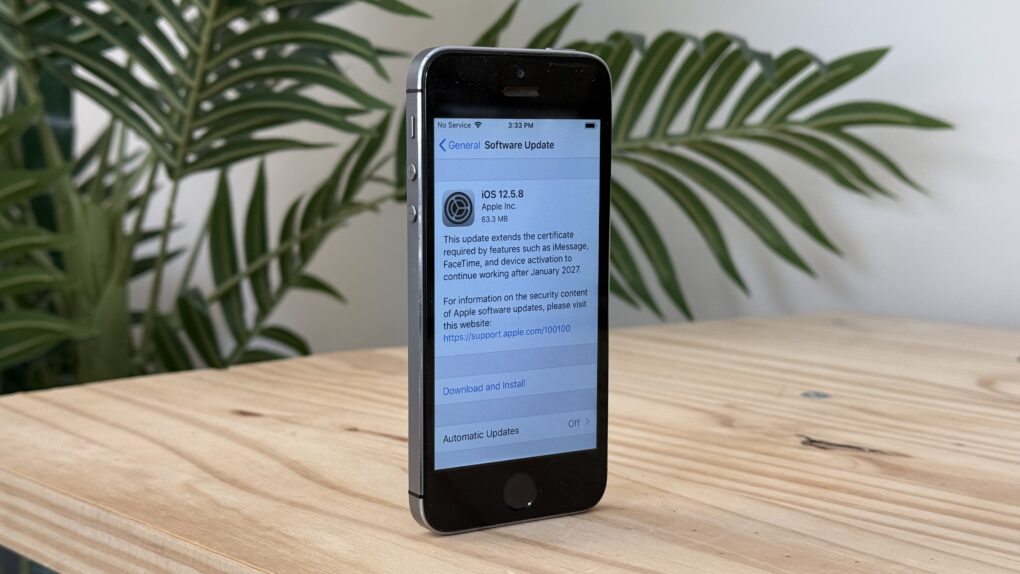
The latest software update for a 12-year-old iPhone. Photo: D. Griffin Jones/Cult of Mac
A conspiracy theory argues that Apple does everything it can to force people to buy new iPhones. That’s Grade A certified bullplop, and I can prove it. How? Apple recently released iOS updates for every single iPhone going back to 2013.
If you still own a 12-year-old iPhone 5s, it just got an upgrade to iOS 12.5.8, so you can continue to use it for years to come. So tell us again how Apple hates old iPhones?
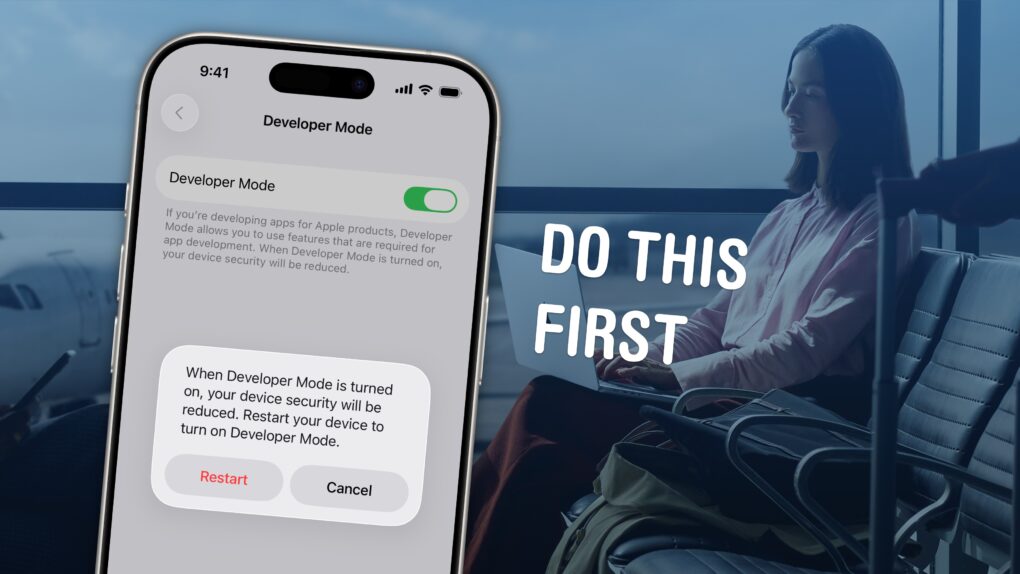
You'll need to turn on Developer Mode to put your own apps on your iPhone. Image: D. Griffin Jones/Cult of Mac
Developer Mode lets you run unsigned code on your iPhone or iPad. Enable it, and you can download and run apps that are not from the App Store (or alternative app marketplaces) or in TestFlight, Apple’s tool that lets developers invite users to beta-test new apps.
If you want to write your own apps in Xcode, you will need to enable Developer Mode on your iPhone or iPad before running your app.
Developer Mode is also essential if you want to sideload apps onto your device from a Mac, using an app like Sideloadly. This could include apps that aren’t allowed on the App Store (such as porn app Hot Tub) or apps that are no longer available from their original developers, like Apollo (the now-shuttered Reddit client). For sideloading to work, you will need to turn on Developer Mode.
Read on to see how to enable Developer Mode on your iPhone or iPad, as well as the potential security implications.
Tehran may be the most gripping thriller on Apple TV. Photo: Apple
In the crowded landscape of spy shows and movies, Apple TV’s Tehran cuts through the noise with a visceral intensity few titles can match. This Israeli thriller, which started airing season three on January 9, doesn’t just tell a spy story. It grabs you by the throat from the first frame and doesn’t let go until the credits roll.
For anyone who’s ever found themselves disappointed by the too-fast or too-slow pacing or predictable plotting of typical spy dramas, Tehran, now streaming season three (with a fourth on the way), offers a masterclass in sustained tension and genuine surprise. That makes it easy to forgive the subtitles, which most people will need for the Farsi (Persian) and Hebrew spoken on the show.
Privacy is a requirement for Apple Intelligence. Photo: Apple/Cult of Mac
When Apple entered the artificial intelligence race, the company faced a fundamental challenge: how to deliver powerful AI capabilities while maintaining its long-standing commitment to user privacy. The result is Apple Intelligence, a system designed around a simple but revolutionary premise — your personal data should work for you without leaving your control. Basically, that’s how privacy shapes Apple Intelligence features on “the edge,” meaning the furthest reaches of a computer network, where user devices dwell.
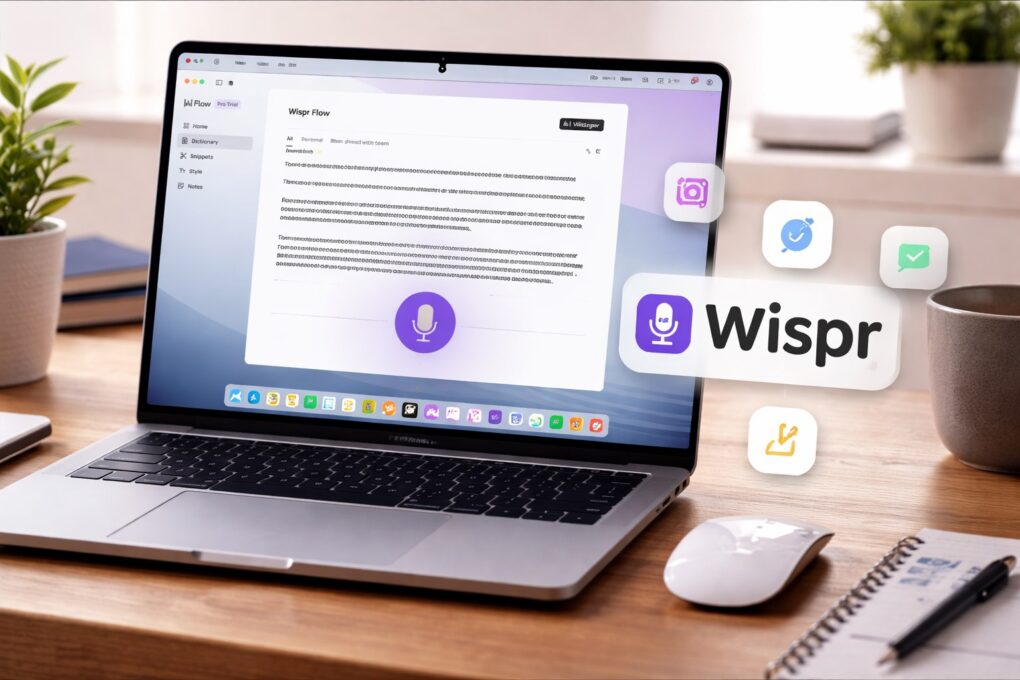
Wispr Flow turns your Mac into a voice-first writing workspace. AI image: ChatGPT/Cult of Mac
The way I type on my Mac hasn’t changed in years. But then, I started using Wispr Flow — an AI-powered voice-to-text app for Mac. It has reshaped how I write on my Mac, making me more efficient and faster.
It’s not just about typing faster. Using your voice for typing also feels more natural in many cases. Here’s how Wispr Flow has changed how I write on my Mac, and why I can’t go back.
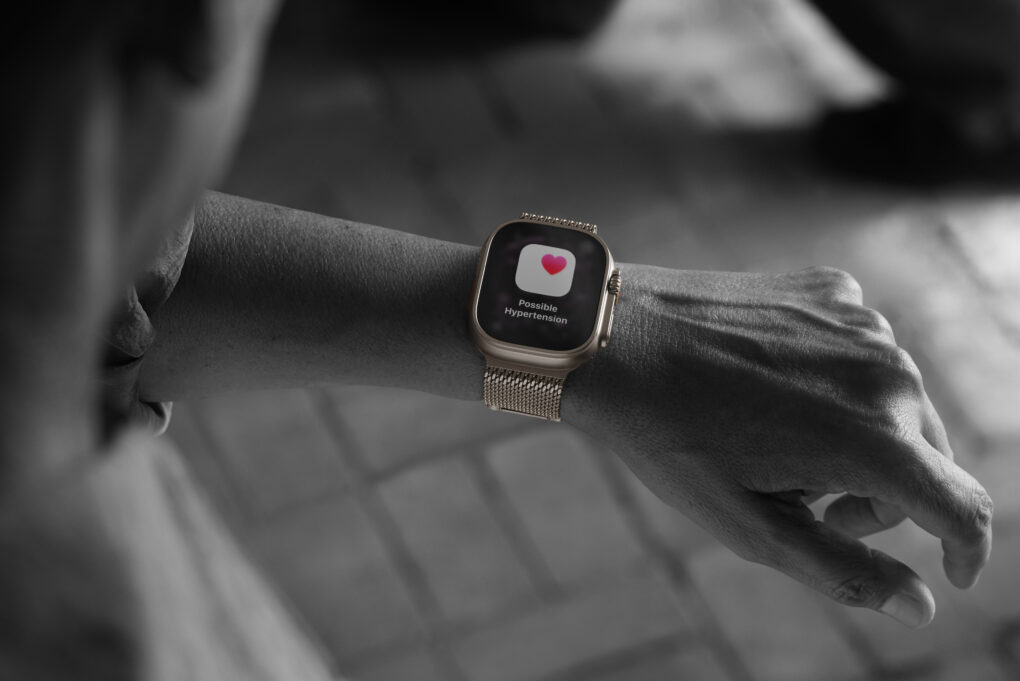
Apple Watch Ultra 3 is one of the models featuring Hypertension Notifications. Photo: Apple
For millions of Apple Watch owners, the Hypertension Notifications Feature available on recent models is a big leap in wearable health monitoring. It promises to alert users to potential high blood pressure before it leads to serious health problems. But how reliable are the alerts, and what should Apple users realistically expect?
I’ve had measurably high blood pressure for years. I wear Apple Watch 10, one of the models with hypertension alerts. And yet I’ve never seen one up close and personal. Apparently my meds are working!
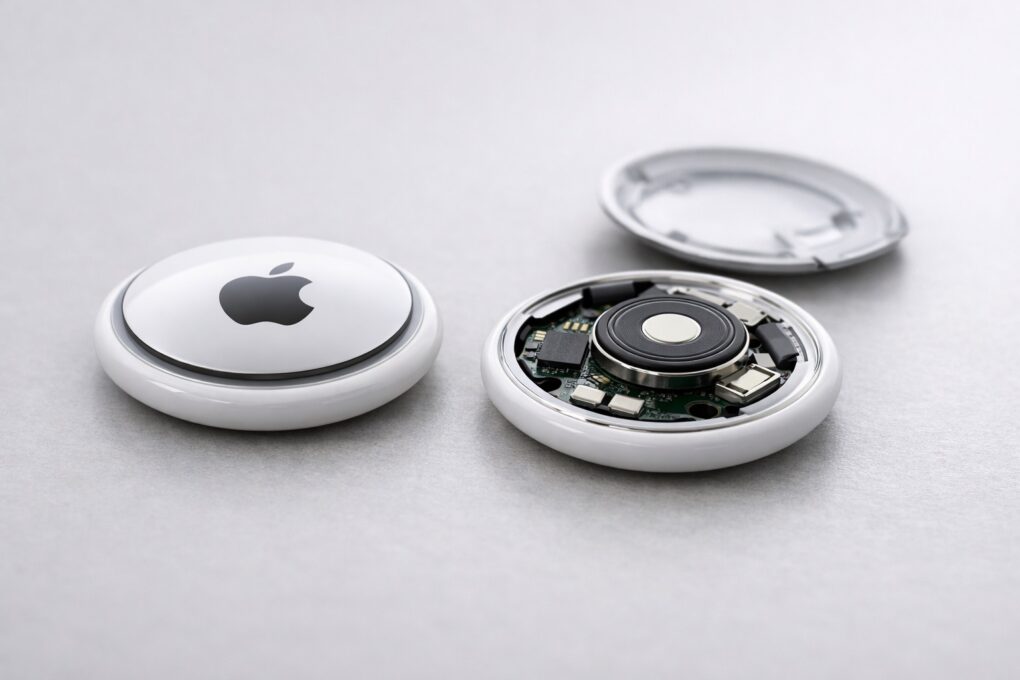
AirTag 1 vs. AirTag 2: same design, important improvements. AI image: ChatGPT/Cult of Mac
After years of rumors, Apple finally unveiled the second-generation AirTag on Monday. At first glance, it looks identical to the original, but the similarities end there.
From improved tracking precision to a louder speaker, AirTag 2 builds on its predecessor in every way.
★★★★☆
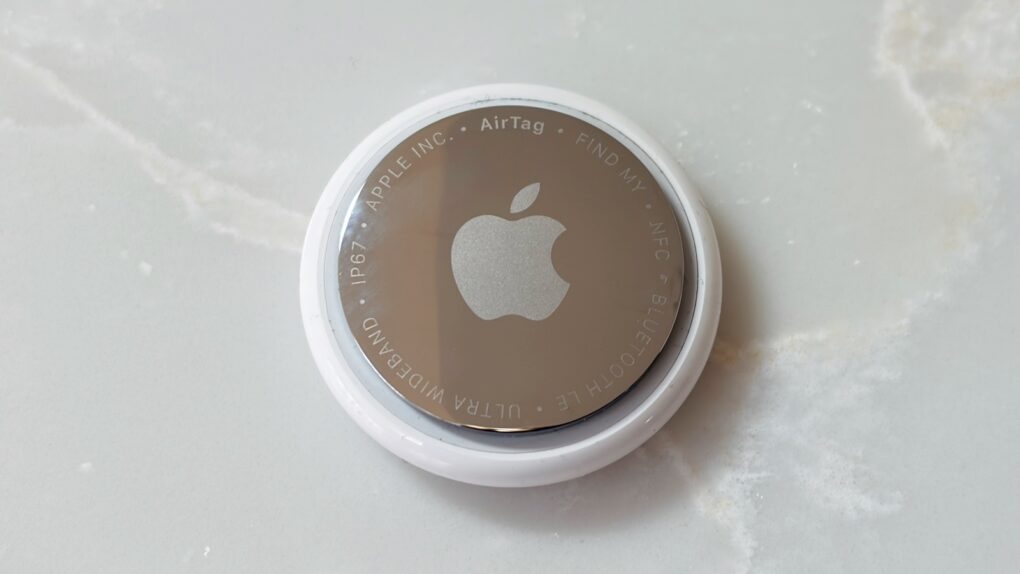
The new AirTag 2 improves on the original in almost every way. Photo: Ed Hardy/Cult of Mac
Apple just launched the long-awaited new version of its AirTag. The upgraded tracking tag is easier to find, with much longer range when using either a Bluetooth or Ultra Wideband connection from your iPhone. It also includes a louder, shriller speaker.
I put the improvements in the AirTag (2nd generation) through real-world testing for this hands-on review.
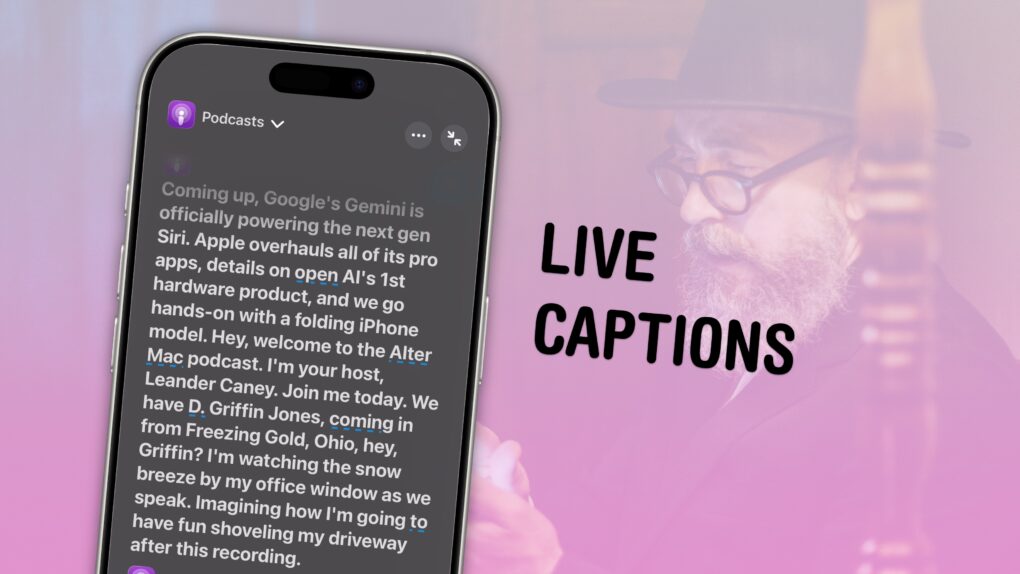
With Live Captions on, you can read a podcast ... kinda. Image: D. Griffin Jones/Cult of Mac
The iPhone’s Live Captions feature generates subtitles of any media playing on your device or heard by its microphone. Powered by the Neural Engine in Apple’s custom silicon, the ability to convert words from music, videos and real-time conversations into text on the fly is a boon to many users in many situations.
If you’re hard of hearing, for instance, the ability to see instant captions on the screen is a game-changer. Or, if you don’t have headphones when you’re sitting in bed late at night and your partner is asleep — or you’re in any situation where you don’t want to make noise, like on the bus or in an office — you can turn on Live Captions to get subtitles.
The applications are endless and exciting. Here’s how to use Live Captions on your iPhone.
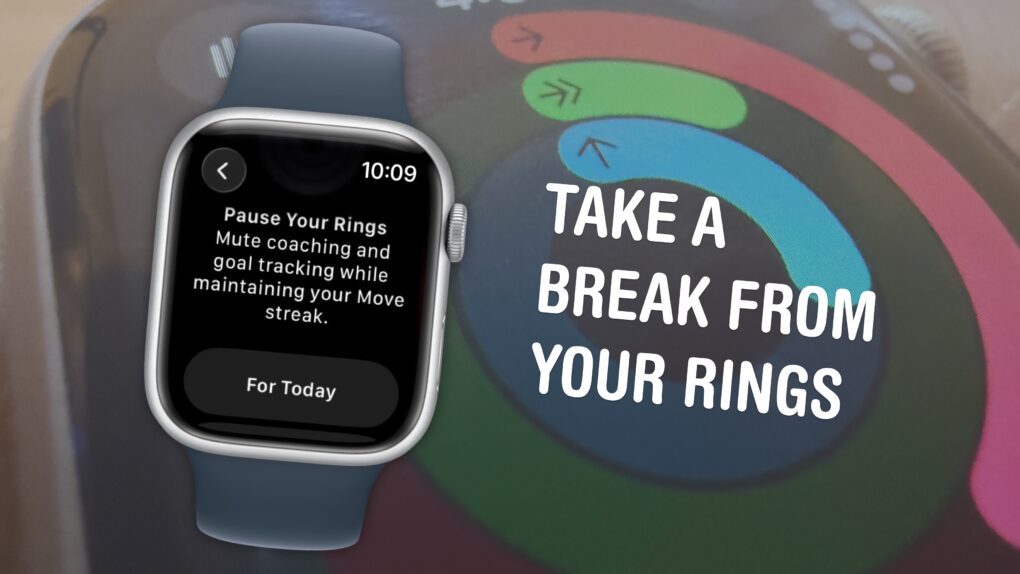
You can pause them without losing your streak. Image: D. Griffin Jones/Cult of Mac
The Apple Watch doesn’t just count your steps — its three Activity rings track different levels of energy you burn throughout the day. And the perpetual challenge to “close your rings” provides a motivational push that gamifies fitness.
Apple’s smartwatch gives you a bunch of options for customizing your Activity rings (and for taking a break when you need it). You can set different goals for each ring for different days of the week to fit your workout schedule. When you want a rest day or if you fall ill, you can take up to a month-long break without losing your streak.
If you’re all-in on the fitness tracking, you can add widgets that show your rings on your Apple Watch face and widgets on your iPhone. Or, on the other hand, if you find it all a bit annoying, you can turn off all the notifications so they won’t bother you anymore.
Here’s everything you need to know about the Apple Watch’s Activity rings.
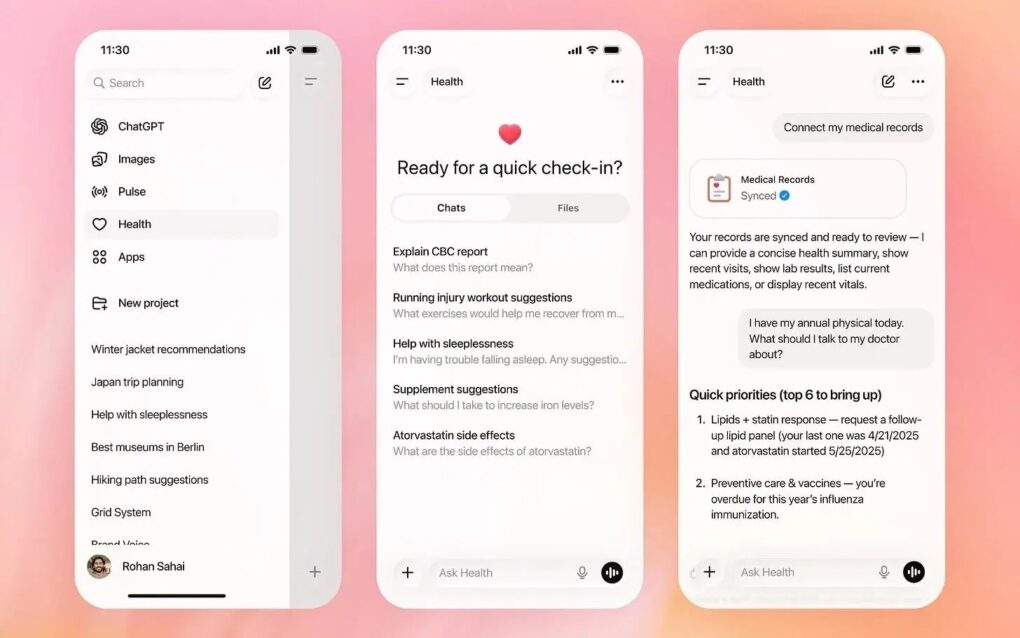
You might want to reconsider handing your health data to an AI bot. Photo: OpenAI
When Washington Post tech columnist Geoffrey A. Fowler gave ChatGPT access to a decade of his Apple Watch data, he expected useful insights. Instead, the AI delivered wildly inconsistent health assessments that left him questioning the readiness of AI-powered health tools.
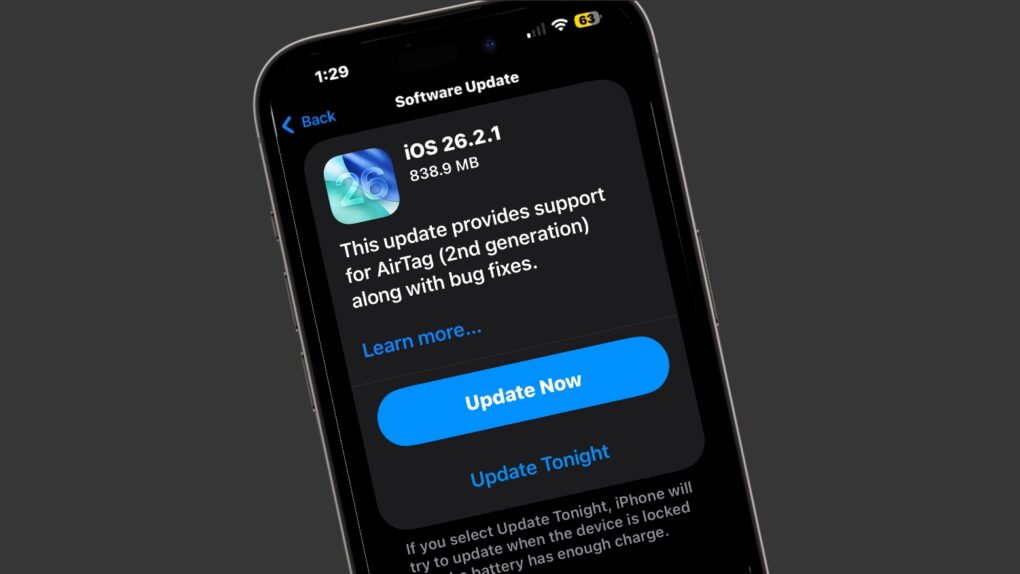
iOS 26.2.1 is only one of the operating system upgrades Apple just released. Image: Apple/Cult of Mac
There’s a fresh round of system software updates for iPhone, iPad and Apple Watch on Monday. Apple released iOS 26.2.1, iPadOS 26.2.1 and watchOS 26.2.1 to support AirTag 2, a tracker tag also introduced on Monday.
Note that Mac users didn’t get an equivalent macOS 26.2.1 update — likely because Macs and AirTags aren’t truly intended to be used together.
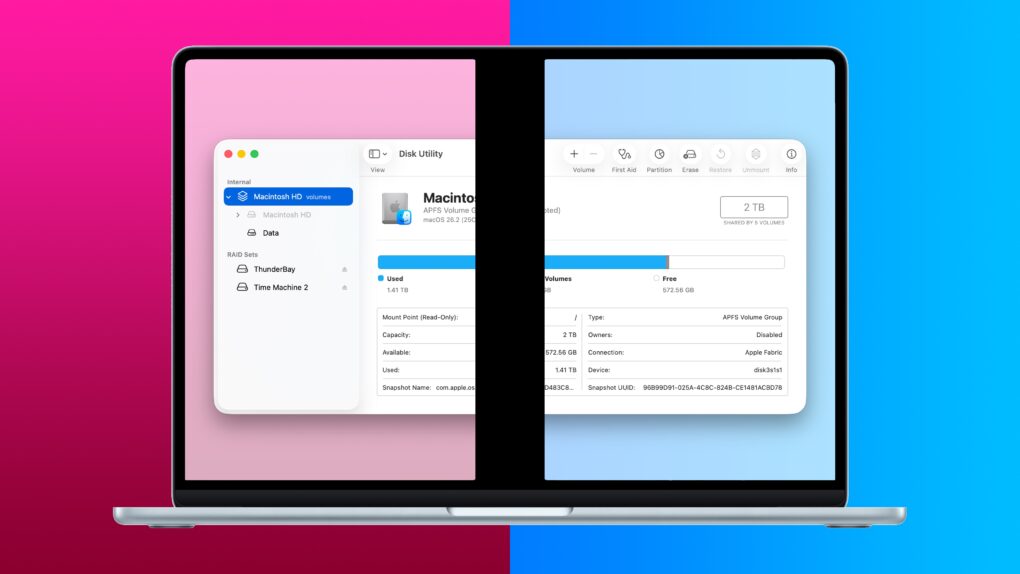
The built-in tools make it easy to partition your Mac hard drive. Image: D. Griffin Jones/Cult of Mac
If you want to install a beta version of macOS, either for software development or for simply poking around, the smartest way to do it is to partition your Mac’s hard drive. That will create a new storage area just for the different installation, with entirely separate data, so none of your precious documents are at risk.
You also might want to have different versions of macOS on hand for testing old versions of the operating system, too. It’s easier than keeping a pile of aging Macs around (my go-to strategy).
Luckily, the Mac comes with a very handy tool to partition your hard drive for free. Read on to find out how to partition your Mac’s hard drive with Disk Utility.
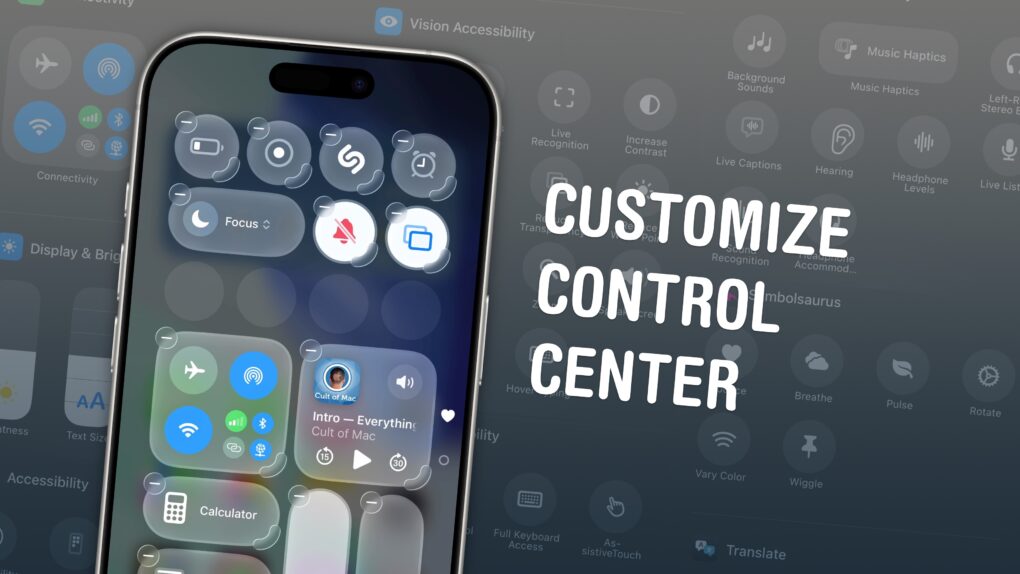
Make Control Center your own with these customization options. Image: D. Griffin Jones/Cult of Mac
If you want to make your iPhone easier to use, you can customize its Control Center to gain faster access to the buttons and toggles you rely upon to perform frequent tasks.
Plus, you can remove all the junk you never touch from the iPhone Contol Center, putting the vital controls you actually use front and center.
Keep reading to find out how and why you should customize the iPhone Control Center to make the device your own.
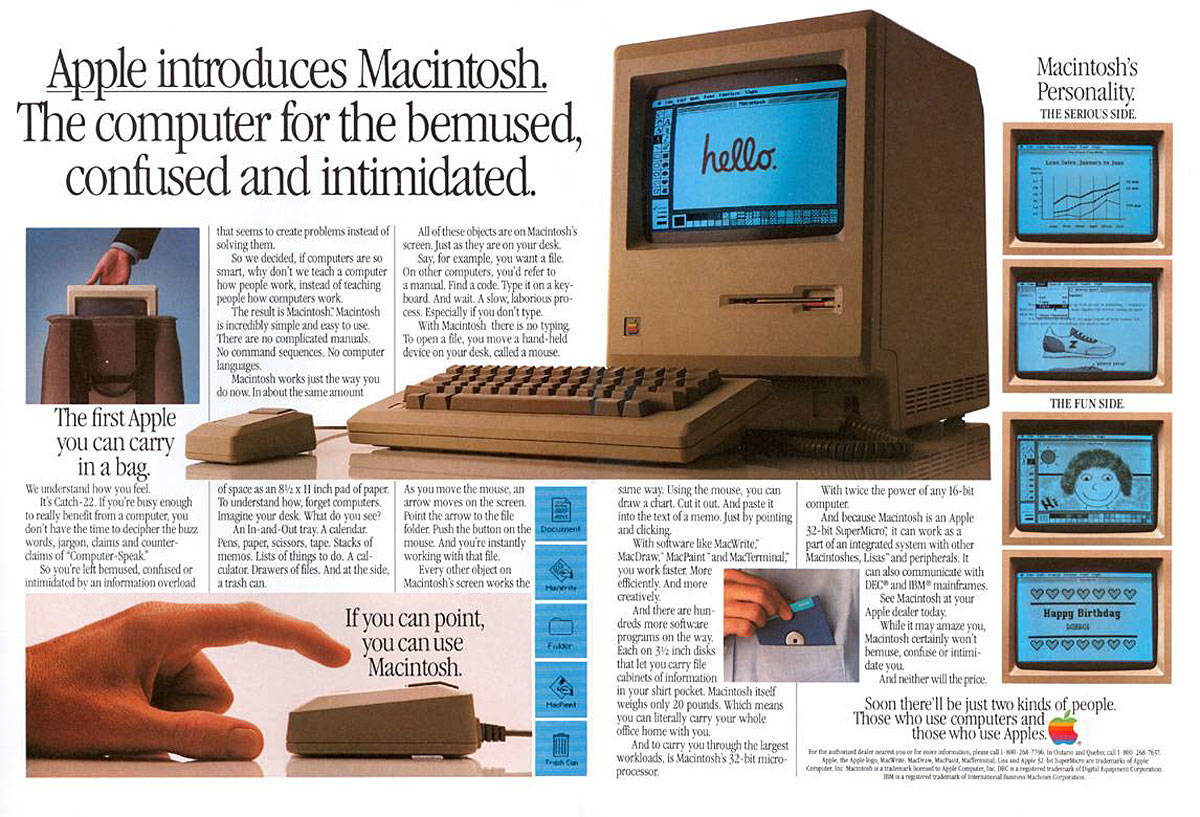
Apple lays out the strengths of the revolutionary Macintosh 128K. Photo: Apple
January 24, 1984: Apple ships its first Mac, the mighty Macintosh 128K.
Bringing a mouse and graphical user interface to the masses, and heralded by an acclaimed Super Bowl commercial that’s still talked about today, the first-gen Mac will quickly become one of the most important personal computers ever released.
★★★★☆
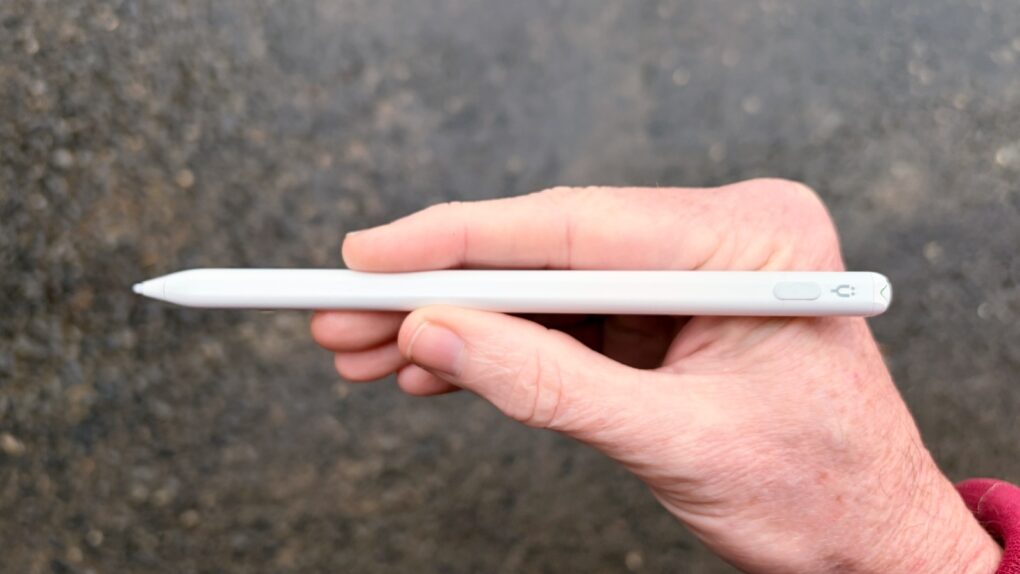
This affordable iPad stylus has a trick no Apple Pencil can match. Photo: Ed Hardy/Cult of Mac
Stop feeling frustrated that Apple Pencil works with iPad but not iPhone. The Tinymoose Pencil Pro Ultra supports Apple tablets and handsets.
Beyond iPhone support, the stylus offers iPad users palm rejection, zero lag, Scribble support, magnetic attachment to the tablet and more.
I tested the affordable accessory with both iPad and iPhone — here are the results.
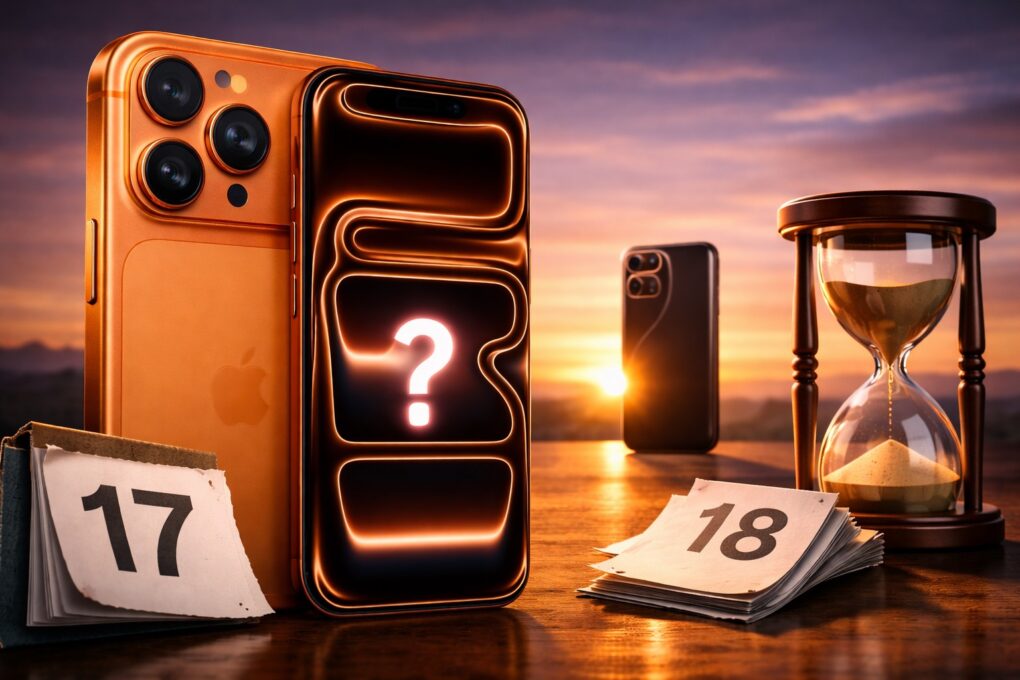
iPhone 17 Pro is good, but the iPhone 18 Pro will be better. AI Image: ChatGPT
Apple delivered some genuinely meaningful upgrades with the iPhone 17 Pro, fulfilling all the fundamentals: better performance, display, battery life and overall polish. Under normal circumstances, this would make an easy upgrade.
Yet, I’m choosing to skip it. If the iPhone 17 Pro nailed the basics, the iPhone 18 Pro looks set to finally push Apple’s Pro lineup forward in a meaningful way.
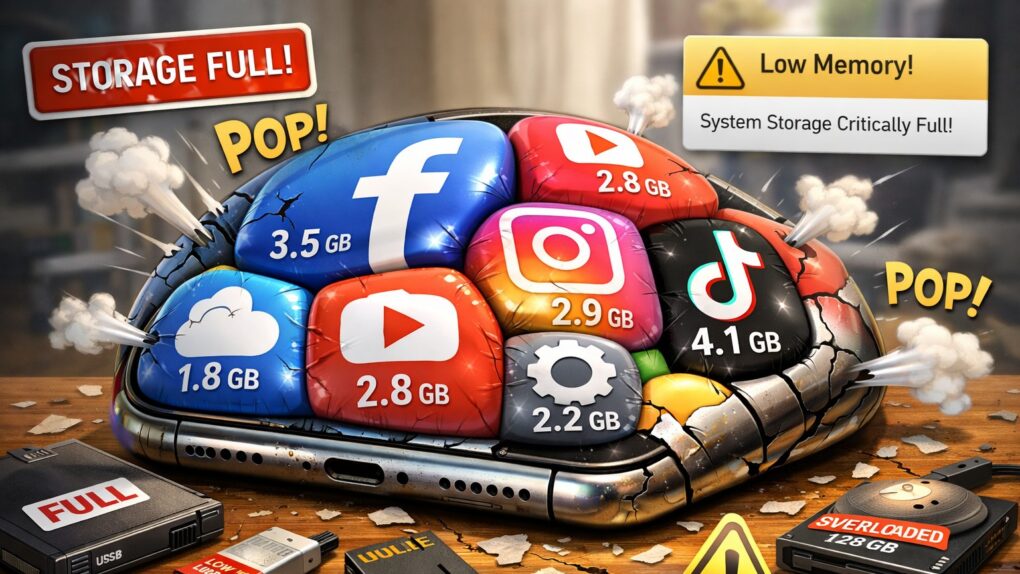
Does it seem like iOS apps keep getting bigger and heavier? It's not your imagination. AI image: ChatGPT/Cult of Mac
If you’ve noticed your iPhone storage filling up faster than it used to, you’re not imagining things. Modern iOS apps now routinely consume hundreds of megabytes, with some reaching multiple gigabytes in size. What’s behind this relentless growth? Why do iOS apps take so much space? And what can you do about it? Read on.
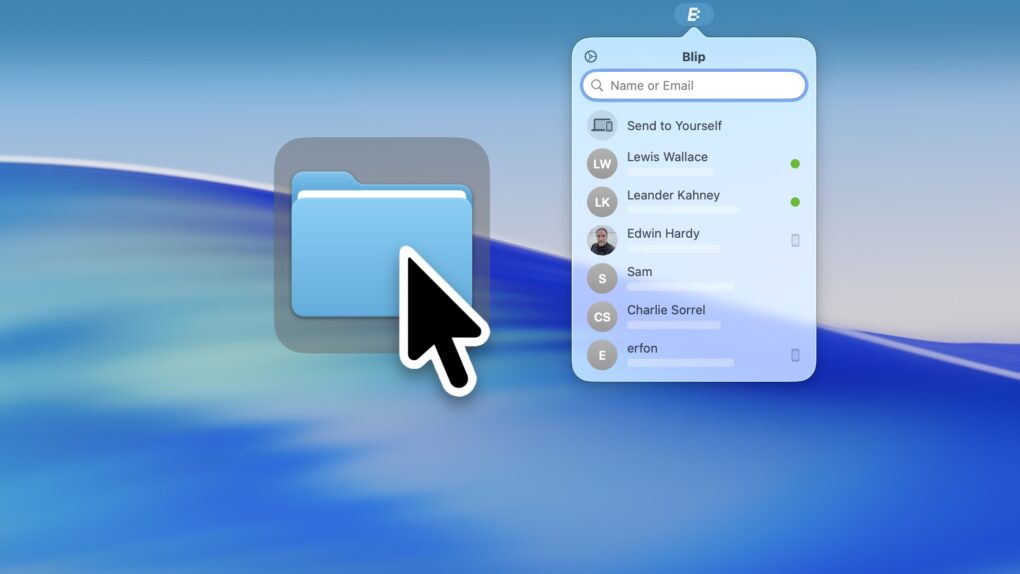
Blip, a handy app for Mac, iOS, Windows and Android, is a better way to transfer files. Image: D. Griffin Jones/Cult of Mac
The Blip file transfer app is a delightful utility that lets you move extremely large files and folders quickly across the internet — directly from your computer to somebody else’s.
With Blip, there’s no middleman uploading to and downloading the file from a cloud, and no pesky web app to sign into. It’s like beaming your files onto someone else’s computer.
It’s the easiest, most straightforward way to send someone large folders of files or complex projects from your Mac, iPhone, PC or Android device. And best of all, it’s totally free and secure. You can get it from blip.net.
★★★★☆
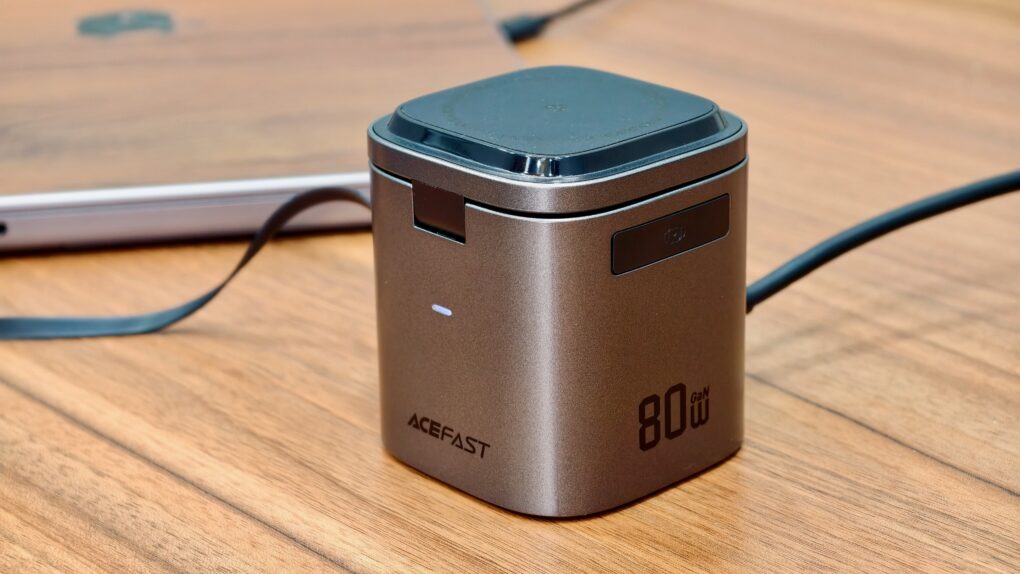
This compact iPhone charging station can also top-up your AirPods and Apple Watch wirelessly. Photo: Rajesh Pandey/Cult of Mac
With the ever-growing number of devices on my desk, a charging station has become a non-negotiable accessory. Instead of juggling multiple chargers, cables and adapters, a charging station can keep everything organized.
That’s where Acefast’s 6-in-1 80W foldable GaN charging station shines. Despite its compact size, it can charge up to six devices simultaneously, all while reducing the clutter and chaos on my desk.



 January 24, 1984: Apple ships its first Mac, the mighty Macintosh 128K.