
While most Thunderbolt docks focus on either an expansive port selection or providing great value for money, the Ugreen Maxidok 17-in-1 Thunderbolt 5 dock offers the best of both worlds — especially with launch discounts that slash 22% off the price.
Plus, it packs a hidden port that solves a common complaint among heavy-duty Mac users. After using it as the centerpiece of my work desk, here’s how it holds up.
Ugreen Maxidok 17-in-1 Thunderbolt 5 dock review
Your Mac’s Thunderbolt port can connect to a dock, letting you plug multiple accessories through a single connection. This enables a one-cable setup, as that same cable can also power your computer.
Since Thunderbolt 5 enables speeds of up to 120Gb/s, it opens the door to more powerful docks. The problem is that most high-end docks run hot, especially as you keep connecting more accessories.
That’s where Ugreen’s newest flagship Thunderbolt 5 dock takes a different approach. It includes a built-in cooling fan to actively manage temperatures, helping it stay cool even when you have multiple high-performance devices connected.
The hidden M.2 NVMe SSD slot is another standout feature, increasing the dock’s usefulness and helping it hold its own against the competing CalDigit TS5 Plus. (Read my review of that excellent accessory: CalDigit TS5 Plus is a Thunderbolt dock without limits.)
Ugreen’s Maxidock 17-in-1 combines Thunderbolt 5 speeds with a versatile port selection and a hidden NVMe SSD slot for expandable storage. It handles demanding workflows and stays cool thanks to an active cooling system.
- Front USB-C ports can output up to 60W of power
- Runs cool even under load
- Allows for a true one-cable setup
- No USB-C ports on the back
- No USB-A port on the front
- Limited power output when all ports are in use
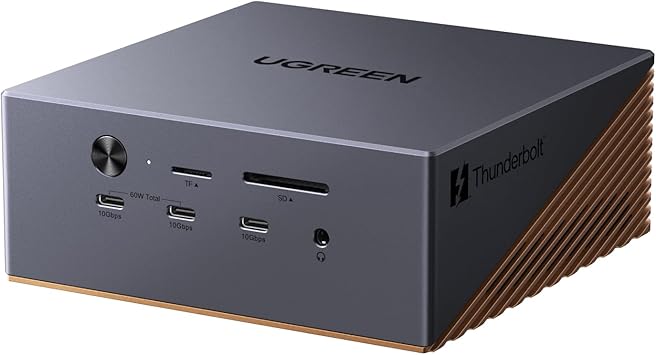
Table of contents: Ugreen Maxidok 17-in-1 Thunderbolt 5 dock review
Hardware and design
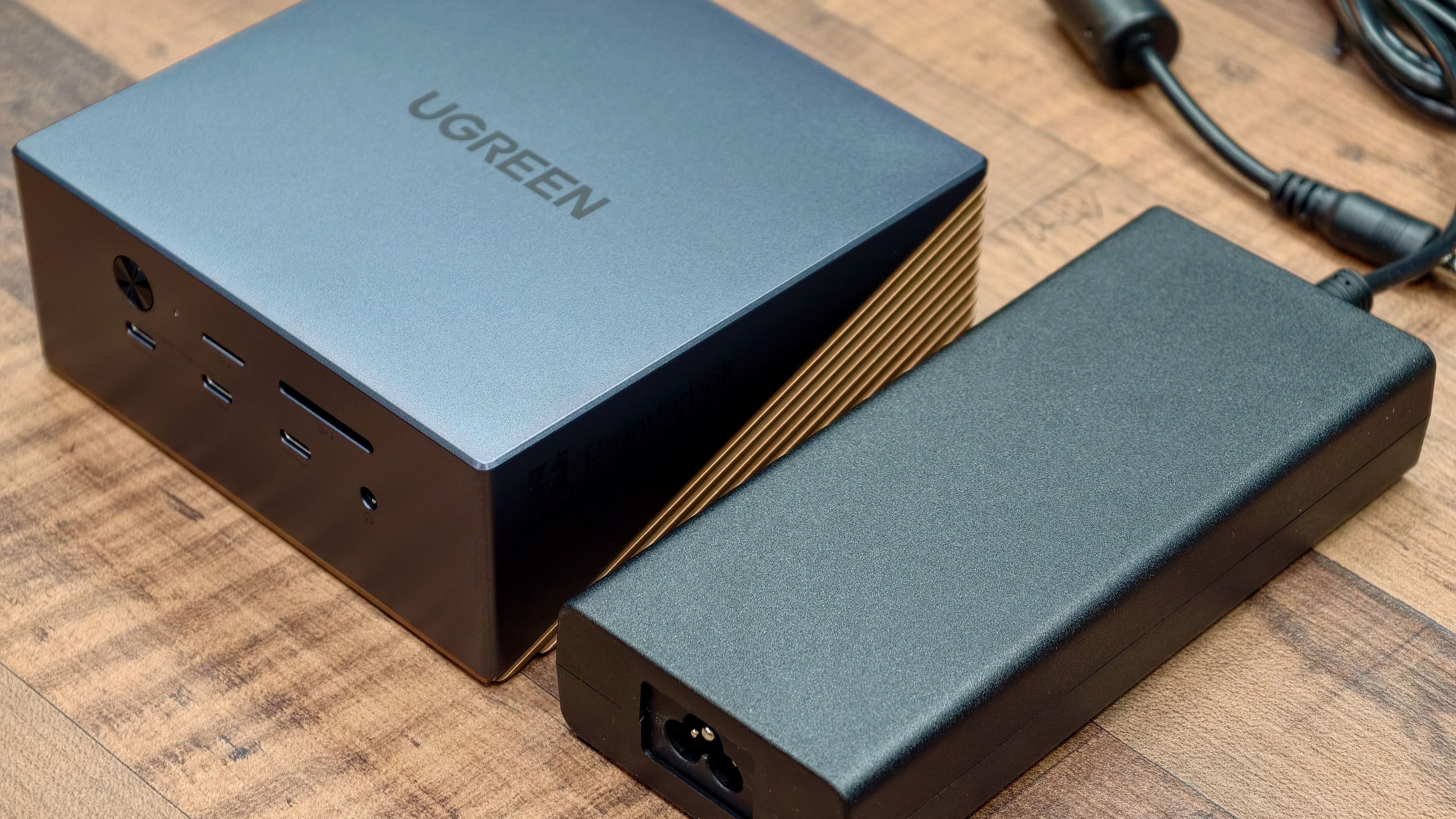
Photo: Rajesh Pandey/Cult of Mac
Most Thunderbolt docks tend to look the same — boxy, minimalist and easy to ignore on a desk. The Ugreen Maxidok follows a similar understated approach, but adds just enough flair to stand out. It uses a two-tone design, pairing a dark gray top with a contrasting gold-tone base that wraps around the lower half.
The dock looks and feels premium, with the two-tone design not going over the top. Likewise, the subtle Ugreen logo and Thunderbolt branding on the top and right side spice things up just a bit. The finish also resists fingerprints, so the dock looks clean even after weeks of regular use.
While the top half of the Ugreen Maxidok 17-in-1 Thunderbolt 5 dock uses a smooth aluminum finish, the gold-toned lower section features a layered design. It integrates intake vents along the sides, with additional exhaust vents at the rear for cooling.
Sturdy and understated
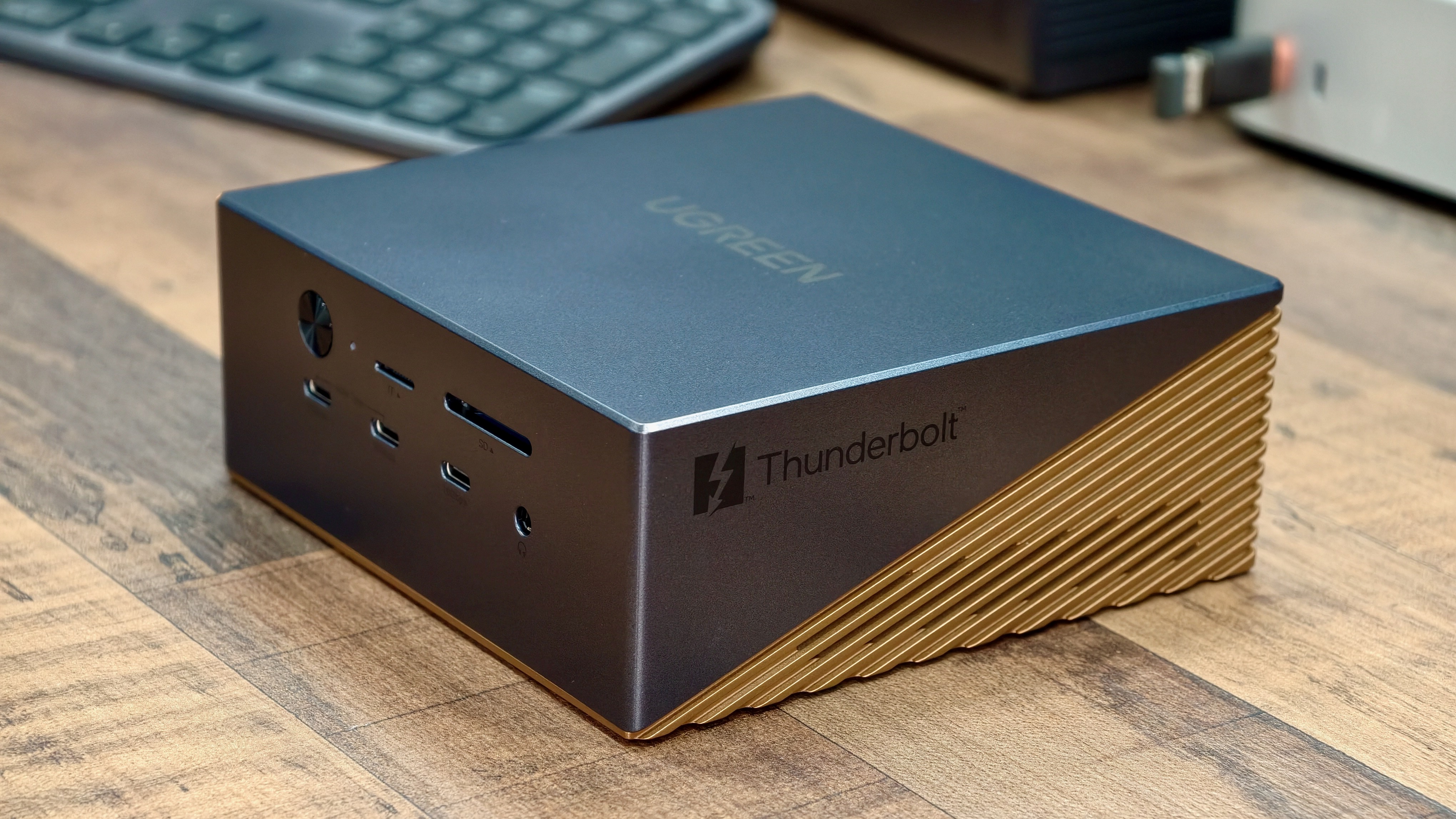
Photo: Rajesh Pandey/Cult of Mac
The dock has a reassuring heft to it, which helps it stay firmly in place even when multiple cables are plugged in. The flat top and clean edges also make it easy to stack or place under a monitor. This ensures it can blend well into a desk setup without drawing too much attention.
On my desk, the Ugreen Maxidok sits neatly next to the M4 Pro Mac mini without drawing much attention. The gray finish doesn’t match the Mac mini or Mac Studio, but it still blends in well and doesn’t stand out. Like the Mac mini itself, its understated design hides its capabilities well.
A tiny LED glows blue when the dock is powered on and in use. And you can turn off the dock using a power button on the front.
Connectivity: Plenty of ports with a hidden storage upgrade
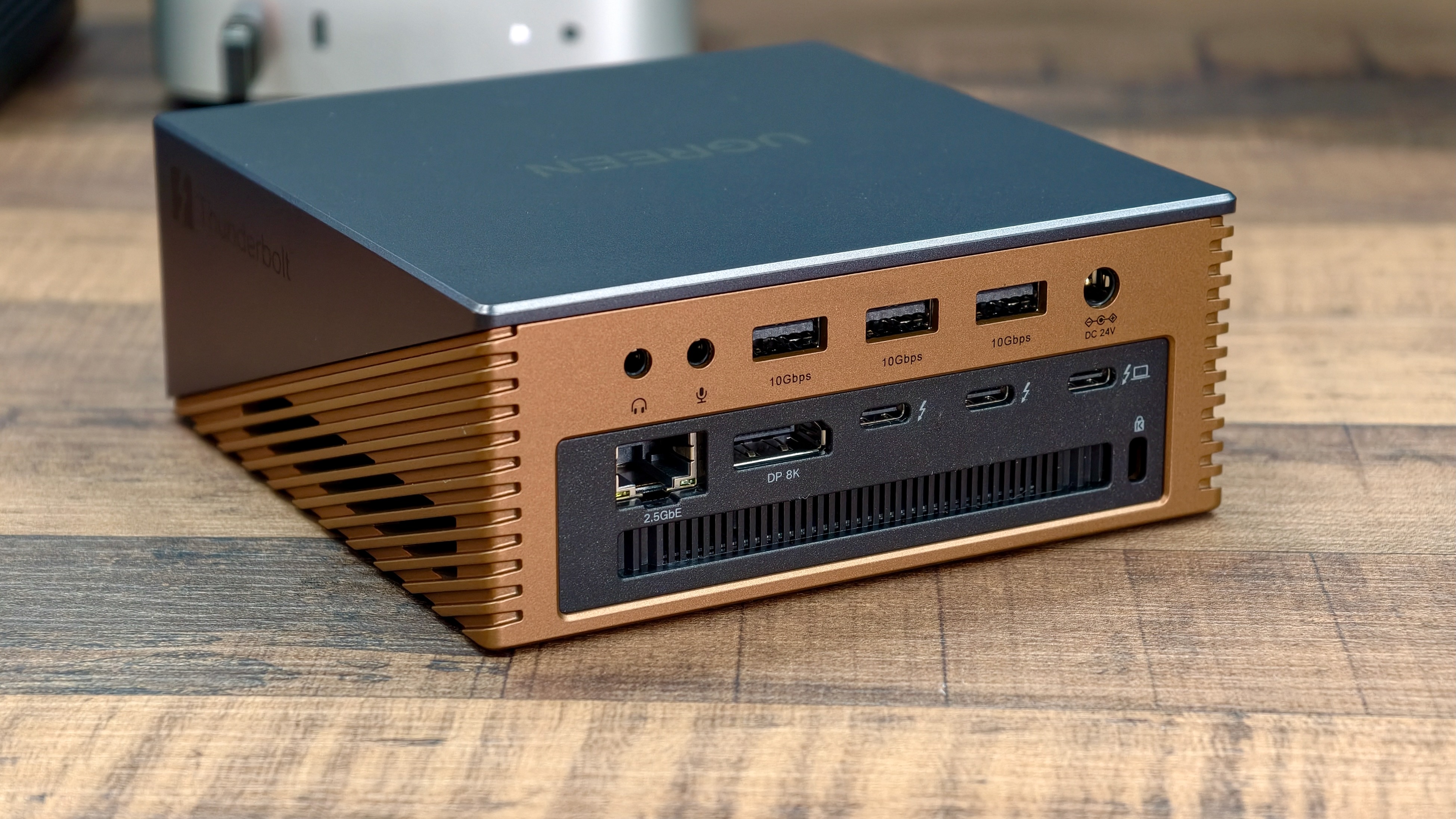
Photo: Rajesh Pandey/Cult of Mac
As its name suggests, the Ugreen Maxidok uses Thunderbolt 5’s extra bandwidth to offer 17 ports. That’s more than most Thunderbolt 5 docks, though it falls short of the 20 ports the CalDigit TS5 Plus offers. Still, unless you are a power user, this should not be a cause for concern.
Front ports:
- 2 × USB-C (10Gbps) — up to 60W power output
- 1 × USB-C (10Gbps)
- 1 × 3.5mm audio jack (in/out)
- 1 × SD card slot (UHS-II, 312MB/s)
- 1 × microSD card slot (UHS-II, 312MB/s)
Rear ports:
- 2 × Thunderbolt 5 (downstream) — 15W power output
- 1 × Thunderbolt 5 (upstream/host) — up to 140W charging
- 3 × USB-A (10Gbps)
- 1 × DisplayPort
- 1 × 2.5 Gigabit Ethernet
- 1 × DC power input (240W adapter)
- 1 × 3.5mm audio jack (in)
- 1 × 3.5mm audio jack (out)
- 1x Kensington lock
The hidden bonus that’s a real win for Mac power users
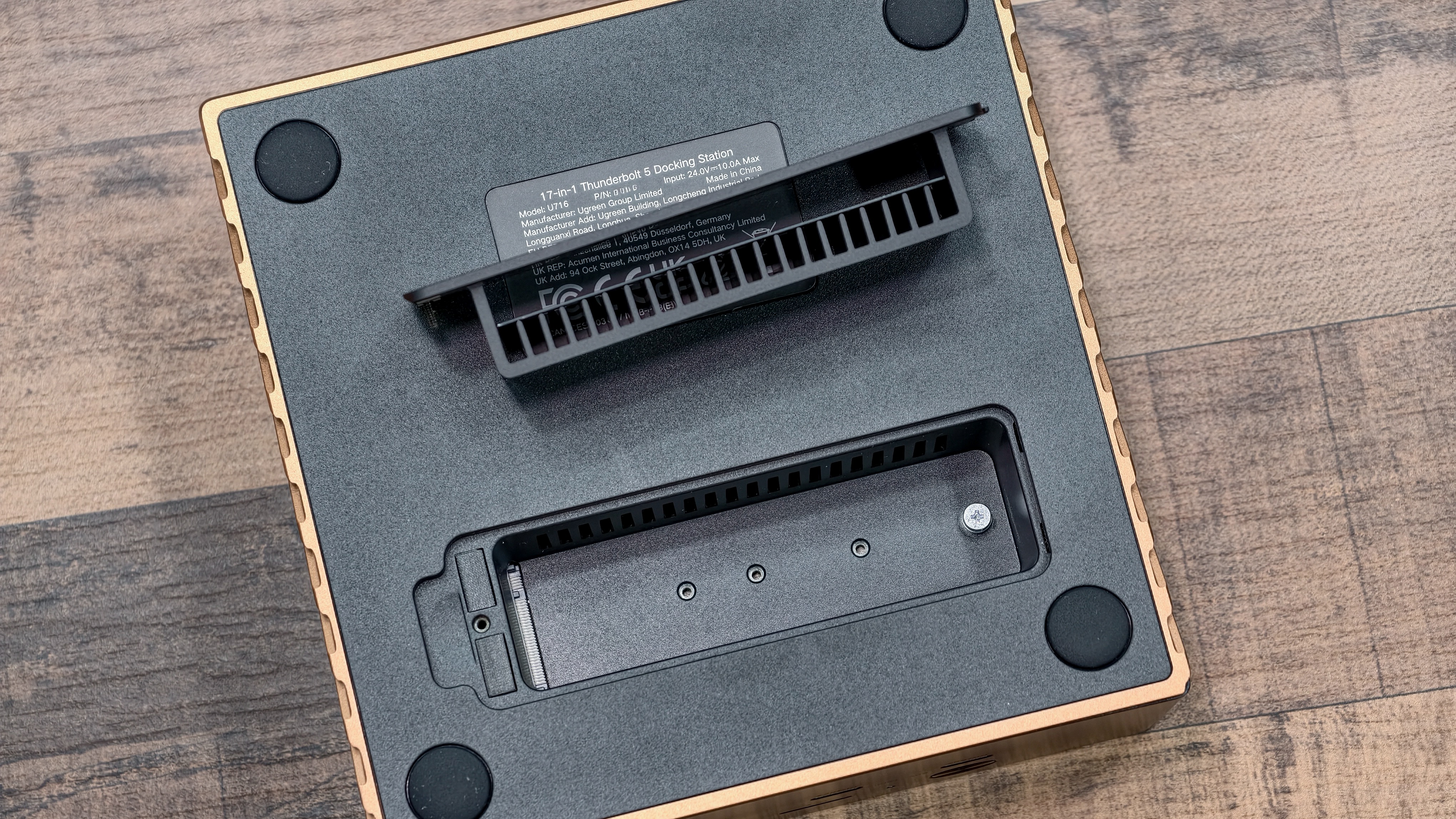
Photo: Rajesh Pandey/Cult of Mac
Unlike many competing products, the Ugreen Maxidok 17-in-1 Thunderbolt 5 dock features an M.2 NVMe SSD slot. This essentially allows you to expand your Mac’s storage on the cheap if you don’t want to pay the Apple tax.
The SSD slot sits on the underside of the dock and requires the bundled screwdriver for installation. The Ugreen dock even includes a heatpad to help keep the NVMe drive running cool under load.
With support for up to 80Gbps transfer speeds, you should easily get read/write speeds exceeding 5GB/s with a compatible PCIe Gen 4 SSD.
When you use the dock with a MacBook Pro, the storage remains accessible only while the laptop stays connected. This means any large apps installed on the drive won’t be available once you undock.
Still, you can use the NVMe SSD inside the Ugreen Maxidock 17-in-1 as a fast scratch disk for editing large photos or videos. You can get an extra 8TB of storage space this way — ideal for handling large projects without filling up your Mac’s internal drive.
Despite all the ports and bandwidth, Ugreen’s Thunderbolt 5 dock can only drive two external displays on a Mac. This isn’t a limitation of the dock, but of macOS itself.
Ugreen Maxidock 17-in-1 Thunderbolt 5 performance
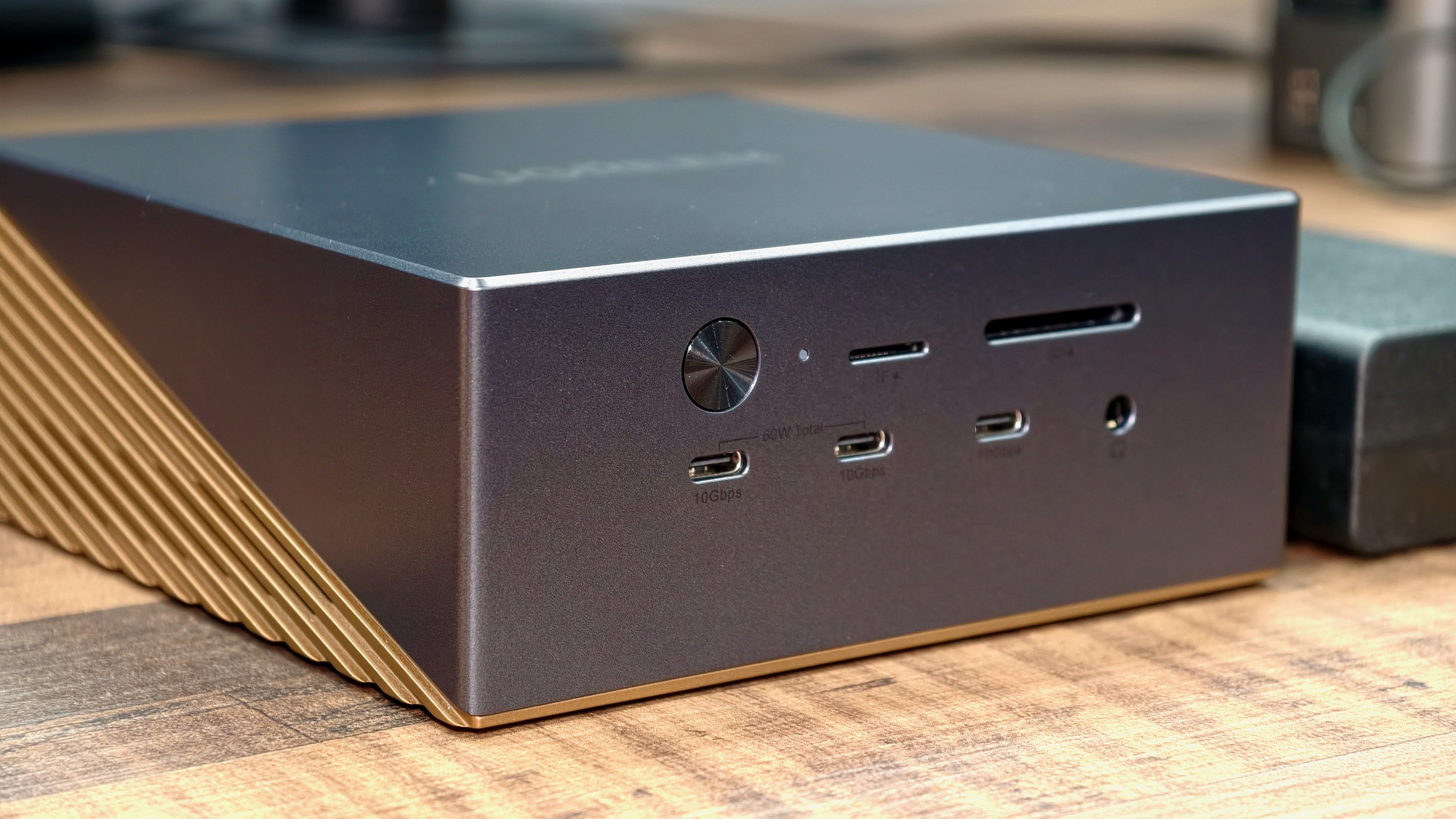
Photo: Rajesh Pandey/Cult of Mac
While the Ugreen Maxidok 17-in-1 Thunderbolt 5 dock offers plenty of USB ports, their placement could be better.
The rear lacks USB-C ports and instead includes three USB-A ports. The front houses three USB-C ports but no USB-A port. I’d have preferred at least one USB-A port on the front. Even a USB 2.0 port would have been sufficient for connecting older, low-bandwidth devices.
There’s no offline charging here, so you can’t charge small, connected accessories if the dock is not in use.
Two of the front USB-C ports can push 60W of combined power, so you can fast charge your iPhone or iPad. When a single USB-C port is used, it can output 60W power. That makes it good enough to almost fast charge a MacBook Air.
Plenty of power for most uses
As with some other high-end Thunderbolt 5 docks, Ugreen bundles a 240W power adapter with the Maxidok 17-in-1. The dock can push up to 140W to a connected MacBook Pro. Additionally, it pushes 60W to the front two USB-C ports and 15W each to the rear two Thunderbolt 5 ports. That sounds good on paper, but it also means there isn’t enough power to fully support multiple high-demand devices when all the ports are in use.
To handle this, the Ugreen Thunderbolt 5 dock dynamically distributes power across connected devices. This will work fine in most cases — I did not run into any problems. However, if you use multiple power-hungry accessories, you might run into this limitation.
The 15W output on each rear Thunderbolt port may also be a bottleneck for some high-speed external SSDs and similar devices. Under heavy load, they could see slower performance or even disconnect occasionally.
Active cooling is a real plus

Photo: Rajesh Pandey/Cult of Mac
One of the highlights of the Ugreen Maxidok 17-in-1 Thunderbolt 5 dock is how cool it runs, even under load. I’ve tested numerous Thunderbolt 4 and 5 docks, and most of them tend to run hot. That’s largely due to the number of connected devices and the amount of power they have to deliver.
Since the Ugreen uses active cooling — it features a fan inside — it runs noticeably cool. It does not even feel warm to the touch, which is something I never experienced with any previous Thunderbolt dock. The fan itself is barely audible; I only know it’s there because I checked the specs sheet.
Coming from other Thunderbolt 5 docks that typically run hot, the Ugreen Maxidok’s cooler operating temperature provides a welcome change. The dock sits within arm’s reach on my desk, and I often touch it to plug in or unplug accessories, so the lower heat makes everyday use far more comfortable.
If anything, this convinced me that all high-powered Thunderbolt 5 docks should shift to an active cooling solution.
Pricing and warranty
At $500, the Ugreen Maxidok 17-in-1 Thunderbolt 5 dock isn’t cheap. Then again, most Thunderbolt 5 docks fall in a similar price range. You can currently score Ugreen’s new dock for as low as $390 as a launch offer, which makes it a great deal for what it offers.
It’s backed by Ugreen’s two-year warranty for extra peace of mind.
Conclusion: Ugreen Maxidock 17-in-1 Thunderbolt 5 review
If you need the ports — and, more importantly, the built-in NVMe SSD slot — the Ugreen Maxidok 17-in-1 Thunderbolt 5 dock is an easy recommendation. It runs cool, thanks to an active cooling system, making it a better choice than many other Thunderbolt 5 docks. The attractive launch pricing further makes it a compelling option, especially given the features on offer.
If you are a power user, keep in mind that the dock comes with a 240W power brick. So, under intense load, your high-end MacBook Pro might lose charge, as the dock can’t supply enough power. Likewise, you might run into power limitations with some high-power Thunderbolt accessories due to limited power output on certain ports. For such use cases, the more expensive and powerful CalDigit TS5 Plus is the better choice.
★★★★★
Ugreen’s Maxidock 17-in-1 combines Thunderbolt 5 speeds with a versatile port selection and a hidden NVMe SSD slot for expandable storage. It handles demanding workflows and stays cool thanks to an active cooling system.
- Front USB-C ports can output up to 60W of power
- Runs cool even under load
- Allows for a true one-cable setup
- No USB-C ports on the back
- No USB-A port on the front
- Limited power output when all ports are in use

Rajesh has been writing about consumer technology for over a decade, with a strong focus on iPhones, Macs and Apple’s ecosystem. He enjoys digging into Apple software updates, hardware changes, and discovering new Mac apps that make work faster and more enjoyable.
You can reach out to him at mail[at]rajeshpandey.me.


2 responses to “This Ugreen Thunderbolt 5 dock does almost everything right [Review]”
Interesting!
Almost perfect. 10Gbps ethernet would get it there. And before you think it’s overkill, True, it won’t do anything for your performance to/from the internet, 10Gbps drastically speeds up your backups.