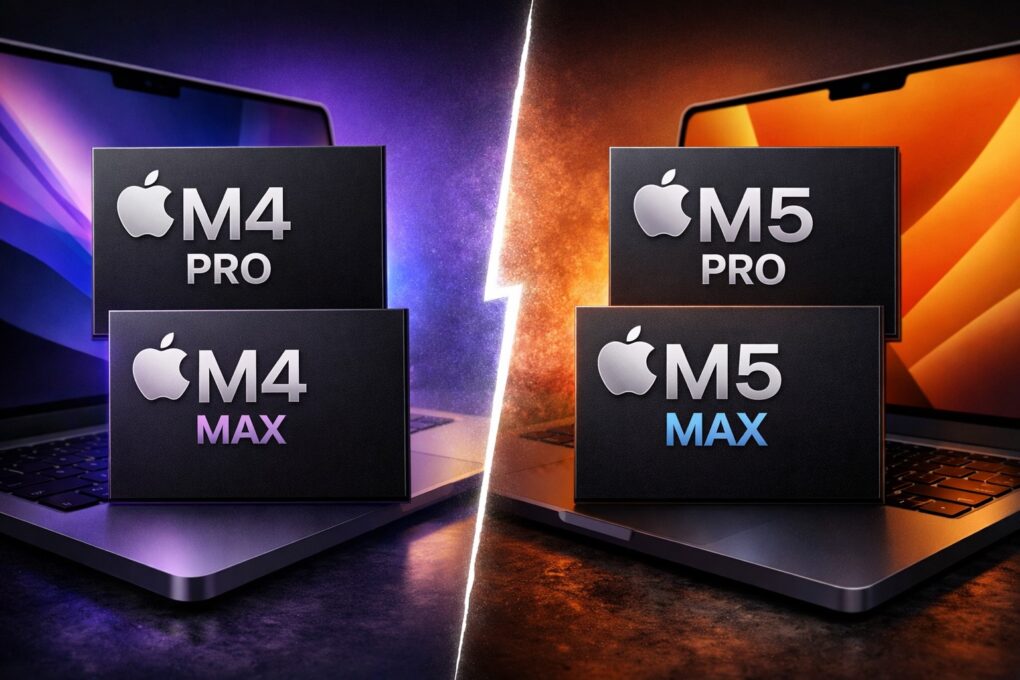
Apple’s latest M5 Pro and M5 Max chips will serve as the company’s flagship SoCs until the M5 Ultra lands on the Mac Studio in a few months.
Power-hungry Mac fans want to know: Compared to the M4 Pro and M4 Max, what improvements do the M5 Pro and its Max sibling bring? Our comparison shows exactly how these Apple processors stack up.
M5 Pro and M5 Max vs. M4 Pro and M4 Max
Since the transition to Apple silicon, Apple has introduced a major performance jump with almost every generation of its M-series chip. The constant improvements to power and efficiency have triggered a Mac renaissance like no other.
The M4 generation brought a bigger-than-usual performance boost. The M5 Pro and Max chips build on that, bringing an even greater leap in CPU, GPU and — more importantly — AI workloads.
Here’s how the M5 Pro and M5 Max chips compare to the M4 Pro and Max.
Table of contents: M4 Pro and M4 Max vs. M5 Pro and M5 Max: The real differences
CPU performance takes a solid leap forward
Image: Apple
With the M5 Pro and Max chips, Apple switched to a new chiplet design with its Fusion Architecture. This means the CPU and GPU are separate chips fabricated on TSMC’s third-gen 3nm packaging, which are then fused using advanced packaging.
The move helps reduce expensive silicon wastage for Apple. It also enables the company to extract more usable SoCs from each silicon wafer, lowering overall production costs.
Thanks to this change, the M5 Pro and M5 Max both ship with an 18-core CPU. That means you get the same CPU performance across both SoCs. (The entry-level 14-inch MacBook Pro is an outlier, as it comes with a 15-core CPU and 16-core GPU configuration.)
For comparison, the M4 Pro packs a 14-core CPU while the M4 Max includes up to a 16-core CPU.
M5 Pro and M5 Max: Now with ‘super cores’
That’s not it, though. Apple also changed the CPU core configuration. The M5 Pro and M5 Max feature 12 performance cores and six “super cores.” There are no efficiency cores here; instead, the performance cores replace them.
Technically, Apple is calling the older performance cores “super cores,” while the new “performance cores” are actually new, if that makes sense. They now feature 8MB of L2 cache per cluster, with a peak clock speed of 4.3GHz. The super cores can reach a peak speed of 4.6GHz.
The result is that the super cores deliver unrivaled performance in single-threaded scenarios. Meanwhile, the 12 performance cores promise great multithreaded performance while sipping battery.
Apple says its new M5 chips deliver 15% to 30% faster CPU performance compared to their M4 counterparts. This improvement should be easily visible while compiling code, processing large datasets or running complex simulations.
Benchmarks back up Apple’s numbers, with the M5 Pro and Max being about 15% to 30% faster than their predecessors.
Apple’s GPUs get faster and smarter
The M5 Pro and Max ship with the same number of GPU cores as their M4 counterparts. You can get the M5 Pro with up to a 20-core GPU, while the M5 Max comes with either a 32- or 40-core GPU.
Thanks to a new architecture and the addition of Neural Accelerators in each GPU core, Apple’s newest Pro and Max chips offer a significant performance boost. As a result, the new chips muster up to 50% faster graphics performance in certain workloads.
Apple says the M5 Pro and M5 Max deliver 20% faster graphics performance than the M4 Pro and Max, with ray tracing up to 35% faster. The peak GPU compute on the new chips is four times more than the M4 Pro/Max.
Memory bandwidth gets a boost, too, with the M5 Pro now reaching 307GB/s and the M5 Max topping out at 614GB/s. As before, you can configure the M5 Pro MacBook Pro with 64GB RAM, while the M5 Max supports up to 128GB of memory.
As for storage, the M5 Pro MacBook Pro tops out at 4TB, while you can order the M5 Max with 8TB. While the maximum storage capacity remains the same, the new SSDs deliver twice as fast read/write speeds.
The 16-core Neural Engine also performs better, with higher bandwidth to quickly process on-device AI workloads. Apps that directly rely on the Neural Engine, including Image Playground, should finish tasks faster on the M5 Pro/Max MacBook Pros.
Benchmarks show real performance improvements
How big is the performance leap in numbers, though? Ars Technica benchmarks show the 16-inch MacBook Pro with M5 Max chip scoring 282.1fps in GFXBench’s Aztec 4K Metal benchmark.
For comparison, the M4 Max-equipped MacBook Pro manages 226.7fps in the same test, while the M3 Max model topped out at 206.4fps. While the M5 Max looks like an impressive leap, the M3 Ultra with an 80-core GPU manages 379.4fps in the same test.
Impressively, the M5 Pro and M5 Max deliver these impressive performance gains without a radical increase in power consumption. While they do consume more power, the faster speeds allow them to return to idle faster, negating the extra power draw.
If you are into LLM work, the M5 Pro or Max’s faster GPU can significantly boost processing speeds. The time to first response when running local LLMs is more than 50% faster, thanks to the more powerful GPU.
The video from Alex Ziskind below shows just how well the M5 Max fares against the M4 Max in AI workloads.
Should you upgrade to the M5 Pro or M5 Max?
Unsurprisingly, the M5 Pro and M5 Max are Apple’s best chips yet, at least until the M5 Ultra launches. But if you already own an M4 Pro/Max-powered MacBook Pro, should you upgrade to the M5 version?
Unless your workflow is already pushing the limits of the M4 Max, especially in GPU-heavy tasks like running local LLMs, 3D rendering or other graphically intensive workloads, the real-world benefits of upgrading may be limited.
In fact, the M4 Pro and M4 Max still offer more than enough performance for most professional tasks, be it video editing, software development, data analysis or creative work. The M5 chips push the envelope further, but they are not a must-have upgrade.
Note, however, that the M5 Pro/Max MacBook Pros come with SSDs that are twice as fast as the ones in their predecessors. That makes the new machines feel faster, especially in read/write-heavy workflows.
If you own an older M1 or M2 Max-powered MacBook and regularly run LLMs or other GPU-intensive workloads, upgrading to the M5 Pro/Max makes more sense. Your workflow should see a notable performance boost, saving you time and/or helping you get more done.
Ideally, if you are hitting the limits of the M4 Max, you should wait for the M5 Ultra Mac Studio. Its additional CPU and GPU cores will bring a bigger performance leap.

Rajesh has been writing about consumer technology for over a decade, with a strong focus on iPhones, Macs and Apple’s ecosystem. He enjoys digging into Apple software updates, hardware changes, and discovering new Mac apps that make work faster and more enjoyable.
You can reach out to him at mail[at]rajeshpandey.me.


One response to “M5 Pro and M5 Max vs. M4 Pro and M4 Max: How big is the performance jump?”
The only 3D that I use is Second Life via the Firestorm viewer. Since the idiots who do 3D games tie text chat to frame rate, my old 2017 iMac chokes during chats. So, what are the comparisons between 2017 iMac 27″ 5K, 4.2 GHz Intel i7 Kaby Lake, 24 GB RAM, , 4TB internal Crucial SATA SSD as boot volume, 1TB internal SSPOLARIS 4x NVMe SSD for Time Machine, Radeon Pro 580 with 8 GB vram, MacOS Ventura 13.7.8 latest and a Mac Mini M5, M5 Pro, M5 Max and M5 Ultra for Second Life?