Mobile menu toggle

Top Stories - page 46

Today in Apple history: Power Mac G5 goes on sale

By •

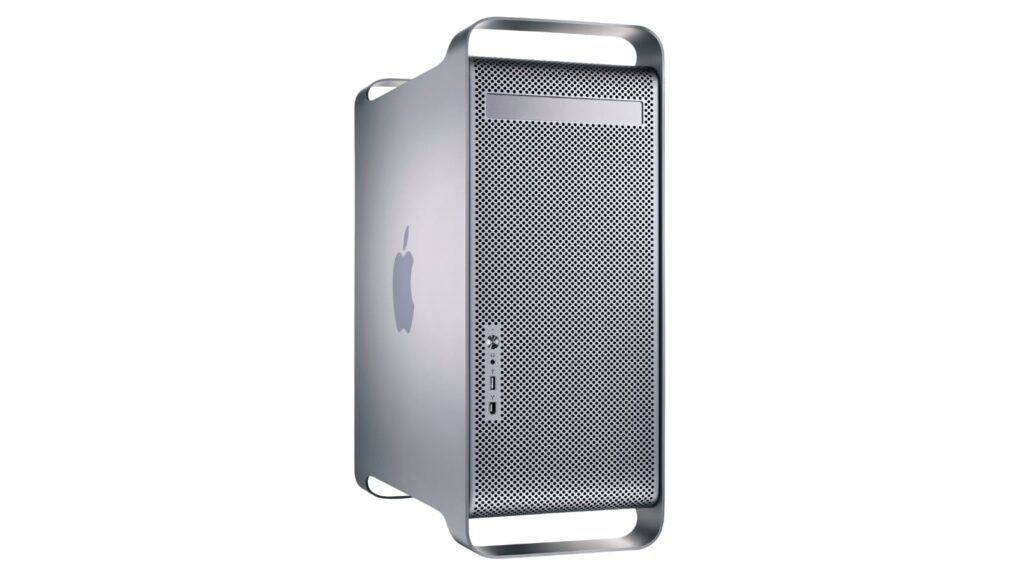
Photo of the Power Mac G5 at time of launch
The gorgeous design of the Power Mac G5 set the template for Apple's most powerful computers.
Photo: Apple

Thursday23June 23, 2003: The Power Mac G5 goes on sale. Affectionately nicknamed the “cheese grater” due to its distinctive perforated exterior, it’s Apple’s fastest-ever machine — and the world’s first 64-bit personal computer.

“The 64-bit revolution has begun and the personal computer will never be the same again,” Apple CEO Steve Jobs said in a press release describing the beastly machine. “The new Power Mac G5 combines the world’s first 64-bit desktop processor, the industry’s first 1 GHz front-side bus, and up to 8GB of memory to beat the fastest Pentium 4 and dual Xeon-based systems in industry-standard benchmarks and real-world professional applications.”

Today in Apple history: Steve Jobs shows off iPhone 3G

By •

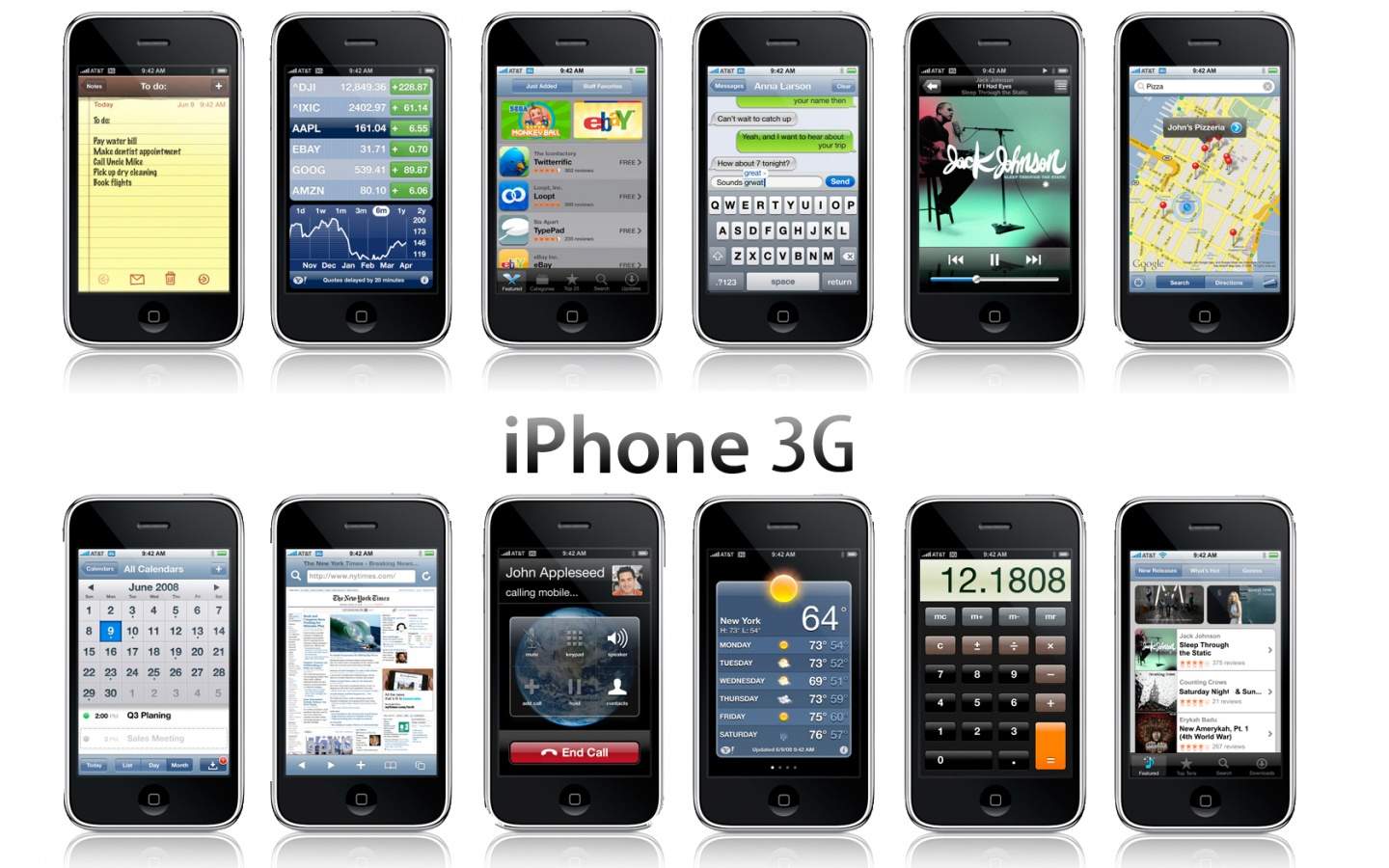
iPhone 3G
The iPhone 3G became a big hit for Apple.
Photo: Apple

thursday_9June 9, 2008: In the music industry, they talk about the “difficult second album.” Fortunately, that doesn’t hold true when Apple unveils the highly successful second-gen iPhone.
Adding GPS, 3G data and a higher-quality build than its predecessor, the iPhone 3G is arguably just as revolutionary for what it does on the software side. iOS 2 introduces push email, turn-by-turn navigation and, most significantly of all, an App Store — something Apple co-founder Steve Jobs said the company wouldn’t allow.

Check out the debut of the iPhone 3G below.

Today in Apple history: Steve Jobs introduces the iPhone 4

By •

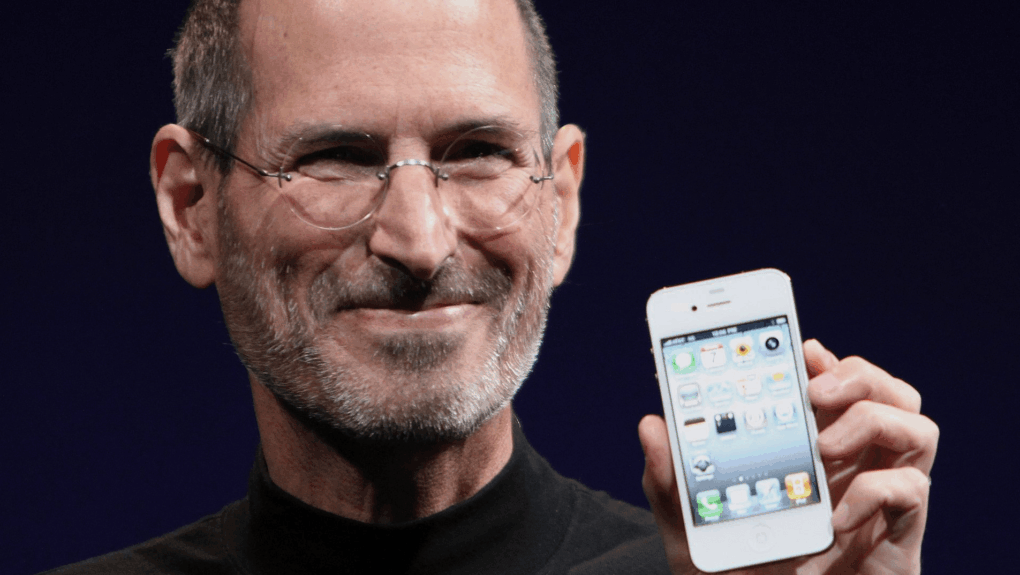
Photo of Steve Jobs holding an iPhone 4
The iPhone 4 sold 1.7 million units in its first weekend.
Photo: Matthew Yohe/Wikipedia CC

tuesday_7_360June 7, 2010: Steve Jobs introduces the iPhone 4 at Apple’s Worldwide Developers Conference in San Francisco.
“For 2010, we’re going to take the biggest leap since the original iPhone,” Jobs says, addressing a crowd inside Moscone Center. “So today, we’re introducing iPhone 4. Fourth-generation iPhone. Now, this is really hot.”

He then touted the device’s all-new design — and cracked a joke about the sensational leak that revealed the iPhone 4’s look in the preceding months.

“Now, stop me if you’ve already seen this,” Jobs said, to raucous applause, before cannily reclaiming the narrative. “Well, believe me, you ain’t seen it. You’ve gotta see this thing in person. It is one of the most beautiful designs you’ve ever seen.”

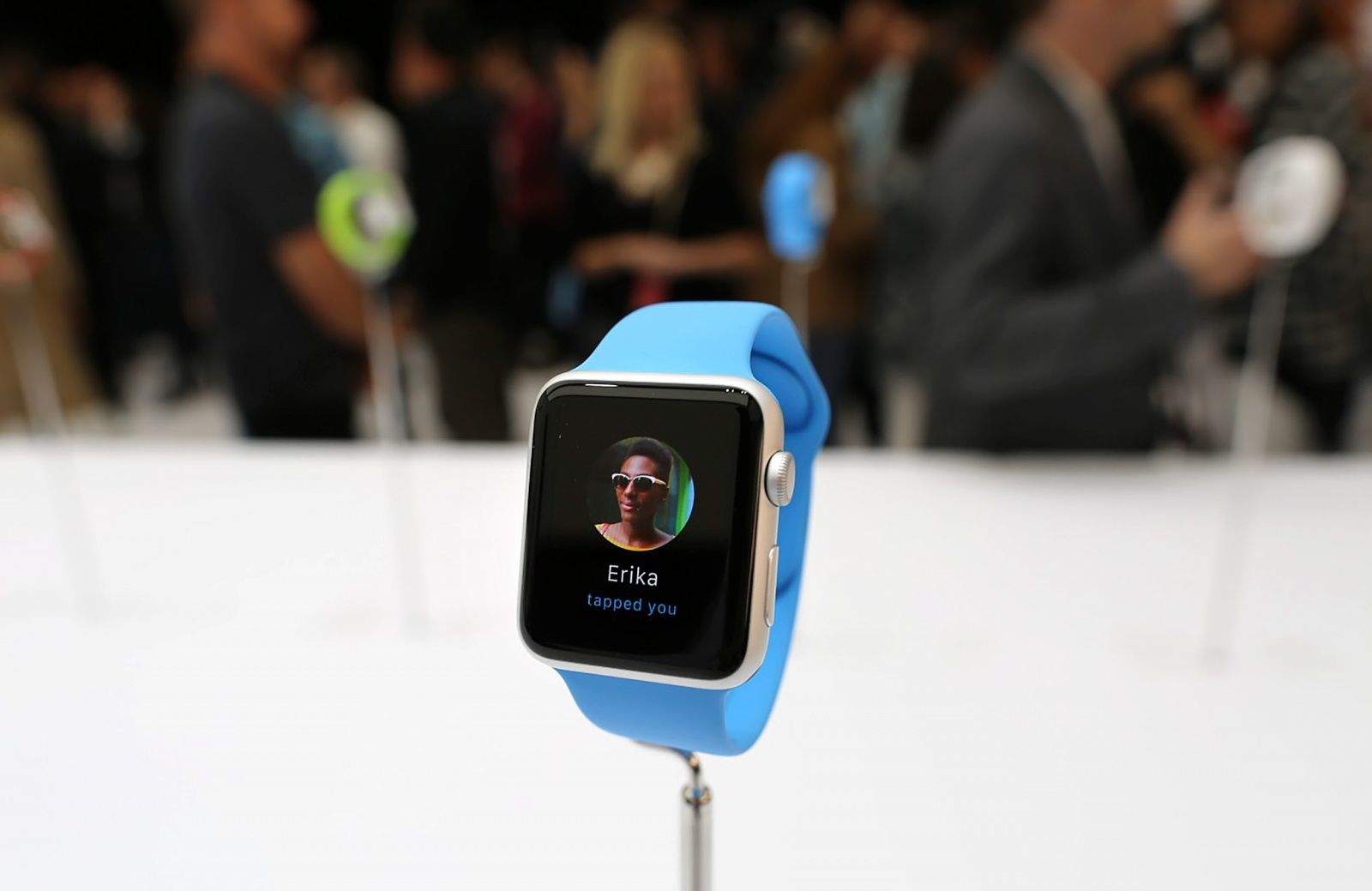
The 10 most important things to know about the Apple Watch

By •

Photo: Roberto Baldwin/The Next Web

Apple finally showed the world today what the media has been calling an “iWatch” for months. Apple Watch is the first new product category to come out of the company since the original iPad.
It marks a “new era” for Apple, according to CEO Tim Cook, and introducing the Apple Watch was even deemed worthy of a “One more thing” tease (as made famous by Apple co-founder Steve Jobs).
There’s a lot to digest about Apple’s first wearable, so we’ve made it easy for you. Here are the 10 most important things you need to know about the Apple Watch.

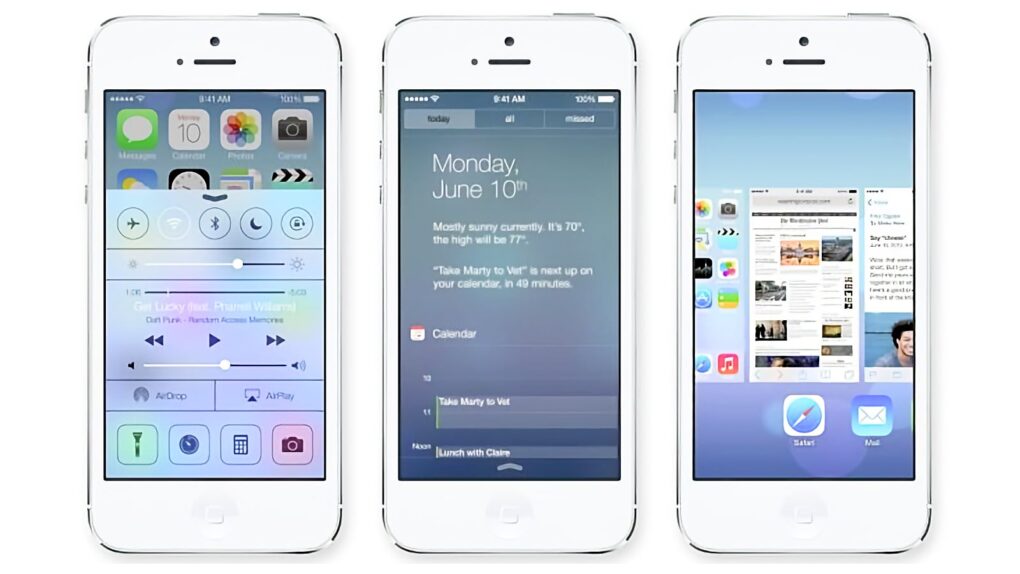
Why iOS 7 Is A Masterpiece of Design

By •

Three iPhone images showing iOS 7
Love it or hate it, iOS 7 is a winner.
Image: Apple

My first impression on seeing iOS 7 on my iPhone was: What is this, a My Little Pony theme?

But after scrutinizing, analyzing, deconstructing and living with the new version, I’m ready to declare iOS 7 an unambiguous masterpiece, a stroke of genius, really.

That may sound like a weird thing to say about a fruity, copycat platform that crashes constantly. But it’s true, and I’ll tell you why.

BetterTouchTool Puts You In Control Of Gestures On Your Mac [50 Mac Essentials #48]

By •

The icon for BetterTouchTool, a Mac app that lets you create custom gestures for trackpad, mouse, keyboard shortcuts and more.
Make your Mac your own with BetterTouchTool.
Image: Andreas Hegenberg

Once you download BetterTouchTool and start to explore what this powerful Mac utility offers, you’ll wonder how you ever lived without it.

The app lives up to its name. It greatly enhances your experience of using a Mac by letting you add your own custom trackpad gestures. But despite the name, it works beyond your Mac’s trackpad or Magic Mouse. You can use it for keyboard shortcuts too, or with a standard USB mouse. Even an Apple Remote.

John Sculley On Steve Jobs, The Full Interview Transcript

By •

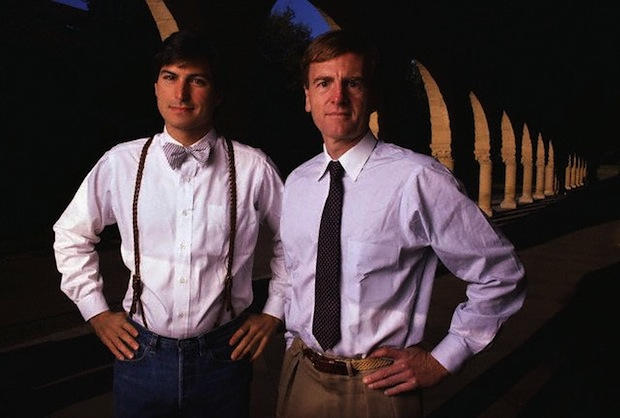
Steve Jobs and John Sculley, the former CEO of Apple. The pair were dubbed the
Steve Jobs and John Sculley, the former CEO of Apple. The pair were dubbed the "dynamic duo."

Here’s a full transcript of my interview with John Sculley on the subject of Steve Jobs.

It’s long but worth reading because there are some awesome insights into how Jobs does things.

It’s also one of the frankest CEO interviews you’ll ever read. Sculley talks openly about Jobs and Apple. He also admits it was a mistake to hire him to run the company (and that he knows little about computers). It’s rare for anyone, never mind a big-time CEO, to make such a frank assessment of their career in public.

Update: Here’s an audio version of the entire interview made by reader Rick Mansfield using OS X’s text-to-speech system. It’s a bit robotic (Rick used the “Alex” voice, which he says is “more than tolerable to listen to”), but you might enjoy it while commuting or at the gym. The audio is 52 minutes long and it’s a 45MB download. It’s in .m4a format, which will play on any iPod/iPhone, etc. Download it here (Option-Click the link or right-click and choose “Save Linked File…”).