Three exciting features that Apple skipped at WWDC26 might still be headed your way. Photo: Apple
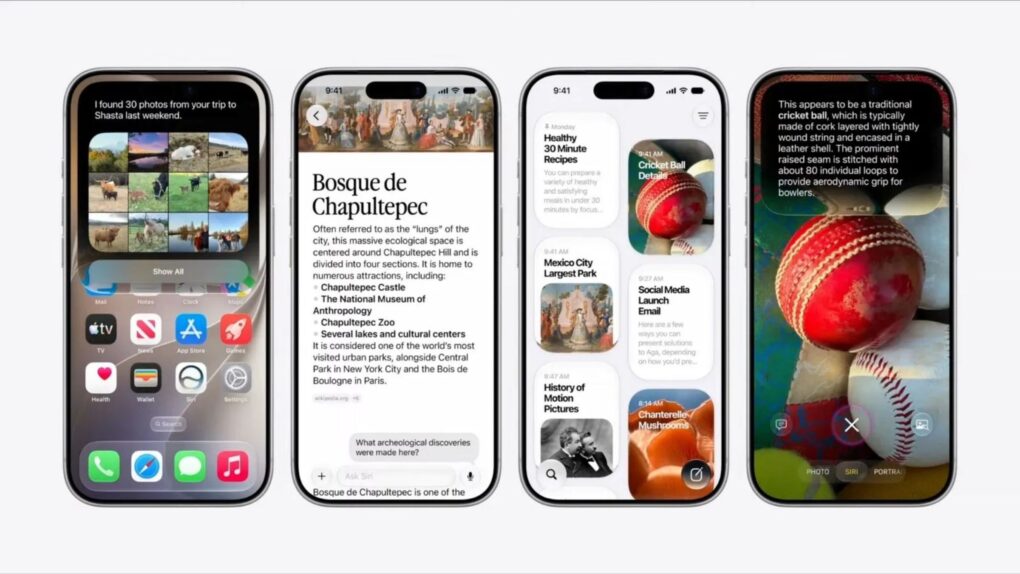
Three rumored features that Apple didn’t mention at WWDC26 last week — a customizable Camera app, Siri support for third-party AI chatbots, and a Modular watch face that works on regular Apple Watches — might arrive this fall.
These features all bubbled up in the rumor mill before Apple’s annual Worldwide Developers Conference, but it looks like we won’t see them until September.
Sports Live software doesn't need a hardware connection to react to action onscreen. It uses data. Photo: Signify
Update: In time for the soccer World Cup in the United States, Canada and Mexico, a new Philips Hue app update unlocks the new Sports Live feature we reported on in May, below. Users had their first chance to try it Thursday with Mexico and South Africa’s opening match, Signify said in a blog post.
Original post, May 7, 2026:
Philips Hue and its sibling smart-lighting brand WiZ both get a new feature soon that could change how you watch the World Cup this summer, parent company Signify said Thursday. Called Sports Live, the software uses real-time match data to trigger lighting effects in your home whenever key moments happen on the pitch — goals, yellow cards, red cards — with no manual input or hardware required.
“With Sports Live, we’re moving beyond the traditional screen-based sync offering, broadening the role of smart lighting in at-home sports entertainment,” said said John Smith, business leader for Connected Lighting at Signify.
“By using live match data to trigger lighting in real time, we’re creating a new level of precision and immersion in how fans experience sports at home, making every match a truly memorable occasion,” he added.
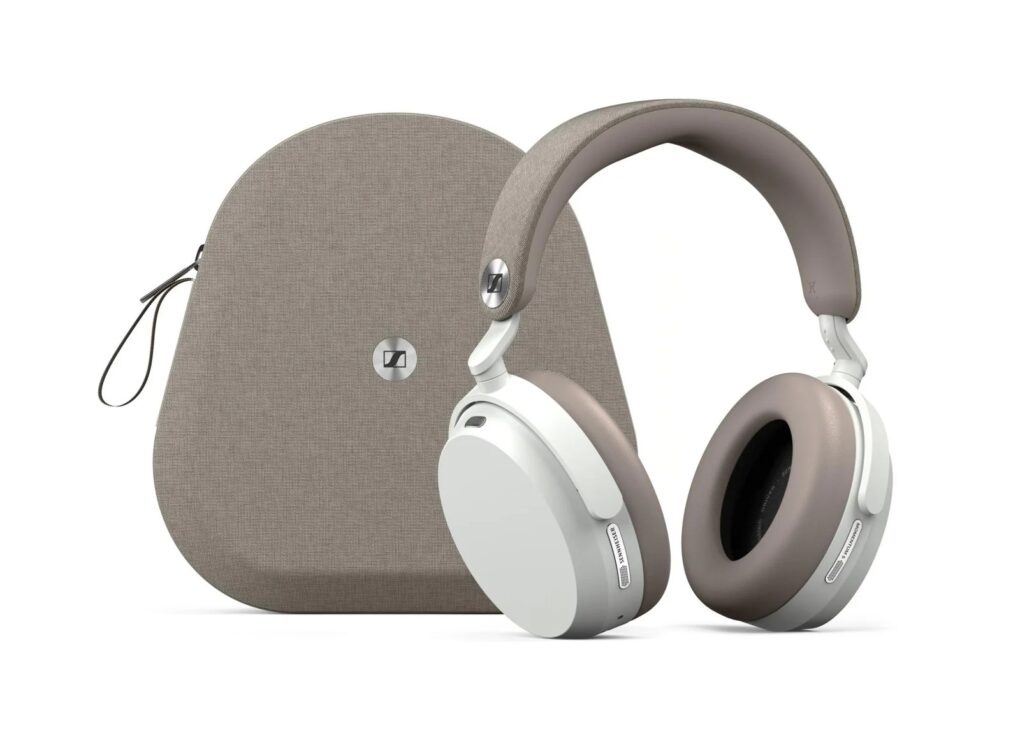
Shown here in white with their carrying case, Sennheiser Momentum 5 Wireless headphones let you easily swap out the battery yourself. That can add years of product life. Photo: Sennheiser
Something is changing in portable audio. In the past year, several well-known audio brands have made a design commitment that sounds almost quaint in the age of sealed, glued-together gadgets. They put a battery in their speakers and headphones that you can actually take out and swap yourself.
That’s environmentally responsible, consumer-friendly and adds much longer life to premium products.
So Apple, take note: Marshall, Sennheiser, Philips, JBL and Noble Audio all embraced user-replaceable batteries in recent products. AirPods Max and Beats speakers and headphones still don’t. But they should, for the good reasons above — and to not lose out to competitors following this positive trend.
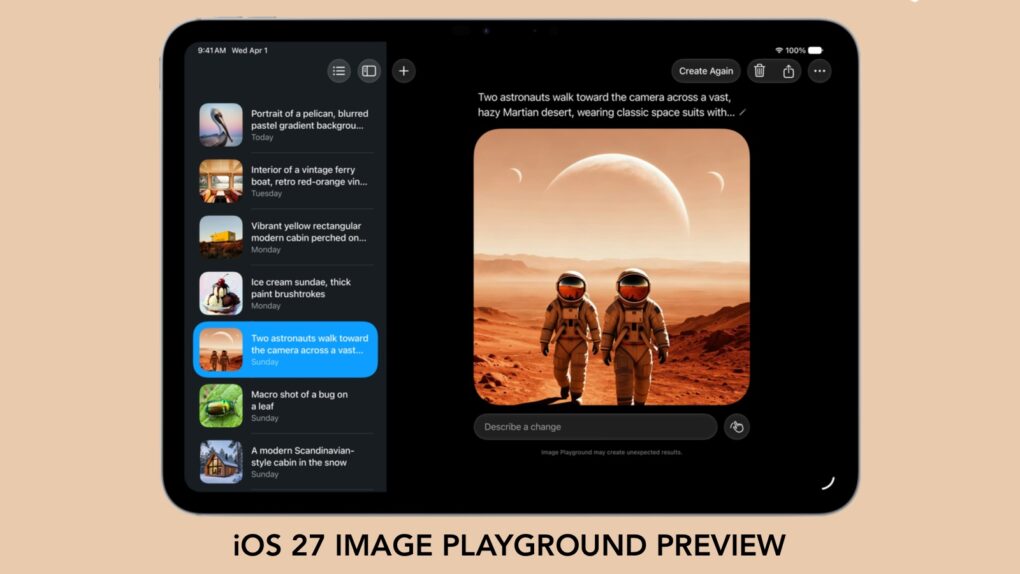
With iOS 27, we'll have to stop thinking of Image Playground as rubbish. Graphic: Apple/Cult of Mac
Forget what you know about Apple’s Image Playground — the app is no longer terrible. There’s a new version on the way, and it finally fulfills the promise Apple made two years ago.
Later this year, your iPhone is getting an AI tool that’s truly capable of generating images based on your descriptions. And the software can avoid many of the usual problems that cause some people to reject artificial intelligence tools.
Leaking pre-release images could land you behind bars. Photo: Leander Kahney/Cult of Mac
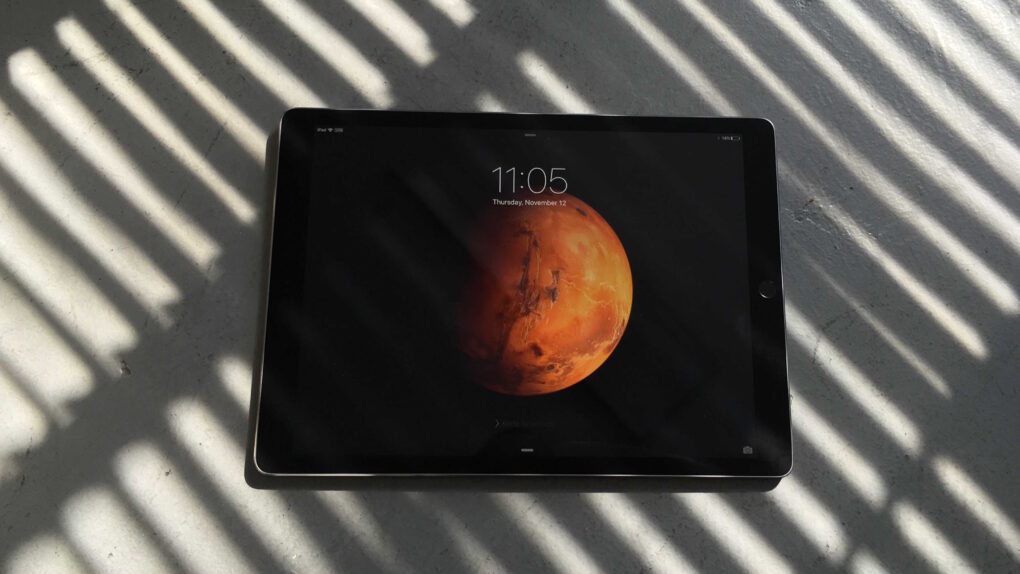
June 15, 2011: Chinese authorities sentence three people to prison for leaking information about the iPad 2 prior to its release.
The Foxconn R&D employees receive sentences ranging from one year to 18 months. They also must pay fines between $4,500 and $23,000. If you ever wonder why more Apple products don’t leak prior to release, this might help explain why!
A vividly animated Apple ad showcases Paul McCartney's "Dance Tonight." Photo: Apple
June 14, 2007: Paul McCartney sings his new song “Dance Tonight” in an iPod + iTunes ad, the latest in a series of Apple spots starring music industry legends.
The new animated ad signifies a thawing of the icy relationship between Apple and McCartney, whose original band, The Beatles, has been locked in a legal battle with Cupertino for decades.
After whiffing a couple years ago, Apple hits it out of the park with Siri AI. Image: Cult of Mac
This week on the Cult of Mac podcast: For once, Siri doesn’t leave us exasperated! After a week of WWDC26 surprises, we’re genuinely stoked about the promise of Siri AI.
Also on the Cult of Mac podcast:
The good news doesn’t stop with Siri. Loads of new Apple Intelligence features look useful and thoughtfully implemented.
Apple faces off against the European Union, and it looks like EU iPhone and iPad users will pay the price.
And finally we wrap up with the results of our WWDC26 predictions game.
Listen to this week’s episode of the Cult of Mac podcast in the Podcasts app or your favorite podcast app. (Be sure to subscribe and leave us a review if you like it!) Or watch the video live stream, embedded below.
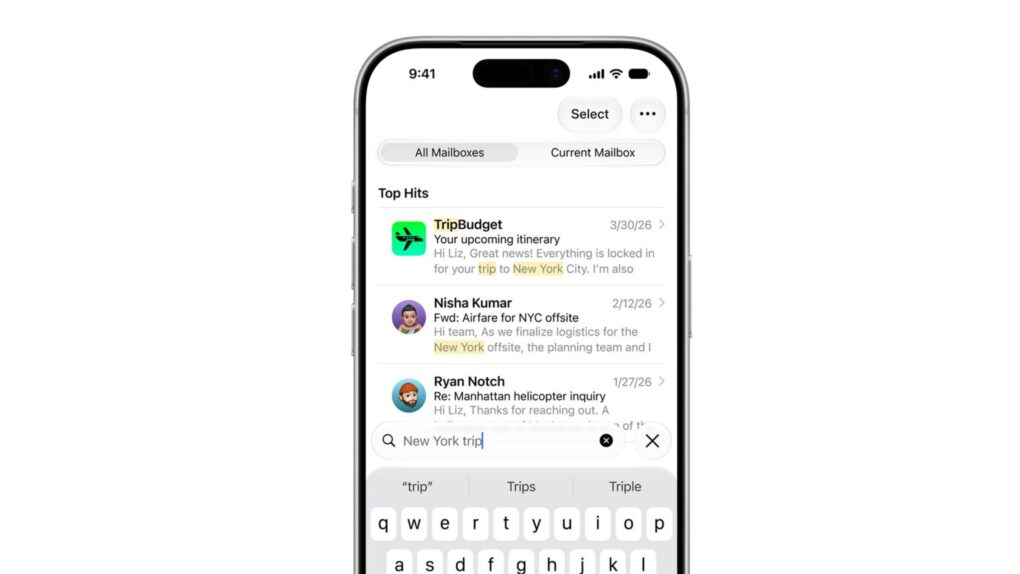
Apple Mail gets a ground-up search overhaul in iOS 27. Image: Apple
Apple Mail’s search has been broken for years, and everyone knows it. But iOS 27 should fix that.
When it arrives later this year, it will bring a completely rebuilt Mail search with features such as a new on-device index, relevance ranking and the ability to reindex old emails. The emails you know exist but can never find? Your iPhone will finally be able to surface them.
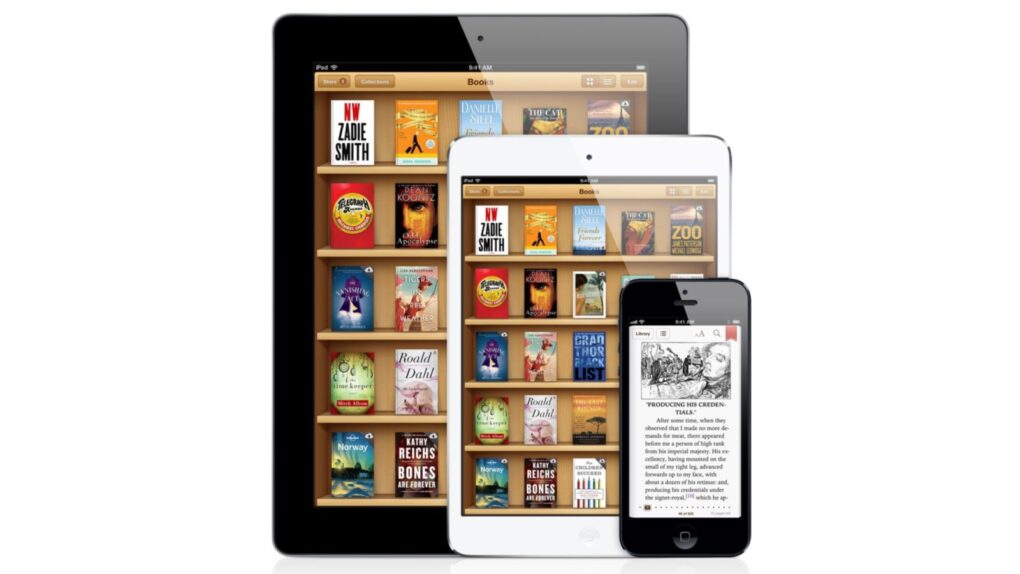
Eddy Cue took the stand to testify about Apple's e-book pricing in a 2013 antitrust trial targeting the iBooks Store. Photo: Apple
June 13, 2013: Apple exec Eddy Cue takes the stand to defend the company’s iBooks business strategy in an antitrust case regarding e-book pricing.
Cue, Apple’s senior vice president of internet software and services, runs the iBooks Store initiative. His testimony proves vital to a case brought by the Department of Justice, in which potential damages climb well into the nine figures.
It’s worth the wait. But you also don’t have to wait. Photo: Apple
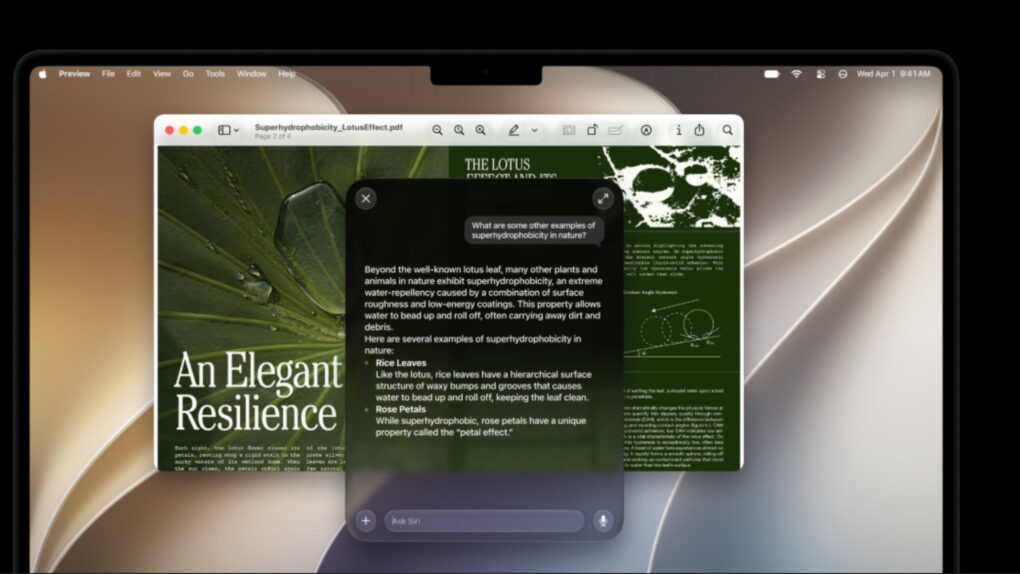
Even after updating all your devices to the OS 27 betas, you can’t get the new Siri AI right away. There’s a waitlist, and users are reporting that it can take days to get accepted. But on macOS Golden Gate, you can skip the waitlist with a little Terminal command.
First, you’ll need to install macOS Golden Gate. If you want to play it safe by installing it on an external volume, you’ll be disappointed — Apple Intelligence only works when macOS is running from your internal storage. So playing it safe is a little harder, unless you have enough free internal space to make a partition.
Whatever your approach, here’s how you can try out the new Siri on your Mac right now.
Apple is ready to dump copycat applications from the App Store. Graphic: Apple/Cult of Mac
Finding useful software in the App Store is about to get easier. Apple is apparently preparing to remove what it describes as “opportunistic” apps that provide little value to iPhone and iPad users.
It already had a policy of not approving applications that are “indistinguishable from what’s already widely available.” This week, it quietly warned developers that it will start removing low-value software that doesn’t attract attention from users.
★★★★☆
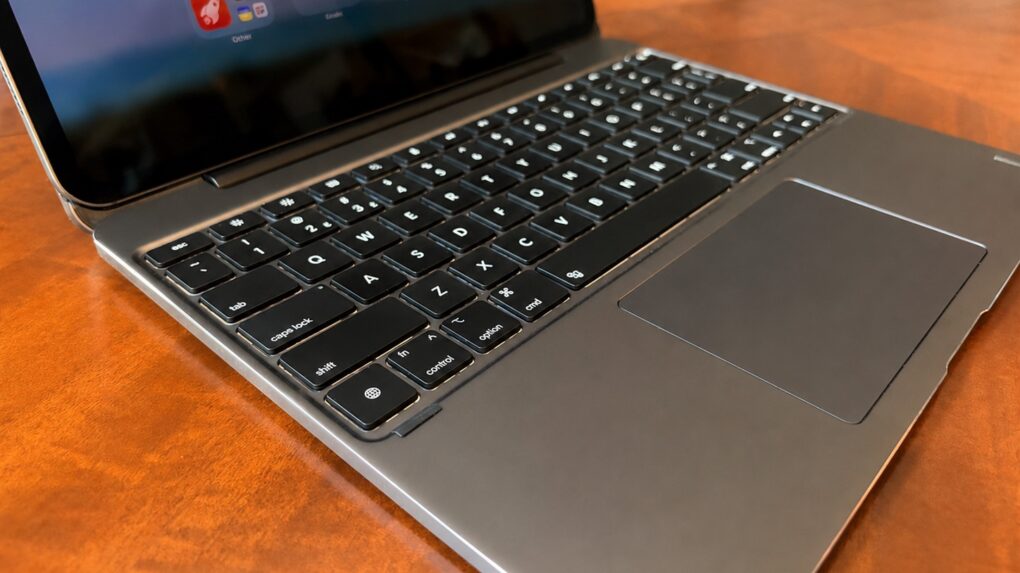
The Brydge Max 13.0 might be the best iPad keyboard case on the market. Photo: Ed Hardy/Cult of Mac
The recently launched Brydge Max is a premium iPad keyboard case that takes on Apple’s Magic Keyboard head-to-head. Like its rival, the accessory uses a cantilever design to hold the tablet up so that it is seemingly floating over the keyboard, but Brydge’s product offers much wider viewing angles plus a gorgeous aluminum exterior.
I’m reviewing the version for 13-inch iPad models, and there’s another for 11-inch models. No matter the size, the case includes a backlit keyboard plus a trackpad.
Here are all the ways the brilliant Brydge Max 13.0 comes out ahead of the Apple Magic Keyboard, and a couple of ways it doesn’t.
Steve Jobs inspired generations with his legendary Stanford commencement address. Photo: Steve Jobs Archive
June 12, 2005: Apple CEO Steve Jobs delivers a brilliant commencement speech to graduating students at Stanford University.
Packed with incredible insights, the motivational speech includes many memorable lines that capture the essence of Jobs’ incredible life — and provide a template for success through following your passions. And he does it all in less than 15 minutes.
It fits under the stairs. And it's not like it's an incomplete setup, either. Photo: [email protected]
Not everyone has a spacious home office, a purpose-built studio or a spare room to dedicate to a dream workstation. The Cult of Mac Setups archive is full of people working in bedrooms, studio apartments, shared living spaces, dorm-adjacent Manhattan rooms and any other constraint that life in a city tends to impose. But space limitation, it turns out, is one of the great engines of creative thinking in a setup. The best compact Mac setups, below, find ways to thrive in tight spaces.
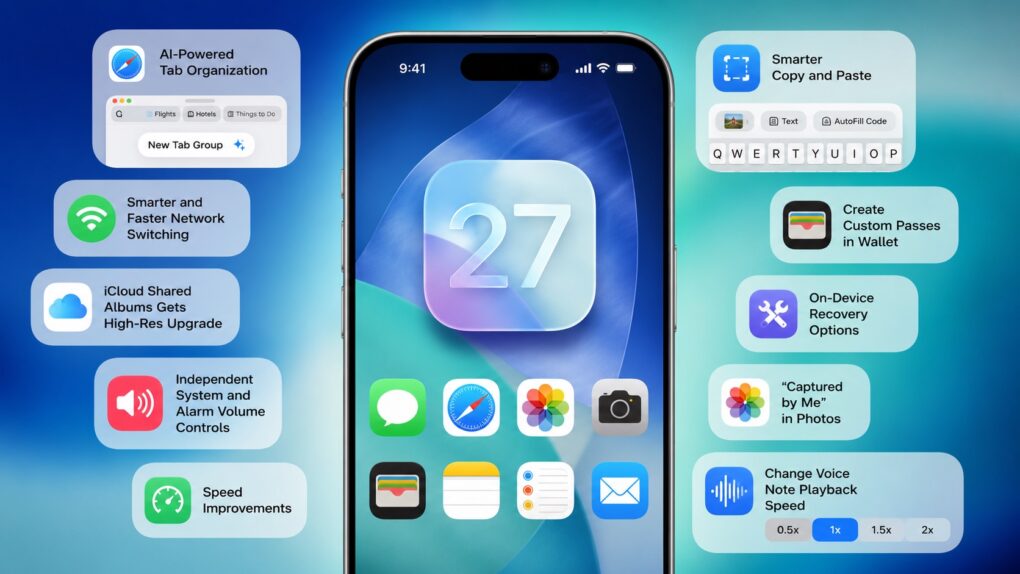
iOS 27 packs several smaller changes that Apple did not talk about. AI image: ChatGPT/Cult of Mac
Apple spent the majority of WWDC26’s opening keynote talking about Siri AI, Apple Intelligence upgrades, Liquid Glass refinements and performance enhancements. But iOS 27 packs much more than that. There are several smaller changes that Apple did not talk about onstage.
Here are some of the best hidden iOS 27 features you might have missed.
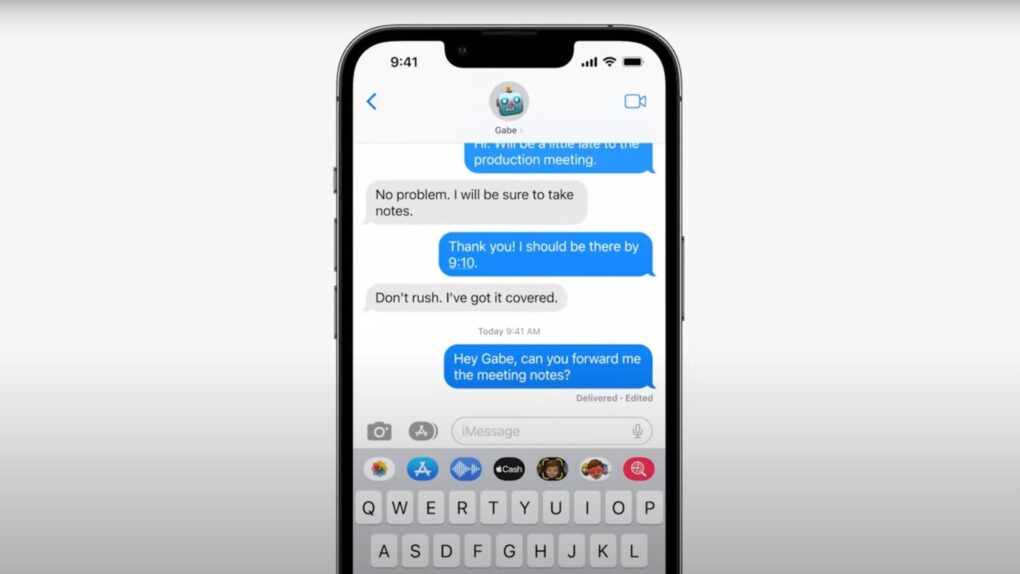
Messages in iOS 27 gets smarter, safer, and a whole lot less frustrating. Photo: Apple If you ever accidentally hit the microphone button in the Message app and started recording your voice, Apple finally fixed that problem in iOS 27. Justin Bieber publicly complained about it last year, and as it turns out, Apple was paying attention.
With iOS 27, Apple is not only ending the dictation button problem but also adding some new features to the Messages app. You’ll also get AI-powered smart suggestions, a new drawing tool, improved child safety features and performance fixes.
Apple is finally closing the book on Intel app support with macOS 27 Golden Gate. Photo: Apple
Apple’s planned goodbye to Intel is almost here, and it’s not about the hardware. macOS 27 Golden Gate will be the last version of macOS to support apps built for Intel-era chips using Rosetta 2, the software layer that’s been keeping older software alive on Apple silicon. Next year, when Apple announces macOS 28, that safety net will disappear completely.
This affects even M-series Mac users who upgraded years ago. If any of the apps you use haven’t been updated with native Apple silicon support, they are likely alive because of Rosetta 2. These apps now have roughly one year before they stop running.
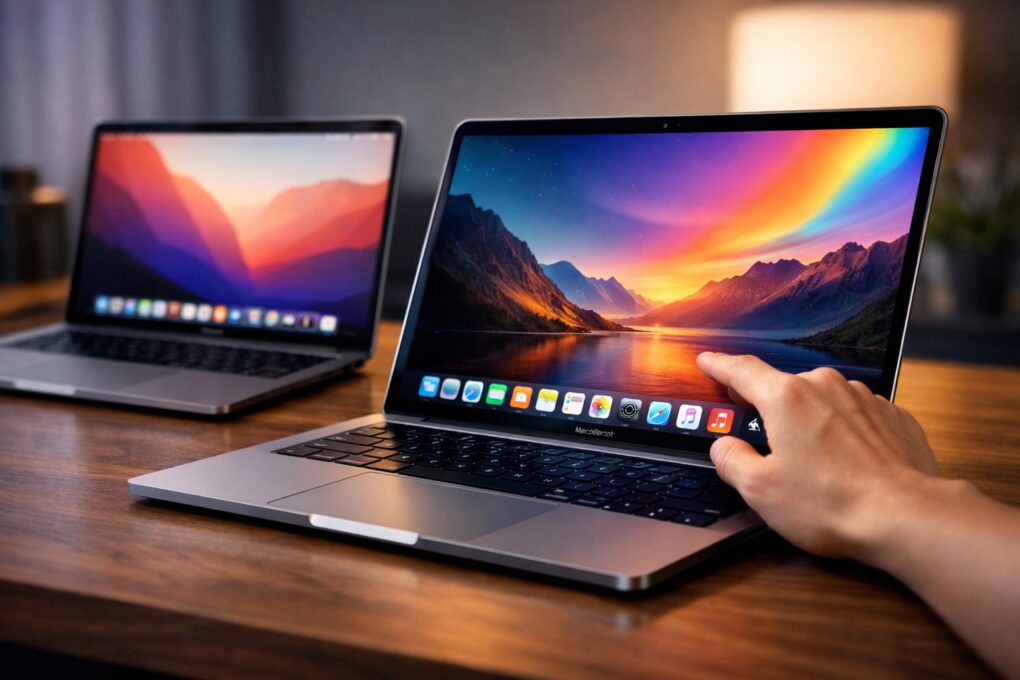
Get ready to pay more for OLED MacBook Pro, which might be called MacBook Ultra (with a touchscreen!). AI image: ChatGPT
Apple has resisted putting a touchscreen on its laptops for years. But one of the most credible voices in the Apple supply chain rumor space declared that resistance officially over on Thursday. The long-rumored touchscreen MacBook is “100% confirmed,” they said.
Apple Maps' Flyover feature gets a lot more realistic. Photo: Apple
Once a bit of a sketchy upstart, Apple Maps has become one of the best iPhone navigation apps. And upcoming iOS 27 — previewed at WWDC 2026 this week — pushes it even further. Here’s every notable Apple Maps upgrade in iOS 27.
Safari on Windows did not become the smash hit Apple hoped for. Photo: Apple
June 11, 2007: At Apple’s Worldwide Developers Conference, CEO Steve Jobs unveils Safari 3 for Windows, bringing the company’s web browser to PCs for the first time.
Apple pitches Safari as the world’s fastest and easiest-to-use web browser, capable of rendering web pages up to twice as fast as Internet Explorer and 1.6 times faster than Firefox.
“We think Windows users are going to be really impressed when they see how fast and intuitive web browsing can be with Safari,” Jobs says in a press release announcing the launch. “Hundreds of millions of Windows users already use iTunes, and we look forward to turning them on to Safari’s superior browsing experience too.”
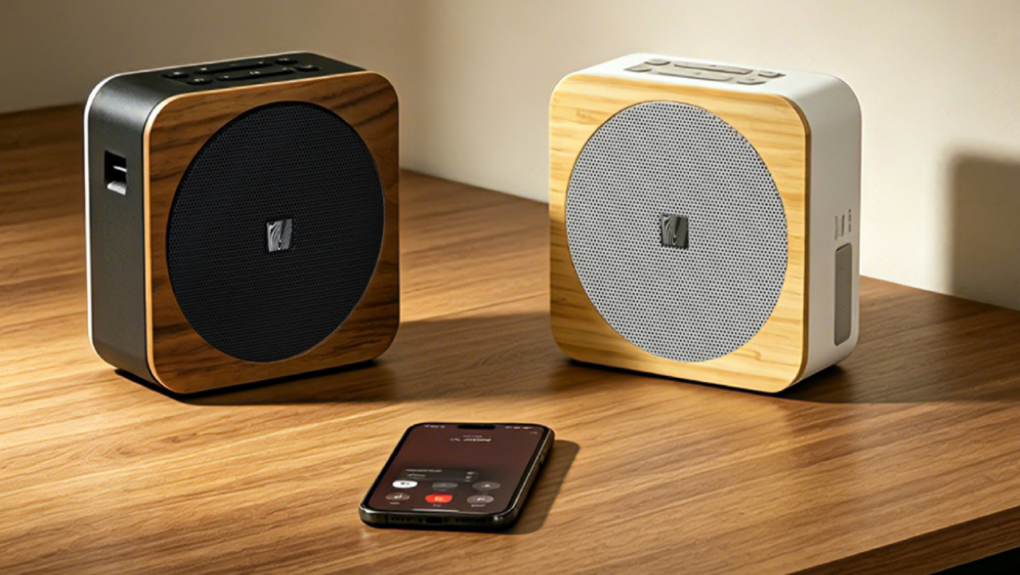
The Soundfreaq Sound Spot II looks great and comes with fantastic features. Photo: Cult of Mac Deals
Soundfreaq is known for producing affordable, well-designed Bluetooth speakers that offer great value. And in terms of audio, the company’s Sound Spot speakers punch above their weight class.
The Soundfreaq Sound Spot II is a portable Bluetooth speaker with a sophisticated design and plenty of special skills. It’s splashproof for poolside use, but also packs ambient lighting and built-in nature sounds to make it a perfect bedside companion.
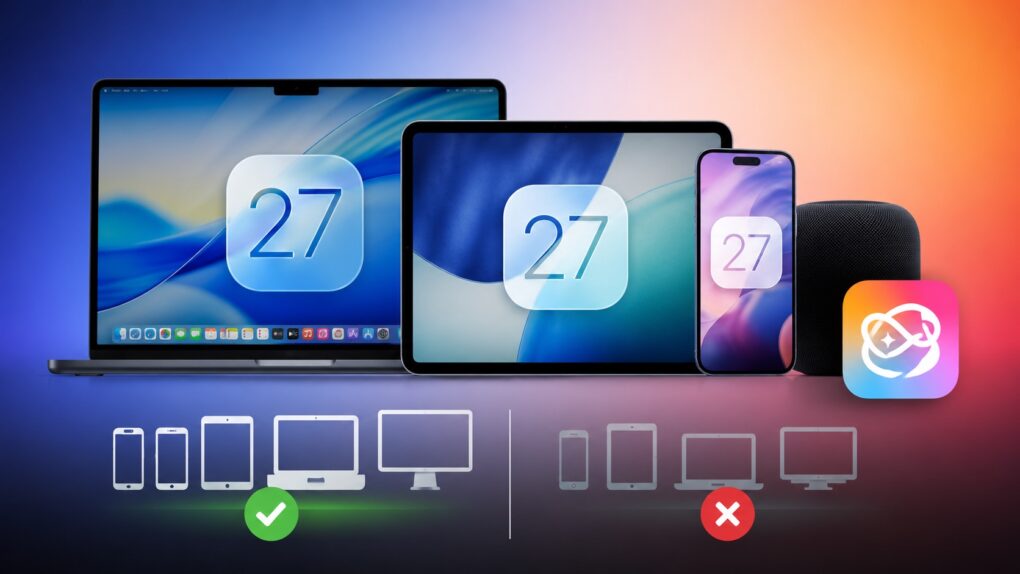
Some Siri AI features will only work on Apple's latest devices. AI image: ChatGPT/Cult of Mac
iOS 27 is coming to iPhone 11 and all models released after that. And while it sounds impressive that Apple’s new operating systems will support devices released in 2019, it does not mean that your old iPhone will get every new iOS 27 feature. In fact, even the iPhone 17 will not get the full suite of AI features in iOS 27.
The same holds true for iPadOS 27 and macOS 27. Many of the headline features require newer hardware, meaning some compatible iPads and Macs will miss out on parts of the update.
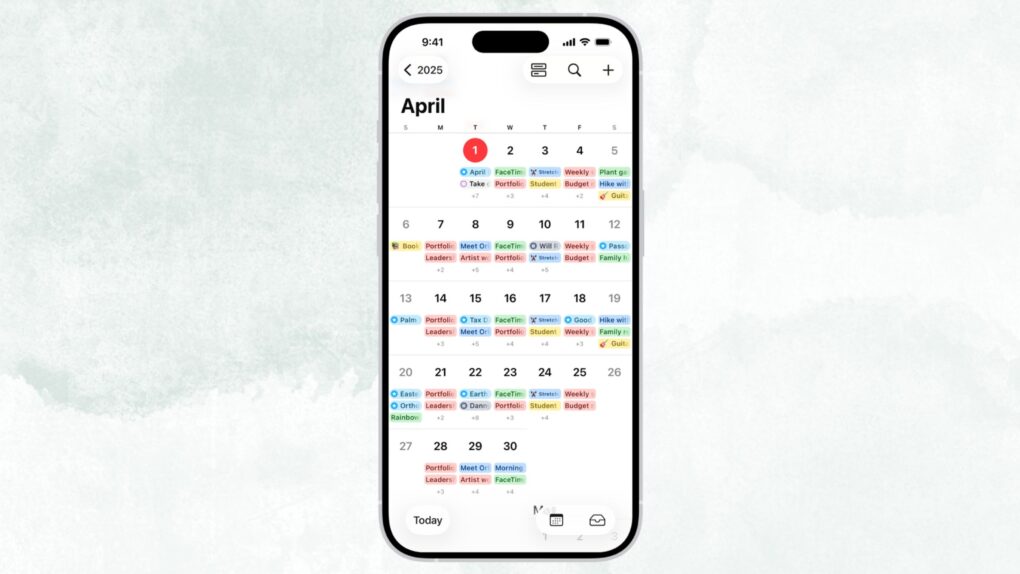
Type it like you'd say it. iOS 27's Calendar app understands plain-English event descriptions. Image: Apple
Apple’s Calendar app is just fine — good enough to use, but never good enough to love — but iOS 27 finally changes that. The update brings natural-language event creation to Apple’s stock app, a feature that third-party solutions have made possible for years.
In iOS 27, you can just type in simple English what you want to do, and your iPhone will take care of the rest. No more hopping between date pickers, fiddling with time selectors, and entering a location. The app will understand and build an event for you.
Siri AI might tell you to take a break if you're getting too gabby. Photo: Apple
Apple’s new Siri AI chatbot might know when you’ve been bending its ear — and encourage you to take a break. A hidden piece of code in iOS 27 reveals that Siri AI could remind you to chill out if a conversation runs too long.
It’s a small detail, but it suggests Apple is clearly thinking about what happens when you don’t stop talking to Siri.
Please, only touch the screen if it’s a touchscreen. Photo: Pavel Danilyuk/Pexels
A few changes in macOS Golden Gate 27 hint towards Apple introducing a Mac with a touchscreen quite soon. Apple added a bunch of developer tools that allow apps to differentiate touch input from mouse input. Liquid Glass elements also behave differently when you interact with them on a touchscreen — they bounce and glow more prominently, just like iOS.
Officially, these changes are for Sidecar, the feature that lets you use an iPad as a touchscreen Mac display. But Apple’s own documentation also states that these new features are “not just for the Sidecar display.”
What else could that be…? Maybe the touchscreen MacBook that’s rumored to launch later this year.


 June 15, 2011: Chinese authorities sentence three people to prison for leaking information about the iPad 2 prior to its release.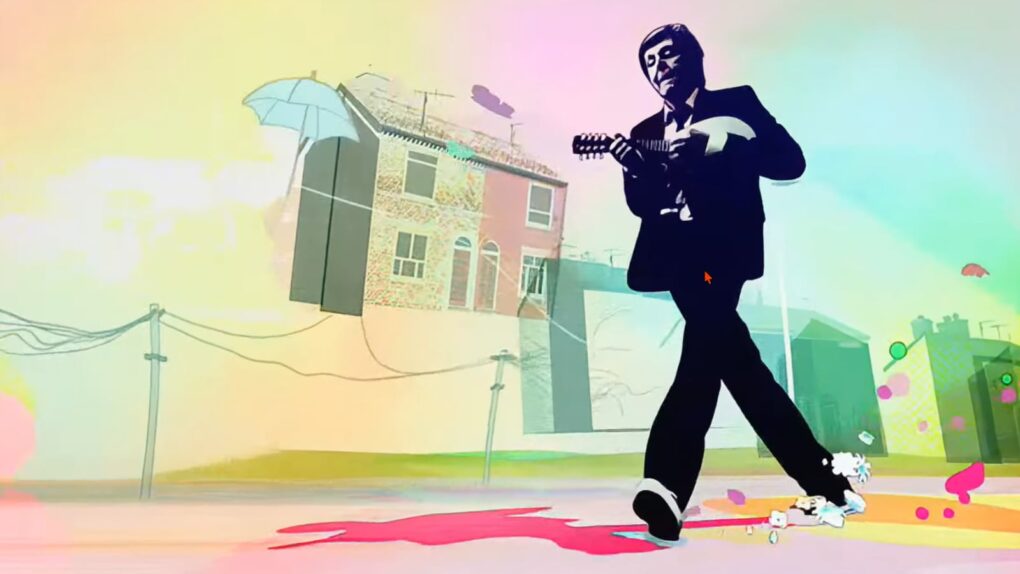
 June 14, 2007: Paul McCartney sings his new song “Dance Tonight” in an iPod + iTunes ad, the latest in a series of Apple spots starring music industry legends.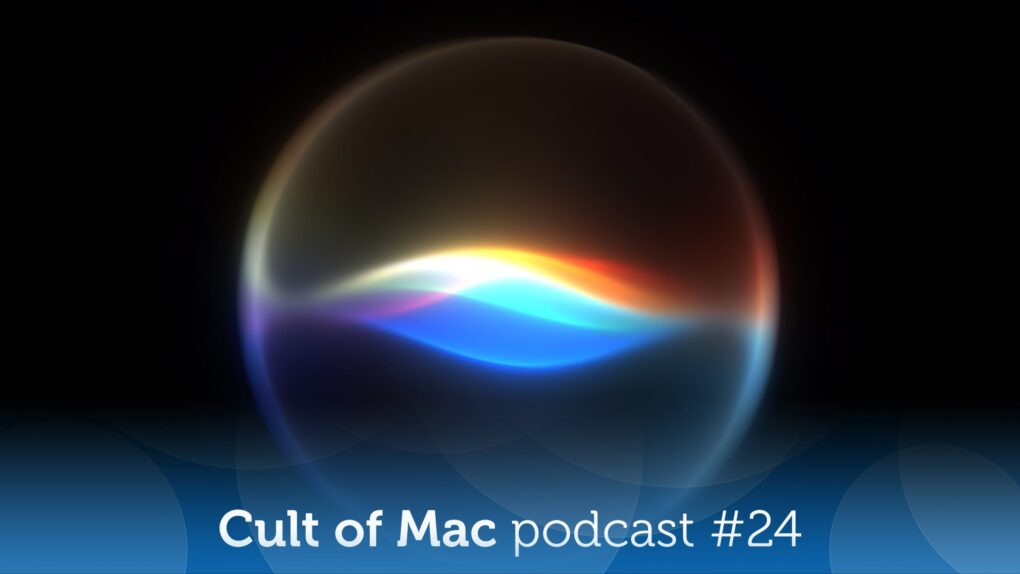
 June 13, 2013: Apple exec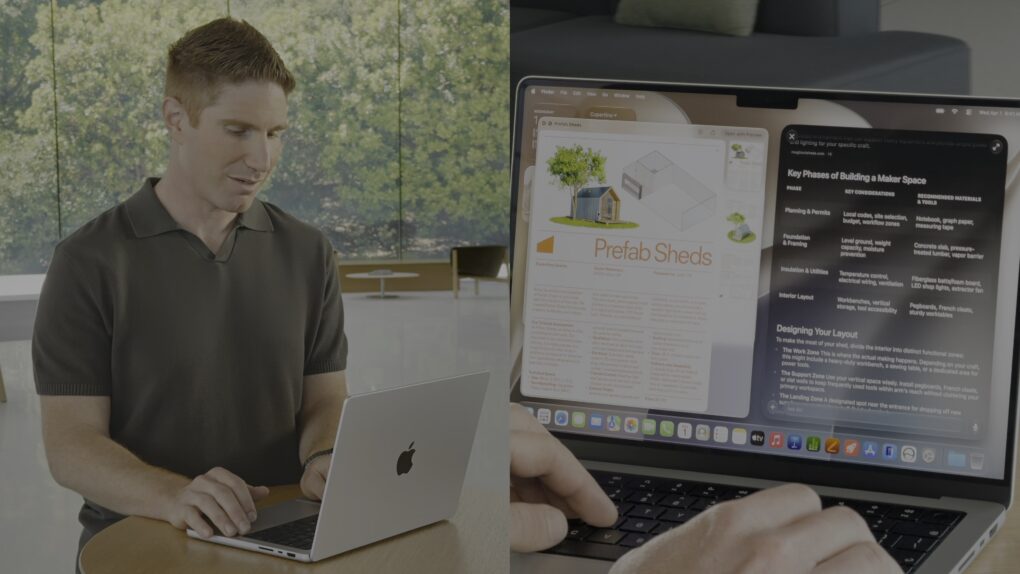

 June 12, 2005: Apple CEO Steve Jobs delivers a brilliant commencement speech to graduating students at Stanford University.


 June 11, 2007: At Apple’s Worldwide Developers Conference, CEO Steve Jobs unveils Safari 3 for Windows, bringing the company’s web browser to PCs for the first time.