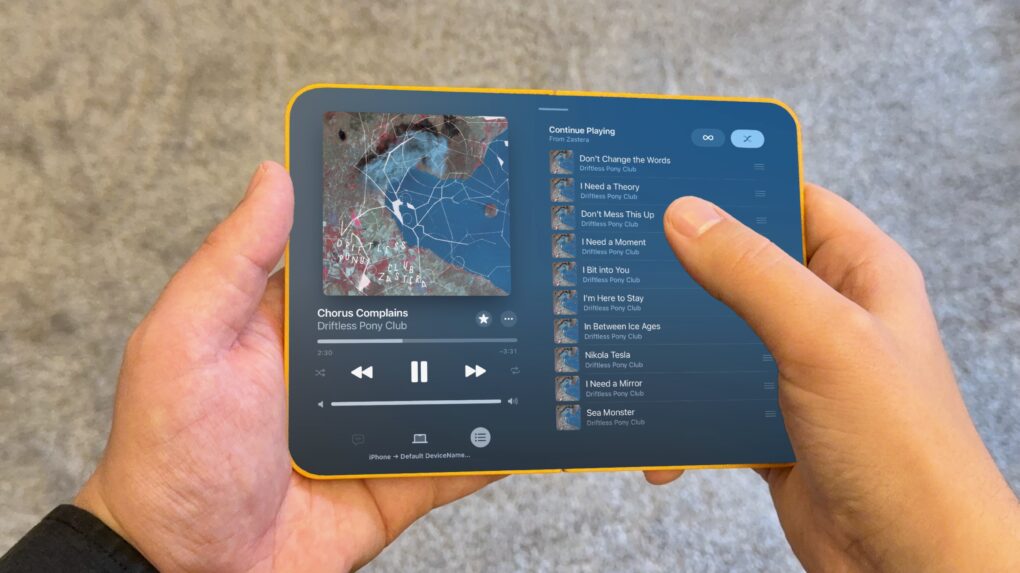
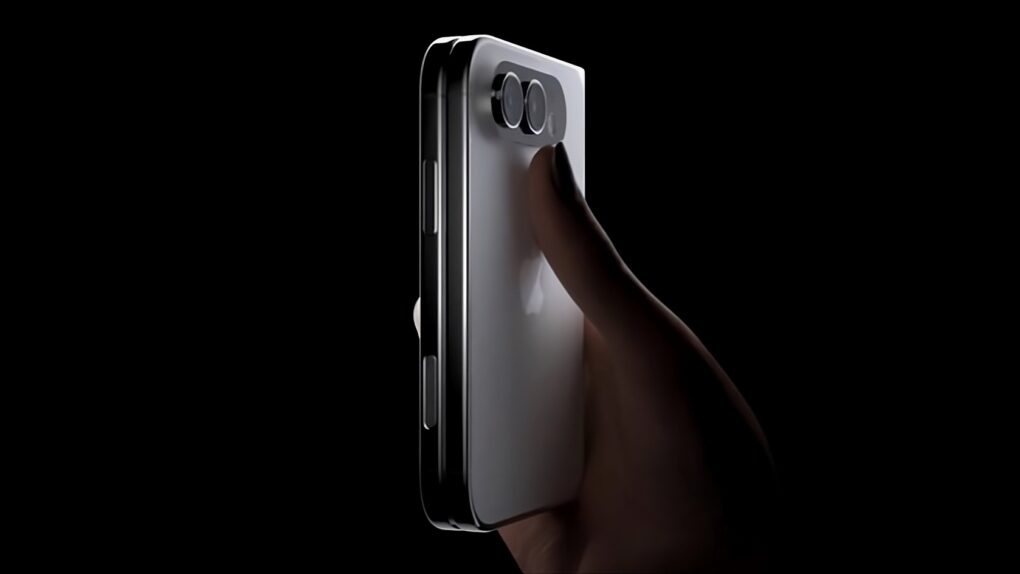
Can Apple avoid a huge drop in resale value associated with folding smartphones? Image: Majin Bu
Apple fans eyeing the company’s rumored foldable iPhone may want to reconsider their purchase plans, according to a new analysis Tuesday. It finds foldable smartphones hemorrhage value at an alarming rate — losing 64.6% of their original price within just a year of ownership. The question is, can Apple avoid that fate that awaits so many Android foldables?
★★★★★
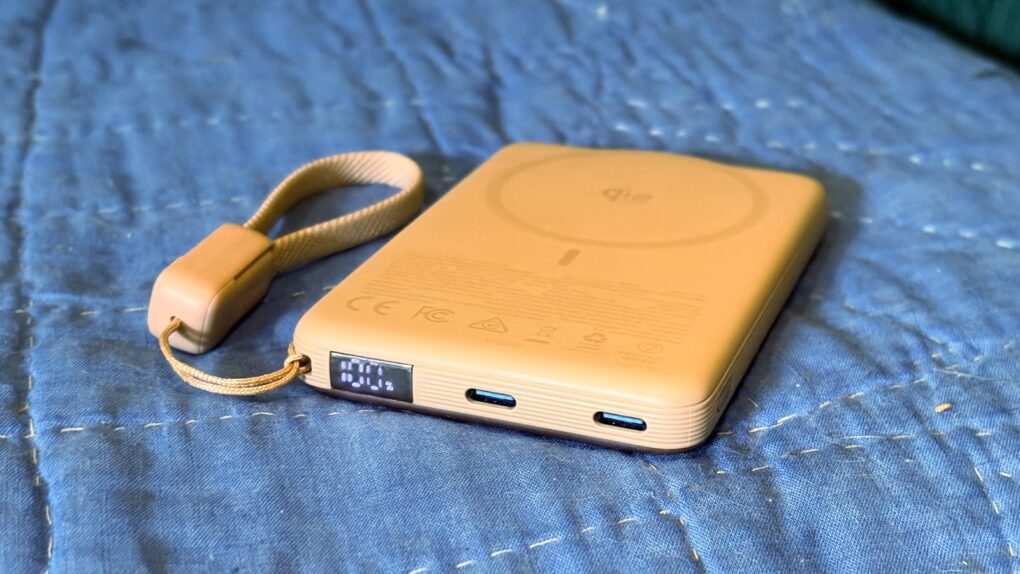
The Iniu SnapGo Air iPhone power bank includes some sweet bonus features, including a status screen. Photo: Ed Hardy/Cult of Mac
The Iniu SnapGo Air 10000mAh power bank stands out in an increasingly crowded market with an array of premium features. The MagSafe accessory sports a built-in status display, plus a clip-on USB-C cable that also acts as a strap. And it can transfer up to 25W of wireless power to an iPhone or up to 45W to other computers via a USB-C.
And it looks good while doing it.
I tested the SnapGo Air with my iPhone and iPad. Here’s what I learned.
A 64-bit CPU powered Apple's stunning "cheese grater" Power Mac G5. Photo: Bernie Kohl/Wikipedia CC
June 23, 2003: Apple launches its gorgeous Power Mac G5, a powerhouse desktop computer with a perforated aluminum chassis that earns it the affectionate nickname “the cheese grater.”
Starting at an affordable $1,999 (over $3,600 in today’s money, adjusted for inflation), the Power Mac G5 is the world’s first 64-bit personal computer. It’s also Apple’s fastest machine yet.
Prime Day is from June 23 to 26, 2026. Graphic: Amazon/D. Griffin Jones/Cult of Mac
Prime Day is always an advertising blitz of products — what are the good products and what’s crap? At Cult of Mac, we put together the best Amazon Prime Day deals on the products we’ve actually used, reviewed and love.
While the occasion is as artificial and arbitrary as ever, the pressure is actually real this year. Apple CEO Tim Cook warned earlier this week that prices are inevitably going to rise sometime soon. So if you’ve been thinking about a new computer, now may be the best time.
We review tons of products, from official Apple products to top accessories offered to our staff. Take a look at some of our top recommendations this Prime Day.
If you don't know Tatiana Maslany yet, this show is some of her best work. Photo: Apple
Apple TV’s newest dark-comedy-thriller, Maximum Pleasure Guaranteed, may already stand as the platform’s most compelling series of 2026. If you haven’t started streaming the hard-to-classify series yet, here are three compelling reasons to try it tonight.
I mean, hey, none other than bestselling novelist Stephen King said to watch it, basically.
The popular workaround is no more. Graphic: Apple/D. Griffin Jones/Cult of Mac
The hack that some Mac users were using to try out the new Siri AI, skipping the waitlist, no longer works.
Apple released the second developer beta of all its OS 27 updates yesterday. In macOS 27 developer beta 2, the hidden Terminal command no longer enables Siri AI. After you update, you’ll find yourself back on Apple’s waitlist. If you previously enabled it on your Mac, your access will be revoked.
But no worries — some users on Reddit may have found a way to get yourself accepted fast.
visionOS 27's Siri AI is the headset's biggest upgrade yet, but not every Vision Pro user will get it. Photo: Apple
While visionOS 27 is coming to every Apple Vision Pro ever sold, two of its standout features will only work on the second-gen headset with an M5 processor.
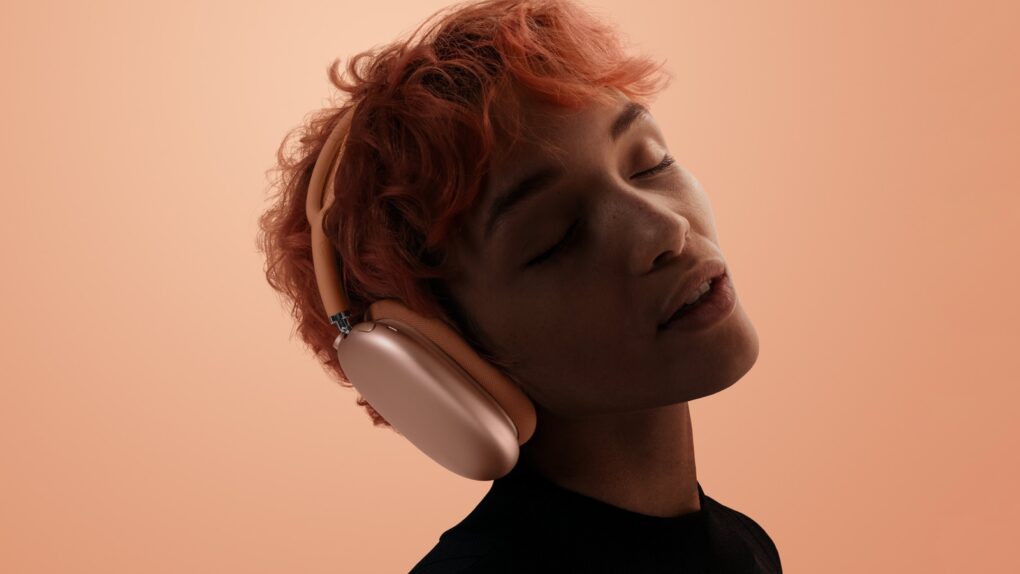
AirPods Max 2 only debuted this spring, but that doesn't mean you must pay full price. Photo: Apple
Apple’s AirPods Max 2 headphones just dropped to their best price yet. You can snag a pair of the premium headphones for just $399 in all five colors available. That’s a crazy 27% discount off the $549 retail price.
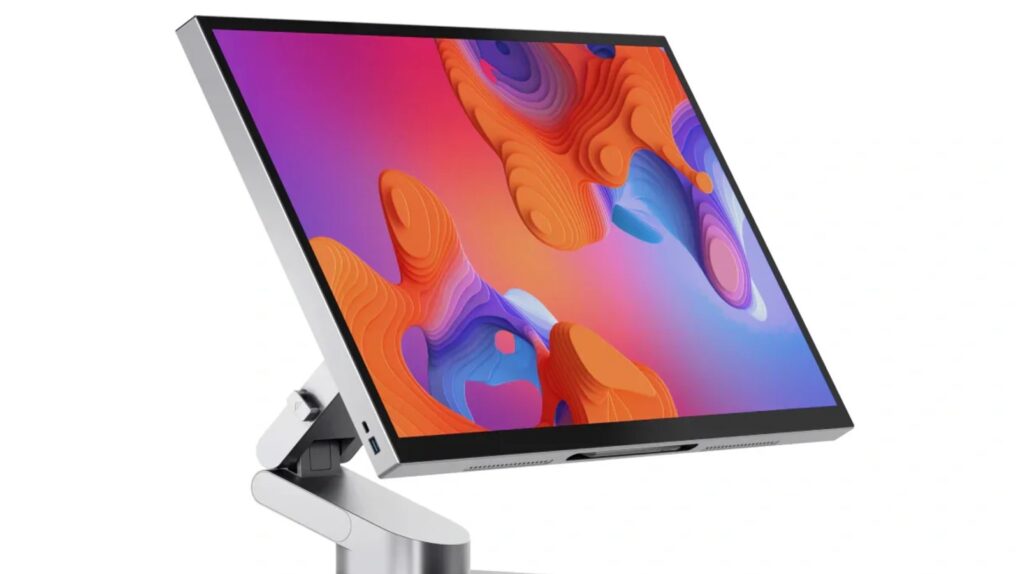
Alogic's popular 32-inch Aspekt touchscreen display now gets a 27-inch sibling, among other new choices. Photo: Alogic
Apple has yet to ship a MacBook or an external display with a touchscreen, but Alogic keeps pushing ahead anyway. The Australian monitor maker — one of the very few companies that builds touch-enabled monitors specifically designed to work with macOS — debuted a sweeping new product lineup last week at InfoComm 2026 in Las Vegas.
Whether you're a total beginner or an accomplished piano player, this app can teach you a thing or two. Photo: Cult of Mac Deals
You can turn your iPhone, iPad or Mac into a piano teacher with Flowkey’s interactive lessons, real-time feedback and song-first approach to learning.
Flowkey is designed to meet you where you are, whether you’ve never touched a keyboard or you already know your way around one. And it costs just $51 for three years with code SAVE15. A flesh-and-blood piano teacher might charge that much for a single lesson!
Steve Jobs battled cancer for years. Photo: Ben Stanfield/Flickr CC
June 22, 2009: Apple CEO Steve Jobs returns to work, a couple of months after undergoing a liver transplant as part of his treatment for pancreatic cancer.
Although Jobs has been steadily getting back into work for the past several weeks, the news is made official when a quote from him appears on a June 22 press release about iPhone 3GS sales. An Apple employee also alerts the media after spotting Jobs on campus.
With his return confirmed, everyone wants to know how long Jobs will continue to lead Apple.
The web browser that comes on your iPhone, iPad and Mac. Image: Apple/D. Griffin Jones/Cult of Mac
There are eight great new Safari features in iOS 27. The update fixes a lot of irritating design problems that have bothered me for years.
Plus, if your phone supports Apple Intelligence, you’ll enjoy some smart new features that make your browsing easier — I’ve already created a couple custom extensions. And everyone will appreciate the speed and performance gains when they update.
Check out what you can expect from Safari this fall when Apple releases iOS 27.
Seems people might prefer their iPhones to parenthood. AI image: ChatGPT/Cult of Mac
For years, economists blamed declining birth rates in the United States on rising housing costs, student debt, expensive childcare and delayed marriage. Now a study points to a surprising additional factor: the iPhone.
Researchers examining the long-running decline in U.S. fertility rates found evidence that smartphones may have contributed significantly to the drop in births since 2007, the same year Apple launched the original iPhone.
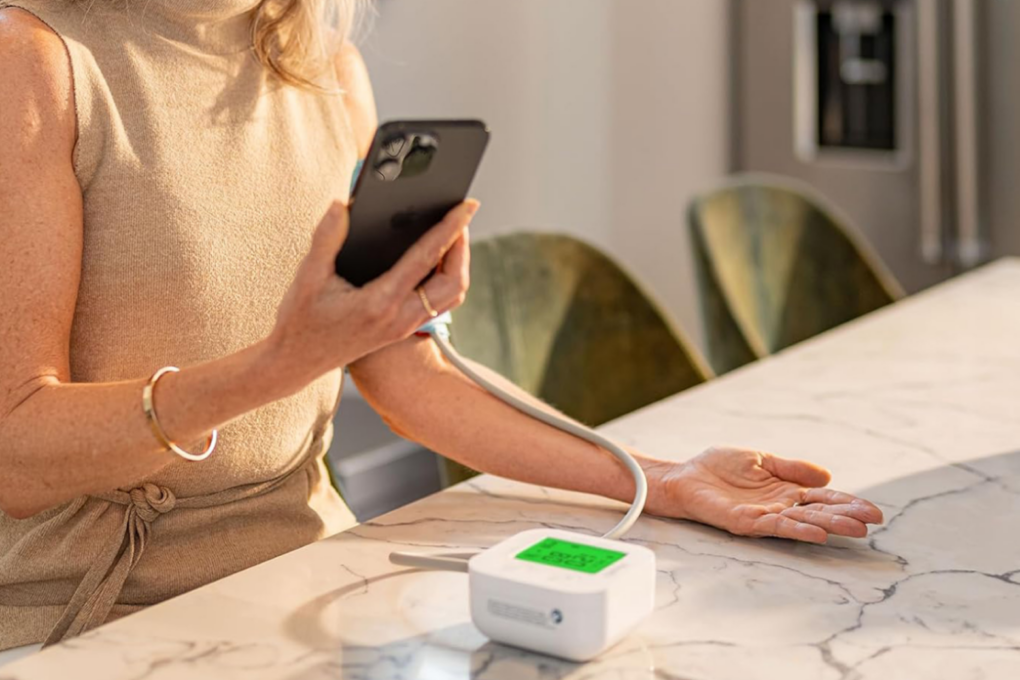
Here's an easy way to get a handle on your blood pressure. Photo: Cult of Mac Deals
The iHealth Track blood pressure monitor offers an easy way to track your blood pressure at home. It syncs to your iPhone, tracks trends, and gives you real health data you can use.
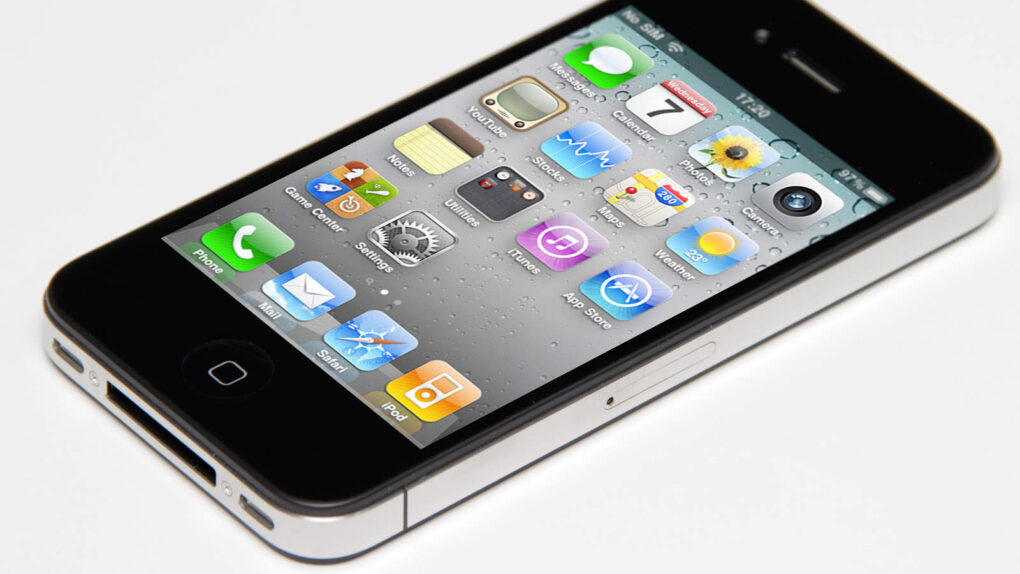
iOS 4 brought important new features to iPhones and the recently released iPad. Photo: Yutaka Tsutano/Wikimedia CC/Modified by Ste Smith/Cult of Mac
June 21, 2010: Apple releases iOS 4, which introduces a range of productivity features as well as the FaceTime videotelephony service. The iOS 4 launch represents a big step forward for Apple’s flourishing mobile devices.
Due to the arrival of the first-gen iPad earlier in the year, iOS 4 also brings a transition from the mobile operating system’s original name, “iPhone OS.”
So far, Siri AI seems like a winner. Image: Cult of Mac
This week on the Cult of Mac podcast: After more than a week spent hands-on with the first iOS 27 developer beta, Griffin and Leander give us a status update on what works and what really, really doesn’t.
The good news is, Siri AI seems legitimately useful. The bad news is that the betas are a little rough around the edges. (After all, betas gonna beta.) Still, there’s plenty to talk about as we go over the best new features.
Also on the Cult of Mac podcast:
Some leaked iOS 27 features that never happened might still be on the way. It’s all part of Apple’s secret plan to sell us new hardware this fall.
Speaking of new hardware, it sounds like 2027 is going to be an absolute doozy for Apple.
And finally, the inside story of the latest Cult of Mac hack.
Listen to this week’s episode of the Cult of Mac podcast in the Podcasts app or your favorite podcast app. (Be sure to subscribe and leave us a review if you like it!) Or watch the video live stream, embedded below.
Your iPhone and Apple Watch can help you track your meds. Image: MorgueFile/Wikimedia Commons/D. Griffin Jones/Cult of Mac
The Apple Health app on your iPhone makes it easy to track your medications — and help you remember to take them on time. It offers many advanced options and covers all kinds of medicines.
You can set up schedules, log your activity and even get advice on drug interactions. Let me show you how to get started.
The iPhone XR, XS and 11 are among the older models affected by the newly disclosed usbliter8 exploit. Photo: Paradigm Shift
Still holding onto an iPhone XS, XR or 11 because it gets the job done? There’s now a good reason to upgrade: usbliter8. This security flaw lets anyone with physical access to an older iPhone hijack the startup process, and Apple won’t be able to patch it with a software update.
That’s because it isn’t an iOS bug — the flaw is in the chip’s boot code, the first thing that runs when you turn on the device.
It doesn't get more 1990s than this! Image: Ste Smith/Cult of Mac
June 20, 1994: Apple launches eWorld, a subscription service for Mac owners that’s designed to compete with America Online and other nascent online properties. Part messaging service and part news aggregator, the early internet service gives customers access to email, a bulletin board, and software downloads and support.
Apple envisions eWorld, which runs on Macs and Apple IIGS computers, competing with heavy hitters like AOL, Delphi, CompuServe and Prodigy. Unfortunately, Apple’s online service is doomed from the start.
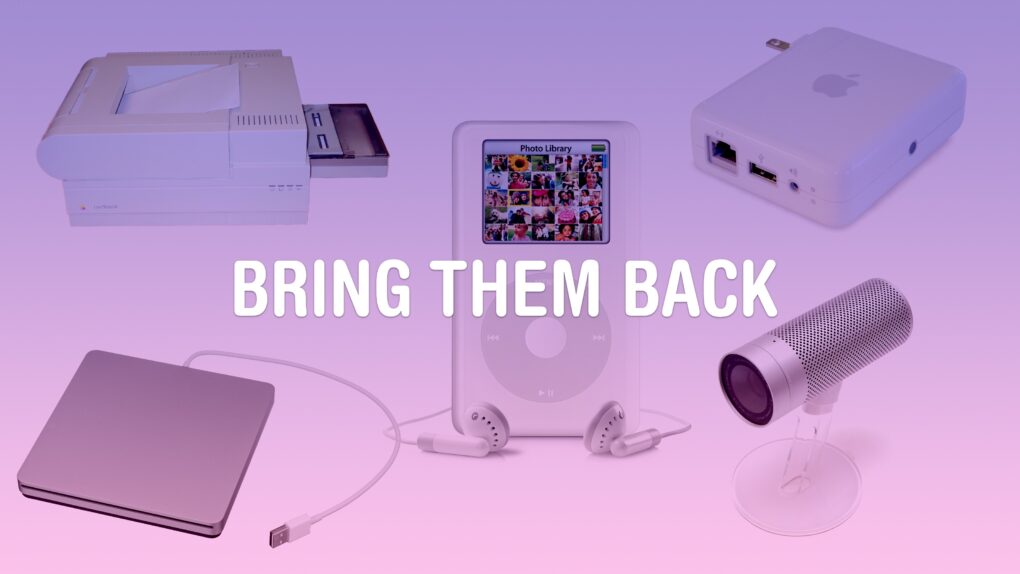
Some old products might be a hit again today. Image: D. Griffin Jones/Cult of Mac
Some Apple products are discontinued before the time is right. Maybe, if they were introduced today with modern technology, they could become a much bigger hit.
A lot of Apple’s lesser-known experimental products were killed in 1997. Steve Jobs had just returned, the company was near bankruptcy, and he needed all hands on deck to develop the iMac and Mac OS X.
But some real gems were lost along the way. These are the 10 products that Apple should bring back with modern technology.
Apple's new Personalized Collections feature in the App Store raises privacy concerns after researchers flagged the scope of its tracking. Image: Apple
The App Store’s new Personalized Collections feature gives you tailored app recommendations based on your behavior. Sounds great for finding new apps that you might like, but security researchers say the feature uses a tracking mechanism that logs every single tap you make in the App Store, with no way to opt out.
This means Apple might record all your search queries, every app page you visit, and even how fast you type. If you happen to use an iPhone, Apple could be collecting this data right now.
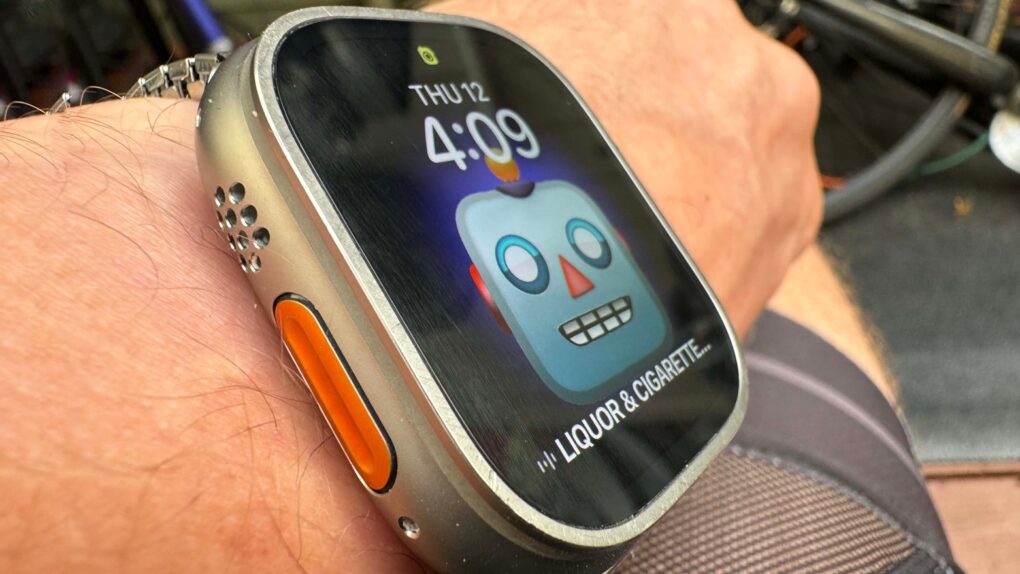
Apple Watch Ultra 3 and 2 get the full update, but not so the original Ultra (among others). Photo: Leander Kahney/Cult of Mac
Apple’s watchOS 27 arrives this fall carrying one of the biggest leaps in Apple Watch intelligence yet: a dedicated Siri AI app, a redesigned dynamic app grid and deeper integration with Apple Intelligence across your devices. But a significant portion of Apple Watch owners won’t see any of it. Here’s why many Apple Watch models won’t get watchOS 27.
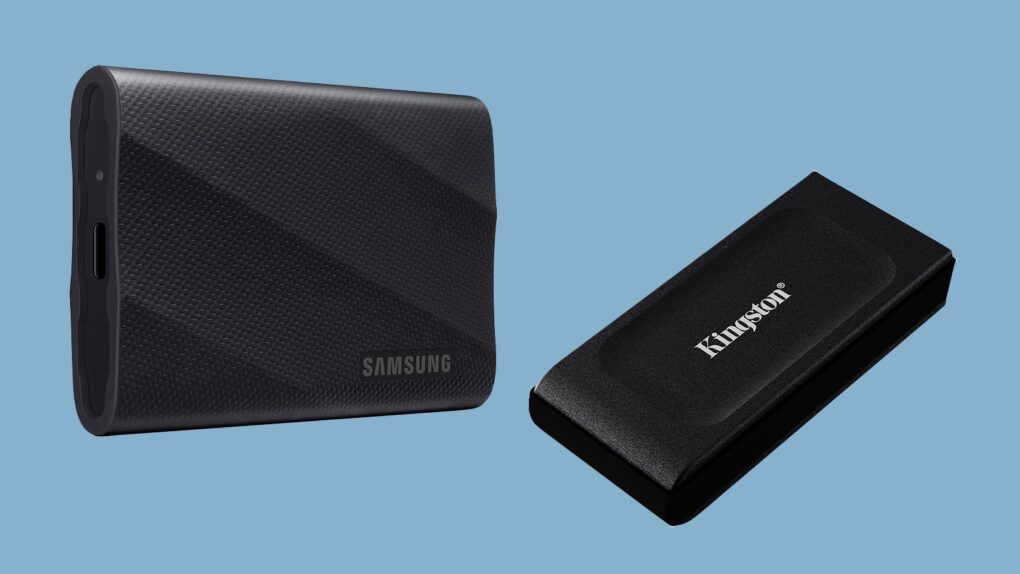
Portable SSD prices are way up, but we still found some deals. Image: Samsung/Kingston/Cult of Mac
Need a portable SSD to add terabytes of capacity to your Mac or iPad? Prepare yourself for sticker shock — prices have taken quite a jump. Blame it on the severe global shortage of memory.
But you don’t have to pay more than necessary for that portable SSD. We can point you toward a few deals. Save up to 34%.
The unfolded folding iPhone will be kinda like an iPad mini. Image: D. Griffin Jones/Cult of Mac
iPhone Mirroring in macOS Golden Gate gives us a clue about what the first folding iPhone will be like. For the first time, you can resize the window to any arbitrary size. That means you can stretch the screen to the rumored dimensions of Apple’s upcoming foldable and see how your favorite apps will look and work.
After all, it’s going to be an unusual iPhone. The unfolded inner screen will be roughly iPad mini-size, with an outer screen that’s much shorter and wider than any iPhone made in the last 15 years.
I took some screenshots of various Apple apps to demonstrate what the folding iPhone’s user interface will look like.
Wonder about the most listened-to artists ever on Apple Music? Check out the top 20. Photo: Apple Music
Apple Music and music tracking account Chart Data published something on Thursday the streaming service has never shared before: a definitive ranking of its 20 most-streamed artists across the platform’s entire history.
Many of the megastars on it will come as no surprise, but you might find some head-scratchers on there, too.

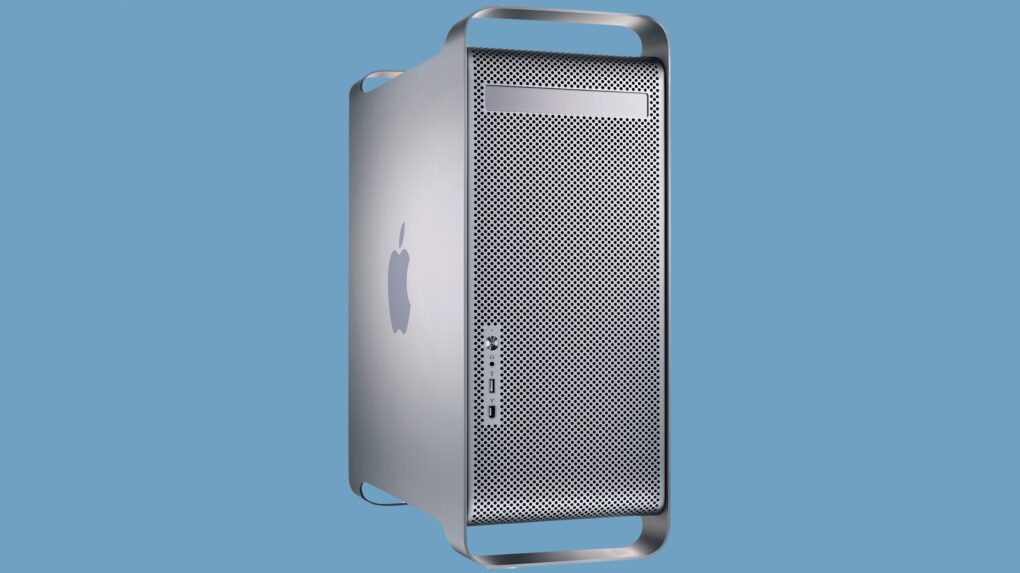
 June 23, 2003: Apple launches its gorgeous Power Mac G5, a powerhouse desktop computer with a perforated aluminum chassis that earns it the affectionate nickname “the cheese grater.”





 June 22, 2009: Apple CEO Steve Jobs returns to work, a couple of months after undergoing a liver transplant as part of his treatment for pancreatic cancer.

 June 21, 2010: Apple releases iOS 4, which introduces a range of productivity features as well as the FaceTime videotelephony service. The iOS 4 launch represents a big step forward for Apple’s flourishing mobile devices.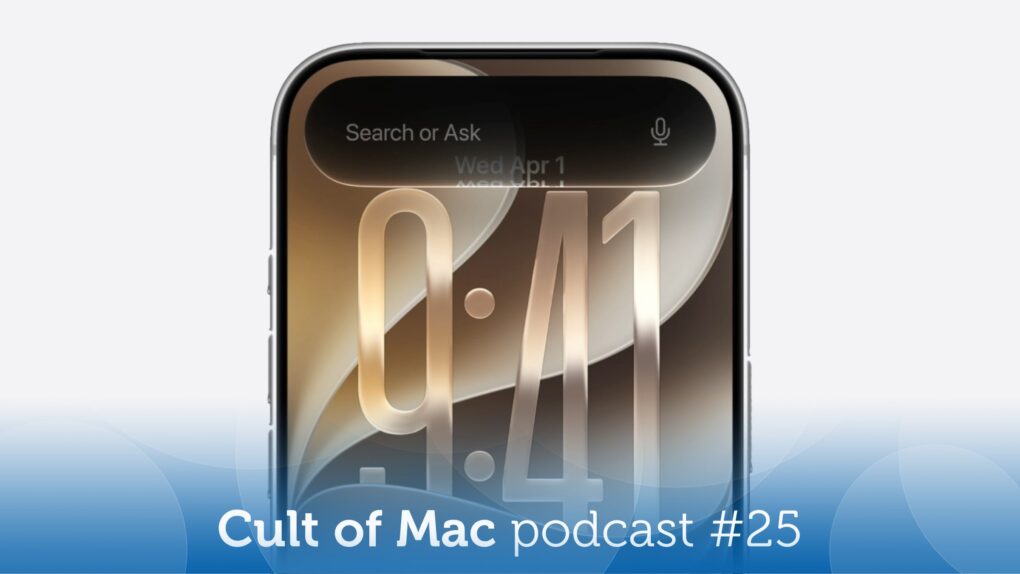


 June 20, 1994: Apple launches eWorld, a subscription service for Mac owners that’s designed to compete with America Online and other nascent online properties. Part messaging service and part news aggregator, the early internet service gives customers access to email, a bulletin board, and software downloads and support.