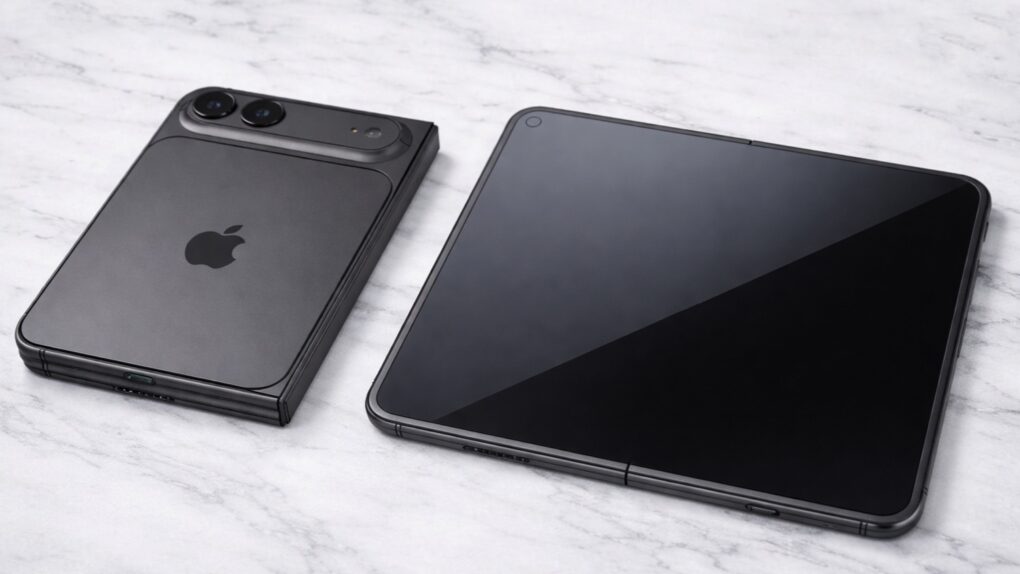
A folding iPhone concept shows open and closed versions of the new handset. AI image: ChatGPT/Sonny Dickson/Cult of Mac
Apple signed a 3-year exclusive agreement with Samsung Display to supply the foldable OLED panels in its long-anticipated folding iPhone, according to a new report Wednesday.
The latest Vision Pro headset boosts processing power and improves comfort. Photo: Leander Kahney/Cult of Mac
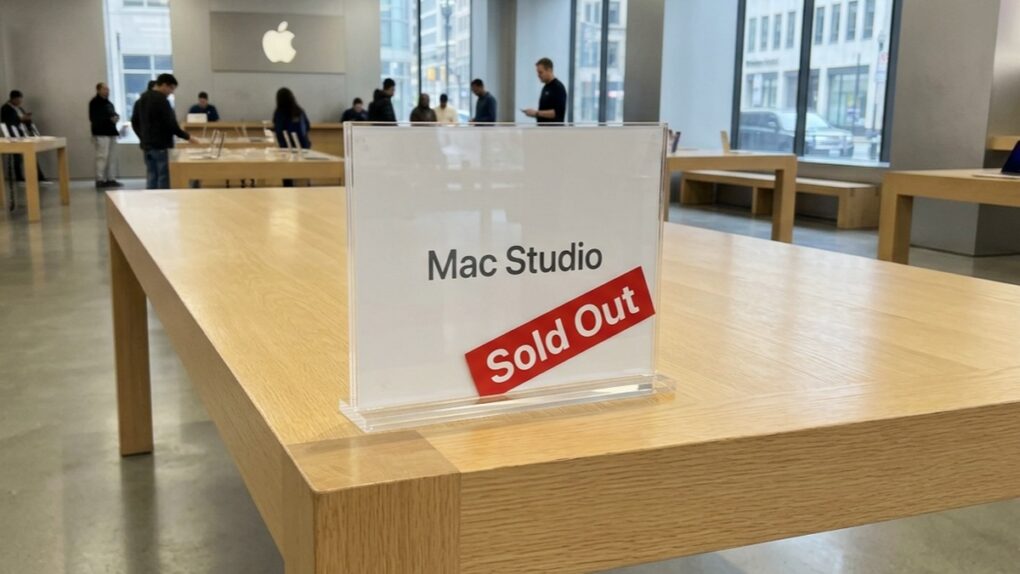
A chaotic rollout, undertrained staff and a $3,500 headset nobody could sell: a new book excerpt reveals the human cost of Apple’s retail decline through its struggles to sell Vision Pro.
★★★★☆
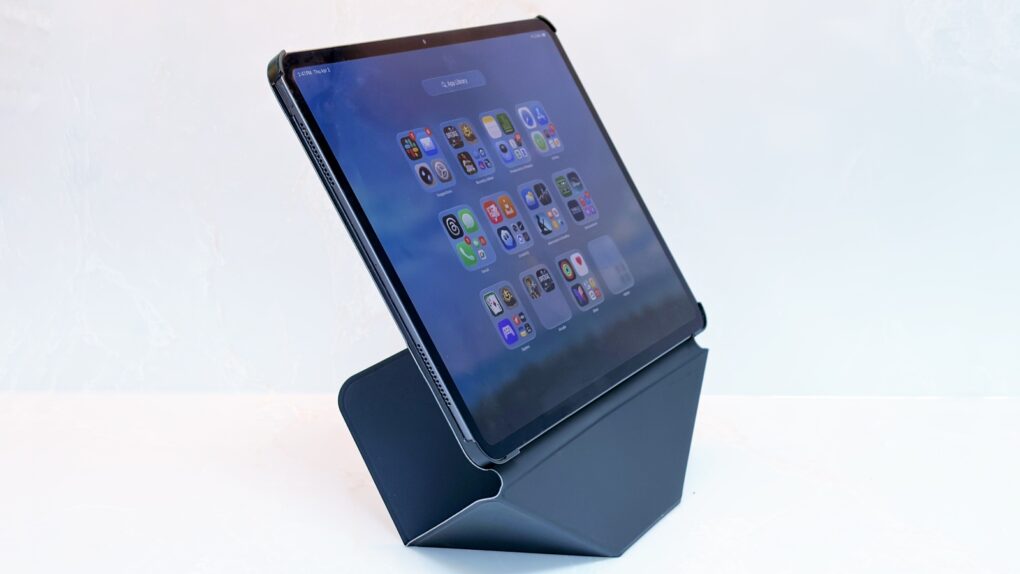
The Moft Dynamic Folio Case protects your iPad, and is also a brilliant stand for it. Photo: Ed Hardy/Cult of Mac
The Moft Dynamic Folio Case does tricks other iPad case/stand combinations can’t. Most notably, it can lift the iPad up several inches, making the screen easier to see.
Beyond that, the accessory can be folded into shapes that support the tablet at a range of angles. It can even hold your iPhone next to your iPad. It’s very flexible, and it protects the tablet, too.
I’ve been using Moft’s latest for several weeks. That’s a lot to like here.
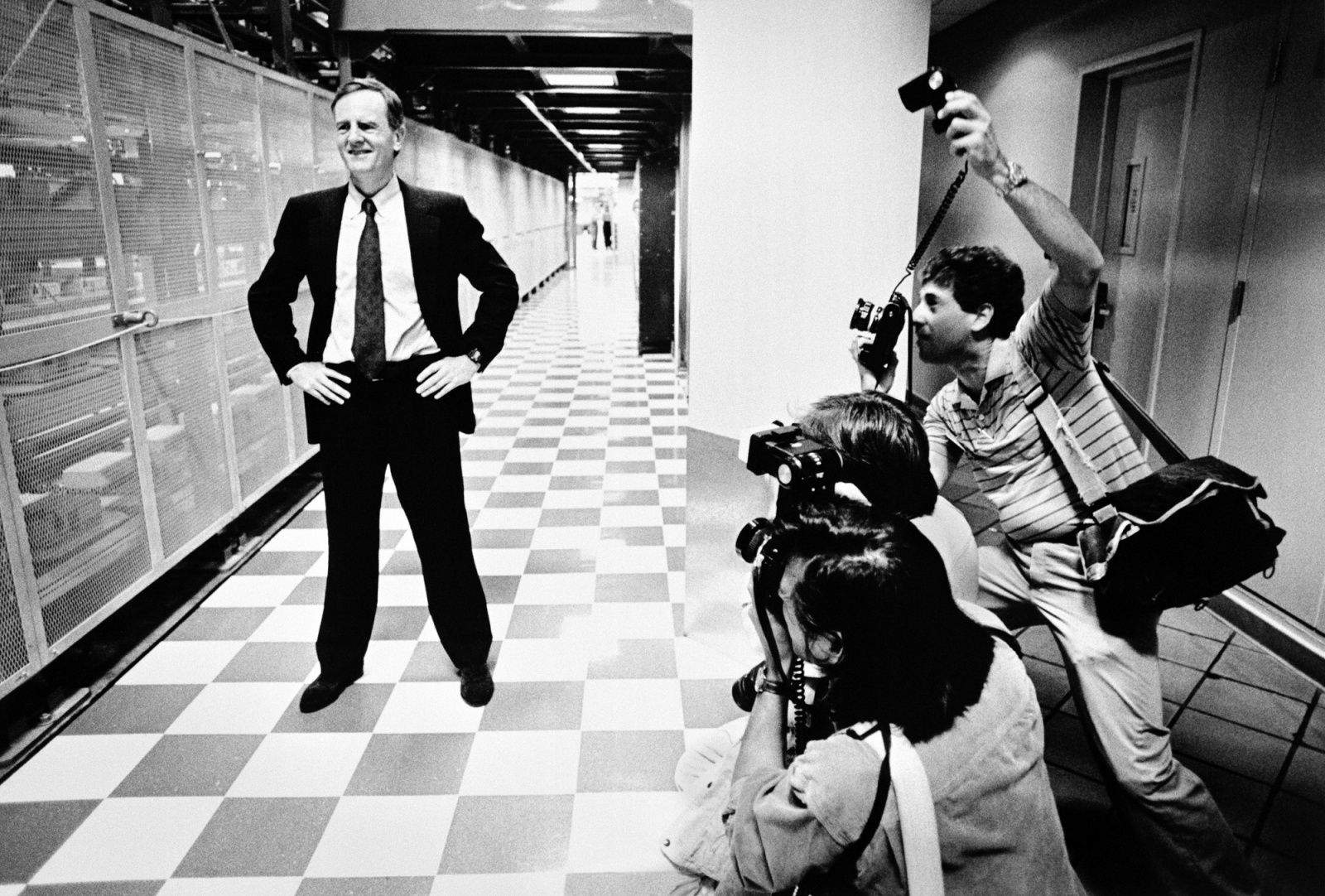
April 6, 1939: John Sculley is born in New York City. He will grow up to be hailed as a business and marketing genius, eventually overseeing Apple’s transformation into the most profitable personal computer company in the world.
After a remarkable stint as president of Pepsi-Cola, Sculley will take over as Apple’s third CEO in 1983. He will run Apple for a 10-year period, guiding the creation of the revolutionary Newton MessagePad.
During Sculley’s decade at the helm, Apple will sell more personal computers than any other company. But most people still remember him for his role in kicking Apple co-founder Steve Jobs out of Cupertino.
Keep your distractions at bay with Focus modes — easier to set up than ever now. Image: D. Griffin Jones/Cult of Mac
Apple’s Focus modes are a powerful way to change how your iPhone, iPad and Mac look and feel whether you’re driving, sleeping, relaxing or working. It’s all about fully immersing yourself in whatever you’re doing.
You can change all kinds of things: from who can reach you and which apps send notifications to custom Lock Screens, Home Screens and more. The tools can totally transform how your phone looks and works based on context. You don’t need all the same apps and widgets on your Home Screen while you’re at work or yoga as you do at home.
Setting up a Focus with rich customization makes your phone more personal. Keep reading to find out how.
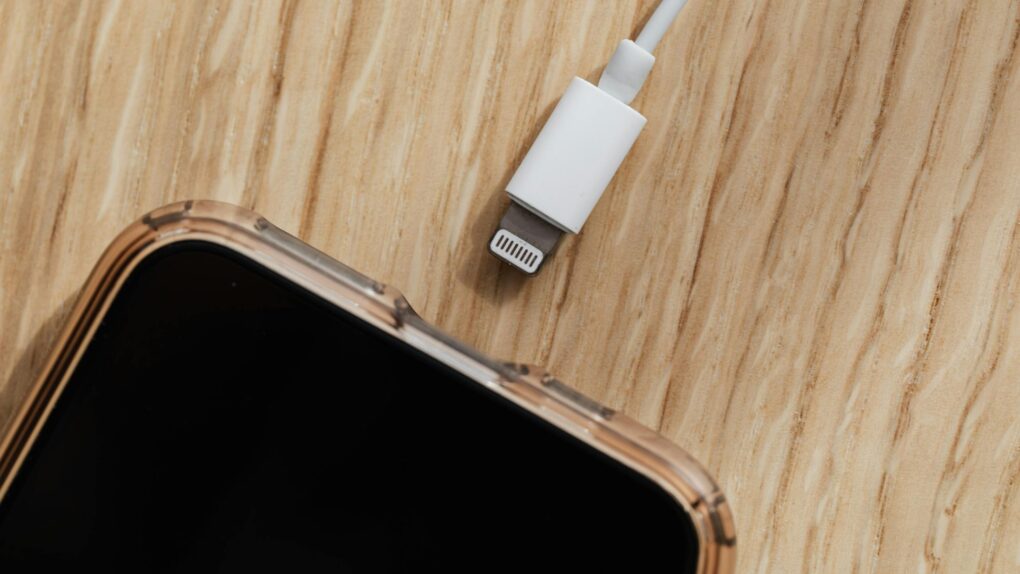
"Juice jacking" may not be much of a threat, but it's easy to avoid just in case. Photo: Kaboompics, Pexels.com
You’re at the airport, phone battery at 8%, and a USB charging port is right there. You plug in — and your iPhone flashes an alert asking whether to allow an accessory to connect. Should you panic? Are you at risk of “juice jacking?” Probably not. But you should know what that allow-accessory message means, and how to make sure you’re charging safely.
DarkSword looms over iPhones that haven't been updated. AI image: ChatGPT/Cult of Mac
Your iPhone is at serious risk of getting hacked if you haven’t updated it recently. Apple and security researchers warn that a sophisticated hacking tool known as DarkSword can compromise iPhones through malicious websites.
The fix is easy and available for every iOS device since 2015. Plus, it doesn’t require you to install iOS 26 or put Liquid Glass on your handset.
★★★★☆
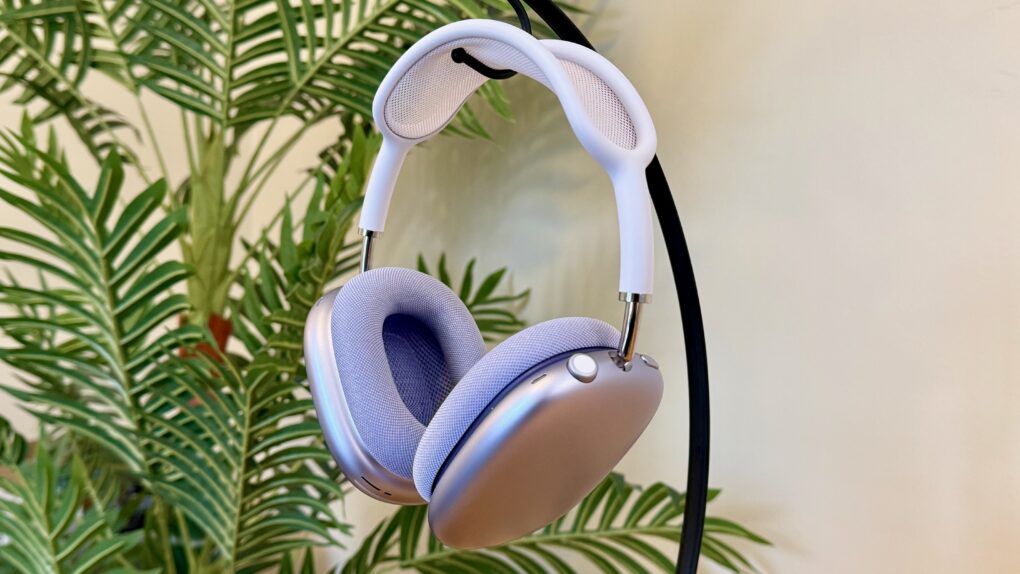
The purple AirPods Max 2 are gorgeous. Photo: D. Griffin Jones/Cult of Mac
AirPods Max 2 are the surprise update to Apple’s premium over-the-ear headphones. Now offering feature parity with the regular AirPods 4 and AirPods Pro 3 — thanks to the H2 chip inside — the headphones’ $549 price tag makes some kind of sense.
The design and controls remain unchanged from the originals, for better and worse. That includes the silly “Smart Case.” But the signature beautiful, booming sound and excellent noise cancellation are better than ever. If you’ve never tried AirPods Max before — only the lesser AirPods and maybe a few pairs of cheaper headphones — you are well and truly unprepared for the remarkable music these cans will pump into your ears.
You don’t need to be a big audiophile to love the AirPods Max 2. But considering how Apple has mistreated the product line so far, you have to be a little bold to buy them yourself.
Mark Wahlberg and Kit Harington star in The Family Plan 2. But maybe leave it off your viewing queue. Photo: Apple TV
Apple TV built a reputation as a quality-first streamer. It gave us Severance, Ted Lasso, Slow Horses, and the first Best Picture Oscar from a streamer, 2022’s CODA. But even Apple can’t promise a universal guarantee of quality. Over the years, a handful of originals have landed with a thud, panned by critics, dismissed by audiences or both. See the eight worst-reviewed Apple TV shows and movies below.
Apple's iPad charger is bit rubbish. You can get a far better one. AI image: Apple/Perplexity/Cult of Mac
The charger that came with your iPad Pro or iPad Air is wasting your time. Your tablet could be charging almost twice as fast (up to three times as fast for the latest iPad Pro). Plus, the included charger is not well-designed for travel.
Here’s what’s going on, along with recommendations for better options.
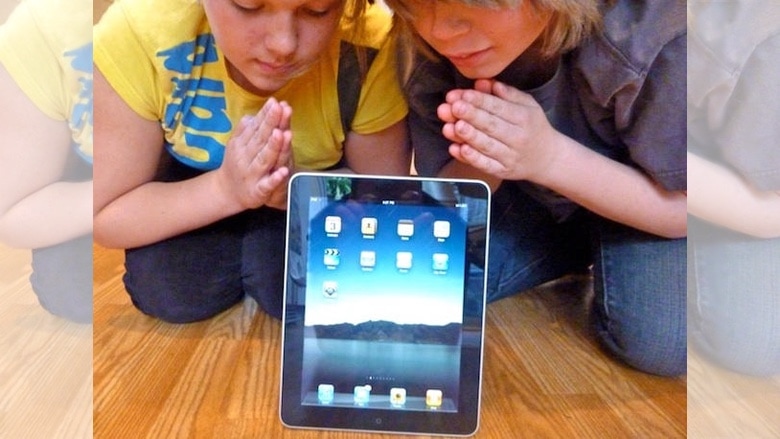
On launch day, people were very excited about the first iPad. Photo: Leander Kahney/Cult of Mac
April 3, 2010: The first iPad hits store shelves after months of anticipation. The tablet Apple CEO Steve Jobs called “magical and revolutionary” at its unveiling earlier in the year quickly becomes a major success.
Following years of rumors, Jobs initially showed off Apple’s first tablet on January 27, 2010. But now, the wait for the iPad is finally over … at least for people in the United States. (The iPad’s international debut won’t happen until May.)
There's a reason this desk and setup look so clean and tidy. And that reason is hidden under the desk. Photo: [email protected]
Cable management is the invisible infrastructure of every beautiful desk setup. Do it well and your workspace looks effortlessly minimal, almost wireless. Do it badly and a tangle of cords swallows every other design decision you’ve made. Cult of Mac’s Setups section chronicled the most impressive Apple-centric workstations on the internet for years, and cable management — how to hide it, route it, tame it and sometimes eliminate it entirely — is a recurring obsession among Mac owners. Behold the best cable management in setups, below.
★★★★☆
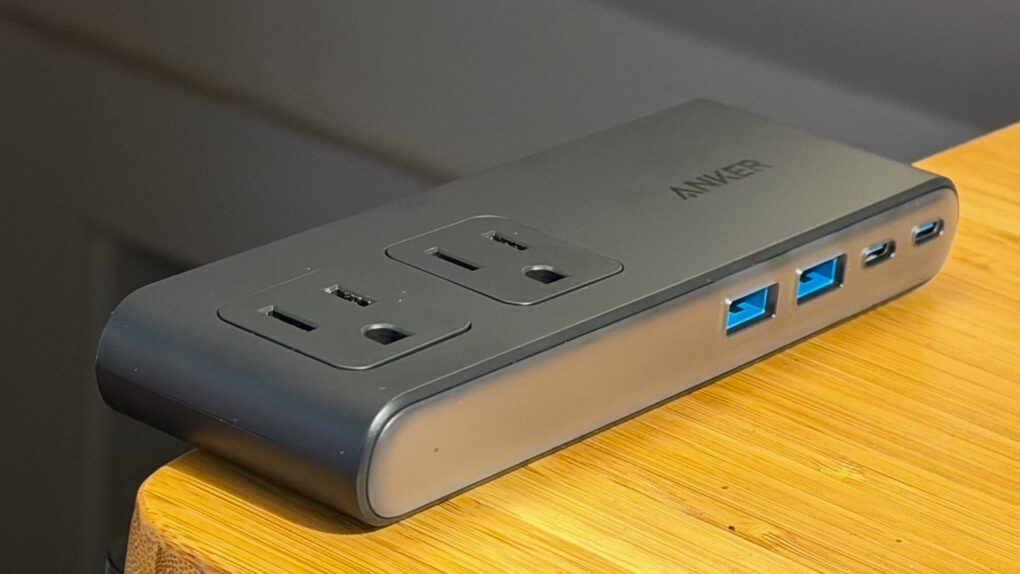
Anker's new Nano Power Strip attaches firmly to the edge of your desk. Photo: Lewis Wallace/Cult of Mac
Anker’s new Nano Power Strip (10-in-1, 70W, Clamp) thoughtfully reinvents one of the world’s most common electrical accessories to make it play nice with desks.
It comes with some caveats, but for anyone needing to tame cable clutter, it makes a solid addition to a setup.
Apple's future will bring major changes ... but maybe not as many as you think. AI image: Perplexity/Cult of Mac
Apple just finished its first 50 years, making this an ideal opportunity to look ahead to what we can expect from the next five decades.
Having watched the company progress from the Apple II to the iPhone, I’m as qualified as anyone to peer into the future of computing. Here’s what we can look forward to.
★★★★★
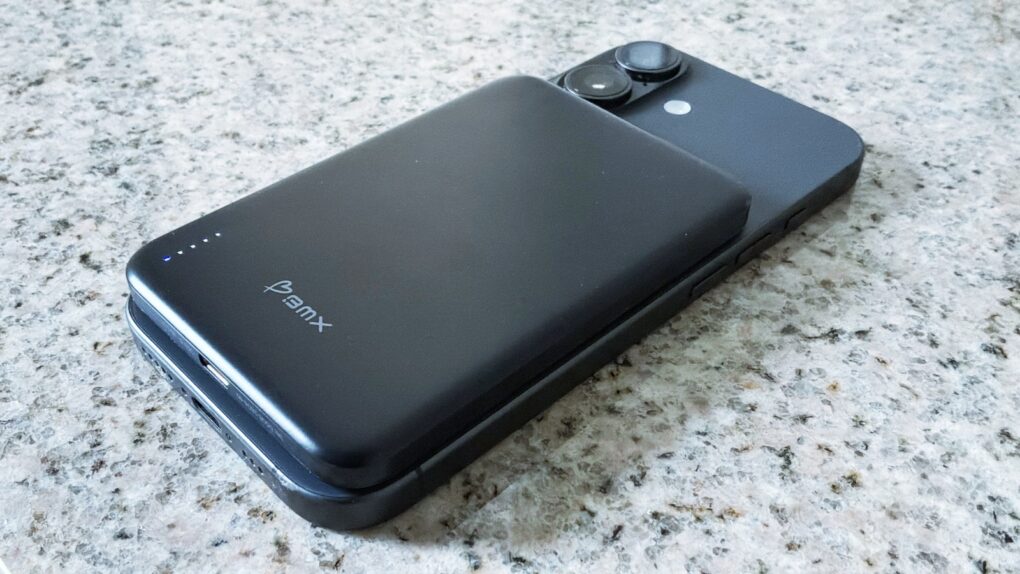
The BMX SolidSafe Air keeps my iPhone 17 going for an extra day. Photo: Ed Hardy/Cult of Mac
The BMX SolidSafe Air is the MagSafe power bank we’ve been waiting for. It’s a mere 0.27 inches (6.88mm) thin — slimmer than the iPhone 17 I tested it with.
The 5,000mAh iPhone accessory features a semi-solid-state cell design to reduce fire risk and a lightweight titanium build.
Here’s why it was such a pleasure to test out. This is the best MagSafe power bank I’ve ever used.
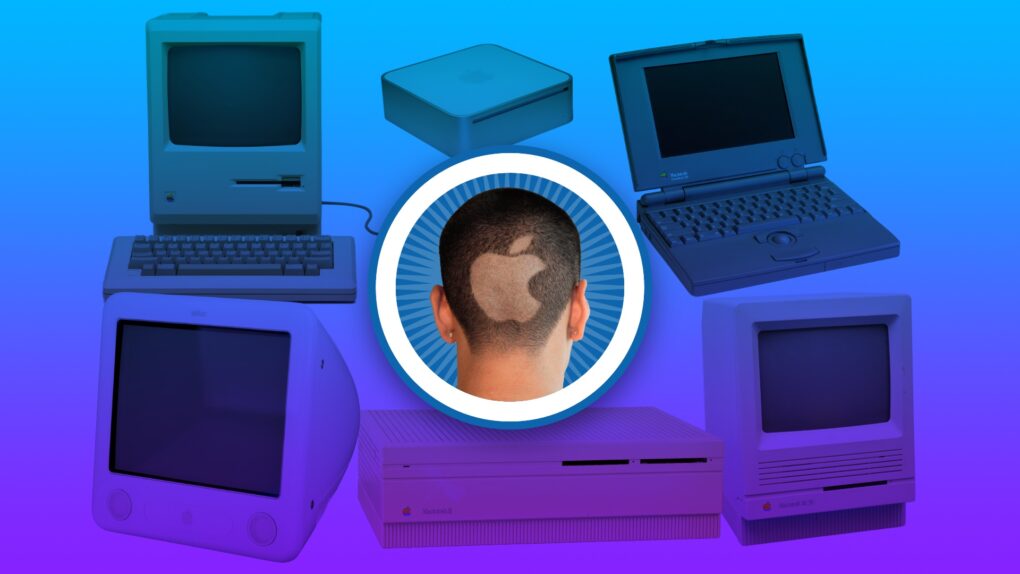
You always remember your first. Image: Apple/D. Griffin Jones/Cult of Mac
Apple started exactly 50 years ago, and most of the Cult of Mac staffers have been Mac users almost since the beginning. We have 170-plus years of experience!
Today’s milestone has us looking back on how we got started using Apple computers, from the original Macintosh to the first PowerBook to the early Mac mini.
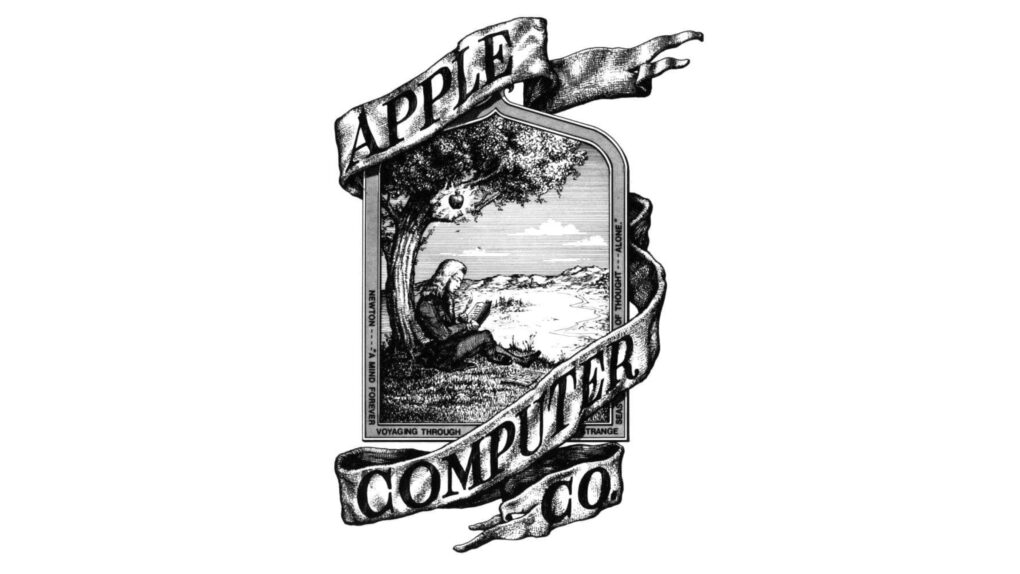
The original Apple logo, designed by Ron Wayne. Image: Apple
April 1, 1976: The Apple Computer Company is founded by Steve Jobs, Steve Wozniak and Ronald Wayne. The trio sets out to sell the $666 Apple-1 computer.
Apple will not officially become a corporation until January 3 the following year. By that time, Wayne is no longer a part of the business.
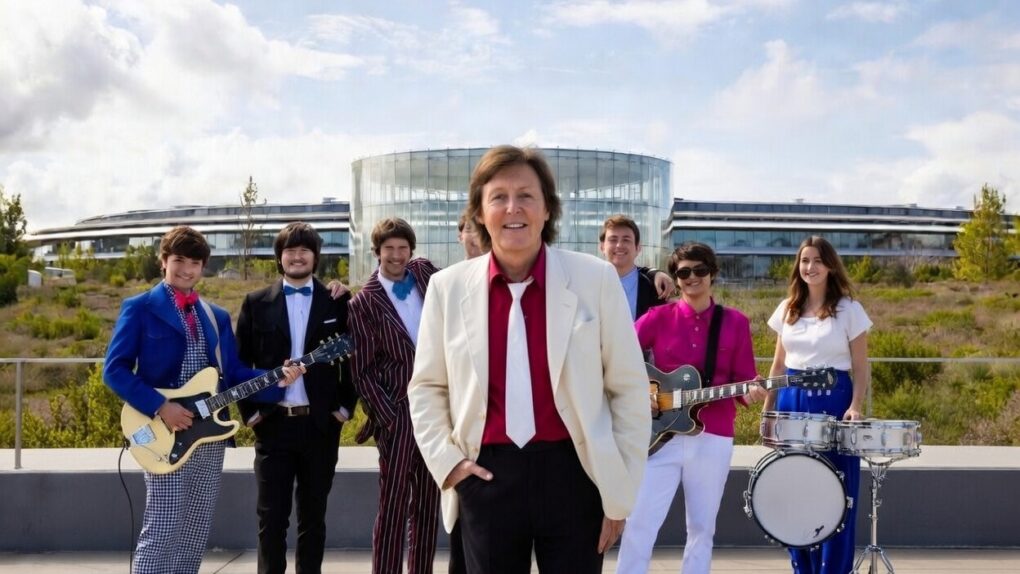
Paul McCartney plays Apple Park for the iPhone giant's 50th anniversary. Photo: @Diario_Beatles, X.com
Apple turned 50 on Wednesday, but the real party happened the night before. On Tuesday evening, Sir Paul McCartney took the rainbow stage at the heart of Apple Park and delivered a career-spanning performance for thousands of Apple employees.
It closed out weeks of global anniversary celebrations with one of the most storied voices in rock history — and a sky full of fireworks.
It’s a big birthday for the fruit company. Image: Apple/D. Griffin Jones/Cult of Mac
As Apple turns 50, it’s worth looking back on the company’s greatest accomplishments and lowest moments through history. If you don’t have time for David Pogue’s 600-page epic, Apple: The First 50 Years, maybe you can spare eight minutes to relive the single biggest piece of Apple news every year.
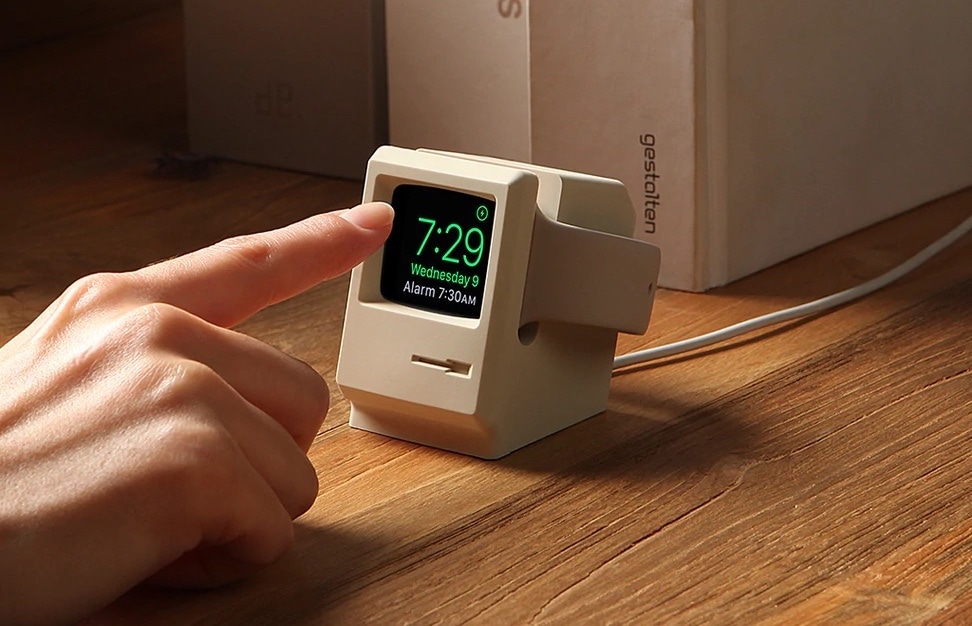
The Elago W3 Apple Watch Stand brings to mind a classic Mac. Photo: Elago
April 1 marks a milestone: Apple turns 50. Half a century after Steve Jobs, Steve Wozniak and Ronald Wayne signed the papers in a California garage, Apple has become one of the most valuable companies on Earth — and one of the most design-obsessed in history.
And lucky for gear fans, some of its brilliant products inspired other companies to make some great retro-futuristic Apple accessories.
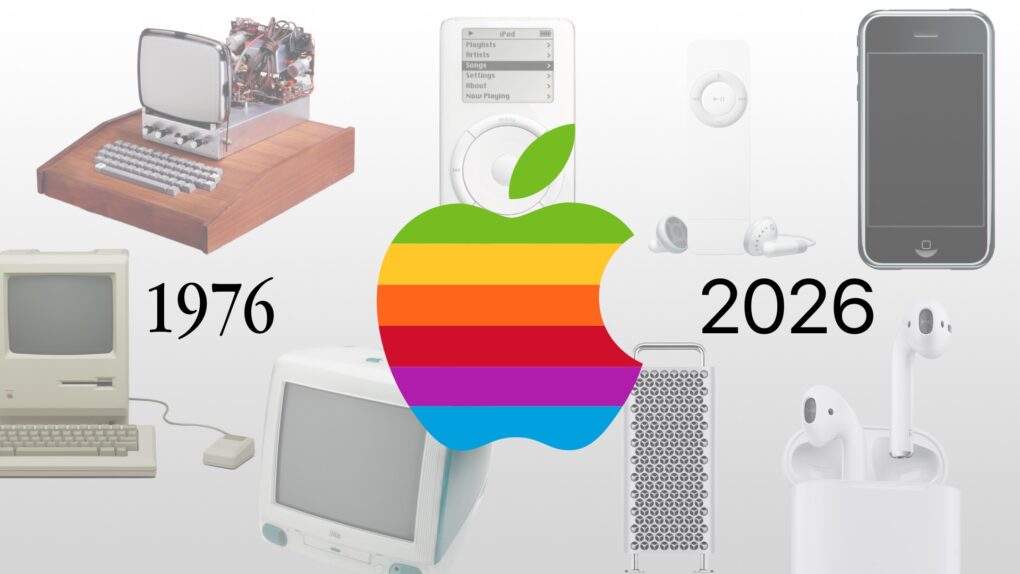
Some of the most important products from Apple's first 50 years might surprise you. Image: Midjourney/Cult of Mac
Apple produced an amazing string of hit products over its 50 years, but to paraphrase Napoleon the pig: Some are more important than others.
Here are the most important products in Apple’s 50-year history. And no, this list is likely not what you were expecting. They’re not necessarily the biggest or the most well-known.
British Invasion performer. Will it be Sir Paul? Or maybe somebody from Herman's Hermits. AI image: Grok/Cult of Mac
Apple’s global 50th anniversary celebration is building to what might be its most memorable moment yet — and if the clues are right, it involves a Beatle performing at Apple Park this week. Or somebody else from the British Invasion that Steve Jobs loved.
The Beatles' clash with Apple ran for almost 30 years. Photo: Apple Corps
March 30, 2006: A court case begins that once again pits Apple Computer against Apple Corps, The Beatles’ record label and holding company.
The lawsuit caps a long-running legal battle between the two wealthy companies. It’s the final fight in an epic legal battle over music, technology and money.


 April 6, 1939: John Sculley is born in New York City. He will grow up to be hailed as a business and marketing genius, eventually overseeing Apple’s transformation into the most profitable personal computer company in the world.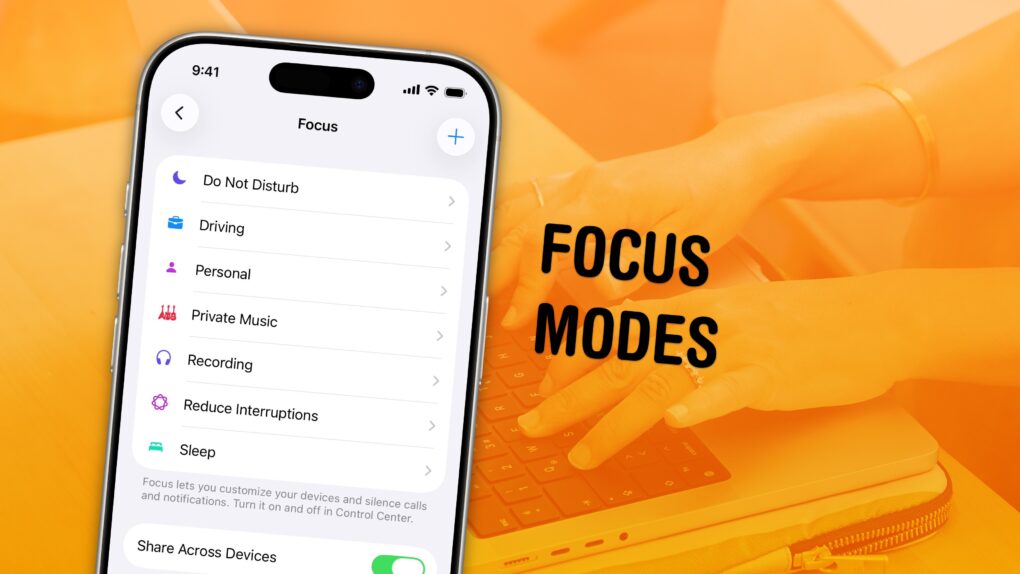
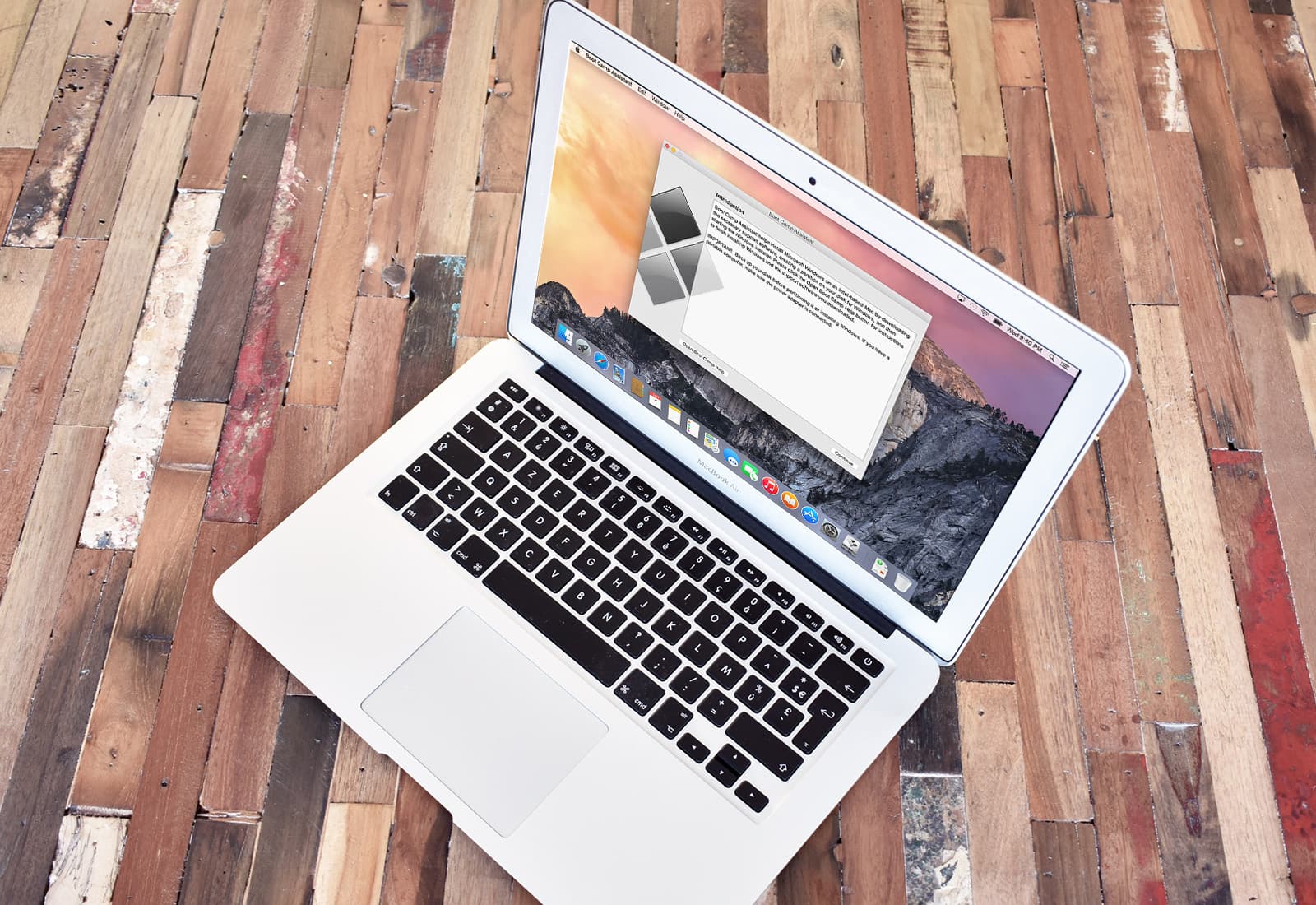
 April 5, 2006: Apple introduces the public beta of Boot Camp, software that allows users with an Intel-based Mac to run Windows XP on their machines.


 April 3, 2010: The first iPad hits store shelves after months of anticipation. The tablet Apple CEO Steve Jobs called “magical and revolutionary” at its unveiling earlier in the year quickly becomes a major success.
 April 1, 1976: The Apple Computer Company is founded by
 March 30, 2006: A court case begins that once again pits Apple Computer against Apple Corps, The Beatles’ record label and holding company.