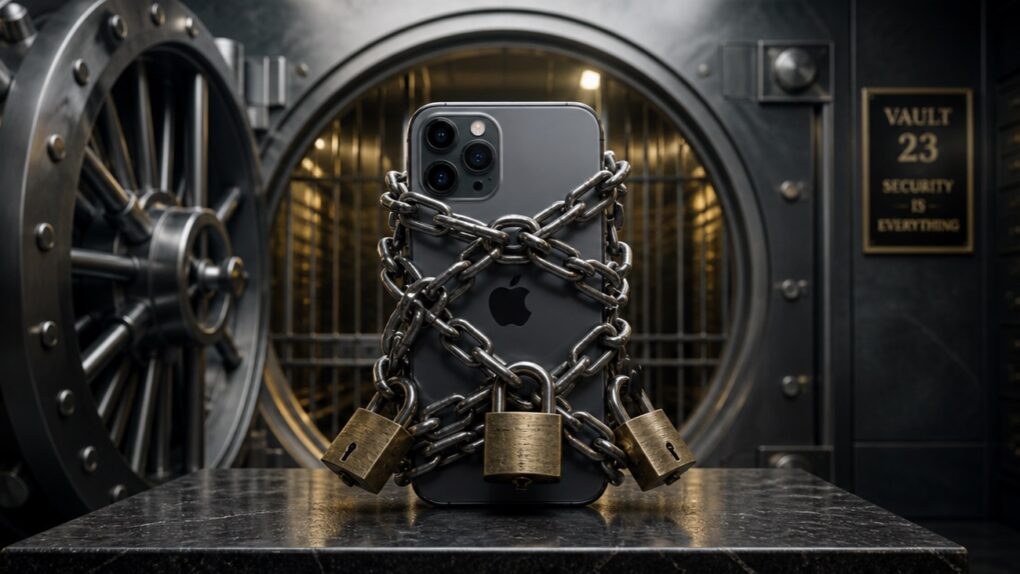
A very sad day has come, and a beloved relative has passed away. And it seems Apple is making the experience worse because it refuses to unlock the deceased person’s iPhone!
It’s not that Apple refuses to — it literally cannot. And it all comes down to the way encryption works.
Fortunately, there’s a simple way to prevent this problem. It just takes some preparation.
Why Apple cannot unlock a deceased person’s iPhone
Consider this typical scenario. Grandma passes away, and now the family wants the many pictures of the grandkids from her iPhone. The device is locked, so someone goes to Apple with the death certificate and asks for the passcode, or simply to have the device unlocked.
Apple says no, and the family is outraged. They aren’t thieves — they just want access to a handset they own.
To get why Apple is powerless to help, it’s important to understand that the contents of the iPhone are encrypted, and Apple doesn’t keep a key to unlock it. That’s because the company treats privacy as a fundamental human right.
An iPhone passcode is far more secure than any door lock
People tend to think of a passcode like a door key. It’s not — iPhone security doesn’t work anything like a lock on your house. Instead, locking your iPhone is the equivalent of putting everything in your house through a wood chipper, then immediately reassembling it all when you unlock the door. See? The metaphor completely fails.
That’s because iPhones use strong, device-based encryption. This scrambles everything — photos, messages, contacts — so it looks like complete nonsense, not readable text or images. The only way to restore the data is by unencrypting it, and that requires the passcode.
When a user sets their iPhone passcode, it becomes part of the encryption key that protects all the data on the device. Without the passcode, the data can’t be unscrambled.
The important part is this: Apple does not store a copy of your passcode or the full encryption key anywhere. It’s not sitting on Apple’s servers, and it’s not recoverable through iCloud. Without the passcode, the data remains scrambled. Permanently.
Apple won’t make a backdoor into your iPhone

Image: Apple
Of course, Apple could write iOS in a way that would let the company bypass this encryption. But it will not do this, and has defended this refusal over and over.
As a real-world example, the Mac maker stood its ground during a dispute with the FBI in 2015 and 2016, when Apple refused to create software to unlock a terrorist’s iPhone. In the end, the FBI had to go elsewhere to get access to the handset.
Apple consistently argues that building such a backdoor — even for legitimate cases like deceased relatives — would weaken security for everyone. If there’s a way to unlock an iPhone without the passcode, then hackers will inevitably find it. And unethical governments will simply demand that Apple turn over the data from every iPhone.
Apple’s strong stance on encryption is why iPhones can handle classified information up to the NATO Restricted level without the need for specialized software. No other handset can say that.
Apple can access iCloud data … maybe
Those trying to get family photos from a deceased relative’s iPhone have hope. Most iCloud data — like Mail, Contacts, Calendars, and Photos — is encrypted, but Apple holds the keys. That means Apple can give you access to online data with proof that your relative has passed away.
But there’s an important caveat. If your relative used Apple’s optional Advanced Data Protection for iCloud feature, then their Photos, Notes, etc. get encrypted with a passcode that Apple does not have access to. That makes it all permanently inaccessible.
An ounce of prevention
Concerned that you won’t be able to get access to an elderly relative’s iPhone after they pass away? Apple developed the Legacy Contacts feature for exactly this situation. It lets someone designate legacy contacts so their loved ones can gain access to data on their iPhone or iPad after death without the passcode.
If someone makes you their legacy contact, you’ll get an access key that will let you get to their photos, videos, notes, documents, personal information and more. If they back it up to iCloud, you’’ll be able to access it.
For more details, be sure to read our guide on how to set up Digital Legacy contacts to pass on iPhone data after you die.
Want to do it the simple way? Just ask your relative for their passcode now. Alternatively, you can help your relatives out by sharing your iPhone passcode with someone you really, really trust.
Or if what you really want is the family photos on Grandma’s iPhone, you can get them now. Spend some time with her and have her AirDrop the pictures to you. Or put them on an external drive.
An iPhone passcode is not like a door key
The takeaway from all this for every iPhone user is that you shouldn’t think of your handset’s passcode like a simple door key. Realistically, door locks are stupid – all they do is keep out your friends. Anyone who really wants in can bust into your house.
But someone can’t easily bust into your iPhone without the passcode, not even Apple. And that includes the FBI — they spent $900,000 to crack open one terrorist’s iPhone in 2016, and Apple has worked hard to make its devices more secure since then.

Ed Hardy has been writing full-time about tech for 26 years, and using it for much longer than that. His intro to Apple was a Macintosh SE/30 (which he still has), but now he uses a 13-inch iPad Pro as his primary computer.
That’s because he’s a “tablet first” type of guy. Rather than use a Macbook, he connects a keyboard case to the iPad. And instead of a desktop Mac, he connects his tablet to a 27-inch display and full-size keyboard. (So don’t try to tell him that everyone has to use a Mac to be productive.)
Before coming to Cult of Mac, Ed wrote for NotebookReview, TabletPCReview and Brighthand, as well as other sites.


5 responses to “Why Apple cannot unlock your deceased relative’s iPhone”
If only you took a little bit more time with your research and shared with users the Legacy Contact feature that has been around for years now.
Yes, I dropped the ball, there. I added Legacy Contacts to the article, including a link to the guide I wrote on that feature a couple of years ago;
https://www.cultofmac.com/how-to/how-to-set-up-apple-digital-legacy-contact
Thanks!
About Legacy Contacts
Adding a Legacy Contact is the easiest, most secure way to give someone you trust access to the data stored in your Apple Account after your death.
The data might include photos, messages, notes, files, device backups, and more. Your Legacy Contact can’t access certain information. Inaccessible data includes movies, music, books, or subscriptions you purchased with your Apple Account, and data stored in your iCloud Keychain (payment information, passwords, and passkeys). Learn more about the data your Legacy Contact might be able to access.
To file an access request after you pass away, they need:
The access key that you generate when you choose them as your Legacy Contact
Your death certificate
Learn how your Legacy Contact can request access to your Apple Account
I updated the article to bring up Legacy Contacts, including a link to the guide I wrote on that feature a couple of years ago;
https://www.cultofmac.com/how-to/how-to-set-up-apple-digital-legacy-contact
Thanks!
Apple has removed its Advanced Data Protection (ADP) feature in the UK, which provided users with the highest level of data security through end-to-end encryption. This change was made in response to government demands for access to user data, meaning that iCloud data will no longer be fully encrypted for UK users. Question So, can Apple access a deceased person’s iphone in the UK?