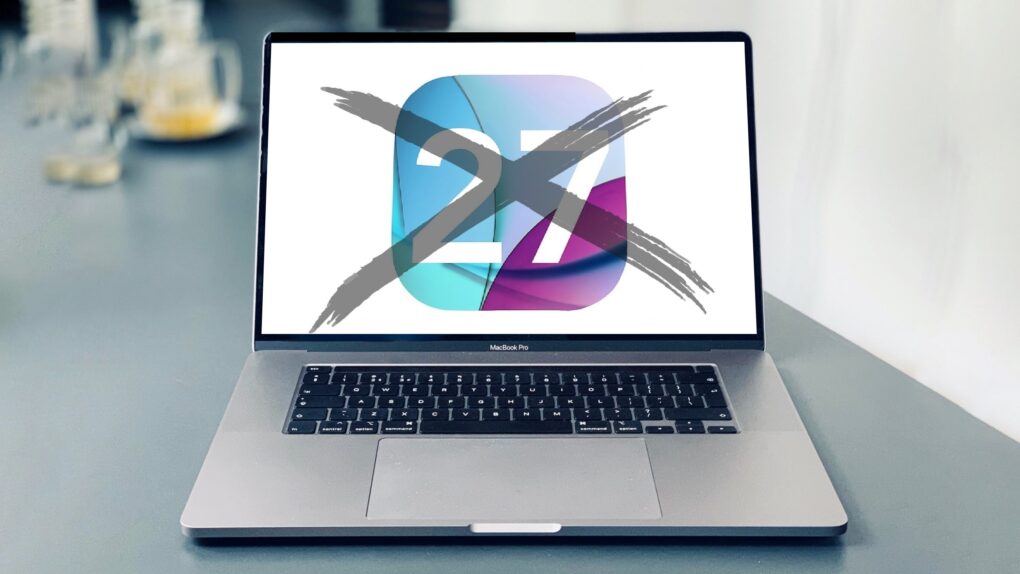
Anyone still using an Intel Mac needs to know that when macOS 27 launches this fall, it won’t be available for computers that don’t use Apple’s own processors.
It’s not like your Intel-based Mac will suddenly explode in your face because it’s running an older version of macOS, but the odds of getting hacked go up considerably. Here’s why.
macOS 27 is the end of the line for Intel Macs
Before anyone goes up in flames accusing Apple of unfairly targeting users of Intel Macs, note that the company always stops offering OS upgrades for computers about 6 or 8 years after they’re released. And the first computers with Apple silicon debuted in 2020, so… it’s time.
Dropping support for older Macs allows Apple to focus its resources on developing new features while maintaining recent OS versions instead of updating legacy code for computers that are becoming increasingly obsolete. The situation is even worse for Intel Macs, as they require two builds of the same OS, compiled for different architectures.
And lots of Intel Macs are already old enough to be past upgrades. It just so happens that macOS 27 is a milestone in that no Intel-based model will get the new version.
To be clear, this is not a rumor. Apple revealed at last June’s WWDC 2025 that the current macOS 26 Tahoe is the last version compatible with Macs running Intel processors.
But that announcement came almost a year ago — it’s possible it’s slipped your mind. And with the cutoff coming in about 6 months, you need to start thinking about a plan.
It’s a security problem
Like I said, your computer won’t abruptly shut down this fall without macOS 27. But running older versions of the operating system on machines still in active use carries security risks that increase over time.
Once Apple shifts focus to macOS 27, macOS 28, etc., older versions gradually stop receiving security patches. That leaves known vulnerabilities unaddressed, which hackers can exploit using publicly available techniques. There are always new threats coming, and unpatched systems become easier to hack the longer they remain out of date.
Losing out on features
macOS 27 is expected to feature a significantly upgraded version of Siri that behaves more like a conversational chatbot, with deeper integration across apps. Intel Macs will miss out on that.
Also, the next version will reportedly put an emphasis on performance and stability improvements. Do you want to miss that, too?
And the limitation goes beyond the operating system. Third-party software developers typically target current and recent macOS versions, not older ones. That means more and more app updates will not be available for computers running version 26 and earlier.
You can continue to run older versions of the apps, of course, but you’ll be missing out on new features. And outdated apps include their own unpatched security flaws.
Time for a new Apple silicon Mac!
There’s an obvious solution to this problem, and I hope it’s good news: buy a new Mac with Apple silicon. But I suspect some of you will be frustrated because your Intel Mac works fine.
Perhaps you’ll feel better with a reminder that a new Mac will offer vastly better performance than virtually any Intel-powered one. Benchmarks show the entry-level MacBook Neo is about 50% faster than a top-of-the-line MacBook Pro with a Core i9 chip from 2019, for example. And the new MacBook Pro with M5 Max is over 4X faster!
Alternatively, you might consider a Mac that’s not really new, but is new to you. Any desktop or laptop with Apple silicon will run macOS 27, and you can pick up a refurbished Mac mini or MacBook Air with an M1 chip for roughly $400.
No software option to put macOS 27 on Intel Mac
Previous macOS versions could be loaded onto unsupported Macs with OpenCore Legacy Patcher. This free, open-source utility lets older, unsupported Macs install and run newer versions of macOS. However, macOS 27 won’t be compiled for Intel processors. Intel Macs use x86_64, while Apple silicon uses ARM. Without an x86 version of the OS, there’s nothing for the machine to execute. Unfortunately, the processor architecture mismatch is a hard barrier.
That leaves buying a new Mac only real alternative to waiting for the day when Apple stops introducing security patches for the older macOS versions.
But there’s no rush. macOS 27 isn’t expected until this fall, and your Intel Mac will keep humming along after that. For a while — time is inevitably running out for it.
Update: This article originally said OpenCore Legacy Patcher would be an option for Intel Macs to run macOS 27. That has been corrected.

Ed Hardy has been writing full-time about tech for 26 years, and using it for much longer than that. His intro to Apple was a Macintosh SE/30 (which he still has), but now he uses a 13-inch iPad Pro as his primary computer.
That’s because he’s a “tablet first” type of guy. Rather than use a Macbook, he connects a keyboard case to the iPad. And instead of a desktop Mac, he connects his tablet to a 27-inch display and full-size keyboard. (So don’t try to tell him that everyone has to use a Mac to be productive.)
Before coming to Cult of Mac, Ed wrote for NotebookReview, TabletPCReview and Brighthand, as well as other sites.


10 responses to “Time is running out on your Intel Mac — here’s why”
OS26 is awful and has a lot of problems for pro users in the production arena… I assume OS27 will just as bad… all of my machine will stay on Sequoia for now.
Where is the European Union when you need them?? My iMac 27 is still doing everything I want and only using a fraction of its resources. So I am forced to upgrade. I’m not happy. Might have to rethink the whole Applesphere idea 🤷♂️
Apple generally supports the last three major releases of macOS with security updates and patches. As of April 2026, with the current latest being macOS 26 Tahoe, the two previous versions—macOS 15 Sequoia and macOS 14 Sonoma—still receive critical security updates.
“A software option can put macOS 27 on Intel Mac” <– NO! macOS 27 will not contain any intel code, and will be impossible to run on any intel machine, period.
Thank you! You are completely correct, and I updated the article to reflect this.
I don’t care about improvements to Siri. The nice thing about Intel-based Macs is that you can still upgrade their storage yourself. Apple’s move to soldering in their SSDs and memory (coincident with using their own silicon) was a bridge too far for me.
I would update my iMacs today (3) if Apple made a 27″ or larger iMac. 24″ just doesn’t cut it nor does a $1600 display hooked up to a mini. I’ll run my iMacs until I can’t and then explore other options outside of Apple. Was once totally locked into the apple eco-system and then they dropped their routers, then their large iMac. Don’t want my money, OK.
While I have a M2 Mini as my ‘daily driver’, I held onto my 2017 Intel MacBook Air – as it’s trade-in value was embarrassing – and it’s been worth far more as my work, travel and occasional cafe machine.
The last model with all the ports (hint – not all locations in the wild have reliable Wi-Fi) it runs the last version of Monterey and has 95% of the apps found on the M2. It would be *nice* if Apple continued to offer security updates, but I also run it through a VPN, with an AV app and a browser that has its own security protections and add-ons. Not perfect solutions, but it works – and is often less-problematic than my M2.
Time isn’t running out for Intel Macs, especially older Minis that can dual boot to Linux. Time is running out to use MacOS on them. These are still extremely functional and secure via modern Linux distros and will remain so. And they offer expansion options long since deleted by Apple.
I have a macbook pro with i9, 64GB RAM and 5600M. I installed Fedora to try it. Sleep mode does not work. Speaker quality is terrible. Screen colors look weird. If you look on wiki.t2linux.org. Those machines can not run linux as daily drive. Sadly it seems like only option is windows 11.