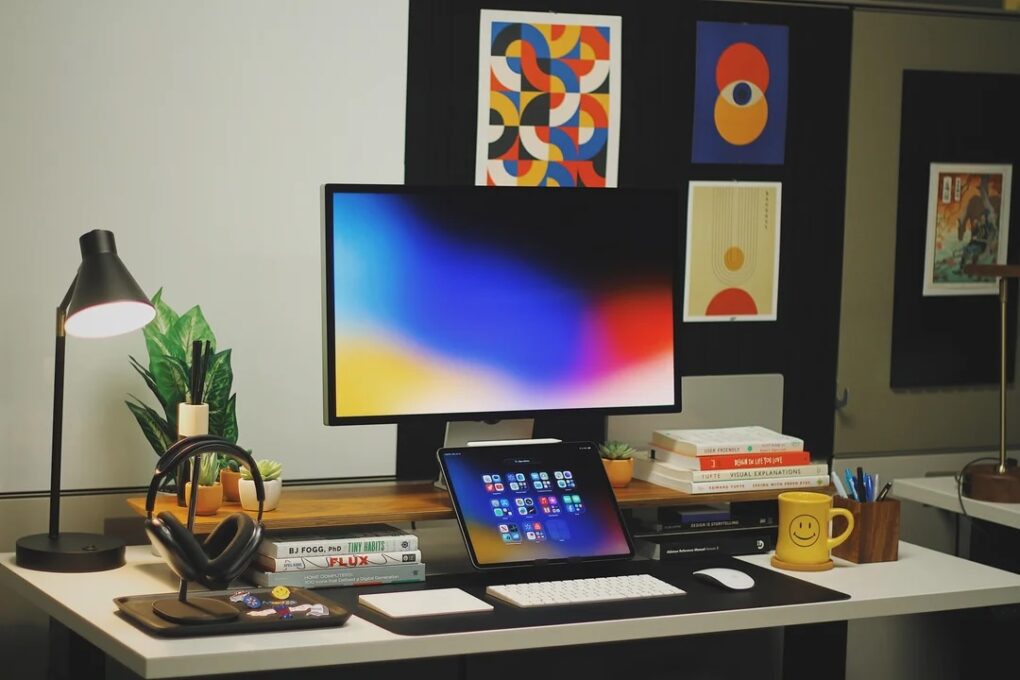
In some ways, iPad is the most versatile computer Apple makes — which makes it an unusually rich ingredient in a Mac workstation. And as iPadOS grows ever more capable, more users find new, smarter roles for their tablet. The following 10 examples drawn from the Cult of Mac Setups archive represent the best uses of iPad in Mac setups. They show just how many ways the tablet can earn its place on a desk.
This post contains affiliate links. Cult of Mac may earn a commission when you use our links to buy items.
Best uses of iPad in Mac setups
iPad is undeniably versatile, as our top iPad setups from the past few years show. It can serve as a Sidecar screen — a seamless macOS display extension, sometimes wall-mounted, sometimes in portrait, sometimes running a customized wallpaper that flows right across from the main monitor. It can run Universal Control, turning the tablet into a fully independent iPadOS device that shares a single keyboard and mouse with the Mac next to it. Or it can become a portable display for a Mac, a dedicated notifications hub, a drawing tablet, a fourth or fifth screen, or the star of the show with the Mac hidden away entirely. Or it can even replace the Mac.
10. Super-clean MacBook Air setup makes good use of Sidecar
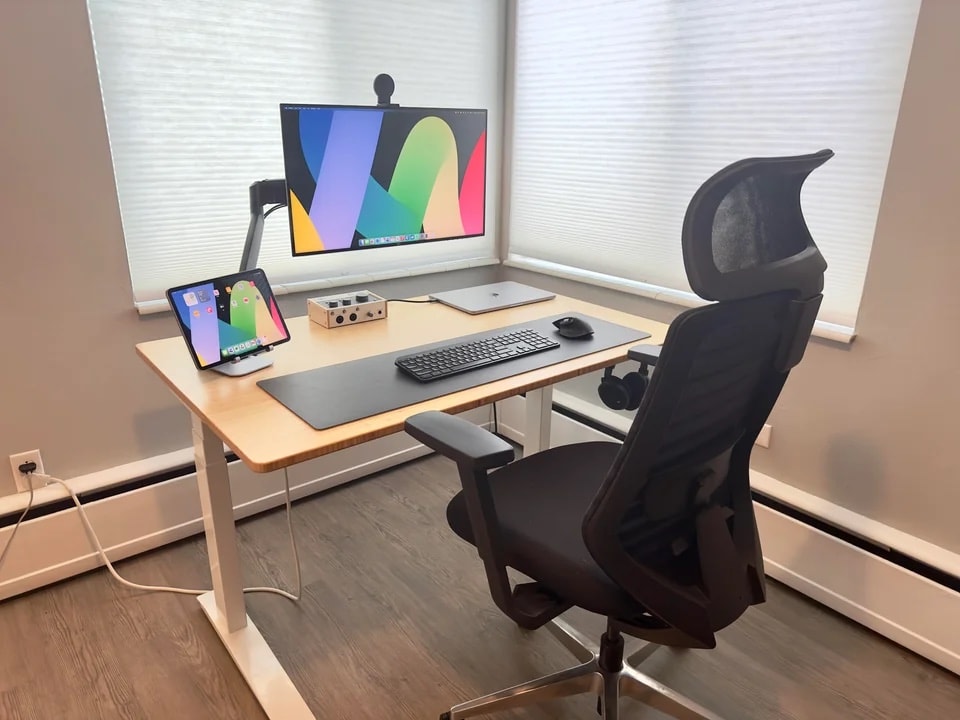
Photo: [email protected]
A 15-inch M2 MacBook Air sits closed on a Fully standing desk driving a 17-inch Dell 4K monitor on a Kensington arm. And beside it, an 11-inch M2 iPad Pro sits in the mix for Sidecar duty. The user’s workflow is bracingly specific. He pushes passive apps — Gmail, Google Chat — to the iPad via Sidecar. That ensures they stay open and visible without eating space on the main monitor, where he snaps Safari tabs side by side. A Belkin mount on top of the monitor holds an iPhone for Continuity Camera on calls. A Universal Audio Volt audio interface and Sennheiser reference headphones round out a setup.
Read the full Setups article: Super-clean MacBook Air setup makes good use of Sidecar
Apple's M2 iPad Pro is among the best tablet lineup out there, packing a powerful chip, all-day battery life, and a stunning Liquid Retina Display.
Possibly the perfect laptop. The 13-inch MacBook Air brilliantly blends portability with performance. Top-notch industrial design and a beautiful Midnight finish.
- 16GB RAM, 256GB SSD Storage
- M2 chip: Built for Apple Intelligence
- 13.6-inch Liquid Retina Display
- Backlit scissor-switch keyboard
- Non-upgradeable RAM or SSD
- Poky 256GB storage
9. Try MacBook Pro user’s perfect iPad Pro placement

Photo: [email protected]
An M2 Pro MacBook Pro (32GB, 1TB) drives a mammoth 43-inch Dell UltraSharp 4K display on a handsome riser. The laptop sits open on a stand beside it. The wrinkle is a 12.9-inch iPad Pro positioned with what commenters called near-perfect placement. It’s on a stand aligned at eye level, always within easy reach, displaying the same Glassy Wallpapers wallpaper that runs across all four screens in the setup (including the iPhone). The setup’s owner keeps the tablet available as both a Sidecar screen and a standalone iPadOS device. The clean lines, matched wallpaper across all screens, and deliberate proportioning make this one of the more aesthetically composed iPad-in-Mac setups in the archive.
Read more: Try MacBook Pro user’s perfect iPad Pro placement
Apple's pro tablet upgrade for 2025 features the M5 processor for maximum performance.
- Apple's biggest, most powerful tablet
- 13-inch Ultra Retina XDR display with 120Hz ProMotion and antireflective coating
- 4x peak GPU compute compared to M4 iPad Pro
- Pricey
- Nano-texture glass only available on 1TB and 2TB models
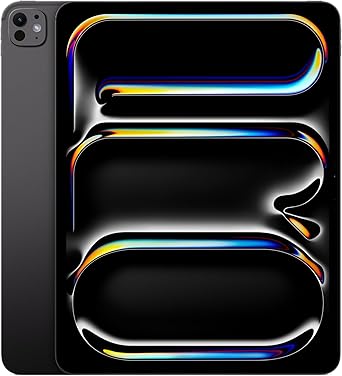
This useful aluminum stand is compatible with iPad Pro, iPad Air M1, iPad Mini and Phone 12 and newer.

8. Going all mini all of the time
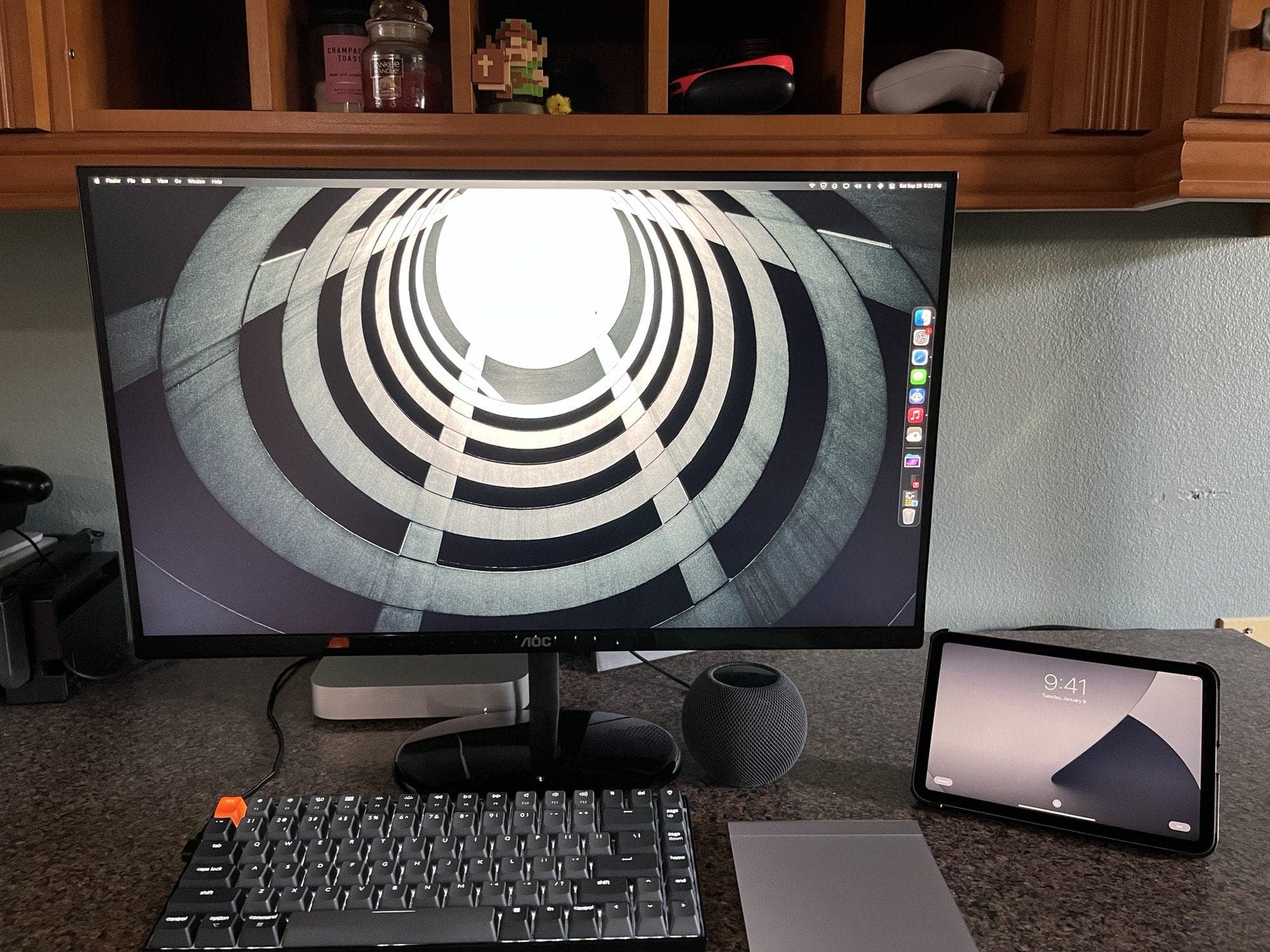
Photo: [email protected]
An M1 Mac mini, an iPad mini and a HomePod mini make up a setup that seems like it’s either a philosophy, a joke or possibly both. The Mac mini drives a 24-inch AOC gaming monitor for primary screen duties. The iPad mini runs via Sidecar as a secondary display. The user explained that iPad adds the mobility and ecosystem continuity the mini desktop can’t offer. That includes file syncing across devices, Sidecar as a second screen, media consumption and photography use on the go. The HomePod mini provides audio. The whole setup is delightfully self-consistent in its scale. And it sparked a lively comment-section debate about whether the iPad was a necessity or a novelty.
Read more: Going all mini all of the time
iPad mini 7 is tiny but boasts an 8.3-inch screen. iPadOS makes it a powerful computer, and it beats even the largest iPhone for watching video or playing games.
- So very portable
- Great ebook reader
- Kind of pricey

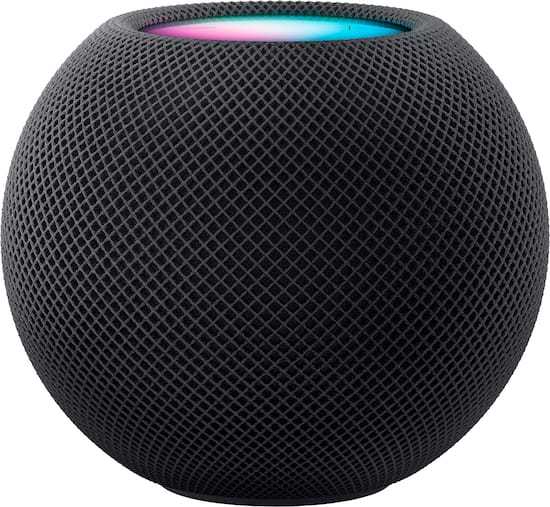
Apple's tiny but powerful smart speaker delivers surprisingly good audio for its size. Plus, it works well with the Apple ecosystem.
- Sounds sweet, especially in stereo pair
- Works great with Siri
- Comes in great colors
- More expensive than competition
7. Floating iPad Pro works as a ‘perfect’ second screen
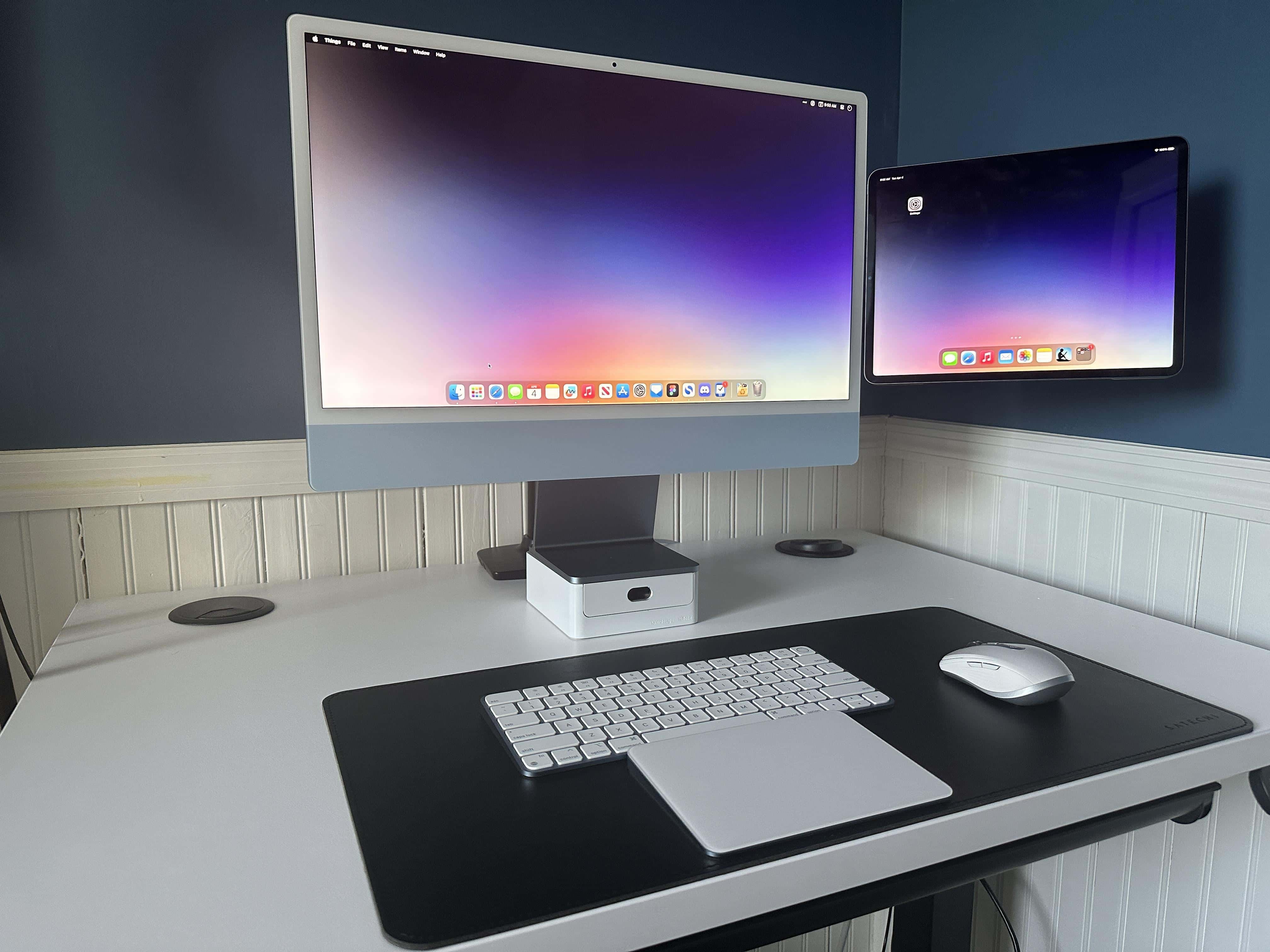
Photo: [email protected]
A 24-inch blue M1 iMac makes for a beautiful main screen, but the standout of this setup is what appears to levitate beside it: a 12.9-inch iPad Pro mounted on a Zelal magnetic VESA mount attached to an AmazonBasics monitor arm. The tablet floats in space next to the iMac with no visible support. The user runs both Sidecar and Universal Control, and was emphatic about each having a distinct function. “In the case of Sidecar, the iPad is just a second monitor that displays macOS,” they explained. “The synchronization between the two is incredible and really makes this setup work.” A dramatic Sohnne HaloLux floor lamp provides the kind of atmospheric lighting that makes this blue-themed setup pop.
Read more: Floating iPad Pro works as a ‘perfect’ second screen
Colorful and capable, Apple's refreshed all-in-one desktop computer is fun and functional.
- M4 chip for great performance
- Seven color options, with color-matched accessories
- 24-inch 4.5K display looks great
- Limited number of ports
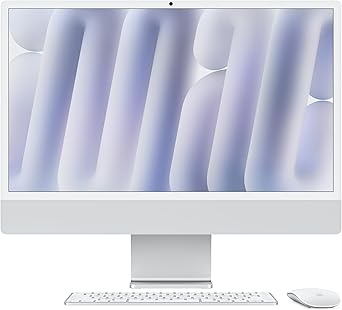
This minimalistic stand sits under your iMac and raises the screen. Its white aluminum body color-matches iMac's white bezel, keyboard and mouse perfectly. It complements all iMac colors.

6. iPad Pro extends brilliant 5K display through Sidecar
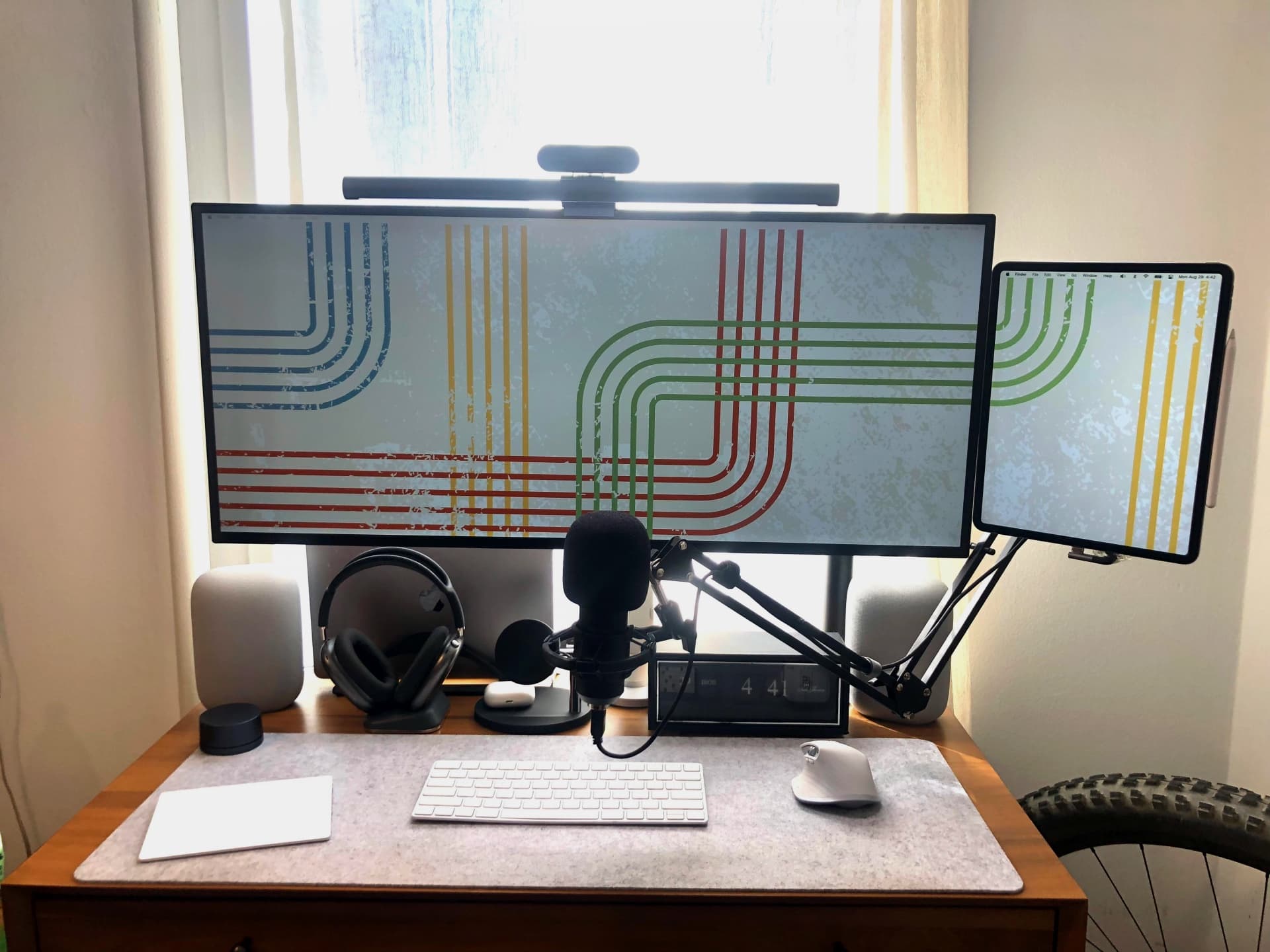
Photo: [email protected]
The headline visual here is the wallpaper: you can see it flowing continuously from a 34-inch LG UltraWide 5K2K display right onto the mounted 12.9-inch iPad Pro beside it. The desktop bleeds seamlessly across two very different screens via Sidecar. The user achieved portrait orientation for the Sidecar iPad — normally Apple only supports landscape — using an app called BetterDisplay. Both screens are arm-mounted at the same height, with Zelal magnetic mounts holding the tablet on a random Amazon arm. The surrounding audio gear is equally impressive: paired original HomePods, AirPods Max on a Max Stand charging stand and standard AirPods. It’s a complete all-Apple workstation built around a 2016 MacBook Pro begging for an upgrade.
Read more: iPad Pro extends brilliant 5K display through Sidecar
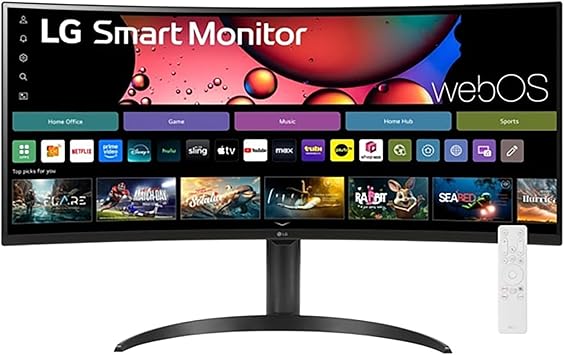
This ultrawide IPS display features 21:9 aspect ration, high-def resolution (FHD, 2560 x 1080), VESA, HDR 400, AMD FreeSync and a three-wide virtually borderless design.
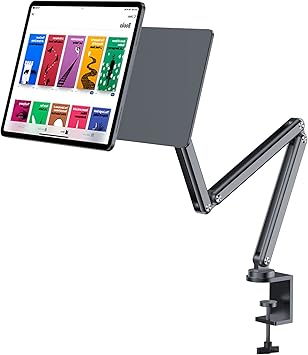
This foldable-arm tablet holder mounts iPad on a desk or monitor. Fits 12.9- and 13-inch iPads.
5. Trio of small screens extend Studio Display in MacBook rig
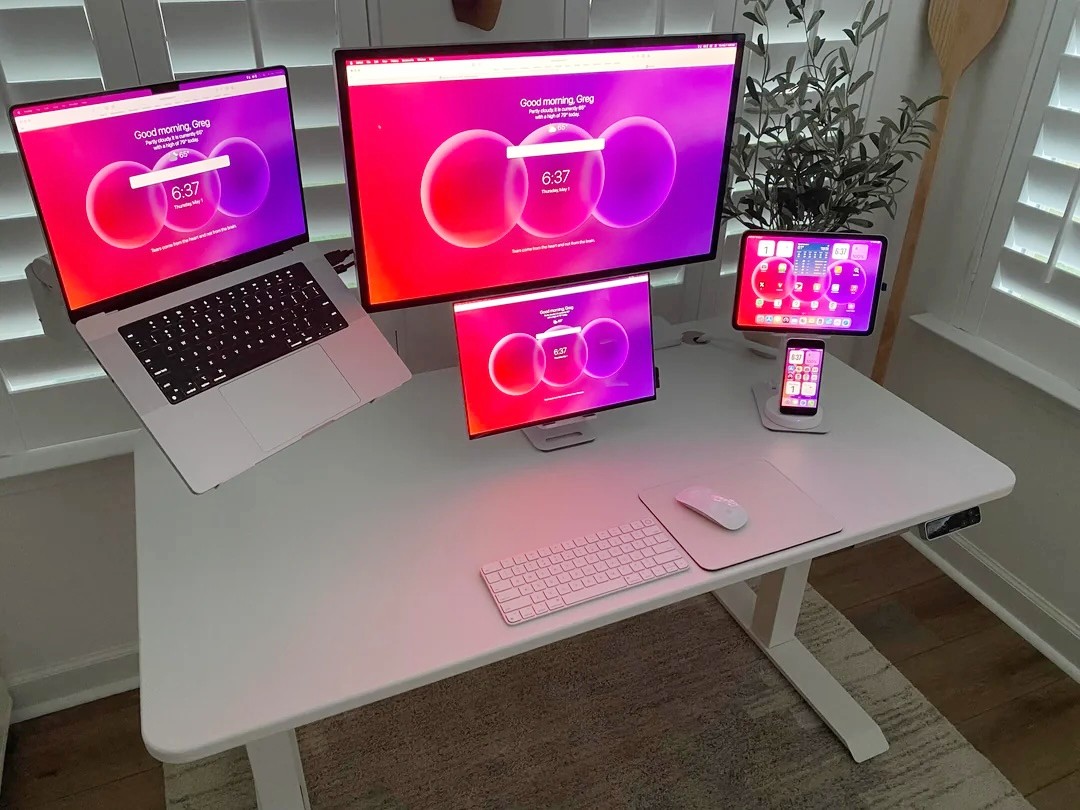
Photo: [email protected]
Here an M2 MacBook Pro drives a 27-inch Apple Studio Display as the anchor. But the setup’s real story is what surrounds it: the MacBook itself open on a stand, a 16-inch Magez OLED portable monitor on a Lisen stand and an iPad Pro — also on a Lisen stand — running Sidecar and doubling as a live security camera viewer for the user’s home. That’s a total of four screens, all carefully mounted so nothing sits directly on the desk. The iPad Pro and portable monitor share the same stand model, a deliberate choice that unifies the smaller displays visually. A matching Bonjourr widget homepage runs on all four screens simultaneously, giving the whole rig an unusual coherence that you rarely see in multi-display setups.
Read more: Trio of small screens extend Studio Display in MacBook rig
This desk stand is a foldable iPad Pro holder (or any tablet up to 15.9 inches) for home office or travel.
- Sturdy stand for iPad display viewing
- Folds down for travel
- Base could be a little heavier

The 27-inch Apple Studio Display packs an impressive panel coupled with a six-speaker system and studio-quality microphones.
It’s not as beautiful as Apple's Pro Display XDR, but the Studio Display costs thousands less.
- Crystal clear 5K resolution
- Excellent color accuracy
- 12MP Center Stage camera
- Expensive
- Lacks HDR
- Height-adjustable stand costs extra

This 3K resolution (2880x1800p) portable OLED display features 120Hz refresh rate and 0.1ms response time, plus USB-C and HDMI connectivity, plus a kickstand and speakers.
- Fast refresh rate and response time
- High contrast
- Kickstand
- 3K resolution (not 4K or higher)

This adjustable monitor arm works with 17- to 49-inch displays, including curved screens, holding up to 44 pounds. The gas spring arm includes C-clamp and grommet base.
- Works with flat or curved monitors
- Use it with a desk clamp or base
- Works with Vesa mounts
- Some customers report instability issues

4. Make it mobile: Set iPad as display for M4 Mac mini
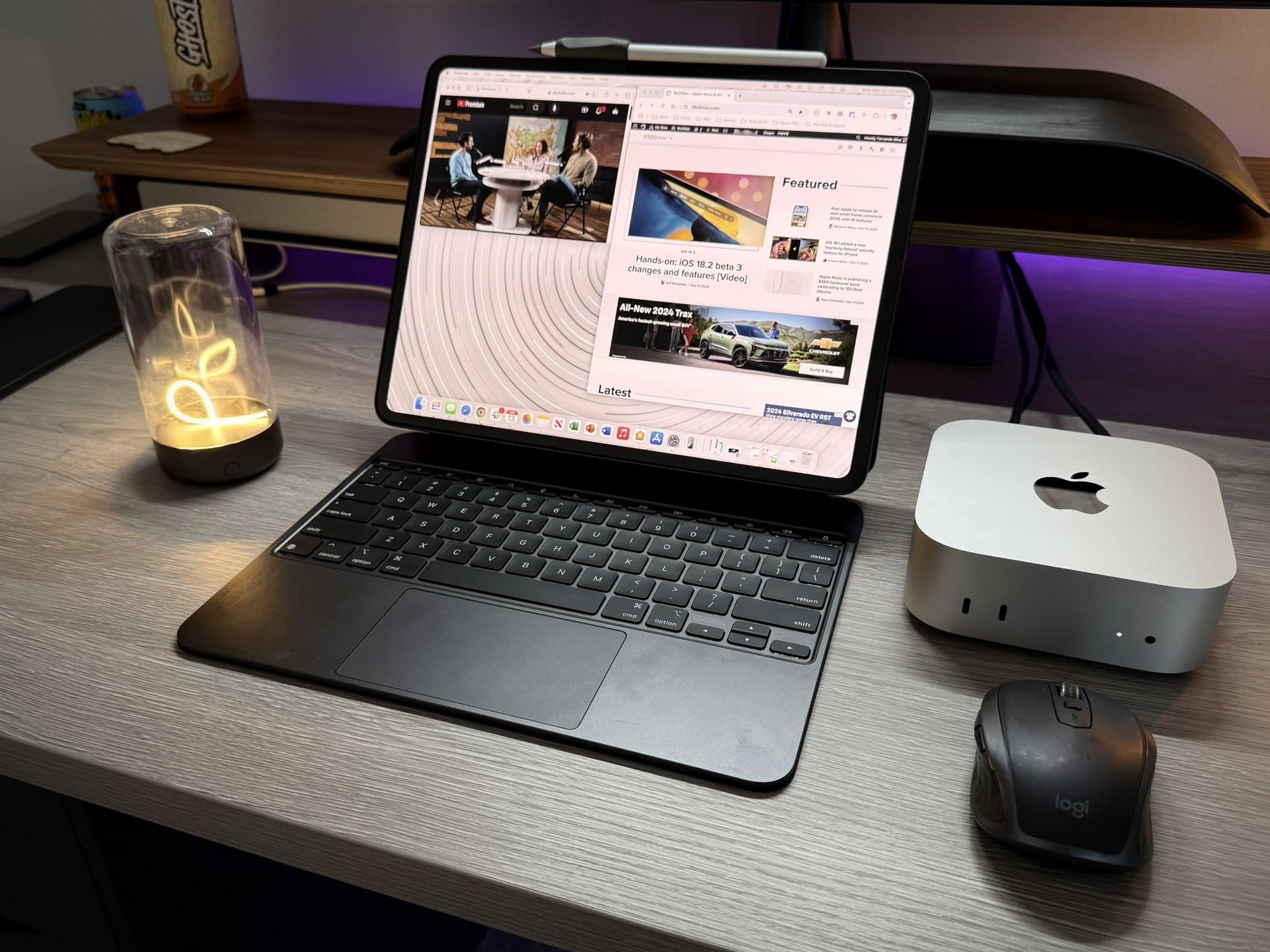
Image: Fernando Silva
A trend alert, circa late 2024: using an iPad Pro as the sole display for a new M4 Mac mini to create a genuinely portable desktop. Poster Fernando Silva connected his mini to an iPad Pro in a keyboard folio case, throwing in a Logitech mouse, and called it his “perfect setup.” The concept is straightforward — hook up the Mac mini to the iPad using a capture card, HDMI cable and Settings to add the iPad as a display — but the implications are significant. The whole rig fits in a bag. The piece prompted sharp debate about whether this beats just buying a MacBook, but many respondents pointed out the Mac mini’s raw power per dollar, and that an iPad many users already own makes the combo surprisingly economical.
Read more: Make it mobile: Set iPad as display for M4 Mac mini
Apple's popular midrange tablet features a large Liquid Retina Display, 12MP front/back camera with Center Stage, Wi-Fi 7 with Apple N1 modem, Touch ID, all-day battery life and choices of four storage sizes and four colors.
- Big, beautiful display
- Relatively thin and lightweight
- Powerful M4 chip
- Wi-Fi 7 and Apple N1 networking chip
- Lacks OLED screen and ProMotion
- Gets pricey at higher specs

The new Mac mini is smaller, lighter and 50× more adorable. It's super-powerful and by far the best deal in computing right now.
- Powerful M4 Pro chip
- 512GB storage
- 24GB unified memory
- Compact desktop design
- Headphone jack on front
- BYODKM (bring your own display, keyboard and mouse)

3. External monitor, MacBook Pro and iPad all float on one arm
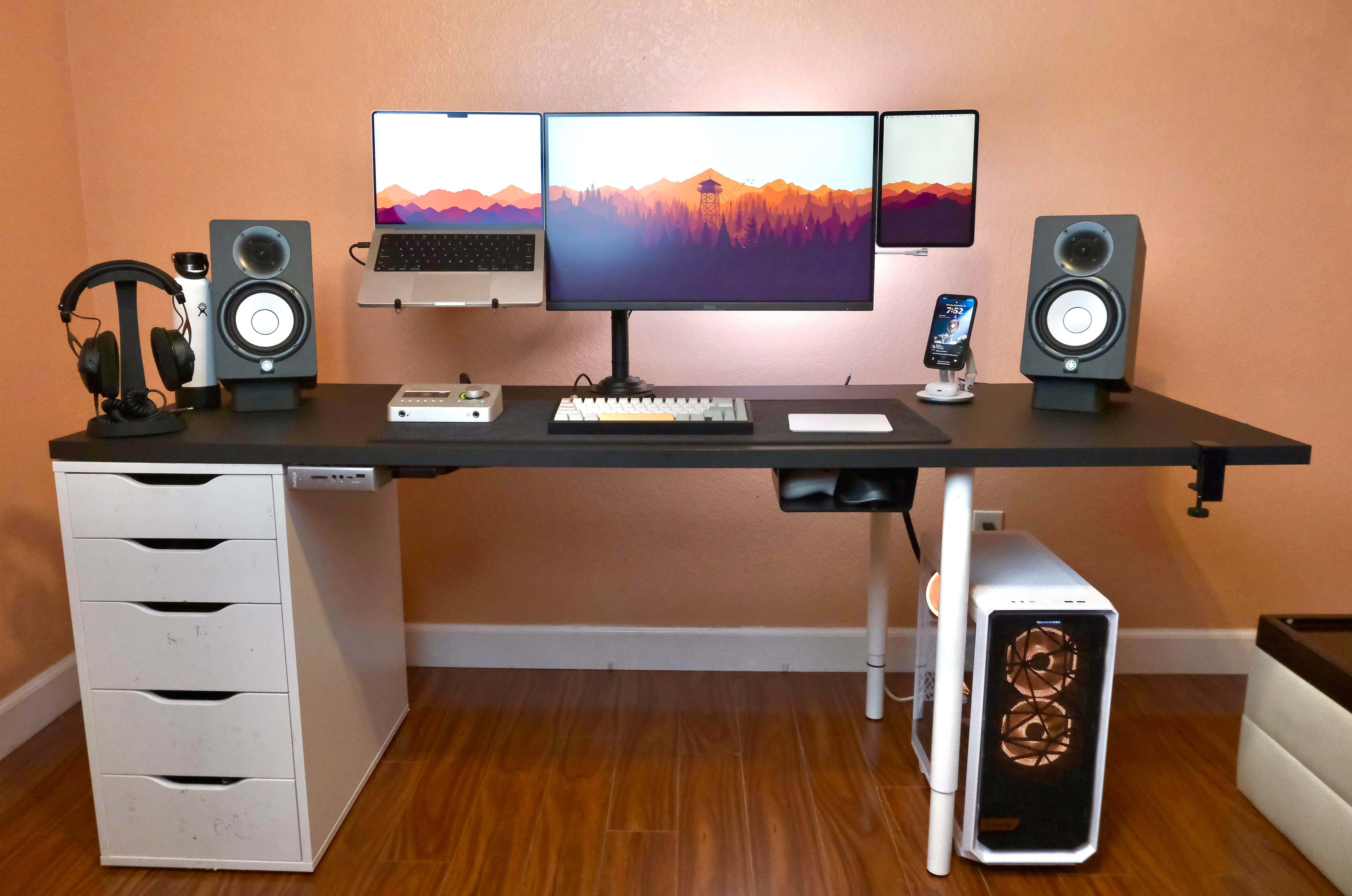
Photo: [email protected]
This 2022 setup accomplished something genuinely unusual: a 27-inch Pixio monitor, a 14-inch M1 MacBook Pro and an 11-inch iPad Pro all perfectly align on mounts coming from a single monitor arm. That creates a seamlessly floating trio. The iPad runs Sidecar in portrait orientation via BetterDisplay (which overrides Apple’s landscape-only restriction), mounted via 3M magnetic mounts so it can be detached for independent tablet use at any time. A MagSafe car mount hidden behind the desk flips up to hold an iPhone as a Continuity Camera webcam during calls. The custom gaming PC underneath handles strictly gaming; the Mac handles everything else. “If it didn’t all line up, my OCD would tear me apart,” the user admitted.
Read more: External monitor, MacBook Pro and iPad all float on one arm
Apple's pro tablet upgrade for 2025 features the M5 processor for maximum performance.
- Midsize Apple tablet with big-time performance
- 11-inch Ultra Retina XDR display with 120Hz ProMotion and antireflective coating
- 4x peak GPU compute compared to M4 iPad Pro
- Pricey
- Nano-texture glass only available on 1TB and 2TB models

This fully adjustable pole mount bracket mounting system lets you attach iPad to a desk or monitor and move it around for easy viewing.

2. iPad Air as external display makes this Mac mini mobile
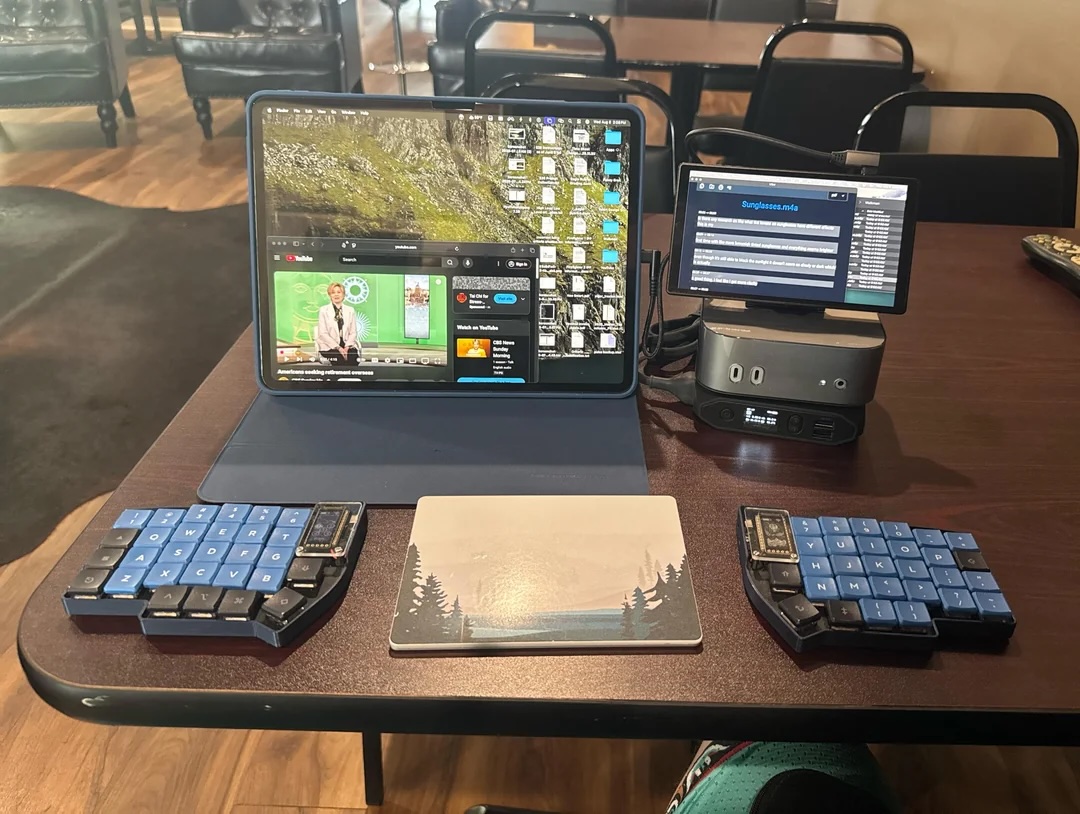
Photo: [email protected]
This 2025 setup may be the most philosophically committed Mac mini-plus-iPad pairing in the archive. Its owner built an M4 Mac mini rig using a 13-inch M3 iPad Air and a 7-inch touchscreen as displays, an Omnicharge battery pack for mobile power, and a custom lily58 split keyboard with a Magic Trackpad nestled between the two halves. It’s the kind of setup that looks strange in photographs but makes complete sense in context. The user deflected suggestions to just buy a MacBook with characteristic clarity. They already owned all the peripherals, the Mac mini cost less, and the iPad independently handles 90% of mobile tasks on its own. To top it all off, a Vision Pro also features in the workflow for virtual displays in private spaces — making this an argument for modularity at its most committed.
Read more: iPad Air as external display makes this Mac mini mobile
iPad Air is powerful, versatile, and features the incredible performance of the M3 chip built for Apple Intelligence. This version also sports a stunning 13-inch Liquid Retina display.
Other highlights of the tablet include Touch ID, advanced cameras, blazing-fast Wi-Fi 6E and a USB-C connector.
- As large as the biggest iPad Pro without the hefty price tag
- Speedy M3 processor
- Lacks Face ID

This 20,000mAh/71Wh power bank with an AC outlet is perfect for powering up laptops, portable displays and other devcies. Features fast charging USB-C and QC 3.0.

1. Picture-perfect Studio Display rig puts iPad Pro front and center
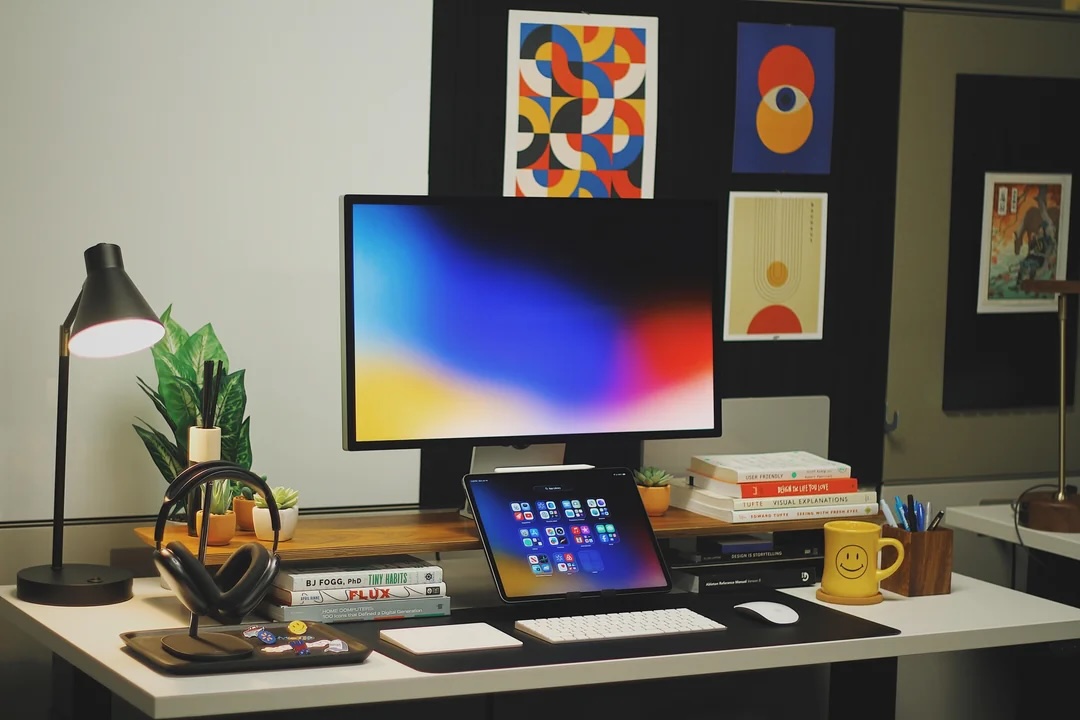
Photo: [email protected]
In most setups featuring both a Mac and an iPad, the Mac is the headliner and the iPad is a supporting player. In this 2025 rig owned by a UX designer, it’s the other way around. The setup centers on a 27-inch Apple Studio Display — and on an iPad Pro placed unmistakably front and center, styled to match the workspace’s color palette. A hidden M4 MacBook Pro lurks somewhere in the back, but you can’t see it at all in the photographs. The iPad keeps calendar and email always in view so the Mac screen stays focused on design work. AirPods Max rest on a Benks stand on a tray and Bauhaus prints decorate the wall. The setup feels like a preview of where Mac-plus-iPad workflows are heading as iPadOS matures.
Read more: Picture-perfect Studio Display rig puts iPad Pro front and center
Built for Apple Intelligence, Apple's top tablet features an Ultra Retina XDR Display, 1TB SSD, 12MP front/back camera, LiDAR Scanner, Wi-Fi 6E + 5G Cellular, Face ID, all-day battery life and more.
- Thin and light
- Beautiful display
- All-day battery life
- Expensive

The 27-inch Apple Studio Display packs an impressive panel with nano-texture glass helping cut down on unwanted reflections. It's backed by a six-speaker system and studio-quality microphones. The display delivers deep Apple ecosystem integration, making it stand out from the crowd.
- 5K resolution
- 12MP Center Stage camera
- Six-speaker sound system
- Nano-texture glass cuts down reflections
- No HDR support
- Height-adjustable stand costs extra

Powered by the H2 chip, AirPods Max 2 delivers improved high-fidelity audio with deep bass, expansive mids and crisp highs for an unparalleled listening experience.
Up to 1.5x more active noise cancellation than the previous generation, fully immersing you in every sound.
- Excellent audio quality and ANC
- Same exquisite design as before
- Advanced software features like Adaptive Audio and Live Translation
- Same horrible Smart Case as before
- Don't fold up for travel


David Snow, an expert on Apple hardware and software, writes on a variety of technological and cultural topics for Cult of Mac. They include Apple news, technology buying guides, and features about computer setups and Apple TV shows and movies.
With 30 years of experience covering technology and other subjects, he has written and edited for numerous print and online publications, including CMP Media, TechTV.com, CNET, Wired News, Red Herring magazine, Law.com, The National Law Journal and Law Technology News magazine. Among other roles, he served as executive editor of the Law.com network of websites and editorial director, technology, for ALM Media.
Snow graduated with a B.A. from Syracuse University with majors in magazine journalism and psychology. While there, he worked as a reporter for The Daily Orange newspaper and associate editor of Equal Time magazine.
Founder of the blog At the Waterline, he can be reached on X (formerly Twitter) via @atthewaterline and on Mastodon via @dsnow.

