On this day in 1998, the world said "hello" to the computer that would save Apple. Photo: Apple
August 15, 1998: The original iMac — Apple’s brightly colored, translucent Macintosh relaunch — goes on sale to a rabid audience. Apple co-founder Steve Jobs‘ first major new product since returning to Cupertino, the internet-ready iMac G3 line will cement his legacy as a forward-thinking tech visionary.
The all-in-one computer also introduces the world to the design talents of Jony Ive — and pretty much saves Apple in the process.
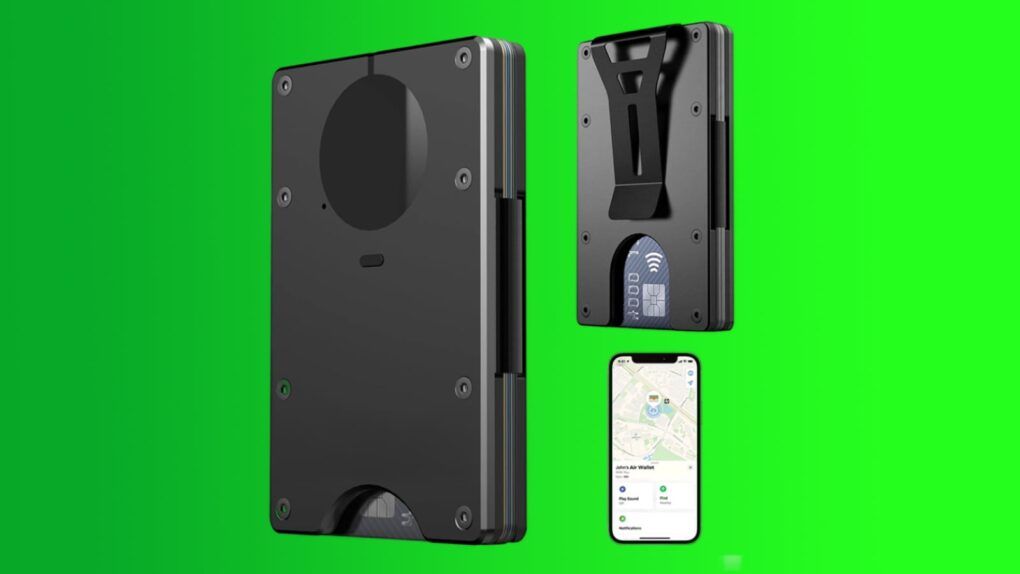
This slim, metal wallet sports a built-in tracking chip. Image: Cult of Mac Deals
Is your wallet ready for a serious upgrade? This slim metal wallet holds up to 12 cards, blocks compatible RFID scans, and works with Apple’s Find My so you can track it down if you misplace it.
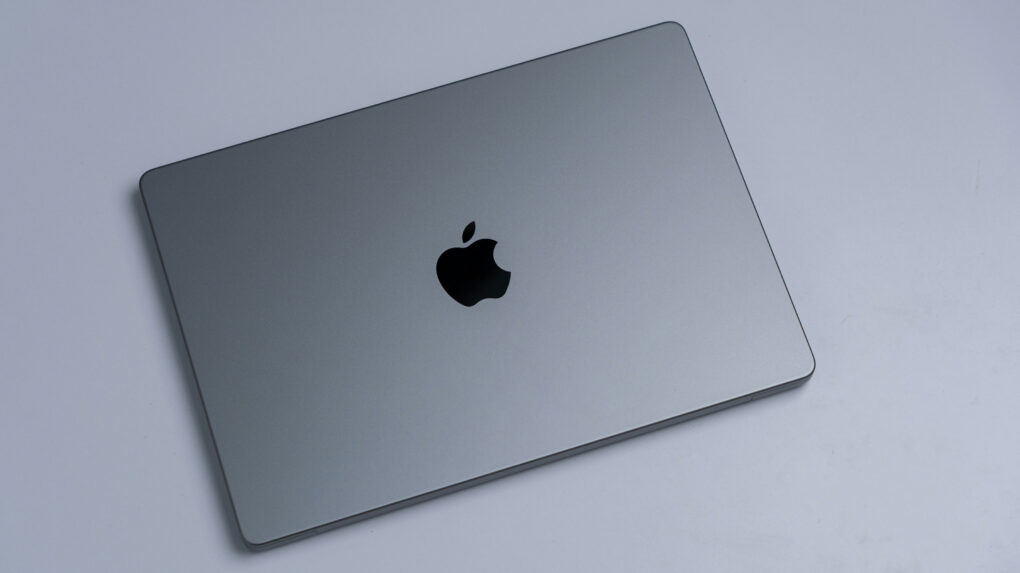
You can do a lot more with your MacBook's trackpad. Photo: Unsplash
The MacBook’s trackpad is one of the best you can get on any laptop, and Apple’s excellent gestures make it even better. You can swipe or tap with two or three fingers to nimbly jump around macOS, switching between Spaces, viewing all app windows and more.
But as a Mac power user, I wanted my trackpad to do even more. So I used BetterTouchTool to add custom gestures for managing tabs, arranging windows and speeding up other repetitive tasks.
I’ll show you what I did, and how you can use BetterTouchTool to turbocharge your productivity with custom Mac gestures.
Apple’s China AI deal leans heavily on Alibaba’s Qwen for its Chinese Siri experience. Image: Cult of Mac
Apple’s deal to bring its AI tools to China finally cleared Beijing’s regulatory hurdles, paving the way for Apple Intelligence to launch in the country. Apple trained its own large language model specifically for Chinese devices, but leaned on Alibaba’s support to pull it off.
To better automate workflows, ChatGPT's new Computer History feature remembers most of what you do on your machine. Screenshot: OpenAI
OpenAI wants ChatGPT to remember your workday better than you do. The newly introduced Computer History feature, currently rolling out in the ChatGPT desktop app for macOS, turns your clicks, keystrokes, web browsing and more into a searchable timeline.
The idea is to make ChatGPT more of an intelligent assistant. It can help you resume unfinished work, locate relevant files or conversations and automate workflows. If you lose the thread of what you were doing before lunch, ChatGPT can reconstruct it for you. Whether you want an AI logging all that activity is a separate question — one that’s in opposition to Apple’s privacy positioning.
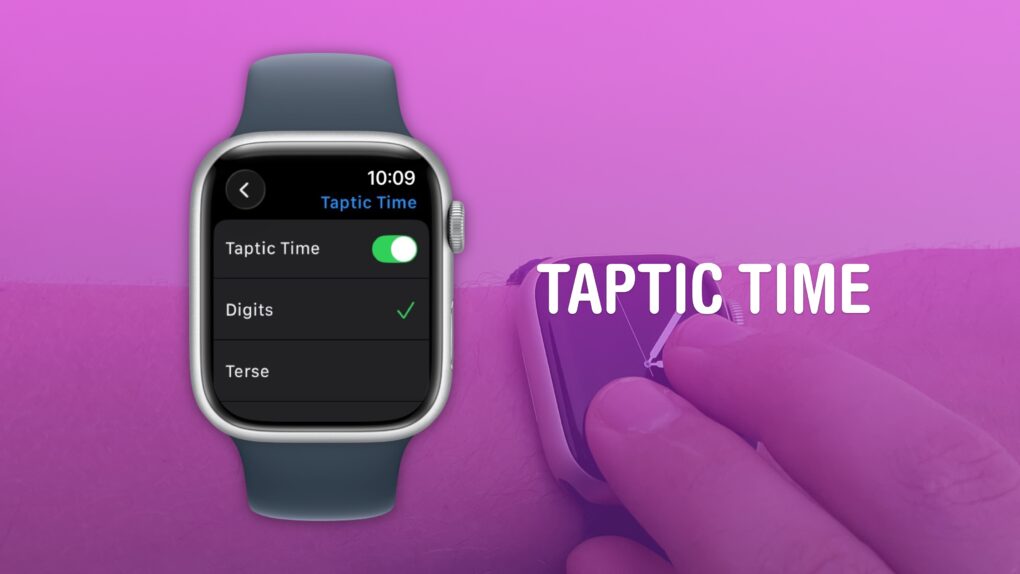
A clock you don’t even need to look at. What a time to be alive. Image: D. Griffin Jones/Cult of Mac
You can get the time without even looking at your Apple Watch using a little-known feature called Taptic Time. Simply hold two fingers on the device’s screen, and the watch will tap out the time on your wrist.
This is handy if you’re in a meeting and need to know the time, but you don’t want to look rude checking your watch. Or maybe you’re in the middle of a presidential debate.
Whatever the situation, turning on this little-known Apple Watch feature — and familiarizing yourself with how it works –can come in handy.
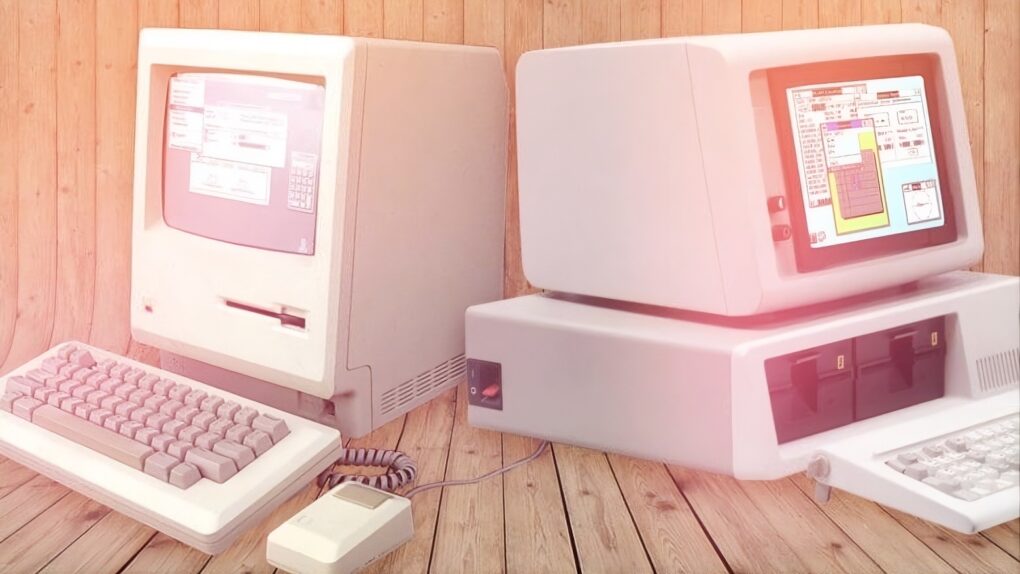
A judge's decision proves very damaging to Apple in its courtroom fight with Microsoft. Image: Hardware Secrets/Ruben de
Rijcke
August 14, 1991: As Apple and Microsoft head to court to battle each other, the tide begins to turn against Cupertino and its claims that Windows unlawfully copies the look and feel of Mac OS. A judge’s ruling calls into question the basic tenet of Apple’s copyright lawsuit against Microsoft over Windows 2.03.
The case concerns whether key elements of Apple’s operating system are original enough for copyright protection. The decision turns out to be a major blow against Apple — and the start of the company’s 1990s decline.
This powerful AI dictation tool is available at a huge discount. Photo: Cult of Mac Deals
Contextli is a context-aware AI dictation app that turns natural speech into polished, task-specific writing on your Mac, iPhone, iPad and other supported devices.
It takes voice dictation well beyond the basics, turning your spoken thoughts into emails, notes and documents. And right now, lifetime access to Contextli costs just $59.99 instead of $450.
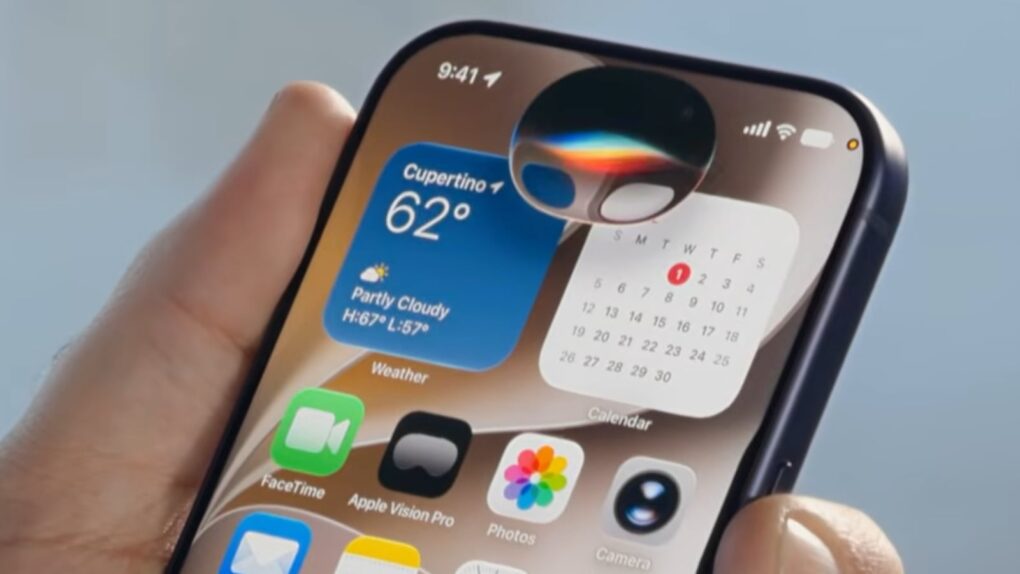
The iPhone 18 could get features that bring the standard model closer to Apple’s Pro lineup. Photo: Pixabay
The standard iPhone 18 may finally close the gap with its pricier Pro siblings. New supply chain research suggests a jump in iPhone 18 RAM. A smaller Dynamic Island, once tipped only for Pro models, could be on the way as well.
Both upgrades would put the base iPhone 18 closer to Apple’s premium lineup. The changes are still unconfirmed, and one prominent analyst disagrees on the memory number.
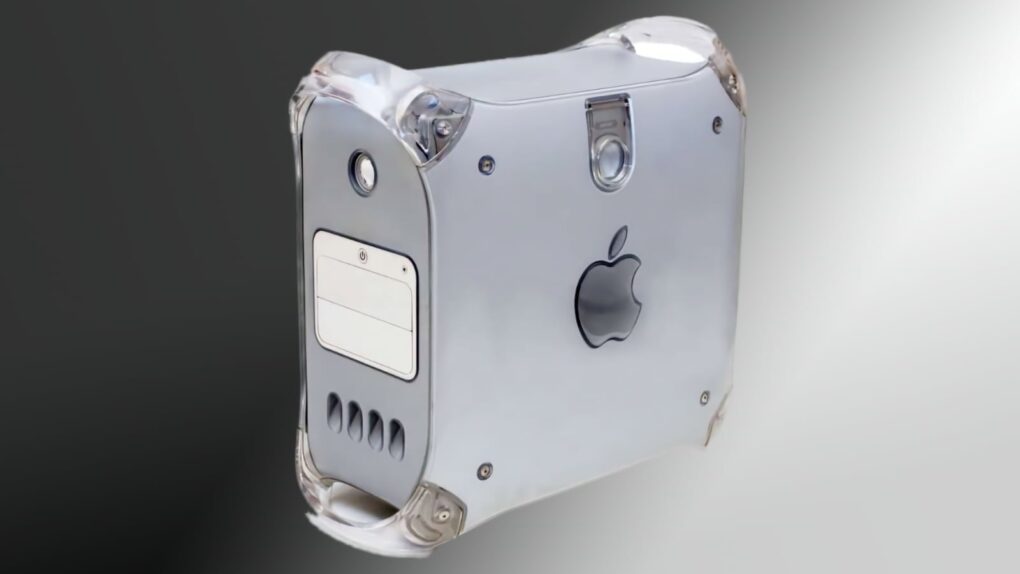
This Power Mac G4 blew people away. Image: Apple/Cult of Mac
August 13, 2002: Apple unveils the final face-lift for its Power Mac G4, the Mirrored Drive Doors model.
The distinctive-looking computer borrows visually from the previous QuickSilver G4, released a year earlier. However, it adds a different front panel, with a mirrorlike finish for the media drive doors. And the new computer’s powerful processors force an unfortunate compromise.
Apple TV just beefed up its catalog with a collection of classic movies for subscribers to enjoy. Image: Apple TV/Cult of Mac
Apple TV added something its growing library of original shows and movies has been missing: a bunch of big-name Hollywood hits. The streaming service now offers a collection of popular movies that subscribers can watch at no additional cost.
Apple Originals are great, but sometimes you’re in the mood for an old-school classic. Check out the ones now available through Apple TV.
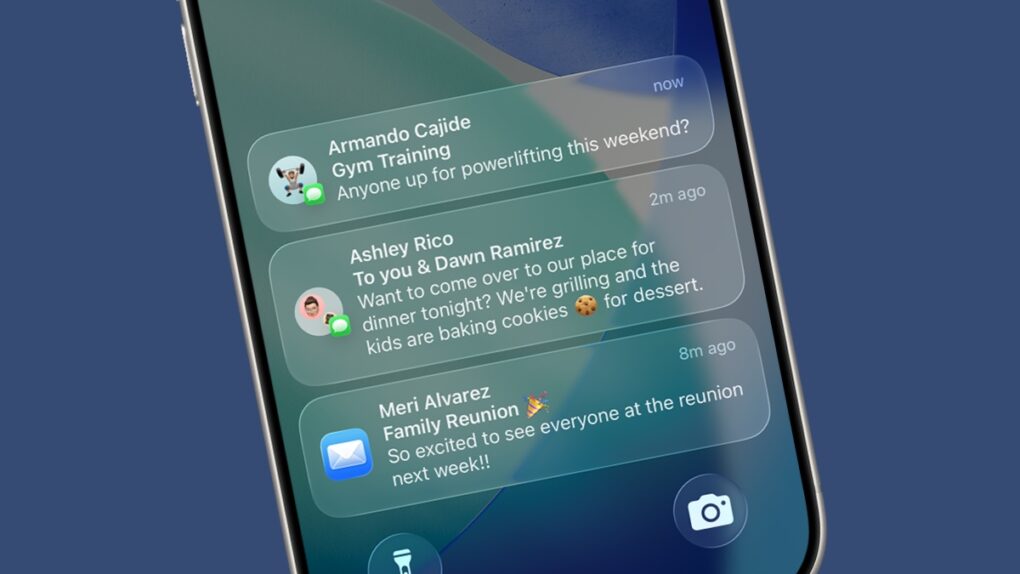
Notifications are great... until they get irritating. Image: Apple/Cult of Mac
Apple wants your iPhone to know when to bug you and when to back off. A newly published Apple AI interruption patent describes a system that keeps an eye on what you’re doing and nudges you only when your behavior calls for it.
The filing, published this month, pairs this very idea with another feature. It turns your recent activity into a quick summary that you can check later instead of interrupting whatever you’re doing on your iPhone. Together, the two pieces do read like a blueprint for smarter Reduce Interruptions and notification summaries.
Apple wants publisher deals to keep Siri AI up to date. Photo: Apple
Apple reportedly wants to secure content deals with publishers to give Siri AI access to the latest news and information. It is supposedly proposing multi-year agreements with publishers for this.
As part of the deal, Apple will pay publishers every time their content is used or displayed in Siri AI.
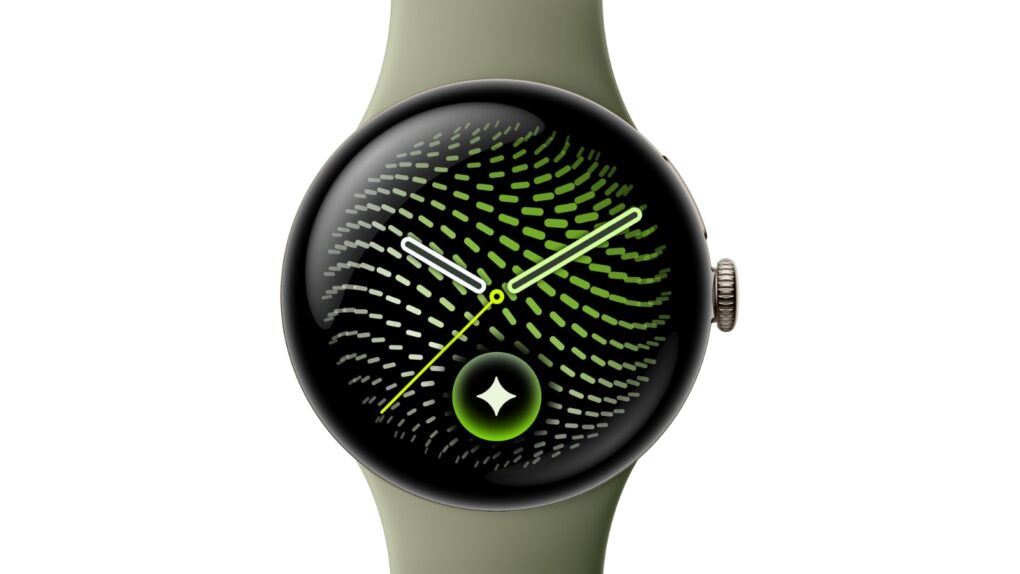
Let's hope Apple Watch cribs this new Pixel Watch 5 feature. Photo: Google
People often accuse Google of stealing from Apple, but here’s something Apple should pinch from its rival ASAP.
The new Pixel Watch 5, unveiled Wednesday at the annual Made by Google event, comes with a new feature that can predict insulin resistance, a precursor to Type 2 diabetes. If flagged early, insulin resistance can often be reversed with lifestyle changes.
“A first-of-its-kind feature on Pixel and Fitbit wearables, Insulin Resistance Trends analyzes multi-week physiological data to track shifts in your metabolic health without requiring a single drop of blood,” Google said in a press release Wednesday.
It’s not the sort of full-blown blood sugar monitor Apple has been trying to build into the Apple Watch for years. However, Pixel Watch’s Insulin Resistance Trends feature could spot changes in the health of someone wearing the device in time for them to take action. And that could keep them from a potentially deadly diabetes diagnosis.
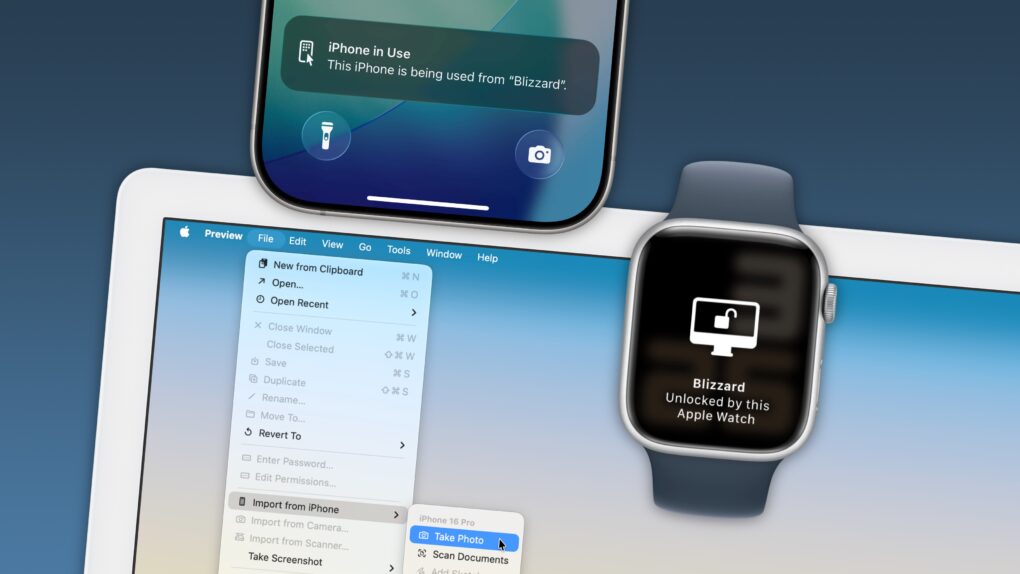
Your Apple devices can work together in more ways than you may expect. Image: D. Griffin Jones/Cult of Mac
Nothing illustrates the power of Apple’s ecosystem like the Continuity features that help your Mac, iPhone, iPad and Apple Watch work seamlessly together.
Thanks to Continuity, your iPhone can serve as your Mac’s webcam — and you can remotely control your iPhone from your Mac. You can start an email on one device and instantly pick it up on another. You can use the same keyboard and mouse with a Mac and iPad, copy and paste across devices and more.
These features flex the power of Apple’s hardware and software — and they would never be possible on a PC.
In this post (and the accompanying video), I will show you some of the time-saving, annoyance-busting Continuity features you can enjoy when you go all-in on the Apple ecosystem.
Grok Bot gives subscribers AI teammates that work in the background. Image: SpaceXAI
SpaceXAI launched Grok Bot for iPhone and Mac in beta on Tuesday, giving some subscribers access to AI agents that can handle real tasks across apps, inboxes and websites.
Each bot runs on its own cloud computer, meaning a task keeps moving even after you close your laptop.
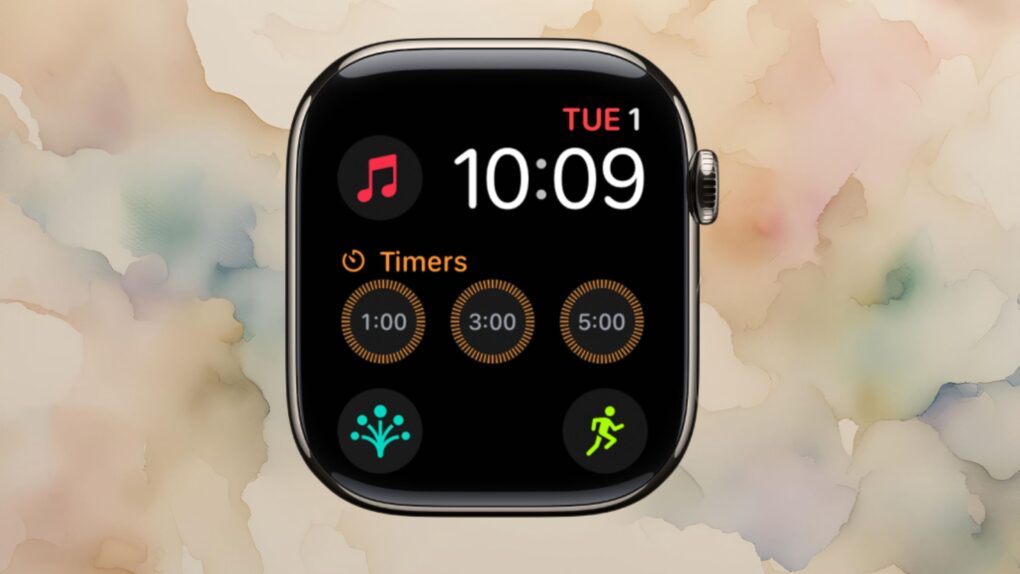
New options spotted in iOS 27 beta could offer a hint at new Apple Watch band colors coming this fall. Photo: Apple/Cult of Mac
Apple looks set to refresh one of the most popular Apple Watch faces, with nine new colors reportedly coming to the Modular face this fall.
The colors surfaced in the latest iOS 27 beta code, and they could point to a broader refresh landing alongside new Apple Watch hardware and accessories this fall.
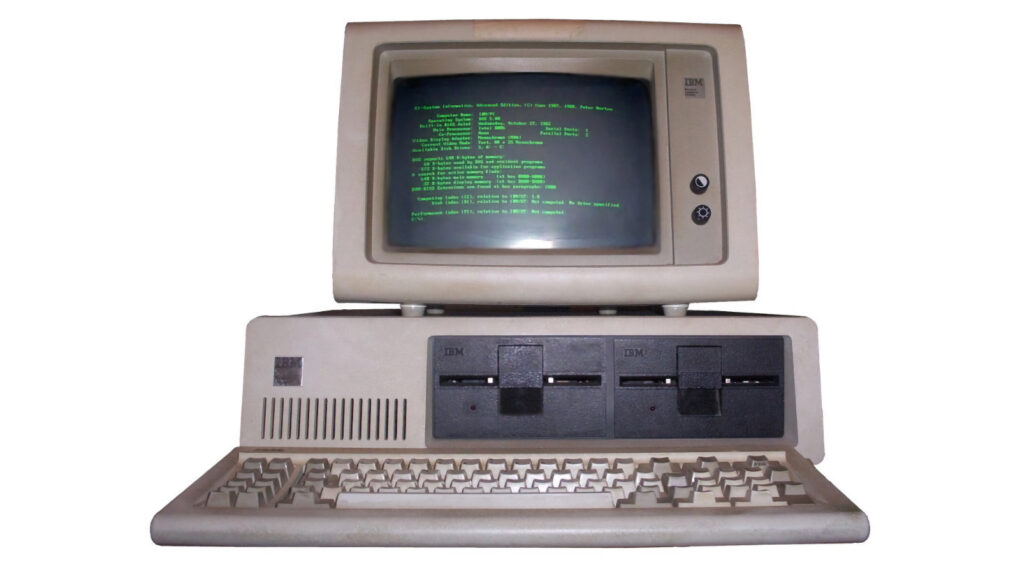
This unassuming IBM Personal Computer started the Apple-versus-PC feud. Photo: Boffy B/Wikipedia CC
August 12, 1981: The launch of the IBM Personal Computer ignites a long-running Apple-versus-PC rivalry.
Secure in the Apple II’s technical superiority over the new PC, Apple welcomes International Business Machines to the personal computing party in a full-page ad in The Wall Street Journal. Things won’t stay positive for long, though.
An M6 iMac could arrive soon with a faster chip and fresh colors. Image: Apple/Cult of Mac
The first new iMac in two years is right around the corner. This fall, we can look forward to Apple’s updated all-in-one desktop getting a significant improvement in performance thanks to the M6 processor, which is good news for those wanting to use it with Apple’s new AI features. And new colors!
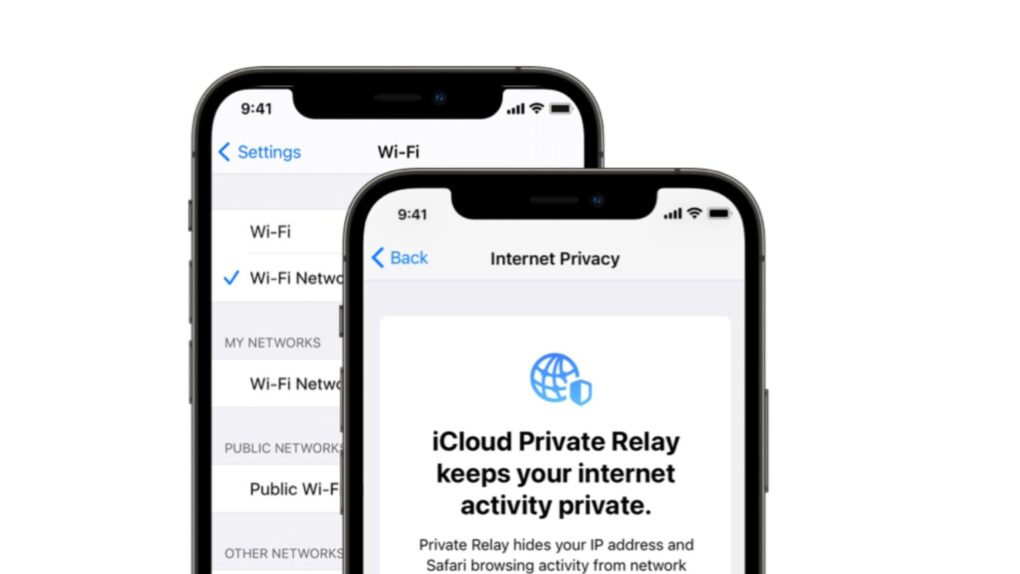
iCloud Private Relay was supposed to shield your IP address — a new lawsuit says it didn’t. Photo: Apple
A proposed class-action lawsuit filed Thursday accuses Apple of fraud, alleging that a Private Relay problem means that iCloud+ subscriptions failed to deliver the privacy protection Apple promised.
If you ever paid for iCloud+ to gain the peace of mind Private Relay offered, the privacy shield you paid extra for had a hole in it the whole time. And Apple is now getting sued over it.
★★★★☆
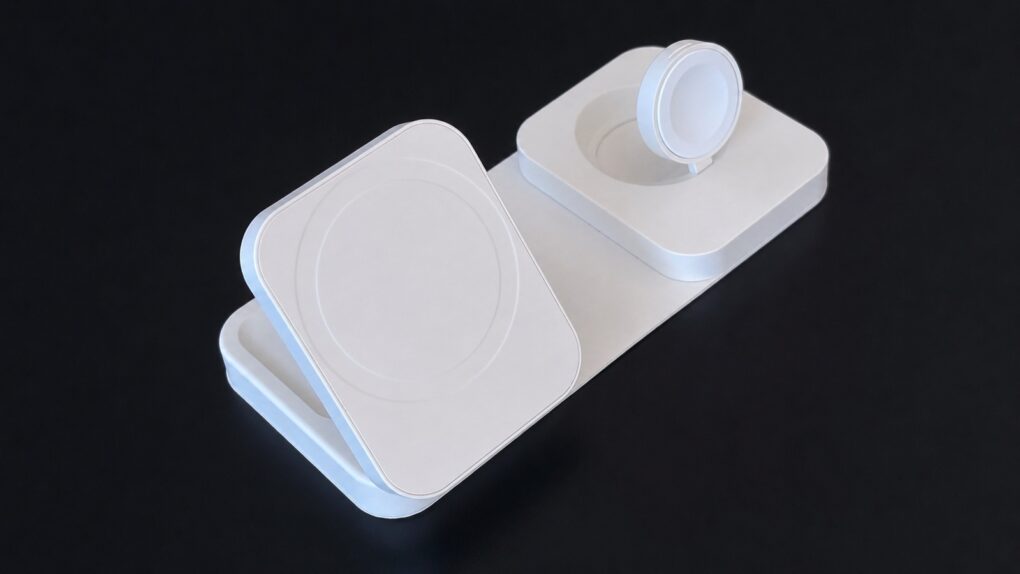
The Mophie Roam 3-in-1 Travel Charger isn't small, but it offers a lot. Photo: Ed Hardy/Cult of Mac
The Mophie Roam 3-in-1 Travel Charger pumps power more quickly into an iPhone than almost any other charger I’ve tested that’s designed for use on the go. And it can juice up an Apple Watch and AirPods case at the same time. There’s a trade-off, though.
I put the accessory through a full round of testing with my Apple devices. Here’s what I found.
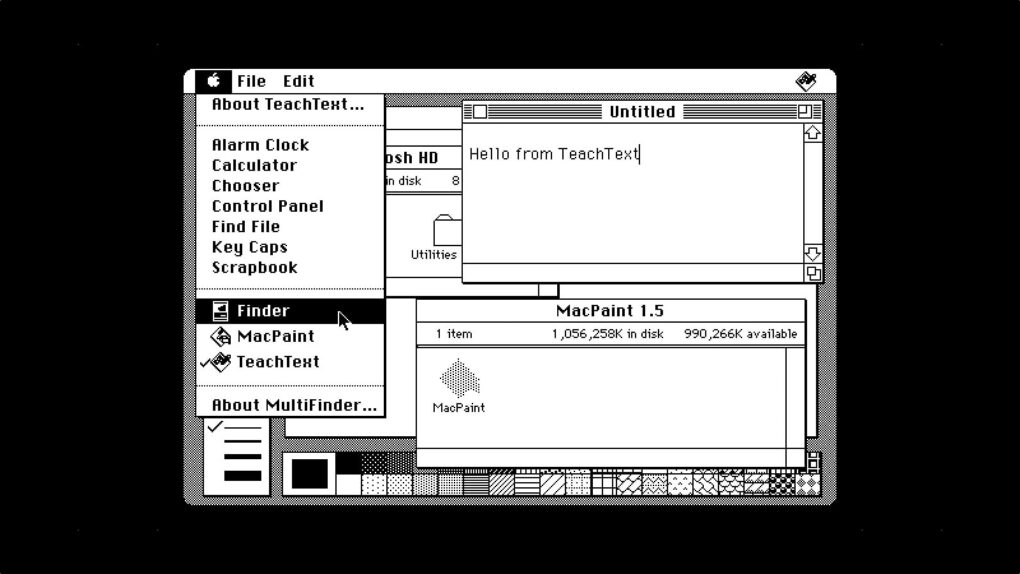
MultiFinder let you switch between running applications from the Apple menu — you could even see two apps side by side on your desktop!
Image: D. Griffin Jones/Cult of Mac
August 11, 1987: The MultiFinder app brings the biggest software update to the Mac since the computer’s launch. Baked into Macintosh System Software 5, MultiFinder allows multitasking with two apps on screen for the first time.
While MultiFinder brings an undeniable boost to the Macintosh’s technical capabilities, it is built on a shaky foundation that soon begins to show its age.
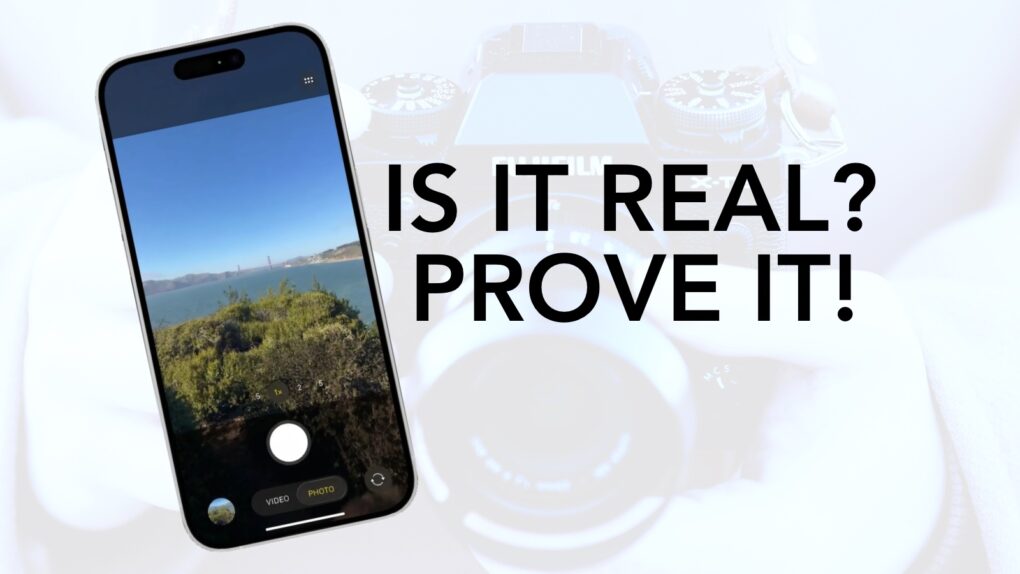
Apple Reference Image could give iPhone photos a stamp of authenticity in iOS 27. Photo: Apple/Cult of Mac
Apple is building a new way to prove your iPhone photos are real. Called Apple Reference Image, it could become a highlight of iOS 27. The tool is designed to verify whether a photo was actually captured by the iPhone’s camera, not an AI generator.
It showed up in a privacy disclosure buried in iOS 27 beta 5.
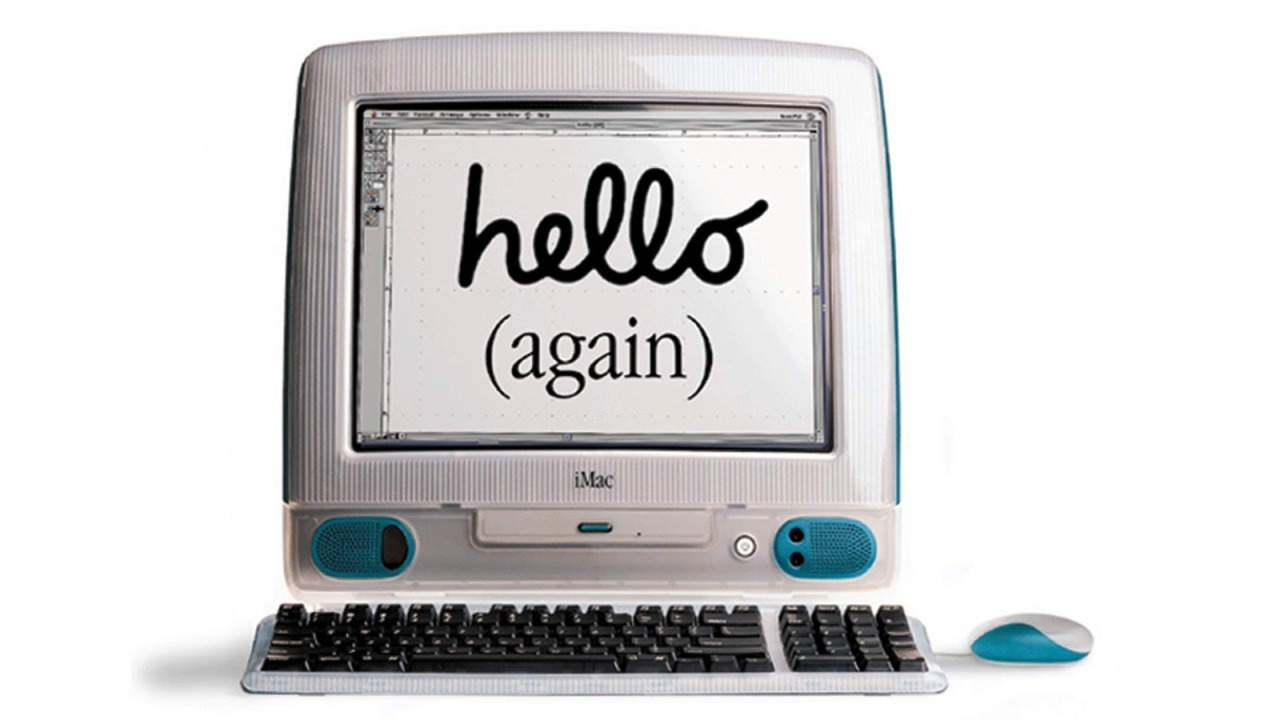
 August 15, 1998: The original iMac — Apple’s brightly colored, translucent Macintosh relaunch — goes on sale to a rabid audience. Apple co-founder Steve Jobs‘ first major new product since returning to Cupertino, the internet-ready iMac G3 line will cement his legacy as a forward-thinking tech visionary.


 August 14, 1991: As Apple and Microsoft head to court to battle each other, the tide begins to turn against Cupertino and its claims that Windows unlawfully copies the look and feel of Mac OS. A judge’s ruling calls into question the basic tenet of Apple’s copyright lawsuit against Microsoft over Windows 2.03.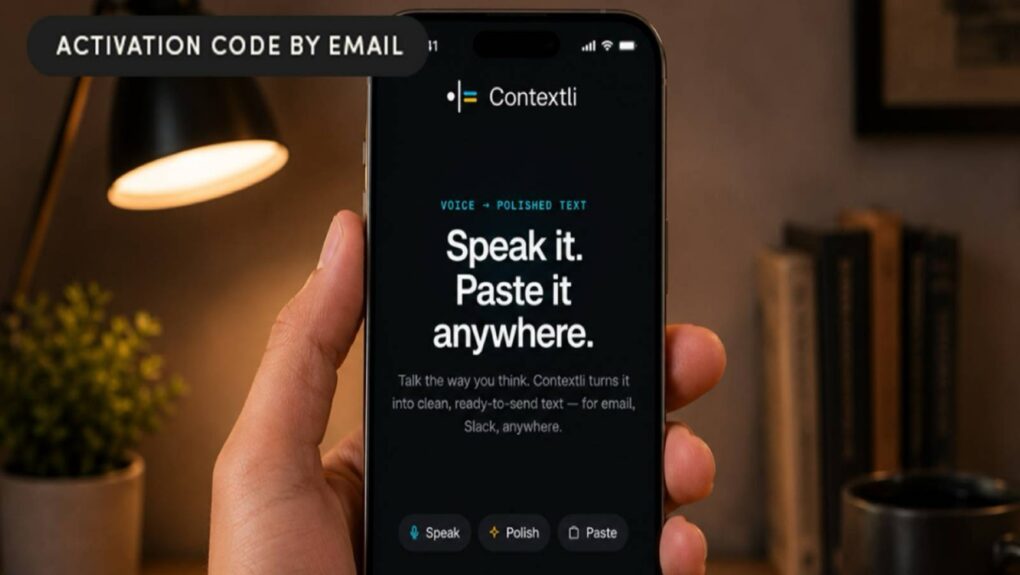
 August 13, 2002: Apple unveils the final face-lift for its Power Mac G4, the Mirrored Drive Doors model.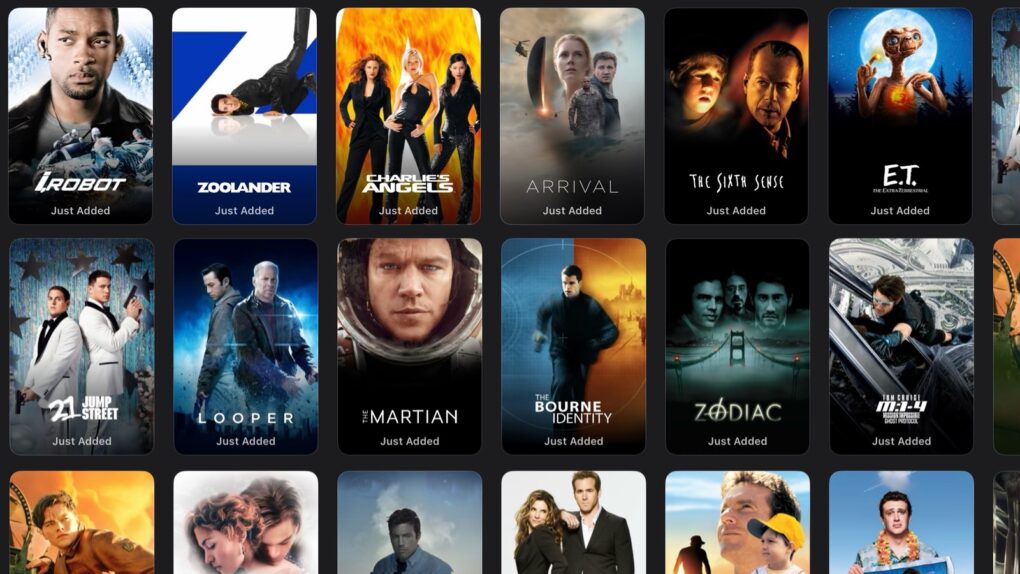

 August 12, 1981: The launch of the IBM Personal Computer ignites a long-running Apple-versus-PC rivalry.

 August 11, 1987: The MultiFinder app brings the biggest software update to the Mac since the computer’s launch. Baked into Macintosh System Software 5, MultiFinder allows multitasking with two apps on screen for the first time.