Mobile menu toggle

Price drop: Generate images, text, logos and more with lifetime access to this AI platform

By

AI tools for business: AI MagicX
Fulfill all your AI needs with a single suite of AI tools, for a low one-time payment.
Photo: Cult of Mac Deals

With the wealth of AI tools available, the problem isn’t finding one that will get the job done. The real issue is finding the best fit for your budget. You might be able to find independent AI tools like ChatGPT or Dall-E for generating copy, creating logos, building stories and more, but AI MagicX does it all under one subscription, and you only have to pay for it once. That makes it a perfect suite of AI tools for business.

This robust AI platform includes tools for designing logos, generating art, creating chatbots, writing articles and creating stories. There’s even a document editor. And for a limited time, you can get a lifetime subscription on sale for just $59.97 (regularly $972).

Top 10 Apple setups of 2025

By

Kanto speaker setup
Kanto speaker setup
Photo: [email protected]

Another year, another incredible collection of Apple workstations in Cult of Mac‘s Setups section that make us rethink our own desk situations. From devices powered by the powerful M4 chip family to innovative display solutions and clever space-saving tricks, the top 10 Apple setups of 2025 brought us some truly remarkable gear and uses for it.

We combed through hundreds of featured workstations on Cult of Mac to bring you the cream of the crop — setups that excel in raw computing power, aesthetic beauty, functional innovation or that perfect combination of all three.

Change these 3 hidden Apple TV settings and thank us later

By

Apple TV settings: Fix Its Biggest Problems
Fix the remote, the Home Screen, and those pesky sports notifications.
Image: Davidbspalding/Wikimedia Commons/D. Griffin Jones/Cult of Mac

There are three Apple TV settings I always tell people to change as soon as they set theirs up. While I heartily recommend the Apple TV over the clunky and ad-infested experience of Roku and other smart TVs, it’s not perfect. You’ll want to change a few things to make it right. 

First of all, you can put one of the Siri Remote buttons to better use. The TV button, by default, opens the Apple TV app — but you can have it take you to the Home Screen instead. Also, you’ll want to change the Home Screen to show your Continue Watching list, not its recommendations. And finally, you can turn off those annoying Apple TV sports notifications to stop the interruptions while you’re watching your shows. 

Change these three annoying default settings, and you’ll be in for a far better viewing experience. Keep reading or watch our video to find out how.

Today in Apple history: Woz spends Christmas building Apple II disk drive

By

Photo of the Disk II, the floppy drive for the Apple II computer that Steve Wozniak worked on over the Christmas holiday in 1977.
The Disk II became a massive success for Apple.
Photo: Wikipedia CC

December 25 Today in Apple history December 25, 1977: Apple co-founder Steve Wozniak spends the holidays building a prototype of the Disk II, the Apple II computer’s revolutionary floppy disk drive.

“I worked all day, all night, through Christmas and New Year’s trying to get it done,” Wozniak would later recall in his autobiography, iWoz. “[Early Apple employee] Randy Wiggington, who was actually attending Homestead High, the school Steve [Jobs] and I had graduated from, helped me a lot on that project.”

Wiggington takes December 25 off. Woz does not.

How to set up your new iPad the right way

By

Set Up Your New iPad
Let's get your new iPad up and running.
Photo: Apple

Congratulations — you got a new iPad! Whether it’s the entry-level iPad that brings the essential features at an affordable price, the iPad Air with the powerful M3 chip, the pocketable iPad mini or the top-of-the-line iPad Pro, you’ll want to set up your new device with the least amount of fuss.

We’re here to help you do just that with a ton of little tips and tweaks that will make sure you’re off and using that new iPad as quickly as possible. From backing up your old iPad (if you had one already) to getting up and running with a brand-new iPad from scratch, we’ve got you covered.

How to set up Apple Watch — and tips for getting the most out of it

By

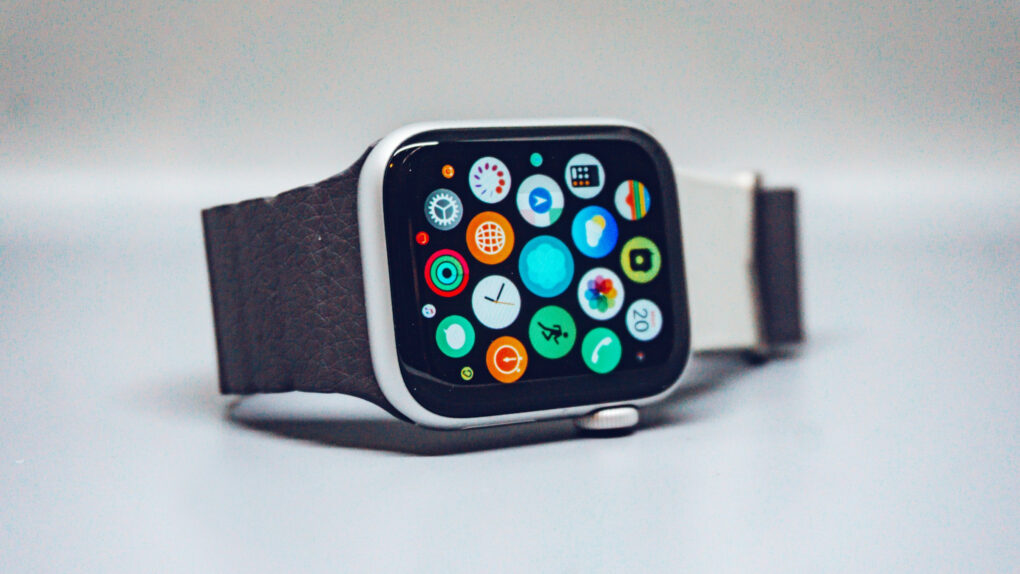
Set Up Your New Apple Watch
Get your new Apple Watch up and running in no time!
Photo: Luke Chesser/Unsplash CC

How do you set up a new Apple Watch? Whether you got the surprisingly capable Apple Watch SE 3, the battery-boosted Apple Watch Series 11 or the rugged Apple Watch Ultra 3, you might be wondering how to get started. After all, the Watch is unlike any other Apple device, both in its dependence on an iPhone and in the way it works.

The good thing is, Apple has made it really, really easy to get things up and running. Let’s take a look.

Digitize all your old film and slides with this Kodak scanner

By

Product shot of a person using a Kodak Slide N Scan slide film scanner
This affordable Kodak scanner can preserve your old negatives and slides so you can enjoy them.
Photo: Cult of Mac Deals

Memories fade, and so does film. Whether it’s old negatives or a box of dusty slides, your memories are safer in a digital format. The Kodak Slide N Scan digital slide and film scanner transforms old film negatives and slides into digital images you can save, share and enjoy — forever.

Normally, this classic media scanner would cost $189.99. But you can grab one for just $164.97 for a limited time.

How to set up your new Mac like a pro

By

Set Up Your New Mac
Let's get that nice new Mac set up, shall we?
Photo: Apple

It’s a great season to get a new Mac, since every model is a great buy. If you’re one of the lucky people to get one this year, here’s how to set up your Mac like a pro.

So rip open that box, tear off that plastic, and let’s get to the good stuff.

Here is Cult of Mac’s guide to setting up your new Mac the right way.

How to set up your new iPhone the right way

By

Set Up Your New iPhone
We can get your new iPhone set up easily — no need to phone it in.
Photo: Apple

The new iPhone setup process gets easier every year. These days, you only need to do a few things to transfer all your old iPhone data to a new one. Still, certain tips and tricks can smooth the way.

The hot new tip this year is that you can directly transfer data from your old iPhone to your new one using a cable. Plus, other time-honored iPhone setup tricks will help things run smoothly. Here’s how to set up your new iPhone the right way.

Today in Apple history: Apple’s new tablet is called … iSlate?

By

Today in Apple history: December 24, 2009: Pre-iPad rumors indicate Apple will call its tablet the
Pre-iPad rumors indicate Apple will call its tablet the "iSlate."
Illustration: Apple/Cult of Mac

December 24: Today in Apple history: Apple's new tablet is called ... iSlate? December 24, 2009: As rumors of a possible Apple tablet reach the boiling point, word spreads online that the new device will be called the “iSlate.”

The news is based on the fact that Apple quietly acquired the domain name iSlate.com a few years earlier. Since Apple did the same thing for the iPhone back in the late 1990s, years before the iPhone actually debuted, it makes total sense that the company would follow suit with the naming of its tablet.

Of course, that didn’t end up happening.

Track Santa live on your Apple device: The ultimate 2025 guide for Mac, iPhone and iPad

By

Santa Tracker: How to track Santa on your iPhone in 2025
Santa is watching. And so is NORAD.
AI image: ChatGPT/Cult of Mac

It’s Christmas Eve, and Santa Claus is making his annual journey around the world. With the help of the NORAD Santa Tracker on your Mac or iPhone, you can see exactly where he is at any moment, and even follow Jolly Old Saint Nick’s route in real time.

Here’s how to track Kris Kringle’s progress as he delivers gifts across the globe.

Why you should binge the 12 best Apple TV shows of 2025

By

Best Apple TV shows of 2025
AI image: Grok/Cult of Mac

Apple TV delivered another stellar year of television in 2025, cementing its reputation as a home for premium storytelling across genres. From stellar sci-fi to sharp Hollywood satire, here are 13 standout series that defined the best of the streaming service’s 2025 lineup of new and returning shows.

You should binge them because they’re great. And what better time to do so than during holiday downtime?

Price drop: Block ads and data trackers forever with this top-rated service

By

AdGuard ad blocker for iOS, Mac, Android and WIndows. Get a lifetime of ad blocking and privacy protection from this top-rated plan.
Get a lifetime of ad blocking and privacy protection from AdGuard's top-rated family plan.
Photo: Cult of Mac Deals

Hackers and malicious viruses are very much a concern when you’re on the web, but the biggest threats to your productivity and your privacy come from everyday internet hazards. AdGuard — an ad blocker for iOS, Mac, Android and Windows — helps protect your privacy by shielding you from the hidden bots that track your every online move and turn your data into currency for advertisers and bad actors both big and small.

When it comes to these threats, regular antivirus software won’t cut it. AdGuard, on the other hand, is specifically designed to deal with both annoying ads and the data crawlers hidden inside them. And it’s now cheaper than ever, thanks to a deep price cut. Get a lifetime subscription to AdGuard’s family plan for just $15.97 with code FAMPLAN.

Convert your iPhone’s Live Photos to video in seconds

By

Save Live Photos as a Video
Turn your many, many cat photos into a few great videos.
Image: D. Griffin Jones/Cult of Mac

You can turn multiple Live Photos shot on your iPhone into a video. Simply select a group of Live Photos taken in a burst, and you can create a single, stitched-together video that you can save to your library and share on social media. It’s a much more accessible way to enjoy those little snippets of video. 

Here’s how it’s done.

Price drop: This weather radar app gives you real-time data you can use

By

Weather Hi-Def Radar: This $39.99 weather radar app keeps you updated on storms, fires and more.
This advanced weather radar app keeps you updated on storms, fires and more.
Photo: Cult of Mac Deals

With storms and flash floods becoming more prevalent, it’s more important than ever to stay up to date with the weather in your area. And a weather radar app like Weather Hi-Def Radar lets you do just that.

This isn’t just an upgraded version of the bare-bones Weather app on your iPhone. It’s an alert system and interactive map that allows you to plan your day and stay ahead of tornadoes, wildfires and more. And now, the Weather Hi-Def Radar Storm Watch Plus plan is priced at only $27.97 for life with code RADAR.

Today in Apple history: Apple invents ‘slide to unlock’

By

Apple didn't invent the Slide to Unlock gesture.
"Slide to unlock" drew audible gasps from the audience when Steve Jobs first showed it off.
Photo: Jared Earle/Flickr CC

December 23: Today in Apple history: Apple invents slide to unlock gesture for iPhone December 23, 2005: Apple files a patent application for its iconic “slide to unlock” gesture for the iPhone.

At this point, the iPhone remains a secret research project. However, the ability to unlock the device by sliding your finger across it signifies Apple’s big ambitions for its smartphone. Cupertino wants the iPhone that it’s racing to develop to be easy to use, intuitive and miles ahead of the competition technologically.

Remembering Apple pioneers: In memoriam 2025

By

Apple in memoriam 2025
Remembering prominent figures associated with Apple who passed away in 2025.
AI image: Grok/Cult of Mac

As 2025 draws to a close, the Apple community mourns the loss of four remarkable individuals whose contributions shaped the company’s history and the broader technology landscape.

From revolutionary software engineering to visionary leadership and marketing genius, these pioneers left indelible marks that continue to influence how millions interact with technology today.

iOS 26.3 will give third-party earbuds a taste of Apple’s pairing magic

By

iOS 26.3 will bring AirPods-like pairing to non-Apple earbuds
Thank the EU's DMA for this change.
AI Image: Google Gemini

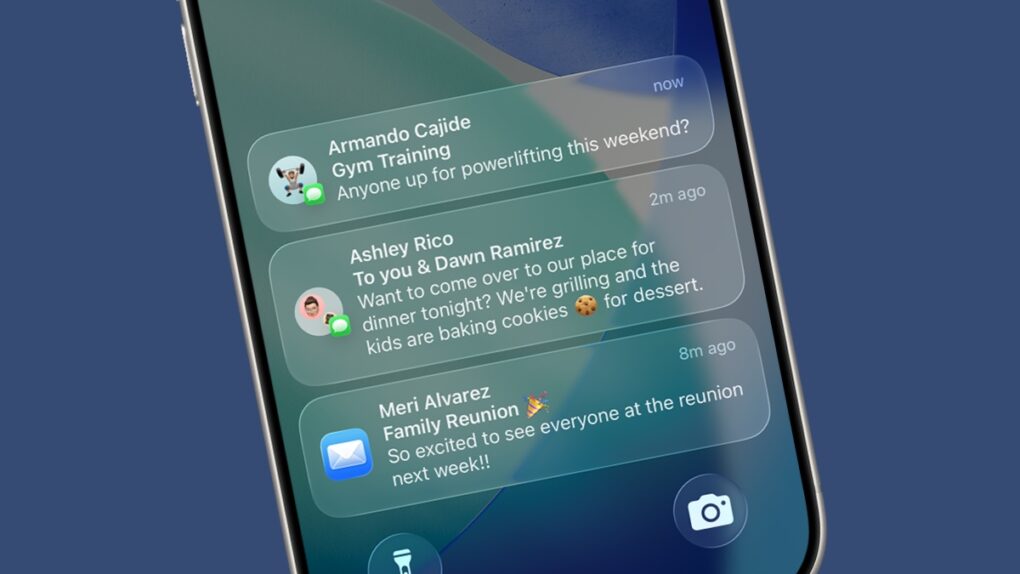
Apple is opening up its walled garden further with iOS 26.3. As part of the update, it will allow third-party Bluetooth earbuds to pair with an iPhone just as seamlessly as AirPods.

It will also enable third-party smartwatches and wearables to receive and mirror notifications from the iPhone. 

All the products Apple killed in 2025 — with more to come in 2026

By

products apple killed in 2025
They're not all in the junkyard or recycled just yet, but they're headed that way.
AI image: Grok/Cult of Mac

In 2025, Apple moved several well-loved gadgets to its dreaded obsolete list — including the original and popular iPhone SE — meaning hardware service is no longer available. Also chopped were the Apple Watch Series 1, second-generation iPad Pro (12.9-inch), and Apple Watch Series 4 Nike and Hermès models.

There’s often a fuss when Apple makes products obsolete, stemming from frustration with planned obsolescence. A lack of parts makes these older devices unrepairable, forcing upgrades and creating e-waste. Here’s the list of products Apple killed in 2025, and the ones heading to the chopping block in 2026.

Today in Apple history: iPhone comes to the world’s biggest carrier

By

Photo of Apple CEO Tim Cook talking with Chinese children to illustrate an Apple history article about the deal that brought the iPhone to China Mobile, the world's largest carrier.
China is a massive market for Apple.
Photo: Weibo/Tim Cook

"DecemberDecember 22, 2013: After months of false starts, Apple finally secures a deal with China Mobile to bring the iPhone to the world’s largest telecom company.

With 760 million potential iPhone customers in the offing, the deal shapes up as Apple’s most important yet for growing its brand in China. In fact, Apple CEO Tim Cook says the country will soon become the company’s biggest market.

Today in Apple history: Marathon is Mac’s answer to Doom

By

First-person shooter Marathon gave Mac gamers something to be proud of.
Photo: Bungie

December 21: Today in Apple history: Marathon game is Mac's answer to Doom December 21, 1994: Mac gamers get their hands on Marathon, a sci-fi first-person shooter designed as an answer to the massive success of PC title Doom. Created by Bungie, the team that would later create the Halo franchise, the new Marathon game introduces important features to the FPS genre.

Just as importantly, it isn’t available on PC. Marathon quickly becomes a favorite among Mac gamers.

This one feature justifies buying an iPhone 17

By

iPhone 17 Center Stage selfie camera justifies a purchase
The iPhone 17 Center Stage selfie camera improves your video calling experience significantly.
Image: ChatGPT

If you’re strongly tempted by an iPhone 17, but haven’t yet found a reason to make the jump, then you must not realize how amazing the phone’s new Center Stage selfie camera is. It’s my favorite feature of Apple’s latest smartphones because it makes video calls so much easier on me, and smoother for the people I talk to.

Even better: The base model iPhone 17 gets this great feature, not just the Pro variants.

Clever Apple Watch charger swings both ways

By

Product photo of portable Apple Watch charger with wireless capabilities as well as built-in USB-C and USB-A cables
This Apple Watch accessory works as a battery pack or a wired charger.
Photo: Cult of Mac Deals

When it comes to charging an Apple Watch, you typically have two choices: Use a wired charger that plugs into a power source or go with some sort of battery pack. This portable Apple Watch charger is different — it can do both. It comes with built-in USB-A and USB-C and USB-A cables so you can plug it into a computer or wall wart, and a 1,200mAh battery so you can use it to charge wirelessly wherever you go.

It’s ideal for anyone who’s always on the go and wants to keep their Apple Watch powered up without needing an outlet. At just $29.99, it’s a surprisingly capable Apple Watch charger. And it makes a great stocking stuffer for anyone who wears an Apple Watch!