iOS is the operating system from Apple that runs on the iPhone. Major updates come every year in September, alongside releases of new flagship iPhone models. The first version was derived from Mac OS X, and later, it became the basis for iPadOS, watchOS, tvOS and visionOS.
What separates it from macOS is its higher level of security and ease of use. Apps can only be installed from the App Store (and, in the European Union, app marketplaces) and there’s no way to access the core filesystem.
iOS runs many of the same apps you can find on the Mac and iPad. Safari, Mail, Messages, Music, Photos, and productivity apps like Pages and Keynote, run on all the platforms. Using iCloud, your data in each of these apps can sync to their peers on macOS and iPadOS.
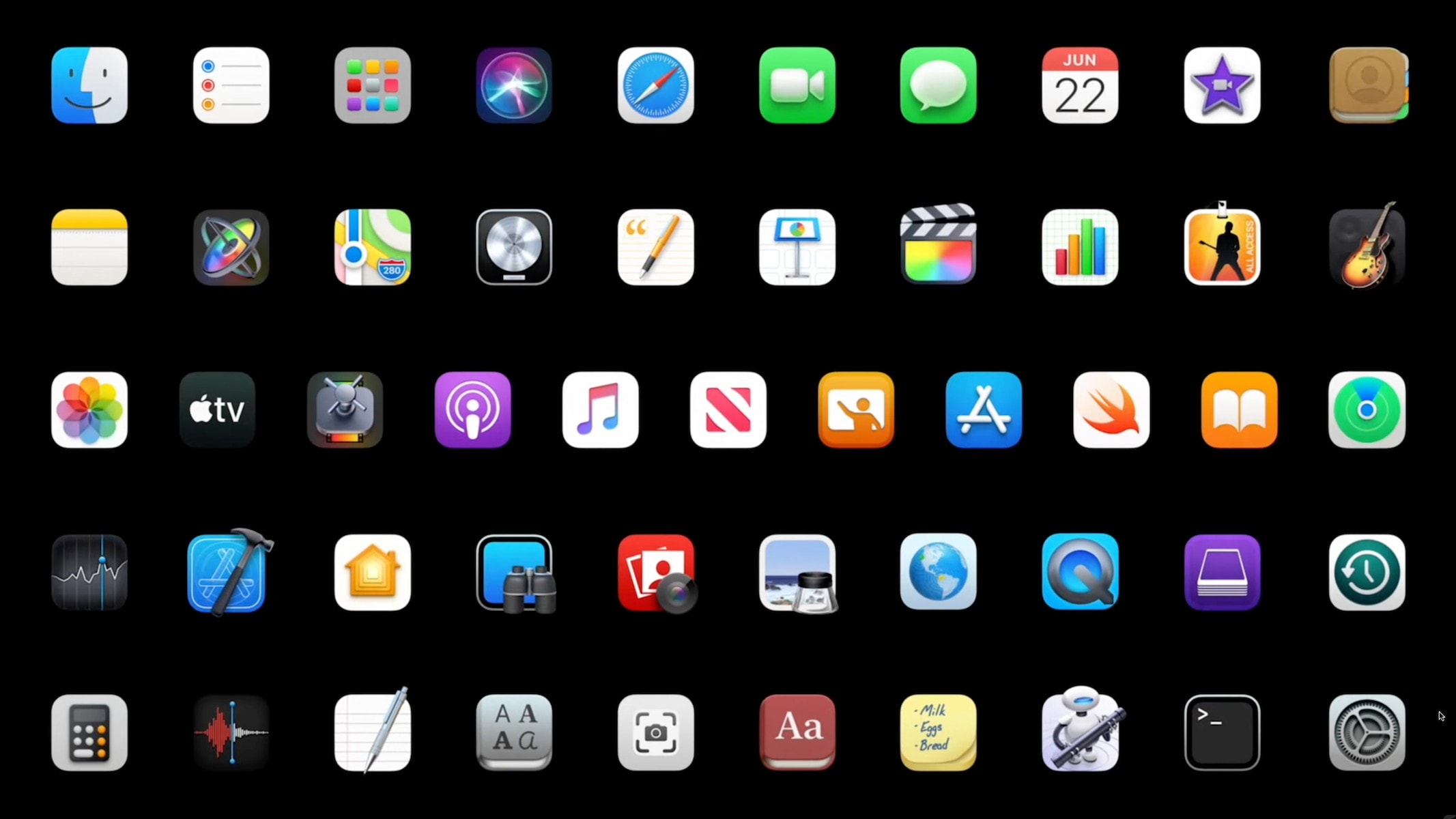
All of Apple’s core apps are available for iOS and iPadOS on iPhone and iPad. The full list includes App Store, Books, Calculator, Calendar, Camera, Clock, Compass, Contacts, FaceTime, Files, Find My, Fitness, Freeform, GarageBand, Health, Home, iMovie, iTunes Store, Journal, Keynote, Magnifier, Mail, Maps, Measure, Messages, Music, News, Notes, Numbers, Pages, Passwords, Phone, Photos, Podcasts, Reminders, Safari, Settings, Shortcuts, Stocks, Tips, Translate, TV, Voice Memos, Wallet, Watch and Weather.
Other iOS apps can be downloaded from the App Store. At Cult of Mac, we round up the best apps for iPhone, iPad and Mac in our Awesome Apps posts.
iOS mirroring
The iPhone supports mirroring the screen using a variety of different methods:
You can wirelessly mirror your iPhone to any AirPlay-enabled device, like a smart TV or Mac. From a video player, tap the AirPlay button (the icon of a triangle with rings coming out of it). Or, from Control Center, tap the Screen Mirroring button (the icon of two overlapping rectangles). You’ll see nearby devices that are available. Tap on one to start mirroring.
You can also plug your iPhone into an external display using a wired connection. This may be more reliable. You can use a USB-C cable (or, a USB-C to HDMI cable) on iPhones with a USB-C port. On older iPhones, you’ll need a Lightning to HDMI adapter.
With iPhone mirroring on the Mac, you can see your iPhone in a Mac window on the screen, and even control it using your Mac’s keyboard and cursor. You can even drag and drop content between the mirrored iPhone and your Mac. This requires both devices to be signed into the same Apple Account, the iPhone to run iOS 18 or later and the Mac to run macOS 15 Sequoia or later.
iOS emojis
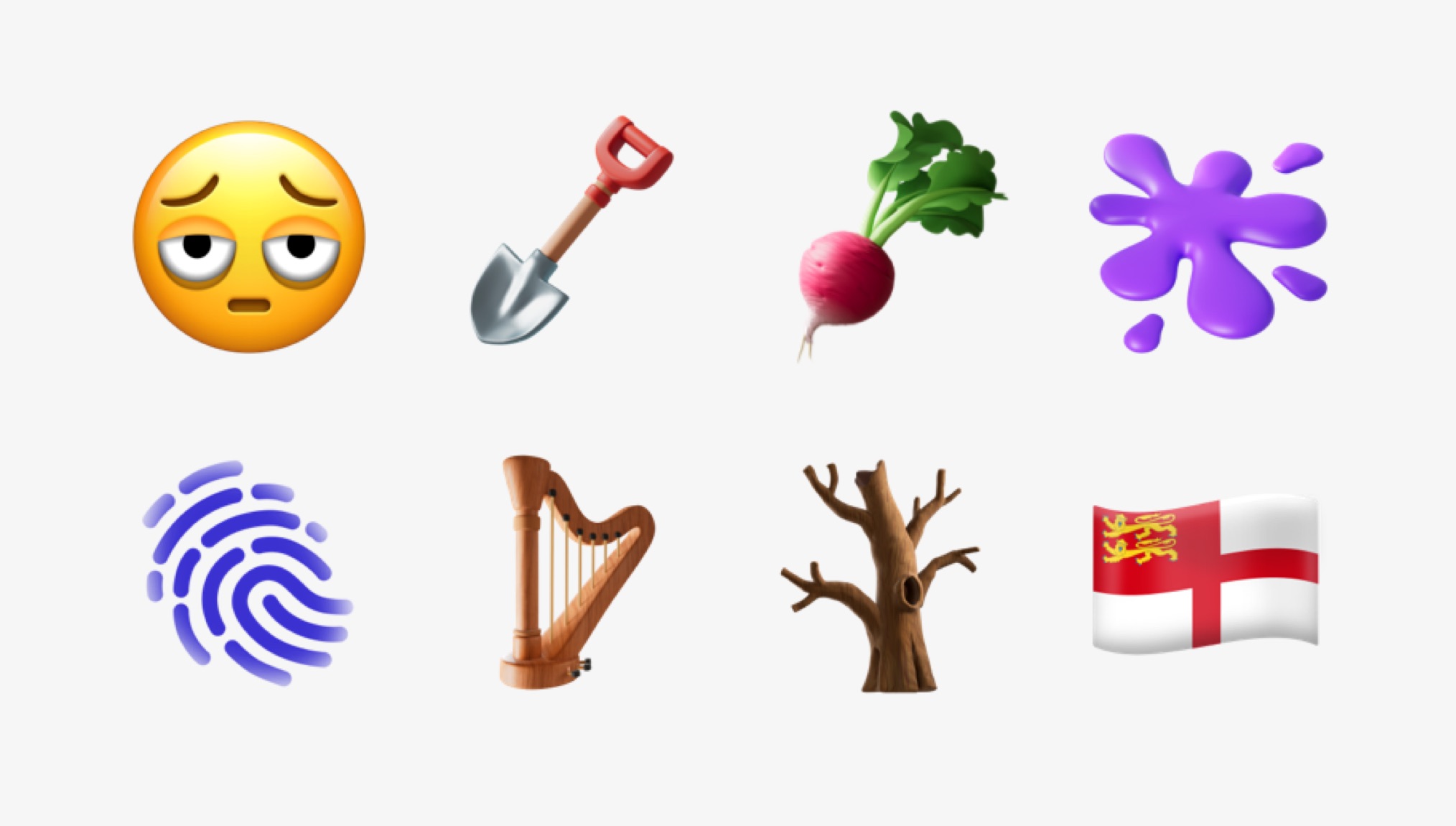
The latest emoji added in iOS 18.4.
iOS emojis are drawn as colorful, highly detailed and cartoonish stylized icons of animals, objects, food and more. Face emojis are bright yellow and circular, whereas people are drawn more realistically with a variety of skin tones.
New emojis are decided on by the Unicode Consortium, the organization that maintains the Unicode text encoding standard.
Apple typically adds new emoji annually, midway through an iOS release cycle, such as in iOS 18.4 or iOS 17.4. This is so that less technical users have an incentive to update their phones and get the latest security patches and features, too.
Certain iOS emojis reference Apple products. Desktop Computer (🖥️) shows a modern iMac, Laptop (💻) depicts a MacBook, Mobile Phone (📱) is an iPhone, Watch (⌚️) shows an Apple Watch, and Computer Mouse (🖱️) and Keyboard (⌨️) are an Apple Magic Mouse and Magic Keyboard, respectively.
The iOS system font is called San Francisco. The typeface bears a strong resemblance to DIN with similar proportions to Helvetica. It was originally designed for Apple Watch, but now the font is used in all Apple software, products, advertisements and more.
San Francisco comes in many different variations:
SF Pro is the system font in iOS, macOS, iPadOS and visionOS.
SF Rounded is a version of SF Pro with rounded letters rather than straight / pointed letters.
SF Compact has bigger lowercase letters for more legibility in watchOS and on physical products.
SF Mono is a monospaced font used for programming in Terminal and Xcode.
SF Condensed, SF Compressed and SF Expanded are variations that are skinny, super skinny and wide.
SF Camera has different letters and numbers that are a little squarer, for use in the Camera app.
SF Serif, also called New York, is a version with serifs (the decorations at the ends of letters), like Times New Roman. This version is used in Apple Books and Apple News.
San Francisco is a variable weight and variable width font. In supported applications, you can freely change the thickness anywhere between ultra light and extremely bold, and make the letters narrower and wider.
SF Symbols is a library of Apple system icons that developers can add to their apps. It also supports icons in different thicknesses, just like text, to accommodate for accessibility settings.
iOS vs. Android
Android and iOS are the two dominant operating systems on smartphones.
Android is the mobile operating system developed by Google. Whereas Apple only makes iOS for iPhones, many different phone manufacturers can produce Android phones, from Google, Samsung, Huawei, Xiaomi, Sony, Motorola and more. Android is mostly open source, so anyone can modify or customize the code — although Google controls the full project.
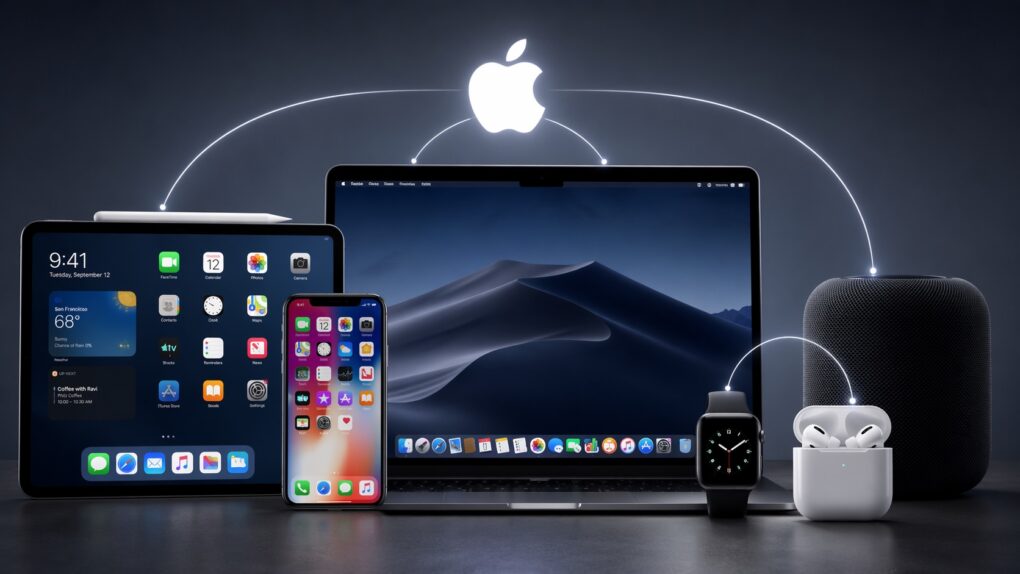
Comparing iOS vs. Android, Apple’s operating system is more integrated with other Apple products and services. iOS can seamlessly and invisibly connect to AirPods, Apple Watch, iPad or Mac. The devices are aware of each other nearby, enabling features like AirDrop, Find My and Continuity. Over iCloud, your photos, app data, texts and more will sync.
Further comparing iOS vs. Android, Google’s operating system is available on a wider range of devices. You can buy an Android phone for cheaper, in a smaller screen size, or even as a folding phone. Android is more open, so you can easily customize the launcher interface, side load apps or even access the root filesystem.
Update iOS
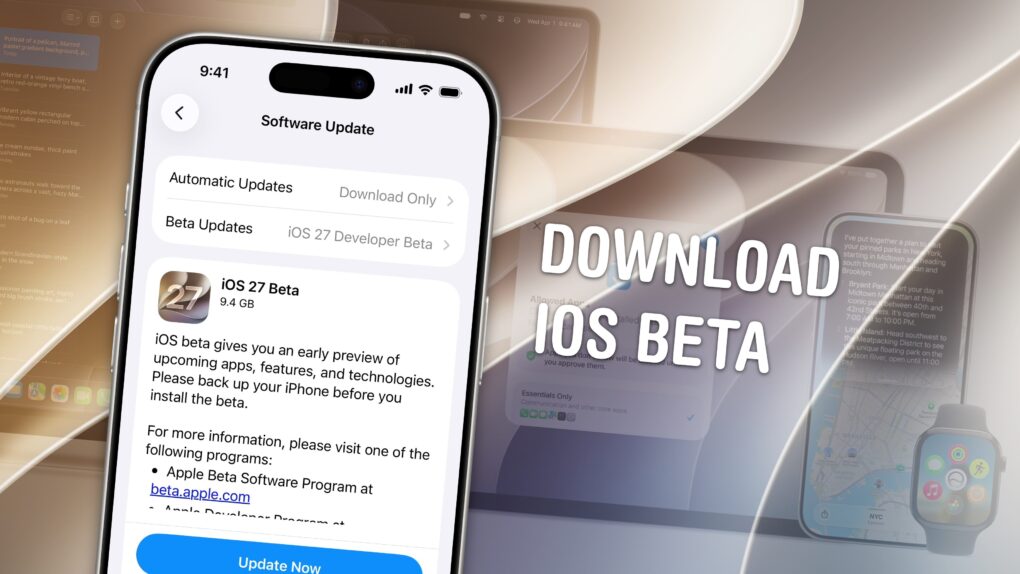
You can get the latest version of iOS from the Settings app. Open Settings > General > Software Update to check for an update.
You can install developer or public betas from this screen, as well. If your account is enrolled as a developer (for free), access to the public and developer betas will let you try out software updates early. Once you enroll, you’ll see an additional option on this screen for Beta Updates. You can choose to receive public releases, developer releases and public betas freely.
iOS versions
iOS 26 (Beta)
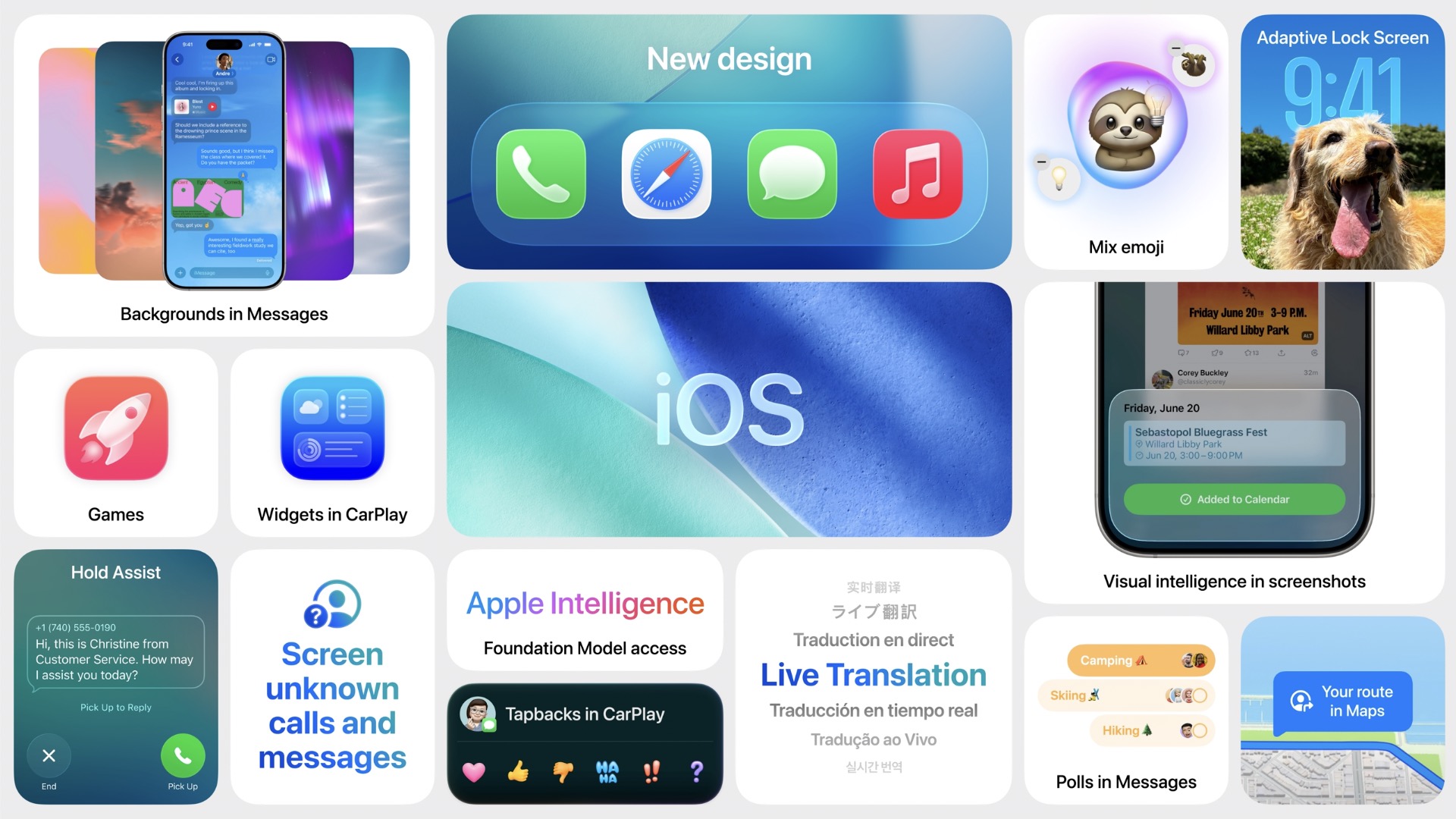
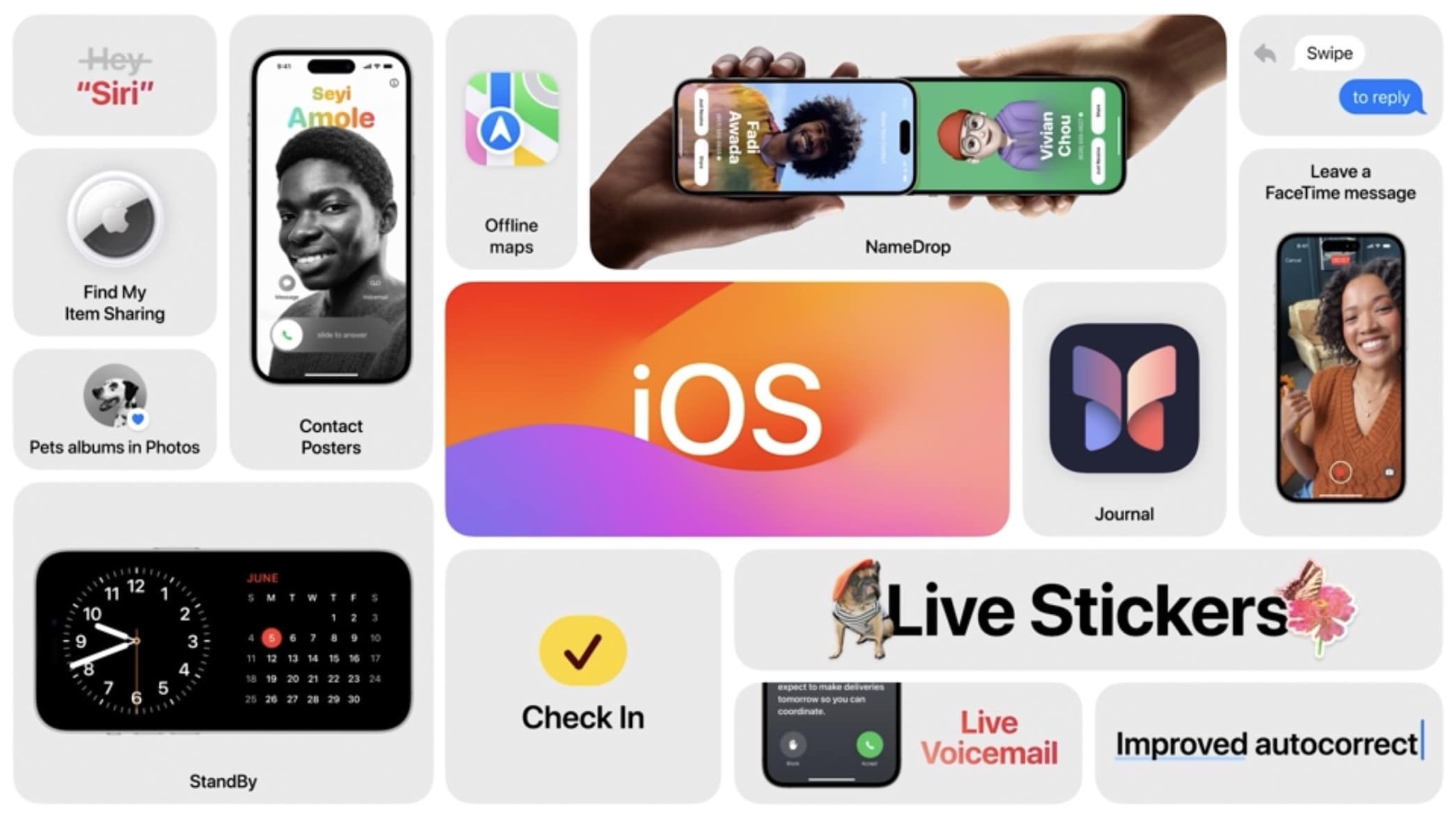
Here’s a snapshot of the new iOS 26 features for iPhone users.
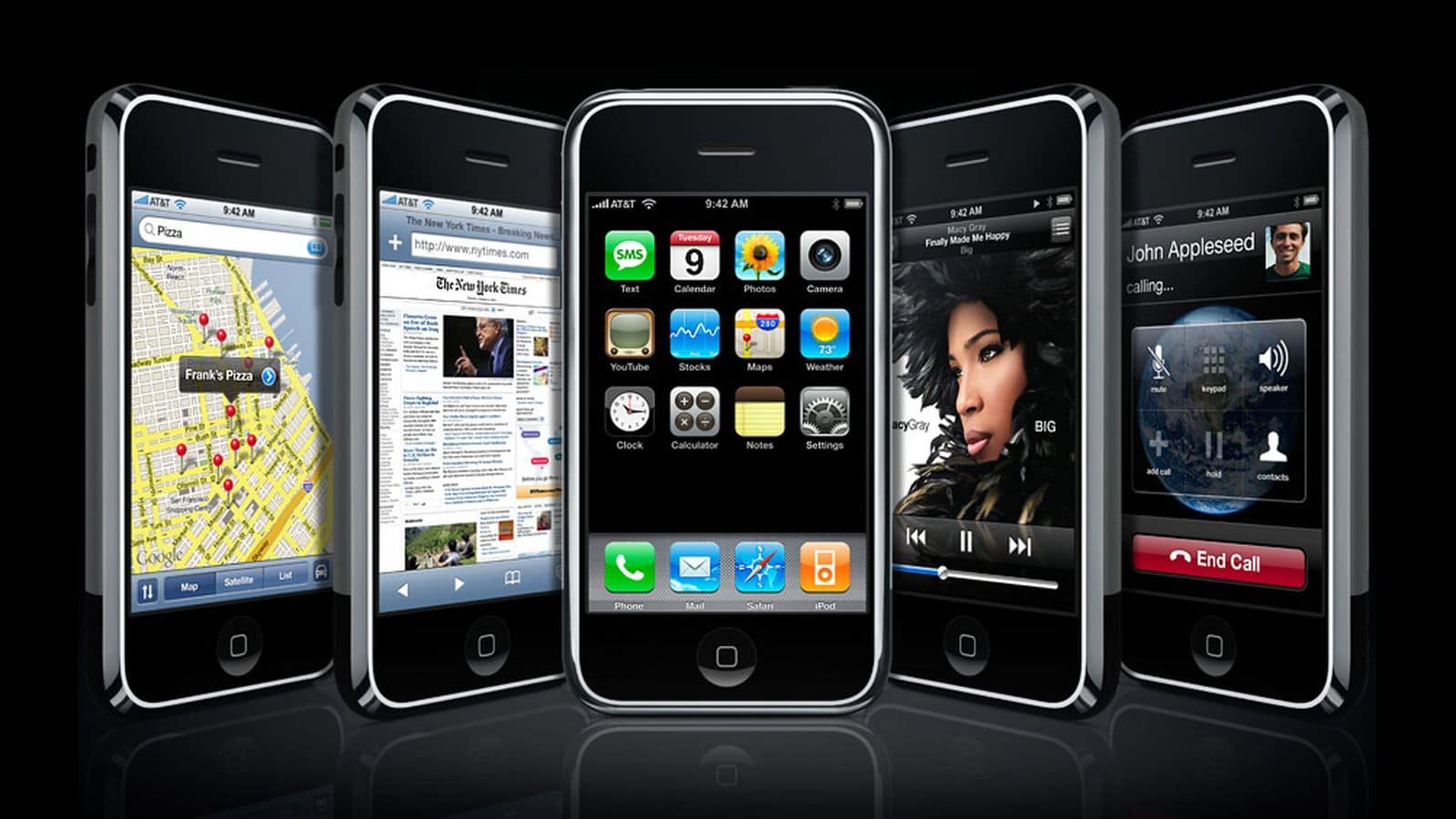
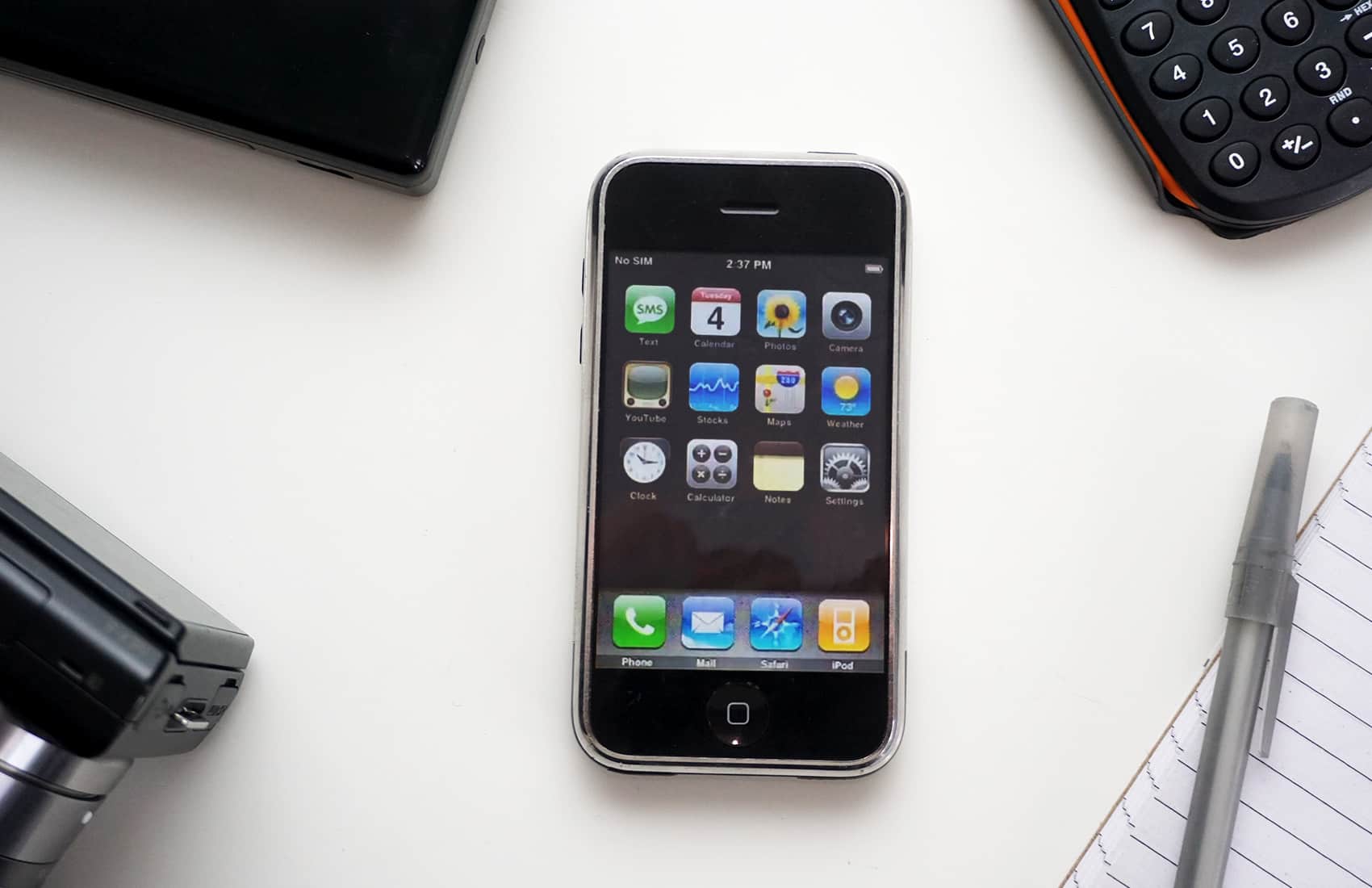
Launching on the original iPhone on June 29, 2007, the initial version of the (then-unnamed) iPhone system software was the first multitouch interface for smartphones. It introduced concepts like slide-to-unlock, pinch to zoom, inertial scrolling and more. The iPhone brought desktop-class web browsing with Safari, visual voicemail, Google Maps, Mail, YouTube and other basic widget-like apps. It synced and played your music library like an iPod.
Released on June 17, 2009, this update brought cut, copy and paste. It also introduced Find My iPhone, Spotlight search, support for MMS messages, video recording, Voice Memos and in-app purchases.
iOS 4
Launching days before the iPhone 4 on June 21, 2010, iOS 4 (rebranded, to include the iPod Touch and iPad) introduced multitasking, Home Screen folders and wallpapers, the Game Center app, FaceTime video calling and system-wide spell checking.
iOS 5
Released on October 12, 2011, this update brought over-the-air updates on-device, notification center and notification banners, iMessage, iCloud and Reminders.
iOS 6
This update, released September 19, 2012, saw the rocky introduction of Apple Maps, along with the Podcasts app and Passbook (the predecessor to Apple Wallet).
iOS 7
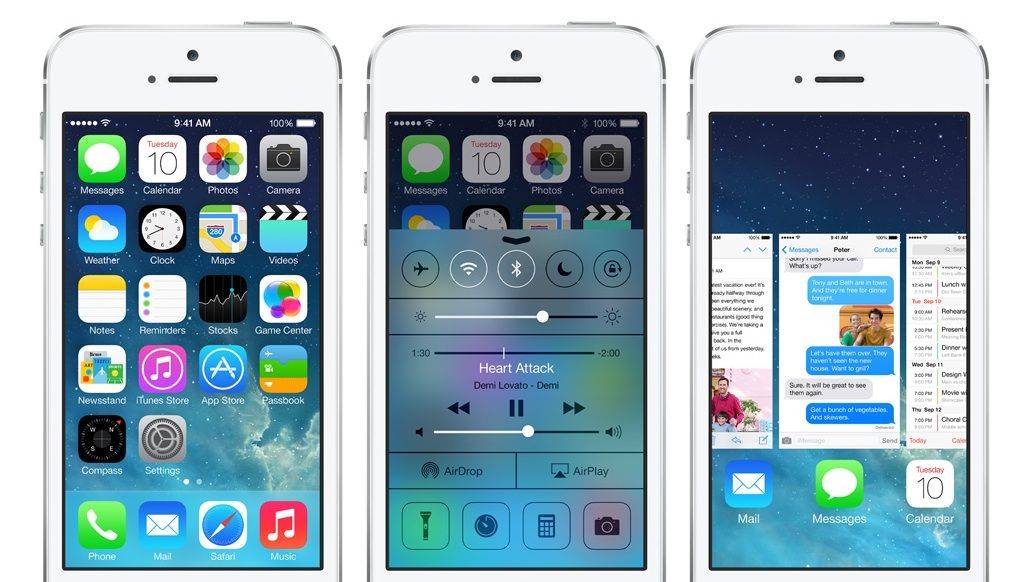
iOS 7 brought a major new design.
On September 18, 2013, this major release brought a major visual redesign, shedding skeuomorphism for a minimal, translucent look. It also introduced Control Center, AirDrop and CarPlay.
iOS 8
This update arrived on September 17, 2014. It modernized the system with Continuity, Apple Pay, iCloud Photo Library and iCloud Drive, Apple Music, Health, widgets, Family Sharing and extensions that can connect multiple apps together.
iOS 9
On September 16, 2015, this update introduced rich links and drawings to the Notes app, the Apple News app, transit support in Apple Maps and Night Shift. Proactivity is a system feature that uses context like time and location to suggest and show content intelligently. On the iPhone 6s, it introduced ‘peek’ and ‘pop’ gestures for previewing and opening content with the 3D Touch display, Live Photos and a new app switcher.
iOS 10
This update on September 13, 2016 brought iMessage apps, a new Maps interface, Photos Memories, support for HomeKit smart home accessories and the ability for third-party apps to create Siri commands. The Lock Screen was also redesigned to slide up to unlock, rather than swipe right. Instead, users can swipe right on the Lock Screen to access widgets. Control Center was redesigned with a three-page layout. This was the last version to support 32-bit devices, like the iPhone 5 and iPad 4.
iOS 11
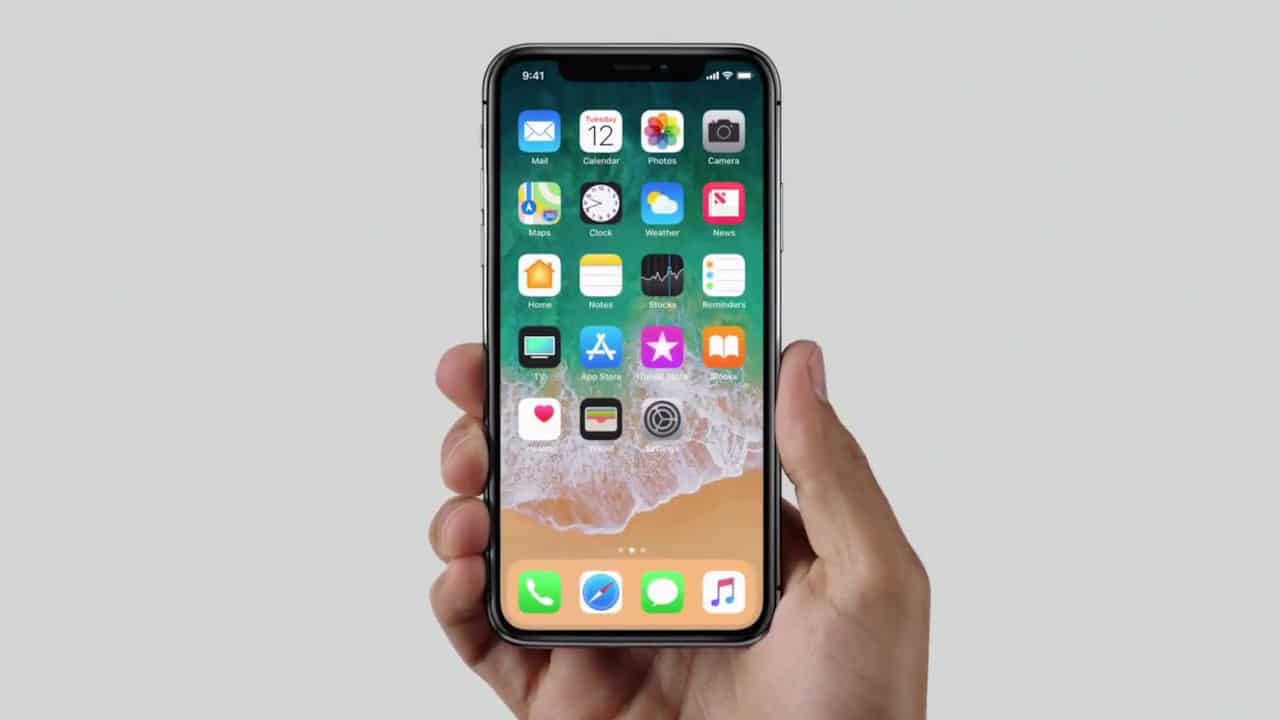
Parts of iOS were redesigned to fit the new iPhone X.
On September 19, 2017, this update redesigned many parts of the OS around the all-new iPhone X. The Lock Screen and Notification Center were combined; Control Center has a new all-screen design that’s customizable. It also introduced the Files app, Messages in iCloud, screen recording, Apple Pay Cash, augmented reality features and support for HEIF images and HEVC videos.
iOS 12
This performance-focused update released on September 17, 2018 and introduced Screen Time, Shortcuts, third-party apps in CarPlay, Memoji and a redesigned Photos app with four navigation tabs.
iOS 13
On September 19, 2019, this update brought a system-wide dark mode, live lyrics in Apple Music, a new Maps user interface, a better Siri voice, Sign in with Apple, external storage in Files and more controls for handling location data in apps.
iOS 14
On September 16, 2020, this update introduced App Clips, widgets on the Home Screen, the App Library, pinned conversations in Messages, the Translate app, emoji search and a denser and more powerful user interface. New privacy features include privacy labels in the App Store, green and orange dots in the status bar when the camera or microphone are being used, and app tracking transparency.
iOS 15
Apple released this smaller update on September 20, 2021 with Focus modes, Live Text, a redesigned Safari, new Weather app, tags in Notes and Reminders, iCloud Private Relay, Hide My Email, widget smart stacks and drag-and-drop across apps.
iOS 16
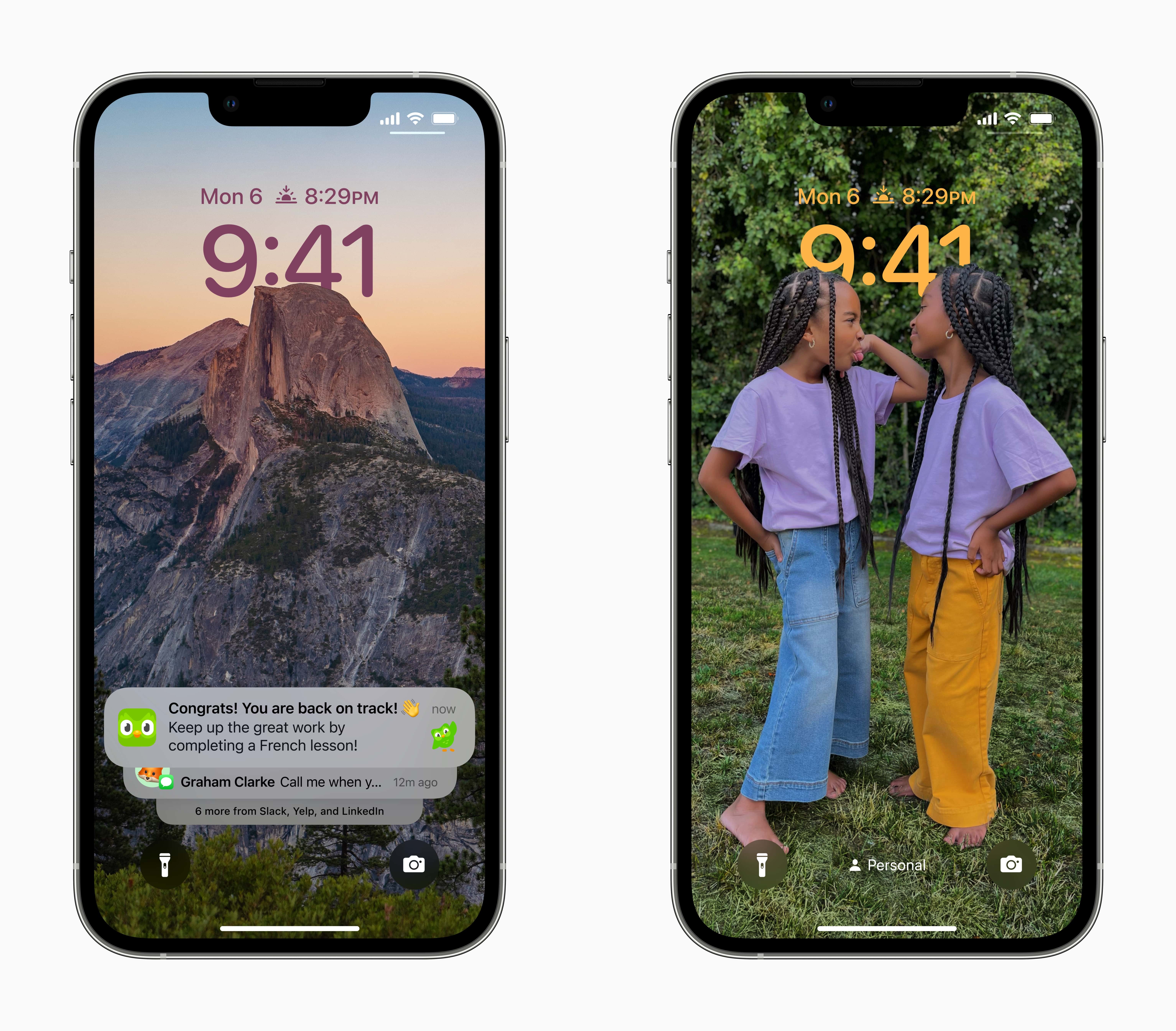
If you position your picture just right, the subject of an image will slightly overlap the clock on the new Lock Screen in iOS 16.
Spotify Running Mode lets runners customize playlists by workout type, tempo and duration. Image: Spotify
Spotify’s new Running Mode can turn your next jog into a custom-built playlist. The feature builds listening sessions around your pace, workout style and the music you want to hear.
“Whether you’re training for a race, heading out for an easy jog, or just want a more motivating walk, Running Mode helps you spend less time hunting for the right music and more time moving,” Spotify said in a press release Thursday.
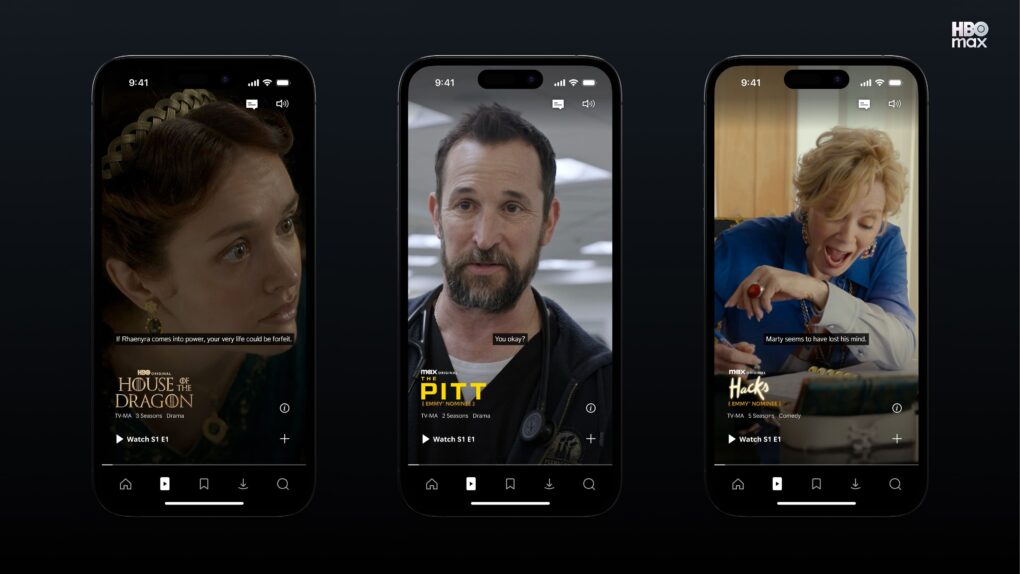
HBO Max Shorts serves up a vertical, scrollable feed of AI-selected clips from the streamer’s library. Photo: HBO Max
HBO Max is testing a new video feed called HBO Max Shorts for select iPhone users in the United States. The feature uses an in-house AI tool to pick short clips from shows and movies, but the final call is still made by human editors.
The hook? The videos are vertical, not the usual horizontal orientation.
HBO Max Shorts lives behind a new icon in the app’s bottom navigation bar. Similar to TikTok, it offers a scrollable feed of trailers, clips and bonus content pulled from the streamer’s library.
A fake Sparrow Wallet app allegedly slipped past Apple’s App Store review process. Image: Sparrow Wallet
Three iPhone owners sued Apple last week over a fake Sparrow Wallet app they say they downloaded from the App Store. The plaintiffs say using the bogus app led to the theft of their Bitcoin, resulting in losses of roughly $1.8 million.
The lawsuit, Ramirez et al v. Apple, Inc., accuses Cupertino of failing to catch the scam app despite years of marketing the App Store as a safe place to download software.
The Claude Code iOS Simulator lets you watch the AI work on your app in real time. AI image: Google Gemini/Cult of Mac
Anthropic’s AI-powered coding assistant Claude Code just got a lot more visual for iPhone developers. The new Claude Code iOS Simulator streams your app’s screen live while talking to it, as Claude does the heavy lifting for you.
Available as a public beta for Claude Code Desktop on macOS, it requires Apple’s free coding suite Xcode to work. But you can tap through the simulator anytime while Claude keeps working.
Loads of new features come in Apple’s upcoming software update. Image: Apple/D. Griffin Jones/Cult of Mac
The new Photos app in iOS 27 clearly did not get the memo that this was a small year of bug fixes and performance improvements. While it is faster and more stable, there are tons of excellent new features top to bottom. Sorting through the largest photo libraries will be easier than ever in iOS 27.
Here are all the new features you can look forward to — or, if you’re daring, try out now.
There are unspoken rules and tricks to getting your bug reports fixed. Image: D. Griffin Jones/Cult of Mac
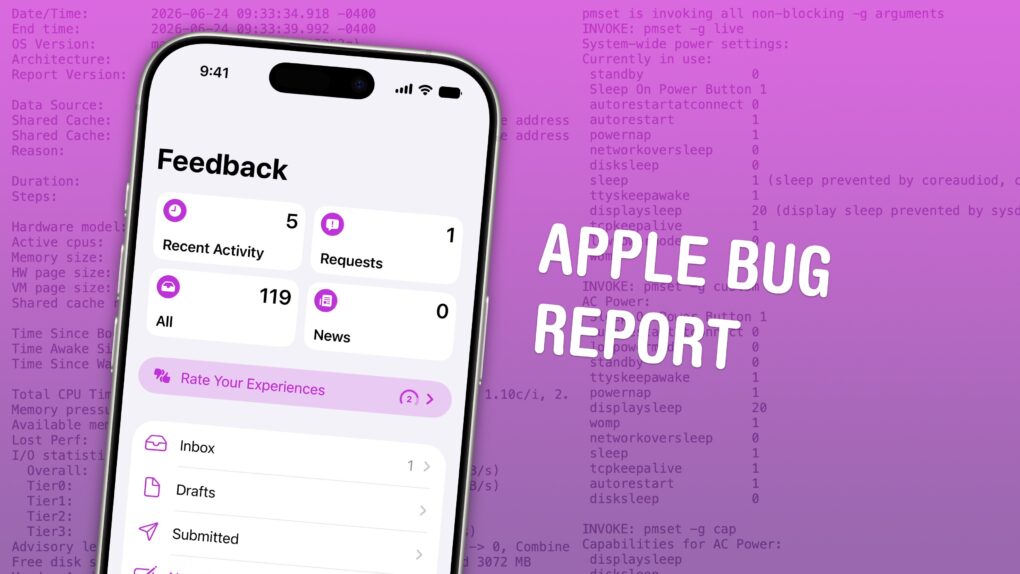
June is the best time of year to give feedback to Apple on betas for iPhone, Mac, iPad and Apple Watch. Just after the company releases the initial betas of its upcoming software updates, this is when Apple engineers have the most time to address bugs and make changes. And that makes this the optimal time to file an Apple bug report.
It won’t be long before Apple engineers’ task lists fill up through the fall, when the new software will be released. After that, teams are rearranged to make the sprint toward the next year’s updates. So if you have any input, you’d best make yourself heard now.
How do you file a bug report or send in feedback to Apple? Apple made a tool called Feedback Assistant that will guide you through the process. It’s available if you’re running a developer or a public beta of iOS, macOS, iPadOS and visionOS. Here’s how.
The web browser that comes on your iPhone, iPad and Mac. Image: Apple/D. Griffin Jones/Cult of Mac
There are eight great new Safari features in iOS 27. The update fixes a lot of irritating design problems that have bothered me for years.
Plus, if your phone supports Apple Intelligence, you’ll enjoy some smart new features that make your browsing easier — I’ve already created a couple custom extensions. And everyone will appreciate the speed and performance gains when they update.
Check out what you can expect from Safari this fall when Apple releases iOS 27.
Of course, there are a few things you should look out for. Beta software is buggy and can lead to data loss. That being said, iOS 26 has been buggy since September. iOS 27 promises broader system stability — unlike most early betas, in my testing, the system runs smoother than before. But it comes at the expense of odd behavior you may find in third-party apps, since they haven’t been updated to support the new changes to Liquid Glass.
If you want to try it out, you should make sure you have a backup of your most important data with two copies of your photo library before you try installing. I’ll show you how.
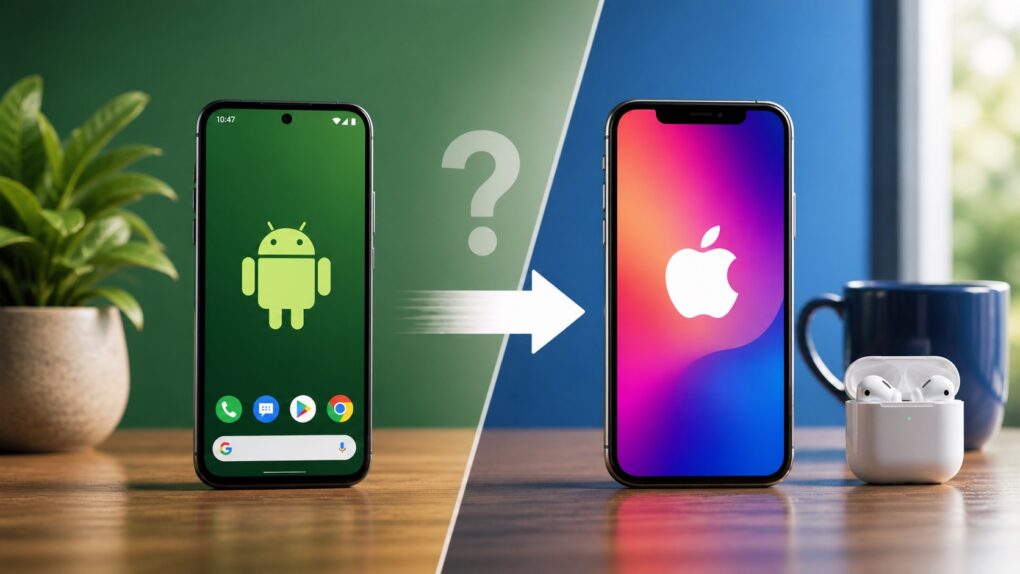
Moving from Android to iPhone means adjusting to a different way of doing things. AI image: ChatGPT
Ready to switch from Android to iPhone? Before you make the move to an Apple device, you need to know the biggest problems you’ll face during the transition — and how to avoid them.
While some challenges are manageable, others are unavoidable. If you feel ready to jump to Apple’s ecosystem from Google land, here’s what you need to know.
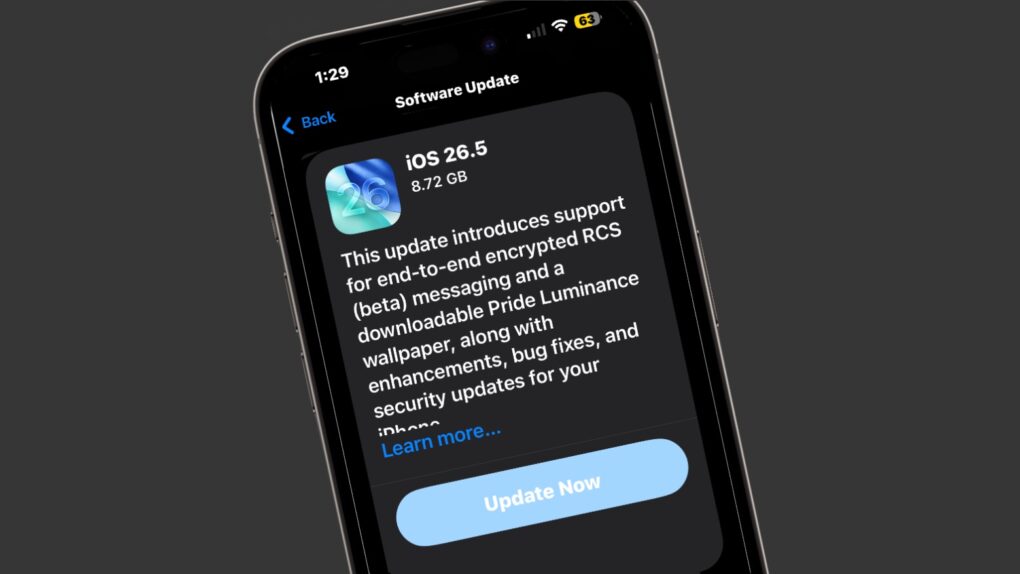
Apple on Monday seeded the iOS 26.5 Release Candidate to beta testers, signaling that eager iPhone users should circle May 11 on their calendars. The major new feature is fully secure, encrypted messages when using RCS… though this will remain in beta even after iOS 26.5 launches.
Monday also brought the macOS Tahoe 26.5 Release Candidate, as well as equivalents for iPad, Apple Watch, Apple TV and more.
Update your iPhone today to get rid of bugs. Screenshot: Cult of Mac
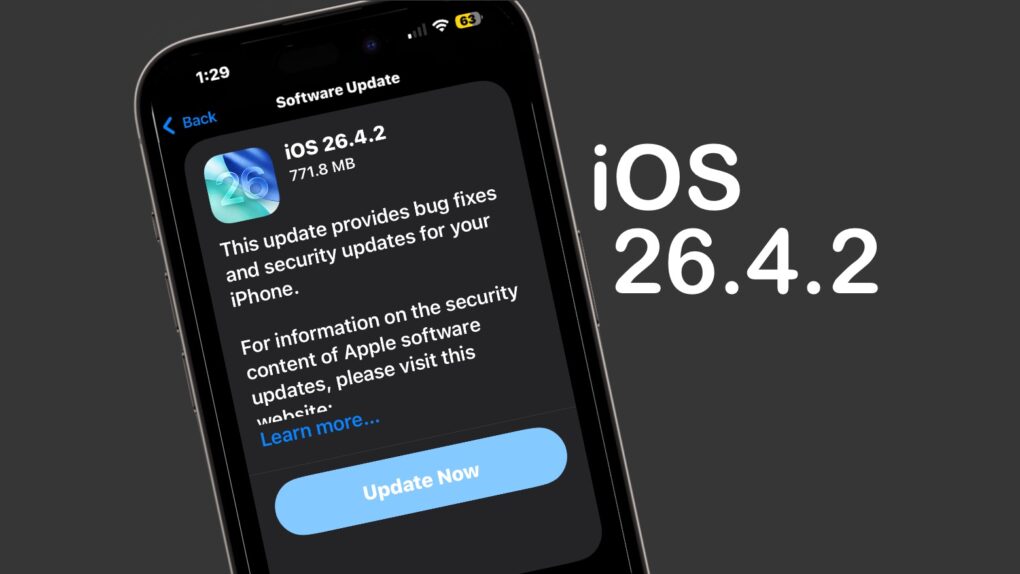
Apple on Wednesday released iOS 26.4.2 to fix a bug that allowed messages deleted by a user to remain on the iPhone.
“Notifications marked for deletion could be unexpectedly retained on the device,” Apple said in its security notes about the update. “A logging issue was addressed with improved data redaction.”
Beyond that, it seems like a minor update that focuses on various bug fixes and incremental performance improvements rather than new features. Tablet users got iPadOS 26.4.2 at the same time.
Plus, those not yet willing to make the jump to iOS 26 got their own update — iOS 18.7.8 also appeared on Wednesday, along with iPadOS 18.7.8.
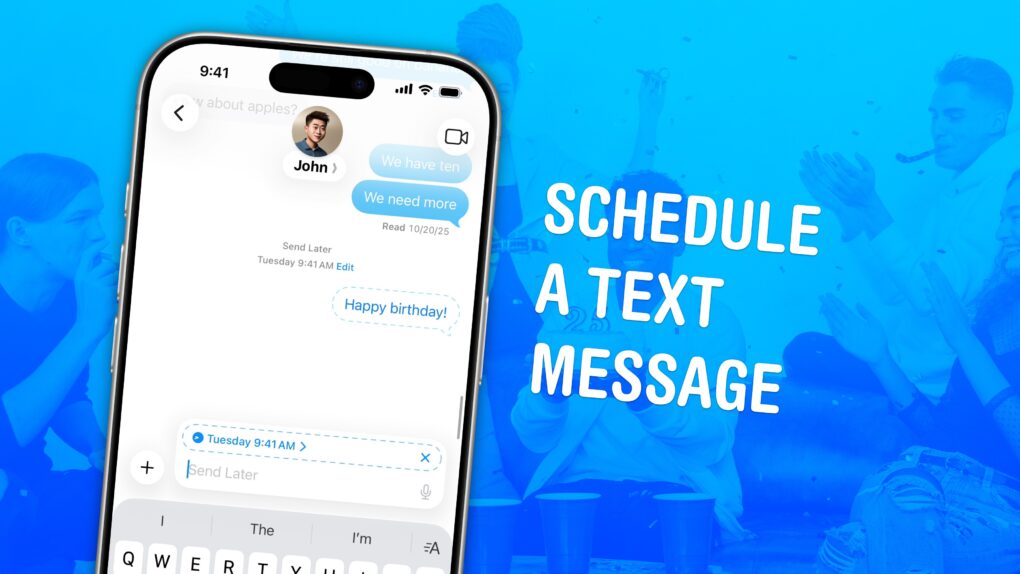
Never miss the customary “Happy birthday” text again. Image: D. Griffin Jones/Cult of Mac
If you know how to schedule texts on iPhone, you can make sure you never forget to send a reminder, birthday greeting or early morning message for someone in a different time zone. You can schedule a whole slew of texts up to a week in advance, with links, photos, attachments and more, using the iPhone’s Send Later feature.
This can save your bacon if you’re the type of person who forgets to text someone later. And it’s really easy to do, once you figure out how to use the somewhat hidden feature. Watch our quick video.
Can you leave Apple's ecosystem? AI image: ChatGPT/Cult of Mac
What makes the Apple ecosystem so alluring? Individually, the iPhone, iPad, Mac or Apple Watch might not be the best devices in their respective categories. Yet, when combined, they form one of the best ecosystems in the world.
It’s this Apple ecosystem — the so-called walled garden — that makes it almost impossible to ditch Apple devices. But what makes it so good?
Apple will retrain existing employees with AI coding skills. Photo: Mizuno K/Pexels
Apple will reportedly send a sizable share of its Siri development team to an intensive, multi-week bootcamp to improve their AI coding skills. To be clear, the employees won’t be learning how to make an AI, but how to use AI to develop.
It’s part of a push to finally complete the revamp of Apple’s voice assistant that the company promised years ago.
Check out all that’s new in iOS 26.4. Image: Apple/D. Griffin Jones/Cult of Mac
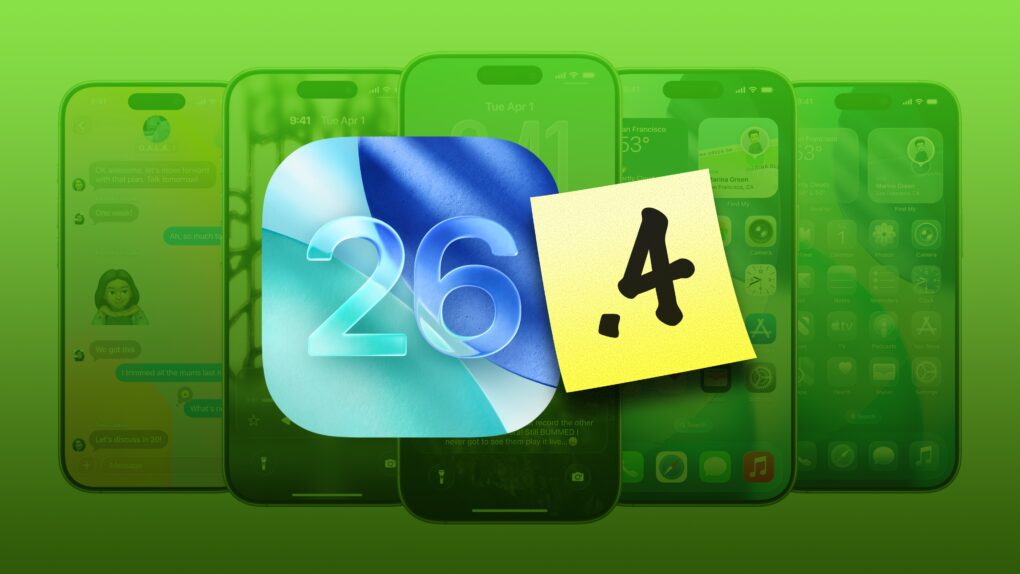
iOS 26.4, which Apple released Tuesday, brings a bunch of great new features to your iPhone.
It adds eight all-new emoji — a couple that I’ll definitely start using often (in addition to a few weird ones, as always). Apple Music also receives several excellent new features, like concert listings coming up in your area, in addition to a refined user interface. And the Apple Podcasts app gets a big video upgrade.
Those come in addition to tons of other interface tweaks and a fix for a typing bug that has been annoying iPhone users. Here are all the new features you can look forward to in iOS 26.4.
Don't let hackers take over your iPhone. AI image: ChatGPT/Cult of Mac
Update: The sophisticated DarkSword hacking technique that came to light last week — capable of silently taking over iPhones the moment a user visits an infected website — just got worse for Apple users running older software, TechCrunch reported Monday.
Someone leaked versions of DarkSword on code-sharing site GitHub. That means DarkSword attacks likely will increase — especially since iOS expertise is not required to deploy the technique.
“This is bad. They are way too easy to repurpose,” iVerify co-founder Matthias Frielingsdorf told TechCrunch. “I don’t think that can be contained anymore. So we need to expect criminals and others to start deploying this.”
Apple spokesperson Sarah O’Rourke reminded people that “keeping software up to date is the single most important thing you can do to maintain the security of your Apple products.” So if you haven’t updated to the latest iOS for your device, do so now.
Give it a go before you give it up. Image: D. Griffin Jones/Cult of Mac
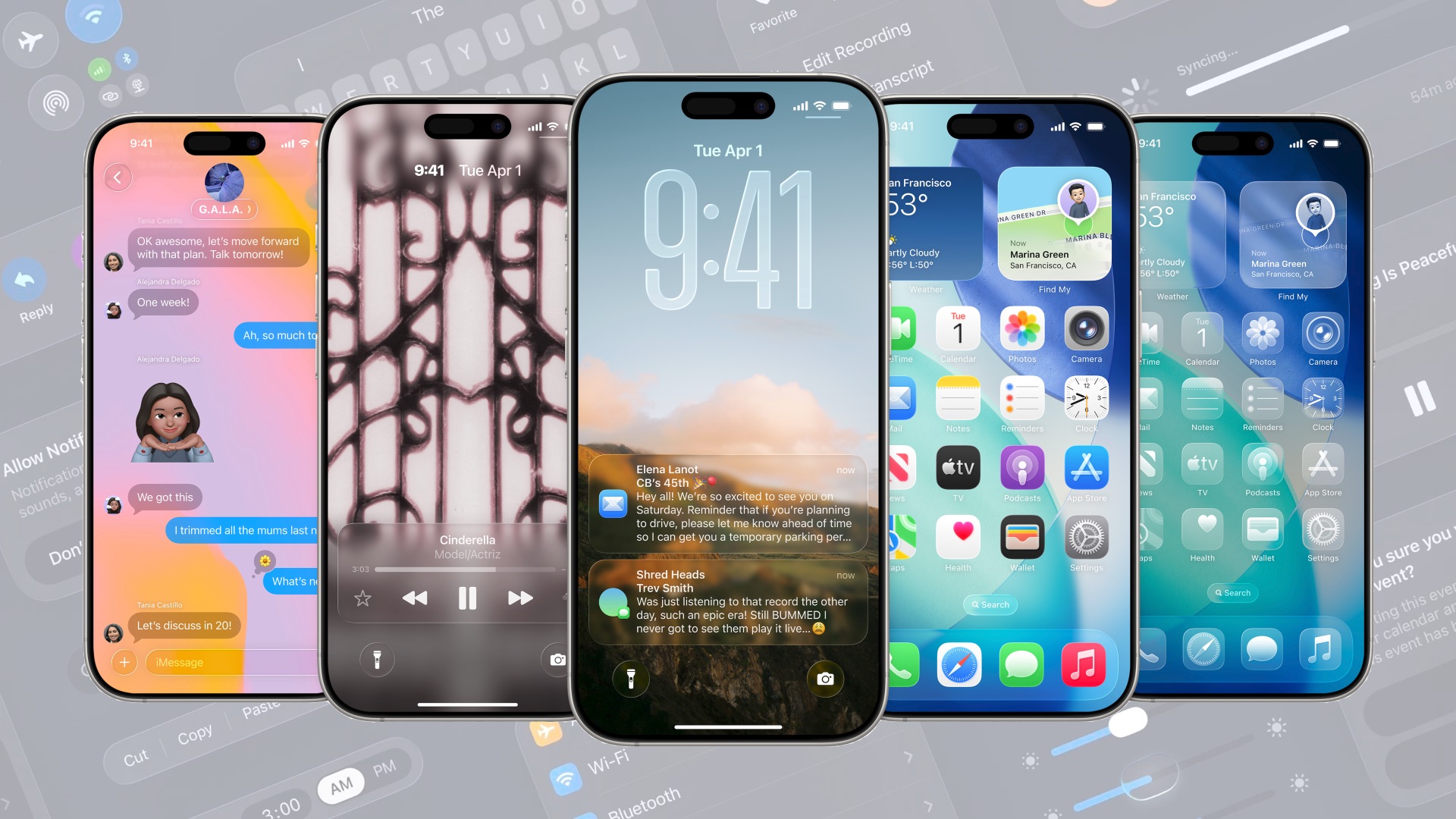
For the first time in 18 years, Apple redesigned the oft-overlooked Phone app. The overhaul in iOS 26 simplifies the Phone app’s layout, putting your favorites, call history and voicemails in one tab, and providing easier access to search.
Its fancy Liquid Glass-inspired layout goes hand-in-hand with the Phone app’s excellent call filtering features.
Here’s how you can learn to love the new design — and how to nope out of it if you don’t like it.
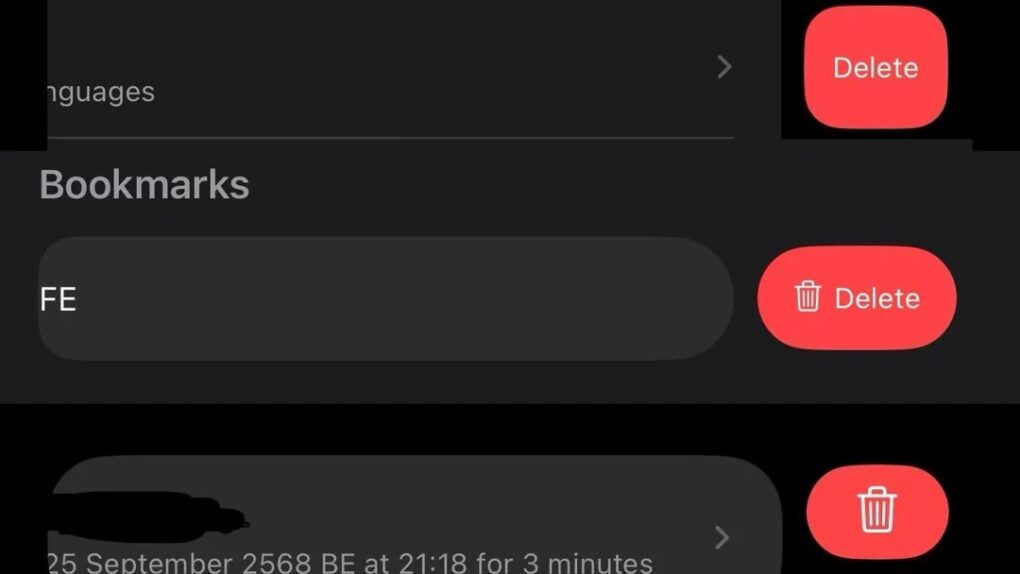
Why does Apple vary delete buttons so much? Image: [email protected]
Apple built a reputation for meticulous design consistency, but a growing number of users keep noticing cracks in that polished facade. A recent social media discussion highlights how longtime Apple fans wonder why delete buttons vary so much across iOS apps.
“Steve Jobs would be absolutely livid about the state of Apple UIs today,” wrote one irate user about the steadily less-consistent state of the iOS user interface.
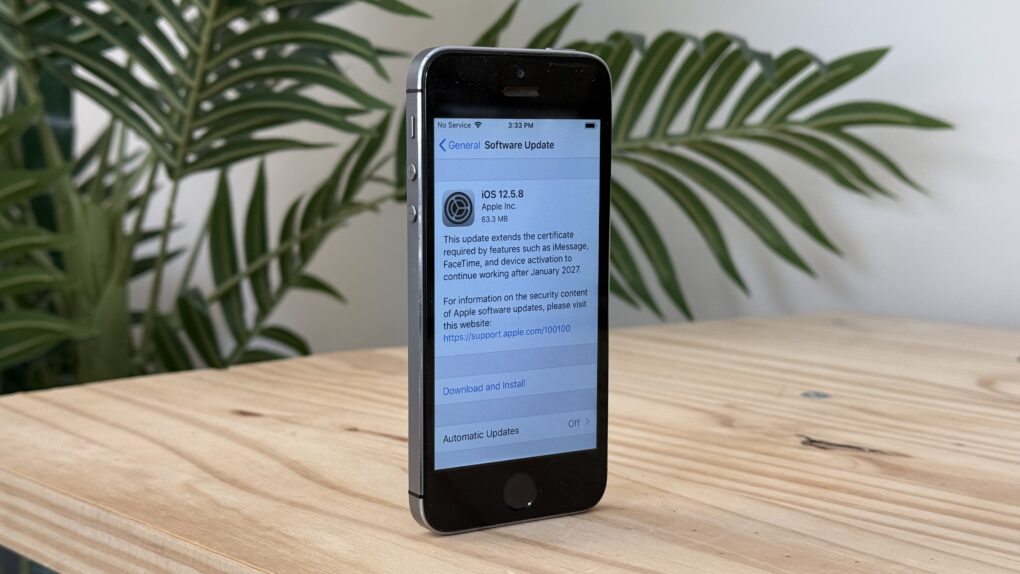
The latest software update for a 12-year-old iPhone. Photo: D. Griffin Jones/Cult of Mac
A conspiracy theory argues that Apple does everything it can to force people to buy new iPhones. That’s Grade A certified bullplop, and I can prove it. How? Apple recently released iOS updates for every single iPhone going back to 2013.
If you still own a 12-year-old iPhone 5s, it just got an upgrade to iOS 12.5.8, so you can continue to use it for years to come. So tell us again how Apple hates old iPhones?
It seems the typical iPhone user response to iOS 26 is, "Nope." AI image: ChatGPT/Cult of Mac
UPDATE: This article was based on incorrect data from StatCounter resulting from a change on policy by Apple. The web analytics firm fixed the problem and now reports that iOS 26 adoption is just below average: about 53%. This article is kept only for archival purposes. Only a tiny percentage of iPhone users have installed iOS 26, according to data from a web analytics service. The adoption rate is far less than previous iOS versions at this same point months after their releases. The data only reveals how few iPhone users run Apple’s latest operating system upgrade, not why they’ve chosen to avoid it. But the most likely candidate is the new Liquid Glass look of the update.
Speed up this universal gesture on your iPhone. Image: D. Griffin Jones/Cult of Mac
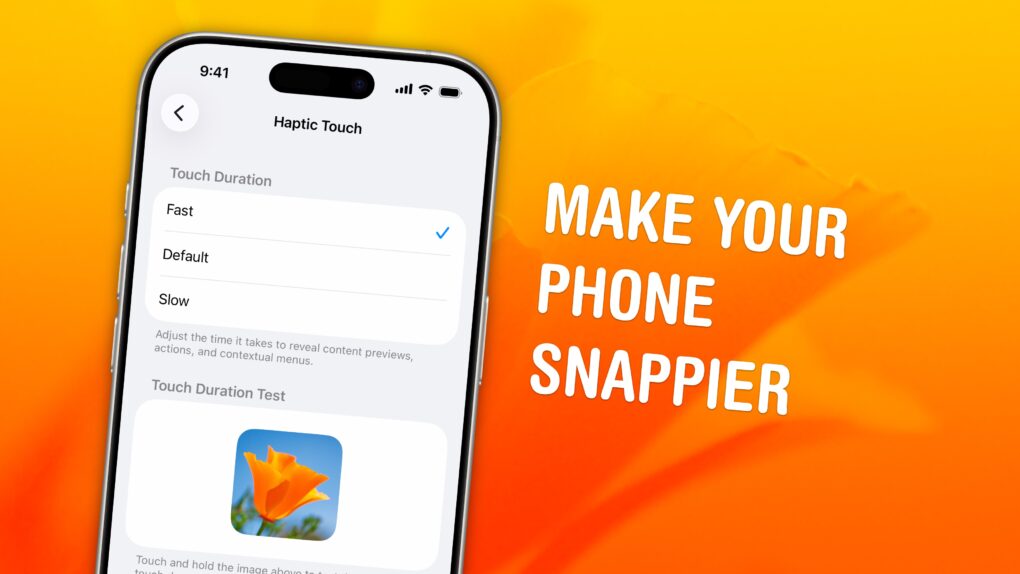
A hidden setting will speed up Haptic Touch, the fantastic feature that lets you preview links and bring up menus on your iPhone. If you use Haptic Touch all the time, like I do, changing this setting will make your iPhone feel turbocharged. With the settings tweak, your iPhone will bring up handy shortcuts — hidden actions, content previews and contextual menus — in a flash. And that saves you precious time as you tap around your screen. Alternatively, if you find Haptic Touch annoying and trigger it accidentally all the time, you can slow down the time needed to activate the gesture. That way, a tap won’t be mistaken for a tap-and-hold.
It's hard to believe how quickly the mobile landscaped morphed over the past decade. Photo: Ste Smith/Cult of Mac
December 17, 2009: Apple finally triumphs over longtime rival Microsoft … on mobile operating systems market share. New data shows that iPhone OS surpasses Windows Mobile in the United States for the first time, just two years after the original iPhone’s launch.
With roughly 36 million Americans owning smartphones, a quarter of them run Apple’s mobile operating system, according to figures released by research firm Comscore.
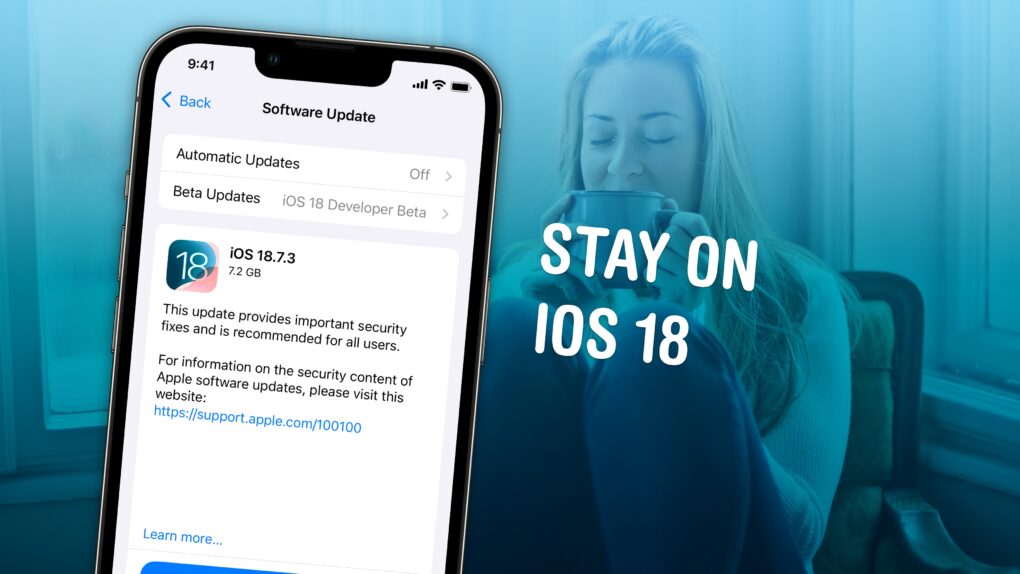
Wary of Liquid Glass? You can stay on iOS 18 forever. Image: D. Griffin Jones/Cult of Mac
Not ready to take a gamble on iOS 26? You can stop an iOS update in its tracks if you don’t want to be pushed into the latest version.
There are all kinds of reasons you might not want to upgrade. Maybe you like the speed and stability of iOS 18. Perhaps you don’t want Apple’s divisive new Liquid Glass user interface slowing down your aging iPhone.
While Apple is finally starting to push people to update to iOS 26, you don’t need to go along with the crowd. Obviously, you can disable automatic updates to put on the brakes, but it won’t be long before Apple starts sending push notifications and red badges, encouraging you to update.
Luckily, there’s a secret trick to hide those and make sure your phone stays on iOS 18 for as long as you like. Here’s how.
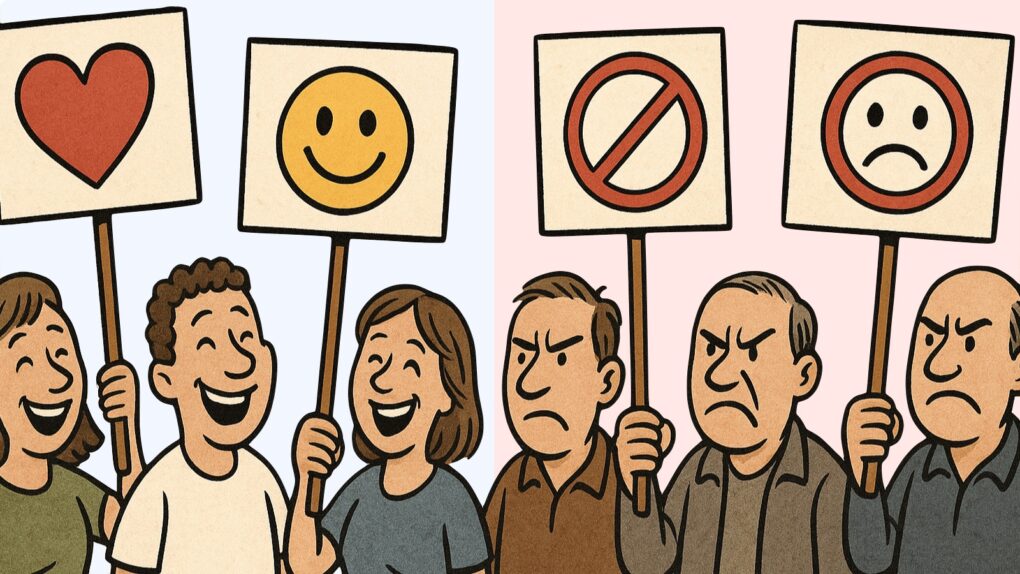
iPhone users are divided on iOS 26 and Liquid Glass. But general opinion might not be what you think. Image: ChatGPT
Apple has begun actively encouraging iPhone users to move from iOS 18 to iOS 26, and social media is filling up with people complaining about Liquid Glass, with the occasional compliment for the new look.
Trying to find out what most people really think about the new version, Cult of Mac polled its readers, and their answers might surprise you.
★★★★☆
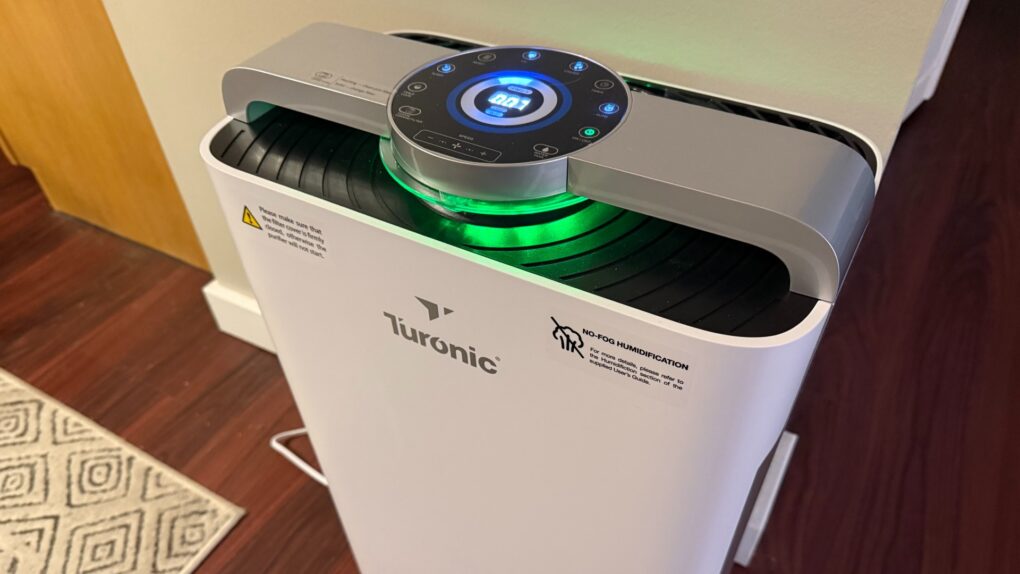
I finally got serious about indoor air quality and climate control. Photo: David Snow/Cult of Mac
Have you noticed clean, comfortable air is getting harder to find? Among the reasons I finally left California after many years were the increasingly common and unhealthy “smoke seasons” caused by western wildfires. So I moved back east only to discover Canadian wildfires wafting choking drafts into New England, as well as my old nemesis — humidity. So I finally got myself a serious appliance to deal with indoor air quality. This Turonic PH950 Air Purifier and Humidifier review finds it quite the beast for the tasks, with just a few caveats (no HomeKit!?). But control via app for iOS and watchOS makes it especially convenient.





 December 17, 2009: Apple finally triumphs over longtime rival Microsoft … on mobile operating systems market share. New data shows that iPhone OS surpasses Windows Mobile in the United States for the first time, just two years after the