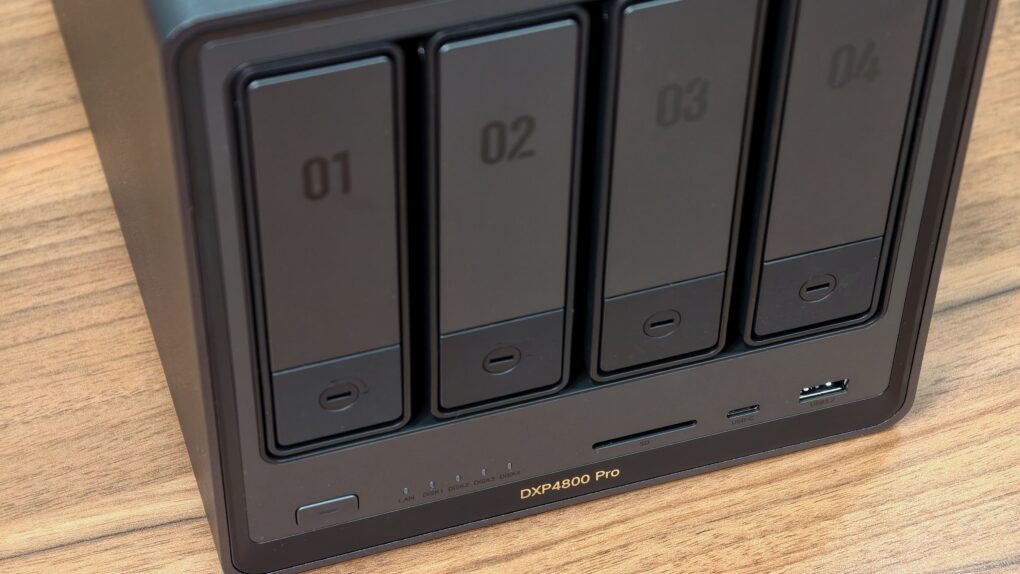
The Ugreen DXP4800 Pro is the kind of network-attached storage device, aka NAS, that blurs the line between simple network storage and a compact home server. It packs enough power to handle Plex streaming, Docker containers, virtual machines and multidevice backups.
With a faster processor and improved bandwidth over its predecessor, the DXP4800 Pro delivers a noticeable performance boost for users who want more than just basic file storage.
This added flexibility makes the DXP4800 Pro stand out.
Ugreen DXP4800 Pro NAS review
With the ever-increasing number of devices and the important data on them, a NAS has become a compelling option for many users, especially those who don’t want to rely on cloud storage. So far, Synology has dominated the NAS market, thanks to its excellent software. But after some recent anticonsumer decisions, the company’s reputation has taken a hit.
Ugreen capitalized on that opportunity by releasing capable and competitively priced NAS systems over the last few years.
While it lacks Synology’s long-standing reputation and mature software ecosystem, the company quickly established itself as one of the more credible alternatives in the consumer NAS space, particularly among power users looking.
Not to sit on its laurels, Ugreen launched the DXP4800 Pro NAS earlier this year. It is a minor “Pro” upgrade over the company’s DXP4800 Plus, which launched in 2024. It retains the same chassis and four-bay design as its predecessor but switches to a more powerful processor with more bandwidth for better performance.
For anyone looking for a NAS that can double as a Plex server, Docker host or lightweight home lab machine, the DXP4800 Pro makes a compelling option.
The Ugreen DXP4800 Pro is a powerful four-bay NAS with an Intel Core i3 processor, dual 10GbE/2.5GbE networking and enough horsepower for Plex streaming, Docker containers, and virtual machines. It can back up to 144TB of data, with the nVME SSD slots helping speed up file transfers and backups.
- Excellent price-to-performance ratio
- Great build quality and powerful specs
- Expandable RAM and storage
- High power consumption
- UGOS is rough around the edges
- Limited app library

Table of contents: Ugreen DXP4800 Pro review
- Premium hardware and powerful internals
- UGOS Pro has come a long way
- Performance
- Final thoughts
- Pricing
| Specification | UGREEN DXP4800 Pro |
|---|---|
| CPU | Intel Core i3-1315U (6 cores / 8 threads, up to 4.5GHz) |
| GPU | Integrated Intel UHD Graphics |
| Memory | 8GB DDR5 5600MHz |
| Maximum RAM | Up to 96GB DDR5 |
| Drive Bays | 4 × SATA bays (3.5-inch / 2.5-inch) |
| M.2 Slots | 2 × NVMe SSD slots |
| RAID Support | JBOD, RAID 0, 1, 5, 6, 10 |
| System Storage | 128GB internal SSD |
| Networking | 1 × 10GbE + 1 × 2.5GbE |
| USB Ports | 1 × USB-C 10Gbps, 2 × USB-A 10Gbps/5Gbps, 2 × USB 2.0 |
| HDMI | HDMI 2.0 / 4K output |
| SD Card Reader | Yes (SD 3.0) |
| Operating System | UGOS Pro |
| Maximum Capacity | Up to 144TB |
| File Systems | Btrfs, EXT4 |
| Dimensions | 10.1 × 7.0 × 7.0 inches |
Premium hardware and powerful internals
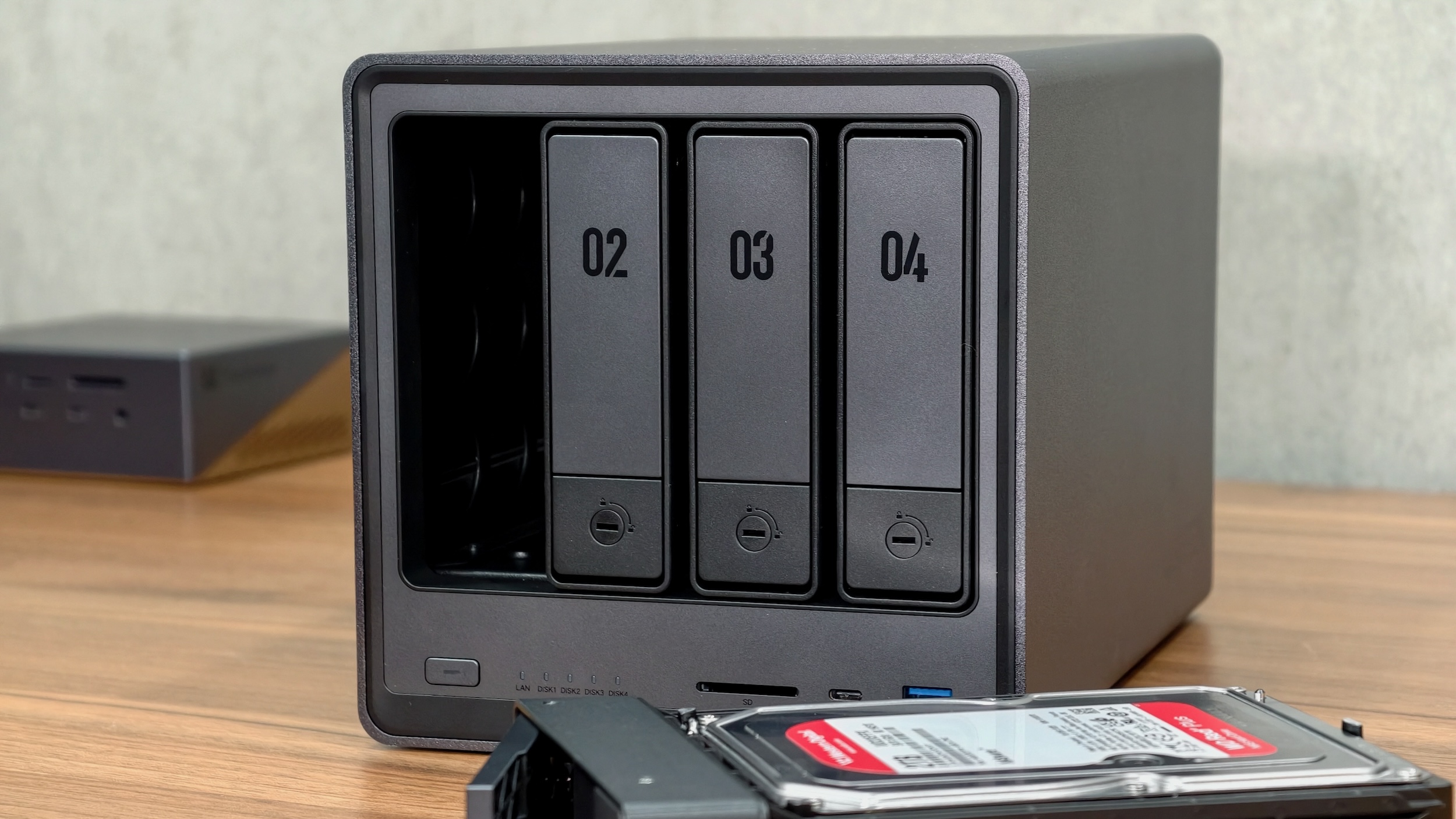
Photo: Rajesh Pandey/Cult of Mac
For a company that’s still relatively new to the NAS space, the DXP4800 Pro delivers impressive build quality. The aluminum alloy chassis feels sturdy and premium, giving the device a more polished look than many plastic-heavy alternatives in this price range. Thankfully, the design is not just for aesthetics. Ugreen clearly put thought into usability and accessibility.
The four front-facing drive bays are easy to access and, more importantly, support tool-less drive installation for regular 3.5-inch drives. Each bay is also numbered for easy drive identification, though you can install them in any order. The trays lock into place and don’t wobble.
At the back, the NAS uses a magnetic dust filter over the cooling fan, making it easy to remove and clean without dealing with screws or clips. It’s a small but thoughtful touch that should reduce dust buildup over time.
Flip the NAS, and you will find two NVMe M.2 Gen 4 SSD slots accessible by removing the bottom plate. This requires a screwdriver, which Ugreen bundles in the box. You can use the SSDs for caching or adding high-speed storage to the NAS to speed up file transfers.
The two RAM slots are also accessible from here — one of which is already occupied with an 8GB DDR5 5600MHz SO-DIMM module. You can configure the NAS with up to 96GB RAM, provided you can find the sticks.
With four drive bays and two NVMe SSD slots combined, you can store up to 136TB(!) of data on the DXP4800 Pro.
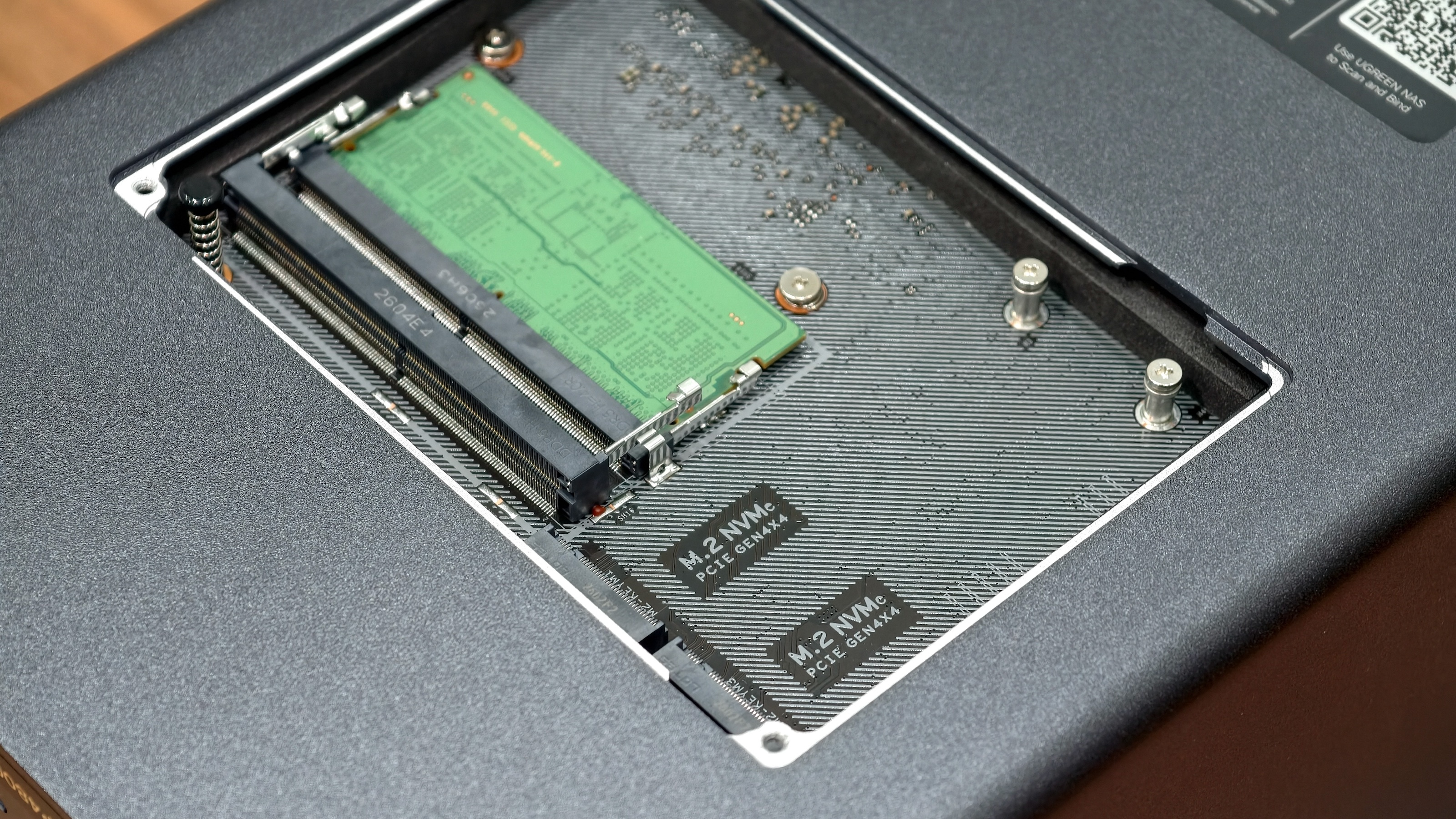
Photo: Rajesh Pandey/Cult of Mac
Ticking inside the Ugreen DXP4800 Pro is Intel’s Core i3-1315U processor. This is a decent upgrade over the DXP4800 Plus’ Pentium Gold 8505 CPU, with an extra CPU core and more bandwidth. The 13th-generation CPU features six cores and eight threads, with clock speeds reaching as high as 4.5GHz.
Combined with Intel’s integrated graphics, the NAS delivers more than enough horsepower for Plex media streaming, 10-plus Docker containers, virtual machines, photo indexing and multi-user file access.
Networking stands out as another major highlight. The Ugreen NAS packs both 10GbE and 2.5GbE Ethernet ports, a rarity among NASs at this price point. Combined with SSD caching and the faster Intel processor, you can easily edit 4K videos off the NAS over a 10GbE network connection.
My only real hardware gripe with the DXP4800 Pro is the inclusion of just a single front-facing USB-C 3.2 port. For a NAS this well-equipped, Ugreen ideally would have included a second USB-C port, one on the front and another on the back.
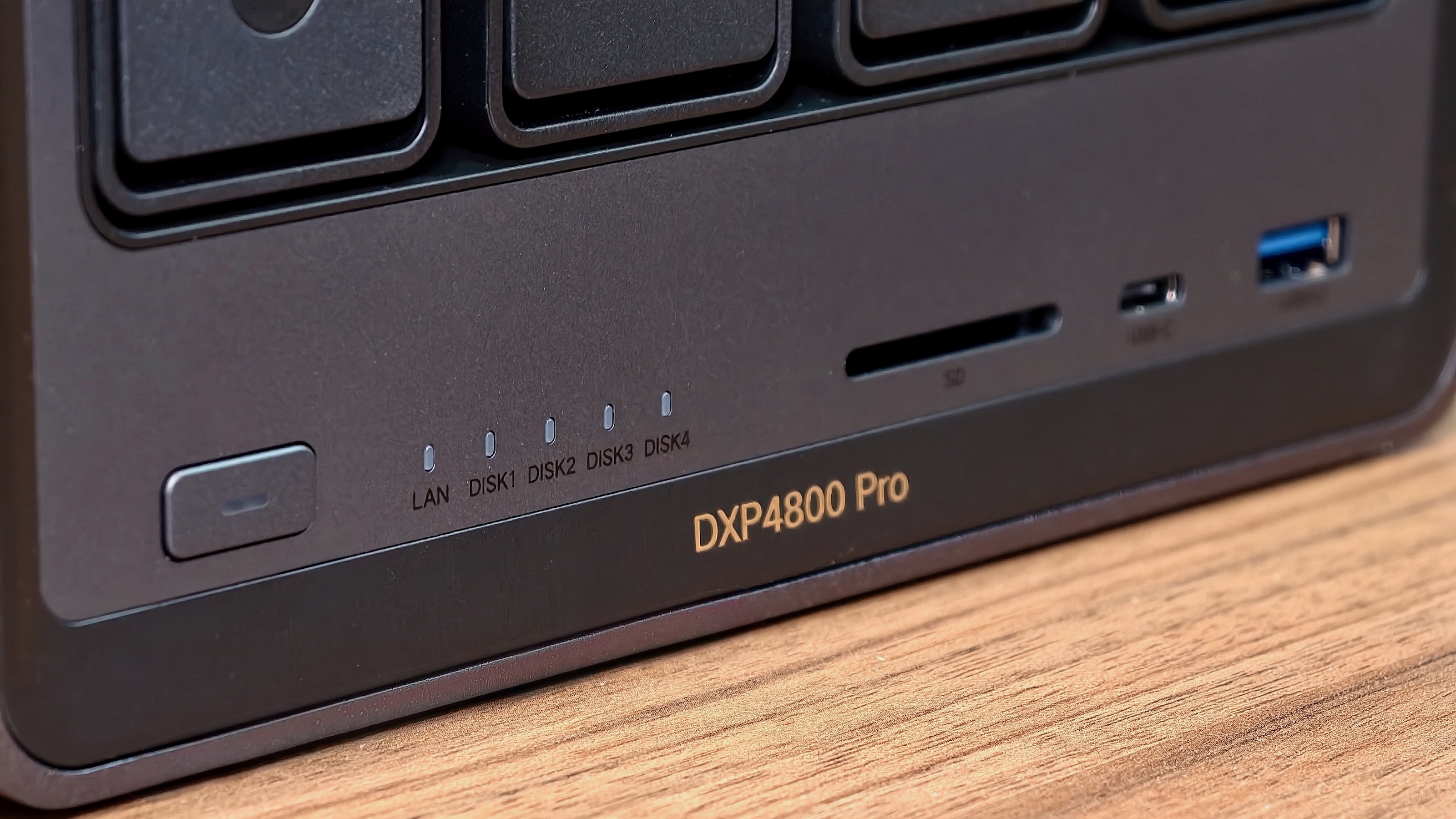
Photo: Rajesh Pandey/Cult of Mac
The front I/O does include a speedy SD card 4.0 reader, though, which photographers and videographers will appreciate for quickly offloading media files directly to the NAS.
You will find no Thunderbolt ports here, though. But unless you are a power user with demanding storage needs, you won’t miss them.
One downside of the DXP4800 Pro’s design is an external 150W power brick. This shouldn’t be a problem for most users, but if you are looking to fit the NAS in a small space, the power brick could pose a problem.
UGOS Pro has come a long way
Screenshot: Rajesh Pandey/Cult of Mac
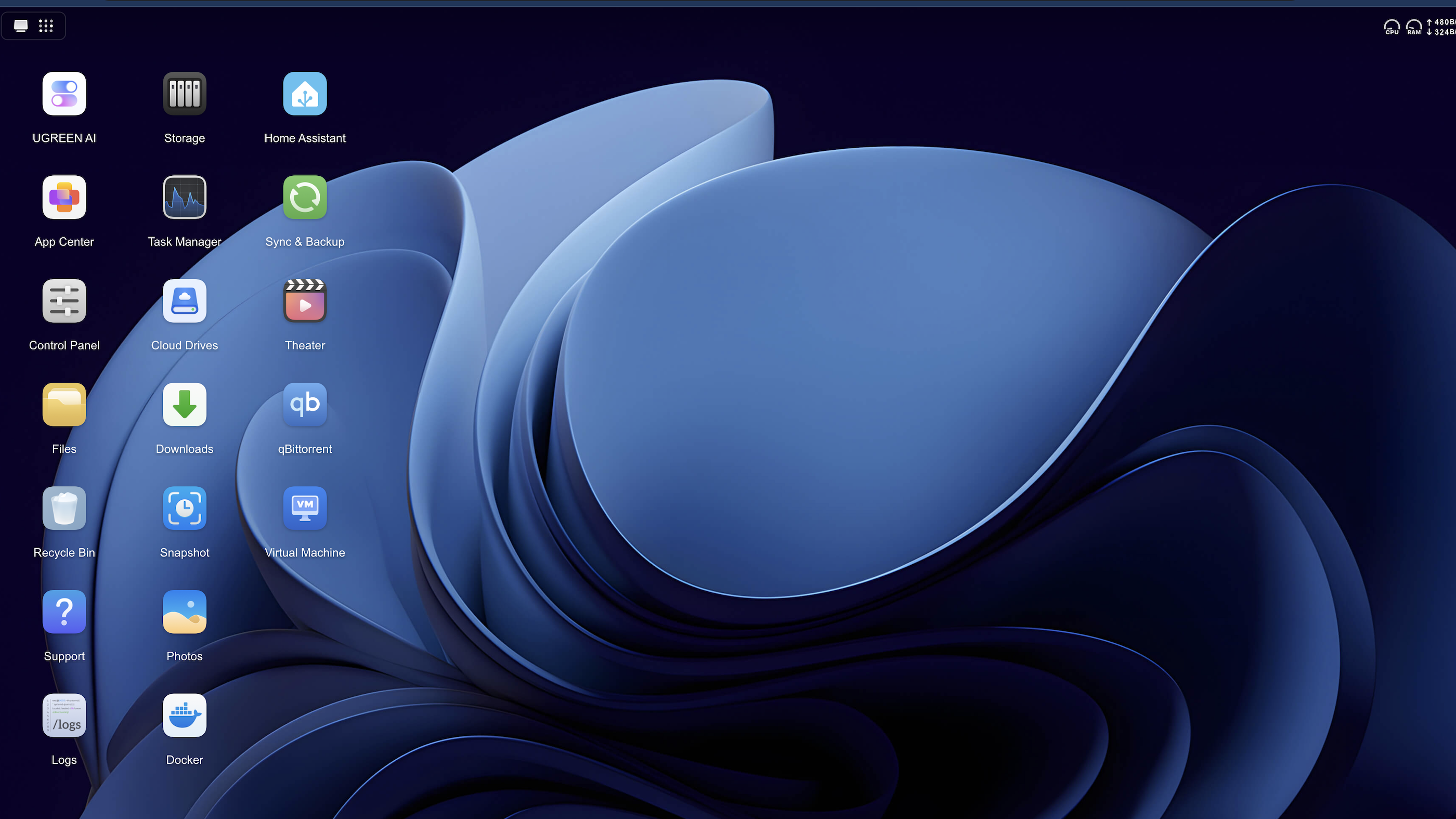
The Ugreen DXP4800 Pro pulls you in with its premium design, powerful hardware and value for money. But the real question is whether the NAS’ software can compete with other, more established platforms.
Synology’s DiskStation Manager (aka DSM) is the gold standard for home and small business NAS devices. By comparison, Ugreen’s NAS runs on its home-grown, Linux-based operating system, UGOS Pro.
UGOS Pro takes cues from DSM’s polished interface, so it’s easy to navigate and use. It also covers the essentials well, with support for RAID 0, 1, 5 and 10, along with JBOD configurations. The operating system supports both Btrfs and EXT4 file systems, although ZFS compatibility is notably absent.
Unfortunately, unlike Synology, UGOS lacks hybrid RAID support. You can’t mix and match hard drives of different sizes.
Another important point to note: You can expand the storage pool if you are using RAID 1 or RAID 5. But this will first require you to replace all the small drives in the pool with larger ones.
Still, Btrfs support is important because it enables snapshot functionality, data integrity checks, and easier recovery options in case of accidental file deletion or corruption.
UGOS Pro has come a long way since its inception, with Ugreen rolling out major updates almost every month. It offers some AI-powered features, like face and object recognition, putting the DXP4800 Pro’s hardware to good use.
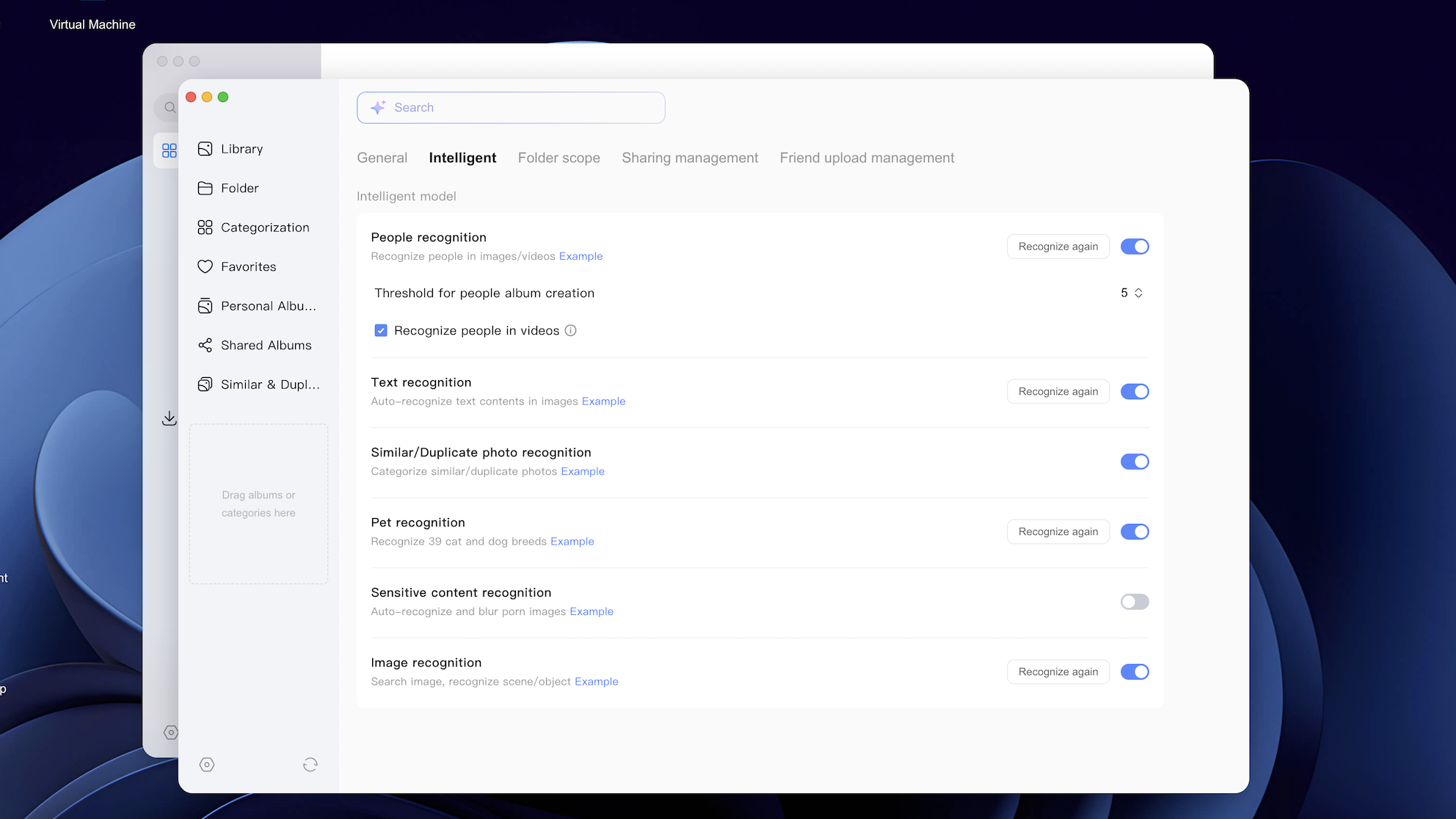
Photo: Rajesh Pandey/Cult of Mac
As someone with almost 2TB of photos and videos, I find the AI features in UGOS Pro’s Photos app incredibly useful. The app automatically recognized and grouped photos of my newborn baby, making it easy to look back at how quickly he has grown over time.
Besides backing up photos and videos from my various devices, I use the Ugreen DXP4800 Pro as a Time Machine backup drive for my MacBook Pro and Mac mini. After enabling the required settings, including the Bonjour service in the Control Panel, the backup process works seamlessly. Thanks to the 10GbE network connection, the backup does not take long.
You can install Docker containers and virtual machines on the DXP4800 Pro, putting the powerful hardware to good use. This enables you to easily extend the NAS’ functionality by deploying self-hosted apps, media servers and automation tools. Plus, it acts as a workaround for the limited apps in the UGOS Pro app store.
Don’t get me wrong. While there are more apps than last year, the options remain limited.
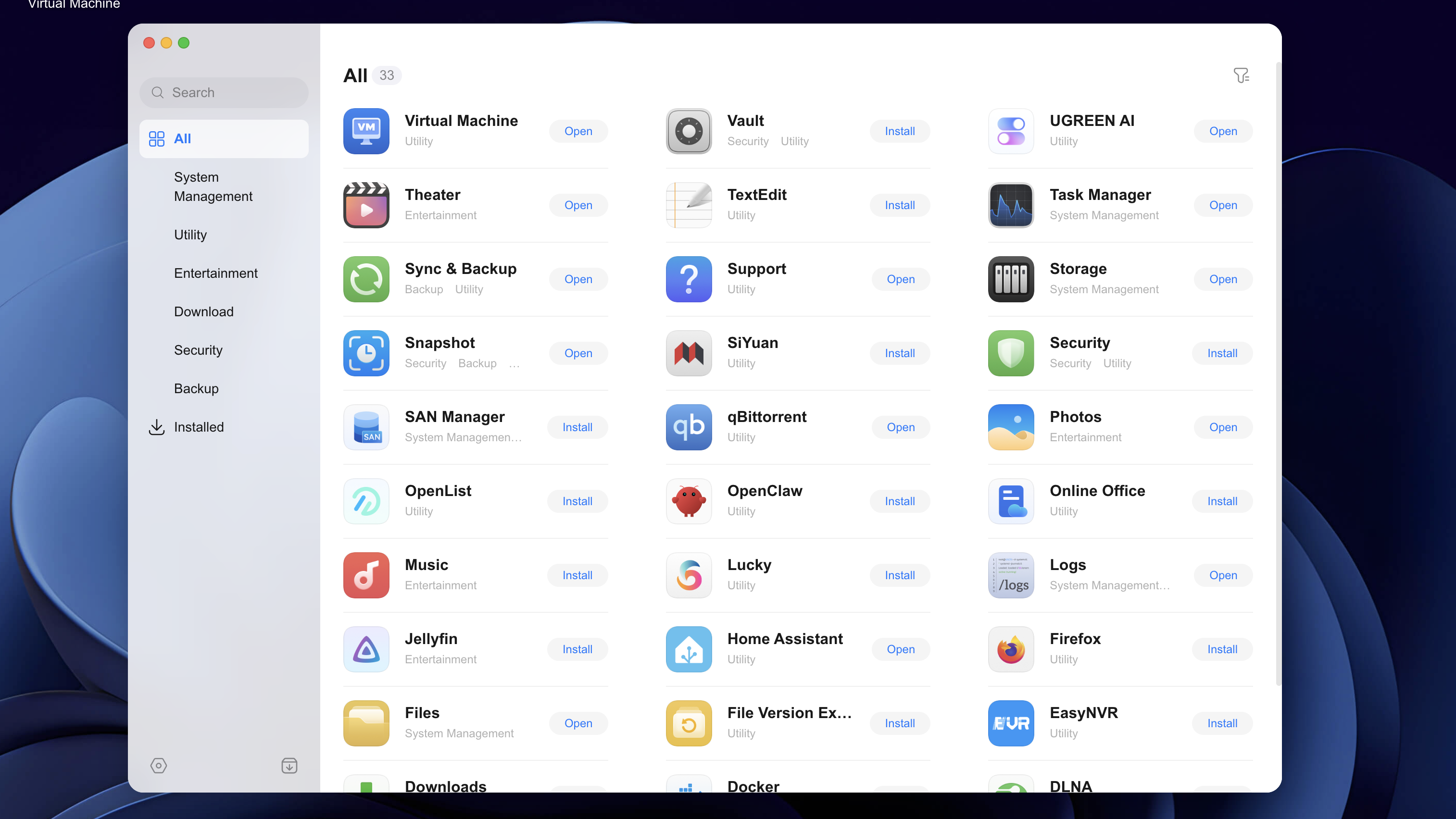
Photo: Rajesh Pandey/Cult of Mac
In my experience with UGOS based on the DXP4800 Pro and previous Ugreen NAS devices, it just works. It’s stable and works reliably, which is what you want from a NAS OS. I have more than 10 Docker containers running on the DXP4800 Pro to manage my home automation, media streaming, and other tasks. And yet UGOS Pro has never failed me.
For power or advanced users, though, UGOS Pro might not be enough. Besides the lack of advanced backup tools, it misses out on volume encryption, which is a major security issue.
My biggest problem with UGOS is the lack of transparency around security updates. Ugreen still needs to patch several critical vulnerabilities, yet it has provided little clarity on when fixes will arrive or how long devices will continue receiving security support. For a NAS operating system that stores sensitive personal and business data, this uncertainty is difficult to ignore.
Thankfully, Ugreen allows installing other operating systems on the DXP4800 Pro. So, if you find UGOS Pro limited, you can always install TrueNAS, Unraid, Ubuntu or Debian.
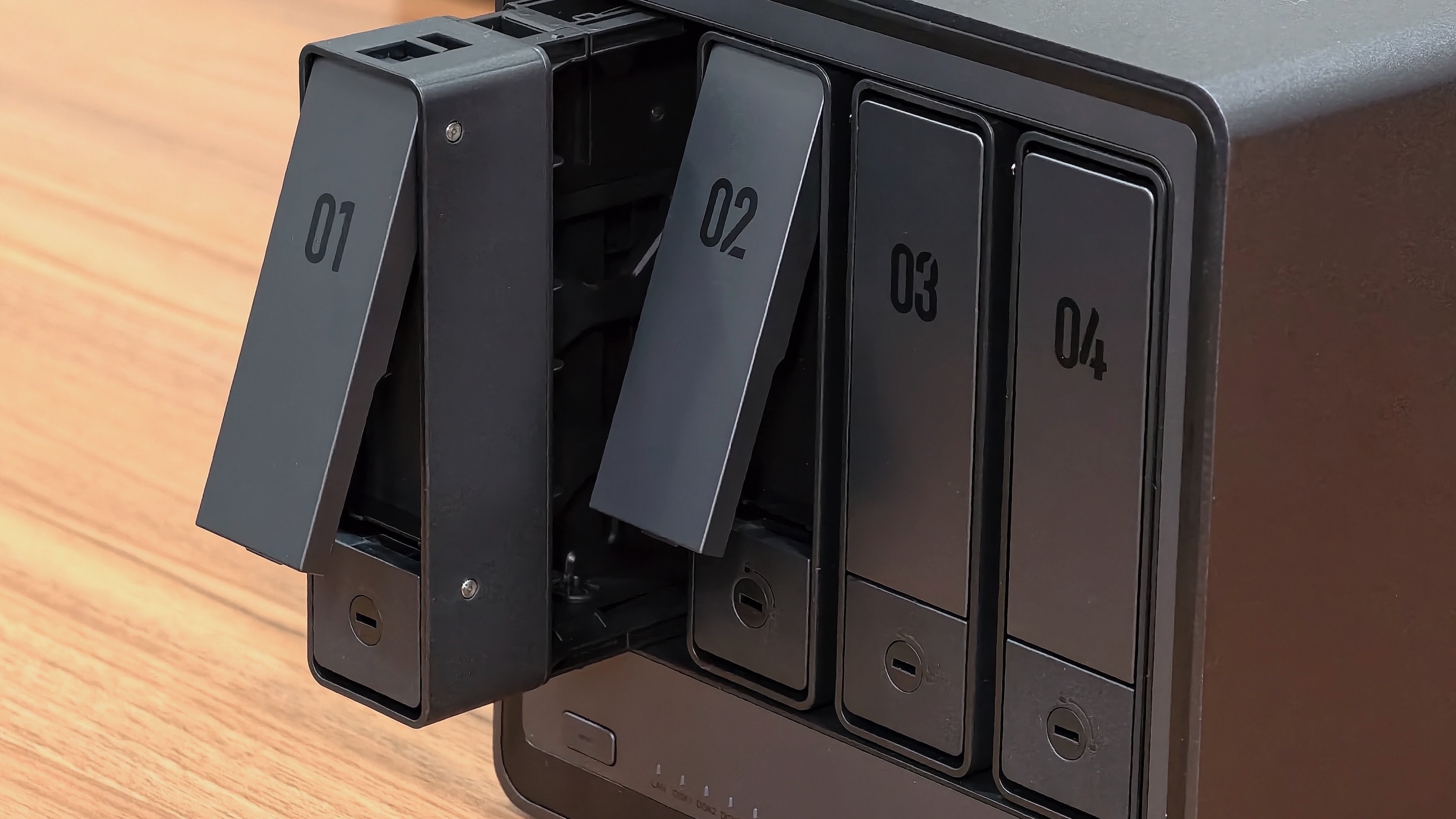
Photo: Rajesh Pandey/Cult of Mac
Unlike the DXP4800 Plus, the Pro model’s OS drive is not soldered to the logic board. However, it’s not easily removable or accessible, either. You need to tear down the whole NAS to access it. But at least it’s replaceable, so if something ever goes wrong with the SSD in the future, you can replace it to get the NAS up and running again.
Besides a native Mac app, you can use the Ugreen NAS app from the App Store to manage the DXP4800 Pro from your iPhone or iPad. For most users, the app is more than good enough, offering almost all the functionality you’ll need.
The only downside is that Ugreen does not offer a standalone photos app for directly managing and backing up images to the NAS. Instead, users must rely on the Ugreen NAS app for this functionality. Since the NAS is aimed at general users, this feels like a notable drawback. There’s no reason for my wife or parents to use the Ugreen NAS app just to view their backed-up photos.
Performance
The simplicity of UGOS Pro and the powerful hardware make the DXP4800 Pro a great NAS for small businesses and power users. Thanks to the six-core Intel CPU and 8GB of RAM, the NAS never felt sluggish, even with multiple Docker containers running and transferring large files in the background.
File transfer over a 2.5GbE network is excellent. I do not have a 10GbE network at my home office to test the full potential of the DXP4800 Pro. But if you do, you can use the SSDs for caching to theoretically speed up file transfers and possibly even saturate the 10GbE network.
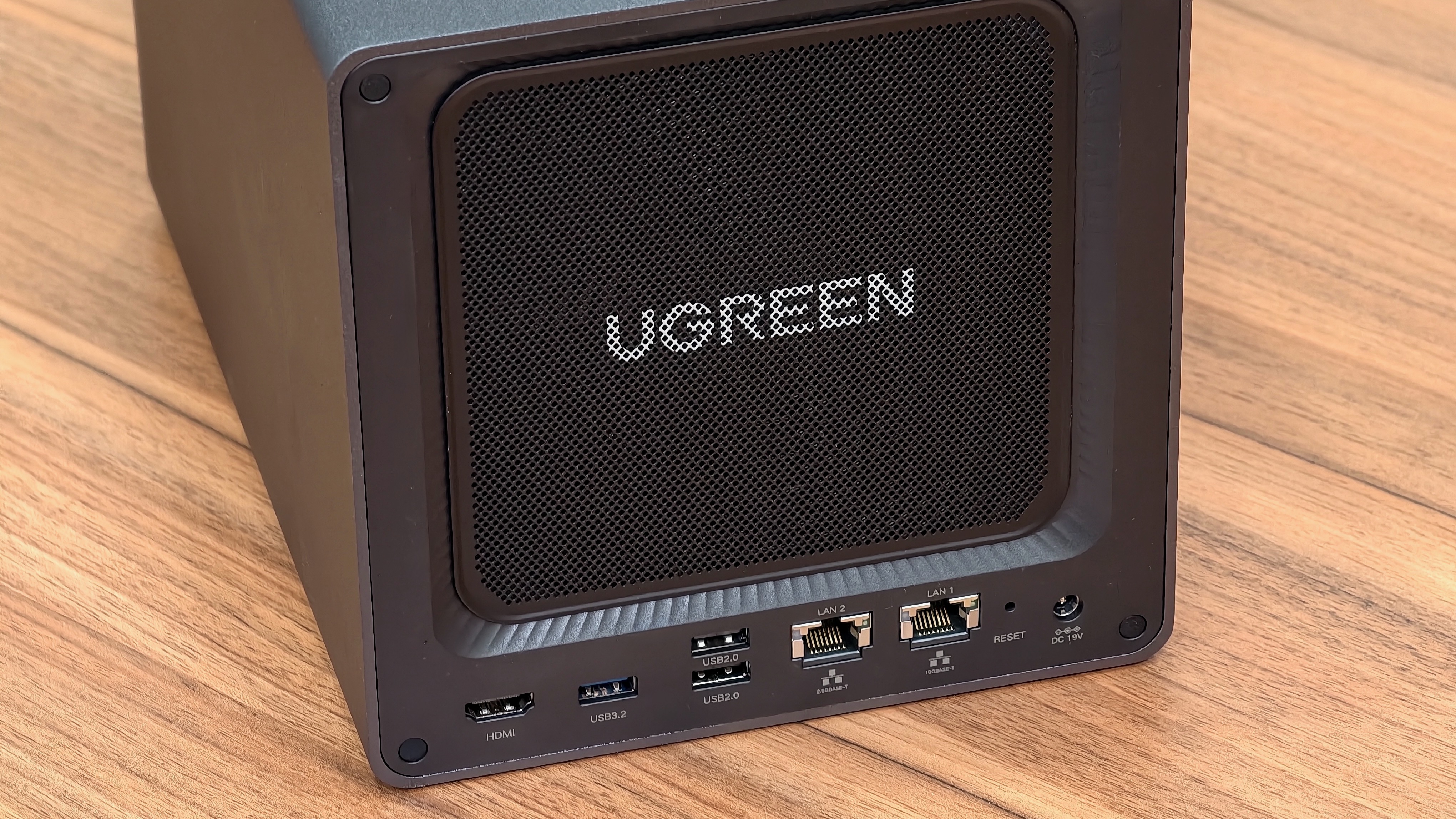
Photo: Rajesh Pandey/Cult of Mac
I used the DXP4800 Pro as a Plex and Jellyfin server to hold all my ripped movies and TV shows. Hardware-accelerated transcoding worked well, with the NAS handling multiple 4K streams without any problems. And, again, that’s with multiple Docker containers running in the background.
Despite the powerful hardware, the DXP4800 Pro runs relatively quietly. I never heard the fan running loudly enough to distract me during work. The large aluminum chassis plays a key role in this, as it helps dissipate heat effectively. (Note: The overall noise level will depend on the hard drives installed.)
All that NAS power comes at a cost. The DXP4800 Pro is not as power-efficient as other NASes. If that’s something you care about, consider an ARM-based NAS or one with a low-power Intel CPU.
Ugreen DXP4800 Pro review: Final thoughts
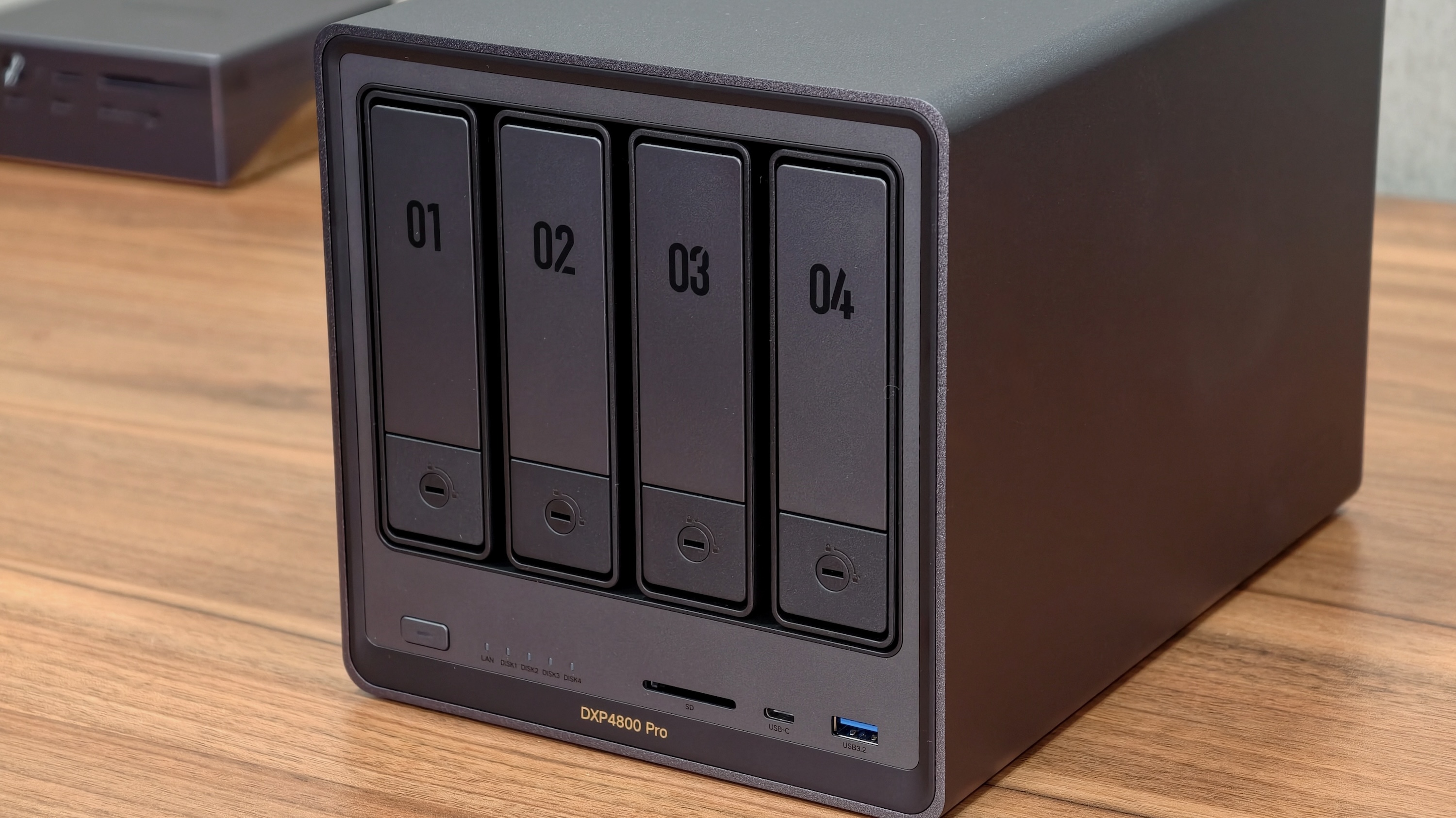
Photo: Rajesh Pandey/Cult of Mac
The Ugreen DXP4800 Pro strikes an impressive balance between performance, flexibility and value for money. It combines powerful hardware with a user-friendly interface and an attractive price tag, making it a compelling NAS option for home and small businesses.
Yes, UGOS is still rough around the edges. It also lacks many advanced backup tools and volume encryption. Synology’s DiskStation Manager (DSM) offers a more polished experience. But for most users, the DXP4800 Pro is more than good enough. And with Ugreen making rapid improvements to UGOS, it’s only a matter of time before it catches up to DSM.
What makes the DXP4800 Pro appealing is its flexibility. You are not locked into UGOS Pro. If you want, you can use a different operating system while still enjoying the powerful hardware to the fullest.
For home lab enthusiasts, Plex users, photographers, videographers and small businesses that want powerful hardware without spending a fortune, the DXP4800 Pro is easy to recommend.
If your needs are limited to basic file backups and media storage, cheaper options like the DH4300 Plus or DH2300 make more sense. But if you want a NAS that can grow with your needs over the next several years, the DXP4800 Pro delivers excellent value for the money.
★★★★★
Pricing
The Ugreen DXP4800 Pro retails for $799.99, though you can frequently find discounts of $70 or $80. For that price, it packs unrivaled hardware that you won’t find in a NAS even under $1,000.
It is backed by a two-year warranty for added peace of mind.
The Ugreen DXP4800 Pro is a powerful four-bay NAS with an Intel Core i3 processor, dual 10GbE/2.5GbE networking and enough horsepower for Plex streaming, Docker containers, and virtual machines. It can back up to 144TB of data, with the nVME SSD slots helping speed up file transfers and backups.
- Excellent price-to-performance ratio
- Great build quality and powerful specs
- Expandable RAM and storage
- High power consumption
- UGOS is rough around the edges
- Limited app library
Ugreen provided Cult of Mac with a review unit for this article. See our reviews policy, and check out more in-depth reviews of Apple-related items.

Rajesh has been writing about consumer technology for over a decade, with a strong focus on iPhones, Macs and Apple’s ecosystem. He enjoys digging into Apple software updates, hardware changes, and discovering new Mac apps that make work faster and more enjoyable.
You can reach out to him at mail[at]rajeshpandey.me.


4 responses to “This powerful Ugreen NAS made me forget about Synology [Review]”
There is a mistake in this article. Synology DOES support Hybrid RAID, that’s what SHR stands for, Synology Hybrid RAID.
Thank you. We updated the article.
I can afford a Ugreen NAS. No problem! Thing is, I can’t afford the hard drives that need to go in there…
Ugreen has been dominating for quite a while now to be honest.