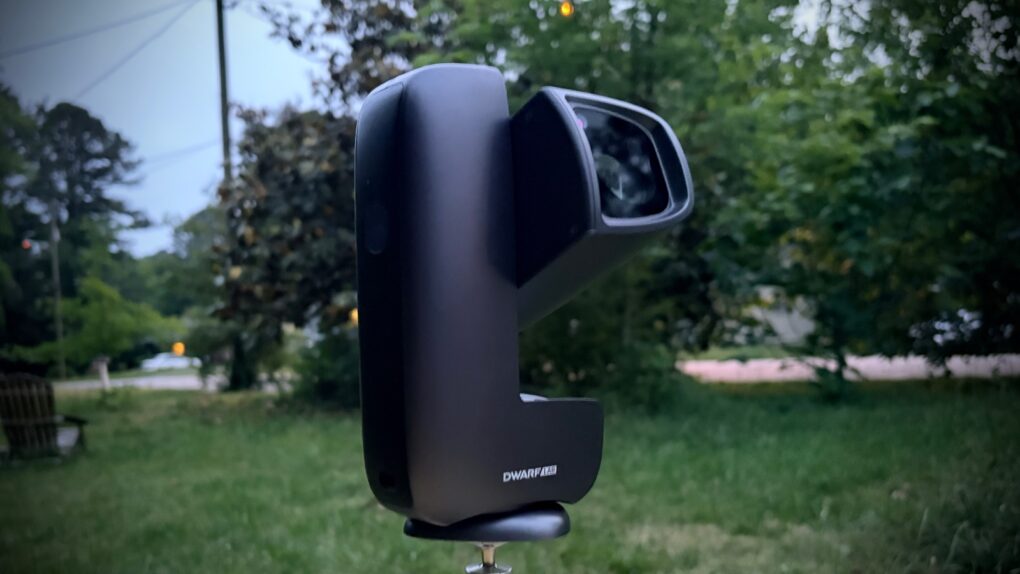
The Dwarf Mini smart telescope from DwarfLab cooperates with your iPhone to help you take amazing pictures of the stars — even in locations where you probably think it’s impossible. And it’s all thanks to the miracle of long-exposure images.
Even better, the telescope is comparatively tiny and sets up in minutes.
As a long-time stargazer, I was thrilled to test out the Dwarf Mini. And even more thrilled with the results.
DwarfLab Dwarf Mini telescope review
I got my first telescope when I was 10 years old and felt like Galileo when I “discovered” the moons of Jupiter. I was hooked. Now I own three telescopes and periodically bring one of them outside to check on the rings of Saturn, sunspot activity, the phase of Venus, etc.
But living in the suburbs, I’ve been unable to get a look at anything interesting outside of the solar system. No galaxy or nebula is bright enough that I can see it.
The DwarfLab Dwarf Mini changed that. I took my first-ever picture of a galaxy with this tiny telescope … and it was like being a kid again. It also takes amazing photos of the moon and (believe it or not) the sun.
Part of the reason I’m bringing this up, though, is to say that while I’ve been looking to the skies for much of my life, I’m not a telescope nerd. And that’s the approach I use in this review — showing how easy and fun it is to use the Dwarf Mini by someone who’s not an expert.
The Dwarf Mini is a smallest and portable smart telescope that can produce detailed long exposure images that are typically associated with larger and more complex equipment. An iPhone app simplifies setting up astrophotographs.
The telescope uses a professional imaging system built around a 1/2.8-inch Sony IMX662 sensor that delivers 1080P resolution with 2.9 µm pixels. This sensor provides strong low light performance and supports detailed captures of deep sky objects, lunar surfaces and other celestial scenes.

Table of contents: DwarfLab Dwarf Mini telescope review
- An amazing portable smart telescope
- iPhone-enabled astrophotography
- Solar system photography
- Astrophotography
- Battery and charging
- Years of stargazing ahead
- Bonus feature: Birdwatching
- DwarfLab Dwarf Mini review: Final thoughts
- Pricing
An amazing portable smart telescope
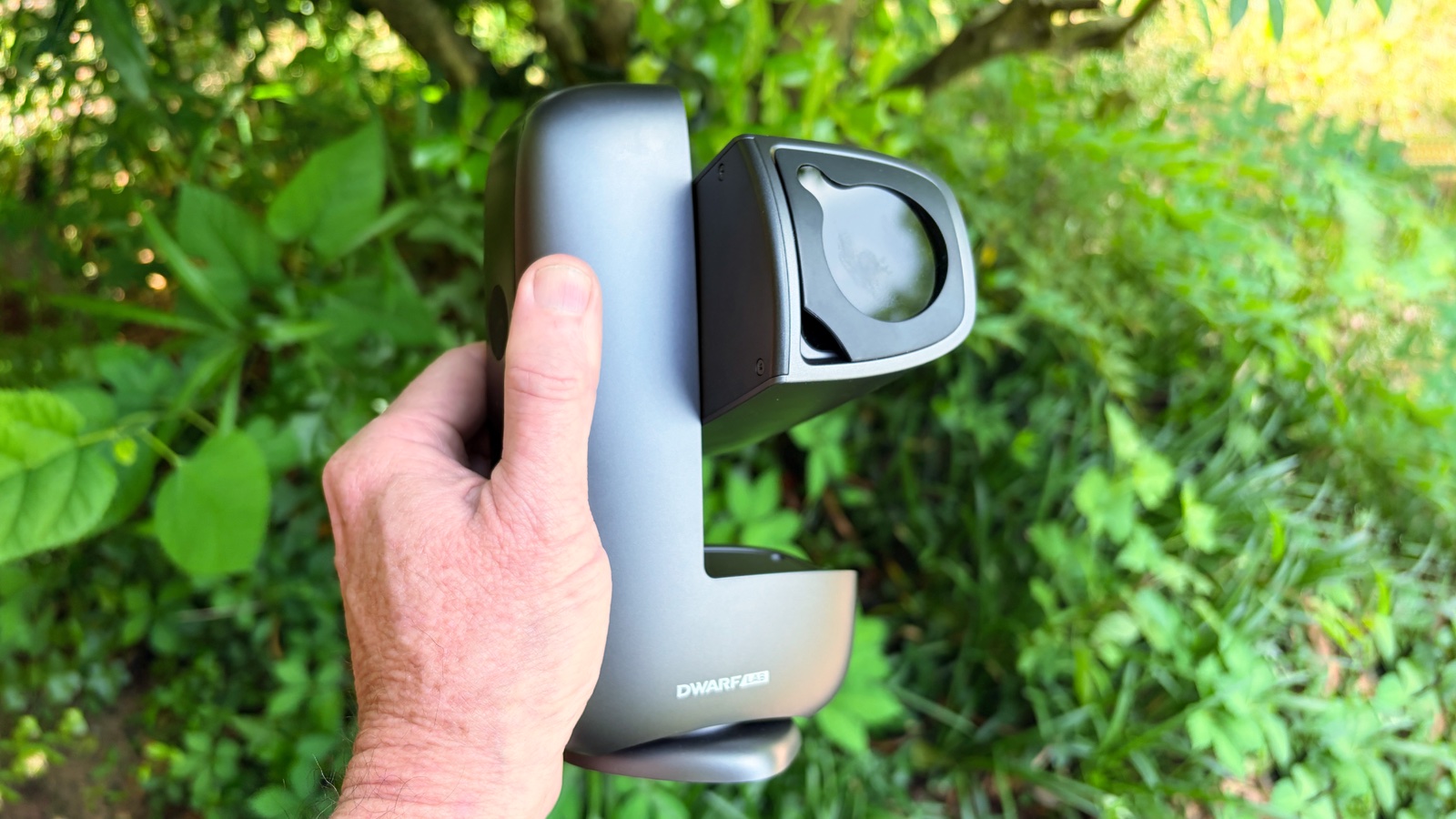
Photo: Ed Hardy/Cult of Mac
My full-size telescopes are so large and awkwardly shaped that together they take up half a closet. DwarfLab’s Dwarf Mini fits in a drawer.
It measures a mere 7.2 inches by 3.9 inches by 2.4 inches (10.04 cm × 18.4 cm × 6.1 cm) and weighs just 1.85 pounds (840 grams). It’s about the size of a high-end pair of binoculars.
That makes it extremely portable. I’ve taken a full-size telescope on holidays before, and it’s a hassle. But the Dwarf Mini is certainly going with me on my next vacation.
In use, it can sit on any flat surface, including the ground. Alternatively, you can put it on a tripod. DwarfLab sells a tripod for $89, but the screw mount is the standard size, so I used one I already own.
iPhone-enabled astrophotography
The Dwarf Mini is my first telescope with no eyepiece. The only way to look through it is with an iPhone (or Android) application. That’s not a negative — just a difference in emphasis. DwarfLab’s latest is primarily intended for astrophotography rather than looking at celestial objects in real time.
Getting started is easy. Set up the Dwarf Mini on a cloud-free night, open the application, connect your iPhone to the telescope, and you’re ready to go.
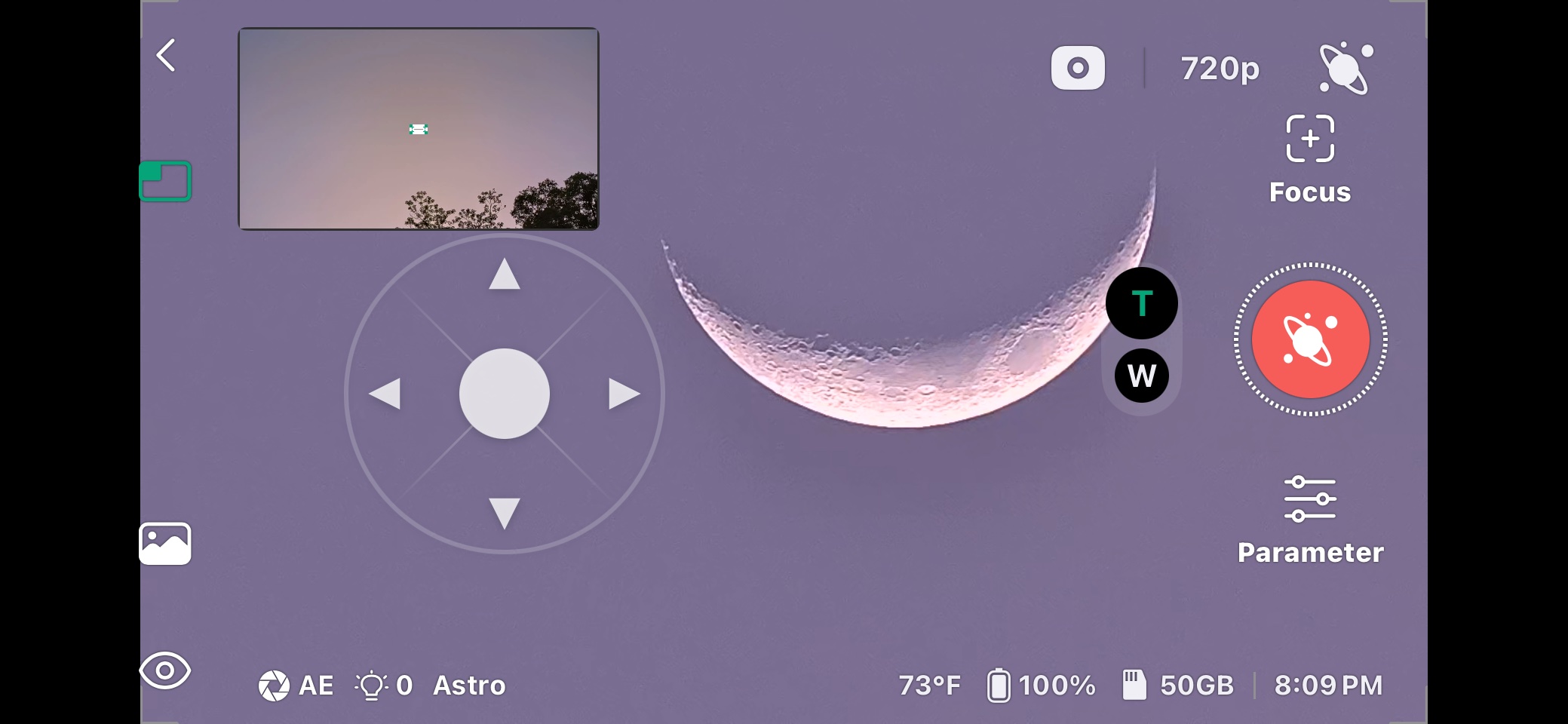
The two talk over a Wi-Fi connection, so the video coming from the telescope appears quickly on the home screen of the DwarfLab app.
Screenshot: Ed Hardy/Cult of Mac
The homescreen functions a bit like the viewfinder on a traditional telescope. The Dwarf Mini includes a wide-angle lens (around 6.7 mm focal length) that offers a broad field of view and is mainly for framing targets, but it can also capture large scenes like the Milky Way. The telescope’s primary imaging lens is a 150 mm focal length telephoto lens with a 30 mm aperture (f/5), which is designed for astrophotography and provides a relatively narrow field of view suited to capturing detailed images of objects like the moon, nebulae and star clusters.
You can simply look at what the smart telescope points at, but that barely scratches the surface of what the Dwarf Mini can do.
Solar system photography
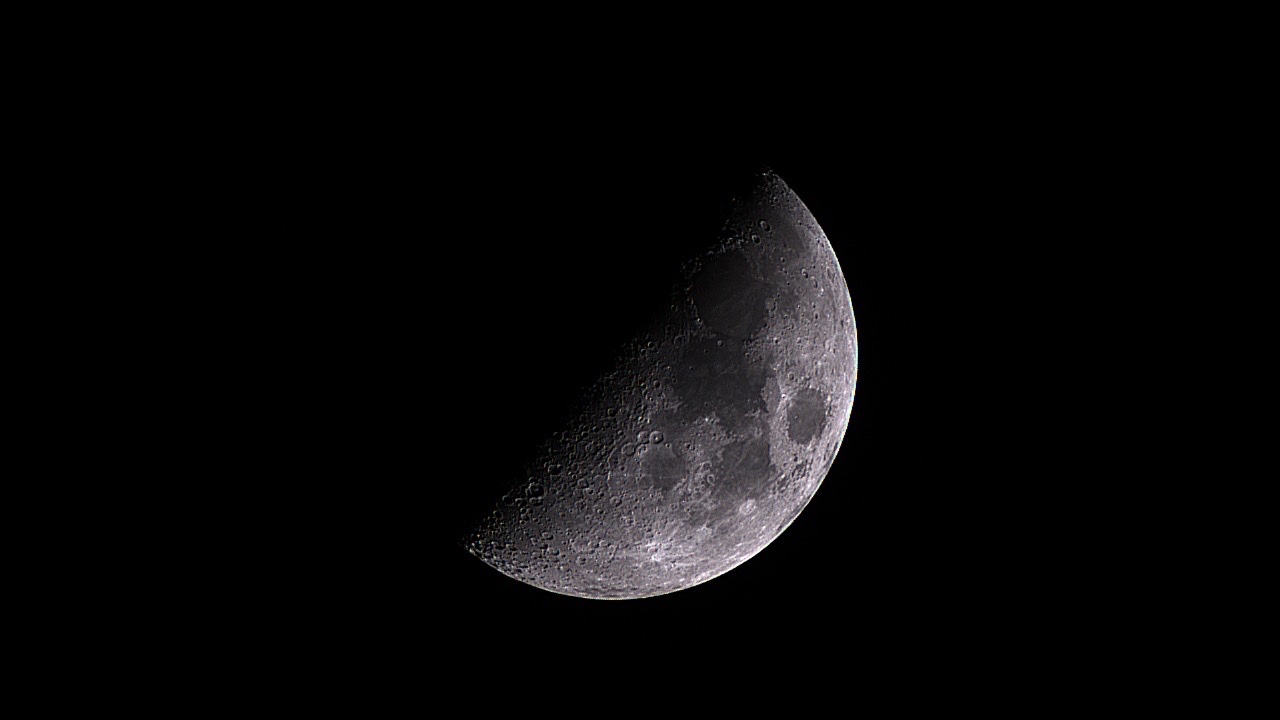
Photo: Ed Hardy/Cult of Mac
The DwarfLab Dwarf Mini takes absolutely fantastic images of the moon. I was able to capture some that let me see the craters and mountains in amazing detail. The images look vastly better than what I can capture through any of my other telescopes.
And those other telescopes all include big warnings not to point them at the sun. In contrast, DwarfLab’s is designed for solar observation. Put on the filter that comes bundled with the device, and you’re ready to see sunspots.
One of the challenges of making stargazing a hobby is that so few objects change. Once you’ve looked at Mars, you’re never going to see anything different, for example. But the changing phases of the moon highlight different mountains and craters. And sunspots move, change shape, appear and disappear — they’re fascinating.
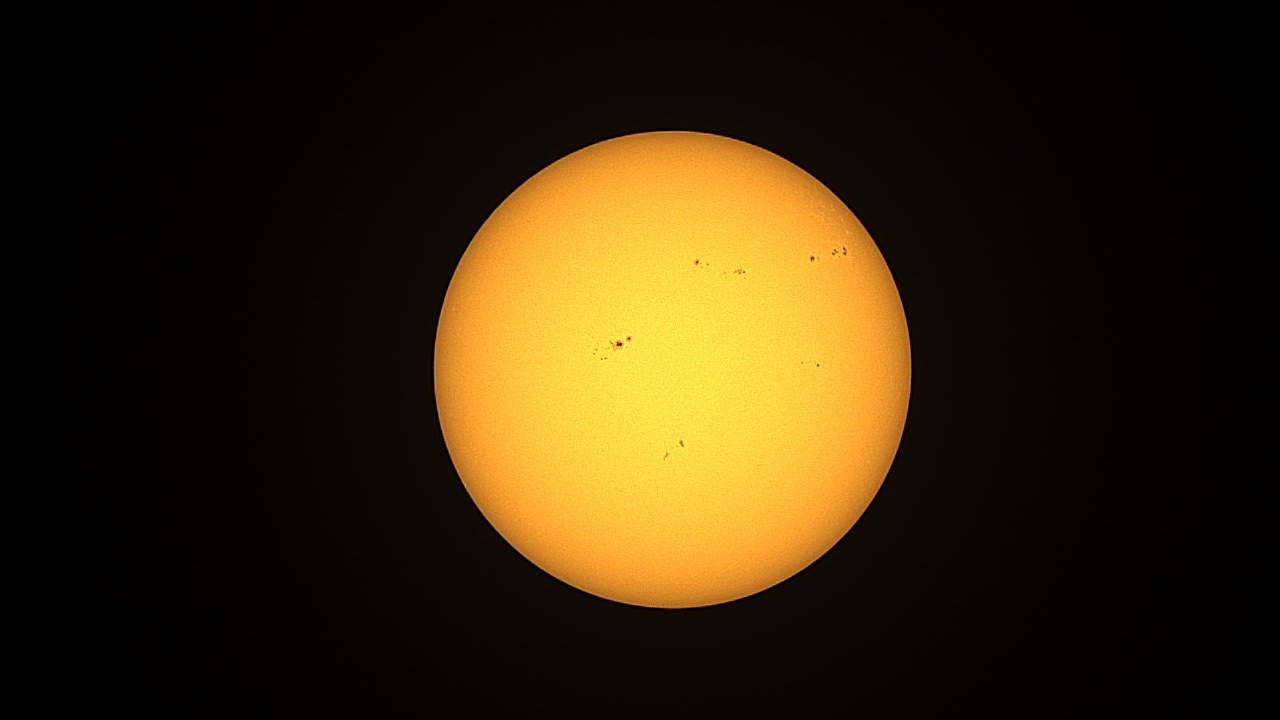
Photo: Ed Hardy/Cult of Mac
Plus, the Dwarf Mini can track the moon and sun as they move across the sky, so observing them and taking pictures is easy.
But now we’ve reached my only significant complaint about the smart telescope. It’s not very good at observing/photographing Jupiter or Saturn. Viewing the Galilean moons is one of the better uses of a traditional telescope, but not this one.
As the user manual says: “You can expect Jupiter and Saturn to appear primarily as bright points or very small disks, with limited color information. Under good conditions, you may see Jupiter’s larger moons as separate points of light, and in rare cases Saturn’s rings may be faintly suggested, but not resolved with detail.”
To demonstrate, here’s an image of Jupiter that I took:
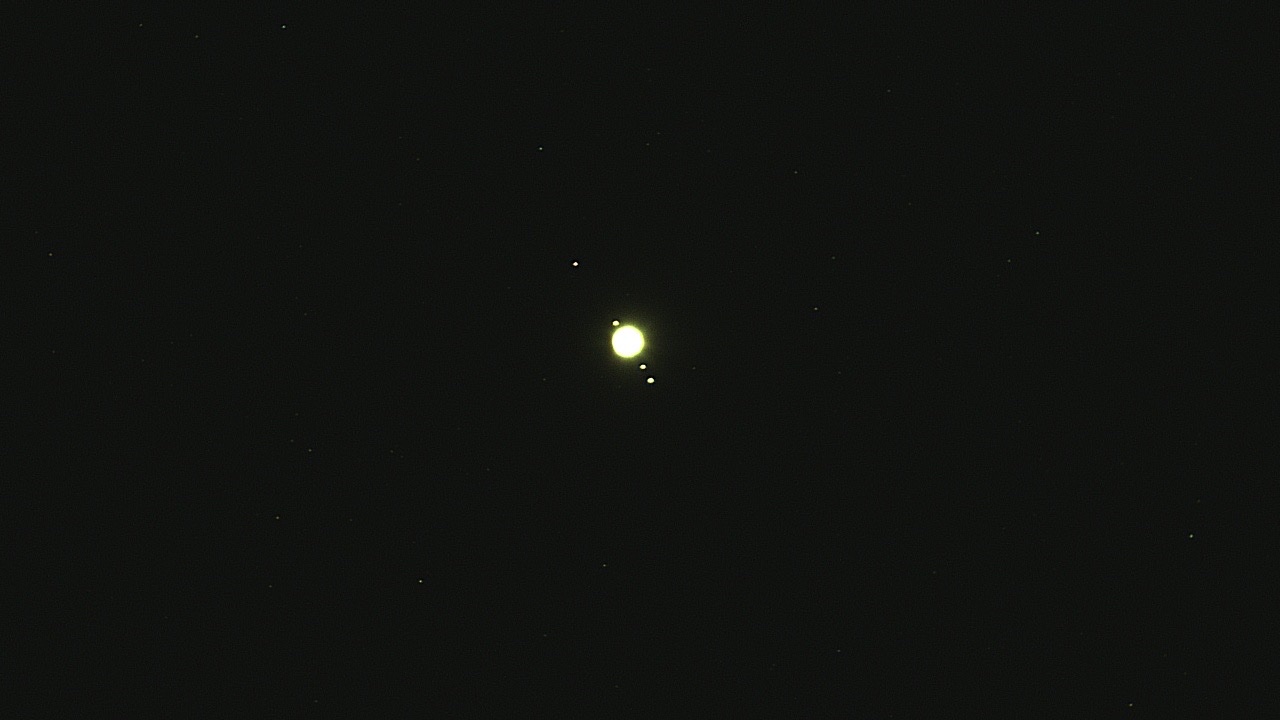
Photo: Ed Hardy/Cult of Mac
Astrophotography
As interesting as photographing objects in the solar system is, that’s barely the beginning of what the DwarfLab Dwarf Mini telescope can do. It’s really designed to take pictures of galaxies and other very distant objects.
These don’t need to be visible to the naked eye. I mentioned before that because I live in the suburbs, I can see only the planets and the brightest stars — that doesn’t matter to the smart telescope.
Open the Sky Atlas in the DwarfLab application, use it to point the Dwarf Mini toward a nebula or something else you’re interested in, and it’ll take a picture of it for you.
The smart telescope accomplishes this by tracking the object as it moves across the sky, and then capturing long-exposure images. Very long exposures — it took this picture of a galaxy over two hours.
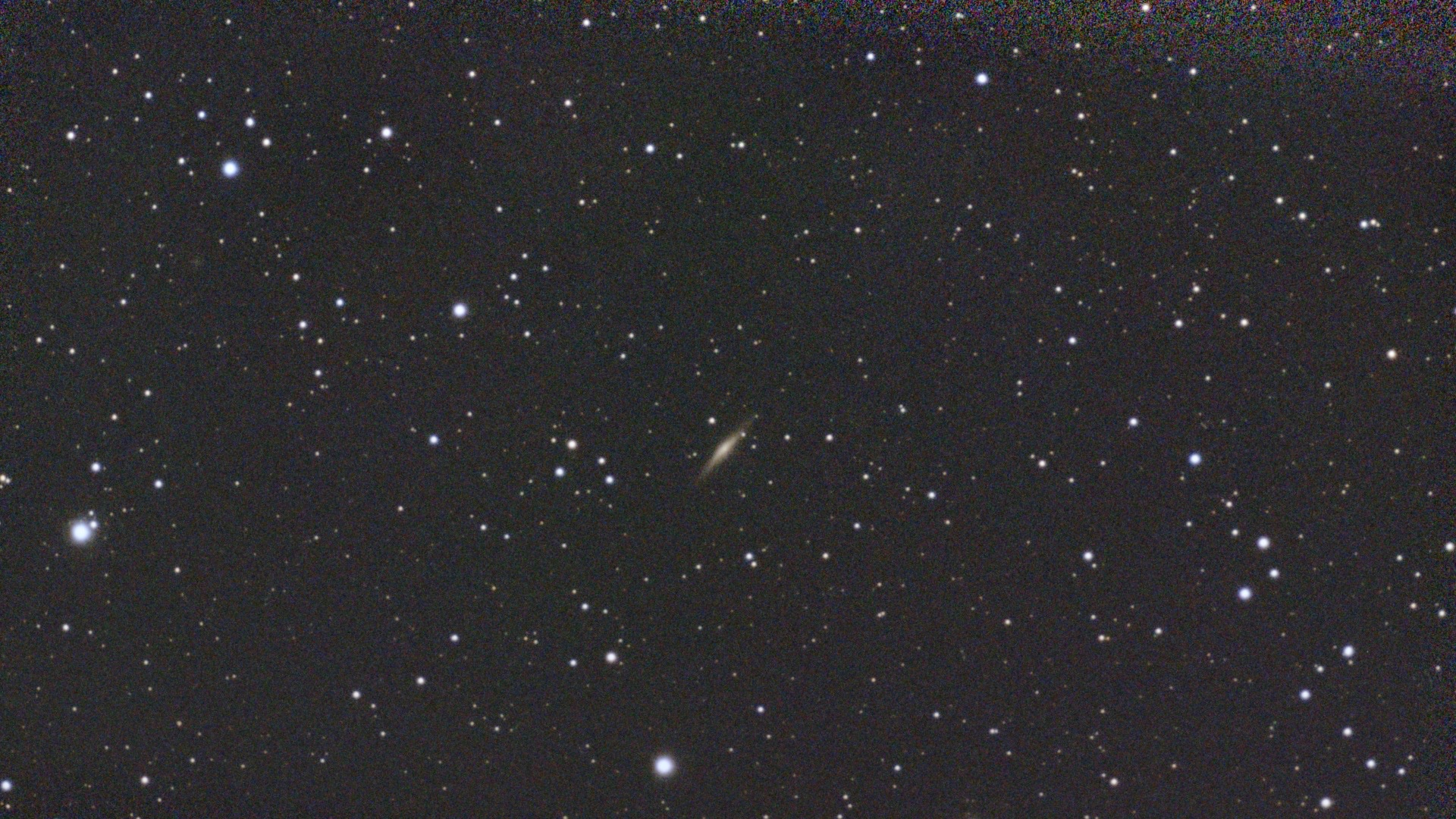
Photo: Ed Hardy/Cult of Mac
The Sky Atlas includes loads of other interstellar objects worth photographing.
Battery and charging
To make long-exposure images possible, the DwarfLab Dwarf Mini’s internal battery lasts up to four hours. That might not be long enough for some images, but I easily added an external power bank via the telescope’s USB-C port.
Years of stargazing ahead
I mentioned that I periodically bring out my traditional telescopes, but I don’t use them more often because there’s a limited number of things that I can see through them from my home in the suburbs. I’ll look at the moon or Jupiter or Saturn or Venus, depending on what’s prominent in the sky, then put the telescope away because I’ve seen all there is to see.
That’s not true for the Dwarf Mini telescope. Galaxies, nebulae, star clusters … there are so many of them I can photograph that I can see myself using the smart telescope for years.
Also, I’m covering what I think are the most-used features of the device, but this is a review, not a user manual. There are loads of more advanced features for experts. They’re included in the actual user manual, though, which DwarfLabs warns takes three hours to read. So again, if you get into astrophotography, you’ll find plenty to keep you interested.
I’m interested in trying the Dwarf Mini’s feature intended to photograph the Milky Way, as well as the one for capturing star trails. And you can be sure I’ll bring it out the next time there’s an interesting comet moving through the solar system.
Bonus feature: Birdwatching
DwarfLab’s manual brought up birdwatching with the Dwarf Mini, so I gave it a try. For just looking at birds, it’s not as convenient as a good pair of binoculars. But taking a picture of what you’re looking at is as easy as pressing a button.
Here are a couple of sample shots of birds about 200 feet away.
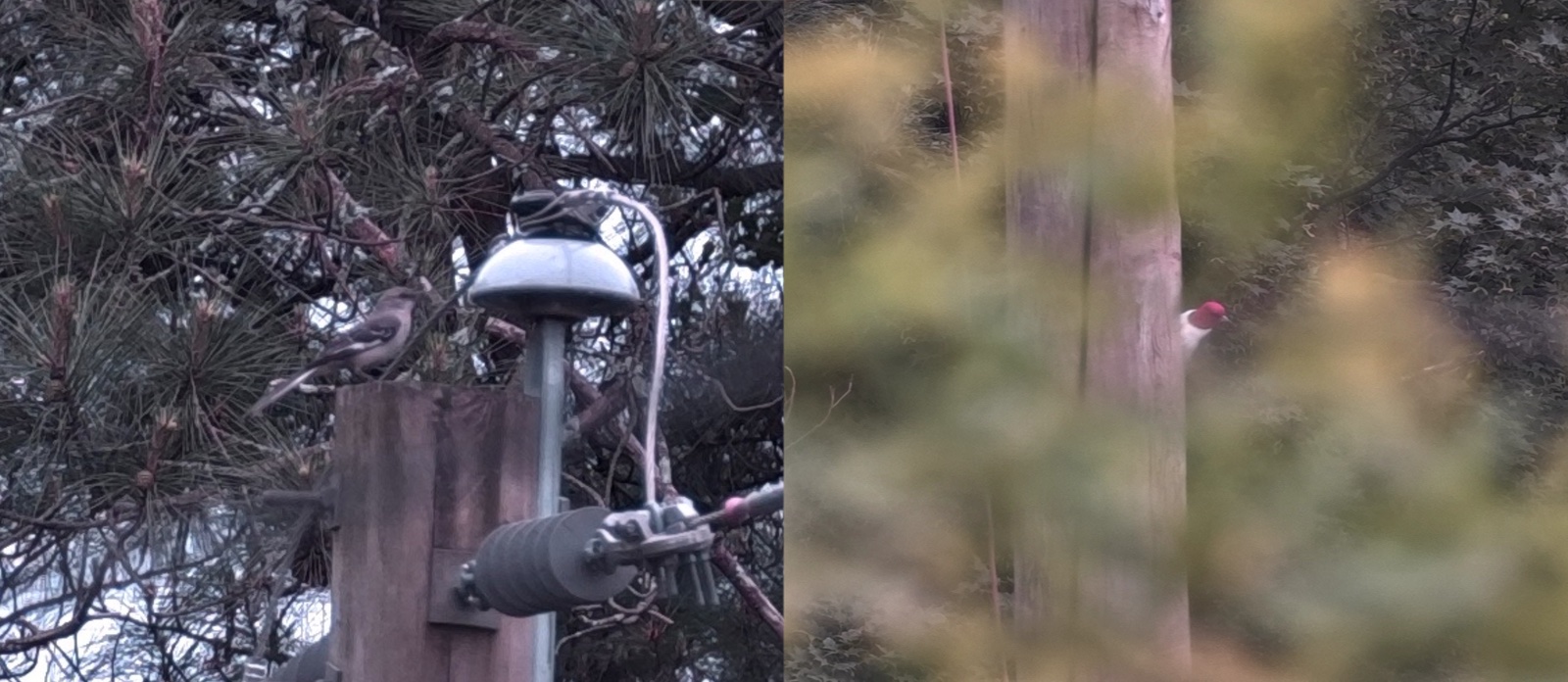
Photo: Ed Hardy/Cult of Mac
DwarfLab Dwarf Mini review: Final thoughts
After many years of stargazing, it feels thrilling to find a telescope that lets me see new things. And having it be easily portable and affordable really seals the deal. That first picture of a galaxy I took might seem fairly modest to you, but I was very pleased. I look forward to shooting many more. And the DwarfLab Dwarf Mini’s lunar and solar photographs can’t be beat.
I wish the smart telescope took better photographs of planets, but that’s the only real downside I found.
★★★★☆
Pricing
The DwarfLab Dwarf Mini costs $399.
The Dwarf Mini is a smallest and portable smart telescope that can produce detailed long exposure images that are typically associated with larger and more complex equipment. An iPhone app simplifies setting up astrophotographs.
The telescope uses a professional imaging system built around a 1/2.8-inch Sony IMX662 sensor that delivers 1080P resolution with 2.9 µm pixels. This sensor provides strong low light performance and supports detailed captures of deep sky objects, lunar surfaces and other celestial scenes.
DwarfLab provided Cult of Mac with a review unit for this article. See our reviews policy, and check out more in-depth reviews of Apple-related items.

Ed Hardy has been writing full-time about tech for 26 years, and using it for much longer than that. His intro to Apple was a Macintosh SE/30 (which he still has), but now he uses a 13-inch iPad Pro as his primary computer.
That’s because he’s a “tablet first” type of guy. Rather than use a Macbook, he connects a keyboard case to the iPad. And instead of a desktop Mac, he connects his tablet to a 27-inch display and full-size keyboard. (So don’t try to tell him that everyone has to use a Mac to be productive.)
Before coming to Cult of Mac, Ed wrote for NotebookReview, TabletPCReview and Brighthand, as well as other sites.

