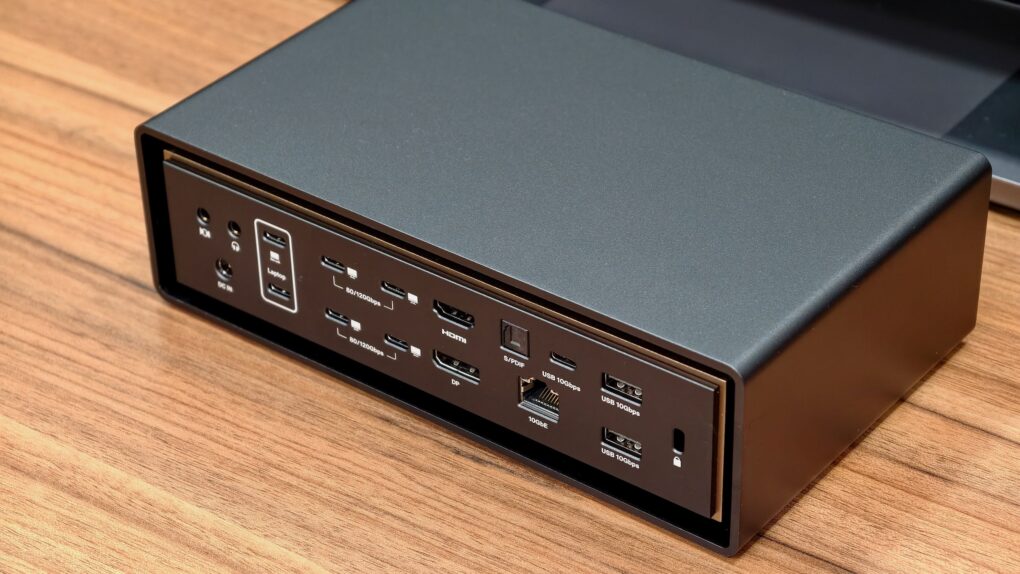
With plenty of ports, power and bandwidth, Thunderbolt docks form the backbone of a modern MacBook-powered workstation — and the iVanky FusionDock Ultra takes things to the extreme. It packs an absurd number of ports and promises enough bandwidth to handle just about anything you can throw at it.
Find out what makes the iVanky FusionDock Ultra so special in our review.
iVanky FusionDock Ultra review
Thunderbolt docks allow for a clean, one-cable setup while providing ample ports. And the latest Thunderbolt 5 spec, with its 120Gbps bandwidth, enables extra-powerful docks with even more ports than before. The CalDigit TS5 Plus and the Ugreen Thunderbolt 5 Maxidok are two great examples. They pack 17 to 20 ports and can handle all the power-hungry accessories and devices you possibly need.
But if your needs are even more demanding, there’s the iVanky FusionDock Ultra. It uses not one but two Thunderbolt 5 ports on your Mac to provide access to a whopping 26 ports. It’s a one-of-a-kind dock built for the most demanding applications.
A one-of-a-kind Thunderbolt 5 dock for Mac with dual controllers, quad-display support and a plethora of ports.
- A staggering 26 ports!
- Dual controllers
- Quad-display support
- Runs warm despite dual fans
- Expensive

Table of contents: iVanky FusionDock Ultra review
- Hardware and design
- Compatibility and support
- Connectivity
- Performance
- Pricing and warranty
- Conclusion
Hardware and design
The FusionDock Ultra features an understated design that fits right into a professional desk setup. You will see no flashy logos, LED lights or other design elements. The matte-finished aluminum body looks premium, though I wish the color matched the Mac.
A key highlight of the FusionDock Ultra is its eye-catching (and functional) design. Inside an outer chassis, the heart of the docking station sits in a recessed area with a subtle accent border. From a distance, it looks like the inner section floats.
Beyond aesthetics, iVanky says the floating design helps with cooling by improving airflow. (More on the dock’s cooling later.)

Photo: Rajesh Pandey/Cult of Mac
The front of the FusionDock Ultra features loads of ports, all neatly arranged and labeled. The USB-C ports are grouped logically, while the SD and microSD card slots and headphone jack sit off to one side for quick access. Likewise, the back is equally packed but well-organized.
Like almost every other Thunderbolt dock, there’s no integrated power supply here. Yet, iVanky’s Ultra dock is on the larger side, which is understandable given the array of ports and hardware.
The bundled 240W power supply is a relatively manageable size. That’s largely down to its 240W power output, not any clever design from iVanky.
Compatibility and support
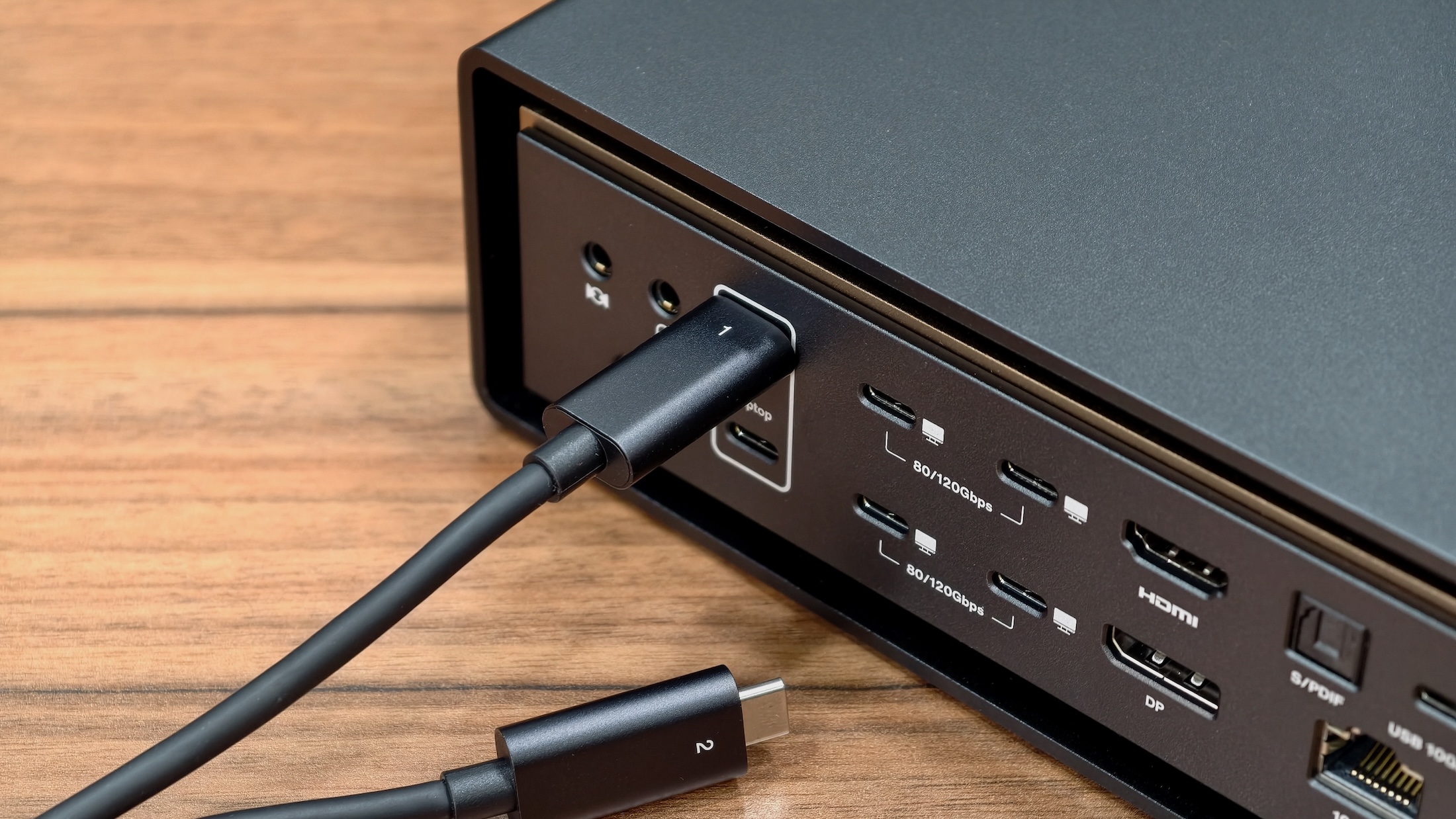
Photo: Rajesh Pandey/Cult of Mac
Since the FusionDock Ultra is a Thunderbolt 5 dock, you must use it with a Mac featuring Thunderbolt 5 connectivity. More importantly, it only works with Macs. Sorry, Windows fans. This dock does not support PCs.
iVanky says the FusionDock Ultra can drive four monitors simultaneously. However, this requires a compatible Mac, with only the recent Max-powered Macs being powerful enough to do so.
iVanky FusionDock Ultra review: Connectivity counts
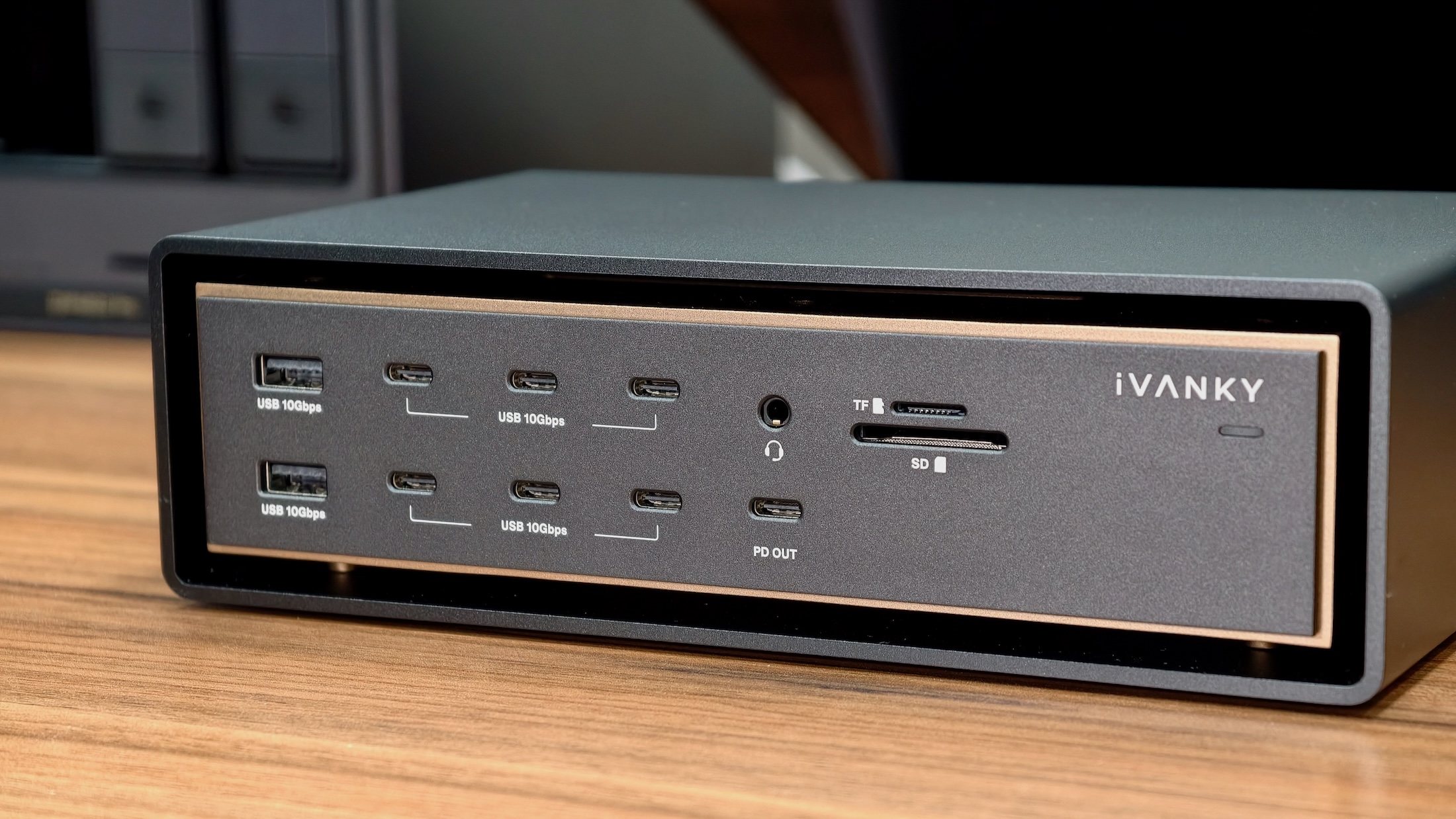
Photo: Rajesh Pandey/Cult of Mac
Most Thunderbolt 5 docks on the market offer anywhere between 15 and 20 ports. The iVanky FusionDock Ultra is a step ahead of them, offering a whopping 26 (!), including four downstream Thunderbolt ports. You can use almost all ports on the dock simultaneously without any problems.
Below is the list of connectivity options in the iVanky FusionDock Ultra:
Front ports:
- 2 × USB-A 3.2 Gen 2 — up to 10Gbps | 1.5A | 7.5W charging
- 6 × USB-C 3.2 Gen 2 (data) — up to 10Gbps
- 1 × USB-C 3.2 Gen 2 (charging + data) — up to 10Gbps | 45W power output
- 1 × 3.5mm audio combo jack
- 1 × microSD card slot (SD 4.0)
- 1 × SD card slot (SD 4.0)
- 1 × LED indicator
Rear ports:
- 2 × USB-C (host/upstream) — 80/120Gbps | up to 140W charging
- 4 × USB-C (downstream) — 80/120Gbps | 15W power output per port
- 1 × USB-C 3.2 Gen 2 — up to 10Gbps
- 2 × USB-A 3.2 Gen 2 — up to 10Gbps | 1.5A | 7.5W charging each
- 1 × DisplayPort 2.1 | 8K 60Hz
- 1 × HDMI 2.0 | 4K 60Hz
- 1 × 10GbE Ethernet
- 1 × S/PDIF (digital audio out)
- 1 × 3.5mm audio in (rear)
- 1 × 3.5mm audio out (rear)
- 1 × DC power input
- 1 × Kensington security slot
Your Mac needs a pair of Thunderbolt 5 ports to make the magic happen
So, how does the iVanky FusionDock Ultra offer so many ports? Unlike other Thunderbolt docks, the FusionDock Ultra uses two Thunderbolt 5 ports on your Mac. That provides it with double the bandwidth of other docks.
To manage the dual-cable setup, iVanky bundles dual Thunderbolt 5 cables with magnetic connectors that snap together or split apart based on your Mac’s port layout.
There’s one catch, though. If you use a MacBook Pro, you must plug the Thunderbolt 5 cables into the left side, as there’s only one Thunderbolt port on the right side of the laptop. This could prove inconvenient for some setups, especially if your desk layout or cable routing favors the right side.
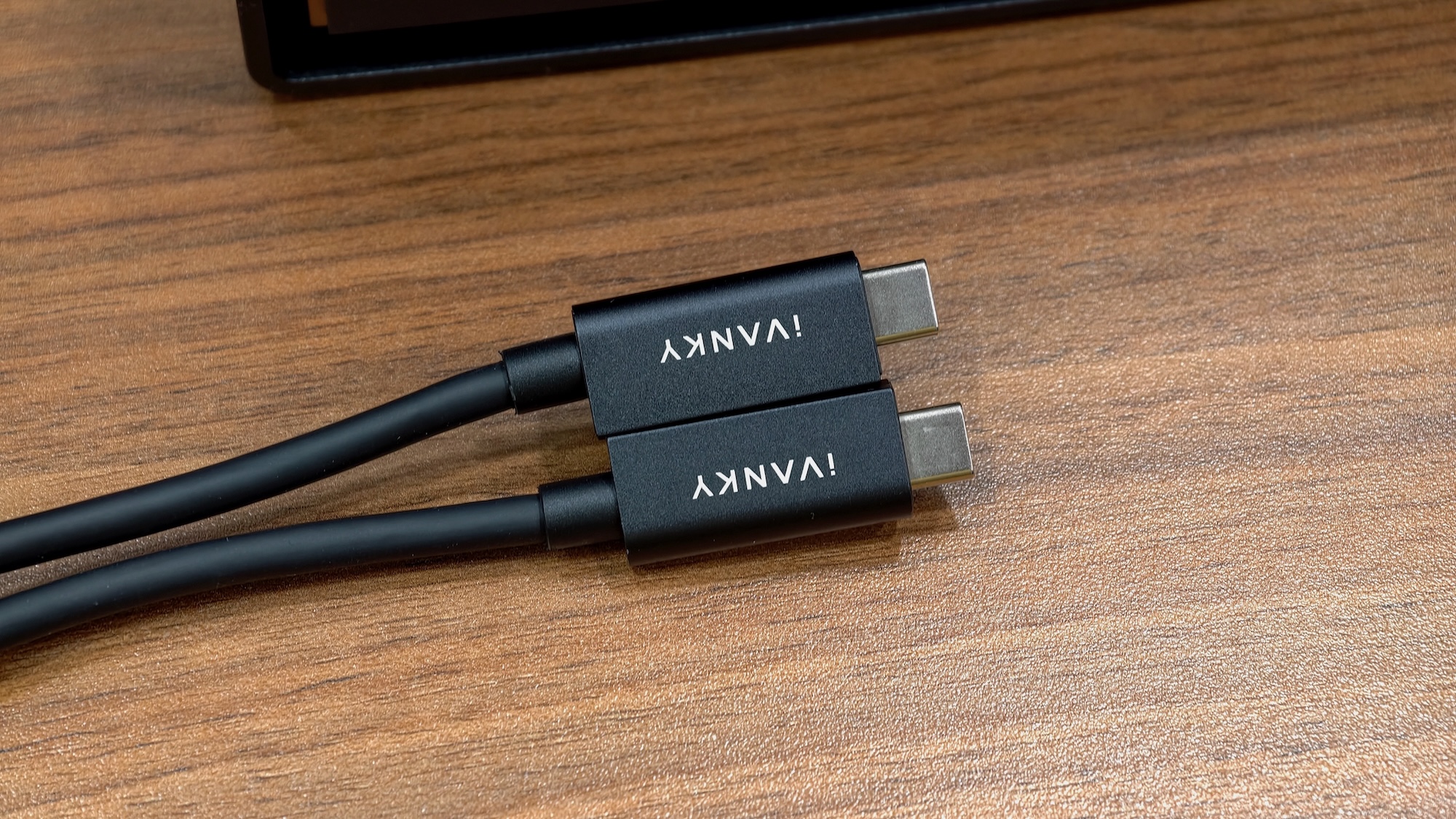
Photo: Rajesh Pandey/Cult of Mac
From a connectivity perspective, the FusionDock Ultra is a beast. It has enough ports to satisfy even the most demanding users. To handle all the bandwidth, the dock houses dual controllers, ensuring there are no bottlenecks.
If you connect it to a compatible Mac, the FusionDock Ultra can drive up to four 6K displays at 60Hz or quad 4K displays at 144Hz.
My only real complaint is that the dock’s HDMI port tops out at 4K 60Hz output. Given the Ultra moniker, iVanky should have at least equipped the dock with an HDMI 2.1 port. I’m also not thrilled with the SD card slot, which is not spring-loaded — only the microSD card slot is. More annoyingly, you must insert the SD card upside down, with the gold contact points facing up.
Performance
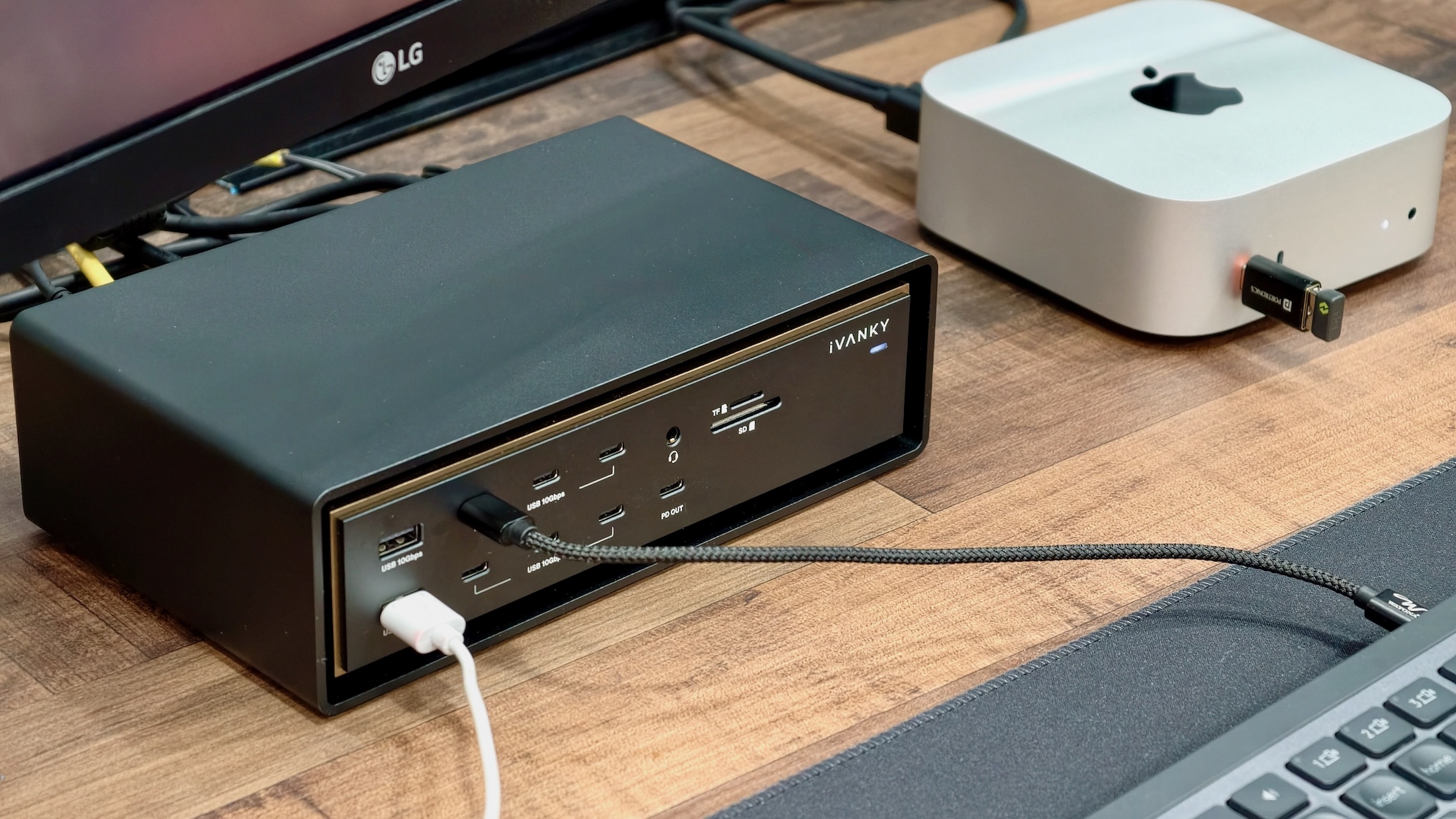
Photo: Rajesh Pandey/Cult of Mac
To truly push the FusionDock Ultra to its limits, I connected almost every device I could. This included two 4K monitors, seven USB devices and a 2.5Gb Ethernet network.
Hooked up to my M4 Pro Mac mini, iVanky’s FusionDock Ultra handled all the connected devices with ease. Even when I connected it to my M1 Pro MacBook Pro and charged the laptop at full speed, the FusionDock Ultra handled everything I threw at it without getting hot or randomly disconnecting devices.
The front USB-C port supplied a constant 45W of power, even to my iPad Pro and a beefy 20,000mAh power bank.
There’s only one area where the iVanky FusionDock Ultra falls short. Given its “Ultra” branding, it should push more power through its USB-C and Thunderbolt ports. CalDigit’s TS5 Plus beats iVanky’s dock here, as its two rear Thunderbolt ports can supply up to 36W of power to connected devices.
By comparison, the FusionDock Ultra’s downstream USB-C ports supply 15W of power, with one front port supplying 45W. The other USB ports top out at 7.5W.
This difference can matter, especially when you use high-powered Thunderbolt 5 SSDs and other accessories. Without enough power, these devices might disconnect under load.
Dual fans for cooling, and yet it’s still warm to the touch
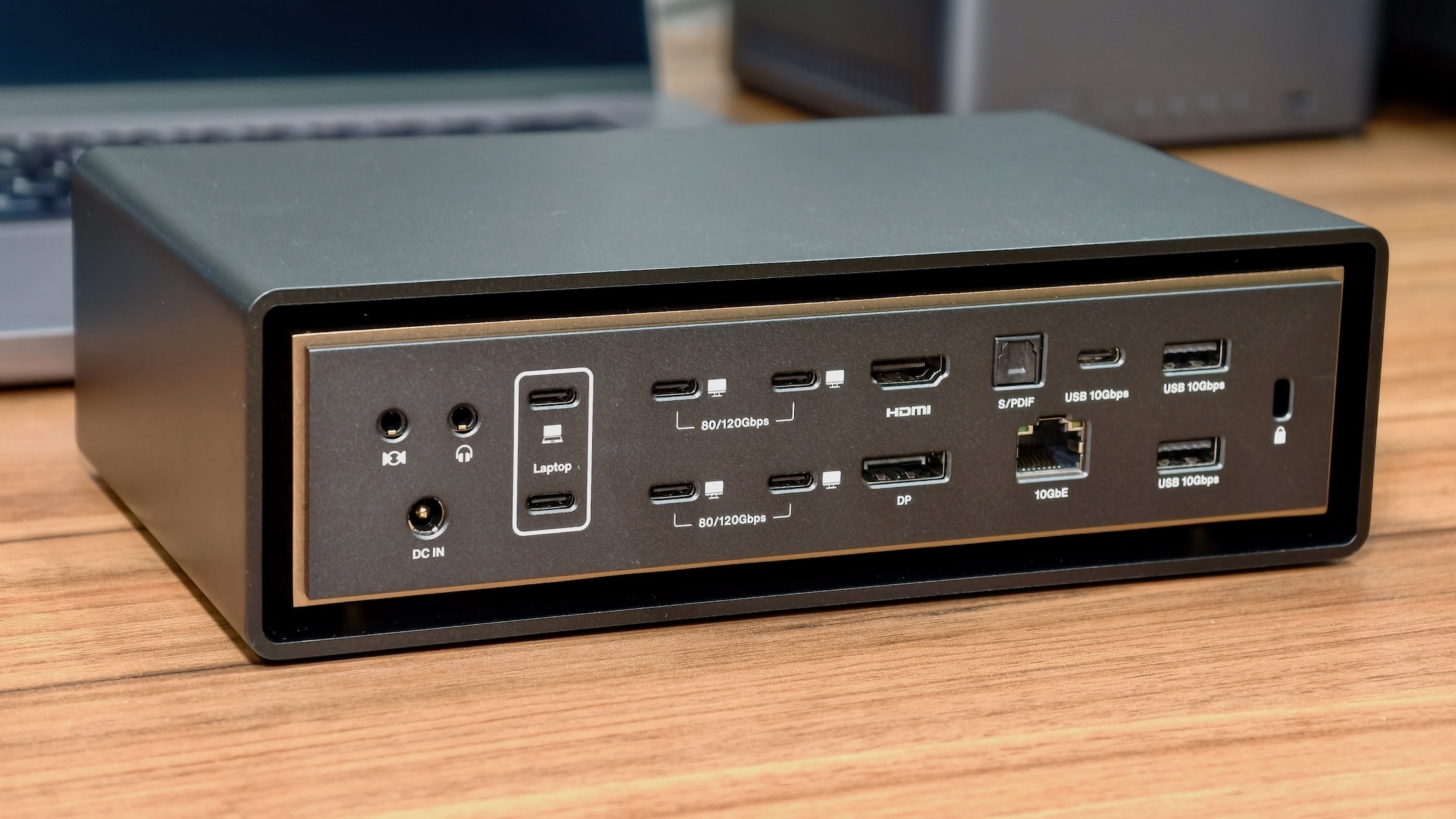
Photo: Rajesh Pandey/Cult of Mac
I have used Thunderbolt 5 docks with active cooling, and they typically remain cool to the touch even when pushing heavy loads. The FusionDock Ultra goes a step further, as it uses two fans — one for intake and another for exhaust.
The fans are not audible. Even in a silent room, I couldn’t tell they were running.
Given that there are two fans, I expected the FusionDock Ultra to be cool to the touch even with multiple devices connected. But that was not the case. The top half of the dock gets warm to the touch. Not hot or uncomfortable, but since there are two fans, I expected the FusionDock to stay cooler under load.
Ugreen’s Thunderbolt 5 dock does better here, as its single-fan active cooling system always keeps it cool even under heavy use.
Still, the FusionDock Ultra performs better than its closest competitor here, the CalDigit TS5 Plus. The latter always feels hot to the touch. Plus, I did not face any random display connectivity problems or crashes when waking up the Ivanky dock and my Mac from sleep. This is a common occurrence with most Thunderbolt docks.
Pricing and Warranty
Like its specs and features, the Ivanky FusionDock Ultra lives up to its “Ultra” name with its price tag as well. It retails for a whopping $749.99, though you can usually find it discounted by $100 to $649.99.
Even so, this makes it the most expensive Thunderbolt 5 dock on the market. If you need maximum connectivity, though, there’s no option other than the FusionDock Ultra.
iVanky promises a two-year warranty for the dock.
iVanky FusionDock Ultra Plus review: Conclusion
The iVanky FusionDock Ultra is unapologetically overkill — and that’s exactly its biggest strength. It delivers unmatched port selection and rock-solid stability under heavy loads. Plus, it delivers the kind of bandwidth headroom that makes for a true no-compromise desk setup.
But that power comes at a cost. It’s expensive, runs warmer than expected, and doesn’t push as much power through its ports as some rivals.
If you don’t already know why you need the FusionDock Ultra, you probably don’t. But if your workflow demands this level of connectivity and performance, nothing else comes close right now.
★★★★★
Buy from: Amazon
A one-of-a-kind Thunderbolt 5 dock for Mac with dual controllers, quad-display support and a plethora of ports.
- A staggering 26 ports!
- Dual controllers
- Quad-display support
- Runs warm despite dual fans
- Expensive
iVanky provided Cult of Mac with a review unit for this article. See our reviews policy, and check out other in-depth reviews of Apple-related items.

Rajesh has been writing about consumer technology for over a decade, with a strong focus on iPhones, Macs and Apple’s ecosystem. He enjoys digging into Apple software updates, hardware changes, and discovering new Mac apps that make work faster and more enjoyable.
You can reach out to him at mail[at]rajeshpandey.me.


2 responses to “I tried the most powerful Thunderbolt dock ever made [Review]”
A “dock” that costs more than a new Mac Mini? Glad I have no need for that!
Someone with a Mac mini should not be looking to buy this dock. It’s for Mac Studio, MacBook Pro Max owners with heavy workflows.