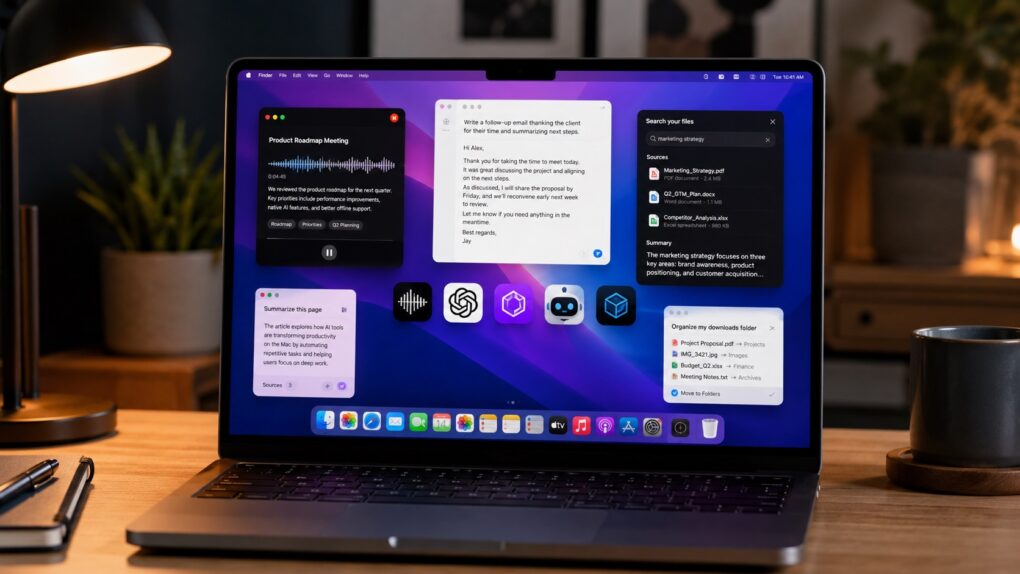
AI is changing the kind of apps you can run on a Mac. From voice-first writing tools to meeting assistants and smarter file management, these new AI apps can save hours every week.
After months of testing, these are the AI apps that earned a permanent spot in my workflow.
The best AI apps for Mac that I actually use
There’s a lot more to AI than just ChatGPT, Gemini, Claude and Apple Intelligence. New-age Mac apps use AI to deliver unique features that can help you get more done in less time.
Unlike traditional productivity apps, many of these AI apps don’t just automate repetitive tasks. Instead, they actively assist you while you work. Don’t think of them as a chatbot wrapped in a desktop app. They are far more powerful than that — and can change the way you work.
I was surprised by how quickly these apps became part of my daily workflow. In most cases, I got hooked on these AI apps for Mac within the first few days.
Table of contents: The best AI apps for Mac I actually use
1. Cotypist
With Wispr Flow, I switched to voice-first writing on my Mac. It sped things up, but also introduced a new challenge: Voice typing sometimes got in the way of my thoughts, slowing them down.
I needed something that would help me type faster. That’s when I discovered Cotypist. It uses AI to supercharge your writing speed. Think of it like autosuggestions, but with the power of AI.
When you start writing, Cotypist analyzes what you’ve typed so far and suggests the next few words. You accept the next word by pressing Tab or the entire suggestion by pressing the ~ key. This makes a bigger difference than you might think.
Screenshot: Rajesh Pandey/Cult of Mac
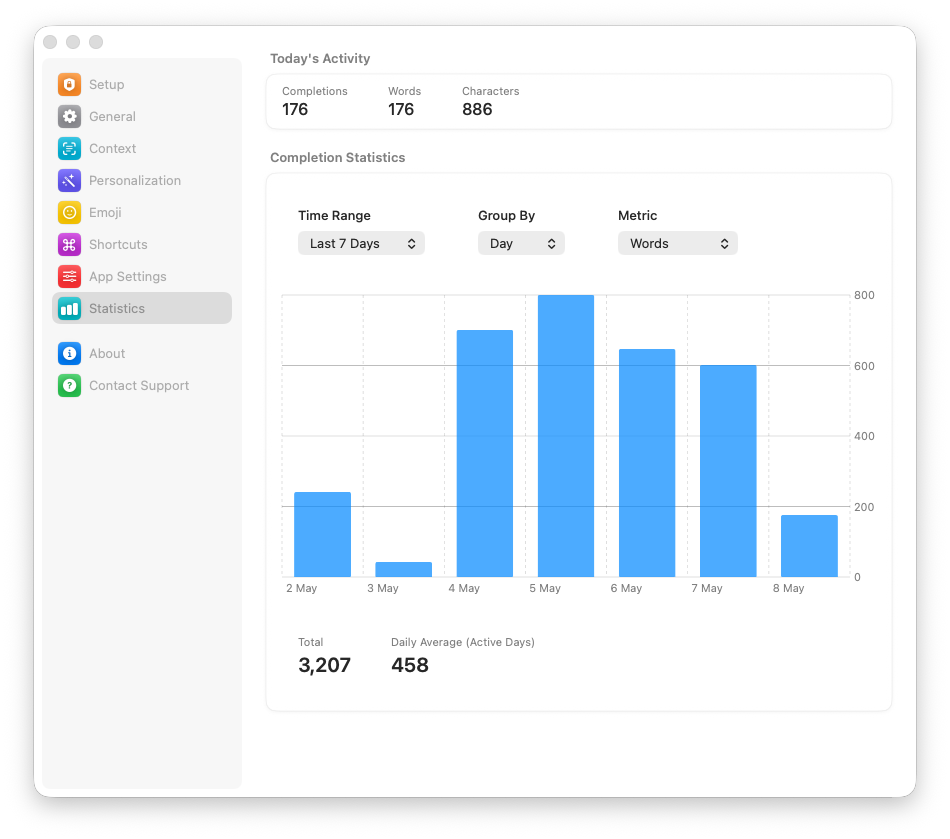
Using Cotypist supercharged my writing speed. On average, it autopredicts 400 to 500 words daily. Plus, it helps me avoid mental fatigue and ensures my thoughts flow freely.
Cotypist works completely offline. It loads a small Al model on your Mac to provide the suggestions. (The app automatically selects the best model based on your Mac’s age and hardware.)
Since the model runs locally, there’s no privacy or security risk. And you don’t need to worry about AI training on your writing style and data.
Plus, you can give Cotypist custom instructions. So, for example, you can tell it to use U.S. or U.K. English and fine-tune the writing style and tone. Its automatic suggestions will mirror your instructions.
Cotypist is currently in beta and free to use. The developer’s website clearly indicates that the app will switch to a paid model when it’s ready for public release.
→ Download
2. Superwhisper
Screenshot: Rajesh Pandey/Cult of Mac
As mentioned, Wispr Flow got me hooked on voice-first writing on my Mac. But there’s a major problem with that dictation app: It sends your recorded audio to the cloud for processing. So, without internet access, you can’t use Wispr Flow for voice typing. Plus, there’s also the privacy risk of your recorded voice data being used for AI training.
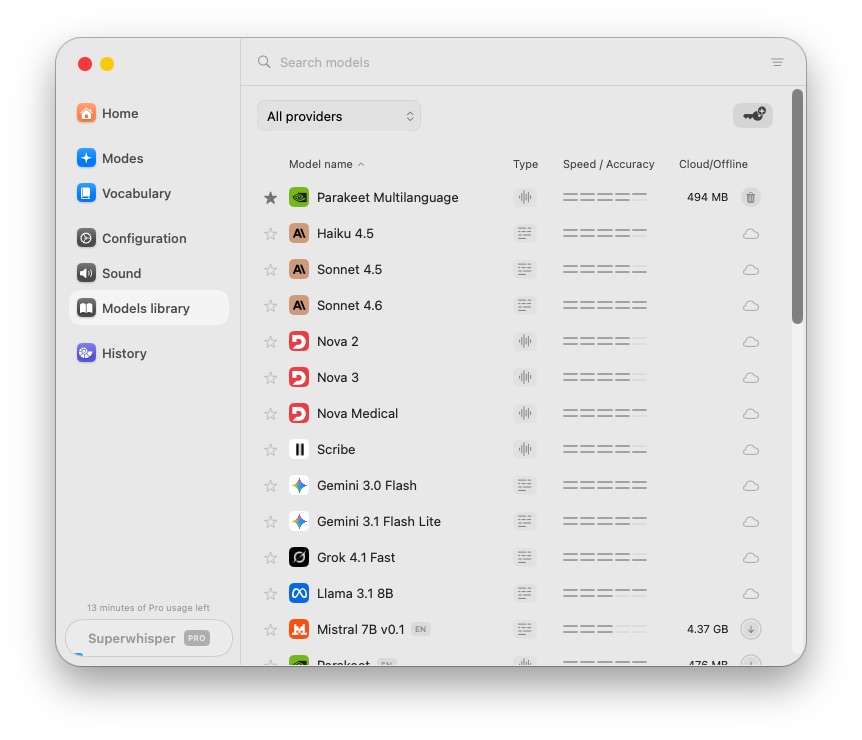
Superwhisper solves this problem for good, and that landed it a spot on my list of the best AI apps for Mac. It loads an AI model locally on your Mac to transcribe your audio into text. The experience is largely the same as using Wispr Flow. You can add your own words to the dictionary, set predefined modes for different apps, tap into multilingual support, etc.
You can select from a bunch of AI models. So, if one model doesn’t work, try another one. I found Nvidia’s Parakeet model to work well for my needs.
If you use a small local AI model, Superwhisper is free to use. More advanced features, such as unlimited access to online and local AI models, the ability to translate any language into English, and transcribing audio and video files, are limited to the Pro plan, which costs $8.49 per month.
→ Download
3. Substage
Substage uses the power of AI to make managing files and folders on your Mac easier. The app acts as an AI-powered assistant for Finder that can carry out various tasks based on your prompts.
For example, if you are in a folder with several hundred images that you want to rename and resize, you can tell Substage to do so. Since it uses AI, you use natural language to make the request, and Substage will do the rest.
Substage is not limited to renaming and resizing files. It can organize your files and folders, like moving all screenshots to a specific folder. Plus, it can convert videos to a lower resolution, convert JPGs to PNGs and more. It can even manage your Mac’s settings.
The app is simple to use as well. It displays a command bar below the Finder window, where you enter your prompt. That’s it. Substage will analyze the folder’s contents and carry out the task.
While Substage uses online models, you can connect it to local models on your Mac through Ollama or LM Studio.
Substage is available as a two-week free trial. After that, you pay $3.99 per month or $29.99 per year for full access to Substage’s features and access to AI models from OpenAI, Anthropic, Google and others.
For those who want to use their own API keys or local models, Substage offers a pay-once license for $39.99.
→ Download
4. Granola
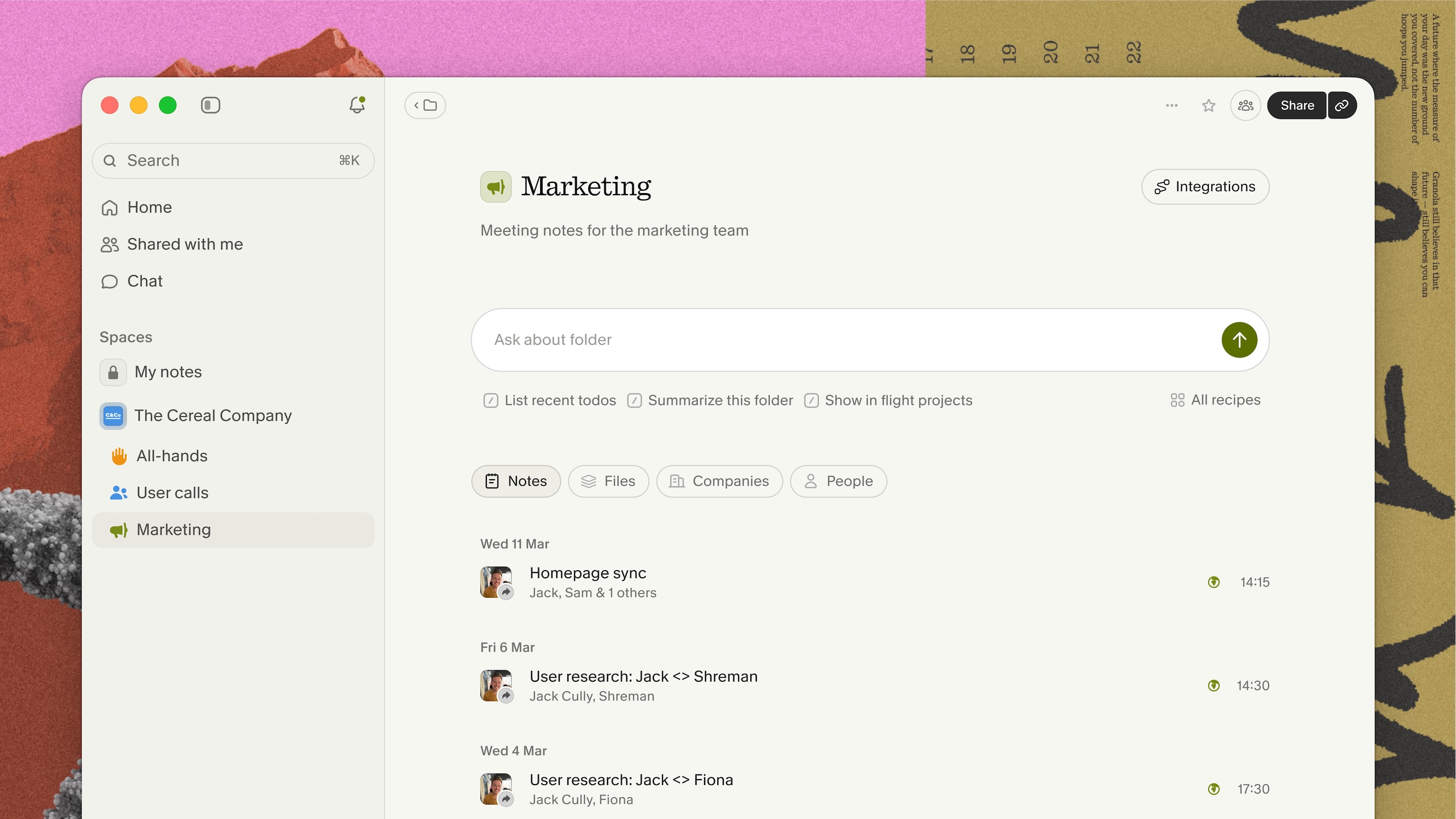
Photo: Granola
Granola acts like an AI-powered assistant for your meetings. Unlike some other similar AI notepads and meeting assistants, Granola runs locally on your Mac. So, there’s no virtual bot joining the calls.
Instead, Granola uses your Mac’s audio to record and transcribe meetings. Since this happens locally, you can rest assured knowing that your data is safe.
What makes Granola special is how it uses AI to fill in the gaps in the notes that you take during a meeting. After the call ends, Granola analyzes your notes and uses the meeting’s transcribed audio to fill in the gaps.
You can even ask Granola questions about the meeting. It will pull these details from the meeting’s transcript.
Your AI meeting assistant for Zoom, Google Meet, Slack, Teams, etc.
Granola works with all popular video conferencing apps like Zoom, Google Meet, Slack, Teams, etc.
If you join multiple meetings every day, Granola can save you a lot of hassle and time. Instead of trying to capture everything, you can jot down the main points and let Granola fill in the gaps afterward.
Not all is perfect, though. Granola can struggle with transcription accuracy due to poor audio quality, heavy accents or overlapping voices. It also lacks speaker identification, which can be a problem, especially if you attend meetings with several participants. And you can’t edit Granola’s transcriptions. If Granola captures something wrong, that’s it.
The free version of Granola provides limited access to meeting history. Otherwise, you still get AI meeting notes, shared folders, customized note templates and multilanguage support. The $14 per month Business plan provides unlimited access to meeting notes and history, along with access to advanced AI thinking models and integrations with Notion, Slack, HubSpot, etc.
→ Download
5. Codex, Claude and Gemini: 3 of the best AI apps for Mac
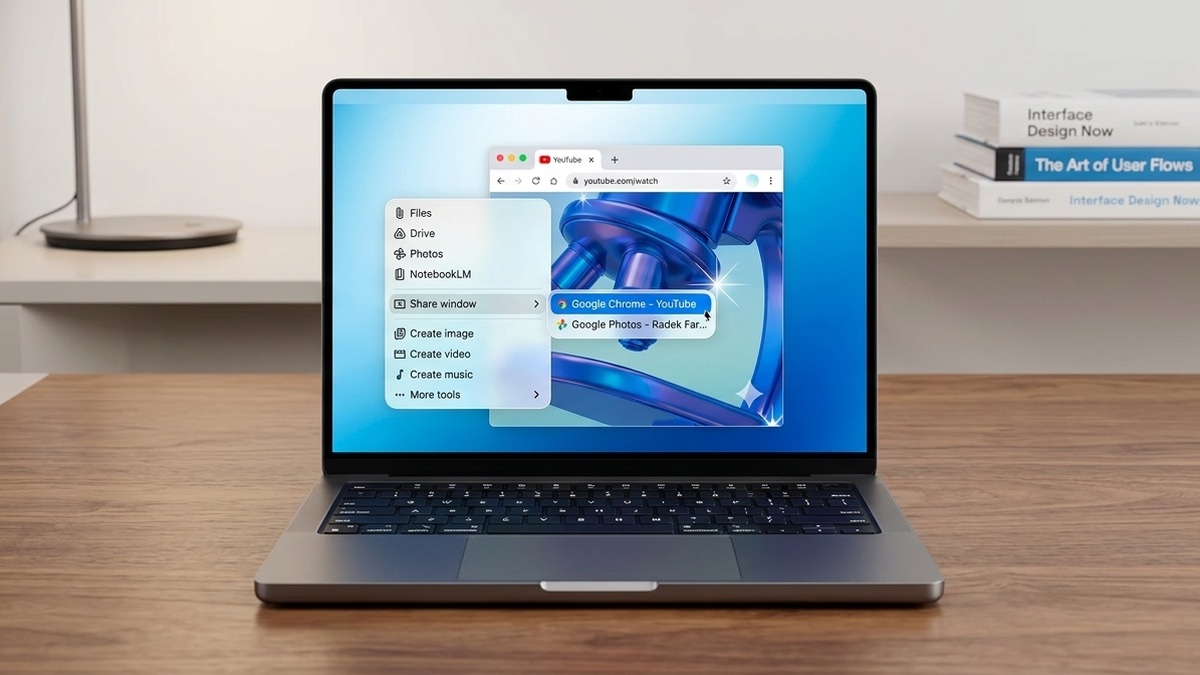
AI image: Google/Apple/Gemini/Cult of Mac
No list of the best AI apps for Mac can be complete without mentioning Codex, Claude and Gemini. The native Mac apps of these AI models allow them to deeply integrate into your workflow and do a lot more than act as a chatbot.
Claude Cowork, for example, can work inside a folder on your Mac, organizing files, summarizing its contents and even creating reports and presentations. I use Claude Cowork to create monthly reports for my clients. I download the relevant data from the portals, dump them into a folder, and then give Claude Cowork the necessary instructions to create the report.
Likewise, Codex from OpenAI — think of it as a more advanced version of the ChatGPT Mac app — can be used for more than just writing code. It can carry out tasks on your Mac, browse the web, write emails and more.
Gemini’s recently launched native Mac app provides the AI with additional context of what you’re working on, helping it provide more accurate responses. This is just the beginning, though, with Google promising more advanced features in the future.
You need a paid Gemini, Codex/ChatGPT or Claude account to utilize these Mac apps to their full potential. And unlike other apps in this list, these AI apps are not meant for a specific task. Your imagination is the only limit.
→ Download: Codex | Claude | Gemini

Rajesh has been writing about consumer technology for over a decade, with a strong focus on iPhones, Macs and Apple’s ecosystem. He enjoys digging into Apple software updates, hardware changes, and discovering new Mac apps that make work faster and more enjoyable.
You can reach out to him at mail[at]rajeshpandey.me.


One response to “7 best AI apps for Mac (and how I actually use them)”
Any chance you would add Elvean app into that mix ?