Here at Cult of Mac, we regularly review Apple products and other tech gear and accessories. We also frequently write about Apple TV+ offerings. If we receive a review unit, we disclose it. (Read our reviews policy.) We frequently employ affiliate links. If you purchase a product after clicking a link from our website, we might earn a commission.
Mark Wahlberg and Kit Harington star in The Family Plan 2. But maybe leave it off your viewing queue. Photo: Apple TV
Apple TV built a reputation as a quality-first streamer. It gave us Severance, Ted Lasso, Slow Horses, and the first Best Picture Oscar from a streamer, 2022’s CODA. But even Apple can’t promise a universal guarantee of quality. Over the years, a handful of originals have landed with a thud, panned by critics, dismissed by audiences or both. See the eight worst-reviewed Apple TV shows and movies below.
★★★★☆
Anker's new Nano Power Strip attaches firmly to the edge of your desk. Photo: Lewis Wallace/Cult of Mac
Anker’s new Nano Power Strip (10-in-1, 70W, Clamp) thoughtfully reinvents one of the world’s most common electrical accessories to make it play nice with desks.
It comes with some caveats, but for anyone needing to tame cable clutter, it makes a solid addition to a setup.
★★★★★
The BMX SolidSafe Air keeps my iPhone 17 going for an extra day. Photo: Ed Hardy/Cult of Mac
The BMX SolidSafe Air is the MagSafe power bank we’ve been waiting for. It’s a mere 0.27 inches (6.88mm) thin — slimmer than the iPhone 17 I tested it with.
The 5,000mAh iPhone accessory features a semi-solid-state cell design to reduce fire risk and a lightweight titanium build.
Here’s why it was such a pleasure to test out. This is the best MagSafe power bank I’ve ever used.
★★★★★
Ugreen's latest Thunderbolt 5 dock delivers on almost every front. Photo: Rajesh Pandey/Cult of Mac
While most Thunderbolt docks focus on either an expansive port selection or providing great value for money, the Ugreen Maxidok 17-in-1 Thunderbolt 5 dock offers the best of both worlds — especially with launch discounts that slash 22% off the price.
Plus, it packs a hidden port that solves a common complaint among heavy-duty Mac users. After using it as the centerpiece of my work desk, here’s how it holds up.
★★★★☆
Don't settle for an iPad stand or travel hub. Not when Satechi combined them. Photo: Ed Hardy/Cult of Mac
Your iPad is fun and relaxing, but it can also be the heart of a compact workstation with the Satechi OntheGo Foldable Stand Hub. This holds up your tablet while simultaneously expanding its connectivity with five additional ports.
It’s so useful in the office, it’s easy to forget the accessory folds down so you can take it with you. Satechi says it’s made for creatives on the move.
I tested the stand+hub in my home office and when traveling. Here’s what I found.
★★★★☆
The Tessan Voyager 205W travel adapter is one-of-a-kind. Photo: Rajesh Pandey/Cult of Mac
The Tessan Voyager 205 Universal Travel Adapter combines a global plug adapter with a powerful 205W GaN charger with seven ports. It’s bigger and heavier than your usual travel adapter — but also far more capable.
Does the Voyager deserve a spot in your travel bag? Find out in our review.
★★★★☆
A budget model phone has no business being one of the most gorgeous iPhones ever. Photo: D. Griffin Jones/Cult of Mac
The iPhone 17e may be a subtle upgrade, but it’s a slight change that makes all the difference. Now with MagSafe, the budget smartphone doesn’t suffer much in the way of compromises. Storage capacity is doubled, making the base model an exceptional choice; the blistering A19 chip is even faster than its predecessor.
Although the lack of a Dynamic Island makes it feel like an older phone than it really is, unless you really care about photography or giant screens, there’s not a lot that seems missing. It’s just as gorgeous as before and still highly practical.
★★★★★
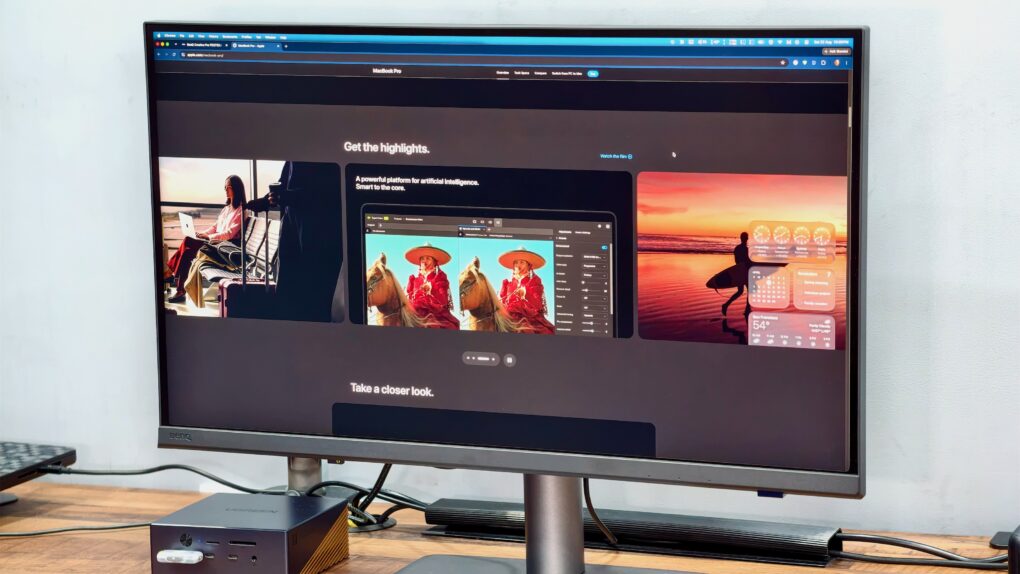
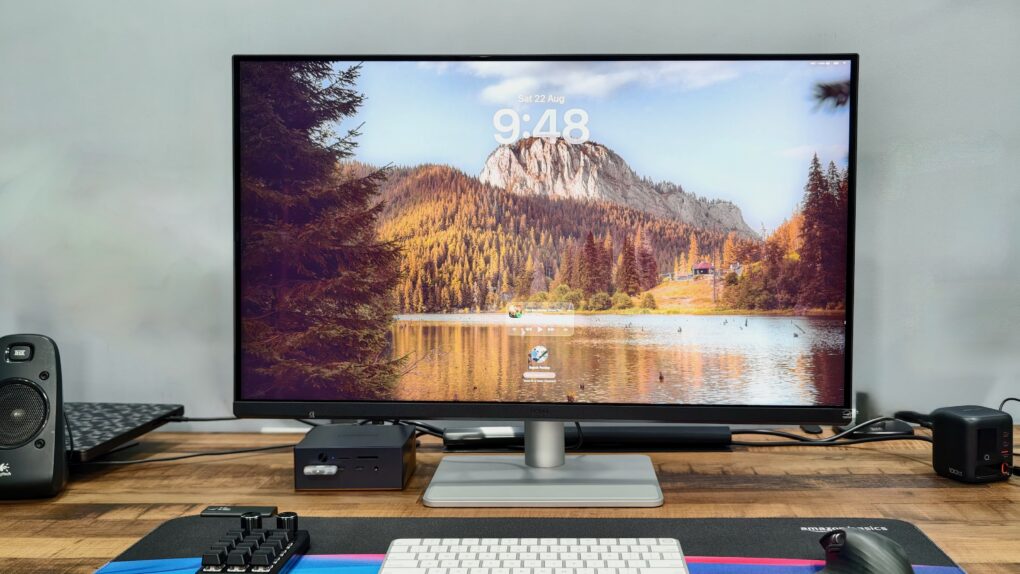
The Studio Display XDR is the best monitor that money can buy. But it takes a lot of money. Photo: D. Griffin Jones/Cult of Mac
Apple’s new flagship desktop display, the Studio Display XDR, is what you get out of a blender when you combine a mini-LED with the high adaptive refresh rate of a MacBook Pro and the 27-inch 5K screen size of the regular Studio Display.
It’s a brilliant combination. Starting at $3,299, it’s significantly cheaper — and unfortunately a little smaller — than the Pro Display XDR, the $5,000-plus monitor it replaces. However, it supersedes its high-end predecessor in all other specs. Apple made incredibly smart choices about what to include and what to cut.
Ironically, now the $1,599 regular Studio Display is the bunk product in Apple’s monitor lineup. It misses out on the Studio Display XDR’s top new feature — 120 Hz Adaptive Sync. And it’s about twice as expensive as competing monitors from Asus, BenQ and ViewSonic.
Now, the Studio Display XDR stands in a class of its own. And for, like, half as much money as Apple’s previous top monitor.
★★★★☆
The two best colors. Photo: D. Griffin Jones/Cult of Mac
The MacBook Neo exceeds all expectations and defies all logic. It’s a $599 computer that’s not slow. The cheap laptop sports a light aluminum unibody with exceptional fit and finish, along with a gorgeous, bright Retina display. It runs on an iPhone chip, yet it’s incredibly fast with unbelievable battery life.
The name itself, Neo, reminds you that this is not a computer made out of spare parts. It’s a bespoke industrial design with a brand-new display and feature set. That feature set excludes things that longtime members of the cult consider quintessential Mac features — a backlit keyboard, an ambient light sensor and a MagSafe connection.
Nonetheless, the MacBook Neo will be a lot of people’s first exposure to the Mac. I wanted to know what their experience will be like — and I think they’ll be very happy.
★★★★☆
The Twelve South PowerCapsule can juice up your iPhone anytime, anywhere. Photo: Ed Hardy/Cult of Mac
When my iPhone battery needs a quick boost, the Twelve South PowerCapsule is ready to keep it going for the rest of the day. It conveniently clings to the handset magnetically so no cable is needed.
As a bonus, the accessory looks great. It closely matches the look of my iPhone 17. And it fits easily in a pocket.
I tested the PowerCapsule in my home and on the go. Here’s how it stands up in real-world use.
★★★★☆
With a 2-inch bump in screen size that looks and feels like more, this is a nice upgrade for me. Photo: David Snow/Cult of Mac
The 11-inch Apple M1 iPad Air (5th generation) I used for the past few years was a great device — fast, light, capable and well-integrated into the Apple ecosystem. Yet after just a couple days with the 13-inch iPad Air powered by Apple’s M4 chip, I can say this trade-in for an upgrade isn’t just incremental. It’s the kind of shift that quietly changes the way I use a device.
★★★★☆
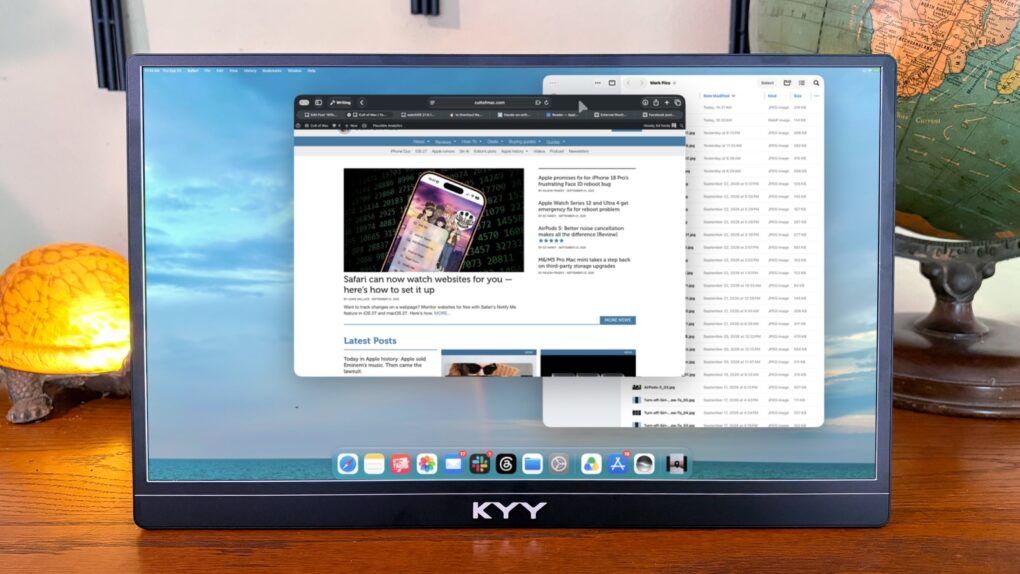
This portable monitor from Espresso Displays can make you more productive. Photo: Ed Hardy/Cult of Mac
The Espresso Lite 15 portable monitor includes a gorgeous LCD for work or entertainment when you’re away from your usual desk. It’s a more affordable option from a company previously known for premium screens, but it keeps up the quality.
It comes in a range of vibrant case color options, which really helps it stand out from its rivals. Plus, there’s Stand+, a brilliant ergonomic stand that can hold the 15.6-inch, 1080P LCD above your laptop.
I tested the Espresso Lite 15 in my home office and on the road, and came away quite pleased. Here’s why.
★★★★★
A comprehensive history of Apple. Photo: D. Griffin Jones/Cult of Mac
Apple: The First 50 Years by David Pogue is a comprehensive retelling of the most influential tech company in history and the people behind it. The book covers the early hobby projects of teenage Steve Wozniak to Apple Intelligence, and the lifetime’s worth of everything in between, in about 600 pages.
It’s just the right amount of detail and depth to tell the whole story of Apple’s rocketing rise to power, years of tumult and insanely great turnaround. It’s an easy and highly entertaining read. You don’t need a technical or nerdy background at all. And there are hundreds of full-color pictures.
Apple: The First 50 Years is now the definitive all-encompassing book I would recommend for anyone interested in the company that changed the world … at least three separate times.
★★★★☆
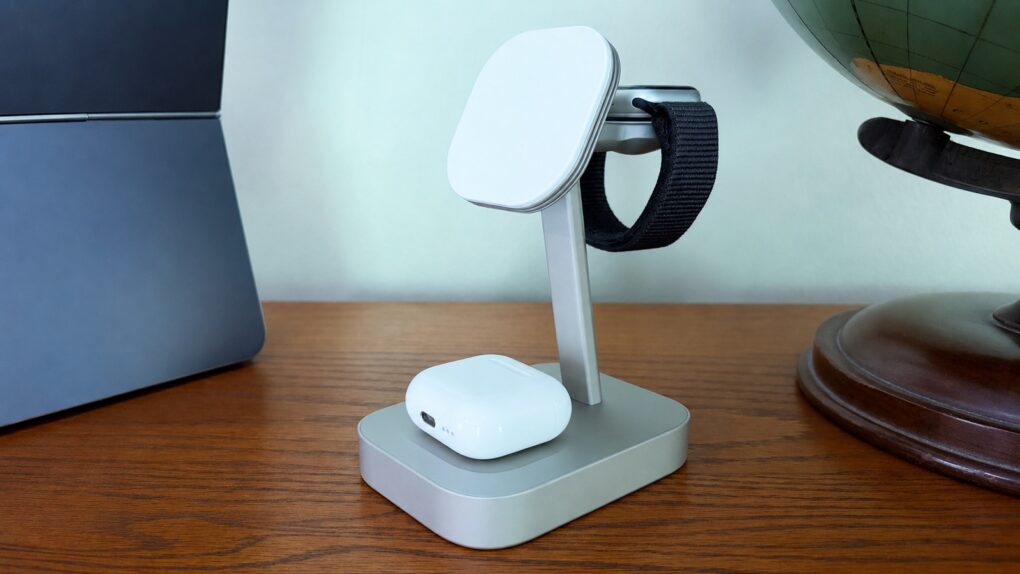
This Belkin charger wirelessly juices up an iPhone at the full 25W, and powers two other Apple devices as well. Photo: Ed Hardy/Cult of Mac
The Belkin UltraCharge 3-in-1 Foldable Magnetic Charger quickly juices up your iPhone, plus it can power up your Apple Watch and AirPods at the same time. And with a folding design, it can stay on your desk or go on vacation.
I put the multidevice charger to the test in my home office. Here’s how it stood up in real-world use.
★★★★★
Anker's new miniature wall charger sports a smart display and other innovation. Photo: Ed Hardy/Cult of Mac
The Anker Nano Charger (45W, Smart Display, 180° Foldable) — that’s its actual name — is the smartest wall charger I’ve ever used. It recognizes my iPhone and iPad when I plug them in and even displays the device’s current battery level.
I can set it to quickly or slowly juice up my device, helping to protect its battery. Or order it to slow charge my handset overnight.
Here’s why I love Anker’s tiny new charger after testing it for several weeks.
A quick tap of a letter is all it takes to bring any app to the front with rcmd. Photo: ChatGPT/Rajesh Pandey/Cult of Mac
I switch between apps on my Mac dozens of times every hour. For years, Command-Tab seemed good enough, but then I started using rcmd, a fantastic alternative app switcher for Mac.
This nifty piece of software completely changed how I move between apps on my Mac. It made the process faster, more precise, and far less disruptive to my workflow.
★★★★★
The pictures in this article aren’t very good because I couldn’t use the iPhone 12 Pro (pictured) to take the picture. Photo: D. Griffin Jones/Cult of Mac
The Belkin iPhone Mount with MagSafe for Mac Desktops and Displays, despite what its lengthy product name may imply, is a simple and straightforward product that does one thing remarkably well. It mounts your iPhone to a desktop display with MagSafe.
It’s straightforward to set up; it’s easy to plop your phone on and pull it off; it’s well made and feels nice in the hand. It’s great for Continuity Camera. The Belkin iPhone Mount with… no, I’m not writing all that out again. The Belkin iPhone display thing is an easy recommendation.
★★★★☆
A better way to play games on your iPhone. Photo: D. Griffin Jones/Cult of Mac
The GameSir X5s is a great and affordable way to upgrade your mobile gaming. Your phone, whichever model you have, slides right in the middle, and suddenly you have console-quality physical controls. It’s lightweight, ideal for traveling, and comes with a simple plastic travel case.
It even works with the Nintendo Switch — its ergonomic grips are far more comfortable than the flat Joy-Cons. There’s also a matching accessory, the FX5 cooler, that adds active cooling to your iPhone. It’s great for high-performance pro gaming over long periods of time.
All in all, the GameSir X5s is a great way to take mobile gaming to the next level, whether you’re playing full 3D games or 40-year-old ROMs in Delta.
★★★★☆
Belkin's hassle-free BoostCharge Power Bank is all you need to keep your iPhone going and going. Photo: Ed Hardy/Cult of Mac
The Belkin BoostCharge Power Bank 10K with Integrated Cable is an absolutely simple product that does one thing very well. It charges an iPhone or other device without the user needing to worry about a separate USB-C cable.
I tested it with my iPhone and iPad, looking for problems. Here’s what it’s like in real-world use.
★★★★★
The Ohsnap Mcon uses an innovative design that makes it portable and flexible. Photo: Ed Hardy/Cult of Mac
The Ohsnap Mcon doesn’t just rethink the mobile gaming controller — it practically throws the old playbook in the trash, delivering one of the most flexible and genuinely portable ways to play on the market today.
Even better, you can easily use it with your iPhone, but also your iPad and Mac.
I spent many hours playing games with the innovative controller — here’s why I love it.
★★★★☆
The Belkin ConnectAir Wireless HDMI Display Adapter is so much less clutter than a cable, but does the same job. Photo: Ed Hardy/Cult of Mac
Stop connecting your Mac to TVs with a cumbersome cable. The Belkin ConnectAir Wireless HDMI Display Adapter saves you from needing to stretch a wire across your living room, classroom or conference room.
All it takes is plugging one component into the USB-C port on your Mac, iPad or iPhone and the other component into the HDMI port on any TV. Now you’re ready to watch a movie.
I put the new accessory to the test, including its promise of plug-and-play connectivity. Here’s how it performed.
Tehran may be the most gripping thriller on Apple TV. Photo: Apple
In the crowded landscape of spy shows and movies, Apple TV’s Tehran cuts through the noise with a visceral intensity few titles can match. This Israeli thriller, which started airing season three on January 9, doesn’t just tell a spy story. It grabs you by the throat from the first frame and doesn’t let go until the credits roll.
For anyone who’s ever found themselves disappointed by the too-fast or too-slow pacing or predictable plotting of typical spy dramas, Tehran, now streaming season three (with a fourth on the way), offers a masterclass in sustained tension and genuine surprise. That makes it easy to forgive the subtitles, which most people will need for the Farsi (Persian) and Hebrew spoken on the show.
Wispr Flow turns your Mac into a voice-first writing workspace. AI image: ChatGPT/Cult of Mac
The way I type on my Mac hasn’t changed in years. But then, I started using Wispr Flow — an AI-powered voice-to-text app for Mac. It has reshaped how I write on my Mac, making me more efficient and faster.
It’s not just about typing faster. Using your voice for typing also feels more natural in many cases. Here’s how Wispr Flow has changed how I write on my Mac, and why I can’t go back.
★★★★☆
The new AirTag 2 improves on the original in almost every way. Photo: Ed Hardy/Cult of Mac
Apple just launched the long-awaited new version of its AirTag. The upgraded tracking tag is easier to find, with much longer range when using either a Bluetooth or Ultra Wideband connection from your iPhone. It also includes a louder, shriller speaker.
I put the improvements in the AirTag (2nd generation) through real-world testing for this hands-on review.
★★★★☆
This affordable iPad stylus has a trick no Apple Pencil can match. Photo: Ed Hardy/Cult of Mac
Stop feeling frustrated that Apple Pencil works with iPad but not iPhone. The Tinymoose Pencil Pro Ultra supports Apple tablets and handsets.
Beyond iPhone support, the stylus offers iPad users palm rejection, zero lag, Scribble support, magnetic attachment to the tablet and more.
I tested the affordable accessory with both iPad and iPhone — here are the results.