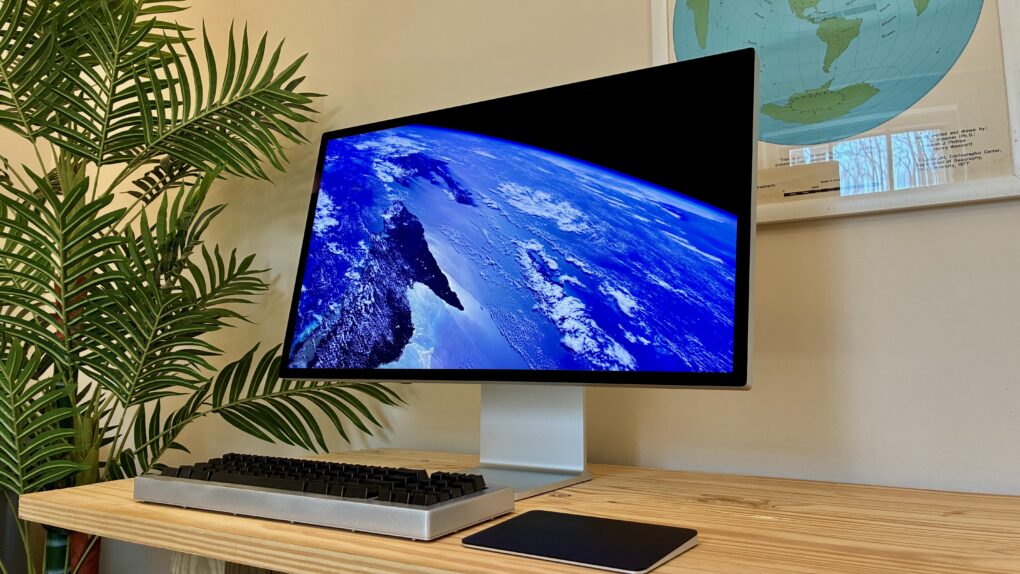
Apple’s new flagship desktop display, the Studio Display XDR, is what you get out of a blender when you combine a mini-LED with the high adaptive refresh rate of a MacBook Pro and the 27-inch 5K screen size of the regular Studio Display.
It’s a brilliant combination. Starting at $3,299, it’s significantly cheaper — and unfortunately a little smaller — than the Pro Display XDR, the $5,000-plus monitor it replaces. However, it supersedes its high-end predecessor in all other specs. Apple made incredibly smart choices about what to include and what to cut.
Ironically, now the $1,599 regular Studio Display is the bunk product in Apple’s monitor lineup. It misses out on the Studio Display XDR’s top new feature — 120 Hz Adaptive Sync. And it’s about twice as expensive as competing monitors from Asus, BenQ and ViewSonic.
Now, the Studio Display XDR stands in a class of its own. And for, like, half as much money as Apple’s previous top monitor.
Studio Display XDR review: A high-end blend of desktop display tech
Three features make Apple displays stand out from the crowd. Apple displays offer much higher resolution, delivering super-crisp text and images. The build quality and materials are leagues above everything else, with milled-aluminum bodies that prove incredibly sturdy. The color accuracy and quality are also top-tier, ensuring a bright and precise image.
If you only care about a “big enough” screen, spending $1,599 for a Studio Display might seem pointless. And spending $3,299 on the high-end model might seem beyond ludicrous. But if you want the very best display money can buy, to match your best Mac, there’s only one choice.
I put the Studio Display XDR through loads of tests for this review. Here’s what Apple’s new high-end monitor is like.
The Studio Display XDR is Apple’s high-end desktop monitor. Its big, bright mini-LED panel is color calibrated for professional use in film editing and graphic design.
Its higher refresh rate means animations from scrolling to minimizing windows are twice as smooth. It’s perfect for gaming. And you can watch movies and shows in their native frame rates, too.
You won’t find a better display for the Mac — if you can afford it.
- 27-inch 5K Retina display
- 120 Hz Adaptive Sync
- 140W Thunderbolt 5 dock
- Extra-high dynamic range (XDR)
- Pairs well with a Mac
- Requires Mac with M2 Pro chip, M4 chip or newer for full features
- More expensive than other 5K displays

Table of contents: Studio Display XDR review
- Design
- 120 Hz refresh rate
- HDR brightness
- Thunderbolt 5 and connectivity
- Apple ecosystem niceties
- Built-in camera and speakers
- The secret computer inside
- Conclusion
Design
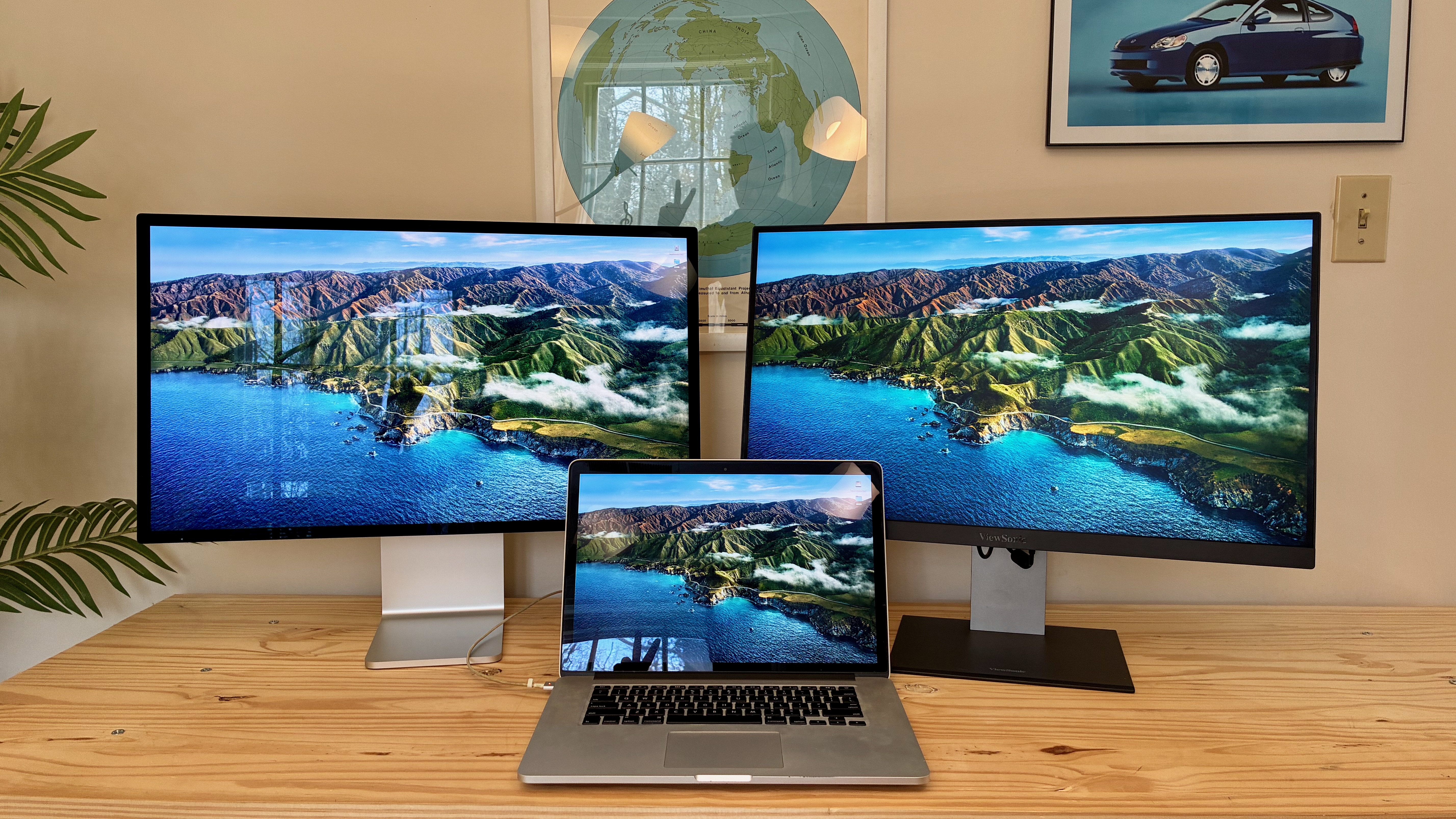
Photo: D. Griffin Jones/Cult of Mac
The Studio Display XDR looks much more like the regular Studio Display than the now-discontinued Pro Display XDR. It doesn’t come with the distinctive lattice holes milled into its back. Plus, its ports are located at the bottom-left rather than the center-right. More obviously, it’s a 27-inch 5K panel and not a 32-inch 6K panel.
By default, the Studio Display XDR comes with shiny cover glass. Even on this glossy version, Apple says it reduced reflections to just “1.65 percent due to a custom antireflective coating that reduces glare by 3×.” While I normally position my monitor with its back to the window, I tested how the Studio Display XDR would look on the opposite side of the room. The window should be brightly reflected in the glass, making half the screen hard to see; instead, it’s barely affected.
The nanotexture glass, a $300 upgrade, is microscopically etched with a laser to diffuse light across the whole surface. It totally eliminates reflections. It isn’t your typical matte display, which washes out colors and reduces contrast.
If you’re worried about losing color fidelity on the nanotexture display, I challenge you to go to your Apple Store. On the table in the back with all the pro Macs, you’ll usually spot one glossy display and one nanotexture display, so you can compare them side by side. I bet you won’t be able to notice any difference in color. I recommend the nanotexture option if you have a window or ceiling light that reflects on your screen.
The tilt- and height-adjustable stand
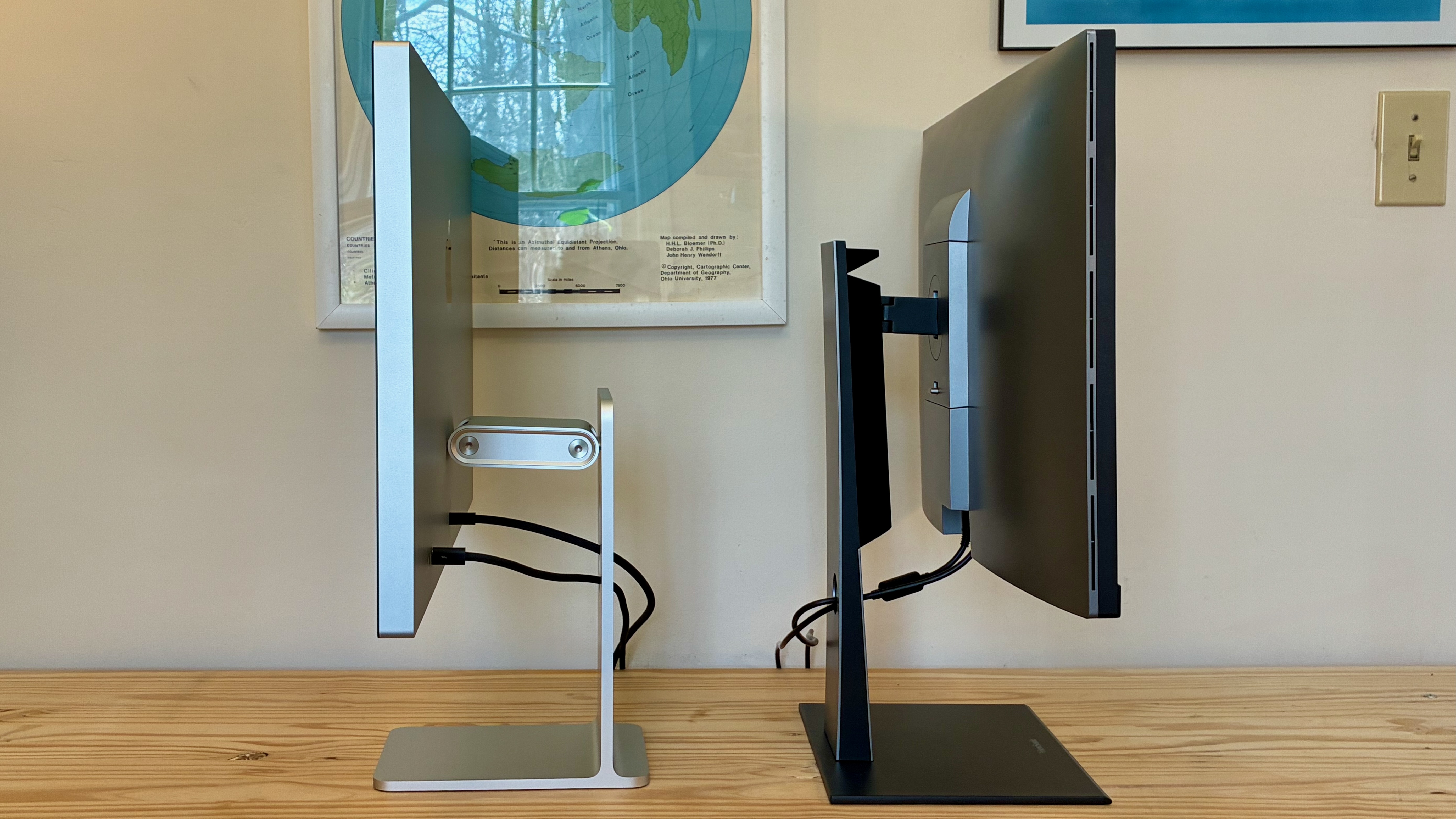
Photo: D. Griffin Jones/Cult of Mac
The Studio Display XDR comes with a tilt- and height-adjustable stand by default. (On the lower-end Studio Display, this requires a $400 upgrade.)
Unlike the former Pro Display XDR, the stand does not rotate between portrait and landscape. (Perhaps that’s why it’s only a $400 upgrade on the regular Studio Display and not $999.) This caused a bit of a problem for me — none of the floors in my house are flat. My office floor tilts severely backward and a little to the right. I tilt my monitor a little the other way to make it “level.” But the Studio Display XDR doesn’t tilt at all, so I had to cram a stack of cardboard under the right side of my desk. I overcorrected a hair, but in the days since, the cardboard compressed and leveled out.
Apple’s height-adjustable stand isn’t like other displays that simply slide up and down. Instead, it utilizes a short, articulating arm. This means that when you put it in its extreme high or low position, it’s slightly further away from you; when it’s in the middle, it’s a little closer to you. Its range is also somewhat limited; it goes a little higher than my ViewSonic display, but not nearly as low.
I’m not sure what it is about normal sliding monitor stands that Apple designers find so reprehensible. If Apple wanted to do something weird and different, the result should be cooler in the end. Like the iMac G4’s articulating arm that swivels all around.
120 Hz refresh rate

Photo: D. Griffin Jones/Cult of Mac
The biggest upgrade of the Studio Display XDR over the regular model is the high 120 Hz refresh rate. PC monitors have had 120 Hz for many years, but I’ve never seen one before on such a high-resolution display.
It looks absolutely incredible. Even the most subtle macOS animations offer a constant reminder of the monitor’s buttery smoothness. Scrolling an article in Safari? Swiping a bunch of messages in Mail to archive them? Minimizing a window to the Dock? It’s absolutely stunning.
120 Hz is what all the hardcore gamers love, for the precision that comes with the high refresh rate. Pro gamers do not tend to love Macs. But if you’re the niche within the niche within the niche, a Mac user who games with an XDR, you’re gonna love it.
You’ll need a pretty modern Mac to drive the Studio Display XDR at 120 Hz. All M4 and M5 Macs will work at 120 Hz, no problem. M2 and M3 Macs need a Pro, Max or Ultra chip — my M2 Pro Mac mini barely clears that hurdle. Other M-series Macs only achieve the standard 60 Hz. The lowly MacBook Neo can only output 4K resolution. And only Intel Macs with Thunderbolt 3 are supported.
120 Hz with Adaptive Sync isn’t exactly the same as Apple’s ProMotion tech. Adaptive Sync is an industry standard; ProMotion is Apple’s own implementation on the iPhone, iPad Pro and MacBook Pro. Both support 47 to 120 Hz. Adaptive Sync can be fine-tuned for different workflows — you can prioritize either lower latency or higher quality.
HDR brightness

Photo: D. Griffin Jones/Cult of Mac
The other major upgrade of the Studio Display XDR over the regular Studio Display is its mini-LED panel. This puts 2,304 LED backlights behind the whole display, rather than a single uniform backlight.
It’s much brighter for displaying standard content, up to 1,000 nits instead of the Studio Display’s 600. For HDR (high dynamic range) images, videos, movies and shows, the XDR can crank up to a retina-scorching 2,000 nits peak.
The Studio Display XDR harbors two ambient light sensors — one on the front and one on the back, hiding inside the Apple logo. I thought I was in the clear, putting the back of the display toward my office window. But on a sunny day, the sensor catches the sunlight falling on it from behind, and turns down the monitor to minimum brightness. I turned the automatic adjustment off.
You’ve never seen your personal videos like this before. Your iPhone probably packs an HDR screen, but there is a world of difference between a 6-inch screen in your hands and a 27-inch 5K display in front of your eyes. Your favorite shows and movies, like Doctor Who (and probably some other ones, too, I wouldn’t know), have never looked better.
Unlike an OLED display, where each pixel is individually lit, this mini-LED display lights up clusters of 6,400 pixels. That means that if you have a single pinprick of bright light, like a star field, you might see some haze. This is called “blooming.”
The Studio Display XDR has been engineered to avoid this problem as much as possible. A custom timing controller (TCON) can power the backlights at 8× the speed of the pixels, so it can instantly compensate for parts of the image that are more susceptible. (Read more in Apple’s white paper on the Studio Display XDR.)
Thunderbolt 5 and connectivity
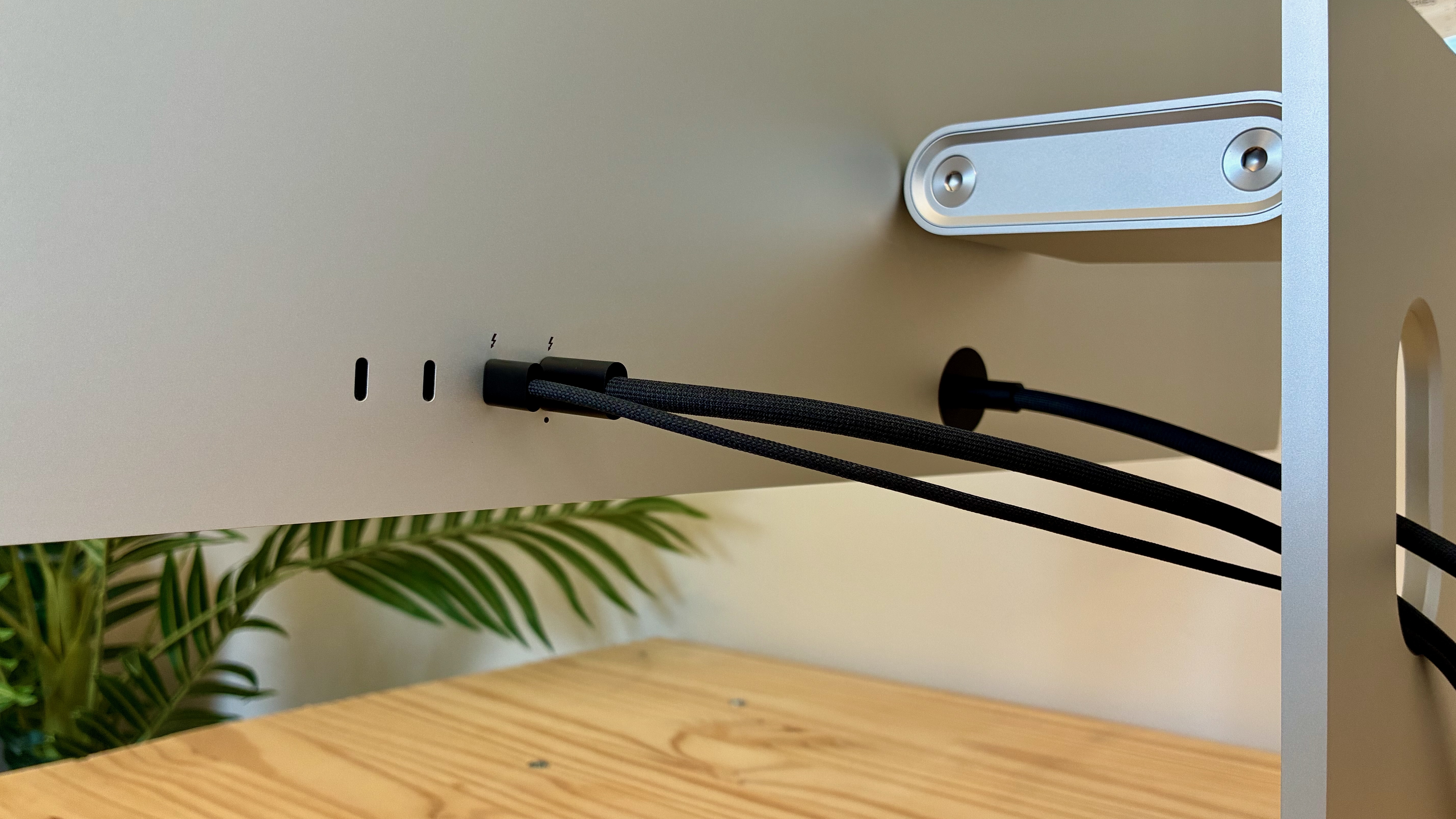
Photo: D. Griffin Jones/Cult of Mac
Apple updated both versions of the Studio Display with Thunderbolt 5, which is great if you have a high-end Mac that works with it. This enables the next generation of high-power peripherals. You can daisy-chain a second Studio Display by plugging it into the display’s other Thunderbolt port. Or any other Thunderbolt 5 device, like external storage or a dock.
The Studio Display doesn’t offer a great number of ports. The two on the right are Thunderbolt ports, indicated by the jagged icons. The one you’re supposed to plug into your Mac has a dot under it and charges up to 140W, powerful enough for the beefiest MacBook Pro. The other two USB-C ports are some variety of USB 3. (Even Apple’s white paper doesn’t specify which flavor of USB-C these ports are.)
All four ports face straight out the back of the Studio Display XDR. They’re also the only interruption on the surface. That makes it super-easy to plug in a cable, even in pitch darkness.
Offering only four ports in total, none of which are USB-A, seems somewhat skimpy. USB-A does still exist — as much as Apple likes to pretend otherwise. (The only computers Apple makes with USB-A ports are the Mac Studio and Mac Pro.)
The ports are positioned on the right side of the monitor. Annoyingly, I keep my Mac mini kind of far away to the left, on a separate table, to minimize the risk of water spills. The included Thunderbolt cable can barely reach. Unfortunately, longer Thunderbolt cables are insanely priced.
As powerful and high-bandwidth as Thunderbolt 5 is, it’s likely the reason why the Studio Display XDR is only 5K compared to the former Pro Display XDR’s 6K. Apple needed to leave some bandwidth headroom for the extra ports. It’s sad for everybody who got used to that 32-inch size — dozens of people, I’m sure — but I think it’s a reasonable sacrifice. The smaller size is probably why it costs a third less.
Apple ecosystem niceties
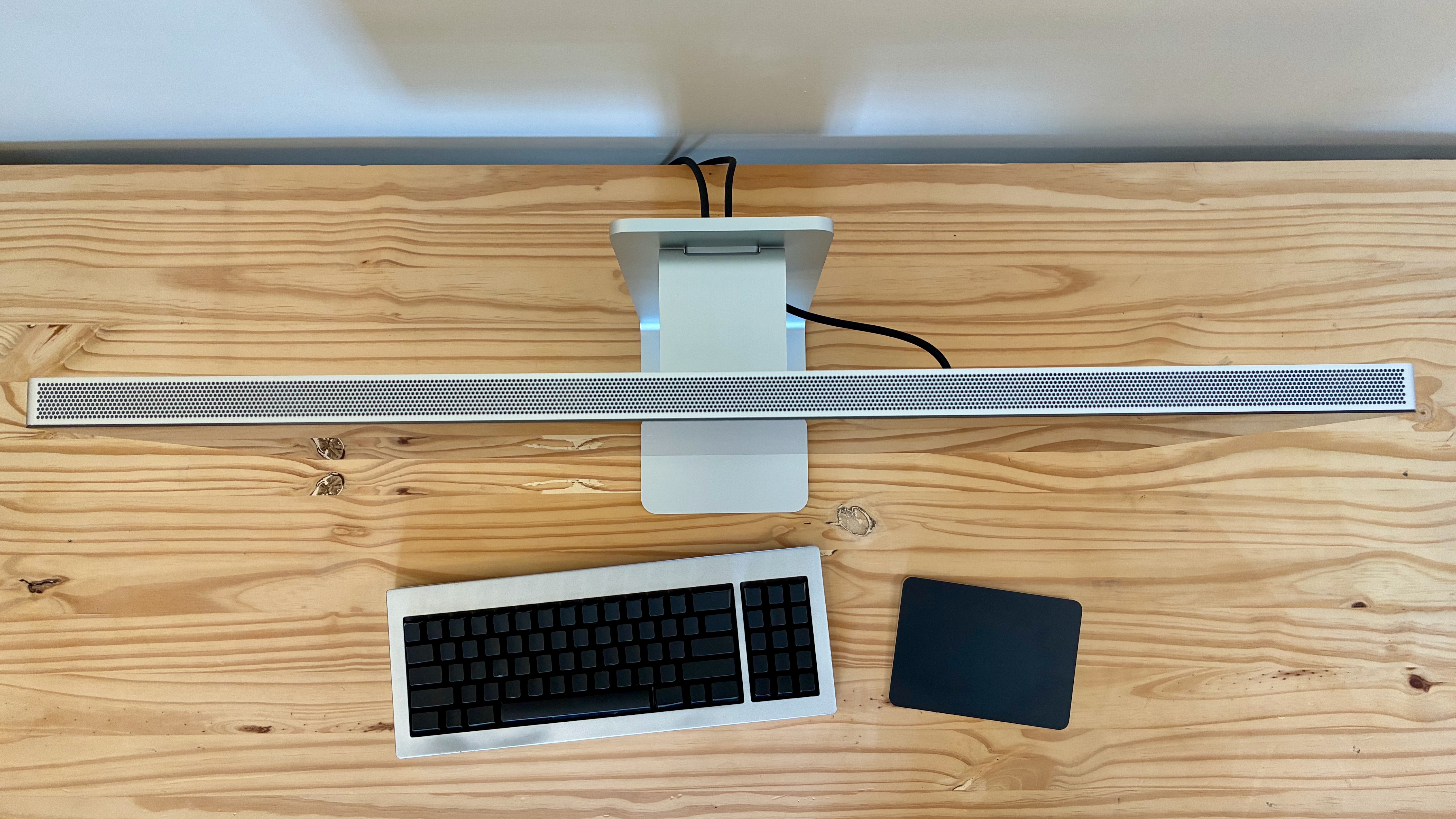
Photo: D. Griffin Jones/Cult of Mac
Why do people spend so much more on Apple monitors compared to third-party options? There’s one easy reason: all the little ecosystem integrations.
The Studio Display XDR doesn’t come with a power button. It simply turns on when your Mac does. That means you can plug a wired keyboard and mouse into the display, and hit either one to wake it up from sleep. A third-party monitor might turn off your accessories when it goes idle.
You also know that an Apple display will come perfectly and precisely calibrated to match your MacBook. No need to fiddle around with a clunky on-screen menu, trying to get the color profiles to match.
You can hit the brightness and volume keys on your keyboard, and they’ll work every time, out of the box. No fiddling with crummy software and drivers from the display manufacturer.
Plus, the Studio Display XDR supports True Tone and Night Shift. True Tone adjusts the display to the color temperature of the room; it makes the image look more natural in warmer or cooler rooms. Night Shift reduces blue light at night to make it feel easier on your eyes. (Personally, I don’t really like either one, but I know they’re popular features.)
Built-in camera and speakers
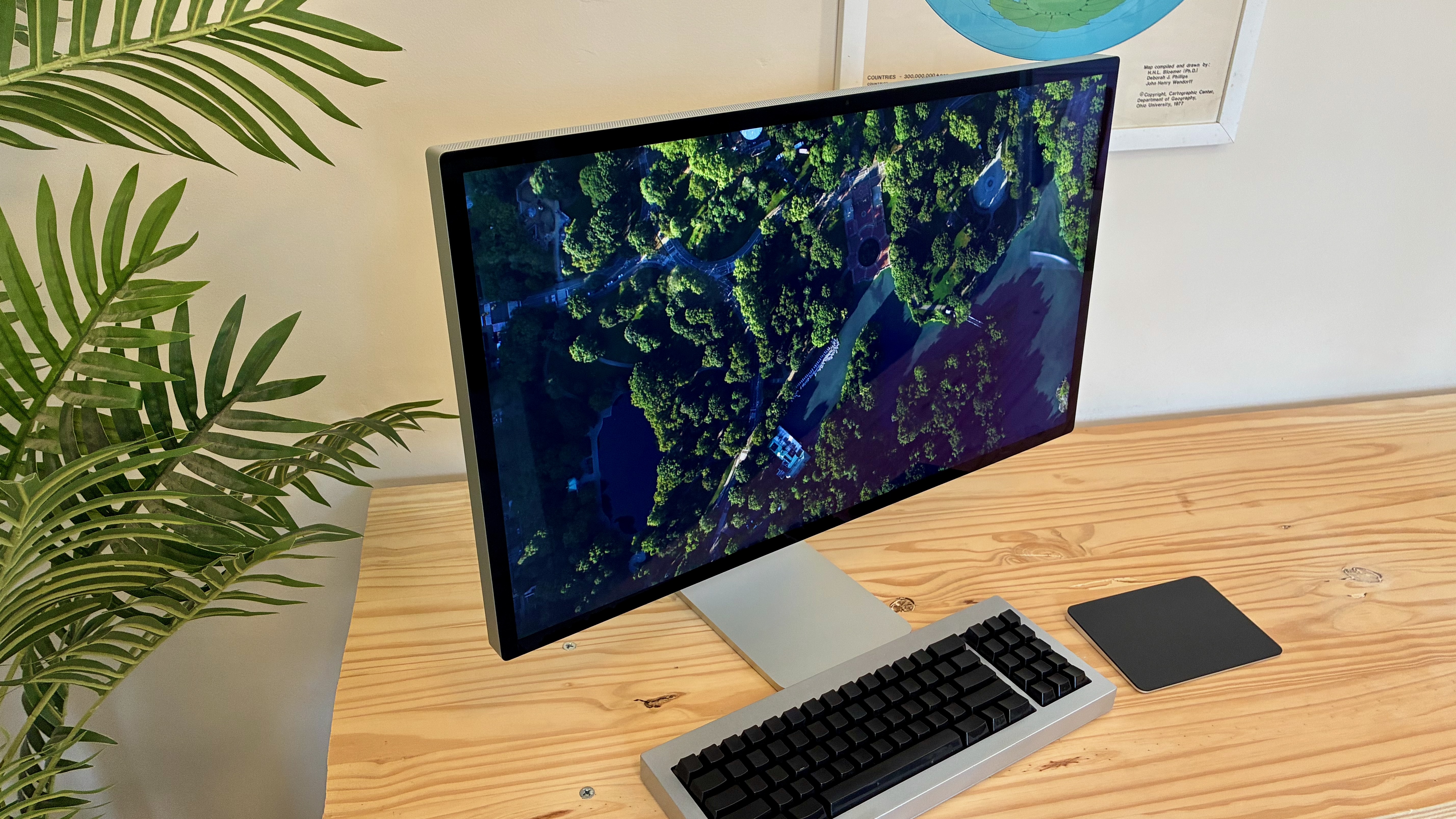
Photo: D. Griffin Jones/Cult of Mac
The 12MP camera on the Studio Display XDR also got an upgrade. It’s OK as a webcam for the occasional video call. I recorded the Cult of Mac podcast with it, and no one complained or anything. But for $3,299, I would expect a nicer one; there’s a noticeable difference between that and using an iPhone in Continuity Camera.
It now supports Desk View, which takes the bottom part of the ultrawide image and skews it to look like you have a second, top-down camera. You need a rather long desk to make it work. If I position the display in the middle of my 2-foot deep desk, it’s more like Legs View.
The Studio Display XDR features the same six-speaker system and “studio quality” microphones that debuted in the Studio Display. The speakers sound genuinely remarkable. I was absolutely stunned by the level of bass it pumps out. (The 1986 Doctor Who theme by Dominic Glynn truly shocked me.)
The microphones, on the other hand, are just all right. I wouldn’t dare record a podcast with them.
The Pro Display XDR didn’t come with a built-in camera, speakers or microphone, so I suppose the inclusion of these hardware extras is technically a big improvement.
The secret computer inside
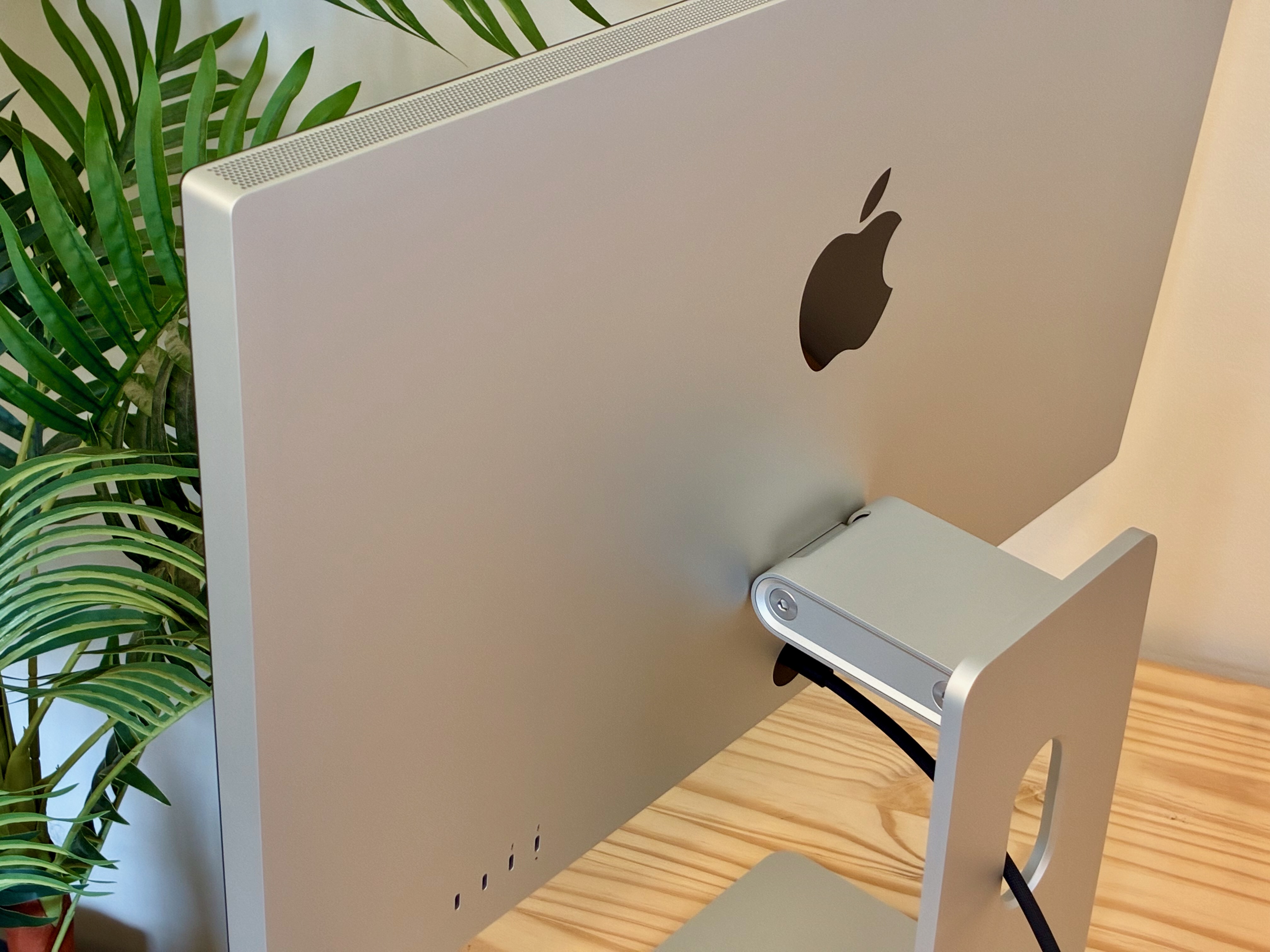
Photo: D. Griffin Jones/Cult of Mac
The Studio Display XDR comes with an Apple A19 Pro chip inside. (The regular Studio Display comes with a regular A19). It apparently comes with 128GB of storage and 12GB of unified memory. That makes this display more powerful than the MacBook Neo.
It also means that your display is running a full operating system that needs software updates and everything. It supposedly runs on a pared-down version of iOS, but it’s much more software than you’ll find in a generic Sceptre monitor.
It’s all mostly invisible, though — except for when it crashes. About half an hour after I plugged in the Studio Display XDR, as I was setting up my iPhone 17e, the display had a kernel panic or something. The left half displayed gray static, while the right half flickered bright magenta. Then, my Mac mini rebooted. The display didn’t come back on until I rebooted it again. I wish my phones weren’t in the middle of transferring data so I could have captured it.
Previously, Studio Display owners said the problems became less frequent over time. So don’t worry — it’ll all get ironed out. Probably.
Conclusion: Studio Display XDR review
★★★★★
Four years ago, everyone lauded the launch of the Studio Display and laughed at the ludicrous Pro Display XDR. Now, the tables have turned. It’s the Studio Display that’s overpriced and underfeatured in its class. You can get a 27-inch 5K 60 Hz display from Asus, BenQ or ViewSonic for much less money.
Apple reinvented its high-end display as a product that makes much smarter trade-offs. It’s still a professional-grade reference monitor for film, graphic design and even medical industries. It’s still a premium product.
But at 55% to 66% of the previous cost, it’s accessible to many more people. Or maybe it’s more accurate to say it’s now slightly less niche.
The Studio Display XDR is the best monitor you can buy for your Mac.
Price: $3,299
Buy from: Amazon or Apple
The Studio Display XDR is Apple’s high-end desktop monitor. Its big, bright mini-LED panel is color calibrated for professional use in film editing and graphic design.
Its higher refresh rate means animations from scrolling to minimizing windows are twice as smooth. It’s perfect for gaming. And you can watch movies and shows in their native frame rates, too.
You won’t find a better display for the Mac — if you can afford it.
- 27-inch 5K Retina display
- 120 Hz Adaptive Sync
- 140W Thunderbolt 5 dock
- Extra-high dynamic range (XDR)
- Pairs well with a Mac
- Requires Mac with M2 Pro chip, M4 chip or newer for full features
- More expensive than other 5K displays

D. Griffin Jones was a writer, podcaster and video producer for Cult of Mac. Griffin has been a passionate computer enthusiast since 2002, when he got his first PC — but since getting a Mac in 2008, he hasn’t turned back. His skills in graphic and web design, along with video and podcast editing, are self-taught over 20+ years. Griffin has a bachelor’s degree in computer science and has written several (unpublished) apps for Mac and iOS. His collection of old computers is made up of 40+ desktops, laptops, PDAs and devices, dating back to the early ’80s.
Griffin writes for his personal blog, Extra Ordinary, and is currently looking for work.


4 responses to “Studio Display XDR is the final boss of all Mac displays [Review]”
It’s too small for me. I don’t care about 120Hz. Thunderbolt 5 is great, but the only thing wrong with the Pro Display XDR was t ur price. Apple needs a 30+ inch display.
If Apple had needed it, they would have built it. They didn’t need it, so they didn’t build it. End of story.
The pro display XDR wasn’t MiniLED.
Thank you. We updated the post.