Mobile menu toggle

Best Mac setups for streamers and content creators
By

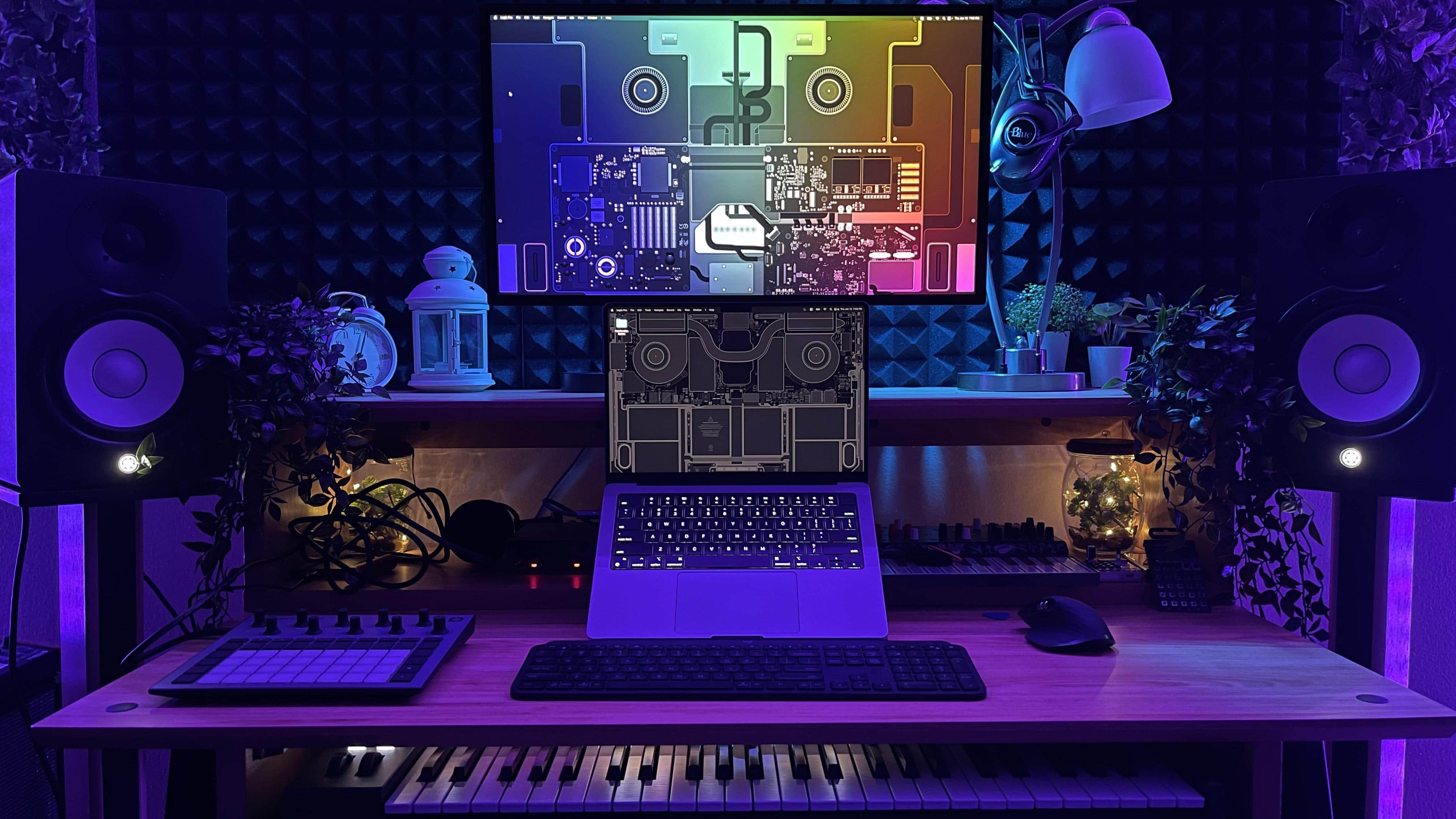
The desktop wallpaper by Basic Apple Guy really does a lot for this setup's visual effect.
Photo: [email protected]

Somewhere along the line, Cult of Mac‘s Setups archive became a catalog of the content-creator condition. The gear tells the story: microphones on boom arms, audio interfaces bridging analog warmth and digital precision, Elgato Stream Decks converting complex workflows to a single keypress, key lights washing faces in flattering warmth for video calls and YouTube recordings, and AI-powered webcams that track subjects and adjust framing automatically. Here are the best Mac setups for streamers and content creators from the past few years.

Today in Apple history: Power Mac 9500 is faster and more expandable

By

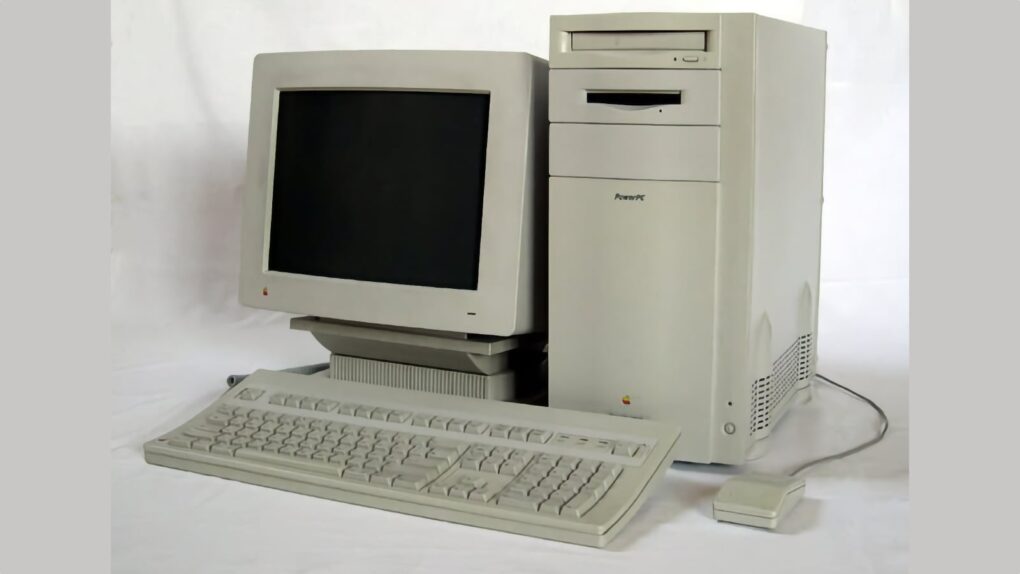
Photo of the Power Macintosh 9500
Back in 1995, the Power Macintosh 9500 was the Mac Studio of its day.
Photo: Übernommen/Wikipedia CC

June 19: Today in Apple history: Apple launches Power Macintosh 9500, which is faster and more expandable than previous models June 19, 1995: Apple releases the Power Macintosh 9500, a high-end Mac that boasts a second-generation PowerPC chip that’s much faster than its predecessor.
The Power Mac 9500 also packs six Peripheral Component Interconnect, or PCI, slots. They allow owners to attach hardware using Intel’s industry-standard connection. Along with seven bays for internal drives and a swappable daughterboard, this makes the 9500 the most expandable Power Mac ever produced.

New Logitech travel mouse folds to be oh so portable [Review] ★★★★☆

By

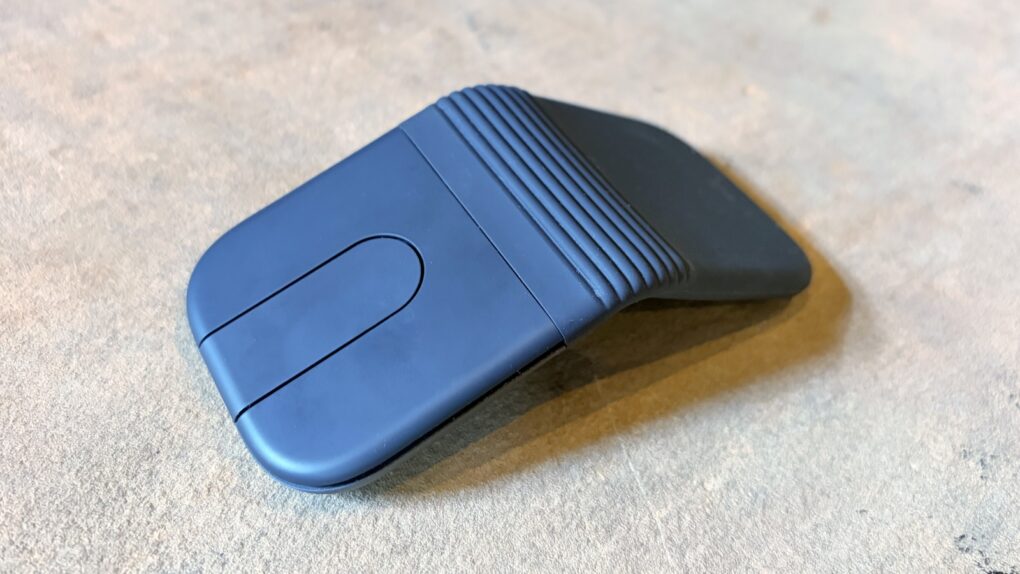
Logitech Mobi Fold review★★★★☆
The Logitech Mobi Fold folding travel mouse can make you productive wherever you go.
Photo: Ed Hardy/Cult of Mac

The Logitech Mobi Fold is an ultra-portable wireless mouse designed for people who work on the go. It folds to fit easily in a pocket or bag, then unfolds into a full-size mouse when it’s time to work.

I just returned from a beach vacation where I put the Mobi Fold through hours of real-world testing. Here’s what it’s like to use.

Trump says Apple and Intel will build chips together in US

By

Trump says Apple and Intel will build chips in US
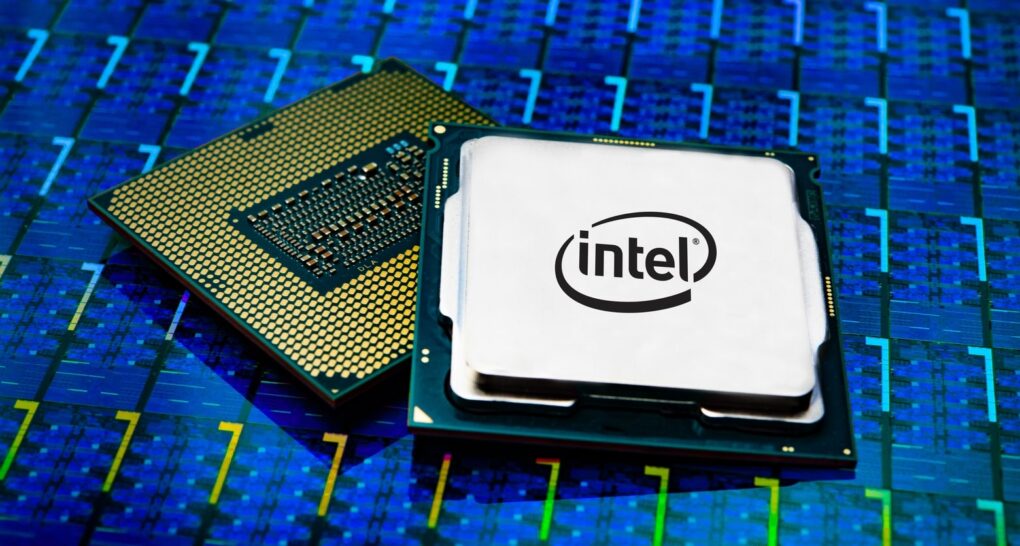
A return to a new form of "Intel Inside" looks likely.
Photo: Intel

President Donald J. Trump took to his Truth Social media site after midnight Wednesday to say Apple and Intel will build chips in the United States together, having struck a design and manufacturing deal. The move sent Intel’s stock soaring and added new urgency to the American semiconductor push.

Smart business owners can now get QuickBooks Premier 2024 for just $399.99 (regularly $625)

By

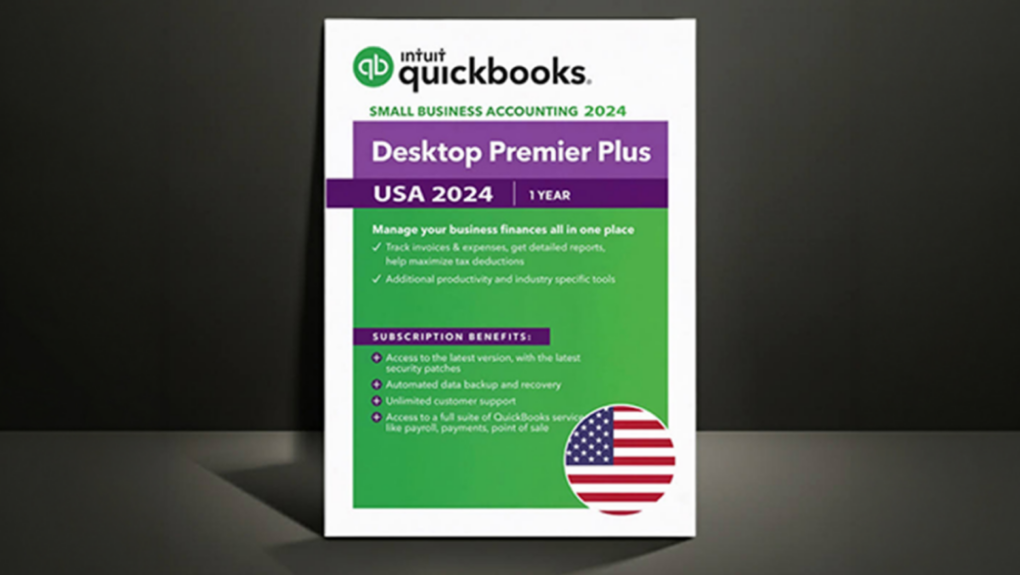
Intuit QuickBooks Premier 2024 deal image with shadow and black background
Why pay more to get your business in order from top to bottom?
Photo: Cult of Mac Deals

Intuit QuickBooks Premier 2024 helps businesses track inventory, manage cash flow, create custom reports and monitor profitability from one place. And right now, you can save big-time on this essential business software.

You can get a one-user, one-year subscription to QuickBooks Premier 2024 for just $399.99 (MSRP $625).

10 features in macOS Golden Gate that Apple barely mentioned

By

macOS Golden Gate
The upcoming version of macOS.
Image: Apple/D. Griffin Jones/Cult of Mac

macOS 27 comes packed with features that will make your daily life on the Mac all the better. From an enhanced user interface to super-charged search, the new operating system delivers upgrades that should please every Mac user.

While Apple Intelligence and Siri AI dominated Apple’s WWDC26 keynote last week, and much of the fervor focused on improvements coming to iOS 27, the Mac is getting some great new features as well.

Here are the 10 best “hidden” features coming to macOS Golden Gate 27.

Today in Apple history: John Sculley steps down as Apple CEO

By

Photo of former Apple CEO John Sculley talking at Web Summit 2015 in Dublin, Ireland.
John Sculley ran Apple for a decade.
Photo: Web Summit/Flickr CC

June 18 Today in Apple history June 18, 1993: John Sculley, the ex-Pepsi exec recruited by Steve Jobs to “change the world,” steps down as Apple CEO after a 10-year run.

The Apple board asks Sculley to leave after AAPL shares collapse from a high of $4.33 in 1992 to a measly 73 cents. Sculley hands over the CEO reins to Michael Spindler before briefly taking the role of Apple chairman, prior to departing altogether.

$1,299 iPhones?!? Why Apple products are about to get more expensive.

By

Mac shipments keep climbing as Apple’s momentum continues
Apple can no longer absorb soaring memory and storage costs.
AI image: Apple/ChatGPT/Cult of Mac

Apple CEO Tim Cook says the iPhone maker must raise its prices to offset the impact of the rising memory and storage chip prices. According to one estimate, this year’s iPhone 18 Pro could cost as much as $1,299!

“Unfortunately, price increases are unavoidable,” Cook said Wednesday in an interview with The Wall Street Journal. “We’re doing our best to mitigate the huge increases that are being passed to us, and we’ve been trying to shield our customers from the increases, but the situation has become unsustainable.”

iPhone 18 Pro’s smaller Dynamic Island might let Siri AI assume its true shape

By

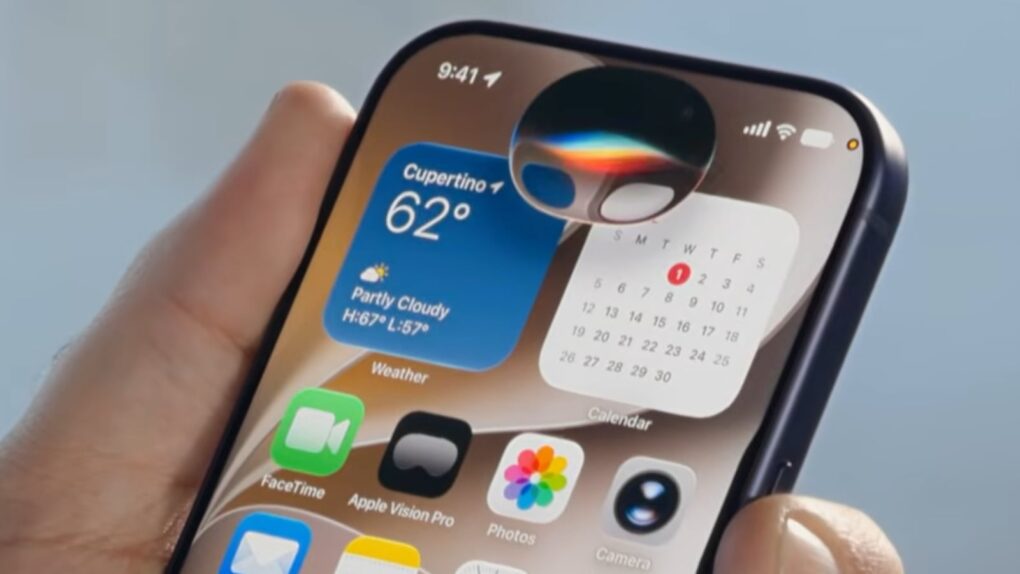
A photo of Siri AI on the iPhone iOS 27 developer beta, taken from the WWDC26 keynote, used in a story about redesigned Dynamic Island on the iPhone 18 Pro.
Siri AI looks like a pill-shaped blob on current iPhones, but the iPhone 18 Pro might make it an orb.
Photo: Apple

The new Siri AI in iOS 27 shows up as a glowing pill on the iPhone — and it might just be teasing the iPhone 18 Pro’s biggest design change. On the iPhone 17, the Dynamic Island forces Siri AI to stretch wide and flat to mask the cutout, sacrificing its intended shape.

It looks out of place. But if you pick up an iPhone 18 Pro this fall, that might change. Siri’s pill shape on the current iPhone results from a hardware constraint, and rumors indicate Apple already engineered a fix into its upcoming flagship phone.

This $40 AI app can turn your idea into a complete e-book in mere minutes

By

Photo of EbookMagic AI book generator running on a laptop
Create e-books and audiobooks almost instantly with the help of AI.
Photo: Cult of Mac Deals

AI book generator EbookMagic can create publication-ready e-books, custom covers and even audiobooks in minutes. If you’ve got an idea you’d like to see in print, this is one of the fastest, easiest ways to make it happen.

And it won’t cost you a fortune. You can secure lifetime access to EbookMagic for just $39.99 (MSRP $149).

How I tweaked my fitness app Reps & Sets using Apple’s latest tools

By

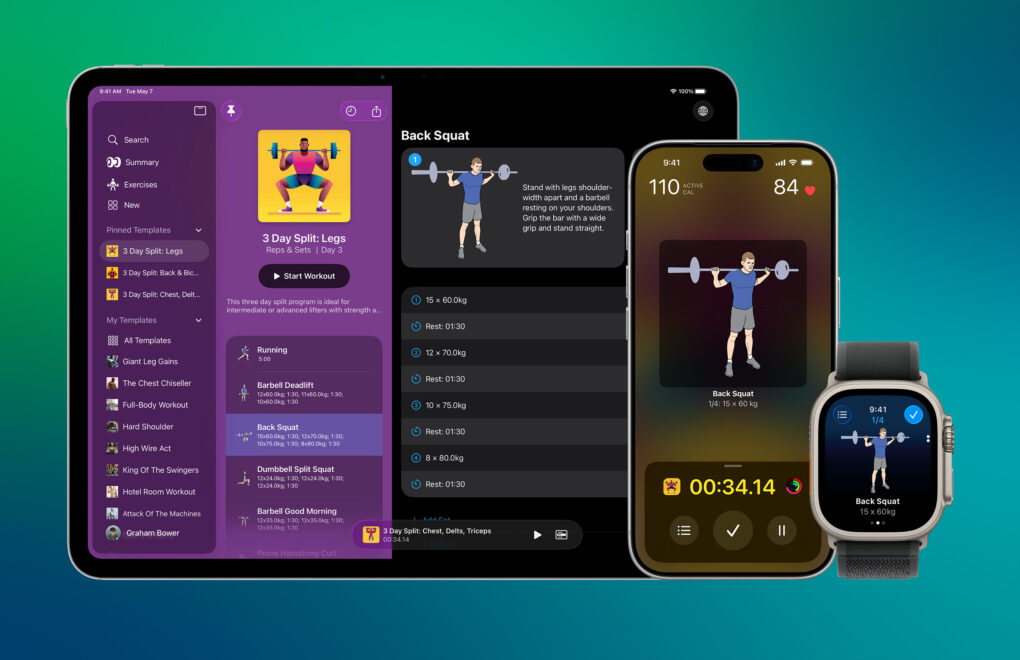
Image showing an iPad, an iPhone and an Apple Watch, all running strength-training app Reps & Sets, displaying the same exercise.
Reps & Sets is a strength-training app for iPad, iPhone and Apple Watch.
Photo: Graham Bower

Last year, WWDC25 inspired me to rewrite my strength-training app Reps & Sets in Swift so it could take advantage of Apple’s latest frameworks, like Foundation Models and Image Playground. It was a massive undertaking, even with the help of today’s AI-powered coding tools.

When I introduced the new version of Reps & Sets on Cult of Mac in January, it was fairly basic. The polite term is “minimum viable product.” All the core features were there, along with a slick Liquid Glass interface and iPad support. But there wasn’t much beyond that.

Many of my users are Cult of Mac readers, and you’ve had no shortage of ideas for improving the app. I’m a solo indie developer. So, over the last five months, in my spare time, I’ve been steadily implementing your ideas. Reps & Sets now includes Apple Intelligence workout summaries, Live Activities, custom exercise photography, a fully standalone Apple Watch app and much more. And it’s still completely free.

Matter updates improve smart-home setup, sharing and security

By

Matter 1.6 and security updates
Matter 1.6 and Product Security 1.1 updates make it easier for you to set up your smart home.
Photo: CSA

The Connectivity Standards Alliance (CSA) dropped two notable updates that work in concert at its annual Unify event this week: Matter 1.6 and Product Security 1.1. Together, the releases push smart-home setup toward being easier and more intuitive for everyday users — including the tens of millions who rely on Apple Home — while raising the security bar for connected devices worldwide.

Today in Apple history: iPhone OS 3 brings copy/paste to iPhone

By

Photo of an iPhone running iPhone OS 3
iPhone OS 3 turned Apple's smartphone into a much more capable device.
Photo: Ste Smith/Cult of Mac

friday_17 June 17, 2009: Apple releases iPhone OS 3, the third iteration of its mobile operating system (and the last before a name change to “iOS”). It adds Cut, Copy and Paste functionality, among the most requested features since the original iPhone shipped in 2007.

“iPhone 3.0 has more than 100 new features for our customers,” says Scott Forstall, Apple’s senior vice president of iPhone software, as he demos the new operating system in front of developers. “Let me walk you through just a few, starting with Cut, Copy and Paste. So, we’ve been working really hard to design an easy-to-use, straightforward user interface for Cut, Copy and Paste on our large touchscreen display, and we think we’ve nailed it.”

iPhone OS 3 also brings a host of other new features, including MMS, a landscape keyboard, support for audiobooks and iTunes video, and Spotlight search, which users can access by swiping left on the iPhone’s Home Screen. And the Find My iPhone app comes along for the ride.

I tested the new Siri AI against Apple’s claims. Here’s how it went.

By

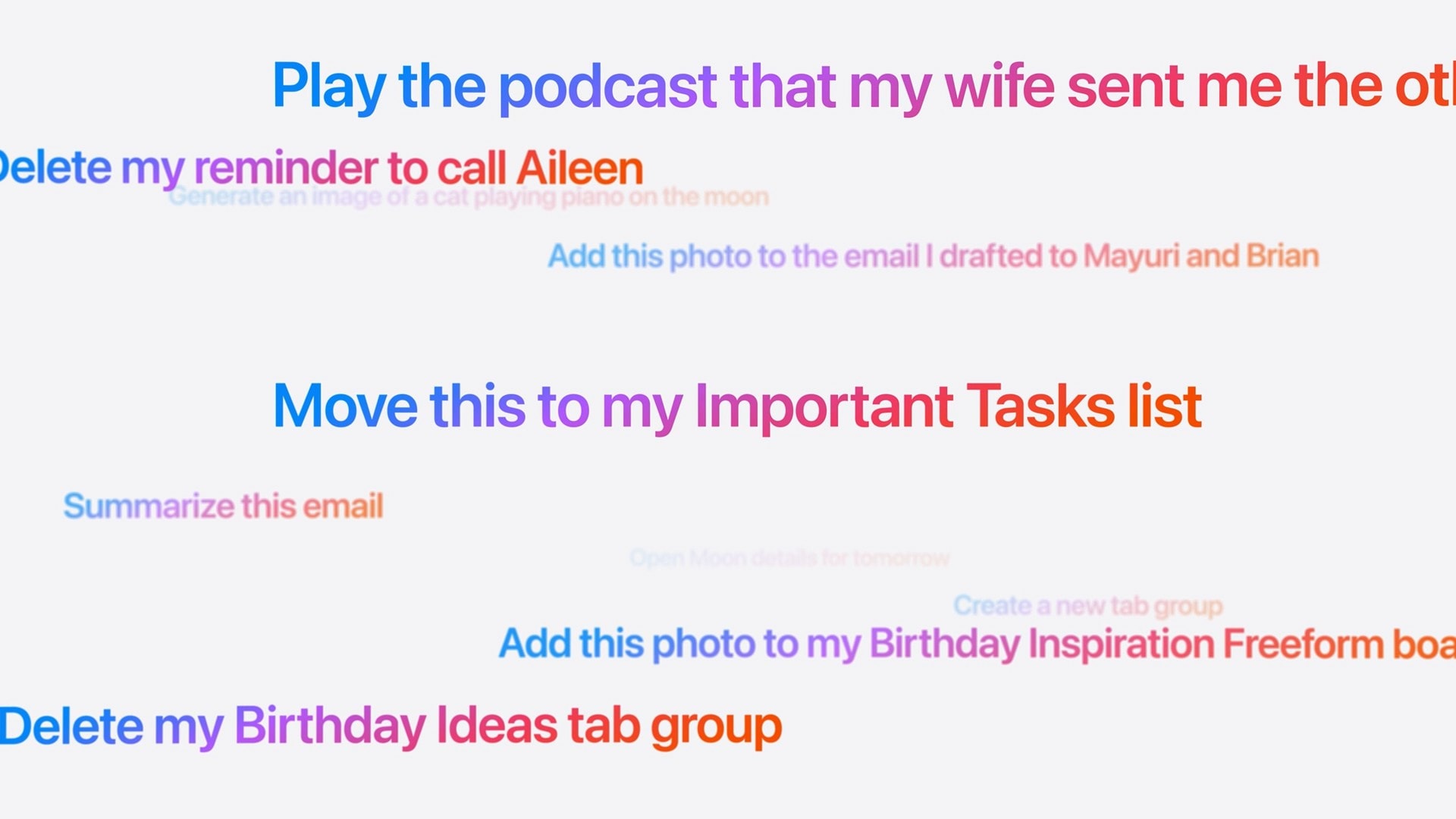
Screenshot of prompts to Siri: Play the podcast that my wife sent me the other day Delete my reminder to call Aileen Generate an image of a cat playing piano on the moon Add this photo to the email I drafted to Mayuri and Brian Move this to my Important Tasks list Summarize this email Create a new tab group Add this photo to my Birthday Inspiration Freeform boa Delete my Birthday Ideas tab group
These are the kinds of things you’ll be able to ask the new, smarter Siri.
Image: Apple

Did Apple finally get it right — is the new Siri AI useful? In my early Siri AI testing, I think the answer to that question is a resounding “yes.” I took the three biggest demos from Apple’s keynote and replicated them with my own questions based on my own personal context. In nearly all the tests, it performed just as well as Apple’s examples.

I’ve been throwing Siri AI, now available in the first developer beta of iOS 27, all kinds of other questions, too. Foolishly, I put the beta on my main iPhone, so I’ve been using it as my one and only voice assistant for a week now.

While its smarts aren’t going to shock you if you’ve used a chatbot before, its private, secure access to your entire digital life is something nothing else can offer. (And, some would say, an anticompetitive advantage.)

Siri AI is the real deal.

Apple finally explains why your Mac has been blocking Terminal commands

By

A photo of the Terminal app on macOS used in a story about macOS Tahoe block commands warning explanation.
Apple's new Terminal alerts intercept pasted malicious commands before they can do damage.
Image: Cult of Mac

If your Mac showed a warning the last time you tried to paste something into Terminal, Apple just explained what’s going on. Turns out, your Mac has been quietly blocking and protecting you from an increasingly common scam.

The feature, which shipped back in March with the macOS Tahoe 26.4 update, blocked pasted Terminal commands without explanation. Apple published an official support document on Monday explaining what those alerts mean — and what to do when one appears.

You’ll never misplace this slim Moft iPhone wallet stand [Review] ★★★★

By

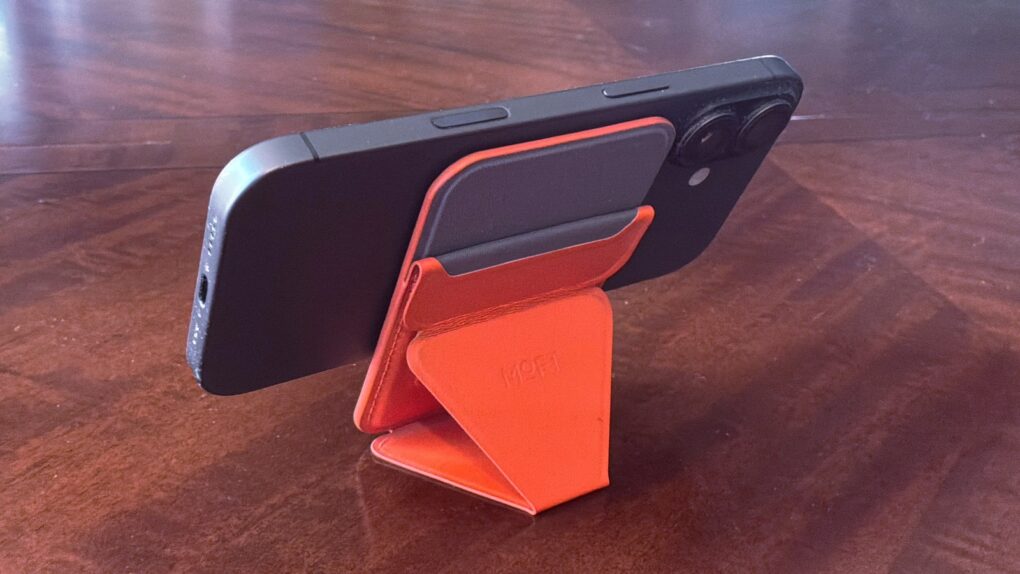
Moft Trackable Snap-on Phone Stand & Wallet review★★★★
The Moft Trackable Snap-on Phone Stand & Wallet beats most rivals thanks to Apple's Find My support.
Photo: Ed Hardy/Cult of Mac

Moft managed to pack an amazing number of features into the Trackable Snap-on Phone Stand & Wallet, an iPhone accessory that’s a mere quarter of an inch thick. It’s a wallet that clings magnetically to your handset that also acts as a convenient travel stand. Even better, you can track its location from your phone with Apple’s Find My app.

Want more? Moft also offers the Trackable Tripod Wallet, a premium version that’s a bit thicker but acts as an elevated stand and selfie stick with a Camera shutter button.

I put both accessories through real-world testing, and one of them found a permanent place in my pocket.

Today in Apple history: iPhone 4 preorders set an impressive record

By

Photo of Steve Jobs holding an iPhone 4
The iPhone 4 became a hit right out of the gate.
Photo: Matthew Yohe/Wikipedia CC

June 16: Today in Apple history: Apple receives record preorders for iPhone 4 June 16, 2010: Apple reports a massive surge of interest in its latest smartphone, with iPhone 4 preorders racking up 600,000 sales on their first day.

The company calls the number “far higher” than expected. At the time, it’s the most iPhone preorders Apple has ever taken in a single day. AT&T suffers server problems thanks to the demand — with 10 times the usual traffic on its website. It’s proof positive that Apple is onto a winner!

iPhone 18 could get 50% more RAM without a price hike

By

iPhone 17
iPhone 18 may buck the RAM-ageddon trend.
Photo: Ed Hardy/Cult of Mac

Apple will supposedly bump the base model iPhone 18’s RAM by 4GB for a total of 12GB. The additional memory will ensure the new iPhone supports all Apple Intelligence features in iOS 27.

A DigiTimes report says that despite memory becoming substantially more expensive, the company does not plan to bump the iPhone 18’s price.

Mophie fixes flaws in wireless charging with new StealthCharge system

By

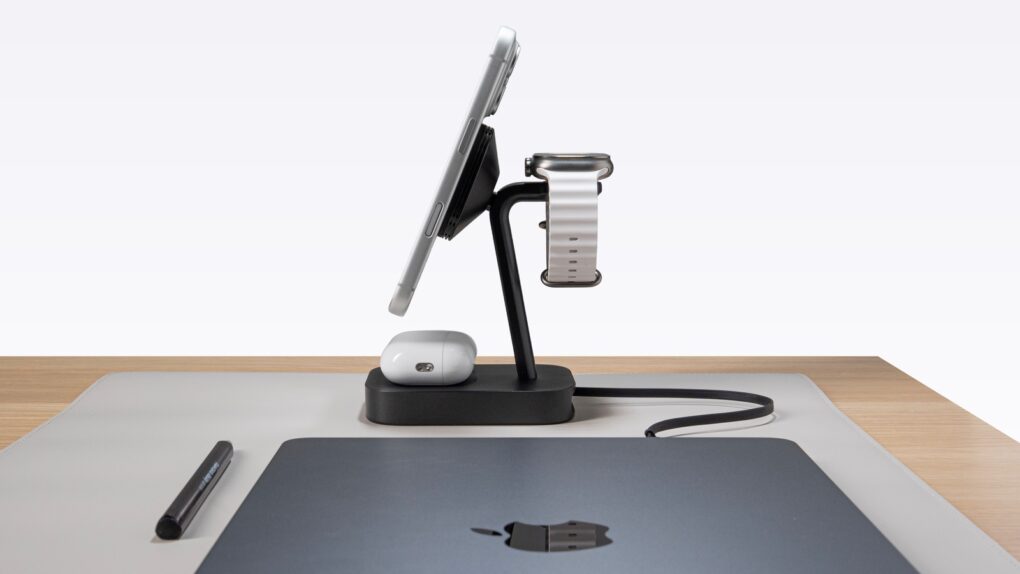
Mophie StealthCharge wireless chargers run cooler and faster
The Mophie 4-in-1 Wireless Charge Stand works faster because of StealthCharge tech.
Photo: Mophie

Mophie makes loads of wireless chargers, so it’s as aware as anyone of the flaws in the technology. That’s why it developed StealthCharge, its improvement to Qi2.2 that lets wireless chargers run more quickly because they stay cooler.

The tech is built into two new desktop chargers plus a travel one. Apple likes these enough that all three are available from the Apple Store, as well as directly from Mophie.

Apple’s next privacy change is happening behind the scenes

By

Hide my email and Sign in with Apple will use a unified domain.
Apple’s privacy-focused email services are getting a unified domain.
AI image: ChatGPT

Starting “later this summer,” Apple will use a unified domain for Sign in with Apple and Hide My Email. The two services will use the private.icloud.com domain.

The change will only apply to email IDs generated in the future. Existing accounts will continue to work with the old domain.