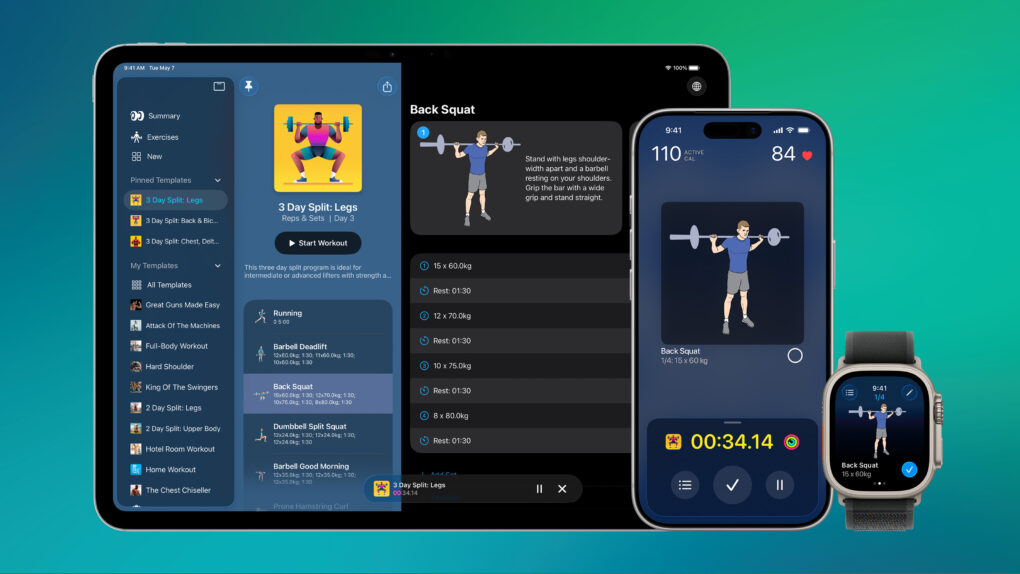
Reps & Sets 26 is a brand-new strength training app designed exclusively for iPhone, iPad and Apple Watch. It was developed by a long-time Cult of Mac contributor: me, Graham Bower.
Reps & Sets 26 isn’t just another generic cross-platform fitness app. I made it Apple-exclusive, to take full advantage of the latest OS 26 technologies like CloudKit, SwiftUI and HealthKit, to deliver a truly native experience. And right now, it’s a free download. Perfect timing for your New Year’s resolutions. Get Reps & Sets 26 now, and get ripped in 2026.
Why build a strength app when Apple Watch already supports strength training?
Apple Watch already offers a strength training option in the Workout app. That covers the fitness basics: active calories, heart rate, workout duration.
But if you’re serious about strength training, you’ll want to go beyond the basics, logging details like exercises, weights, reps, equipment settings, supersets, drop sets and more.
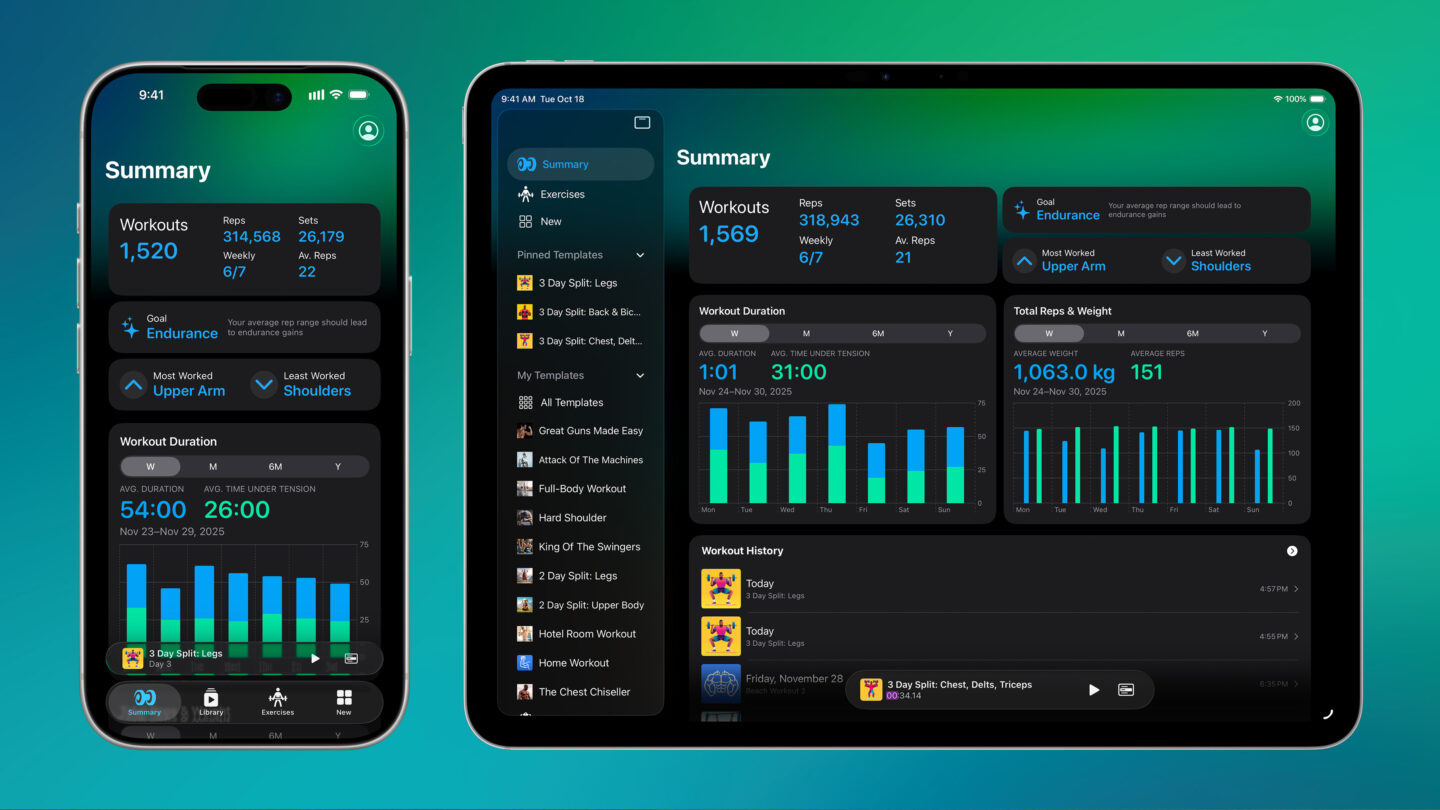
That’s the gap I designed Reps & Sets 26 to fill. You can plan detailed workout templates on iPhone or iPad, then log your session seamlessly on Apple Watch, iPhone or iPad during your workout. Check off sets as you complete them. And when you’re finished, you can track your gains with beautiful, detailed charts.
Stand-alone Apple Watch support
Reps & Sets 26 includes a fully stand-alone watchOS app, so you can leave your iPhone in your locker and log your entire workout from your wrist. This is ideal if, like me, you like to jog to your local outdoor gym for a workout.
Built with Apple’s latest frameworks — not cross-platform tech
This is all made possible by Apple’s CloudKit framework, which I use to keep your workouts, templates and exercises in sync across your devices. It’s the same technology Apple uses for Notes and Reminders. And because everything is stored privately in iCloud, not on third-party servers, there’s no extra account to create. So, it’s great for privacy, too.
CloudKit is just one of the benefits of making Reps & Sets Apple-exclusive. I used other Apple frameworks, too, like SwiftUI, SwiftData, Swift Charts, Liquid Glass and, of course, HealthKit, to give the app a truly native feel.
As a diehard Apple fan, I took a lot of care to follow the new Liquid Glass design. I sweated all the details, making sure each and every button looks just right. Tab bars switch to sidebars on iPad. And buttons morph into menus with slick, liquid transitions.
Reps & Sets 26: A brand-new strength training app with a long history
While Reps & Sets 26 is a brand-new app, built from the ground up, it’s not the first version of the app. The story of how it came to be goes back more than 15 years, to when I first started writing about fitness for Cult of Mac.
Back then, Apple’s fitness offering wasn’t the behemoth we know today. There was no Apple Watch. There wasn’t even a Health app for iPhone. All we had was the Nike+iPod Sport Kit: A plastic widget you plugged into the bottom of your iPod, that communicated wirelessly with Nike running shoes. It logged my runs perfectly, and I loved it. But it couldn’t log my strength training sessions with the same detail and polish.
Around the same time, Apple launched the App Store. As a designer, I was fascinated by the tools Apple was offering developers. I wanted to build an app of my own, and the idea was obvious: an app that logged strength training in the same slick way Nike+iPod logged my runs.
At that point, my “programming background” was … modest. I knew HTML and CSS. The only imperative programming I’d ever done was as a kid, writing games in BASIC on my ZX Spectrum. So I convinced my software-engineer husband to collaborate on the project.
When Reps & Sets launched in 2012, it became one of the first strength-training apps on the iPhone. People used it. A lot. That part still surprises me. For the next 14 years, we kept it alive with updates. But eventually, the code started creaking. There was only one real option: rebuild the whole thing from scratch using modern Apple technologies.
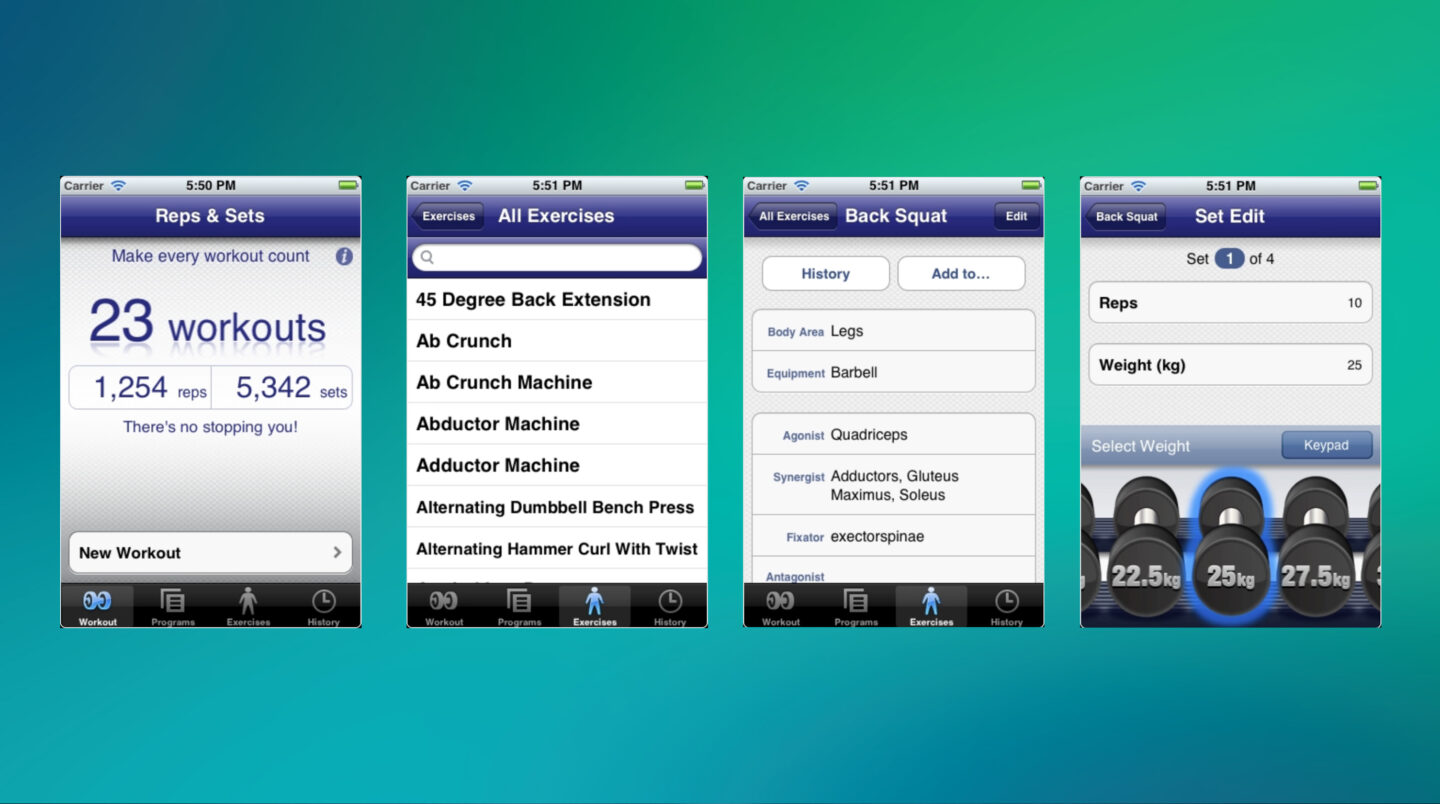
Image: Graham Bower
Learning through doing: How vibe-coding made this project possible
My husband was busy with other projects, and I thought there was no way I could do it all by myself. But then I did Apple’s Swift Playgrounds tutorials, watched a lot of WWDC videos, and started experimenting with GPT and Claude in Cursor. To my astonishment, I was soon making progress. I discovered large language models could plug the gaps in my knowledge and help me get started and learn as I went.
It was equal parts terrifying and addictive, and somehow, it worked. You can hear more about how I used vibe-coding on this project from my guest appearance on the Cult of Mac podcast last summer.
For the last six months, building this app has occupied every second of my spare time. And now, it’s finally ready to ship.
Reps & Sets 26 is available now: Free download
I’m making Reps & Sets 26 free at launch, because I want it to reach as wide an audience as possible. This is my hobby project. I’m doing it for fun — and because this is an app I want to use myself. There are no ads, and no data harvesting. In the future, I might add premium features, but these will always be optional.
So, if you have a device running iOS 26, iPadOS 26 or watchOS 26, download it now.
Download from: App Store

Graham Bower is a designer, writer, fitness geek, and long-time Apple user. He is the co-host of Apple Core, a podcast about the history of Apple, and the developer of Reps & Sets, a fitness app for iPhone, iPad, and Apple Watch. Connect with Graham on Bluesky or at www.grahambower.com.

