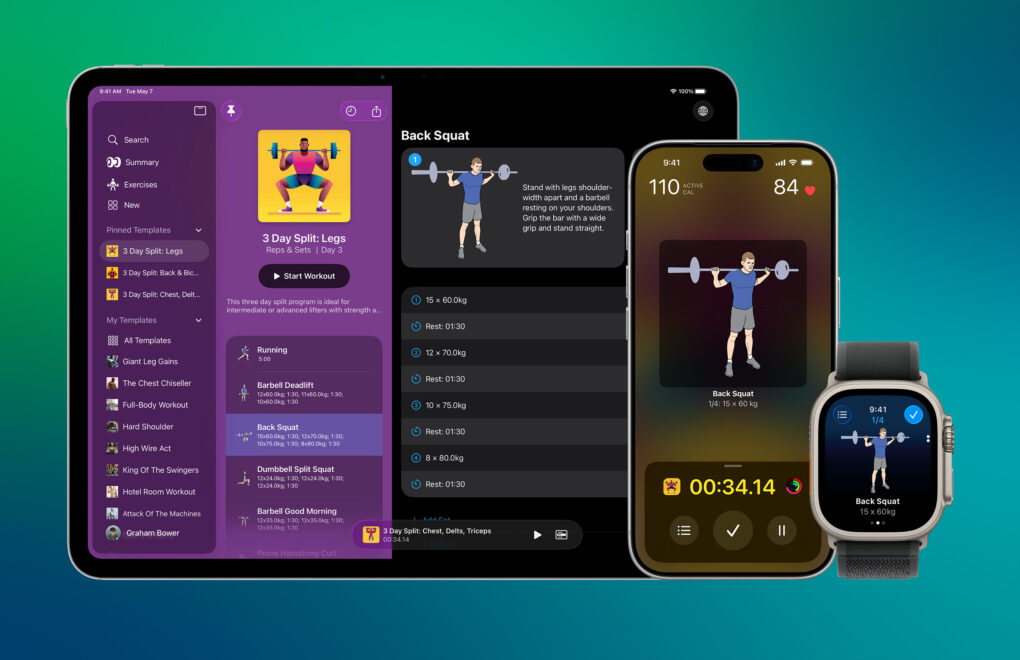
Last year, WWDC25 inspired me to rewrite my strength-training app Reps & Sets in Swift so it could take advantage of Apple’s latest frameworks, like Foundation Models and Image Playground. It was a massive undertaking, even with the help of today’s AI-powered coding tools.
When I introduced the new version of Reps & Sets on Cult of Mac in January, it was fairly basic. The polite term is “minimum viable product.” All the core features were there, along with a slick Liquid Glass interface and iPad support. But there wasn’t much beyond that.
Many of my users are Cult of Mac readers, and you’ve had no shortage of ideas for improving the app. I’m a solo indie developer. So, over the last five months, in my spare time, I’ve been steadily implementing your ideas. Reps & Sets now includes Apple Intelligence workout summaries, Live Activities, custom exercise photography, a fully standalone Apple Watch app and much more. And it’s still completely free.
What’s new in Reps & Sets strength-training app?
Strength training used to be the exclusive domain of bodybuilders and gym obsessives. Now, as more people discover the benefits of building muscle, protecting joints, and staying strong as they age, lifting weights is going mainstream.
Using proper form and tracking workout data plays a crucial role in maximizing gains. But the tools people use to train often lag behind the technology in their pockets or on their wrists. I designed Reps & Sets to give everyone a straightforward way to plan, track and improve their workouts.
It’s a modern workout companion that utilizes Apple’s latest frameworks, on-device intelligence and Apple Watch integration to make strength training easier than ever. And it’s also a work in progress. Here are the latest additions.
Apple Intelligence workout summaries
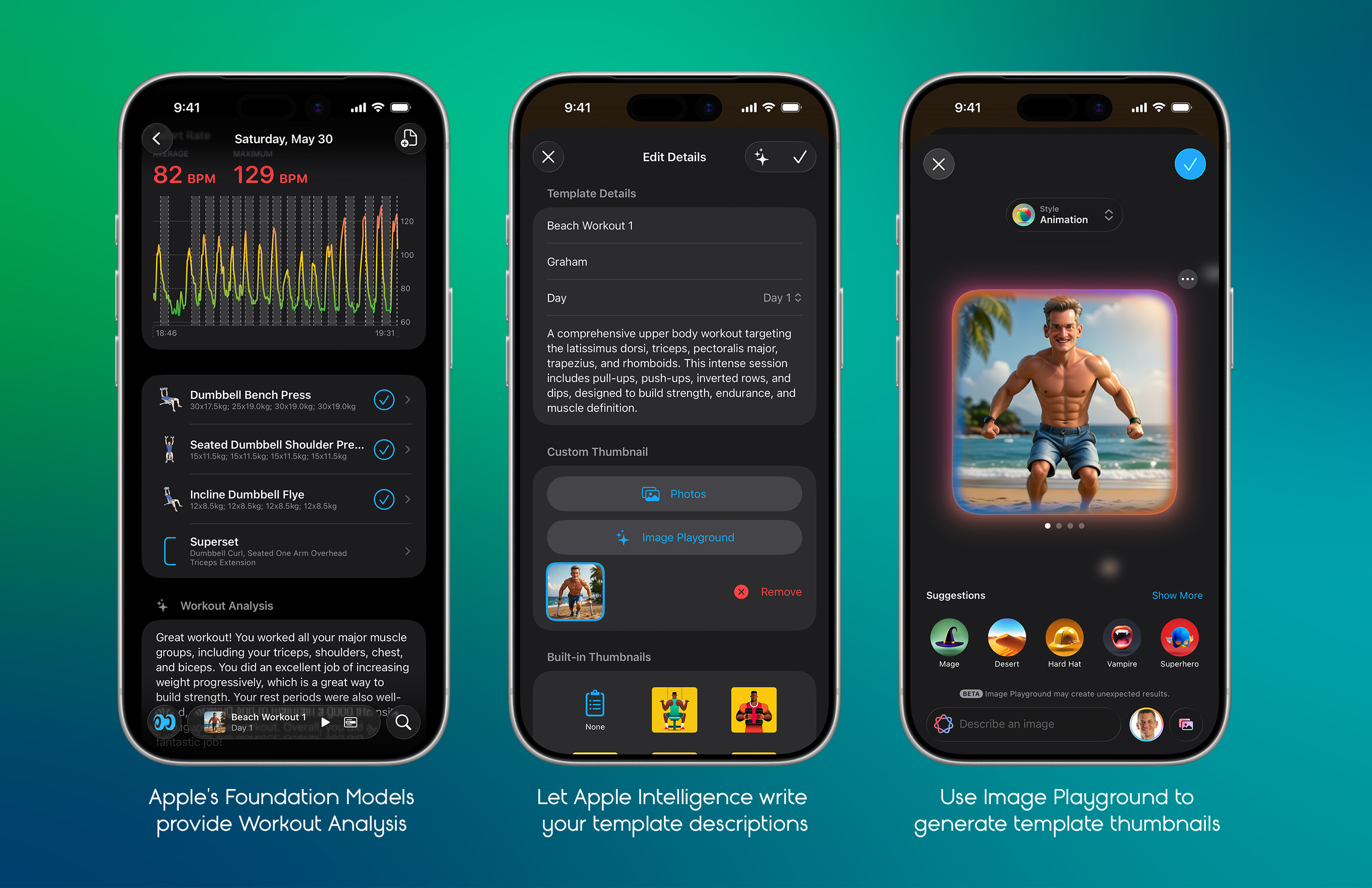
Image: Graham Bower/Cult of Mac
I use Apple’s Foundation Models framework to generate personalized workout summaries. These highlight trends, celebrate progress and provide motivation. The same technology also generates titles, descriptions and thumbnail artwork for workout templates, helping you organize your training more efficiently. And it all happens on-device, so your workout data stays private.
A fully stand-alone Apple Watch app with Action Button support
Reps & Sets is now a fully stand-alone Apple Watch app. You can create, edit and follow workout plans directly on the watch, with no iPhone required. You can even use the Apple Watch Ultra’s Action Button to mark sets as complete.
Visual Barbell Plate Selector
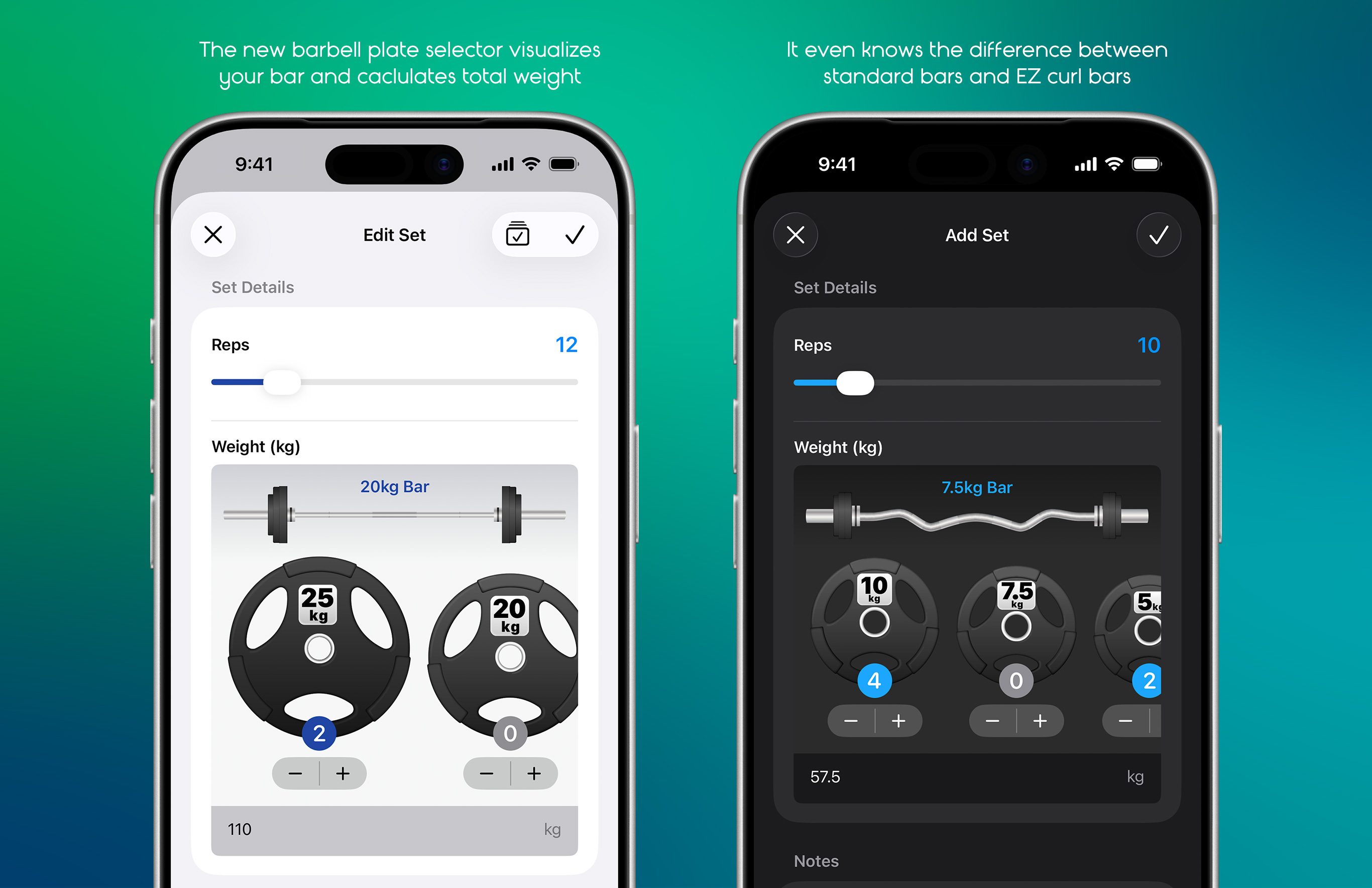
Image: Graham Bower/Cult of Mac
Calculating the correct combination of weight plates is one of the most annoying parts of strength training. So, I designed a special control that visualizes your bar as you add weights and calculates totals automatically. It even distinguishes between standard and EZ curl bars.
Live Activity with Dynamic Island support
The Reps & Sets workout timer, current exercise and illustration remain visible in the iPhone’s Dynamic Island while you use other apps — even for custom exercises with your own photos. A long press expands the Dynamic Island to reveal more workout details like rest timers. You get all the same info in a Lock Screen widget, too.
Improved user interface
I reworked the layout of Reps & Sets’ workout screens based on user feedback. There’s a new iOS 26-style Search tab, a grid view for exercises with long-press animations, and support for workout sections such as Warm-up, Main Workout and Cool-down.
Photos for exercises and workouts
The built-in exercises in Reps & Sets always came with illustrations to show how to do them. Now I’ve added the option to include a photo with custom exercises. I use Apple’s Vision framework, so you can cut out the background to make your photos look more like the app’s built-in illustrations. Plus, if you take gym selfies during your workout, these now appear automatically in your Workout Summary if you give the app access to your Photo Library.
The all-new Reps & Sets is available now: Free download
I give away Reps & Sets 26 because I want it to reach as wide an audience as possible. This is my hobby project. I’m doing it for fun — and because this is an app I want to use myself. There are no ads and no data harvesting. In the future, I might add premium features, but these will always be optional.
If you have a device running iOS 26, iPadOS 26 or watchOS 26, you can download it now for free.

Graham Bower is a designer, writer, fitness geek, and long-time Apple user. He is the co-host of Apple Core, a podcast about the history of Apple, and the developer of Reps & Sets, a fitness app for iPhone, iPad, and Apple Watch. Connect with Graham on Bluesky or at www.grahambower.com.

