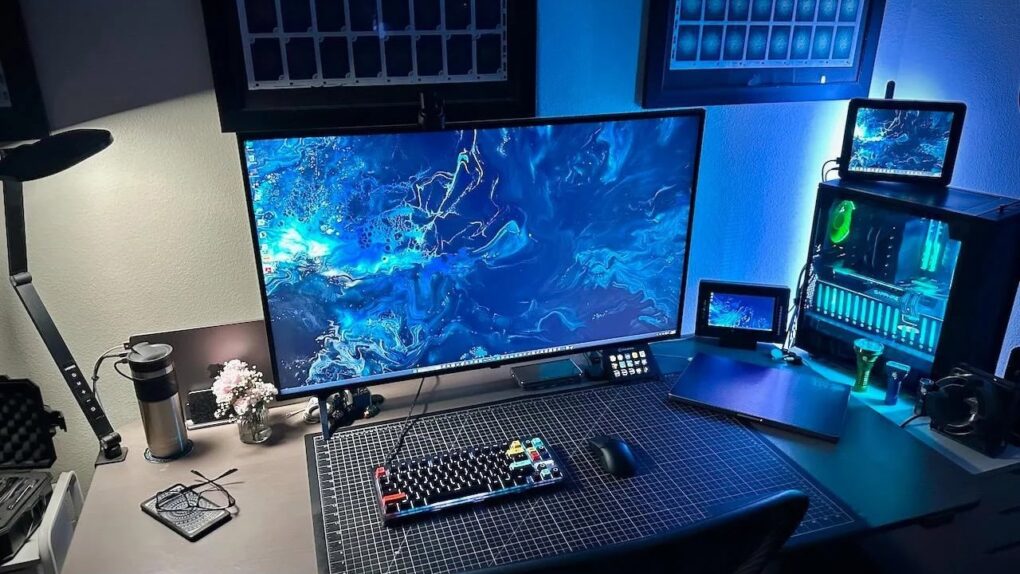
Not everyone who switched to Mac left the PC world entirely behind. Whether it’s a gaming rig they can’t give up, a work-issued Windows laptop they feel stuck with or a legacy tower they repurposed for specialized tasks, plenty of power users run both platforms side by side. Behold the top 9 Mac-and-PC setups from the Cult of Mac archives.
This post contains affiliate links. Cult of Mac may earn a commission when you use our links to buy items.
Best Mac-and-PC setups
Mac-and-PC hybrid setups can be tricky to pull off elegantly. Cable chaos, switching headaches and display incompatibilities lurk. But when done right, the result is a best-of-both-worlds workstation that gives you macOS polish for creative and productivity work and Windows muscle for gaming or company software that refuses to run anywhere else.
Cult of Mac‘s Setups section has documented dozens of these dual-platform rigs over the years, ranging from tidy minimalist configurations to sprawling five-computer command centers. Here are the most striking, complex and envy-inducing Mac-and-PC combo setups we’ve covered.
8. Even killer OLED monitor can’t touch Studio Display
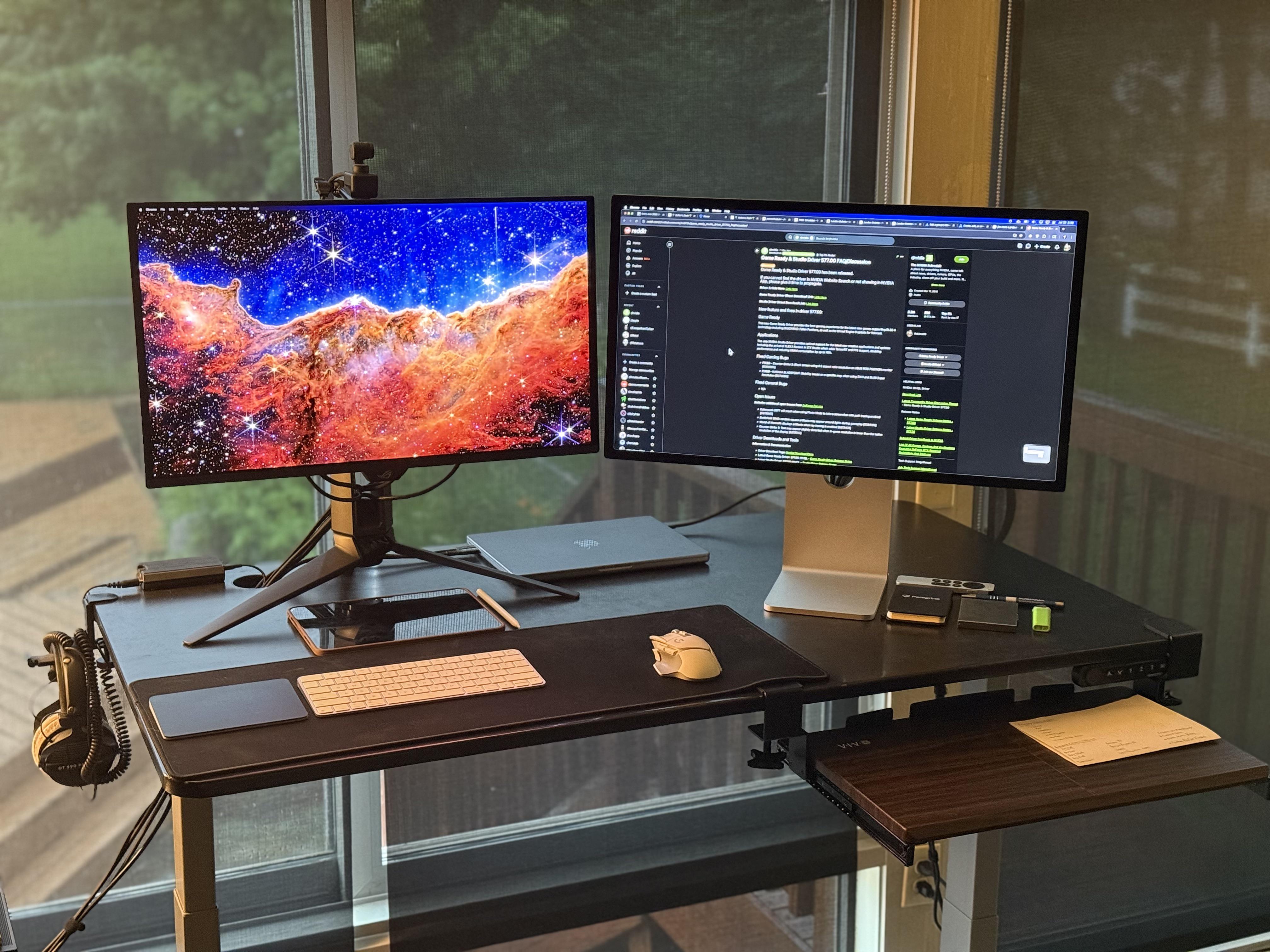
Photo: [email protected]
This gamer runs a MacBook Pro and a gaming PC side by side on an Autonomous standing desk. Each machine gets paired with its own premium screen: a 27-inch Apple Studio Display and a 27-inch Asus ROG 240Hz QD-OLED monitor. The PC handles all the gaming; the MacBook handles everything else. A Logitech MX Master 3S mouse and Magic Keyboard sit between the two displays, and a Sound BlasterX G6 DAC feeds a pair of Beyerdynamic DT990 Pro headphones. In a memorable moment of brand loyalty, the user said that if a fire broke out and he could only rescue one display, he’d grab the Studio Display — praising its superior sharpness, built-in speaker and microphone quality, and sustained 600-nit brightness — even though the OLED wins for gaming with its inky blacks and blistering refresh rate.
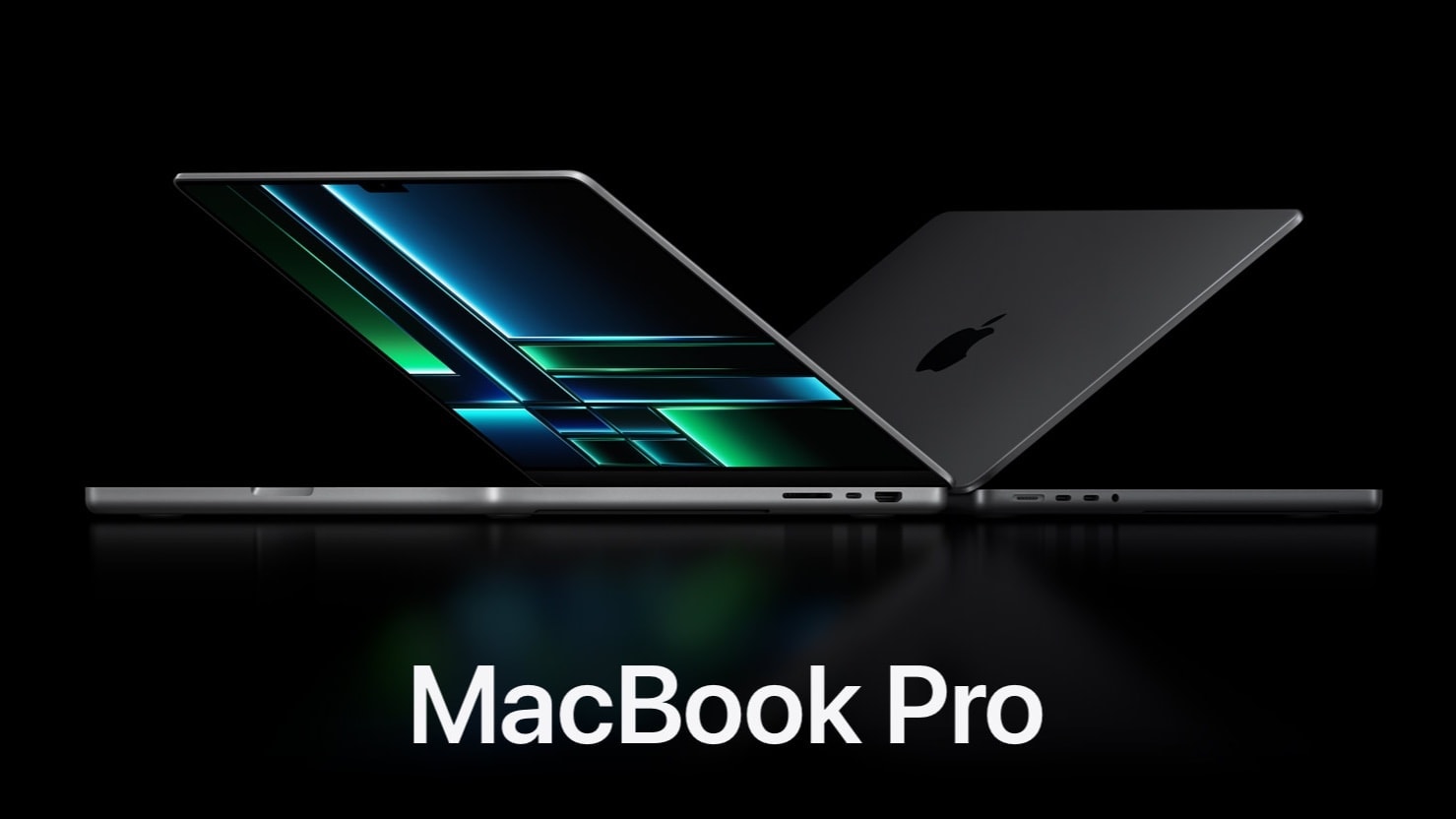
This 14.2-inch Apple laptop sports a speedy M2 Pro chip, 16GB unified memory and a 1TB SSD for storage. Available in space gray or silver colors.
The 27-inch Apple Studio Display packs an impressive panel coupled with a six-speaker system and studio-quality microphones.
It’s not as beautiful as Apple's Pro Display XDR, but the Studio Display costs thousands less.
- Crystal clear 5K resolution
- Excellent color accuracy
- 12MP Center Stage camera
- Expensive
- Lacks HDR
- Height-adjustable stand costs extra

Asus model PG27UCDM features a blazing fast 240Hz refresh rate and 0.03ms response time for gaming, plus a custom heatsink, Neo Proximity Sensor, G-SYNC compatibilty, 99% DCI-P3, true 10-bit color, DisplayPort 2.1a and a 3-year warranty.

Read full Setups article: Even killer OLED monitor can’t touch Studio Display
7. 5-computer workstation boasts gargantuan 57-inch display
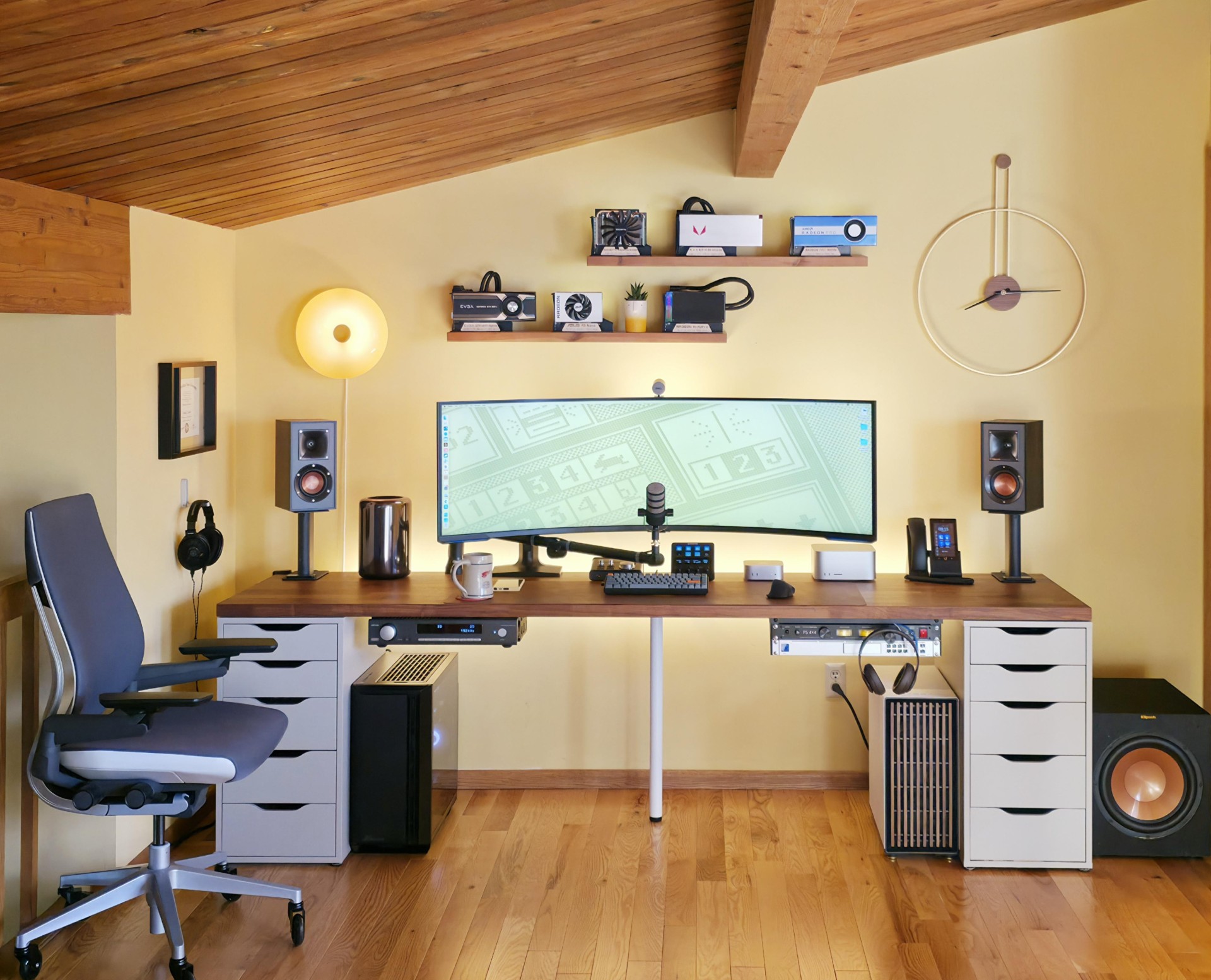
Photo: [email protected]
This is one of the most extreme setups Cult of Mac has featured. It packs five computers — a Mac Studio, an M4 Pro Mac mini, a vintage trash-can Mac Pro (boosted by an RX 6800 eGPU), and two Windows PCs. They share a single, awe-inspiring 57-inch curved Samsung G95NC ultra-wide display with 7680×2160 resolution. A pair of Cable Matters USB-4 switches handle the KVM-style hot-swapping between machines. An Ikea Karlby countertop spanning 98 inches provides enough real estate for the screen plus Klipsch bookshelf speakers on stands, a Sennheiser open-back headphone setup, and a Rode PodMic. The user, a digital marketer, described using each computer for a distinct role. The setup reads less like a workstation and more like a mission control center.
Read more: 5-computer workstation boasts gargantuan 57-inch display
The new Mac mini is smaller, lighter and 50× more adorable. It's super-powerful and by far the best deal in computing right now.
- Powerful M4 Pro chip
- 512GB storage
- 24GB unified memory
- Compact desktop design
- Headphone jack on front
- BYODKM (bring your own display, keyboard and mouse)

This big display is equivalent to dual 27-inch 4K UHD monitors. The 1000R curved gaming monitor features a 240Hz refresh rate, 1ms response time, DisplayPort 2.1 support, Quantum Mini-LED, DisplayHDR 1000 and AMD FreeSync Premium Pro (LS57CG952NNXZA, 2023).
- Massive screen real estate
- Great for gaming
- Fast refresh rate and response time
- Pretty pricey

This pair of compact but powerful bookshelf speakers achieves peak power of 200 watts. Each speakers features a 4-inch spun-copper IMG woofer and a 1-inch LTS tweeter mated to a Tractrix Horn.
- 50W continuous power, 200W peak
- Pair with subwoofer for more bass
- Amazon marks them "frequently returned" despite good reviews and 4.7 rating

6. Try not to trip over all the Mac Pros in this guy’s office
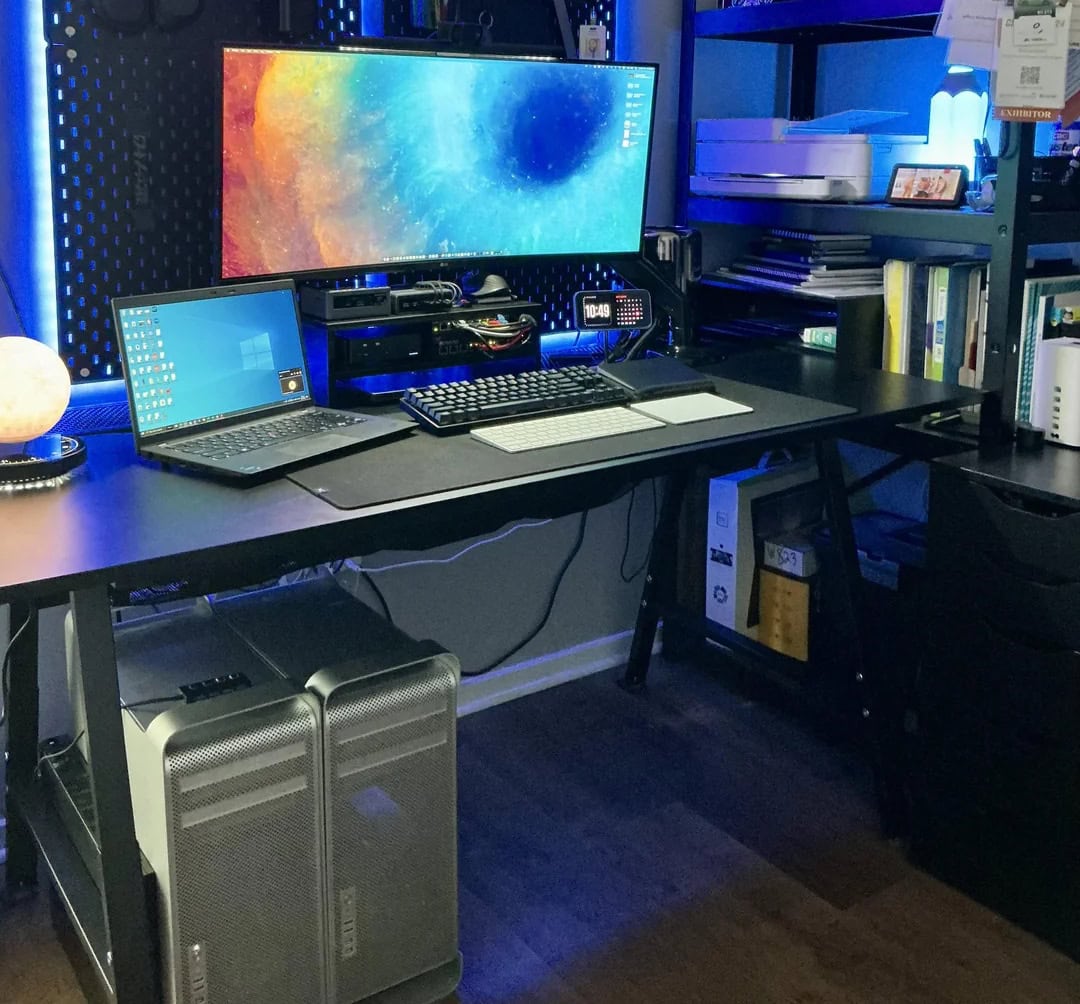
Photo: [email protected]
This Mac enthusiast and self-described refurbisher of vintage Apple hardware keeps three Mac Pro desktop computers. They are a trash-can Mac Pro used as a daily driver, a classic dual-CPU “cheesegrater” 5,1 model, and a 4,1 with a bad power supply being repaired. They sit alongside his M3 MacBook Pro and a PC laptop forced on him for work. The M3 MacBook Pro drives a 35-inch LG ultra-wide monitor he picked up for $200 at Costco. A Logitech MX Vertical ergonomic mouse helps with the day’s productivity tasks. The PC laptop sits ready for the work demands that macOS can’t accommodate. With its mixture of cutting-edge Apple silicon and lovingly maintained vintage hardware, the setup is part workstation, part museum.
Read more: Try not to trip over all the Mac Pros in this guy’s office
This version of Apple's professional laptop comes with a 16.2-inch Liquid Retina XDR display and an M3 Max Chip with 14-core CPU and 30-core GPU, plus 96GB of unified memory and 1TB SSD storage.

This is a classic trash can Mac Pro from 2013 with quad core 3.7GHz Xeon (ME253LL/A), 64GB RAM and 512GB SSD.

5. Ultra-wide curved gaming display makes 3

Photo: [email protected]
A day trader and home user set up shop on an Ikea butcher-block desk-on-drawers with a three-display phalanx. A massive 49-inch Samsung Odyssey G9 curved ultra-wide anchored in the center, flanked by two 32-inch Samsung 4K flat panels. The main Mac is an M1 Mac mini used for trading in the mornings and light home computing. A PC handles his work-from-home duties. Both share a Keychron K10 mechanical keyboard via dock connection. A first-generation HomePod provides audio. The overall effect is grand and a little wild. The 49-inch G9 is a gaming-grade curved behemoth with 240Hz refresh and a 1ms response time, and when all three screens are active it’s an imposing wall of glass.
Read more: Get this guy’s ultra-wide curved gaming display for $700 off right now
Apple's tiny new desktop features an M4 chip with 10‑core CPU and 10‑core GPU "built for Apple Intelligence," plus 16GB of unified memory, a 256GB SSD storage and a Gigabit Ethernet port.
- Apple M4 chip is powerful
- Compact desktop design
- Headphone jack on front
- BYODKM (bring your own display, keyboard and mouse)
This full-size wired mechanical keyboard features 104 keys, Gateron G Pro Brown switches, white LED backlighting and USB-C wired connectivity or Bluetooth.

4. Gamer loves easily switching from MacBook Pro to PC
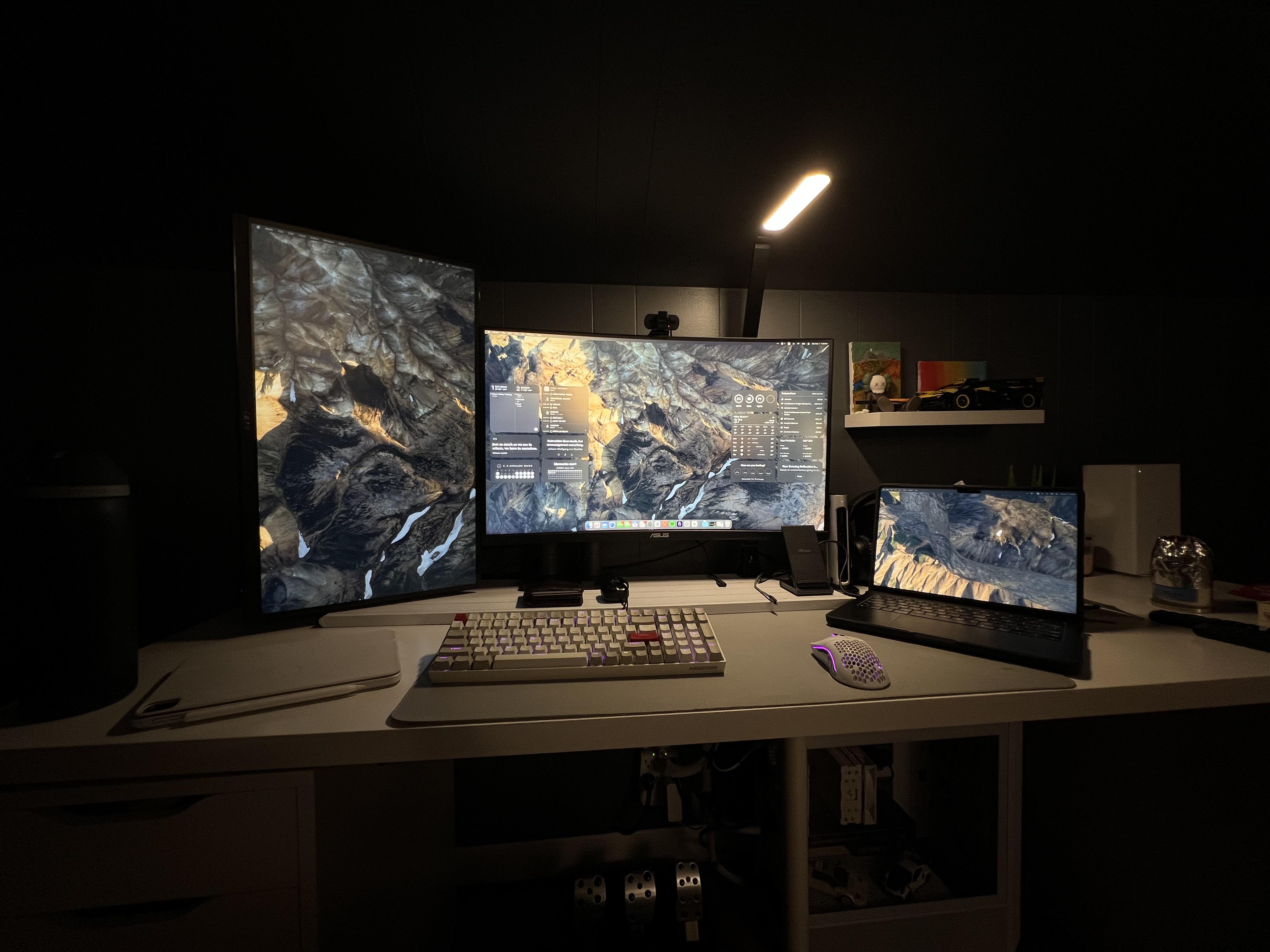
Photo: [email protected]
When this user got an M3 Pro MacBook Pro, they didn’t want to abandon the dual-monitor gaming PC setup they’d carefully built. So they found a smart workaround. An inexpensive KVM (keyboard-video-mouse) switch paired with a Thunderbolt 3 dock lets the MacBook and the Windows gaming rig share the same pair of monitors, keyboard, mouse, speakers and webcam with a single button press. The KVM supports 4K at 120Hz and 8K at 60Hz via HDMI and DisplayPort, meaning neither machine is left wanting for display bandwidth. The solution kept the desktop tidy and cost far less than buying a separate monitor for the Mac. The user described the seamless switching as something they love. And the setup neatly illustrates how a KVM can bridge the Mac-and-PC divide without adding clutter.
Read more: Gamer loves easily switching from MacBook Pro to PC
The renewed 16-inch Apple laptop features an M3 Pro chip, 36GB RAM and 512GB SSD storage. Space black color.
- Powerful M3 Pro chip
- Ample unified memory
- Not the latest model

This KVM switch lets computers share peripherals like keyboards, video monitors and mice. It supports 4K@120Hz and 8K@60Hz video via HDMI or DisplayPort for dual monitors and dual computers. Includes USB 3.0 cables and extended controller.
- Makes switching between Mac and PC easy
- Support for 2 computers and 2 displays
- 4K@120Hz and 8K@60Hz video support
- USB 3.0 isn't newest or fastest connectivity

This MacBook Pro-compatible and Intel-certified Thunderbolt 4 dock features 40Gbps data transfer speed, dual 4K 60Hz DisplayPort or HDMI support, 100W charging and Gigabit Ethernet.
- Fast data transfer speeds
- 4K@60Hz dual display support
- 100W charging for laptops
- Some docks feature higher-spec display support
- Thunderbolt 4 will lose ground to TB5

3. Pairing tiny M4 Pro Mac mini with giant curved display

Photo: [email protected]
This German home-office worker and part-time student built a clean, symmetrical Mac-and-Windows workstation around an impressive display. It’s a 40-inch Dell UltraSharp U4025QW curved 5K2K LED ultra-wide monitor. At the setup’s center sits the powerful M4 Pro Mac mini paired with a Windows laptop on the left, both sharing the Dell display and a set of Logitech peripherals via a Ugreen KVM switch. The switch also cleverly doubles as a MagSafe charger mount at the center of the monitor stand. The user, a lifelong Windows devotee, described buying the Mac mini as fulfilling a childhood wish, then gushed about it unreservedly. A second article in the series zoomed in on the KVM switch itself.
Read more: Pairing tiny M4 Pro Mac mini with giant curved display
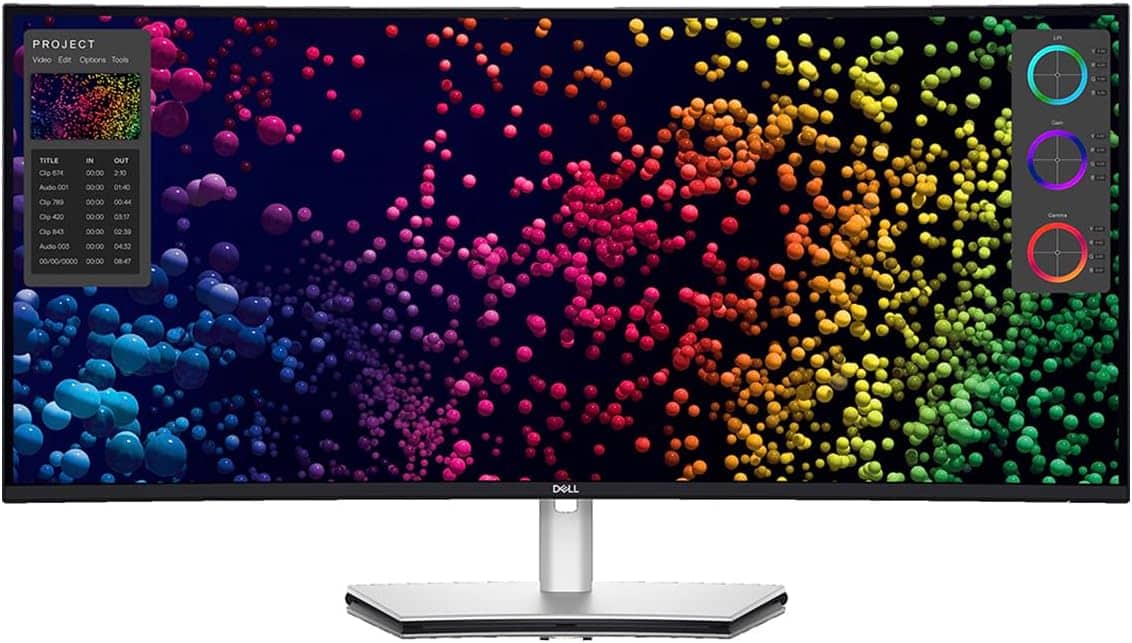
Dell's 40-inch curved ultra-wide WUHD LED display features 5K2K resolution and a 21:9 aspect ratio.
- Wide display area at 39.7 viewable inches
- Brilliant 5K2K resolution
- Broad connectivity
- Built-in KVM switch can be tricky to use
This KVM switch lets you use the same monitor, keyboard and mouse with Mac and Windows machines. Supports DisplayPort 1.4 with 4 USB 3.0 Ports (3 USB-A + 1 USB-C), 8K@60Hz and 4K@240Hz display compatibility, plus other peripherals. Comes with two DP cables and two USB-A-to-USB-C cables.
- Use the same monitor, keyboard and mouse with Mac and Windows computers
- Supports other peripherals, too
- Supports high-resolution displays
- Not the highest DisplayPort bandwidth

2. M4 Mac mini user loves his Samsung ultra-wide monitor
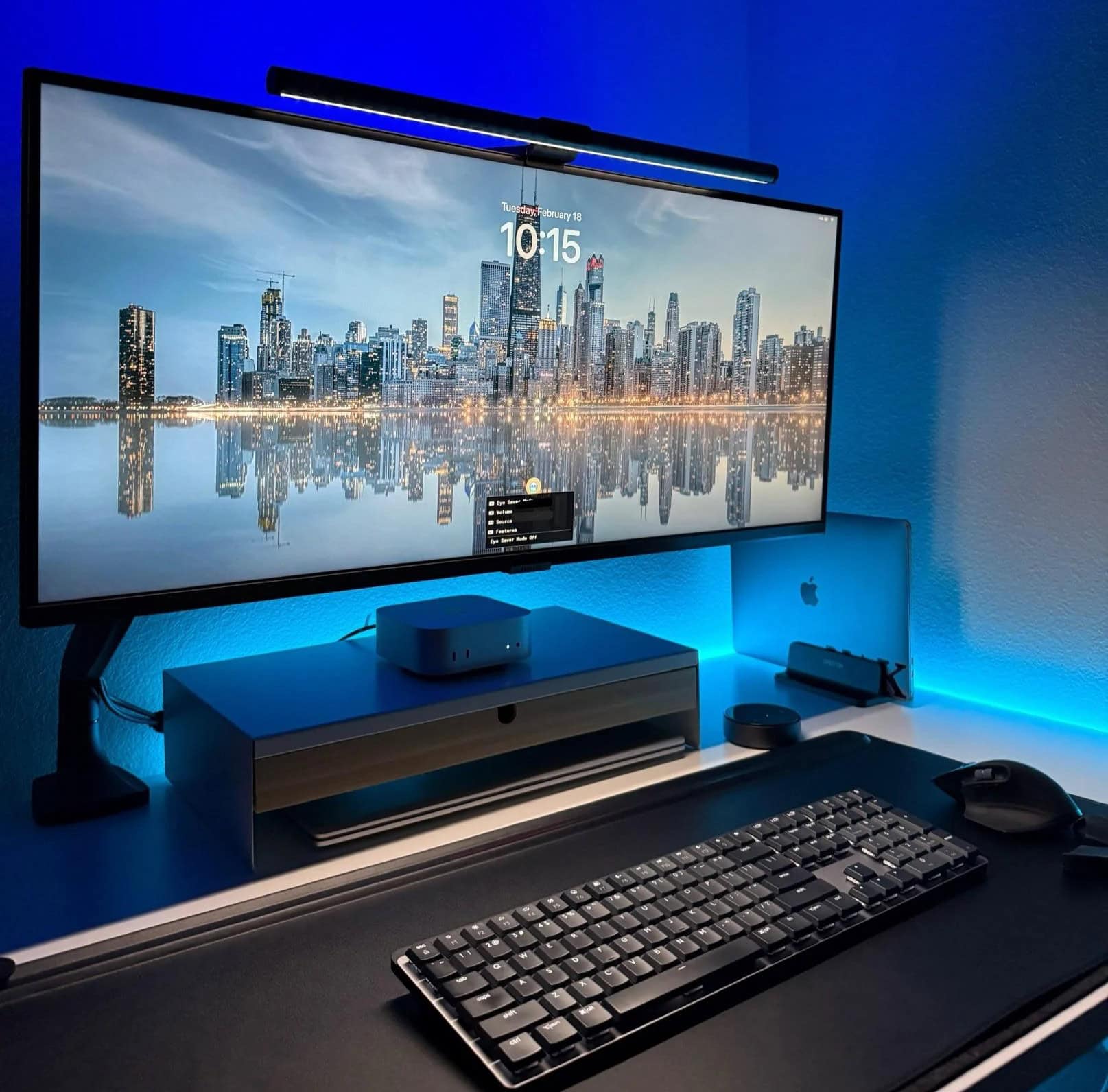
Photo: [email protected]
This user runs a full three-computer household on a single 34-inch Samsung ultra-wide. Machines include an M4 Mac mini, a 2020 Intel MacBook Pro and an HP Windows laptop. And then there’s an M1 iPad Air for good measure. The Mac mini serves as the primary personal machine, the Intel MacBook Pro covers secondary tasks, and the HP handles work duties. A Logitech MX Master 3S mouse and Quntis monitor light complete the desk. When commenters challenged the user’s Samsung display choice over Apple’s Studio Display or a standard LG 4K, the user fired back with confidence, pointing to the ultra-wide’s picture-in-picture capability (which lets two inputs be viewed simultaneously) and its strong performance across all three machines.
Read more: M4 Mac mini user loves his Samsung ultra-wide monitor
This large monitor from 2023 features 2560 x 1440p resolution, 100Hz refresh rate, 5ms response time, HDR10, AMD FreeSync, Eye Care, virtually borderless design, PIP and PBP (LS34C502GANXZA).
- Spacious screen
- Speedy refresh rate
- HDR 10 with 1 billion colors
- 1440p resolution is sub 4K

1. This multi-MacBook rig has ‘everything’

Photo: [email protected]
This sprawling “everything WFH setup” from a senior product manager may be the most platform-diverse on this list: two MacBooks, a full gaming PC, a Beelink Mini PC tucked into a custom 3D-printed housing with its own 7-inch touchscreen, an original first-generation iPad pressed into service as a small display and a 42-inch LG 4K smart TV as the main screen.
The M2 MacBook Air handles day-to-day work. The M1 MacBook Pro runs design software for a side business. The gaming PC (built around an Intel CPU and AMD GPU with Noctua cooling in a Fractal Design case) handles heavy gaming. And the Beelink — which the user describes as “a Mac mini for Windows users” — runs Counter-Strike on its adorable 7-inch panel. A Wooting 80HE Ghost mechanical keyboard and Razer Viper 2 Pro mouse round things out. The user switches inputs on the big LG TV with the remote and toggles the keyboard and mouse between machines with a USB switch — a refreshingly no-fuss solution to a genuinely complex four-computer workflow.
Read more: This multi-MacBook rig has ‘everything‘
Like a Mac mini for Windows users, this machine runs an AMD Ryzen 7 5850U processor at up to 4.4GHz with 8 cores and 16 threads,16GB RAM and 1TB SSD.
- Great for office tasks and light gaming
- Upgradable memory
- Strong graphics processing
- Needs an external monitor
- Cooling fans can be noisy

The 15-inch MacBook Air is the world's slimmest laptop and yet packs a powerful M2 chip and provides all-day battery life.


David Snow, an expert on Apple hardware and software, writes on a variety of technological and cultural topics for Cult of Mac. They include Apple news, technology buying guides, and features about computer setups and Apple TV shows and movies.
With 30 years of experience covering technology and other subjects, he has written and edited for numerous print and online publications, including CMP Media, TechTV.com, CNET, Wired News, Red Herring magazine, Law.com, The National Law Journal and Law Technology News magazine. Among other roles, he served as executive editor of the Law.com network of websites and editorial director, technology, for ALM Media.
Snow graduated with a B.A. from Syracuse University with majors in magazine journalism and psychology. While there, he worked as a reporter for The Daily Orange newspaper and associate editor of Equal Time magazine.
Founder of the blog At the Waterline, he can be reached on X (formerly Twitter) via @atthewaterline and on Mastodon via @dsnow.

