Mobile menu toggle

Studio Display XDR is the final boss of all Mac displays [Review] ★★★★★

By

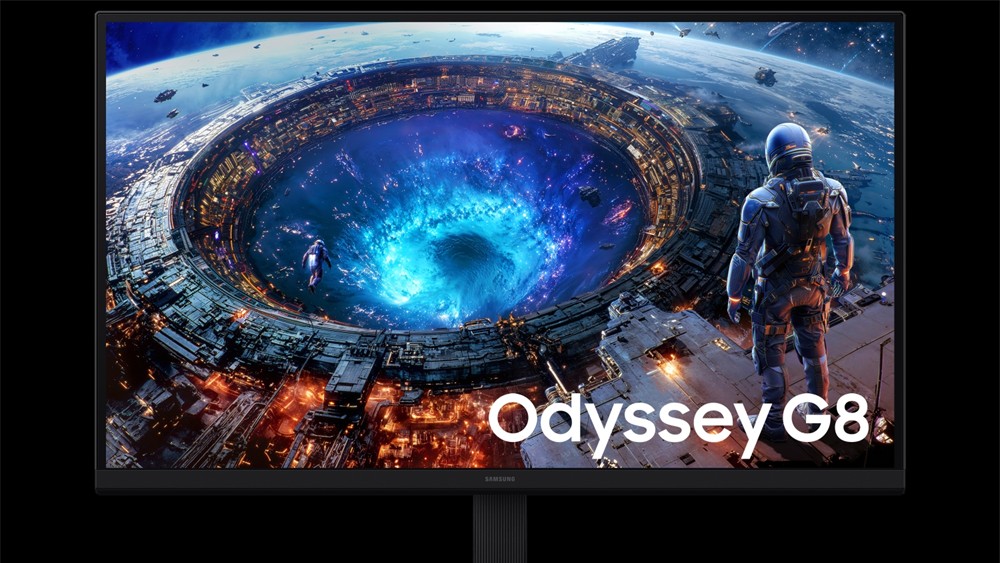
The Studio Display XDR showing a space Aerial screensaver★★★★★
The Studio Display XDR is the best monitor that money can buy. But it takes a lot of money.
Photo: D. Griffin Jones/Cult of Mac

Apple’s new flagship desktop display, the Studio Display XDR, is what you get out of a blender when you combine a mini-LED with the high adaptive refresh rate of a MacBook Pro and the 27-inch 5K screen size of the regular Studio Display. 

It’s a brilliant combination. Starting at $3,299, it’s significantly cheaper — and unfortunately a little smaller — than the Pro Display XDR, the $5,000-plus monitor it replaces. However, it supersedes its high-end predecessor in all other specs. Apple made incredibly smart choices about what to include and what to cut.

Ironically, now the $1,599 regular Studio Display is the bunk product in Apple’s monitor lineup. It misses out on the Studio Display XDR’s top new feature — 120 Hz Adaptive Sync. And it’s about twice as expensive as competing monitors from Asus, BenQ and ViewSonic

Now, the Studio Display XDR stands in a class of its own. And for, like, half as much money as Apple’s previous top monitor. 

Unlock all 14 languages: Get Babbel lifetime for just $159

By

This is your last chance to grab a lifetime of award-winning language learning with this Babbel language app deal.
Grab lifetime access to the world’s most popular language learning app for less than $130 for a limited time.
Photo: Cult of Mac Deals

Whether you want to get the most out of your travels, spruce up your resume or simply expand your skills, learning a new language is an excellent way to level up. One of the easiest methods for doing that — and for fitting learning seamlessly into your schedule — is with a convenient language app such as Babbel. And you can get it for less with this limited-time Babbel language app deal.

For a limited time, you can secure lifetime access to Babbel for just $159 (regularly $646.20) with code LEARN from Cult of Mac Deals.

Hands-on with MacBook Neo and more [Cult of Mac podcast No. 11]

By

Hands-on video of MacBook Neo, with the words,
The MacBook Neo is even better than we imagined!
Photo: Cult of Mac

This week on the Cult of Mac podcast: Griffin goes on a buying spree, snapping up a Studio Display XDR, an iPhone 17e and not one but two MacBook Neos. He shares his hands-on experience with the latest Apple gear, and Leander’s got plenty of questions!

Also on the Cult of Mac podcast:

  • PC makers are freaking out over what the MacBook Neo means for the industry.
  • Next-gen MacBook Pros might come with a MacBook Ultra variant. Will they all come with touchscreens, or just the high-end model?
  • The latest iOS 26.4 beta gives us a look at Apple’s upcoming emoji. Why are they all facing to the left? (The Hairy Creature emoji definitely needs to be flipped so it matches the iconic Bigfoot sighting!)

Listen to this week’s episode of the Cult of Mac podcast in the Podcasts app or your favorite podcast app. (Be sure to subscribe and leave us a review if you like it!) Or watch the video live stream, embedded below.

Today in Apple history: Power Mac 7100 lands Apple in hot water with Carl Sagan

By

Power Macintosh 7100/80 sitting on a desk.
The Macintosh 7100 was not Carl Sagan's favorite computer.
Photo: Matt Gibson/Flickr CC

March 14: Today in Apple history: Power Mac 7100 lands Apple in hot water with Carl Sagan March 14, 1994: Apple introduces the Power Macintosh 7100, a midrange Mac that will become memorable for two reasons.

The first is that it is among the first Macs to use new PowerPC processors. The second is that it results in Apple getting taken to court by astronomer Carl Sagan — not once but twice.

The MacBook Neo is the fantastic new Mac for the masses [Review] ★★★★☆

By

MacBook Neo in Blush and Indigo showing the desktop on a wood table★★★★☆
The two best colors.
Photo: D. Griffin Jones/Cult of Mac

The MacBook Neo exceeds all expectations and defies all logic. It’s a $599 computer that’s not slow. The cheap laptop sports a light aluminum unibody with exceptional fit and finish, along with a gorgeous, bright Retina display. It runs on an iPhone chip, yet it’s incredibly fast with unbelievable battery life.

The name itself, Neo, reminds you that this is not a computer made out of spare parts. It’s a bespoke industrial design with a brand-new display and feature set. That feature set excludes things that longtime members of the cult consider quintessential Mac features — a backlit keyboard, an ambient light sensor and a MagSafe connection.

Nonetheless, the MacBook Neo will be a lot of people’s first exposure to the Mac. I wanted to know what their experience will be like — and I think they’ll be very happy.

How to make your photos 3D in iOS 26

By

Make the Coolest Wallpaper
Not just of an old dog — a 3D old dog!
Image: D. Griffin Jones/Cult of Mac

In iOS 26, the awesome new Spatial Scenes feature lets you convert an ordinary 2D photo to a 3D scene that moves in your hand. It doesn’t have to be a recent picture or one taken with a special camera, either. You can try out Apple’s new 3D effect on any decent photo, even if it’s from 20 years ago.

You can play with Spatial Scenes in the Photos app, converting images and seeing how the effect works. But the best part is that you can set one as your iPhone’s Lock Screen wallpaper, and see it every time you unlock your phone. It even works with the excellent Photo Shuffle feature, so you’ll keep getting new ones to gawk at.

Check out the GIFs below that show how Spatial Scenes work, or watch our hands-on demo video.

Don’t stop now — bring on a $399 Mac Neo

By

A $399 Mac Neo might be Apple's smartest Mac yet
A $399 Mac Neo might be Apple's smartest Mac yet.
Concept: Ed Hardy/Cult of Mac

In the wake of the very successful launch of the MacBook Neo, Apple should now turn its attention to a desktop version: Let’s call it the Mac Neo. With an A-series processor and 8GB of RAM, this could cost as little as $399.

A macOS desktop at this price could put Macs in the hands of millions who can’t afford one now. It also might expand Apple’s share of the global computer market to heights the company could previously only dream of.

Top 15 setups where MacBook Pro runs the show

By

dream setup
This dream setup features an M4 Pro MacBook Pro and a Studio Display.
Photo: [email protected]

MacBook Pro has long been the centerpiece of ambitious, eye-catching workstations. Whether it’s a sleek M4 Pro model driving a pair of 5K touchscreen displays or a still-going-strong M1 Max powering an audiophile-grade sound system, Apple’s flagship laptop has the chops to anchor setups that would make any pro proud. Here are the Top 15 MacBook Pro setups from Cult of Mac’s archive.

Apple’s cheapest MacBook might also be the easiest to repair

By

MacBook Neo performance: Good enough for students
Meet Apple's most repair-friendly MacBook.
AI image: Apple/Gemini/Cult of Mac

The MacBook Neo is possibly Apple’s most repairable MacBook ever. A teardown shows the affordable laptop packs modular components, making repair easy.

Unlike its existing MacBooks, Apple appears to have opted for a simpler internal architecture that makes accessing and replacing the internals easier.

Google Maps navigation goes immersive with Gemini

By

Google Maps Immersive Navigation
Navigation in Google Maps is about to change forever.
Photo: Google Blog

Google is giving Google Maps navigation its biggest upgrade in a decade. Thanks to deep Gemini integration, the way you use Google Maps will forever change with this update. 

At the center of the update is a new Immersive Navigation view, which replaces the traditional map with a vivid, interactive 3D experience.

This great-looking MagSafe iPhone battery is built for life on the go [Review] ★★★★

By

Twelve South PowerCapsule review★★★★
The Twelve South PowerCapsule can juice up your iPhone anytime, anywhere.
Photo: Ed Hardy/Cult of Mac

When my iPhone battery needs a quick boost, the Twelve South PowerCapsule is ready to keep it going for the rest of the day. It conveniently clings to the handset magnetically so no cable is needed.

As a bonus, the accessory looks great. It closely matches the look of my iPhone 17. And it fits easily in a pocket.

I tested the PowerCapsule in my home and on the go. Here’s how it stands up in real-world use.

Today in Apple history: Apple market cap breezes by Walmart

By

Apple could be a $2 trillion company by end of 2021
At this point, a $200 billion market cap seems almost quaint for Apple.
Photo illustration: Ste Smith/Cult of Mac

March 12: Today in Apple history: Apple overtakes Walmart in value March 12, 2010: Apple passes Walmart and investment firm Berkshire Hathaway in value to take third place in market capitalization among publicly listed U.S. companies. The Apple market cap soars past $200 billion, fueled by intense excitement over the first-generation iPad.

Things look good for the company as it guns for powerhouses ExxonMobil and Microsoft.

Apple turns 50: Tim Cook thanks users in heartfelt anniversary letter

By

Tim Cook Apple 50th anniversary letter
Apple's 50th anniversary is April 1, 2026.
Photo: Apple

Apple 50 Years graphic Apple marks a remarkable milestone this April 1 — 50 years since Steve Jobs, Steve Wozniak and Ronald Wayne founded the company in a California garage on that date in 1976. To commemorate it, Apple said Thursday it will plan a series of global celebrations. And CEO Tim Cook published a personal letter on apple.com. It looks back on five decades of innovation while expressing gratitude to the billions of people who have made Apple what it is today.

“Thinking different has always been at the heart of Apple,” Cook said. “It’s what has driven us to create products that empower people to express themselves, to connect and to create something wonderful.”

Why my new M4 iPad Air is such a meaningful upgrade [Review] ★★★★

By

M4 iPad Air review★★★★
With a 2-inch bump in screen size that looks and feels like more, this is a nice upgrade for me.
Photo: David Snow/Cult of Mac

The 11-inch Apple M1 iPad Air (5th generation) I used for the past few years was a great device — fast, light, capable and well-integrated into the Apple ecosystem. Yet after just a couple days with the 13-inch iPad Air powered by Apple’s M4 chip, I can say this trade-in for an upgrade isn’t just incremental. It’s the kind of shift that quietly changes the way I use a device.

Folding iPhone may take a major step toward iPad-style productivity

By

Folding iPhone multitasking: Planning dinner
Making dinner plans could get easier with the folding iPhone's split-screen multitasking, as shown in this concept image.
AI image: ChatGPT/Sonny Dickson/Cult of Mac

The folding iPhone will require iOS 27 to be enhanced with support for running two applications side-by-side on its large, foldable display, according to a reliable source.

Split-screen multitasking is a feature borrowed from iPadOS, but Apple’s upcoming premium handset will be an iPhone and therefore run iOS — just a modified version.

Another PC maker sounds alarm as MacBook Neo shakes up industry

By

MacBook Neo shakes up PC industry
MacBook Neo could cause seismic change in the PC industry.
AI image: Google Gemini/Cult of Mac

When we reported last week that the $599 MacBook Neo set off alarm bells across the PC industry, the hand-wringing was mostly coming from pundits and outside observers. Now PC makers are saying it out loud — on earnings calls, no less.

ASUS co-CEO S.Y. Hsu didn’t mince words on the company’s most recent quarterly call. Apple’s move into budget-friendly territory is “a shock to the entire industry,” he said, adding that across the entire PC ecosystem, “there have been a lot of discussions about how to compete with this product.”

Today in Apple history: iPad 2 is the svelte sequel fans hoped for

By

iPad 2
The iPad 2 took a leap forward in every way except pricing.
Photo: Apple

March 11: Today in Apple history: iPad 2 is the sequel fans hoped for March 11, 2011: How do you follow up your biggest product debut ever? That’s the question Apple needs to answer as the iPad 2 launch date arrives.

Apple’s second-generation tablet boasts a faster dual-core A5 processor inside a lighter build. It’s also the first iPad to feature VGA front-facing and 720p rear-facing cameras.

MacBook Neo’s success is just getting started

By

AI-generated image of a blush MacBook Neo on a desk in a classroom.
The MacBook Neo will show up in many, many classrooms.
AI image: Apple/Gemini/Cult of Mac

Apple already can’t keep up with MacBook Neo demand, and the low-cost notebook just launched on Wednesday. Sales momentum will keep growing throughout the year, according to an industry analyst.

The laptop’s success will likely be buoyed by reviews that prove the MacBook Neo offers speedy performance, despite its entry-level specifications.

Transform every message you send with a lifetime of pro email signatures

By

Custom email signature generator EmailSignatures is shown on a laptop being used by a person sitting at a coffee table
Turn every email into a personal showcase.
Photo: Cult of Mac Deals

Email signature generator EmailSignatures lets you create polished, professional email signatures in minutes. More than simply bolding your name, you can add your company’s logo, your social links — whatever it takes to make your email shine.

Think of it as custom stationery for your outbox. And a lifetime subscription currently costs just $39 (MSRP $579).

Apple’s newest MacBooks, Studio Displays and iPhone 17e hit store shelves

By

MacBook Neo in blush
Which new Apple device(s) will you buy today?
AI image: Apple/Gemini/Cult of Mac

Apple’s affordable MacBook Neo, iPhone 17e, M5 Pro/Max-equipped MacBook Pros and the M4 iPad Air went on sale Wednesday. The M5-powered MacBook Air and new Studio Displays also hit retail stores today.

Apple began accepting preorders for these devices last week, shortly after unveiling them.

Travel-friendly iPad stand adds the ports you need

By

Satechi OntheGo Foldable Stand Hub in use
This iPad stand also includes useful ports to keep you productive on the go.
Photo: Satechi

The Satechi OntheGo Foldable Stand Hub helps your iPad become the heart of a compact workstation. It holds up the tablet while simultaneously expanding its connectivity with five additional ports.

The multifunction stand also folds down so it’s ready to travel.

The iPhone’s haptic keyboard is fantastic: Here’s how to turn it on

By

iPhone Haptic Keyboard graphic
Get a clicky keyboard on your phone, too.
Image: D. Griffin Jones/Cult of Mac

Studies show that a haptic keyboard improves touchscreen typing speed and input accuracy, but very few people know you can enable it on your iPhone.

Android phones years ago had haptic keyboards, but without a precision vibration motor, the feedback was too slow to make the illusion really work. With the Taptic Engine — hardware in every iPhone since the iPhone 6s that can simulate all kinds of vibrating textures — Apple created a perfectly convincing effect to enable the haptic keyboard.

Read on to see where to enable it — or watch our quick video.

This beautiful portable monitor doesn’t break the bank [Review] ★★★★

By

Espresso Lite 15 portable monitor: Review★★★★
This portable monitor from Espresso Displays can make you more productive.
Photo: Ed Hardy/Cult of Mac

The Espresso Lite 15 portable monitor includes a gorgeous LCD for work or entertainment when you’re away from your usual desk. It’s a more affordable option from a company previously known for premium screens, but it keeps up the quality.

It comes in a range of vibrant case color options, which really helps it stand out from its rivals. Plus, there’s Stand+, a brilliant ergonomic stand that can hold the 15.6-inch, 1080P LCD above your laptop.

I tested the Espresso Lite 15 in my home office and on the road, and came away quite pleased. Here’s why.