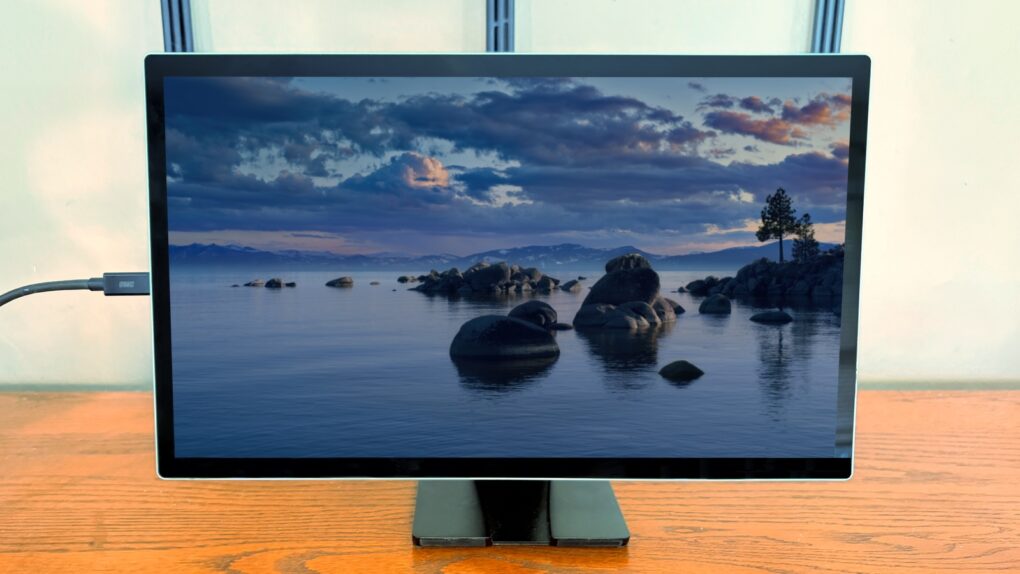
The Espresso Lite 15 portable monitor includes a gorgeous LCD for work or entertainment when you’re away from your usual desk. It’s a more affordable option from a company previously known for premium screens, but it keeps up the quality.
It comes in a range of vibrant case color options, which really helps it stand out from its rivals. Plus, there’s Stand+, a brilliant ergonomic stand that can hold the 15.6-inch, 1080P LCD above your laptop.
I tested the Espresso Lite 15 in my home office and on the road, and came away quite pleased. Here’s why.
Espresso Lite 15 portable monitor review
Hopefully, you have an external monitor in your office because studies show it boosts your productivity. Don’t give that up when you’re on the road — a lightweight, slim display offers a seamless extension of macOS, essentially doubling your available workspace for complex multitasking —whether you’re doing side-by-side coding or writing a document while referring to a spreadsheet.
The best portable monitors connect to your MacBook via USB-C so only a single cable connection is needed, and no HDMI port.
Which means iPhone users can benefit, too. A large display makes watching Netflix from a remote cabin far more enjoyable than a small handset’s screen.
In short, the Espresso Lite 15 can play an important role in making you more productive and entertained when you’re away from home.
Espresso Lite 15 transforms laptops, tablets, and compatible phones into a more productive dual-screen setup. Ideal for work, study and travel.
- Beautiful LCD
- Range of fun casing colors
- Innovative stand
- Not 4K

Table of contents: Espresso Lite 15 review
- An above-average LCD for a portable monitor
- Colorful casing
- Simple USB-C setup
- Stand+ puts Espresso Lite 15 above the rest
- Espresso Lite 15 portable monitor review: Final thoughts
- Pricing
An above-average LCD for a portable monitor
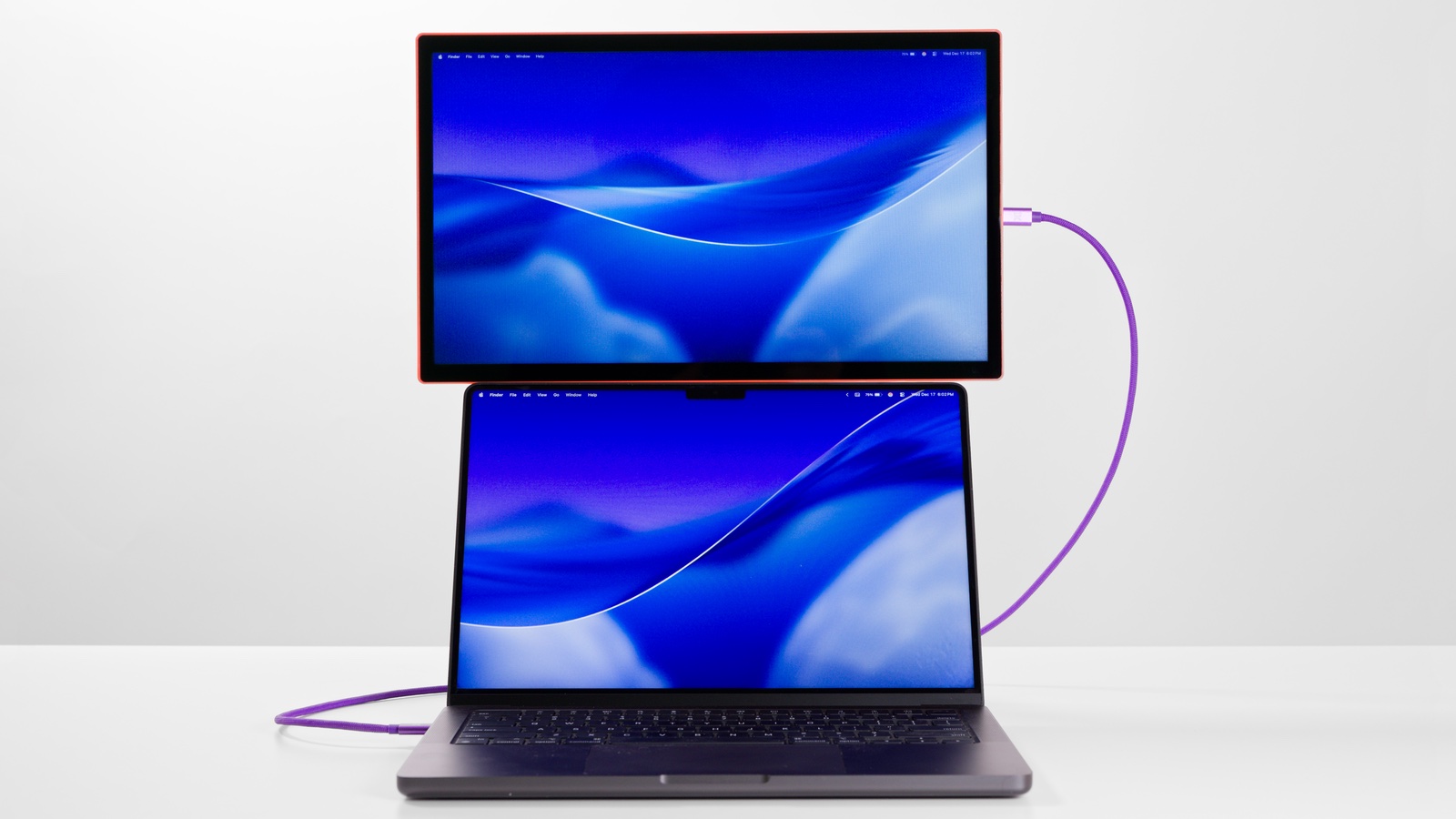
Photo: Espresso Displays
It’s a truism, but the quality of a portable monitor is primarily determined by the LCD. Espresso proves that a well-designed casing and stand can add a lot — more on that later — but a beautiful screen is a necessity.
And that’s just what the Espresso Lite 15 offers. MacBooks provide a challenge for monitors of all types: their built-in screens look so amazing that they set a high bar for external ones. This one clears that bar. It supports 16.8 million colors, and these are bright and crisp, not washed out or muddy. Whites look white, and there’s decent contrast with dark colors. And the backlight is even, without any variation across the panel.
Text looks sharp as do images… as long as you take into consideration that this is a Full HD screen, which means a 1920-by-1080-pixel resolution at 142 pixels per inch. That’s much lower than 4K.
But I’m not condemning it. I’m a writer, so I work with text and numbers, with images and video secondary. To me, a 1080P resolution is plenty. Especially when the LCD looks as clear as the one in the Espresso Lite 15.
And it passes my basic test: I can look back and forth between it and a MacBook without constantly noticing a huge difference in quality. For that comparison, consider that a 15.3-inch MacBook Air display has a 2,880-by-1,864-pixel resolution at a 224 PPI. There’s a difference in quality, but not one that leaves the portable monitor looking like mud.
Plus, I find that the 15.6-inch screen adds a useful amount of additional room to work in. And it’s a reasonable compromise between usefulness and portability.
But if you’re an artist, you might need a larger, higher-resolution display, like the Espresso 17 Pro.
It’s a portable monitor, so you won’t use it under perfect lighting conditions. I did much of my testing on my screened-in porch, and while the backlights provide only 400 nits of brightness, that was enough that the indirect sunlight didn’t wash out the display.
Colorful casing
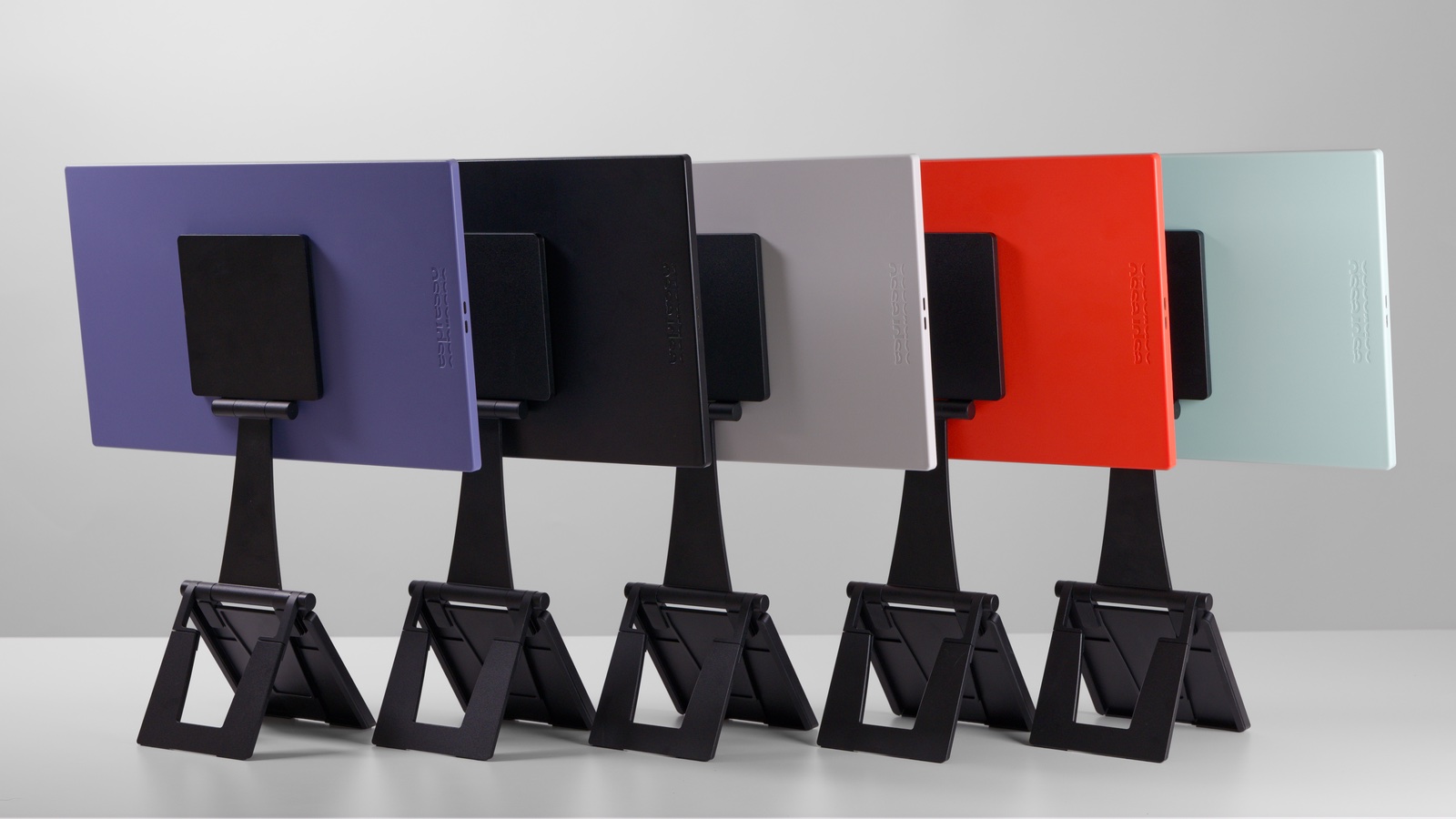
Photo: Espresso Displays
The LCD isn’t the only colorful part of the Espresso Lite 15 portable monitor. Unlike virtually all its rivals, it offers buyers a range of casing colors. Sure, there’s white and black, but also mint, orange and purple. These give you the option to personalize your mobile setup.
My test unit is mint, and I love it. That’s true even though the casing is ABS plastic. It doesn’t look cheap, just colorful.
The Lite 15 measures 14.3 inches by 8.6 inches by 3.7 inches, which means it fits in a case designed for a 16-inch MacBook. The accessory adds only 1.5 pounds to your load.
Speaking of cases, you’ll need to choose one carefully. Espresso Displays does not include a flip-cover with this screen, and you really must not carry it around without some kind of protection. The display will inevitably get scratched.
Simple USB-C setup
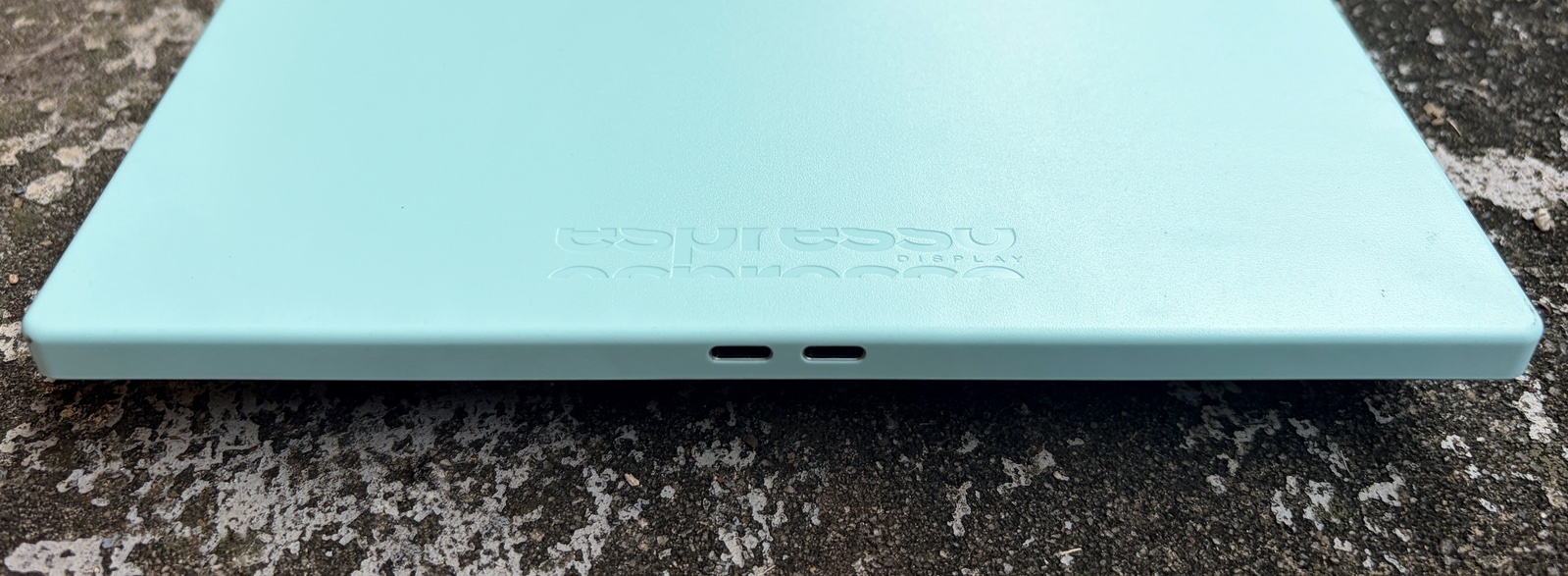
Photo: Ed Hardy/Cult of Mac
The Espresso Lite 15 doesn’t require your computer to have an HDMI port. All it needs is a USB-C port — like the one in every current MacBook, iPad and even iPhone. Connect your laptop/tablet/phone to the accessory with a single cable, and you’re good to go.
The screen pulls just 5W of power, so it’s not a huge drain on your computer. That said, connecting to an external power source is the smart move for long sessions.
Espresso Displays built two USB-C ports into the Lite 15. Use the second to plug in a cable connected to a wall charger or power bank. That’ll juice up your computer while keeping the portable monitor going.
Stand+ puts Espresso Lite 15 above the rest
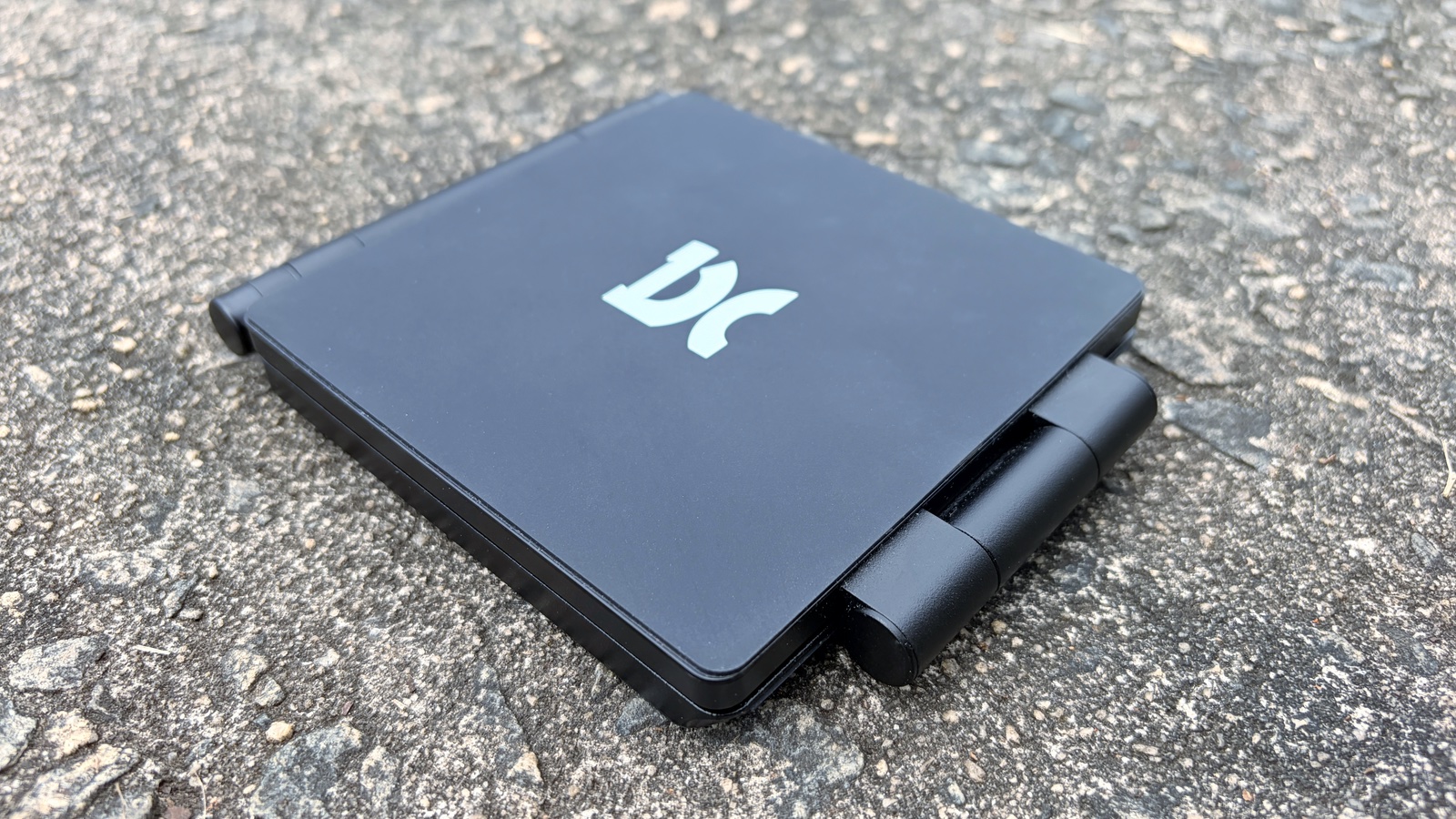
Photo: Ed Hardy/Cult of Mac
Some genius at Espresso Displays invented the Stand+, a foldable stand that can hold up the screen beside a MacBook or iPad, or also stretch to place the portable display above the MacBook. Screen and stand connect with magnets.
I absolutely love it — it’s one of the best features of the Espresso Lite 15. In my office, I keep my monitor above my computer, and I prefer to stick with that arrangement on the road. Plus, the stand looks great and is easy to set up.
And Stand+ folds up to be very portable. When compressed down, it’s 5.8 inches by 4.7 inches by 0.7 inches. Just make sure the carrying case you get for the Lite 15 has a good-size pocket for this stand and the USB-C cable.
The accessory does weigh about 1.25 pounds, though. Still, that weight is unavoidable — it’s required to provide solid support for a 15.6-inch screen. And Espresso trimmed down the weight compared to previous versions.
Espresso Lite 15 portable monitor review: Final thoughts
Trying to figure out why you’re less productive on business trips than you are in the office? A portable monitor to increase your workspace might help. I absolutely do not travel without one.
Espresso Displays makes some of the best. The Lite 15 is more affordable than any previous screen from the company, and while it isn’t packed with cutting-edge features, it still looks good. And bundling the company’s innovative folding stand is a real bonus.
★★★★☆
Pricing
Espresso Displays sells the Lite 15 in the United States for $249.
Espresso Lite 15 transforms laptops, tablets, and compatible phones into a more productive dual-screen setup. Ideal for work, study and travel.
- Beautiful LCD
- Range of fun casing colors
- Innovative stand
- Not 4K
At that price, it joins the Espresso Displays range as the new entry-level option. Already available are the Espresso Display 15 and Touch 15, as well as the Pro 15 and the Pro 17 models.
Espresso Displays provided Cult of Mac with a review unit for this article. See our reviews policy, and check out more in-depth reviews of Apple-related items.

Ed Hardy has been writing full-time about tech for 26 years, and using it for much longer than that. His intro to Apple was a Macintosh SE/30 (which he still has), but now he uses a 13-inch iPad Pro as his primary computer.
That’s because he’s a “tablet first” type of guy. Rather than use a Macbook, he connects a keyboard case to the iPad. And instead of a desktop Mac, he connects his tablet to a 27-inch display and full-size keyboard. (So don’t try to tell him that everyone has to use a Mac to be productive.)
Before coming to Cult of Mac, Ed wrote for NotebookReview, TabletPCReview and Brighthand, as well as other sites.

