
MacBook Pro has long been the centerpiece of ambitious, eye-catching workstations. Whether it’s a sleek M4 Pro model driving a pair of 5K touchscreen displays or a still-going-strong M1 Max powering an audiophile-grade sound system, Apple’s flagship laptop has the chops to anchor setups that would make any pro proud. Here are the Top 15 MacBook Pro setups from Cult of Mac’s archive.
This post contains affiliate links. Cult of Mac may earn a commission when you use our links to buy items.
Top 15 MacBook Pro setups
What unites these great setups is a MacBook Pro at the heart of the action, rather than desktop Mac. It’s compact enough to hide on a stand or even in a drawer, but powerful enough to run the entire show. I scoured the archives for the 15 most compelling MacBook Pro-centric setups, with an emphasis on striking aesthetics, clever engineering and smart gear choices.
15. MacBook Pro drives wild stacked dual display with hinges
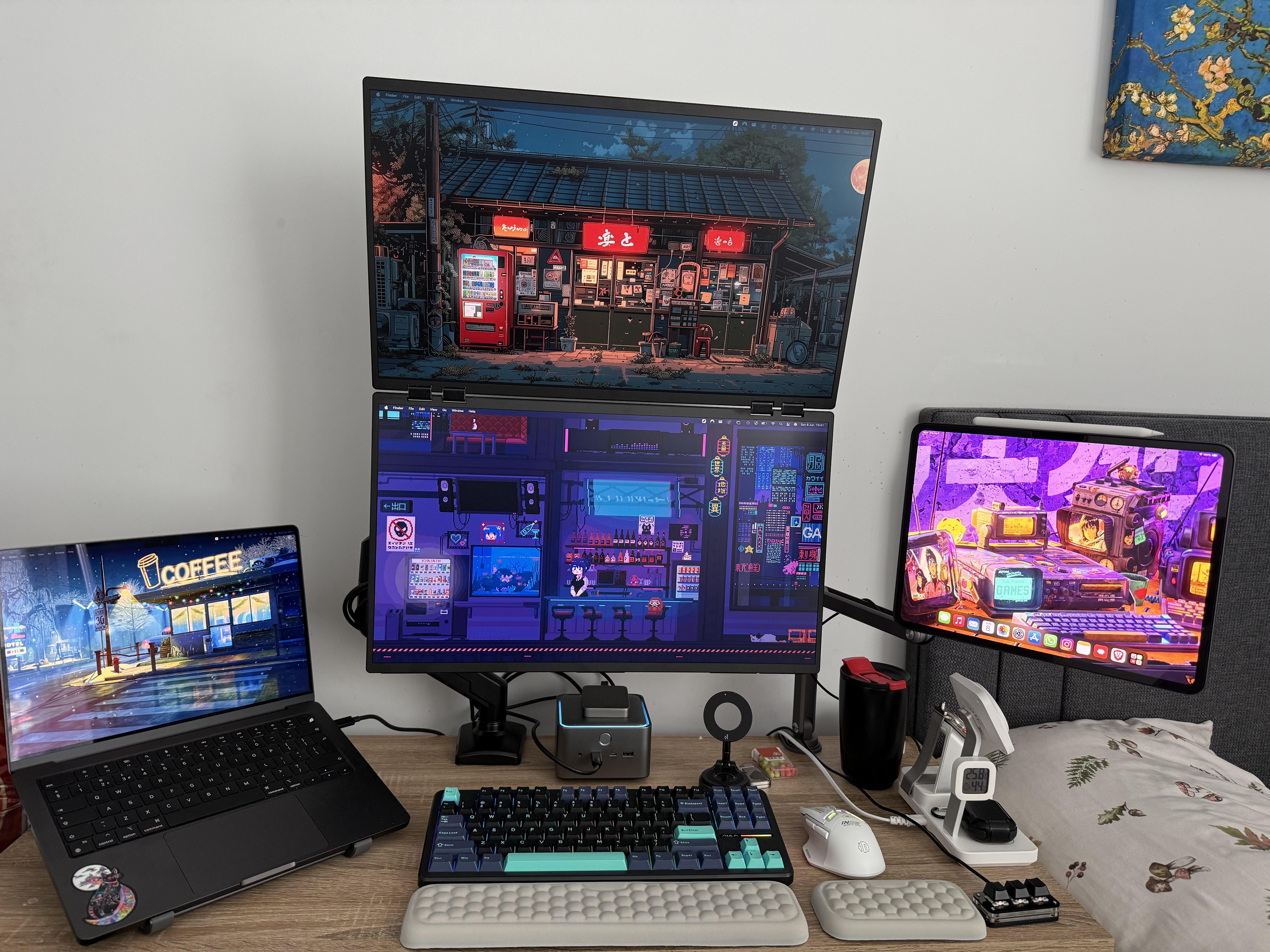
Photo: [email protected]
This M4 MacBook Pro setup earns its place on any list by featuring what may be a first-ever sighting on Cult of Mac — a pair of portable monitors joined together by hinges. The Uperfect Delta Dual Portable Monitor is not a pair of stacked screens but literally one product: two displays connected at the hinge, folding open like a book. The MacBook connects all of it through an Anker Thunderbolt 5 dock bristling with 14 ports. Add in an iPad open on a stand and the laptop itself, and you’ve got four screens in total — a remarkable display configuration for a MacBook-centered workstation. The Aula wireless mechanical keyboard with hot-swappable switches rounds things out nicely.
Read more: MacBook Pro drives wild stacked dual display with hinges
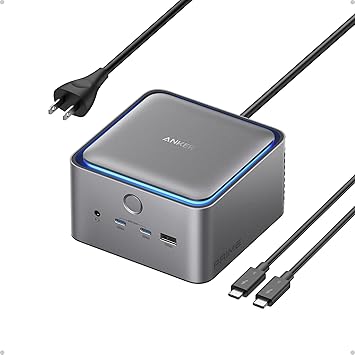
This 14-port Thunderbolt 5 docking station offers 140-watt charging, data transfer speeds up to 120Gbps, ambient LED lighting, a cooling system, and support for up to 8K dual displays.
- Fast Thunderbolt 5 connectivity
- 14 ports and support for dual 8K displays
- 140W charging
- Some new docks have up to 20 ports
This driver-free, stacked dual display comes in 18.5- or 23.8-inch sizes. Great as a laptop screen extender, featuring 1080P resolution and HDR 360. Comes with adjustable stand and VESA mounting capability.
- Stacked dual displays on hinges
- No driver needed
- Highly adjustable stand or VESA mounting
- Portable, but a bit large
- 1080p resolution

This 75% layout tenkeyless (TKL) hot-swappable gaming keyboards features PBT keycaps, pre-lubed Greywood switches, RGB backlighting and connectivity via 2.4GHz/USB-C/BT5.0.
- Compact TKL 75% layout
- Hot swappable
- Versatile connectivity
- May not quite compete with high-end mechanical keebs

14. MacBook Pro rig adds dual 5K displays and badass mechanical keyboard
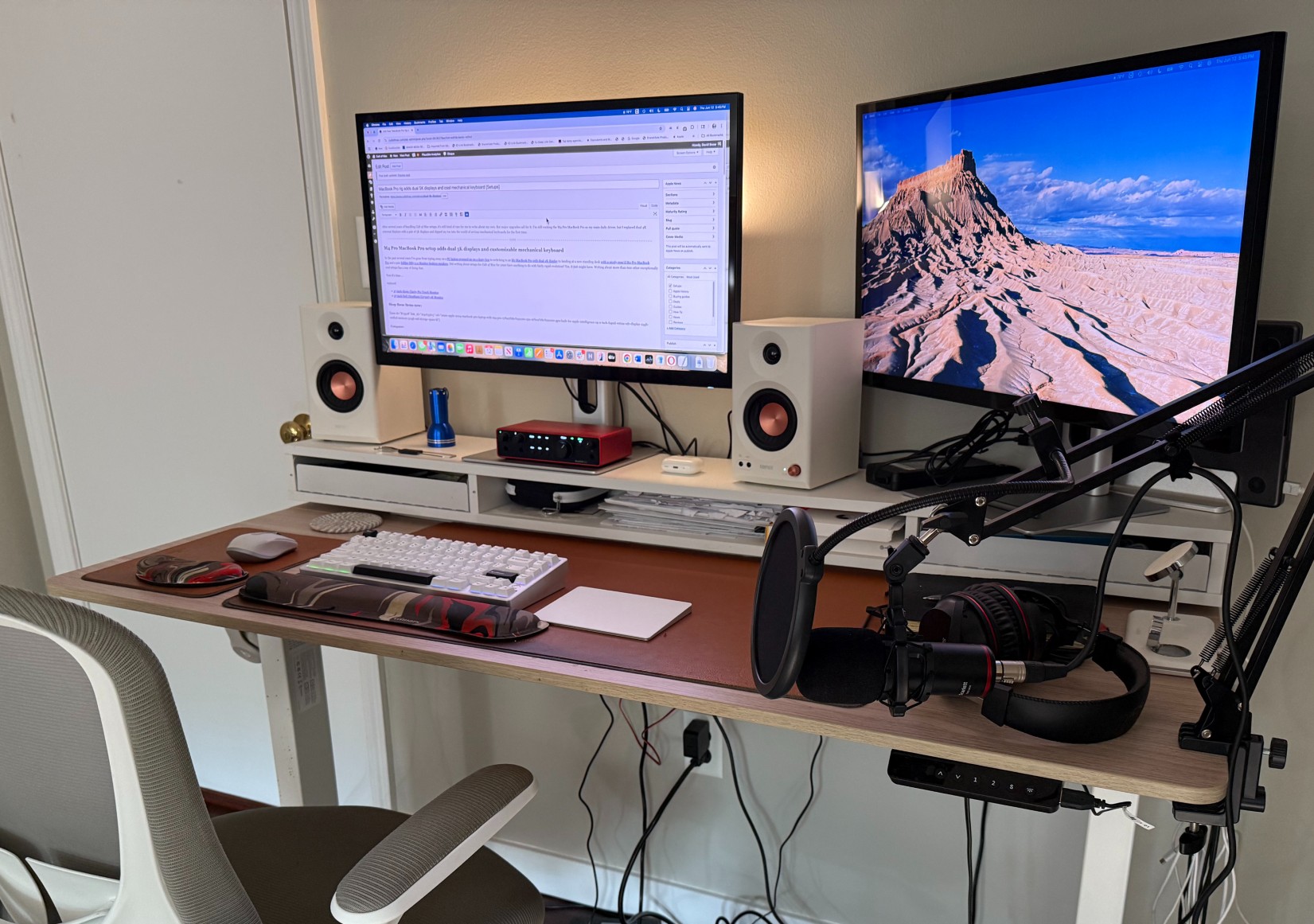
Photo: David Snow/Cult of Mac
My own M4 Pro MacBook Pro rig saw a major personal upgrade — swapping out a pair of 27-inch 4K monitors for dual Alogic Clarity Pro 5K touchscreen displays. It’s a Studio Display competitor I gave five stars in a review. The resolution leap from 4K to 5K brings noticeably sharper text and images while the touchscreen capability opens up new workflows. I also dove into the world of serious mechanical keyboards for the first time with this setup.
Read more: MacBook Pro rig adds dual 5K displays and badass mechanical keyboard
This Apple laptop features an M4 Pro chip with a 12-core CPU, a 16-core GPU and the same lightweight design we all know and love. Available in space black or silver.
- 14.2-inch Liquid Retina XDR display
- 24GB unified memory (configurable from 16GB to 36GB)
- 512GB SSD storage (configurable to 1TB)
- Same design as previous models

Alogic's innovative new Studio Display competitor combines 5K resolution with touchscreen functionality. Also includes USB-C power delivery and a highly adjustable stand.
- Super clear 5K resolution
- 10-point multitouch screen
- Adjustable stand included
- Unremarkable speakers
- No Thunderbolt port

This Mac, Windows and Linux-compatible CNC aluminum mechanical keeb feels solid and sturdy and offers great typing sounds. It features triple-mode connectivity, RGB lighting and VIA/QMK customization.
- Solid build quality, premium feel and sound
- 3 connectivity modes
- Customizable (RGB lighting and key mapping)
- It's hefty; not very portable
- VIA/QMK customization can be tricky
- No Mac keycaps

13. Even killer OLED monitor can’t touch Studio Display
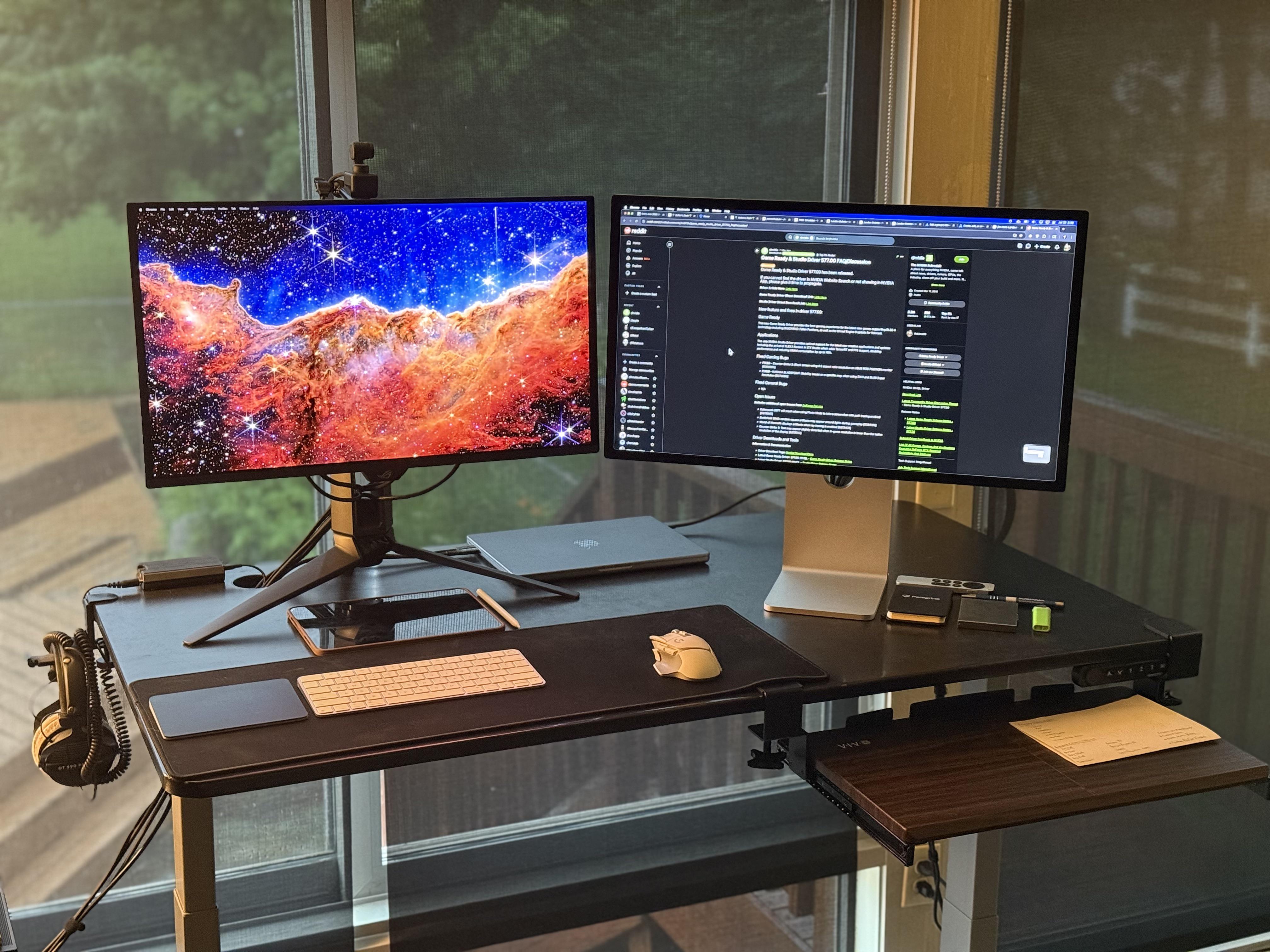
Photo: [email protected]
A MacBook Pro gamer put two of the best monitors money can buy side by side — Apple’s 27-inch 5K Studio Display and an Asus ROG 240Hz 4K QD-OLED — and had to pick a winner. His verdict? If the house caught fire and he could only save one, he’d grab the Studio Display every time. The setup elegantly illustrates the divide between Mac-focused and PC gaming display philosophies, with the OLED reserved exclusively for a gaming PC kept off-frame. Both monitors run 1440p scaling, making them visually identical in terms of size — but not quality, at least in this user’s eyes.
Read more: Even killer OLED monitor can’t touch Studio Display
The 27-inch Apple Studio Display packs an impressive panel coupled with a six-speaker system and studio-quality microphones.
It’s not as beautiful as Apple's Pro Display XDR, but the Studio Display costs thousands less.
- Crystal clear 5K resolution
- Excellent color accuracy
- 12MP Center Stage camera
- Expensive
- Lacks HDR
- Height-adjustable stand costs extra

Asus model PG27UCDM features a blazing fast 240Hz refresh rate and 0.03ms response time for gaming, plus a custom heatsink, Neo Proximity Sensor, G-SYNC compatibilty, 99% DCI-P3, true 10-bit color, DisplayPort 2.1a and a 3-year warranty.

12. Yamaha studio monitors power MacBook Pro rig’s sound
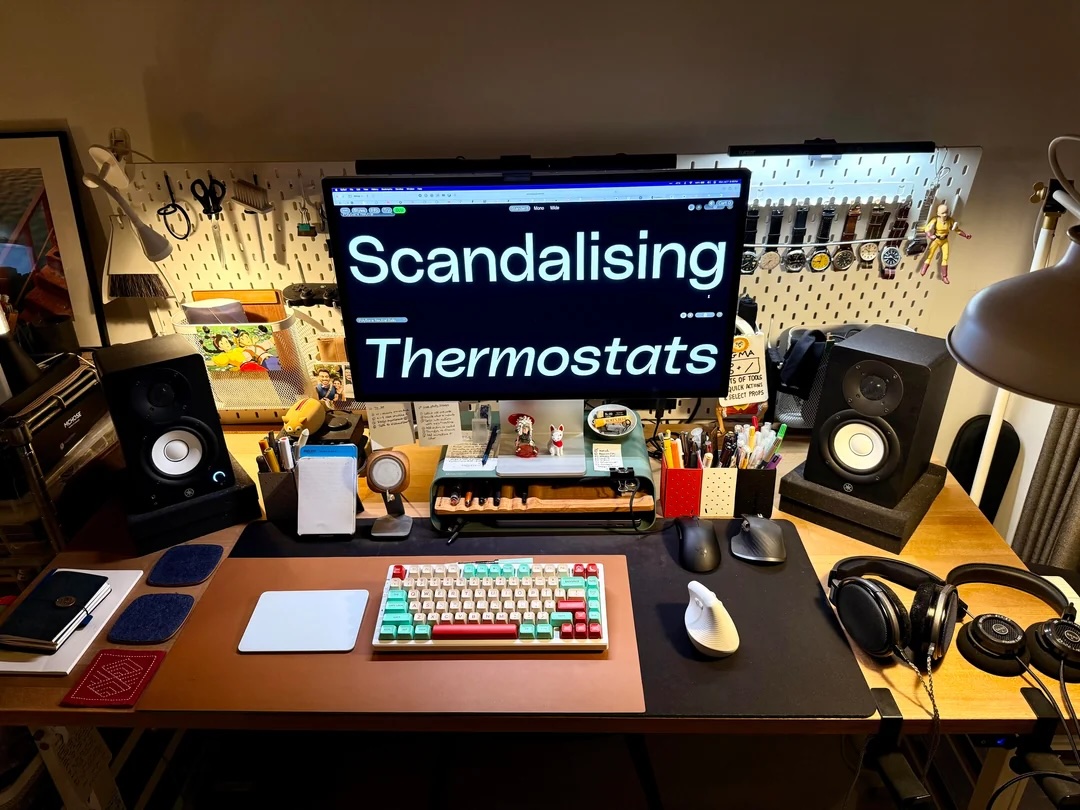
Photo: [email protected]
An M1 Max MacBook Pro is still more than earning its keep in this setup, which was posted primarily to show off a freshly added Mchose mechanical keyboard. But what really grabs attention is the exceptional audio ecosystem surrounding it. Yamaha studio monitors deliver reference-quality sound in the room — the kind of speakers you’d expect in a recording studio, not a home office. Beyond the near-field monitors, the user has assembled a surprising array of high-end headphones and audio interfaces, making this one of the more sonically ambitious MacBook Pro setups we’ve seen.
Read more: Yamaha studio monitors power MacBook Pro rig’s sound
These powered desktop or bookshelf speakers provide clear audio suitable to studio work. They include two-way bass reflex technology with 4.5-inch cone woofers and 1-inch dome tweeters.
- Compact for smaller spaces
- Powered speakers for clear audio
- Not designed for high-volume use

This tenkeyless (TKL) mechanical keyboard features tri-mode connectivity (Bluetooth 5.0/2.4GHz Wi-Fi/USB-C), hot swap capability, linear switches, Double Shot PBT keycaps and RGB LED backlighting.

11. Trio of small screens extend Studio Display in MacBook rig
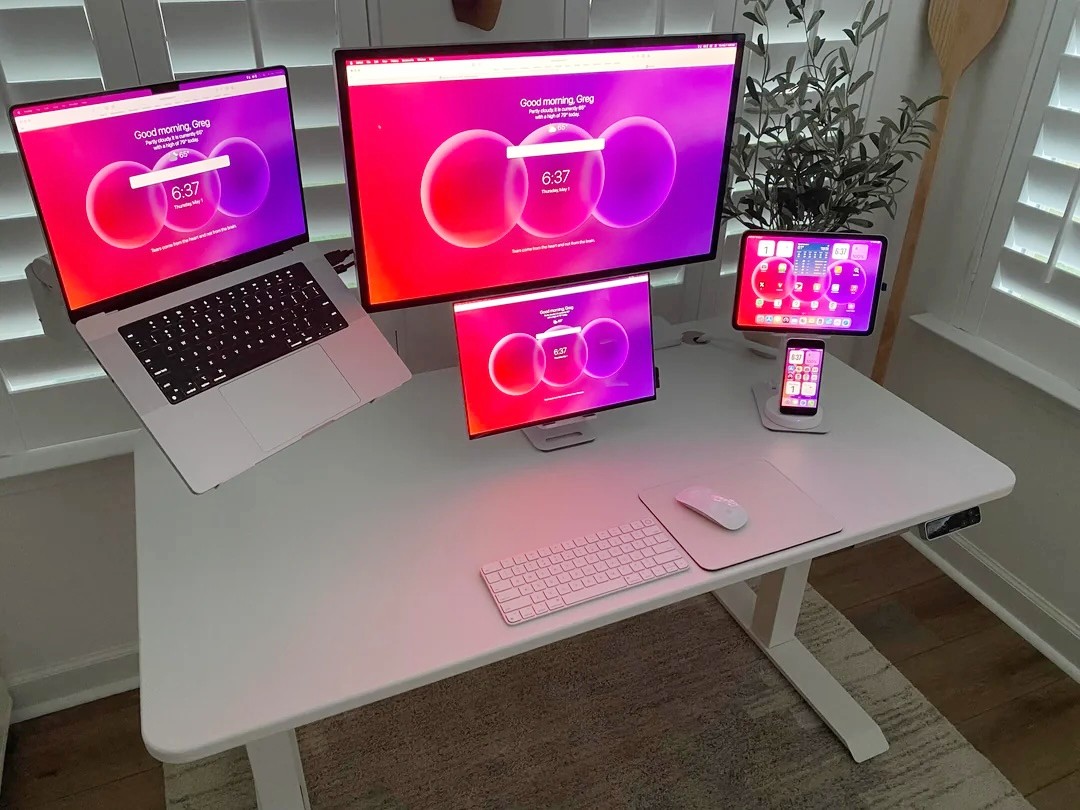
Photo: [email protected]
A Reddit user built a setup so elegantly mounted it earned the title “Clean & White” — and the description fits. An M2 MacBook Pro, a Studio Display, a portable OLED monitor and an iPad Pro are all lifted off the desk on arms and stands, leaving only a mini Magic Keyboard, a Magic Mouse and a mouse pad on the surface. All four screens display the same Bonjourr homepage, creating a visual unity rarely seen in multi-display rigs. The iPad doubles as a Sidecar display and security camera viewer. It’s a lesson in how thoughtful mounting can transform even a crowded multi-screen workstation into something that looks serene.
Read more: Trio of small screens extend Studio Display in MacBook rig
This 3K resolution (2880x1800p) portable OLED display features 120Hz refresh rate and 0.1ms response time, plus USB-C and HDMI connectivity, plus a kickstand and speakers.
- Fast refresh rate and response time
- High contrast
- Kickstand
- 3K resolution (not 4K or higher)

This adjustable monitor arm works with 17- to 49-inch displays, including curved screens, holding up to 44 pounds. The gas spring arm includes C-clamp and grommet base.
- Works with flat or curved monitors
- Use it with a desk clamp or base
- Works with Vesa mounts
- Some customers report instability issues

10. Try these brilliant MacBook mounting and storage tips
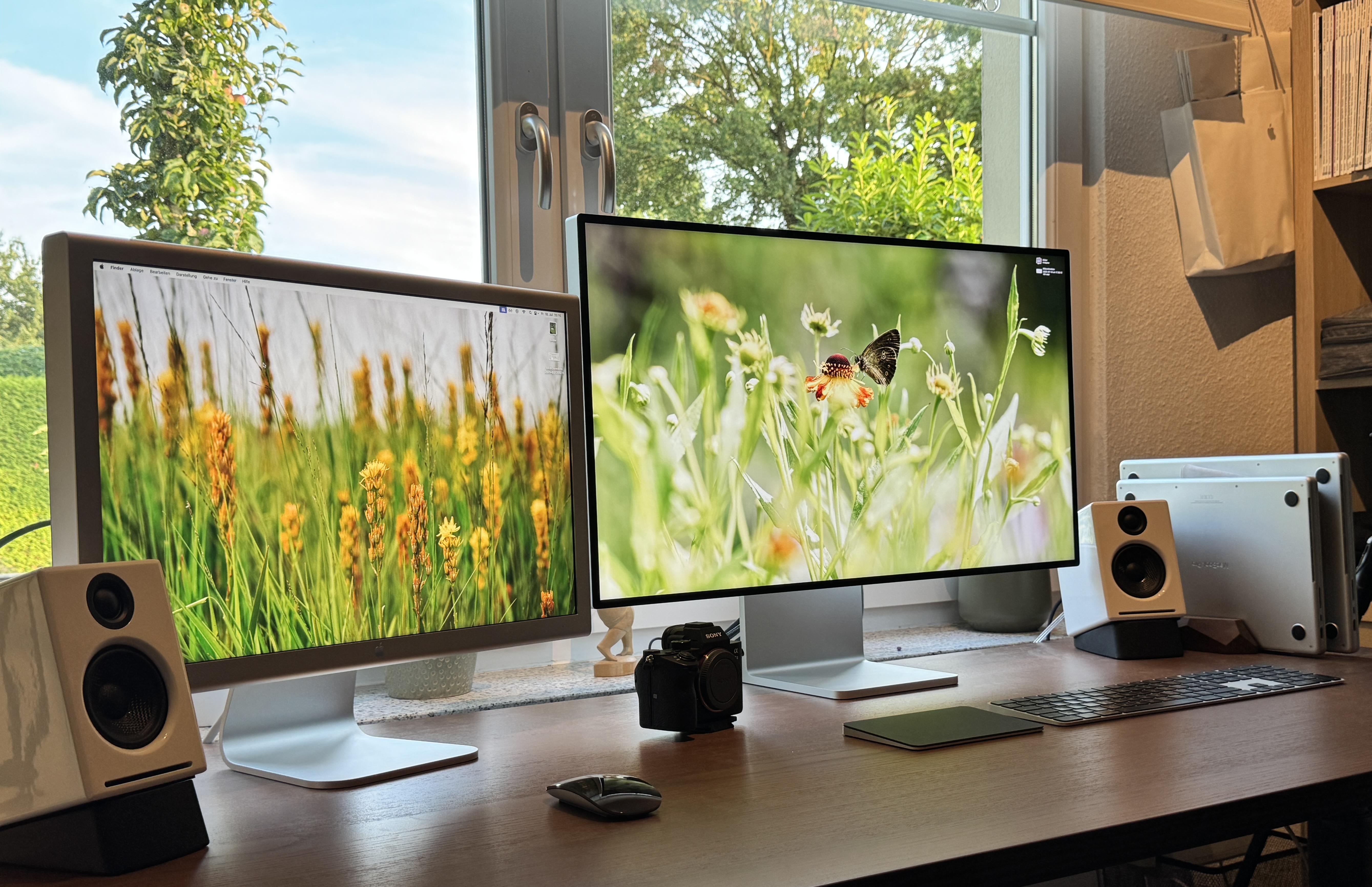
Photo: [email protected]
When your MacBook Pro takes up too much desk space, where do you put it? That’s the central question in this dual-MacBook Pro setup, where the user asked social media commenters for advice on how to get the laptops out of the way without taking them out of the loop. The setup also catches the eye for a different reason: it pairs an older Cinema Display with a newer external monitor. It’s an “odd couple” of Apple screens separated by years of design evolution. The combination works, apparently, because the user says they love both displays despite their considerable differences.
Read more: Try these brilliant MacBook mounting and storage tips
There's no better monitor for your Mac than Apple's 32-inch Pro Display XDR. Apple even sells a variant with a nano-texture glass that helps cut down on unwanted glare.
- Incredible 6K resolution
- Generous screen space
- Nano-texture glass option
- Expensive, and options add more cost

This under-desk or wall-mounted rack mount can hold a laptop, keyboard or other small devices like a cable box or router. It's great for keeping your MacBook hidden from view and out of the way.

This is a no-drill steel hanging desk organizer that can hold a connected laptop and other items. Great for the home office, it creates a storage area off the side of your desk.

9. His-and-hers MacBook Pro rigs make for matrimonial bliss
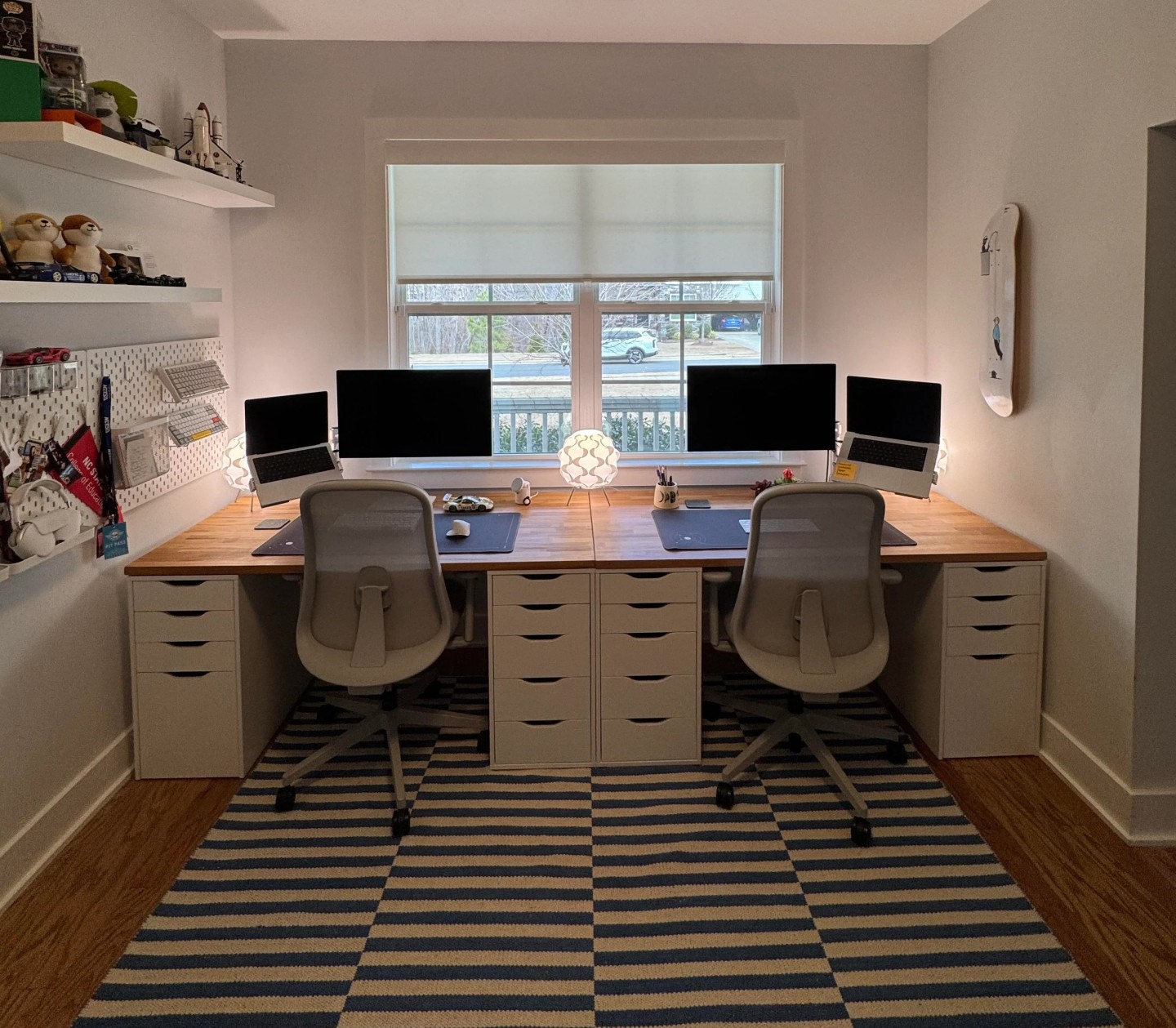
Photo: [email protected]
Dual workstations designed for couples are a genuine rarity in the world of setup posts, making this side-by-side his-and-hers MacBook Pro arrangement a welcome novelty. The spouses each have their own fully kitted-out MacBook Pro workstation, complete with Studio Displays, Viozen monitor mounts and Mode Designs Sonnet mechanical keyboards. The setup sits alongside a bank of windows, and the whole room doubles as a shared home office born out of expanded work-from-home arrangements. The user admitted they’re rarely in the room at the same time — which probably helps keep the peace.
Read more: His-and-hers MacBook Pro rigs make for matrimonial bliss
The renewed 16-inch Apple laptop features an M3 Pro chip, 36GB RAM and 512GB SSD storage. Space black color.
- Powerful M3 Pro chip
- Ample unified memory
- Not the latest model

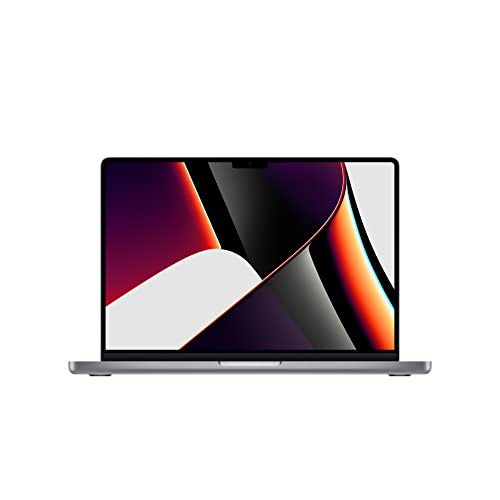
Apple's powerful M1 Pro MacBook Pro with a 14-inch display features an 8-core CPU and a 14-core GPU.
8. Gamer loves easily switching from MacBook Pro to PC
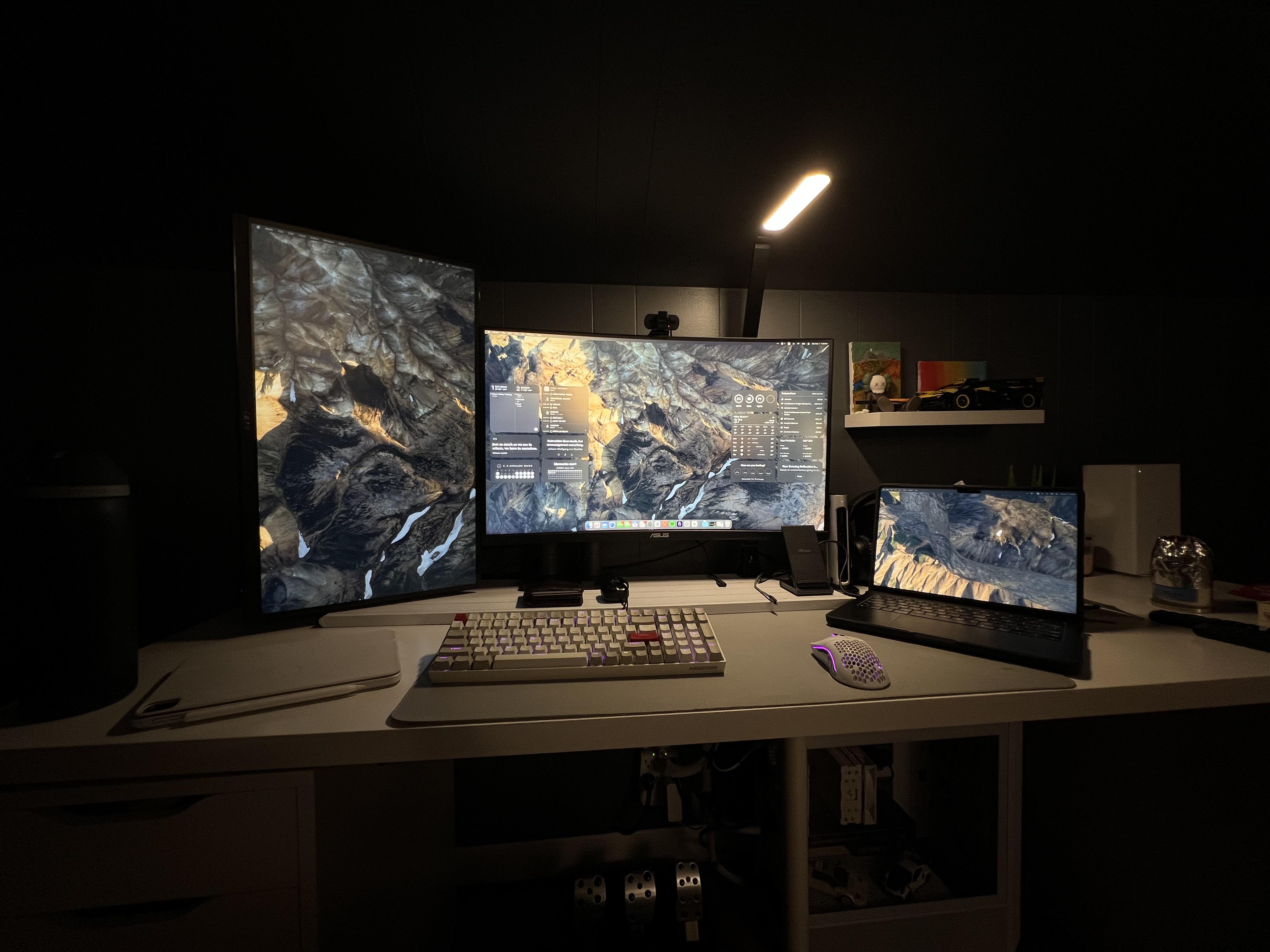
Photo: [email protected]
An M3 Pro MacBook Pro and a Windows gaming PC share the same desk, dual monitors and peripherals in this cleverly engineered setup. The secret weapon is a $70 KVM switch — a device that lets you flip between computers while keeping the same keyboard, video and mouse in play. Add in a Thunderbolt 3 dock for the Mac side and you’ve got a seamless, affordable way to shift between professional macOS workflows and Windows gaming without buying duplicate peripherals. The user put the whole thing together after adding the MacBook Pro to an existing gaming PC rig and not wanting to give up either machine.
Read more: Gamer loves easily switching from MacBook Pro to PC
This KVM switch lets computers share peripherals like keyboards, video monitors and mice. It supports 4K@120Hz and 8K@60Hz video via HDMI or DisplayPort for dual monitors and dual computers. Includes USB 3.0 cables and extended controller.
- Makes switching between Mac and PC easy
- Support for 2 computers and 2 displays
- 4K@120Hz and 8K@60Hz video support
- USB 3.0 isn't newest or fastest connectivity

This MacBook Pro-compatible and Intel-certified Thunderbolt 4 dock features 40Gbps data transfer speed, dual 4K 60Hz DisplayPort or HDMI support, 100W charging and Gigabit Ethernet.
- Fast data transfer speeds
- 4K@60Hz dual display support
- 100W charging for laptops
- Some docks feature higher-spec display support
- Thunderbolt 4 will lose ground to TB5

7. Compact MacBook Pro station wins for best use of space
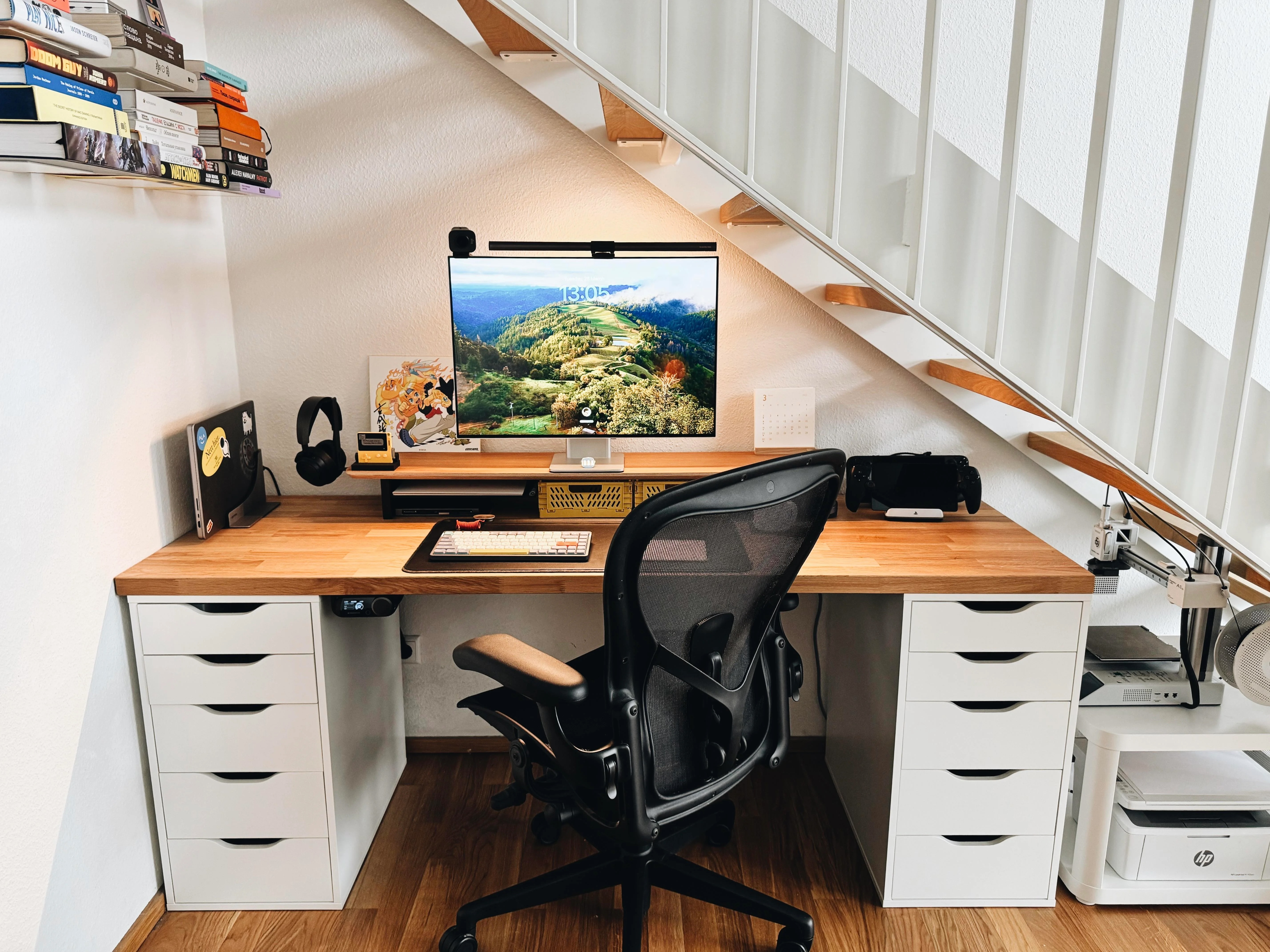
Photo: [email protected]
This M1 Pro MacBook Pro setup packs a remarkable amount of functionality into a nook carved out under a staircase. On an Ikea desk slotted under the stairs, this user runs a 28-inch Huawei MateView monitor, two docking stations, a BenQ Screenbar Halo, a Logitech StreamCam webcam and, impressively, multiple gaming systems including a Steam Deck, a PlayStation Portal and the retro Panic Playdate handheld. Two printers and a small book collection also live in the space. What could easily feel cramped instead comes across as impressively engineered — a testament to how much you can accomplish in a compact footprint if you’re strategic about every square inch of desk and shelf space.
Read more: Compact MacBook Pro station wins for best use of space
Apple's powerful M1 Pro MacBook Pro with a 14-inch display features an 8-core CPU and a 14-core GPU.
6. Developer sees the light in dual Studio Displays

Photo: [email protected]
A 14-inch M1 MacBook Pro anchors this dual Studio Display setup built by a developer who spent years experimenting with single- and dual-monitor configurations before landing on this one. The journey included a stint with dual 32-inch monitors — which they said “absolutely ruined it” for them — before eventually arriving at the conclusion that two 27-inch Studio Displays hit the sweet spot. Both panels connect directly to the MacBook Pro via individual Thunderbolt 4 cables, bypassing the need for a dock. The honest account of what didn’t work before this setup came together makes it more valuable than most.
Read more: Developer sees the light in dual Studio Displays
The 27-inch Apple Studio Display packs an impressive panel coupled with a six-speaker system and studio-quality microphones.
It’s not as beautiful as Apple's Pro Display XDR, but the Studio Display costs thousands less.
- Crystal clear 5K resolution
- Excellent color accuracy
- 12MP Center Stage camera
- Expensive
- Lacks HDR
- Height-adjustable stand costs extra
5. Gorgeous MacBook Pro rig reveals key cable-management tip

Photo: [email protected]
At first glance, this MacBook Pro setup looks entirely wireless — no visible cables, just a Studio Display, a vertical laptop stand and some subtle RGB desk lighting color-matched to a stunning Basic Apple Guy wallpaper. But of course cables are there, and Redditor kevohreal explains exactly how he hid them: a single six-foot Thunderbolt cable runs from the laptop to the display, zip-tied under the desk frame and channeled through a cable raceway that blends into the wall. It’s a deceptively simple tip that makes a dramatic visual difference. The setup lives on a standing desk, and the overall effect — clean, atmospheric and cohesive — is the kind of desk photo that looks almost too good to be true.
Read more: Gorgeous MacBook Pro rig reveals key cable-management tip
This 14.2-inch Apple laptop sports a speedy M2 Pro chip, 16GB unified memory and a 1TB SSD for storage. Available in space gray or silver colors.
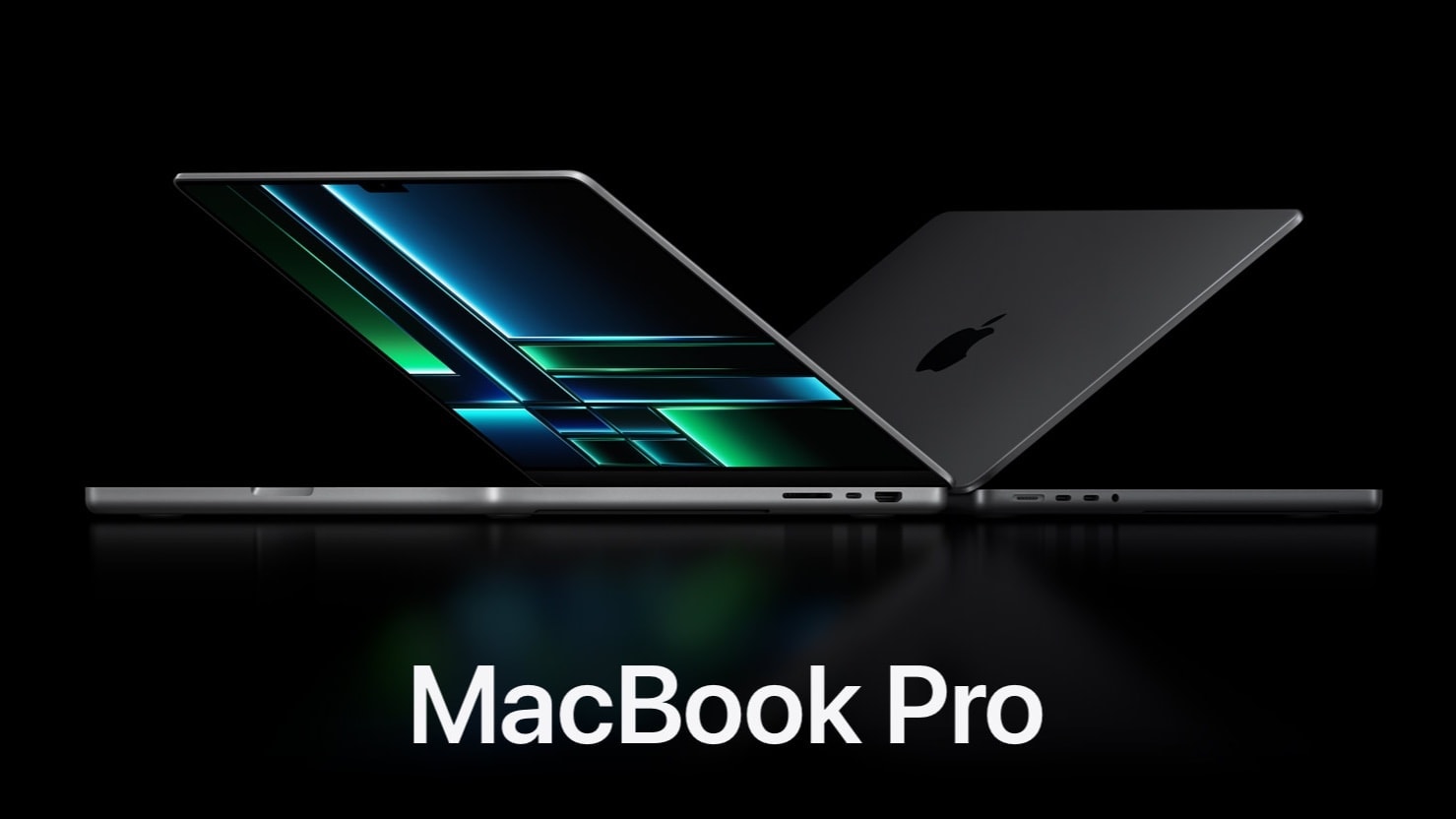
Smart LED light strips create great lighting the bedroom and other rooms. Includes Bluetooth LED lights, app control, multiple colors, music sync and more in 16.4-foot length.
- Customizable mood lighting
- Easy installation
- Expand with more strips
- Not great as task lighting

4. Cool dark MacBook Pro rig pairs HomePod minis

Photo: [email protected]
This user called this setup “a minimalist take,” but the moody under-desk RGB lighting gives it a dramatic atmosphere that anything but understated. A space black MacBook Pro drives a 34-inch curved ultra-wide LG 1440p monitor on a monitor arm, and an Xbox is looped in for gaming duties on the same screen. What really stands out is the audio: a pair of HomePod minis on stands positioned at the back corners of the desk, paired together for true stereo sound. AirPods Pro 2 handle personal listening. The underlit photography is striking — the paired HomePod minis appear as glowing black orbs in the shadows — making this one of the more visually atmospheric setups in the archive.
Read more: Cool dark MacBook Pro rig pairs HomePod minis
This 16-inch M2 Max MacBook Pro comes with a 38-core GPU, 32GB of unified memory and a 1TB SSD.

Apple's tiny but powerful smart speaker delivers surprisingly good audio for its size. Plus, it works well with the Apple ecosystem.
- Sounds sweet, especially in stereo pair
- Works great with Siri
- Comes in great colors
- More expensive than competition
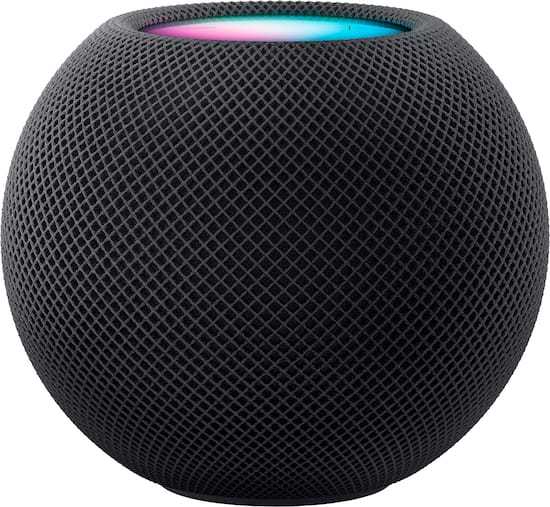
Compatible with Apple's HomePod mini, this stand provides a proper EQ, good indicator visibility and a stable mount.

3. Realforce R3 mechanical keyboard handles input for MacBook Pro

Photo: [email protected]
This M1 Max MacBook Pro setup is deliberately spare, which makes every piece of gear stand out — and the standout here is the Realforce R3 TKL mechanical keyboard, a $242 premium keeb built around Topre capacitive switches with adjustable actuation points. The user, a software developer, keeps his laptop open on a stand to use its 16-inch Liquid Retina XDR display as a second screen alongside a Studio Display. A pair of color-mismatched HomePods — one white, one midnight — provide in-room audio. An overarching LED desk lamp hovers over the setup. It’s a focused, high-quality build from someone who clearly knows what they want and doesn’t need any more than that.
Read more: Realforce R3 mechanical keyboard handles input for MacBook Pro
This tenkeyless (TKL) mechanical keyboard works via USB-C cable or Bluetooth 5.0 wireless connectivity (with up to four devices via Bluetooth). It packs genuine Topre capacitive switches.
- Topre mechanical switches
- Tenkeyless (TKL) compact size
- Bluetooth 5.0 isn't latest version
- Keyboard's a bit expensive

2. User wants to downsize ultra-wide display, jack up refresh rate
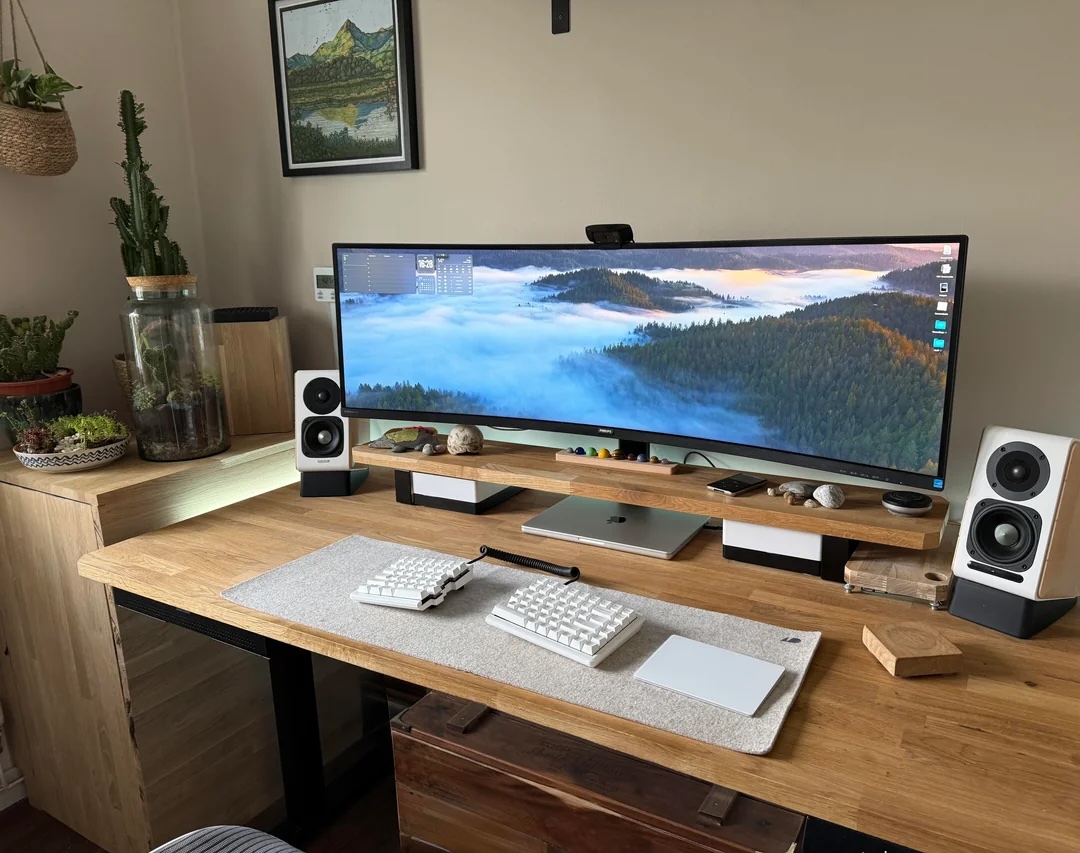
Photo: [email protected]
An M1 Pro MacBook Pro drives a mammoth 49-inch ultra-wide monitor in this setup — but the user is actually looking to downsize. They want something smaller with a higher refresh rate, having found the 49-incher a little too much of a good thing. Despite the upgrade itch, they’re genuinely impressed by how well the M1 Pro MacBook Pro continues to perform after years of heavy use. One particularly inventive touch: wanting Touch ID access without committing to the Magic Keyboard, the user devised a workaround that keeps their preferred Keychron mechanical keyboard in use while still having biometric login within reach.
Read more: User wants to downsize ultra-wide display, jack up refresh rate
Built for Apple Intelligence, Apple's top tablet features an Ultra Retina XDR Display, 1TB SSD, 12MP front/back camera, LiDAR Scanner, Wi-Fi 6E + 5G Cellular, Face ID, all-day battery life and more.
- Thin and light
- Beautiful display
- All-day battery life
- Expensive

Apple's popular keyboard is wireless, rechargeable and includes the popular Touch ID feature. Works with Mac computers with Apple Silicon; US English, white keys.
- Convenience of Touch ID login
- Fast and smooth typing
- Rechargeable
- Plenty of keyboards cost less

1. Behold ‘an Apple fan’s dream setup’

Photo: [email protected]
An M4 Pro MacBook Pro, an M4 Mac mini and a Studio Display share desk space in what its owner calls a dream setup — and for many Apple enthusiasts, it probably qualifies. The combination delivers serious pro-level horsepower in a tidy, aesthetically cohesive workstation. What makes it particularly interesting is the online conversation it sparked. When the user declared their rig a dream, commenters immediately started debating what an Apple fan’s dream setup actually looks like. Some argued for the Pro Display XDR; others made the case for going minimal. The discussion is a fun window into how subjective and personal the idea of a dream workstation really is.
Read more: Behold ‘an Apple fan’s dream setup‘
This Apple laptop features an M4 Pro chip with a 12-core CPU, a 16-core GPU and the same lightweight design we all know and love. Available in space black or silver.
- 14.2-inch Liquid Retina XDR display
- 24GB unified memory (configurable from 16GB to 36GB)
- 512GB SSD storage (configurable to 1TB)
- Same design as previous models
The 27-inch Apple Studio Display packs an impressive panel with nano-texture glass helping cut down on unwanted reflections. It's backed by a six-speaker system and studio-quality microphones. The display delivers deep Apple ecosystem integration, making it stand out from the crowd.
- 5K resolution
- 12MP Center Stage camera
- Six-speaker sound system
- Nano-texture glass cuts down reflections
- No HDR support
- Height-adjustable stand costs extra


David Snow, an expert on Apple hardware and software, writes on a variety of technological and cultural topics for Cult of Mac. They include Apple news, technology buying guides, and features about computer setups and Apple TV shows and movies.
With 30 years of experience covering technology and other subjects, he has written and edited for numerous print and online publications, including CMP Media, TechTV.com, CNET, Wired News, Red Herring magazine, Law.com, The National Law Journal and Law Technology News magazine. Among other roles, he served as executive editor of the Law.com network of websites and editorial director, technology, for ALM Media.
Snow graduated with a B.A. from Syracuse University with majors in magazine journalism and psychology. While there, he worked as a reporter for The Daily Orange newspaper and associate editor of Equal Time magazine.
Founder of the blog At the Waterline, he can be reached on X (formerly Twitter) via @atthewaterline and on Mastodon via @dsnow.

