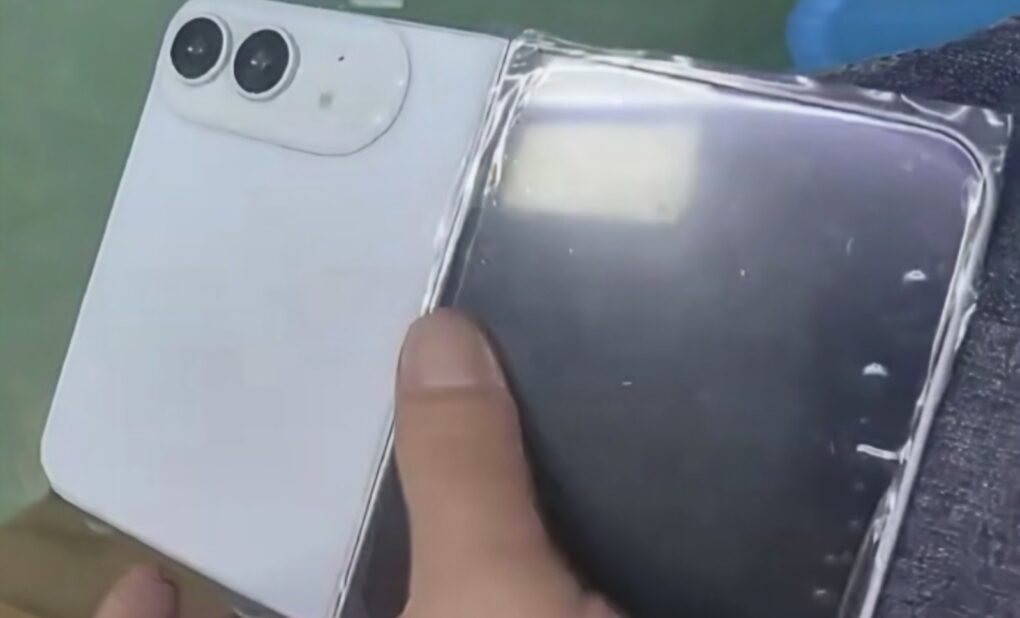
Regarding the leaked image, some suggest if he had the device, he'd put out more and better images of it. Photo: Ice Universe, Weibo
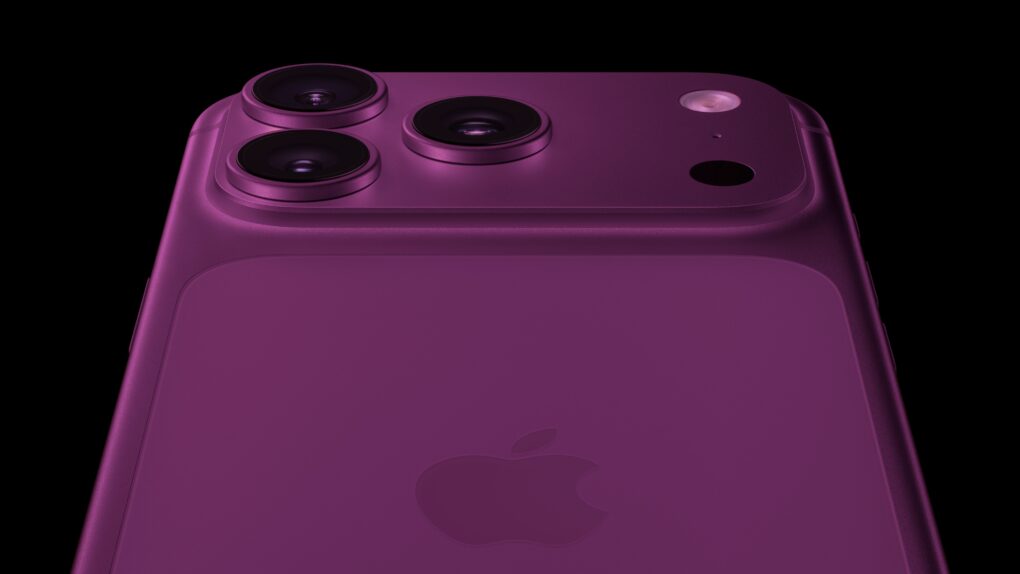
Apple’s long-awaited foldable phone took another step out of the shadows on Monday, as a flurry of new leaks put a face — and a few specs — to a device the company has yet to officially acknowledge.
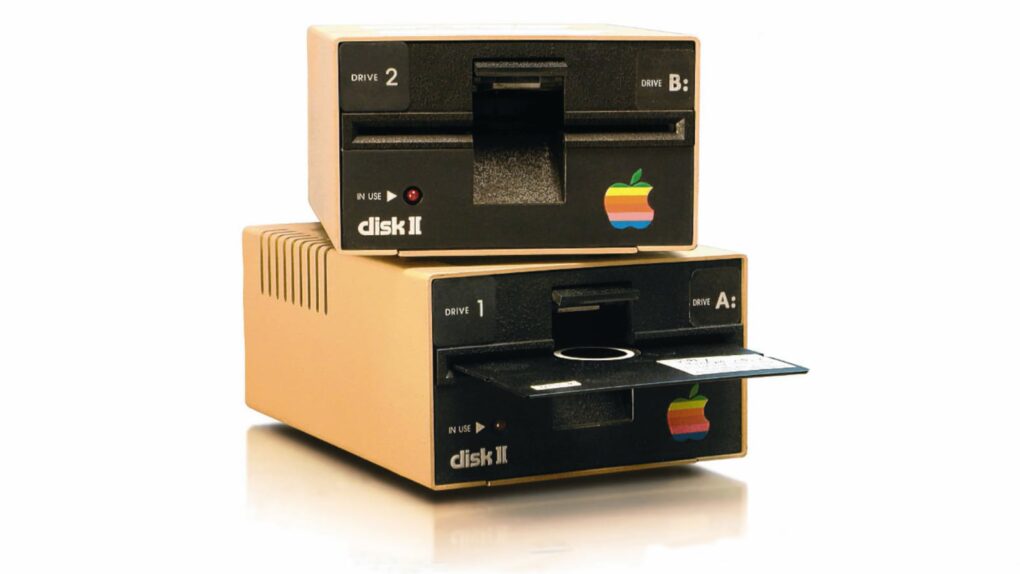
The Disk II floppy drive was anything but a flop for Apple. Photo: Wikipedia CC
June 1, 1978: Apple launches the Disk II floppy drive, one of the company’s most important peripherals ever.
The best floppy drive available at the time, Disk II solves the Apple II computer’s most glaring weakness — a lack of storage. It also helps establish Apple’s flair for handsome profit margins.
Being able to easily swap out the battery could adds years of life to these premium cans. Photo: Sennheiser
New Sennheiser Momentum 5 Wireless over-ear headphones bring Dolby Atmos Spatial Audio, upgraded noise cancellation and one killer feature major players like Apple and Bose will have to consider adding — a user-replaceable battery, which can greatly extend the life of the product.
The new Sennheiser cans arrive June 16 for $399.99.
Don't choose a stupid name for a Bluetooth accessory you bring on a plane. Photo: 정규송 Nui Malama/Pexels
Think for a minute. What’s the absolute worst name you could give a Bluetooth accessory you’re going to take on a plane? A teenager on a flight from Spain reportedly chose one so bad that it caused the airliner to turn around halfway and return to New Jersey.
It’s a warning that airlines do not have a sense of humor, and you’re probably not as clever as you think you are.
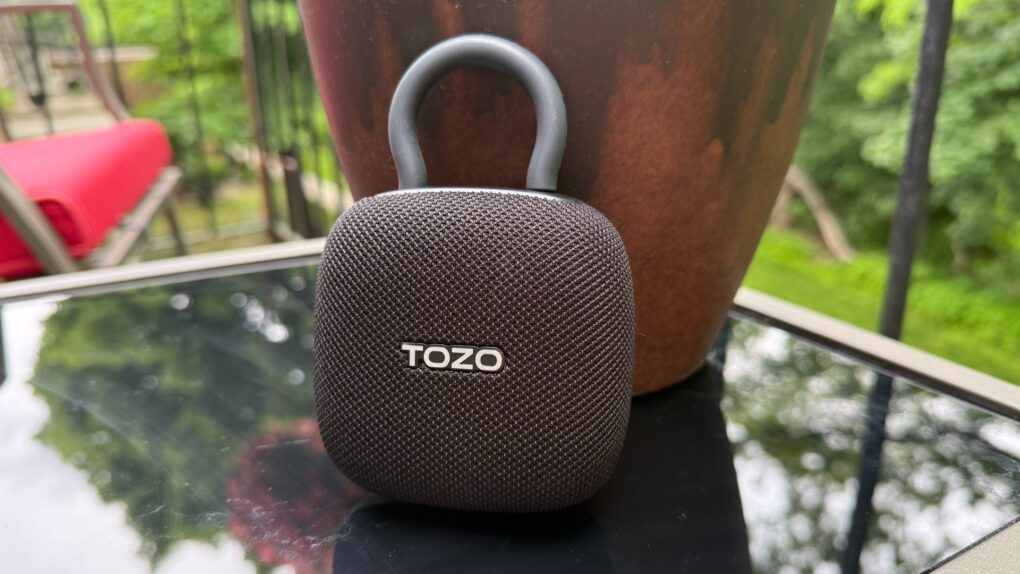
★★★★☆
Tozo's PE1 just might be the tiny addition your audio arsenal needs. At its low price, why not? Photo: David Snow/Cult of Mac
Apple users live in one of the most polished hardware ecosystems on Earth. Every accessory entering that orbit gets held to a higher standard — not just for specs, but for how effortlessly it fits in. My Tozo PE1 Portable Wireless Speaker review concludes that the tiny gadget finds a place quite easily, with great sound, fantastic portability and solid durability. Plus it’s incredibly inexpensive.
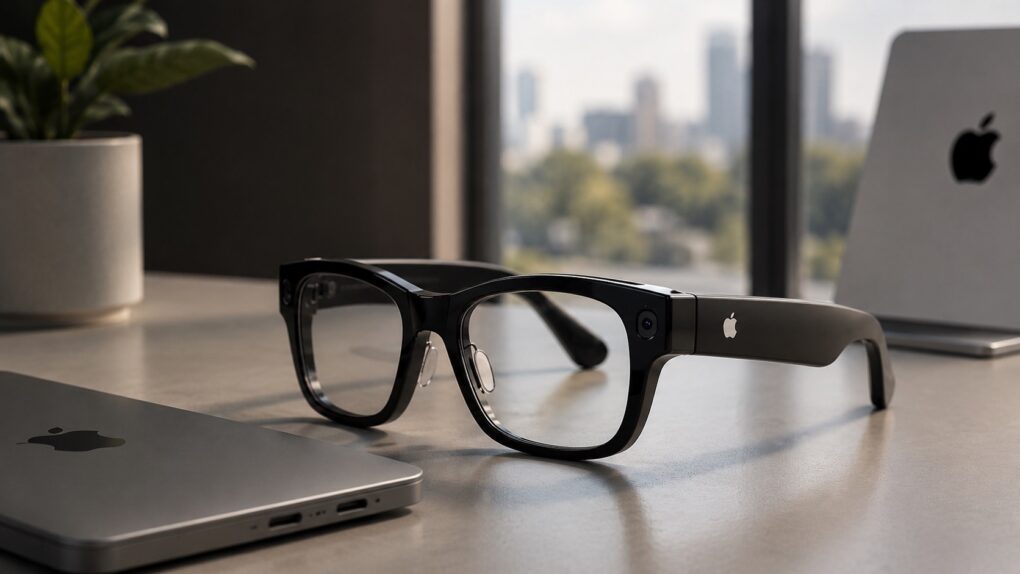
Apple Glasses is over a year away from launch. AI image: ChatGPT/Cult of Mac
Apple’s first smart glasses will reportedly stand out based on strong brand value, “industrial design and iPhone integration,” according to new information that surfaced Sunday.
The company will seemingly launch its first smart glasses near the end of 2027.
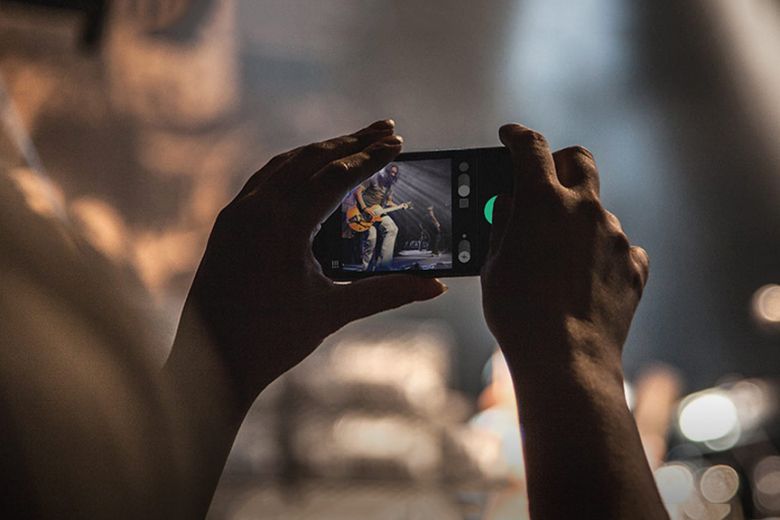
A big Chicago daily pulls the plug on staff photographers. Photo: HypeBeast
May 31, 2013: The Chicago Sun-Times fires all 28 of its photographers, with the goal of training its staff to shoot photos using iPhones instead. Pulitzer Prize winner John H. White is among those who lose their jobs.
The move is significant not just because of what it says about the declining newspaper industry. It also spotlights the iPhone’s growing acceptance as a professional camera.
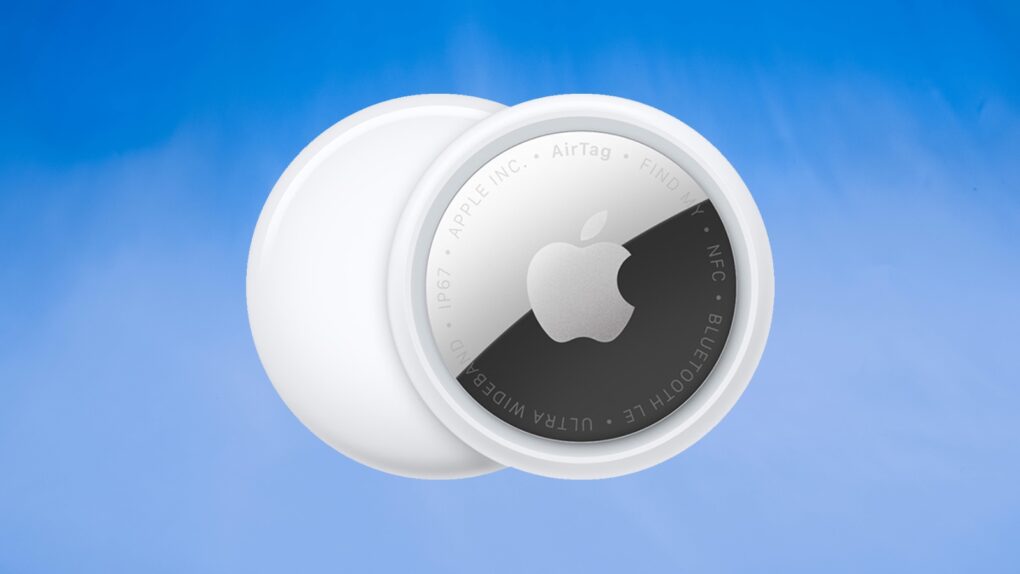
AirTag 2 makes a great low-cost pet tracker for cats (or dogs). Photo: Ed Hardy/Cult of Mac
Don’t let your beloved cat or dog wander around without some kind of tracking device. If your fuzzy buddy goes missing, you’ll regret not having some way to locate them.
And the good news is it’s cheap and easy. I put Apple’s AirTag 2 on my cat’s collar as a pet tracker, and it’s going very well. Here’s why you should consider it for your own pet … including replacing a first-gen model.
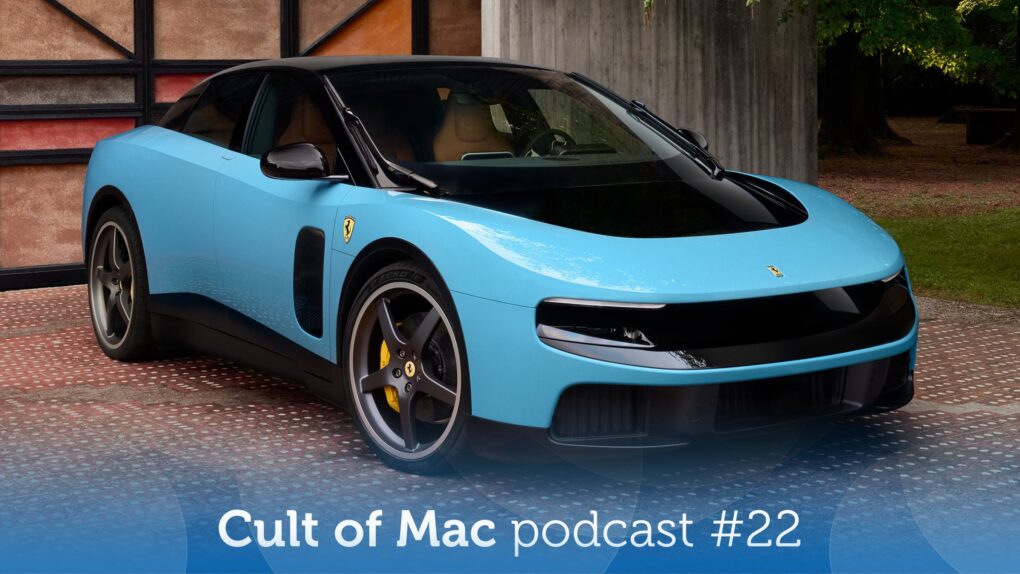
That ain't no Apple car, but it's close! Image: Ferrari/Cult of Mac
This week on the Cult of Mac podcast: The new Ferrari Luce is a $540,000 electric vehicle that’s the closest thing to an Apple car we’re ever going to see. That’s no surprise, considering the key role ex-Apple design chief Jony Ive played in crafting the EV.
We discuss the good, the bad and the laughable about the car (and fantasize about sliding behind the wheel).
Also on the Cult of Mac podcast:
A last-minute bombshell gives us an awfully good look at what the new AI-powered Siri — and the rest of iOS 27 — will look like. It’s filled with major spoilers for the WWDC26 keynote, which is coming on June 8. Tim Cook must be seething!
A long-overdue tweak in iOS 27 should make it easier to use AirPods‘ advanced features. We’re thrilled. But will the changes go far enough?
And finally, special guest Christina Warren returns to join in on all the fun. Plus, she gives us an update on what’s going on at GitHub amid the AI frenzy.
Listen to this week’s episode of the Cult of Mac podcast in the Podcasts app or your favorite podcast app. (Be sure to subscribe and leave us a review if you like it!) Or watch the video version, embedded below.
Master your photos. No computer nor equipment required. Image: D. Griffin Jones/Cult of Mac
Who needs a computer or expensive photo editing software like Adobe Lightroom? You can edit pictures right on your iPhone with Apple’s free, built-in tools.
The Photos app comes with a ton of professional editing tools baked into it. If you didn’t line your shot up quite right, you can fix the crop and perspective. If you took it a split second too late, you can use Live Photo functionality to replace the shot. You can add a Portrait mode blur after the fact, and even change which part of the image is in focus.
Here are the eight great editing tools built right into your iPhone.
Updating AirTag firmware is easy. But it requires patience. Image: Apple/Cult of Mac
Apple is rolling out a firmware update for the AirTag 2. The new version 3.0.49 is a simple bug fix update, though, without new features.
Still, you’ll probably want it, but it turns out that updating the AirTag’s software is both easy and hard. You don’t need to jump through hoops, but neither do you have much control.
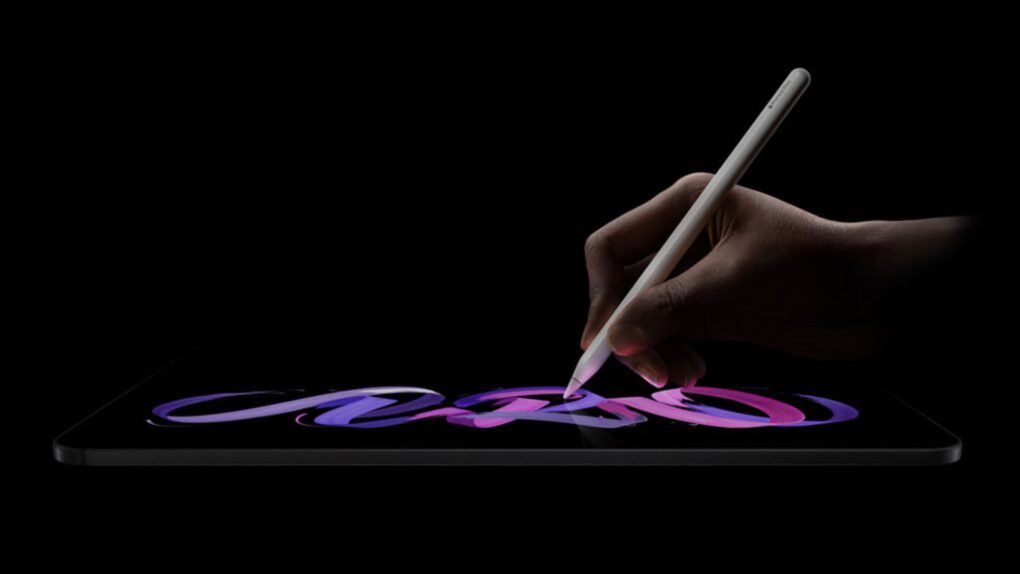
Apple’s nano-texture glass cuts glare, but comes with some downsides. Photo: Apple
Apple charges $100 to add nano-texture glass to the iPad Pro, and even more if you want to add the anti-glare tech to a MacBook Pro. The technology is undoubtedly impressive, but the real question is whether your work requires it.
Here’s what you need to know before spending your money on Apple’s matte display tech.
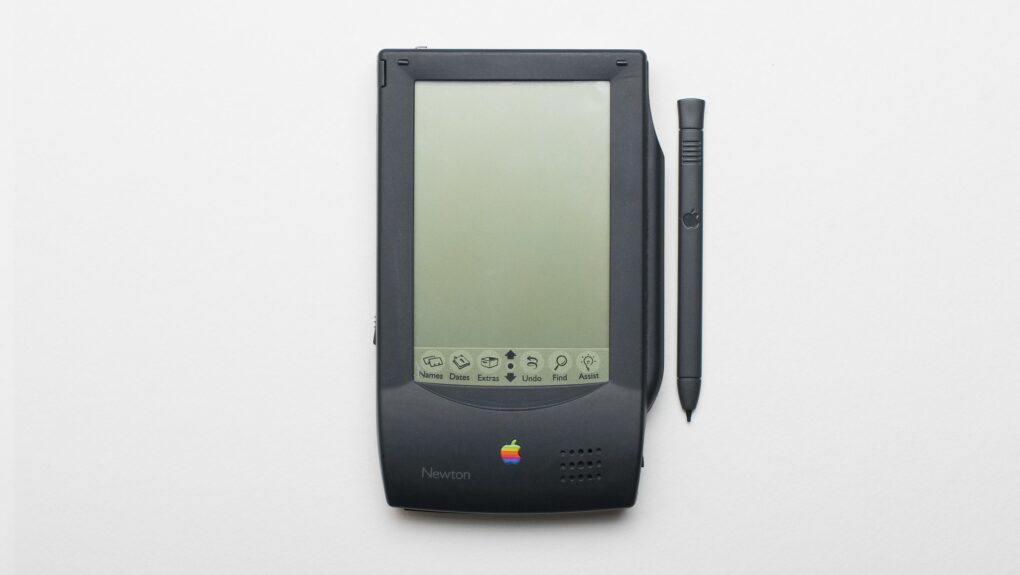
The Newton MessagePad was truly a device ahead of its time. Photo: Grant Hutchinson/Flickr CC
May 29, 1992: Apple demonstrates its Newton MessagePad for the first time, showing how the upcoming PDA can be used to order a pizza and pull off other time-saving tricks.
Hailed by Apple CEO John Sculley as “nothing less than a revolution,” the Newton is Apple’s first major new product since the original Macintosh shipped eight years earlier. During the first Newton demo at the Consumer Electronics Show in Chicago, Apple shows how people can customize a pizza by moving topping icons on a symbolic pie. Then they can fax the order straight from the device.
This Mac Studio and Studio Display setup is a gamer's paradise, with six gaming systems.
Photo: [email protected]
Mac gaming has a complicated history — years of sparse game libraries and hardware that PC gamers dismissed out of hand. But something shifted with Apple silicon, and the Cult of Mac Setups archive has tracked it in real time. Here are the best Mac gaming setups from the past several years.
Apple is betting big on local AI processing. Graphic: Apple/Google
Apple will reportedly play up the on-device AI prowess of its devices next month during its Worldwide Developers Conference keynote. The company will supposedly highlight how its A-series and M-series chips allow AI models to run locally for better efficiency and privacy.
With Apple’s competitors aggressively pushing cloud-based AI features, the company will likely position on-device AI as a key advantage of its ecosystem throughout WWDC26.
Try out this Mac-compatible PDF editor and converter instead of the pricey Adobe Acrobat Pro. Photo: Cult of Mac Deals
Ever been annoyed when someone sends you a PDF instead of a file you can edit? An all-in-one PDF editor like AcePDF Converter & Editor can help, and it doesn’t need to cost a fortune.
Lifetime licenses for the Mac PDF app are on sale for $24 with code PDF20 (regularly $99.99).
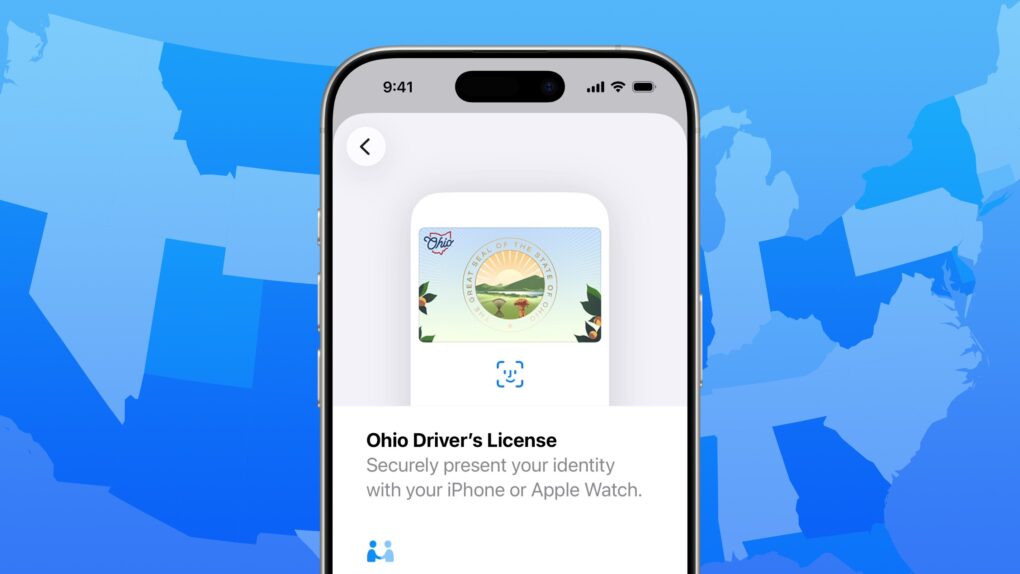
Does your state support digital IDs? Image: D. Griffin Jones/Cult of Mac
When will you be able to add your driver’s license or state ID to Apple Wallet on your iPhone? In the United States, it varies by where you live. It’s not up to Apple: Each state and territory maintains a completely independent registry of drivers and identification cards, so each one must independently pass legislation and implement digital IDs.
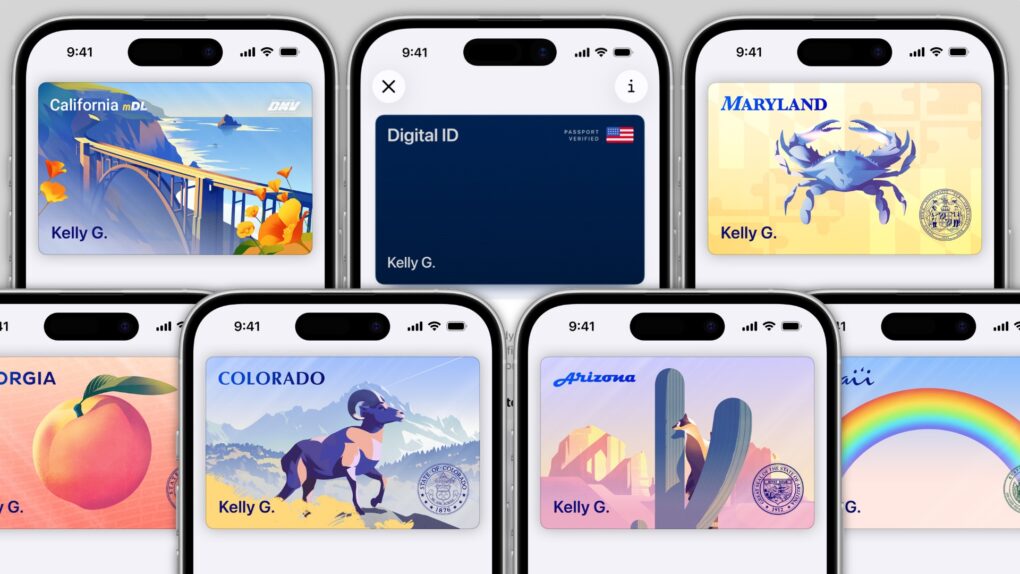
If you live in Arizona, Arkansas, California, Colorado, Georgia, Hawaii, Illinois, Iowa, Maryland, Montana, New Mexico, North Dakota, Ohio, Puerto Rico or West Virginia, you can do it today. (Our guide will show you how to add your driver’s license to Apple Wallet.) Otherwise, check our map and lists below to see how likely your state is to let you add your ID to Apple Wallet, and when it might happen.
In several states, Apple’s state ID initiative enables iPhones and Apple Watches to hold a digital copy of the user’s driver’s license, in the same way these devices store credit cards and airline tickets. And across the United States, you can create an Apple Digital ID based on your passport that can get you through some airport security checks.
The day when an iPhone can completely take the place of an old-fashioned wallet remains years away, but it’s a goal Apple is working toward. Apple Pay is making progress on replacing credit cards, you can put airline tickets in the Wallet app, and the same goes for loyalty cards.
But no wallet is complete unless it can hold an ID. And that’s where Apple’s digital ID initiative comes in. Here’s what you need to know to add your driver’s license, state ID or federal passport to your Apple Wallet.
Apple is hard at work creating the new Siri. AI image: Apple/ChatGPT/Cult of Mac
As Apple prepares what could be its most consequential software release in years with iOS 27 at WWDC26, we get our first real glimpse at what an overhauled Siri and other Apple Intelligence features may look like, courtesy of Bloomberg. It mocked up a bunch of illustrations in a new report Thursday.
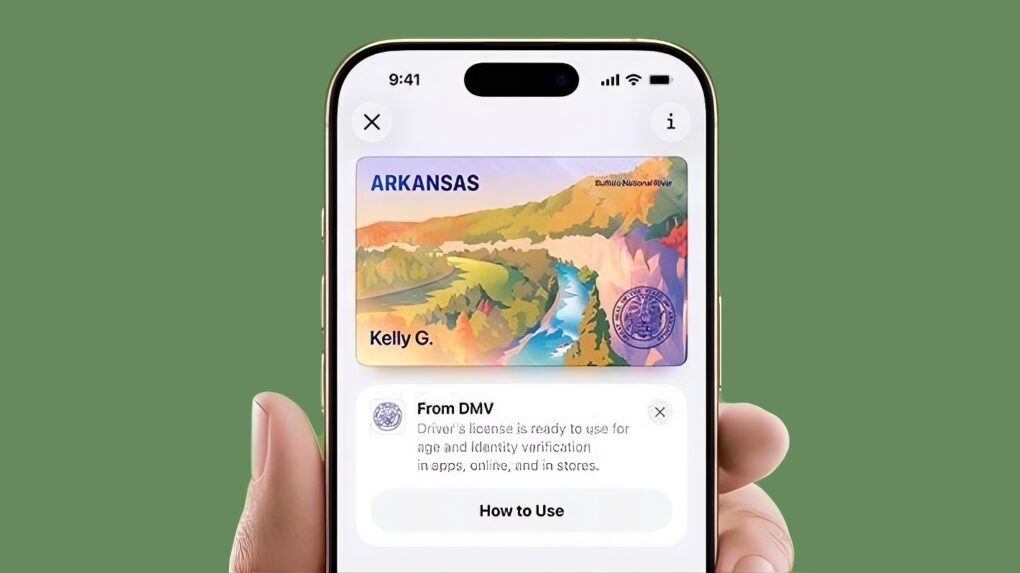
Your Arkansas driver’s license can go into Apple Wallet on your iPhone or Apple Watch. Image: Arkansas Department of Finance and Administration
Arkansas residents can now add their driver’s licenses and state identification cards directly to Apple Wallet, allowing iPhone and Apple Watch users to present a digital version of their ID at supported locations across the United States.
The Arkansas Department of Finance and Administration announced the rollout on Wednesday, expanding the state’s Mobile ID program that first launched in 2025. The move makes Arkansas the fifteenth U.S. state or territory to support Apple’s digital ID program.
The iPad finally went international on this day in 2010. Image: Apple
May 28, 2010: Customers across Europe and Asia queue up to buy the iPad when the international launch date for Apple’s original tablet finally arrives.
The reason for the gap between the iPad’s U.S. launch in early April and its international debut more than a month later? Unexpectedly strong demand for the groundbreaking device.
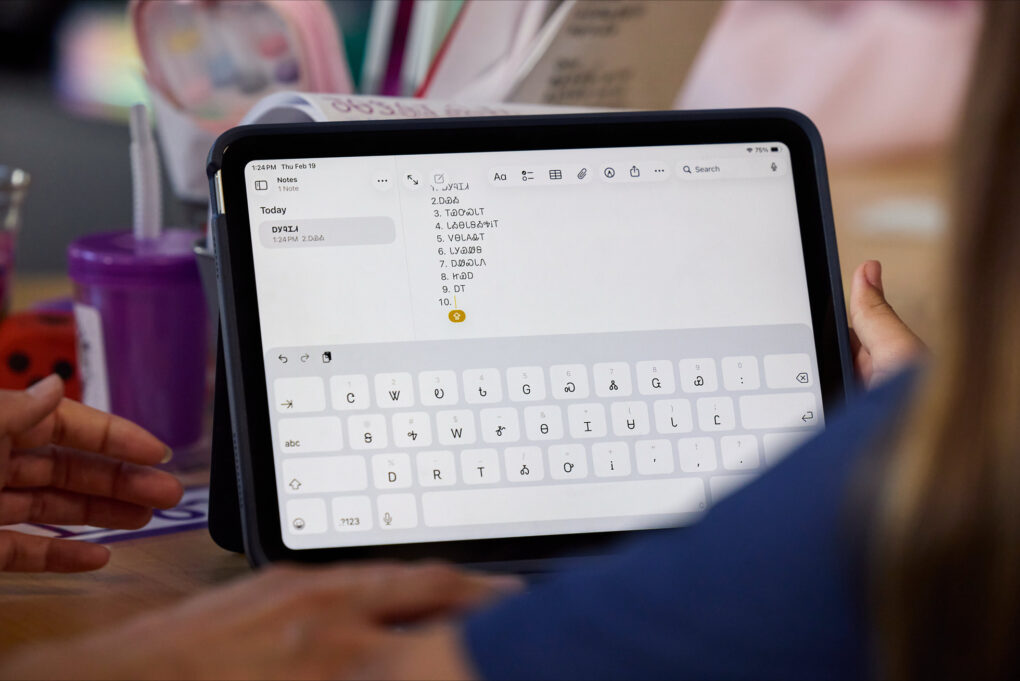
Students use iPad to study the Cherokee language. They write out words and phrases in Notes and record themselves speaking them aloud to practice good pronunciation. Photo: Apple
In the hallways of the Cherokee Immersion School in Tahlequah, Oklahoma, a quiet revolution is underway. Students from pre-kindergarten through eighth grade are learning to speak a language that fewer than 1,500 people in the world still speak fluently — and Apple technology is helping make it happen as iPad and Mac revitalize Cherokee language, the iPhone giant reported in a new feature story Thursday.
“The technology that we utilize with Apple has allowed us to take everything that we really are trying to achieve here, which is the perpetuation and the revitalization of Cherokee language and culture, and use that same technology to make it relevant to the young people that are learning here,” said Chuck Hoskin Jr., Cherokee Nation’s principal chief.


 June 1, 1978: Apple launches the Disk II floppy drive, one of the company’s most important peripherals ever.

 May 31, 2013: The Chicago Sun-Times fires all 28 of its photographers, with the goal of training its staff to shoot photos using iPhones instead. Pulitzer Prize winner
 May 30, 2013: Apple marks the sale of the 100 millionth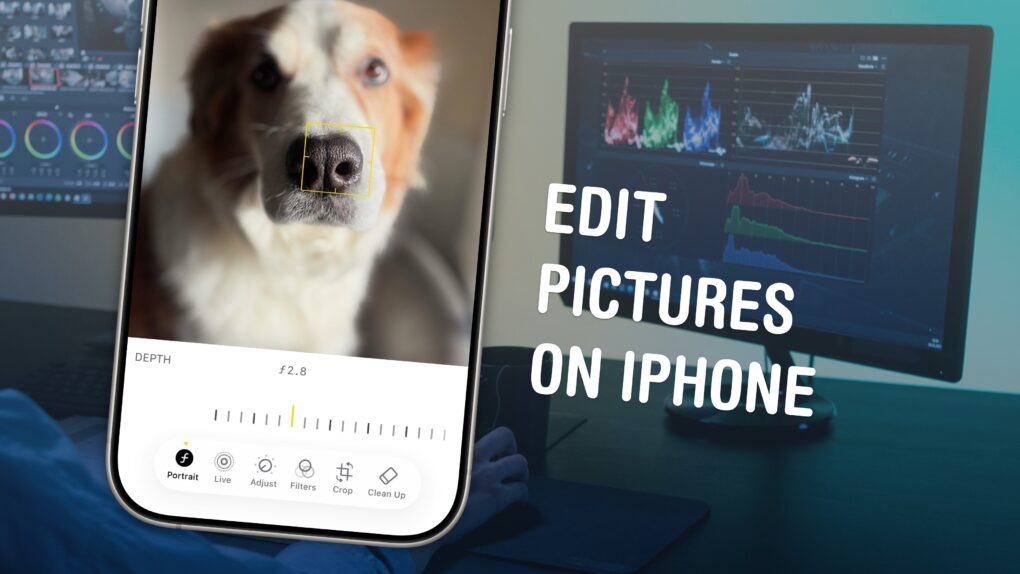
 May 29, 1992: Apple demonstrates its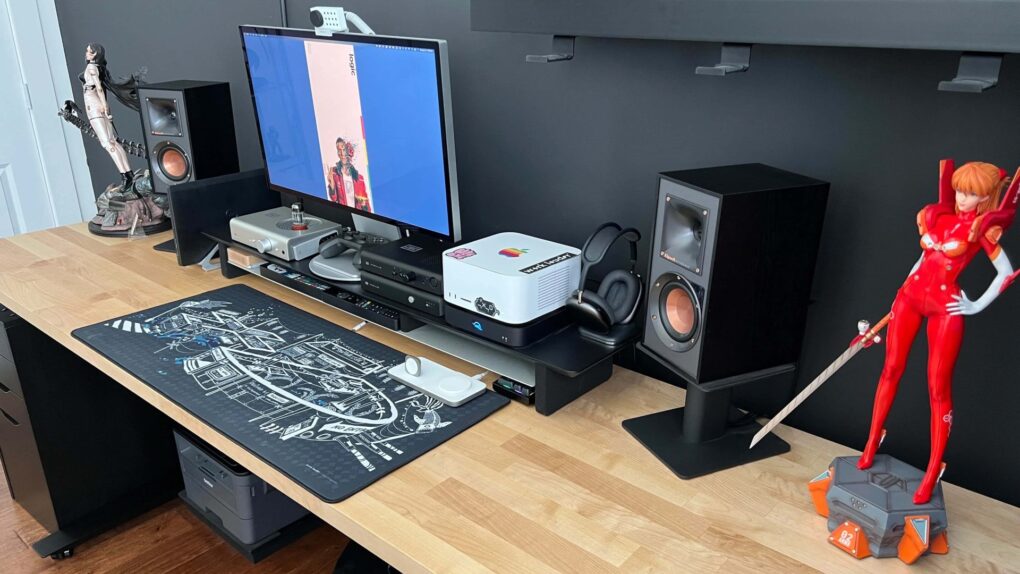

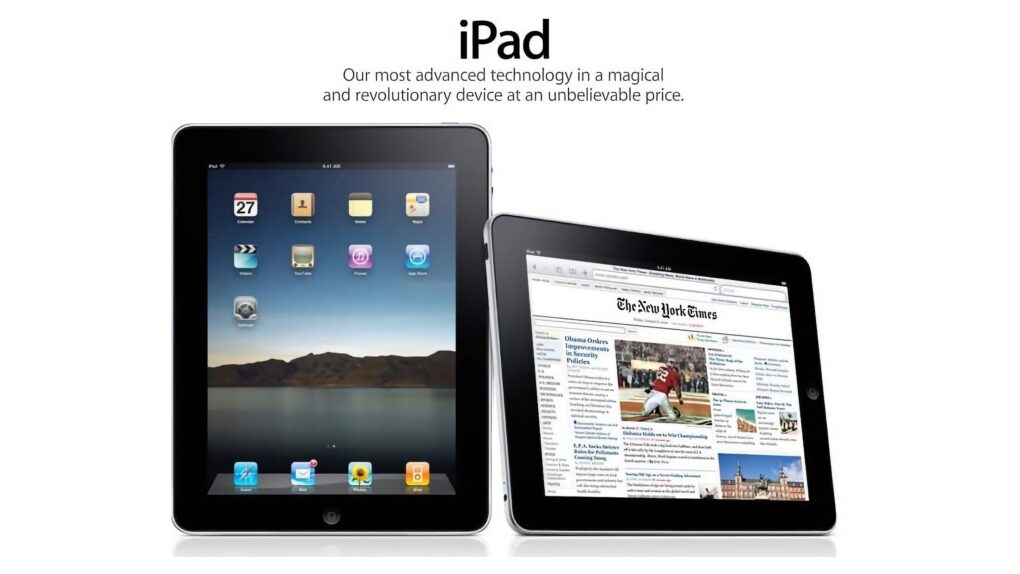
 May 28, 2010: Customers across Europe and Asia queue up to buy the iPad when the international launch date for Apple’s original tablet finally arrives.