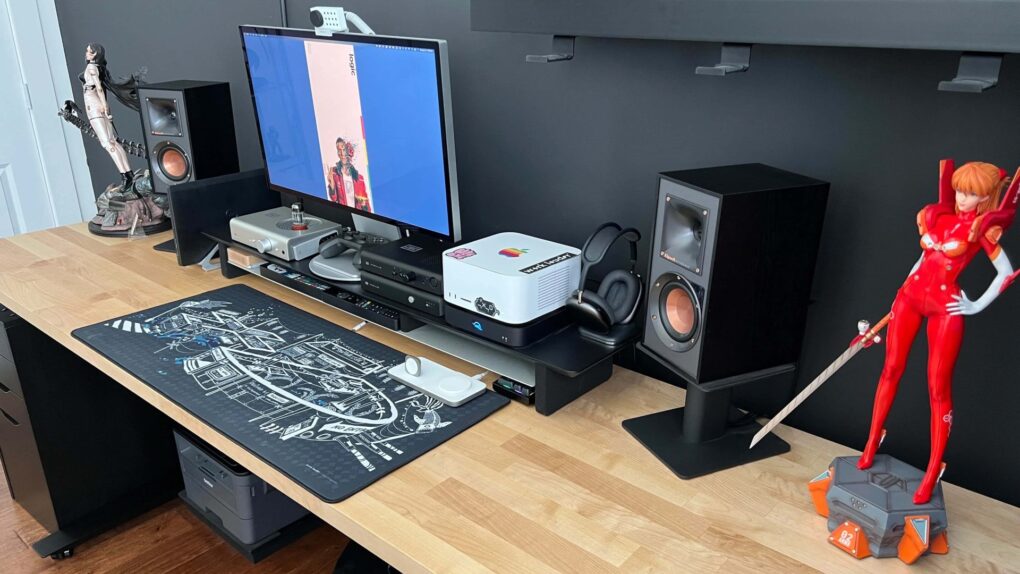
Mac gaming has a complicated history — years of sparse game libraries and hardware that PC gamers dismissed out of hand. But something shifted with Apple silicon, and the Cult of Mac Setups archive has tracked it in real time. Here are the best Mac gaming setups from the past several years.
This post contains affiliate links. Cult of Mac may earn a commission when you use our links to buy items.
Best Mac gaming setups
Today’s Mac gamer is a varied creature. Some pair a MacBook Pro with a gaming PC on the same desk where each machine gets its own premium display. Others go the console route, parking a PS5 or Xbox Series X beside a Mac Studio with a single monitor. And some native Mac gamers have discovered powerful Apple silicon chips can actually run demanding titles credibly. And finally, some are full-on collectors. They might boast arcade cabinets, Nintendo Switches, gaming handhelds and RGB-drenched battle stations that happen to include some Apple products.
The following 15 setups represent the full breadth of what Mac gaming culture has become. We organized it by how seriously they take the gaming dimension, from lightest touch to maximum commitment.
15. These wild gaming light bars look like antennas
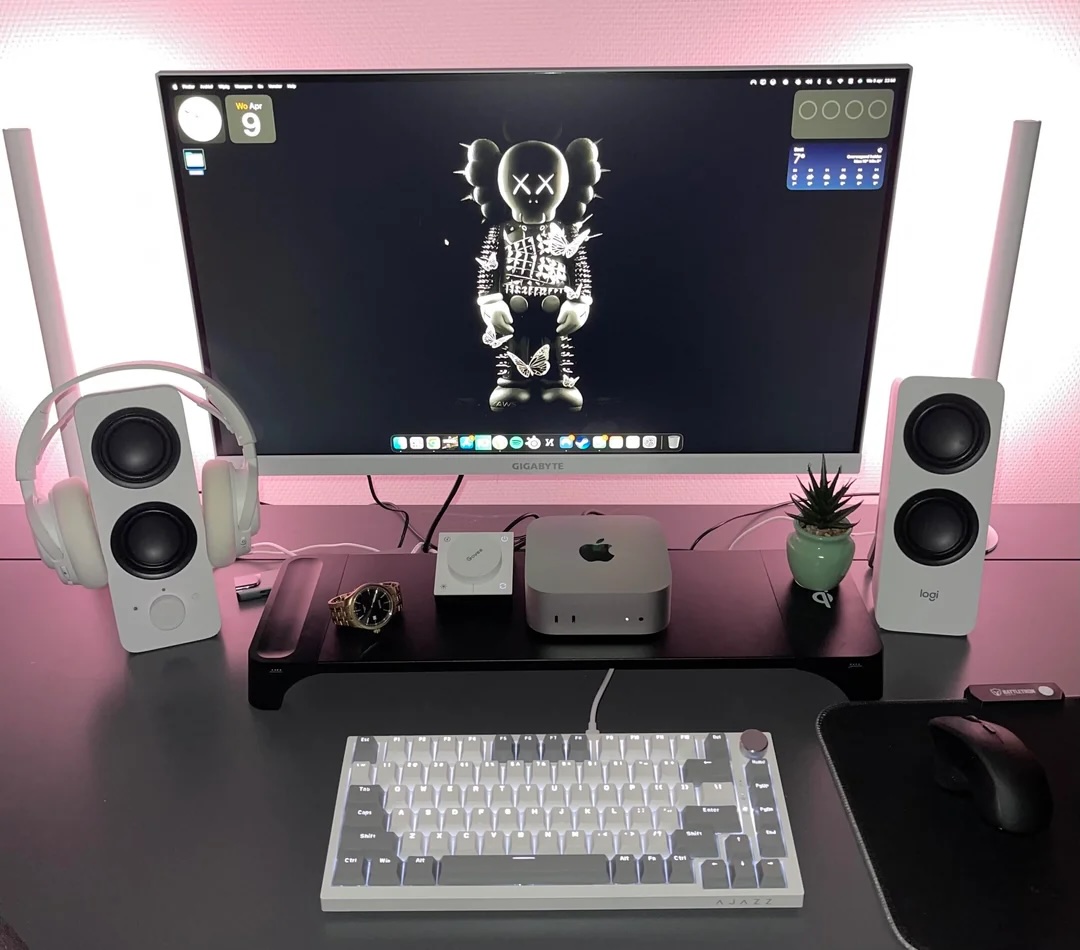
Photo: [email protected]
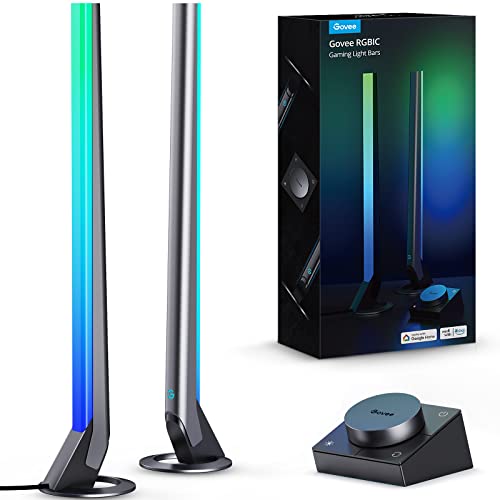
This user runs an M4 Mac mini for everyday computing. But they freely admit gaming happens on a Sony PlayStation 5. The standout visual element of the setup is a pair of Govee Gaming Light Bars. They’re tall, stick-like LED lamps positioned behind the monitor that pulse and shift color in sync with game audio. “I haven’t tested heavy gaming on the Mac because I use my PS5 for gaming,” the user said. “But light games like RuneScape, Dredge, etc. are working fine.” The light bars look like alien antennas in photographs. They represent the aesthetic sensibility of gaming culture applied to a fairly conventional Mac mini workstation. And they genuinely transform the look of the space.
Read more: These wild gaming light bars look like antennas
PS5 unleashes new gaming possibilities. You get fast loading with an ultra-high speed SSD, deeper immersion with support for haptic feedback, adaptive triggers and 3D Audio, and a new generation of games (CFI-1102A).

Equipped with a smart controller, these Wi-Fi smart LED gaming lights include music modes and 60+ scene modes. Works with Alexa and Google Assistant (H6047).
- Enhances immersive gaming
- Smart controller
- Works with Govee app
- Not made for Siri or Homekit
14. iMac-based gaming rig shows off RGB lighting
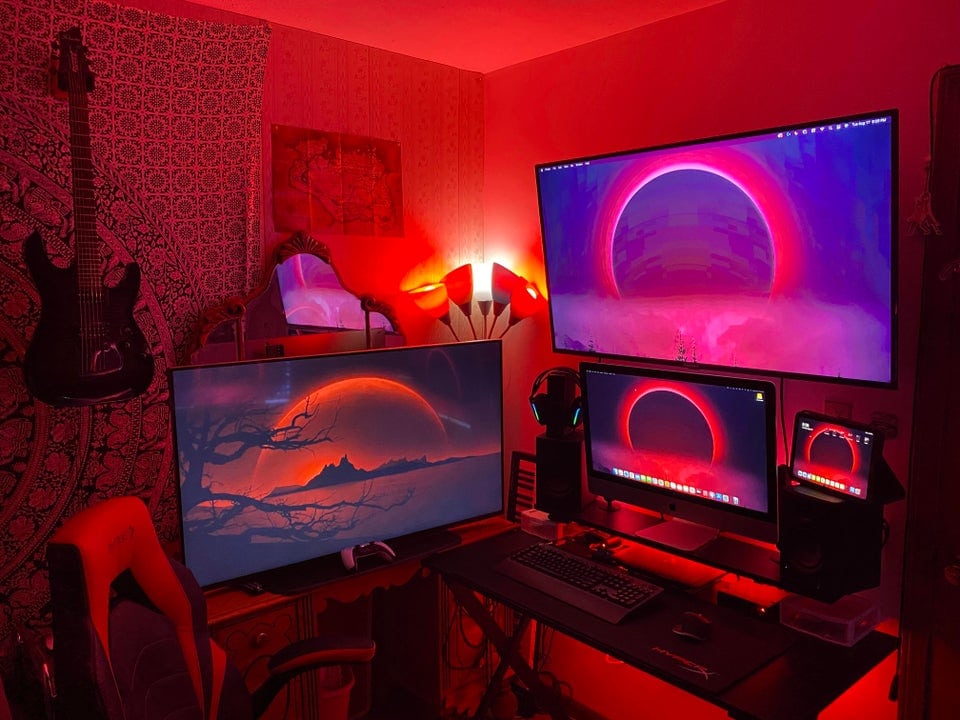
Photo: [email protected]
A 2020 Intel iMac 5K handles music production and light gaming at the center of this multi-machine setup. Two Samsung televisions flank it. The TV on the left is where serious gaming happens, paired with a PS5 Disk Edition. The user keeps an M1 MacBook Air (16GB) and an HP Pavilion Gaming Laptop in the mix too. It makes this a three-computer, two-TV, one-console workstation. It handles music production, productivity, gaming and video all from a single organized desk. The RGB lighting — strips and panels throughout — gives the setup a vivid, colorful glow. And the iMac holding center stage amid the gaming equipment is an interesting statement of priorities.
Read more: iMac-based gaming rig shows off RGB lighting
This mini desktop computer's M4 chip packs a 10-core CPU and 10-core GPU for plenty of processing power. Multiple ports for connectivity include Gigabit Ethernet. Works with iPhone/iPad.
- Powerful M4 chip
- Starts at 16GB unified memory
- Several SSD storage size options
- Headphone jack on front
- BYODKM (bring your own display, keyboard and mouse)

The LG NanoCell 80 Series 50-inch Smart TV features built-in Alexa, AI support, 4k resolution (3840 x 2160p) and a 60Hz refresh rate 60Hz (model 50NANO80UPA, 2021).

13. Dual M1 Mac and PS5 gaming rig boasts blazing-fast displays
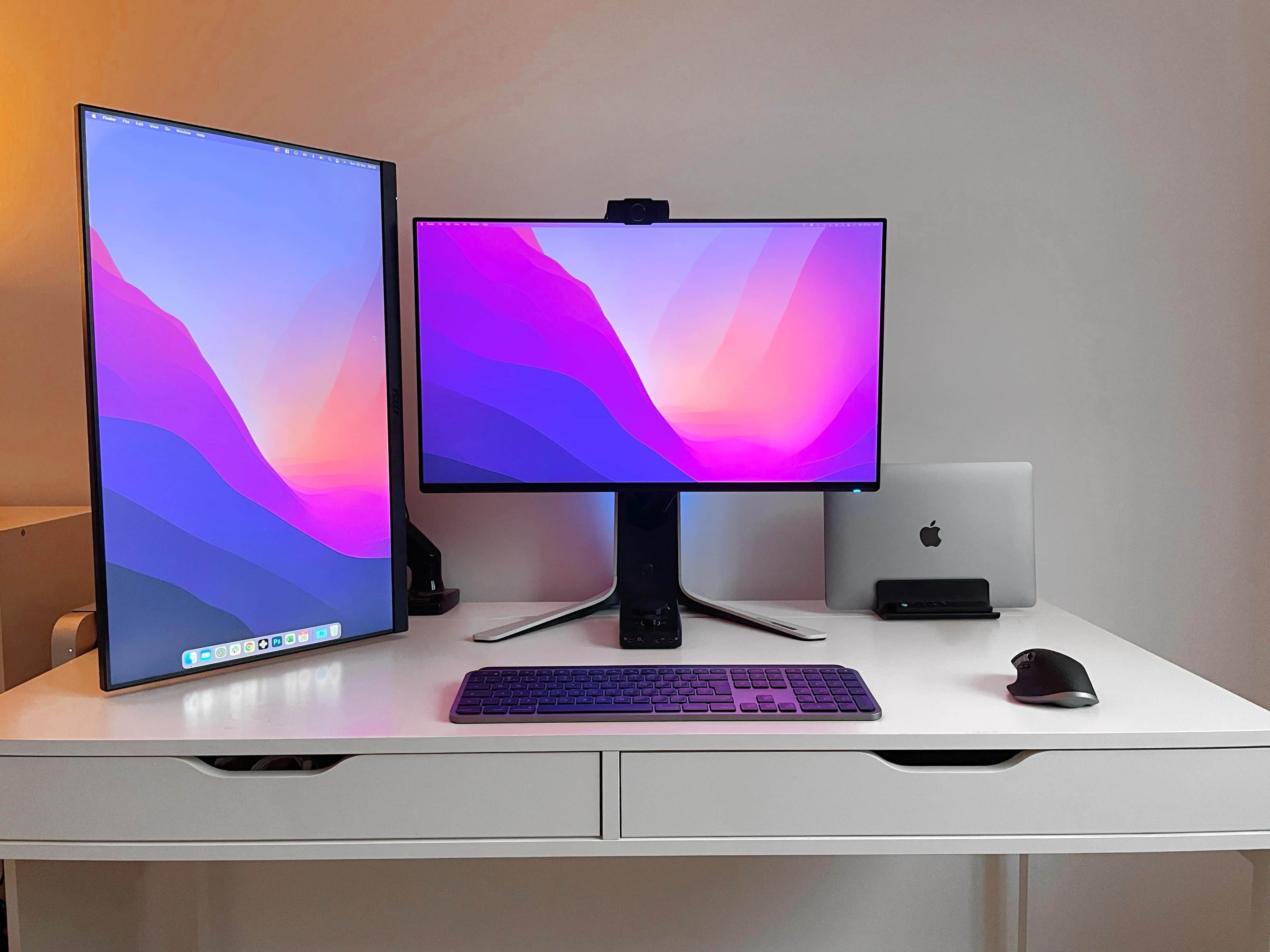
Photo: [email protected]
This 2021 setup arrived at a moment when Mac gaming was starting to look credible. It features dual M1 Macs, a PS5 and a pair of fast gaming displays built for low latency, along with an Astro Gaming A40 TR Wired Headset. The article focused on display selection for people serious about both Mac productivity and console gaming. It considered what specs actually matter for each use case, and where the right choices overlap. High refresh rates and fast response times serve gaming, while accurate color serves Mac creative work. The user navigated that balance, offering display recommendations that held up as practical buying guidance for anyone in the Mac-plus-console camp. As an early data point in the Apple silicon gaming conversation, it remains historically interesting.
Read more: Dual M1 Mac and PS5 gaming rig boasts blazing-fast displays
Built for Apple Intelligence, this super-lightweight laptop packs power. It features a 15.3-inch Liquid Retina Display, 24GB Unified Memory, 512GB SSD Storage, backlit keyboard, Touch ID;. Midnight color.
- Slim and lightweight
- Large and brilliant screen
- Plenty of memory and storage
- May lack some features compared to MacBook Pro

Astro Gaming A40 TR Wired Headset comes with a MixAmp M80 with Astro Audio V2. It suits systems like PlayStation 5 and xBox Series X.

12. Recovering PC gamer converts to Mac and loves it
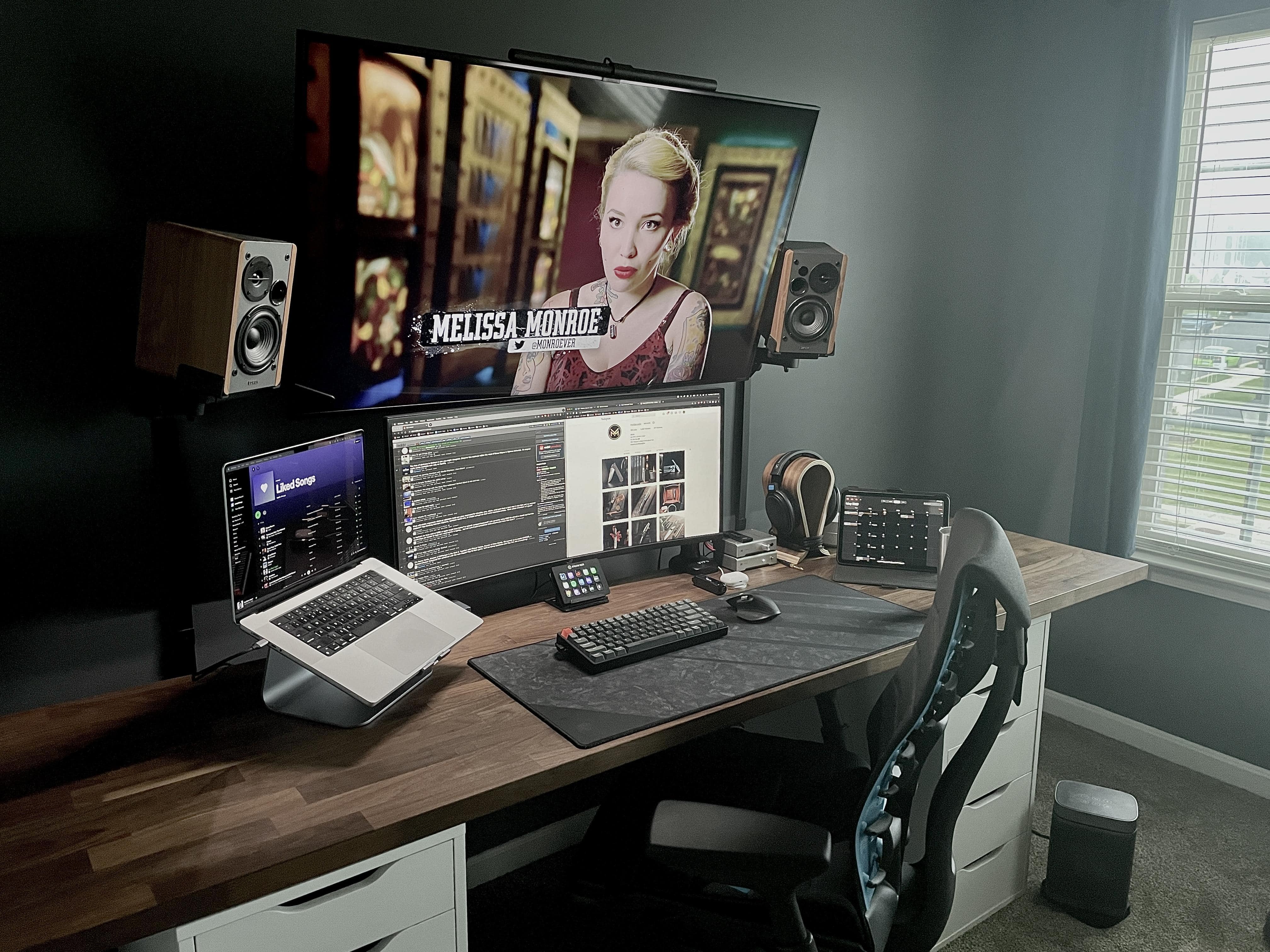
Photo: [email protected]
A committed PC gamer switched to Mac — a 14-inch M1 Pro MacBook Pro — and wrote about the experience with the enthusiasm of a convert. The setup includes an LG 4K display, a Logitech MX Master 3 mouse, a Keychron mechanical keyboard and an Elgato Stream Deck for quick workflow shortcuts. The Stream Deck is used for audio source switching, Philips Hue light control and app switching — not streaming. The piece captures a feeling that became a recurring Setups theme as Apple silicon matured. PC gamers discovered that a Mac handled their creative and professional work better than anything they’d tried. And they made peace with keeping a console for the games that still needed it. The story of the conversion itself is the heart of this one.
Read more: Recovering PC gamer converts to Mac and loves it
The 14-inch MacBook Pro with M5 brings next-generation speed and powerful on-device AI to personal, professional and creative tasks. Featuring all-day battery life and a breathtaking Liquid Retina XDR display with up to 1600 nits peak brightness, it’s pro in every way.
Along with its faster CPU and unified memory, M5 features a more powerful GPU with a Neural Accelerator built into each core, delivering faster AI performance.
- Great single-core CPU performance
- Great GPU improvements
- Notably faster SSD speeds
- Excellent display and speaker system
- Same price as previous generation
- Identical design to 3 previous generations
- No Wi-Fi 7 or Thunderbolt 5
- Battery life unchanged from M4
- 16GB base RAM feels limiting for "Pro" machine in 2025.

Asus model PG27UCDM features a blazing fast 240Hz refresh rate and 0.03ms response time for gaming, plus a custom heatsink, Neo Proximity Sensor, G-SYNC compatibilty, 99% DCI-P3, true 10-bit color, DisplayPort 2.1a and a 3-year warranty.

11. Cool peripherals up M4 Mac mini’s game even more

Photo: [email protected]
A user with two MacBook Pros for work and travel added an M4 Mac mini as a dedicated home gaming and productivity desktop, then loaded it with gaming-specific peripherals: a HyperX Alloy Origins 60 compact mechanical keyboard, a HyperX SoloCast USB gaming microphone and a Corsair Katar Pro XT ultra-light gaming mouse weighing just 73 grams. The Corsair’s 18,000 DPI sensor and paracord cable represent a deliberate step up from standard Mac peripherals in responsiveness. “Really well!” the user said of how World of Warcraft performs on the M4 mini, uploading YouTube gameplay tests to show for it. The setup demonstrates that Mac mini gaming peripherals are now a real category — a striking change from even a few years ago.
Read more: Cool peripherals up M4 Mac mini’s game even more
This ultra-compact gaming keyboard features a 60% form factor, Double Shot PBT Keycaps, RGB LED backlighting, Ngenuity software compatibility and linear HyperX Red Switches.

This ultra-light wired gaming mouse features an 18k DPI PixArt Optical Sensor, RGB scroll wheel lighting, six programmable buttons and a lightweight paracord cable.

HyperX's USB mic for Macs and PCs as well as PS4 and PS5 gaming consoles features a tap-to-mute sensor and a cardioid polar pattern for streaming, podcasts, Twitch, YouTube, Discord and more.

10. Mac mini gaming setups going places with M4 Pro

Photo: [email protected]
An M4 Pro Mac mini with a 34-inch Dell curved ultra-wide in landscape and a 24-inch Koorui display in portrait orientation completes what its owner calls a “now complete Mac setup” — and the completion means native Mac gaming. The article homed in on World of Warcraft specifically, with the user uploading gameplay tests to YouTube and reporting that the M4 Pro handles it well, including in dungeons with heavy spell effects. The comment thread produced a detailed community discussion about gaming resolution and performance at different Mac mini configurations — a useful ground-level view of what the M4 chip actually delivers in practice for Mac gamers. “Home/gaming rig is now complete,” the user said with evident satisfaction.
Read more: Mac mini gaming setups going places with M4 Pro
The new Mac mini is smaller, lighter and 50× more adorable. It's super-powerful and by far the best deal in computing right now.
- Powerful M4 Pro chip
- 512GB storage
- 24GB unified memory
- Compact desktop design
- Headphone jack on front
- BYODKM (bring your own display, keyboard and mouse)

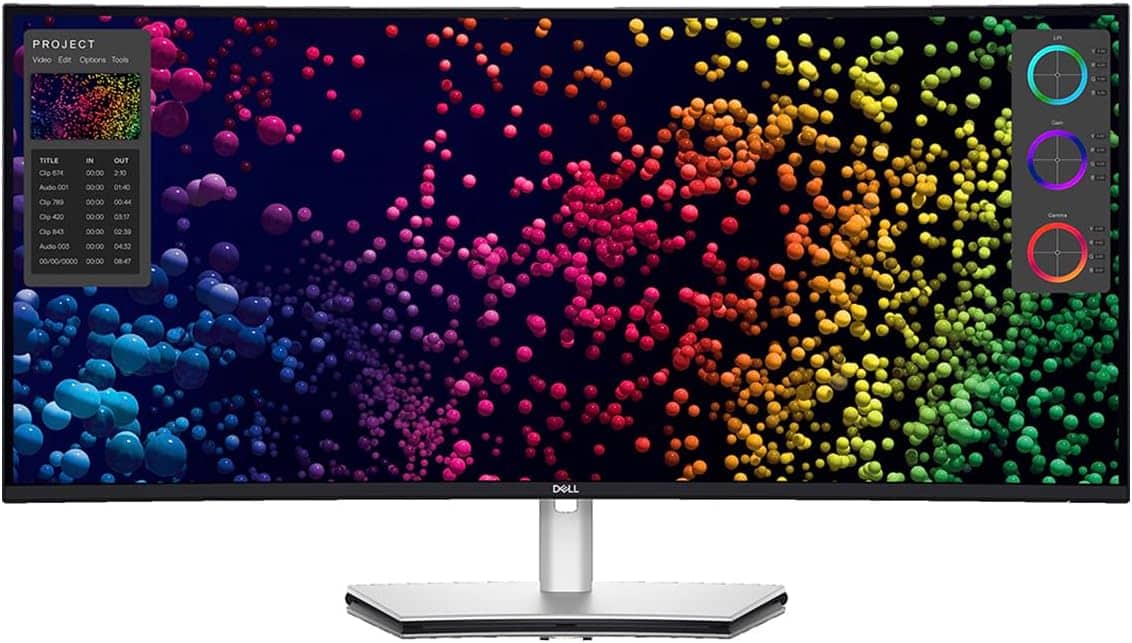
Dell's 40-inch curved ultra-wide WUHD LED display features 5K2K resolution and a 21:9 aspect ratio.
- Wide display area at 39.7 viewable inches
- Brilliant 5K2K resolution
- Broad connectivity
- Built-in KVM switch can be tricky to use
9. Monitor RGB lighting turns external display into gaming light show

Photo: [email protected]
An M4 Pro MacBook Pro (48GB, 1TB) drives a 27-inch Apple Studio Display for primary work, with a 27-inch LG 4K UltraGear gaming display in portrait mode to the right. Its RGB sphere lighting ring glows through the mirror behind the setup — a visual that commenters could not stop discussing. “The best gaming monitor I’ve ever owned,” the user said of the LG, which features 1ms Nano IPS response time, 144Hz refresh rate, Nvidia G-SYNC and AMD FreeSync Premium Pro. The Mirror-wall setup makes the portrait display’s RGB ring glow in reflective triplicate and doubles the visual impact of the rig. It is one of the most photogenic Mac-plus-gaming-display setups in the archive — and the combination of Studio Display for Mac work and a gaming-grade IPS for everything else is a model many Mac users could emulate.
Read more: Monitor RGB lighting turns external display into gaming light show
This 27-inch UHD (3840 x 2160) Nano IPS display features 1ms response time, 144Hz refresh rate, G-Sync compatibility, AMD FreeSync Premium Pro and a tilt/height/pivot adjustable stand.
- RGB sphere lighting on back
- 1ms response time
- 144Hz refresh rate
- Not the latest (2020)

This 13-port dock offers four Thunderbolt 4 ports, 98W power delivery to connected devices, single 8K or dual 4K display use and wide compatibility.
- Great connectivity with 13 ports
- 4 fast Thunderbolt 4 ports
- 98-watt power delivery to devices
- Thunderbolt 5 will be new standard soon
- Lesser-known brand

8. Great use of space in MacBook setup with wall-mounted display

Photo: [email protected]
A mechanical engineering student wall-mounted a 43-inch Samsung QN90B 4K smart TV as the setup’s sole display and added a pegboard beside it to hold keyboards, game controllers and other peripherals — eliminating essentially all horizontal desk clutter. A MacBook, a gaming PC, a PS5 and an Apple TV all feed the same screen, each assigned a distinct role: the PC for sim racing, the PS5 for gaming with friends, the MacBook for university work and the Apple TV to separate entertainment from work. “The QN90B’s vibrant 4K display with its exceptional brightness and color accuracy makes it the perfect centerpiece for my workstation and entertainment system,” the user said. It’s an unusually resourceful and space-efficient approach to a fully multi-platform gaming and work setup.
Read more: Great use of space in MacBook setup with wall-mounted display
This large QLED smart TV features 4K resolution, Dolby Atmos with object tracking, Motion Xcelerator, Real Depth Enhancer Pro and Alexa built-in (QN43QN90D, 2024 model).
- Big screen with vivid colors
- Dolby Atmos with Object Tracking Sound
- Fast 144Hz refresh rate for gaming
- Many new smart TVs are larger

Govee's AI Sync Box with RGBIC LED backlighting for TVs supports 8K@60Hz, 4K@144Hz, VRR and ALLM. It works with Matter and Alexa. Includes 75 LED lights.
- AI screen and lighting synchronization
- Brightness of 45O lumens
- Supports Matter standard and Dolby Atmos
- Not specific to HomeKit
- TV backlight requires external HDMI input source for color extraction

7. Gamer loves easily switching from MacBook Pro to PC
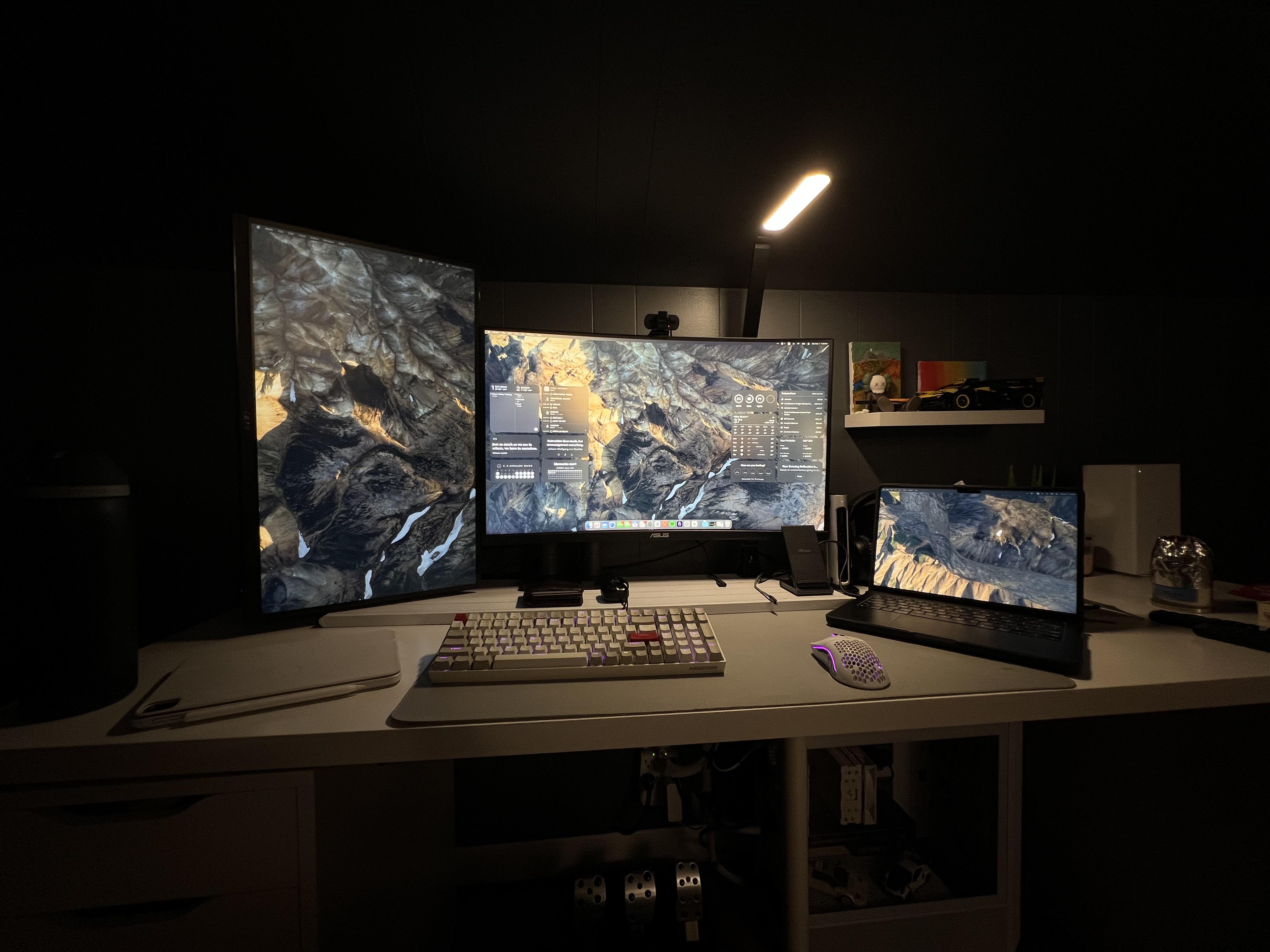
Photo: [email protected]
A MacBook Pro user who games on a separate Windows PC found the KVM-switch workflow compelling enough to make it the article’s focus. The setup uses an inexpensive KVM switch and a Thunderbolt 3 dock to share a single display, keyboard and mouse between the MacBook and the gaming tower — one keypress to switch, no cable swapping, no second set of peripherals. The article zeroed in on the practical details of which KVM switch and Thunderbolt dock actually work reliably in this configuration, making it one of the more practically useful entries in the gaming-Mac archive. The user’s desk is clean and considered, with the gaming PC kept largely out of sight, keeping the workstation looking like a serious Mac setup that happens to play games.
Read more: Gamer loves easily switching from MacBook Pro to PC
This KVM switch lets computers share peripherals like keyboards, video monitors and mice. It supports 4K@120Hz and 8K@60Hz video via HDMI or DisplayPort for dual monitors and dual computers. Includes USB 3.0 cables and extended controller.
- Makes switching between Mac and PC easy
- Support for 2 computers and 2 displays
- 4K@120Hz and 8K@60Hz video support
- USB 3.0 isn't newest or fastest connectivity

This MacBook Pro-compatible and Intel-certified Thunderbolt 4 dock features 40Gbps data transfer speed, dual 4K 60Hz DisplayPort or HDMI support, 100W charging and Gigabit Ethernet.
- Fast data transfer speeds
- 4K@60Hz dual display support
- 100W charging for laptops
- Some docks feature higher-spec display support
- Thunderbolt 4 will lose ground to TB5

6. M1 MacBook Pro and custom PC split dual gaming displays
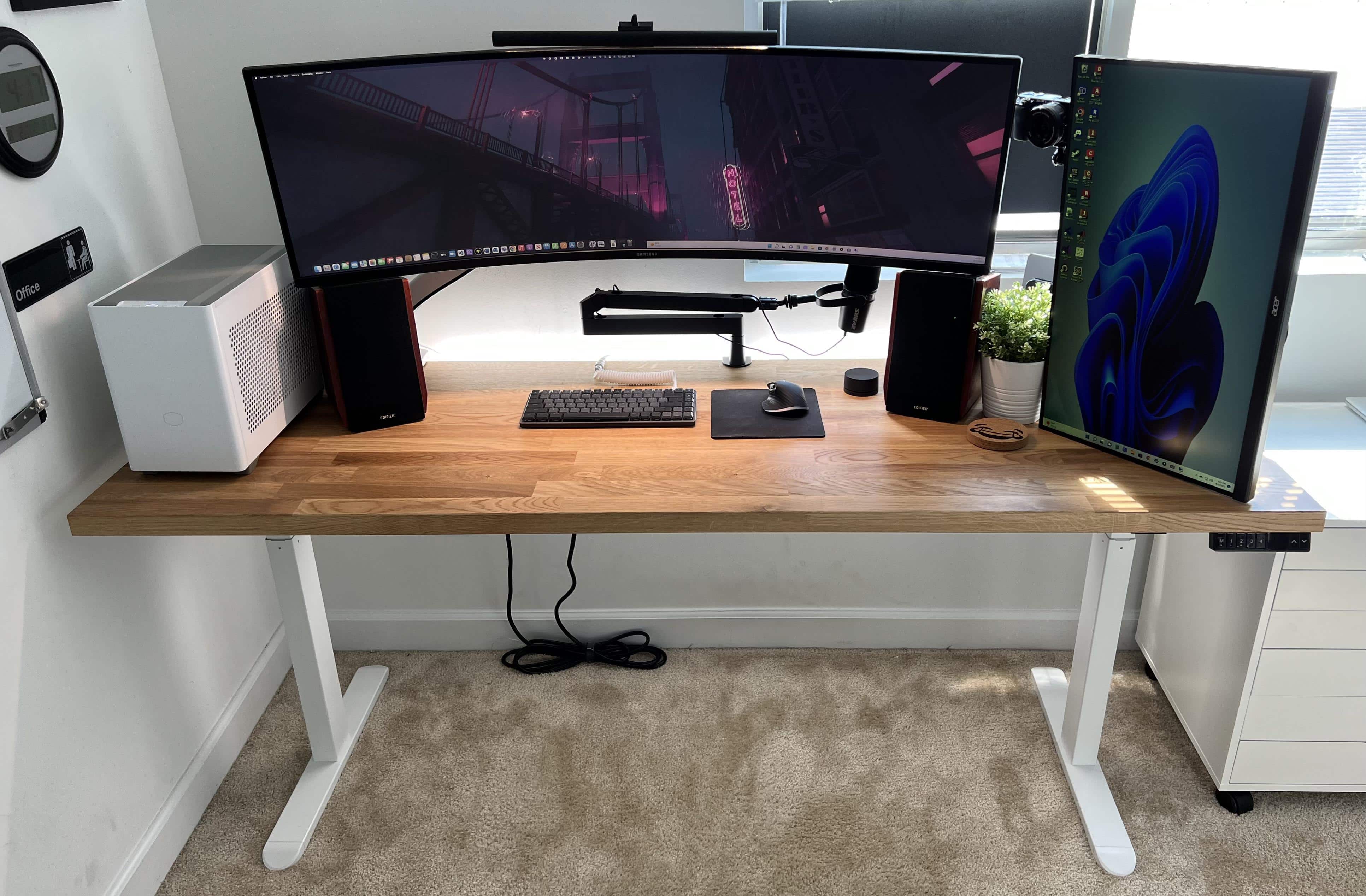
Photo: [email protected]
A 16-inch M1 MacBook Pro and a custom-built gaming PC share a two-display arrangement: a 49-inch Samsung ultra-wide curved monitor and a 27-inch Acer FHD display in portrait mode for secondary tasks. The article makes note of this user’s unexpectedly strong audio and video rig. It includes Edifier R1700BT Bluetooth bookshelf speakers, a Shure MV7 podcasting microphone on an Elgato boom arm, and a Sony Alpha a6000 mirrorless camera on an Elgato mount for streaming or videoconference use. The homemade PC handles the gaming. The MacBook Pro handles everything else. Having both on the same desk, sharing the same audio gear and the same ultra-wide, is a formula that appeared over and over in the archive and this is one of its cleaner executions.
Read more: M1 MacBook Pro and custom PC split dual gaming displays
This curved ultra-wide computer displays features 1ms(GtG) response time, VESA DisplayHDR 1000, 240Hz refresh rate, AMD FreeSync Premium Pro and a height-adjustable stand (2024 model).
- Massive screen real estate
- Great for gaming
- Some prefer multiple screens

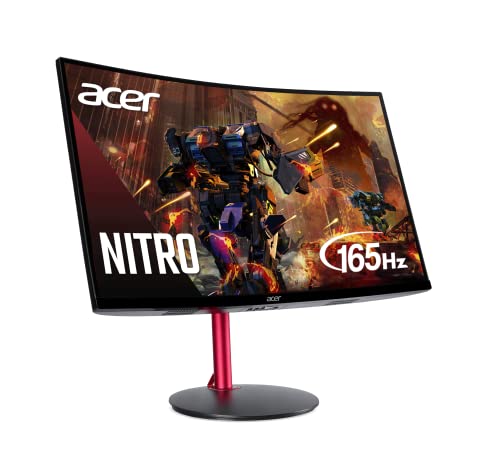
The Acer Nitro 1500R 27-inch full HD (1920 x 1080p) curved PC gaming monitor features AMD FreeSync Premium, 165Hz refresh rate, 1ms (VRB) response time and ZeroFrame design. Ports: 1 DisplayPort 1.4, 2 HDMI 2.0.
5. Cool dark MacBook Pro rig pairs HomePod minis

Photo: [email protected]
A space black MacBook Pro drives a 34-inch curved ultra-wide LG 1440p display on a monitor arm, with an Xbox looped in for gaming on the same screen. But the setup’s standout elements are the audio and the atmosphere. A pair of HomePod minis on stands occupy the back corners of the desk, paired for true stereo sound, and under-desk RGB lighting casts the whole setup in a dark, moody glow. In the setup photographs — which the user titled “a minimalist take” — the HomePod minis appear as glowing black orbs in the shadows. It is one of the most visually atmospheric setups in the archive: cinematic, distinctly gaming-adjacent, and striking without being garish. A setup where the vibe is as carefully considered as the gear.
Read more: Cool dark MacBook Pro rig pairs HomePod minis
This Xbox Series X console with true 4K resolution gaming comes with an Xbox Wireless Controller. Features: up to 120 frames per second,16GB RAM, 1TB SSD and Xbox Velocity Architecture.

4. PC gamer converts to all-Mac rig plus PS5 and gaming handhelds
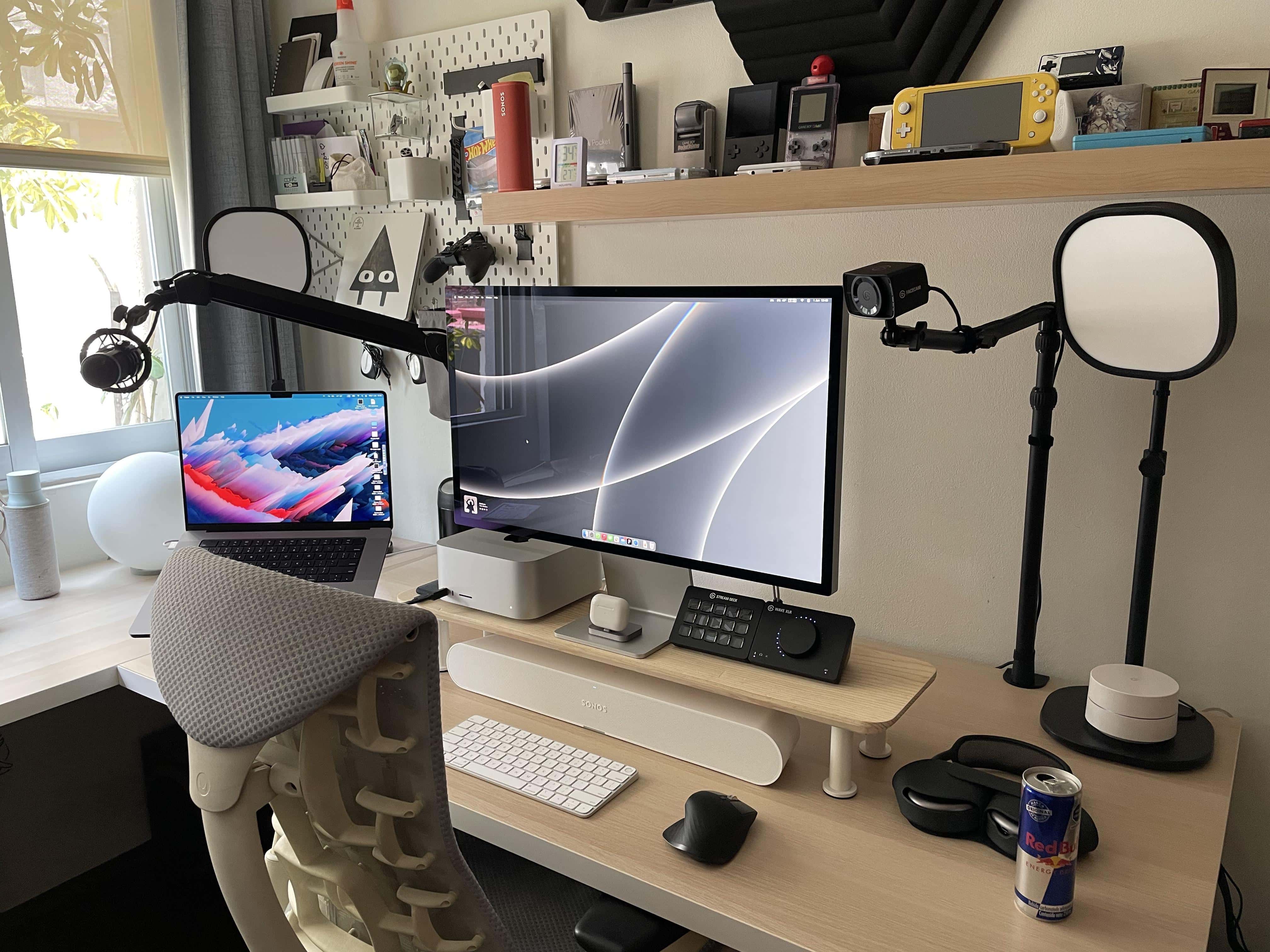
Photo: [email protected]
A full PC gaming rig was replaced by a Mac Studio and Studio Display, with gaming duties reassigned to a PS5, a Nintendo Switch and a collection of handheld consoles: an Analogue Pocket, a Game Boy Micro and others displayed on a shelf above the desk. The article noted this as a minor milestone: the first Setups entry to feature the then-new Sonos Ray soundbar, connected via AirPlay from the Mac Studio. Commenters focused mainly on the handheld shelf — which is an unusually complete collection — and on the Analogue Pocket in particular. The conversion story is a clean template for Mac gaming: let the Mac handle everything creative, keep a PS5 for the titles that require it and fill the gaps with handhelds. The setup’s aesthetic is calm and organized, the gaming gear tastefully displayed rather than sprawling.
Read more: PC gamer converts to all-Mac rig plus PS5 and gaming handhelds
This 2023 machines features an M2 Ultra chip with 24-core CPU and 60-core GPU, 64GB integrated memory and 1TB SSD.
- Tons of computing power
- Plenty of storage space
- Relatively small footprint
- Want smaller? Try Mac mini

This white version of the studio controller includes 15 macro keys, trigger actions in apps and software like OBS, Twitch, YouTube and more. Works with Mac and PC.
- Streamline workflows
- Trigger app actions
- Easy-to-use macro keys
- Not cheap

3. Gaming station sports Mac Studio and ultra-wide 4K display
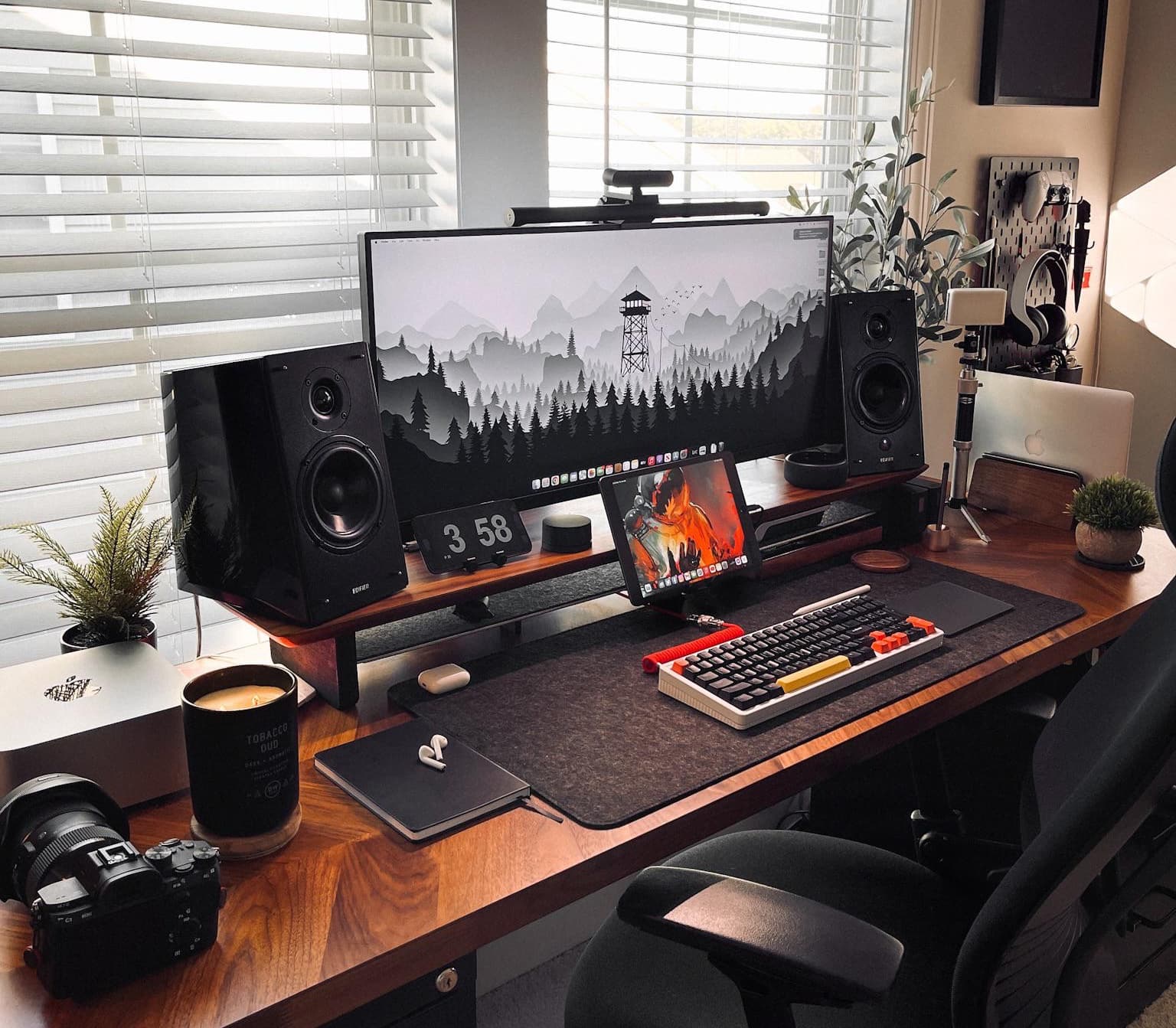
Photo: [email protected]
This photographer built a four-platform hybrid setup — Mac Studio, MacBook Pro, iPad Pro and a gaming PC, all sharing an LG 4K ultra-wide display via a dock. The PS5 gear hangs on a dedicated pegboard to the right. The Mac Studio runs photography work. The PC and PlayStation handle gaming. And the MacBook and iPad fill specialist roles. The Grovemade monitor riser, the Edifier R2000DB powered speakers and the overall thoughtful spatial arrangement make this one of the better-looking hybrid setups in the archive. “Do you have the PS5 connected to the ultra-wide, too, or is there a second setup off screen?” asked a commenter. Indeed, a second setup sat off screen for the PlayStation — a reasonable way to keep the Mac workspace pristine while keeping the gaming gear accessible.
Read more: Gaming station sports Mac Studio and ultra-wide 4K display
PS5 unleashes new gaming possibilities. You get fast loading with an ultra-high speed SSD, deeper immersion with support for haptic feedback, adaptive triggers and 3D Audio, and a new generation of games (CFI-1102A).
Edifier R2000DB Active Bluetooth Bookshelf Speakers feature are near-field monitors with optical input, 120-watts RMS and large woofers.

2. 240Hz OLED monitor can’t touch Studio Display in some ways
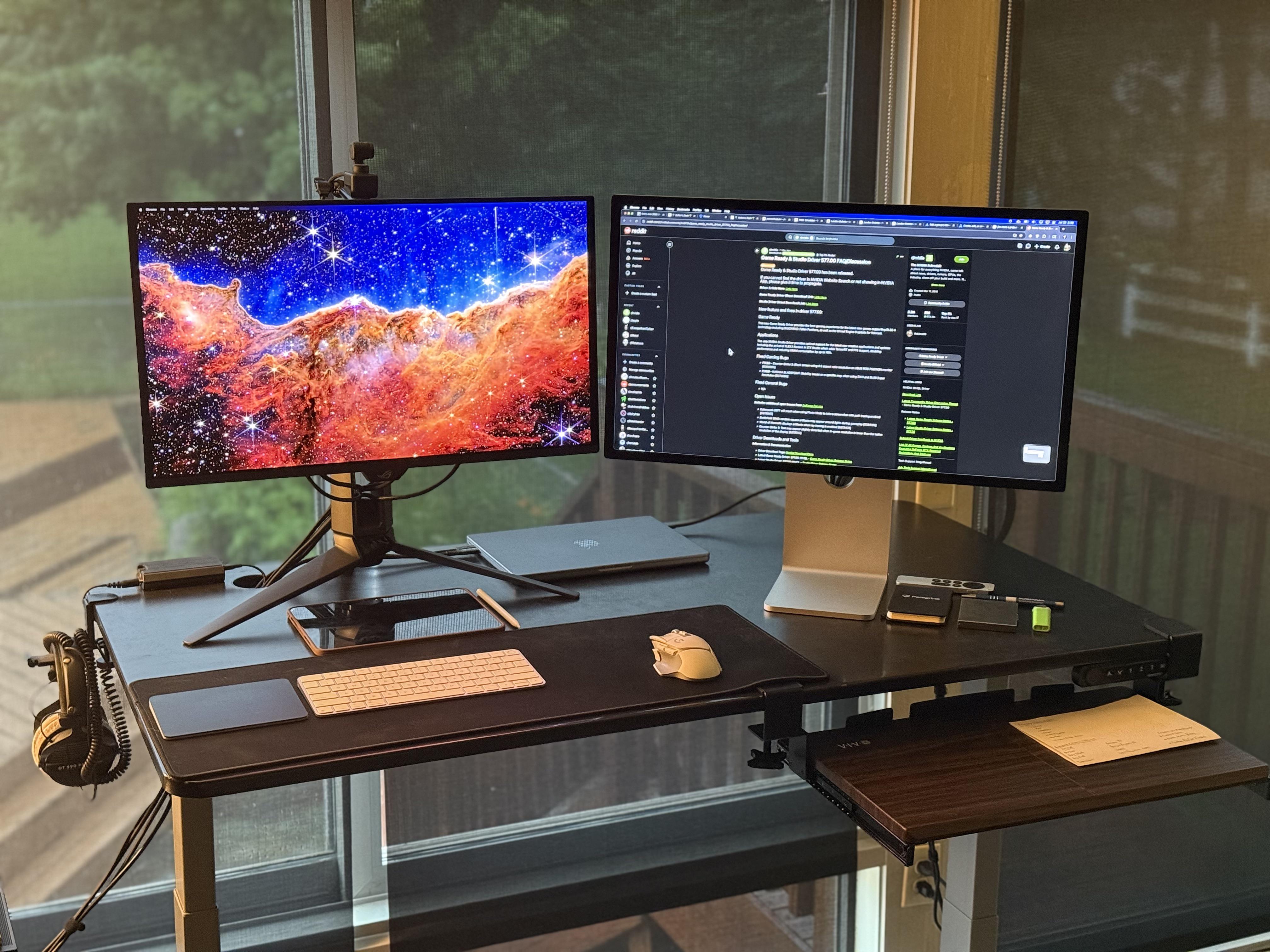
Photo: [email protected]
A MacBook Pro and a gaming PC sit on an Autonomous standing desk, each paired with its own premium 27-inch display. The Mac get a 5K Apple Studio Display the PC uses an Asus ROG 240Hz 4K QD-OLED. The Mac handles almost everything while the PC handles all gaming. The article spun out of a pointed question: if your house caught fire, which monitor would you save? “Studio Display,” the user said, without hesitating. Both monitors run at 1440p scaling and look visually identical in size. But the Studio Display’s clarity, color and macOS integration wins in daily use, while the Asus ROG’s 240Hz and 0.03ms response time make it genuinely untouchable for gaming. A Sound BlasterX G6 DAC feeds Beyerdynamic DT990 Pro headphones — audiophile hardware in a gaming rig, a combination that summarizes the whole Mac-gaming duality perfectly.
Read more: 240Hz OLED monitor can’t touch Studio Display in some ways
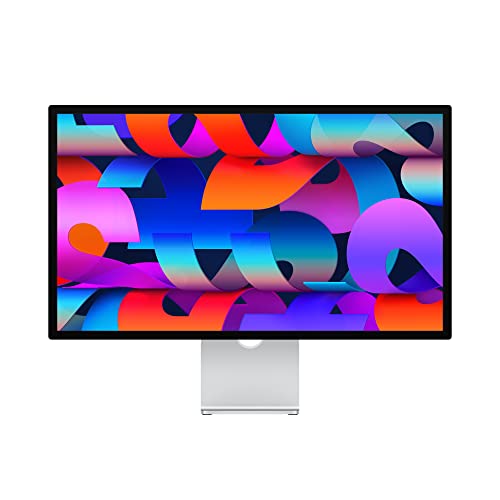
Apple's 27-inch 5K Retina monitor, with nano textured glass and tilt-adjustable stand.
Asus model PG27UCDM features a blazing fast 240Hz refresh rate and 0.03ms response time for gaming, plus a custom heatsink, Neo Proximity Sensor, G-SYNC compatibilty, 99% DCI-P3, true 10-bit color, DisplayPort 2.1a and a 3-year warranty.
1. Big-time gamer’s rig doubles as dream shopping list

Photo: [email protected]
If any single setup in the Cult of Mac archive captures what peak Mac gaming culture looks like, it’s this one. The Mac side: a Mac Studio in a matte white wrap driving a Studio Display, an iPad Pro running Universal Control, Schiit Magnius/Modius DAC/amp stack, a Schiit Lyr+ headphone amp, Sennheiser HD800S and Meze Empyrean planar headphones, AirPods Max and Klipsch R-41PM bookshelf speakers with a 10-inch subwoofer. The gaming side: PS5, Xbox Series X, Nintendo Switch, a GamerGrid and a 1Up Marvel Super Heroes full-sized arcade cabinet, all feeding a 50-inch Sony 4K TV on the wall. Four keyboards, four mice and a custom number pad. A rare white Opal C1 4K webcam — exclusive to Mac — completes the picture. “I actually had more headphones but sold them to downsize,” the user said.
Read more: Big-time gamer’s rig doubles as dream shopping list
This advanced gaming controller features an iPhone mount, 50+ hour battery life. Apple Licensed, it's made for iOS, iPadOS and tvOS.

Nintendo Switch 2 comes packed with upgrades and ways to connect and play. The vivid, 7.9-inch 1080p screen showcases powerful processing and graphics performance. The updated dock also supports up to 4K resolution and frame rates up to 120 fps with compatible games and TVs. Joy-Con 2 controllers snap into place with magnetic connectors. Each controller can serve as a mouse in compatible games.


David Snow, an expert on Apple hardware and software, writes on a variety of technological and cultural topics for Cult of Mac. They include Apple news, technology buying guides, and features about computer setups and Apple TV shows and movies.
With 30 years of experience covering technology and other subjects, he has written and edited for numerous print and online publications, including CMP Media, TechTV.com, CNET, Wired News, Red Herring magazine, Law.com, The National Law Journal and Law Technology News magazine. Among other roles, he served as executive editor of the Law.com network of websites and editorial director, technology, for ALM Media.
Snow graduated with a B.A. from Syracuse University with majors in magazine journalism and psychology. While there, he worked as a reporter for The Daily Orange newspaper and associate editor of Equal Time magazine.
Founder of the blog At the Waterline, he can be reached on X (formerly Twitter) via @atthewaterline and on Mastodon via @dsnow.

