Stay informed ahead of the release of the basic iPhone 17. Image: Cult of Mac
The iPhone 17 is less than a month away, and early rumors are already stirring excitement. It may be Apple’s basic model, but it’s still expected to get a better, larger screen, enhanced selfie camera, as well as a faster processor and a new range of color options.
When it comes to AI, the iPhone severely lags Google's Pixel phones. Swiping these AI features would be a great start. Image: Cult of Mac
Google’s new Pixel 10 lineup shows just how much fun (and just how useful) AI can be on a phone. If Apple really wants the iPhone 17 lineup to shine, it should steal a few pages from Google’s playbook.
The iPhone 17 needs more than impressive new hardware to stand out from the crowd. It needs new AI features to make an impact, especially with the Pixel 10 raising the bar.
Launch games and find new ones in Apple Games. Image: D. Griffin Jones/Cult of Mac
The Games app is a new all-in-one destination for gaming on your Apple devices. You can create a custom profile, track your achievements, and add friends (and set challenges for them). It’s also a quick way to launch games you’re playing and discover new ones.
It doesn’t entirely replace Game Center, a few vestiges of which reamin in the Settings app. But if you care at all about iPhone gaming, you should check out the new Games app. It’ll help you find new games to play and let you know about exciting events in your old favorites.
Here’s everything you need to know about Apple’s new Games app.
★★★★★
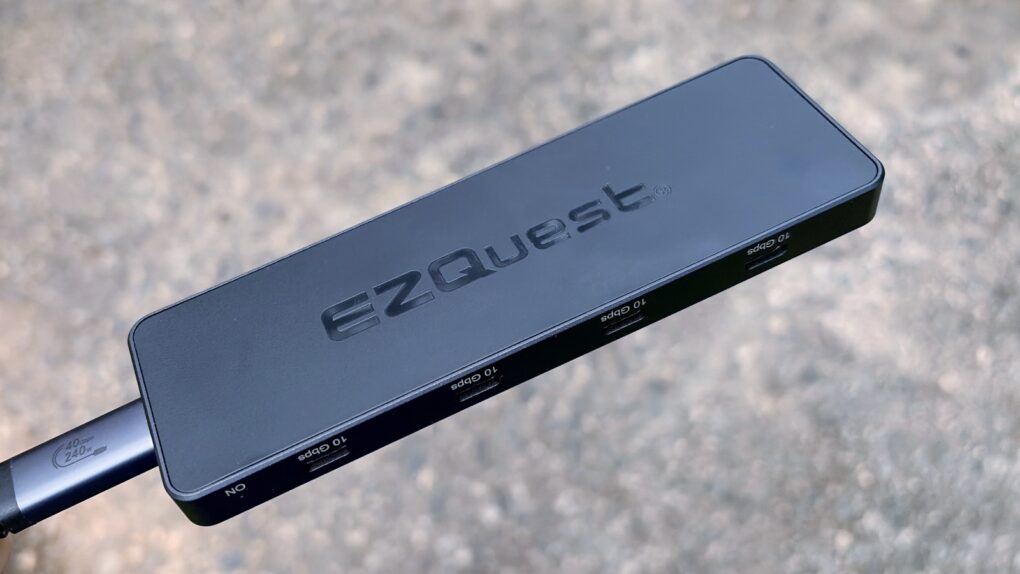
Charging your iPad doesn’t mean taking up the USB-C port with the Kuxiu M30. Photo: Ed Hardy/Cult of Mac
The Kuxiu M30 Magnetic Smart Connector Charger for iPad Pro/Air helps solve the irritating problem of limited iPad ports. It clings to the back of Apple tablets and charges them without taking up the computer’s sole USB-C port. It also reduces wear on the port.
I put the 35W charger through testing in my home office and came away quite satisfied.
iPadOS 26 includes huge changes. Don’t wait to try them! Graphic: Ed Hardy/Cult of Mac
iPadOS 26 brings the most profound changes to the iPad ever, making the tablet far more Mac-like. And you can go ahead and install the massive upgrade, even though it’s still in beta testing.
I’ve thoroughly tested the most recent beta version, and I find it quite stable. It’s not perfect, but if you don’t need your tablet in life-or-death situations, you could dive in and try the revamped iPad multitasking system, Liquid Glass and other enhancements.
★★★★☆
We went hands-on with the wee little Rolling Square Supertiny. Photo: Ed Hardy/Cult of Mac
Rolling Square claims, “Supertiny is the smallest 65W GaN Charger ever.” It’s definitely very small, but can still quickly power up a MacBook or other full-size computer.
I put the claims to the test and came away impressed. I do have one caution, though.
Yep, you can always go back to iOS 18 from iOS 26 beta. Photo: Rajesh Pandey/Cult of Mac
Installed iOS 26 public beta on your iPhone to try out Liquid Glass and other new features but regretting the decision due to crashes and bugs? Thankfully, you can easily remove the iOS beta and downgrade your iPhone to iOS 18.
The only catch? You will need to restore an older backup or start from scratch with your setup. If that doesn’t convince you to ride out the bugginess, follow the steps below to revert your iPhone to iOS 18 from the iOS 26 beta.
Here's what the rumors say about the iPhone 17 Pro. Photo: ChatGPT
In less than a month, the iPhone 17 Pro rumors will pay off — or not — when Apple takes the wraps off its iPhone 17 models. While the entire lineup will get a big revamp this year, the iPhone 17 Pro should still be the star of the show.
Leaks and rumors already revealed quite a lot about the iPhone 17 Pro, giving us a solid idea of what’s in store. Here’s a quick refresher of what to expect.
★★★★☆
The Winmaxle Mobdel B1 adds a physical keyboard to your iPhone, and it's easier to type on than a virtual keyboard. Photo: Ed Hardy/Cult of Mac
The Winmaxle Mobdel B1 can be a physical keyboard for typing on your iPhone, harking back to the days of the BlackBerry. And because it’s also a motion-sensitive mouse, you can use it with your iPad, too. Either way, it’s a handy little gizmo.
I found multiple uses for the wireless keyboard while I was testing it. But I also ran into a limitation that made it not as useful with my iPad as I hoped.
Note: Spoilers in this article for the Tuesday, May 14, 2024, game of Quartiles. Image: D. Griffin Jones/Cult of Mac
Quartiles is a daily word-building game for Apple News+ subscribers. It’s fun, with a clean interface and no ads. If you want to score maximum points each day, you’ll need to know how to play Quartiles and all the tips and tricks you need to succeed.
Make the most of the built-in Mac app. It can edit PDFs, remove backgrounds from photos, and more. Image: D. Griffin Jones/Cult of Mac
You might only use the Mac’s built-in Preview app when you need to read a PDF or zoom in on a picture, but there’s much more to the software than meets the eye. It’s a pretty handy image editor for Mac, too.
In this how-to, I’ll go over six features that will let you make the most of Preview, a handy tool that’s an overlooked benefit to using a Mac. I have three tips for working with documents and three for editing pictures.
A feature missing from U.S. Apple Watches frustrates users. Image: ChatGPT/Cult of Mac
When we polled Cult of Mac readers on what feature they want most in Apple Watch Series 11, the answer came through loud and clear: Bring back the Blood Oxygen app! None of the rumored upcoming Apple Watch features drew more attention than one that went missing last year over a patent dispute.
Unfortunately, the Blood Oxygen app remains tied up in U.S. courts. Apple needs to work out the problem, and soon. The missing Blood Oxygen app is undoubtedly hurting Apple Watch sales and angering customers. And it’s only going to get worse when the Apple Watch Series 11 and Ultra 3 launch next month — assuming Apple doesn’t come up with a workaround.
Here’s what to do if your phone won’t update. Image: D. Griffin Jones/Cult of Mac
If your iPhone won’t install a software update, it’s more than just annoying. You need to install the latest updates to get security patches and take advantage of all the latest iOS features.
You install software updates by opening Settings > General > Software Update. It should be a pretty smooth process, but occasionally, things go wrong. The error messages can be inscrutable and infuriatingly vague.
But there are a few things you can try when your iPhone won’t update. Here’s a step-by-step guide that will show you what to do.
You should reconsider using Safari Image: D. Griffin Jones/Cult of Mac
A lot of Mac owners use Google Chrome as their web browser, and personally, I don’t get it. For Apple fans, it seems like a total disconnect not to use Safari vs. Chrome.
For starters, Apple markets its products as privacy-forward and seamlessly integrated with each other. And the web browser is an essential component of your computer, whether we’re talking Mac, iPhone or iPad. You have a lot to gain by using Safari on all your devices.
But look at the numbers: Apple’s web browser Safari only captures 18% of the market, a distant second to Google’s Chrome. Here’s my attempt to sway it the other way — the top five reasons I use Safari instead of Chrome.
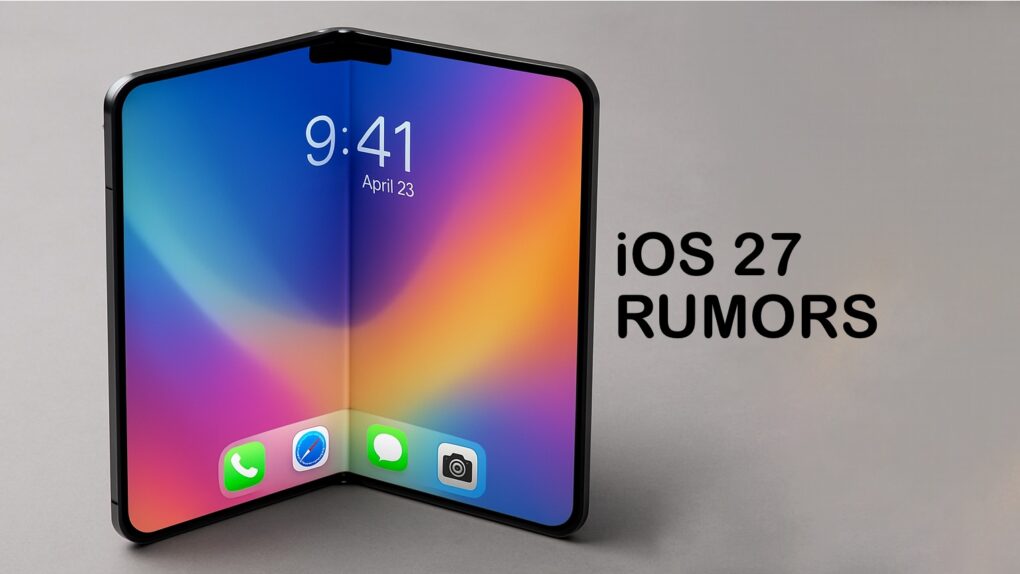
Apple needs to ensure the folding iPhone stands out. AI concept: ChatGPT/Cult of Mac
The folding iPhone rumored to arrive in 2026 might mark a major turning point for foldable devices. But to pull that off, Apple’s first folding phone needs to do more than just look good — it needs to nail the fundamentals.
From durability and design to software and camera performance, here’s everything I want to see in the foldable iPhone.
Apple had another record-breaking financial quarter Image: ChatGPT/Cult of Mac
Apple’s just-revealed spring quarter financial results feature revenue and profits that jumped double digits. The Mac-maker even set another record — it never before took in so much during any previous April-through-June quarter.
And in a call with financial analysts after the announcement, Cook was able to brag that total iPhone shipments passed the 3 billion mark last quarter, and shared plenty of positive news about demand in China.
You don’t have to wait. You can easily install pre-release AirPods firmware to try the audio features coming along with iOS 26. Graphic: Soulful Pizza/Pexels/Cult of Mac
Apple now makes it easy to install prerelease AirPods firmware on your wireless earbuds. The company once reserved this option for only a select few developers. But now, anyone willing to put potentially buggy software on their AirPods can try upcoming features early.
The temptation is understandable. The upcoming iOS 26 brings a range of enhancements to Apple earbuds, but you need unreleased AirPods firmware to take advantage of them. Install the beta AirPods software, and you can try out improved audio recording, auto-pause when sleeping, and many other new features.
Apple supports the new federal initiative to revamp digital healthcare. Photo: MattCC716/Flickr
Apple committed to a major White House initiative aimed at revolutionizing how Americans access and manage their healthcare data. The federal government partnered with more than 60 technology and healthcare companies in an ambitious effort to create a “smarter, more secure and more personalized healthcare experience,” the Centers for Medicare & Medicaid Services (CMS) said Wednesday during a White House “Make Health Tech Great Again” event.
The Health Technology Ecosystem plan looks like one of the most significant federal pushes to modernize U.S. healthcare infrastructure in decades. Alongside Apple, major participants include Amazon, Google, OpenAI and Anthropic, signaling broad industry support. Apple will develop apps for the plan’s “Kill the Clipboard” initiative.
And as expected, the prospect of government and major corporations handling healthcare data raises privacy concerns for patients.
★★★★☆
A new travel charger from Lululook works well and is very affordable. Photo: Ed Hardy/Cult of Mac
A couple of things immediately catch the eye about the Ultra-Nano Qi2 3-in-1 Travel Charger. One, you can make it into a convenient stand or lay it out flat when charging your iPhone, Apple Watch and AirPods. And the second? Wow, this thing is a deal.
I tried it out with all my Apple devices. There are a lot of features to like here, but also a quirk in the design that Apple Watch wearers need to know about.
Apple loses is fourth AI expert in only a few weeks. Photo: Meta
Apple faces big challenges in its artificial intelligence efforts as another key researcher leaves the company to join Meta’s ambitious superintelligence project, according to a new report Tuesday. The departure marks the fourth AI expert to leave Apple’s foundation models team in just one month, raising questions about the future of Apple Intelligence and the company’s AI strategy.
iOS 18.6 is here! And so are macOS Sequoia 15.6 plus more. Image: Cult of Mac
Apple introduced iOS 18.6 and macOS Sequoia 15.6 on Tuesday with the goal of clearing out bugs. iPadOS 18.6, watchOS 11.6, tvOS 18.6 and visionOS 2.6 are also available.
While these patches are about fixing problems rather than adding features, they are still very much worth installing.
When both silence and music are bliss, make sure you pick the ideal noise canceling headphones or earbuds. Photo: Grok Aurora AI
Whether you’re navigating a noisy commute, seeking focus in a bustling office, trying to unwind during air travel or simply blissing out to your favorite tunes, the right pair of noise-canceling headphones can transform your audio experience. These sophisticated devices do more than just play music — they create a mobile personal sanctuary.
Active noise cancellation (ANC) technology has evolved dramatically in recent years, with options ranging from premium over-ear headphones to compact wireless earbuds. The best models excel not just at blocking out unwanted noise, but also deliver exceptional sound quality, comfortable fit and long battery life.
Our comprehensive guide discusses key factors like a model’s noise-reduction capabilities, audio performance, comfort during extended wear and additional features that enhance the user experience. Find help navigating the options to find your perfect audio companion below.
Level up your Mac window management like I did. Photo: D. Griffin Jones/Cult of Mac
As a power user, I find Mac window management clunky and broken when using the options built into macOS. Switching between apps, and snapping apps into desired screen locations, should not be so frustrating.
So, I took matters into my own hands — streamlining how I snap, switch and manage windows to finally make macOS work for me, not against me.
"Stick" is the nickname pro golfers give the greats -- sometimes before they flame out, like Owen Wilson's character. Photo: Apple TV+
Popular Apple TV+ sports comedy Stick just completed its first season and got its green light for season two. So while comparisons to feel-good soccer phenom Ted Lasso seem inevitable, this Owen Wilson-led golf series carves out its own distinctive identity.
Rather than trying to replicate the wholesome optimism and wildly unbelievable story that made Ted Lasso a cultural phenomenon, Stick takes viewers slightly further into somewhat darker territory and into a slightly more believable story with suburban grift, sardonic humor and complex characters navigating grief and redemption.
Hey, I said somewhat darker,slightly further and slightly more believable, OK?
In a nutshell, Stick, like Lasso, is danged wholesome and all about redemption. And both series are feel-good shows people want to watch right now, given the societal circumstances. But for my Apple TV+ Stick review, here are three compelling reasons why Stick deserves your attention, regardless of how you feel about its more famous predecessor.
Give me Liquid Glass now! Image: D. Griffin Jones/Cult of Mac
Anyone interested can download the iOS 26 public beta for free — right now. You can get a look at the exciting new Liquid Glass design coming to the iPhone before the update is shipped to everyone. The iOS 26 public beta also comes with a new Camera and Phone app, new Apple Intelligence features, 3D photos and more.
Of course, there are a few things you should look out for. Beta software is buggy and can lead to data loss or apps that don’t work. Battery life will suffer and your phone will often get hot. You have been warned.
If you want to try it out, you should make sure you have a backup of your most important data with two copies of your photo library before you try installing. I’ll show you how.