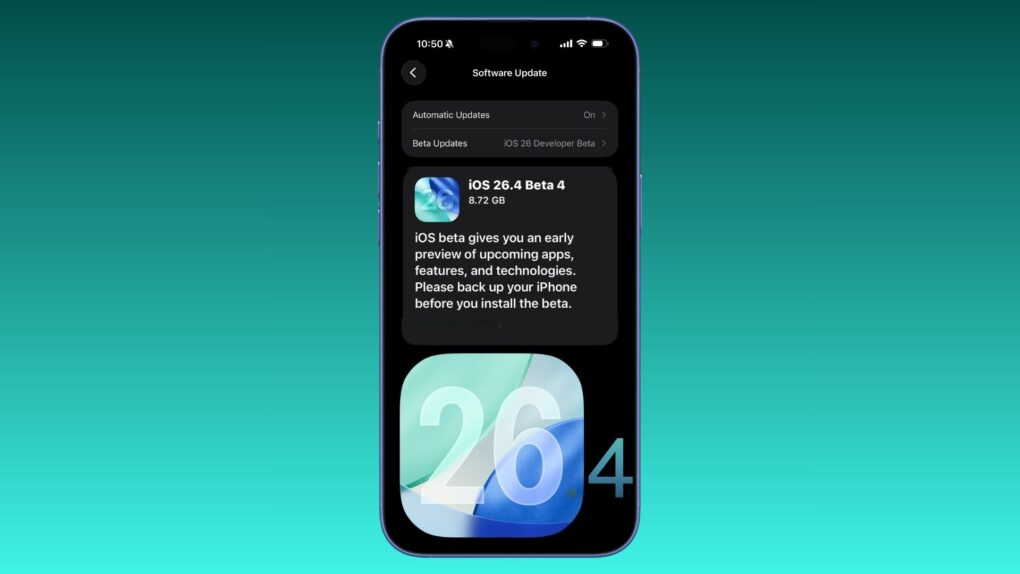
Apple revealed its versions of eight upcoming new emoji in iOS 26.4 beta 4, which it pushed to developers Monday. Standouts include Distorted Face — sure to become a hit when it arrives to the general public — and Hairy Creature, which looks an awful lot like Bigfoot.
See Apple’s versions of all the new emoji, and all the other changes in the beta, below.
iOS 26.4 beta 4: What’s new and changed
As iOS 26.4 nears its public release, Apple keeps tweaking the versions in beta testing. The newest build does not introduce any major new features, with Apple instead focusing on adding the final touches.
Here’s everything new in iOS 26.4 beta 4 (along with all the new features from the previous betas).
New emoji
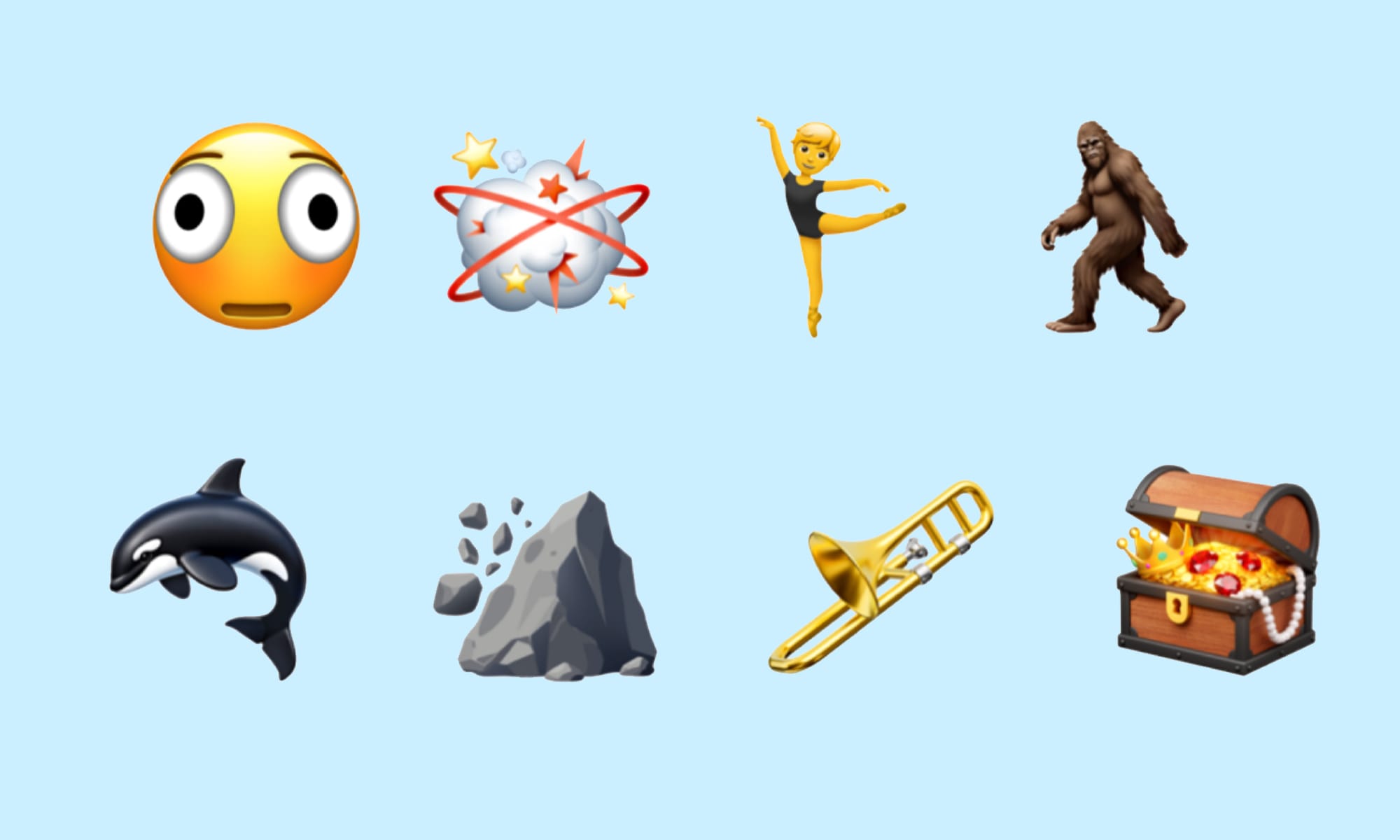
Image: Emojipedia
Apple added new emoji in iOS 26.4 beta 4:
- Distorted Face
- Fight Cloud
- Ballet Dancer
- Hairy Creature
- Orca
- Landslide
- Trombone
- Treasure Chest
While industry group the Unicode Consortium proposes new emoji that will work across systems, individual platforms and companies produce their own distinctive versions. The Unicode Consortium proposed the new emoji in 2024, but iOS 26.4 beta 4 gives us our first look at Apple’s take on the eight symbols.
That’s not all that’s new on the emoji front, though.
“This beta update introduces a total of 163 new emoji designs to Apple’s keyboard,” according Emojipedia. In addition to the eight entirely new emoji, iOS 26.4 beta 4 includes new skin-tone options for the People Wrestling and People With Bunny Ears emojis.
No more E2EE messaging
Apple removed all traces of end-to-end encrypted (E2EE) cross-platform RCS texting in iOS 26.4 beta 4. The feature likely will launch later this year, presumably as part of iOS 27.
Reduce Bright Effects
Apple renamed the Reduce Highlighting Effects option found in previous iOS 26.4 betas as Reduce Bright Effects. Apple now also explains what it does: Minimize highlighting and flashing when interacting with onscreen elements, such as buttons or the keyboard.
The option lets users tone down the controversial Liquid Glass user interface introduced last fall in iOS 26.
iOS 26.4 beta 2: What’s new and changed
While iOS 26 brought a major redesign to the iPhone with its controversial Liquid Glass interface last fall, subsequent updates have been light on new features. For instance, iOS 26.3 was more about bug fixes and stability than eye-catching upgrades. (For details, see: iOS 26.3 brings these changes to your iPhone.)
iOS 26.4, coming to your iPhone in March or April after beta testing is completed, looks like a different sort of beast.
The new features iOS 26.4 beta 2 add to those in iOS 26.4 beta 1.
Cross-platform E2EE
Building on the end-to-end encryption support introduced in the first beta for RCS conversations, iOS 26.4 beta 2 enables cross-platform encryption. This means RCS messages sent between iPhone and Android users can now be protected with end-to-end encryption.
Encrypted chats will appear with a lock icon. For now, cross-platform E2EE only works on iOS 26.4 beta 2 and the latest version of Google Messages on Android across select carriers.
Unfortunately, Apple is only testing E2EE support for RCS conversations in iOS 26.4. The feature should roll out publicly later this year.
Liquid Glass polished
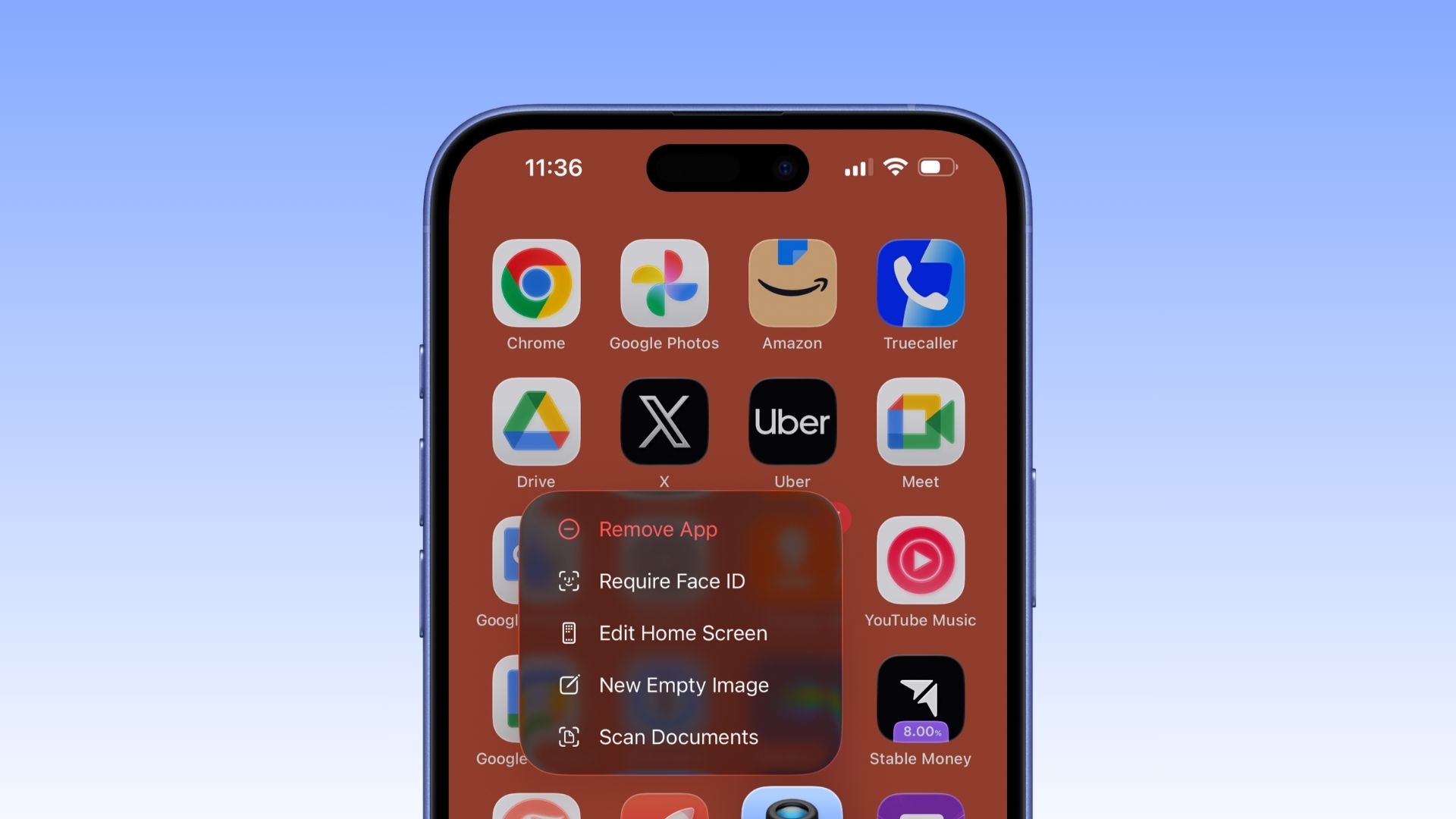
Photo: Rajesh Pandey/Cult of Mac
Long-press to bring up the Edit menu in iOS 26.4 beta 2, and you’ll notice it now features a more pronounced Liquid Glass transparency effect.
Reduce Highlighting Effects setting
Screenshot: D. Griffin Jones/Cult of Mac
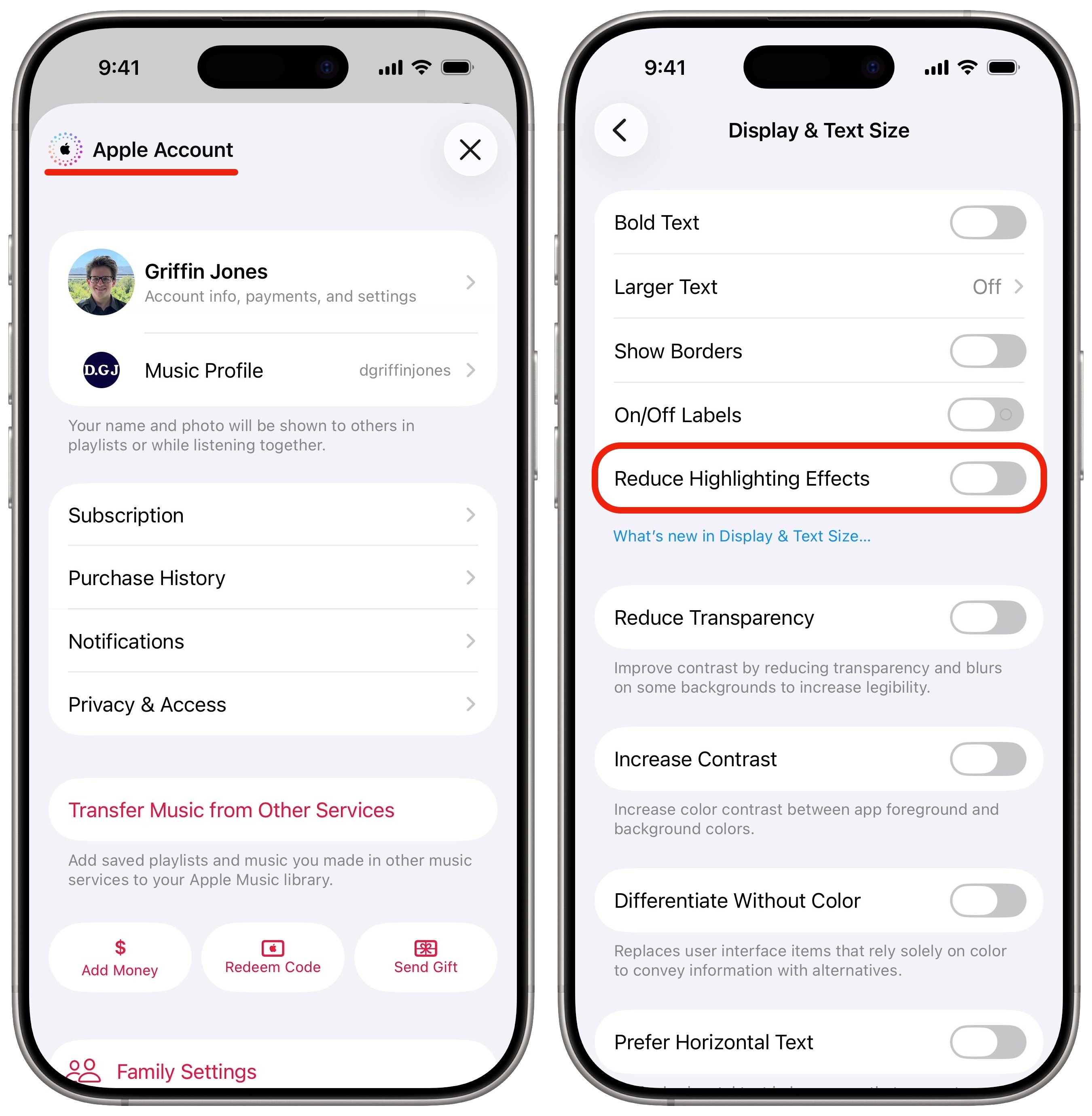
A new option in Settings > Accessibility > Display & Text Size is called Reduce Highlighting Effects. This will make the bright highlights around buttons, sliders and other Liquid Glass controls a little more subtle, if you find them distracting.
Colorful Apple logo badge
In various apps like Music, Podcasts and App Store, the Account screen you see when you tap on your photo has a colorful Apple logo badge in the upper right. Apple uses this graphic when you’re setting up a new iPhone to represent iCloud services.
Search bar moving to the top
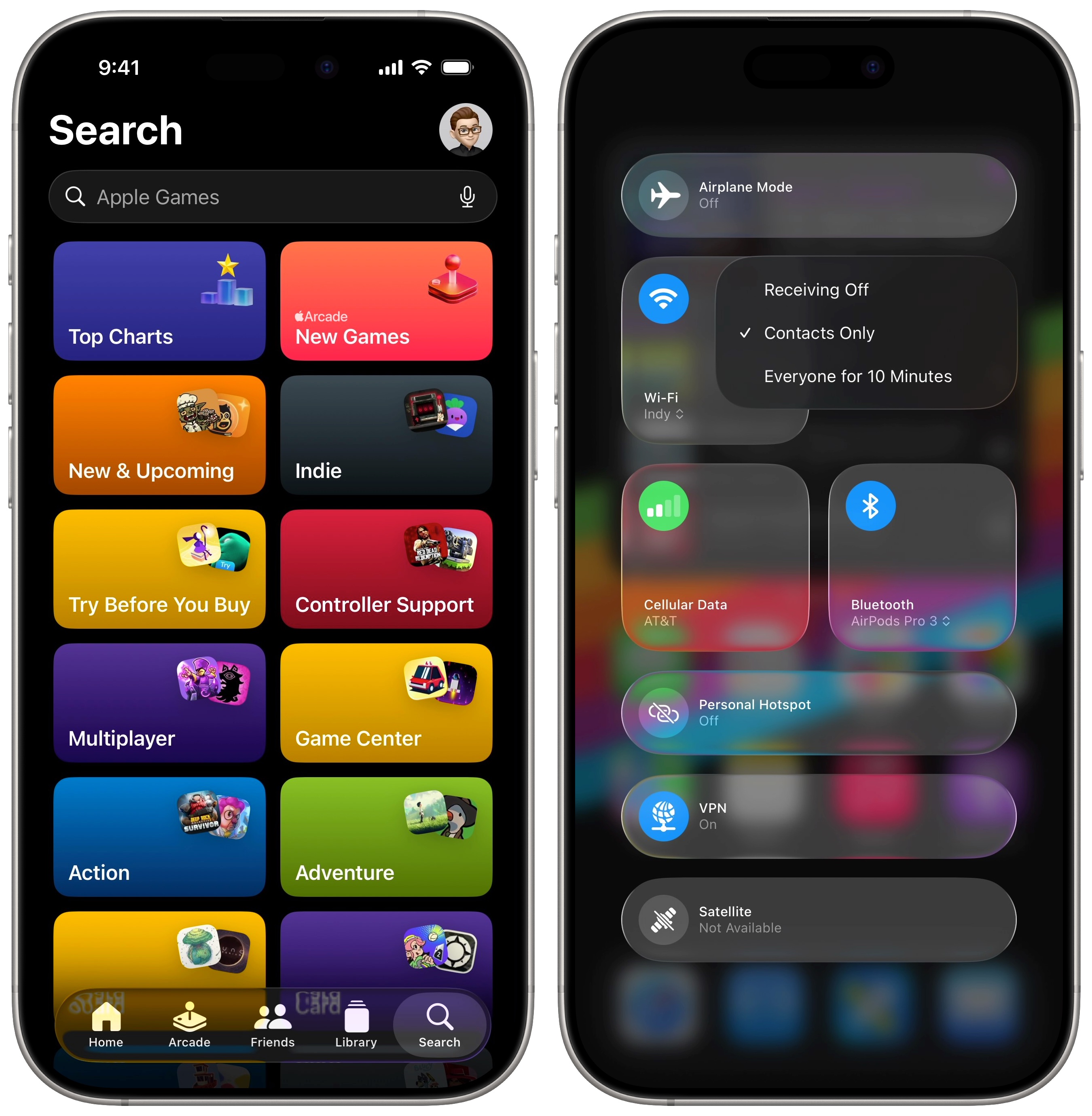
Screenshot: D. Griffin Jones/Cult of Mac
In the Games app, the Search bar has moved to the top of the screen. This is a move away from the typical Liquid Glass UI design, which combines the search bar with the tab bar at the bottom of the screen for easy reachability. (See the Music app as an example.)
Also unlike traditional iOS behavior, tapping the Search button in the tab bar does not bring up the keyboard in the search field.
Dark mode context menus in Control Center
In Control Center, context menus for items like choosing a Wi-Fi network, disabling AirDrop and pairing a Bluetooth device now appear dark if your device is set to Dark mode.
Automatic opting out of beta updates
If you’re enrolled in a developer beta in Settings > General > Software Update > Beta Updates but you don’t install a beta for over four months, you’ll be automatically opted out.
This may affect people who switch to the Developer Beta to avoid being updated to a major new software release, as people have been doing to stay on iOS 18. (Although this change may only be for iOS 26.4 onwards, meaning those on iOS 18 are likely still safe.)
System Data bug fix
The second beta fixes a bug that lead to System Data generating unwanted data and occupying hundreds of gigabytes of space on the iPhone.
iOS 26.4 beta 1: What’s new and changed
Playlist Playground
iOS 26.4 beta 1 adds a Playlist Playground feature to Apple Music that uses AI to help you create a playlist. You can either enter a prompt describing the kind of songs you want to hear, select one of the available prompts, or directly add songs or albums.
The feature only appears to be available to Apple Accounts with the region set to the United States. (This might change by the time iOS 26.4 is ready for public release.)
The beta also adds full-page artwork for albums and playlists in the Apple Music app. It also makes it possible to add a song to multiple playlists simultaneously.
New in iOS 26.4:
Playlist Playground – AI generated playlists based on a prompt
See the video below for an example pic.twitter.com/6wVK5ulhOT
— Aaron (@aaronp613) February 16, 2026
Concerts Near You
Apple Music will show upcoming concerts and shows in your area by your favorite artists.
E2EE for Messages
With iOS 26.4’s public release, Apple will enable end-to-end encryption in the Messages app for RCS conversations. While iMessage already supports E2EE, cross-platform RCS messaging currently lacks this security feature. That could allow hackers to intercept and read a message’s contents before it’s delivered.
E2EE will change this, ensuring no one other than the sender and receiver can see the text’s content.
For now, E2EE in the Messages app only works for iPhone-to-iPhone RCS conversations. Cross-platform support will arrive later.
As Apple notes, E2EE in the Messages app is only available on select carriers and devices.
Video support coming to Apple Podcasts
Apple will go heavy on video podcasts in the Podcasts app in iOS 26.4. Users will be able to switch between video and audio versions of shows. Plus, they can download videos for offline viewing.
Apple will use HTTP Live Streaming (HLS) technology to give creators greater control over their content. This includes the ability to dynamically insert video ads while retaining full creative oversight.
“Creators distribute through participating hosting providers and ad networks, maintaining complete control of their content and monetization,” Apple said in a press release. “Acast, Amazon’s ART19, iHeartMedia’s Triton Digital, and SiriusXM, inclusive of SiriusXM Media, AdsWizz, and Simplecast, are supporting HLS video at launch, with additional providers to join in the future.”
Video podcasts will come to the Apple Podcasts app across all platforms: iPhone, iPad, Mac, Vision Pro and the web.
Redesigned Wallpaper gallery
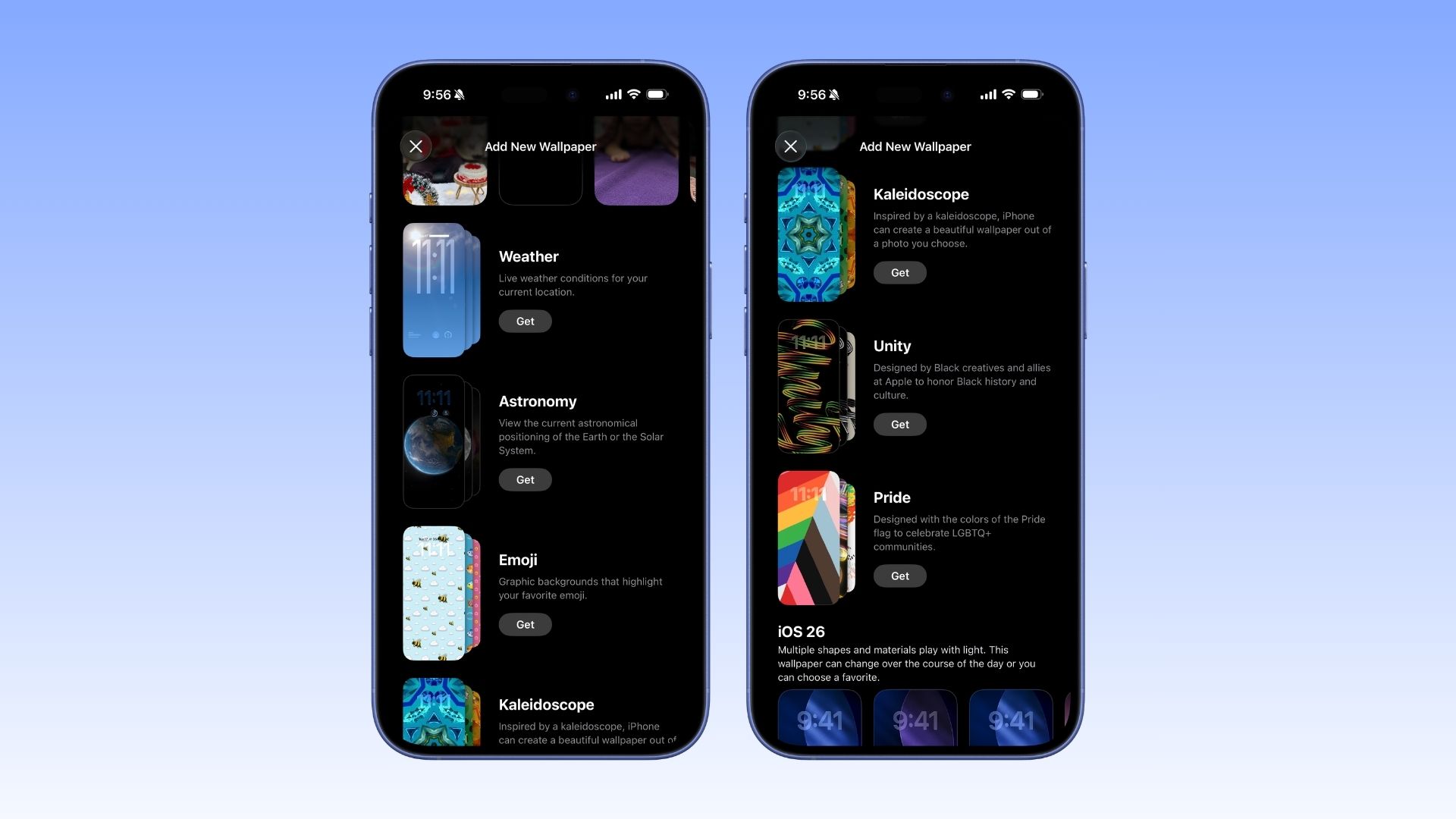
Photo: Rajesh Pandey/Cult of Mac
iOS 26.4 beta 1 tweaks the iPhone’s Wallpaper gallery by listing each wallpaper category separately. It also lets you download an entire category directly to your iPhone. The new design is cleaner and easier to understand.
The watch face gallery for Apple Watch received a similar revamp with watchOS 26.
Stolen Device Protection
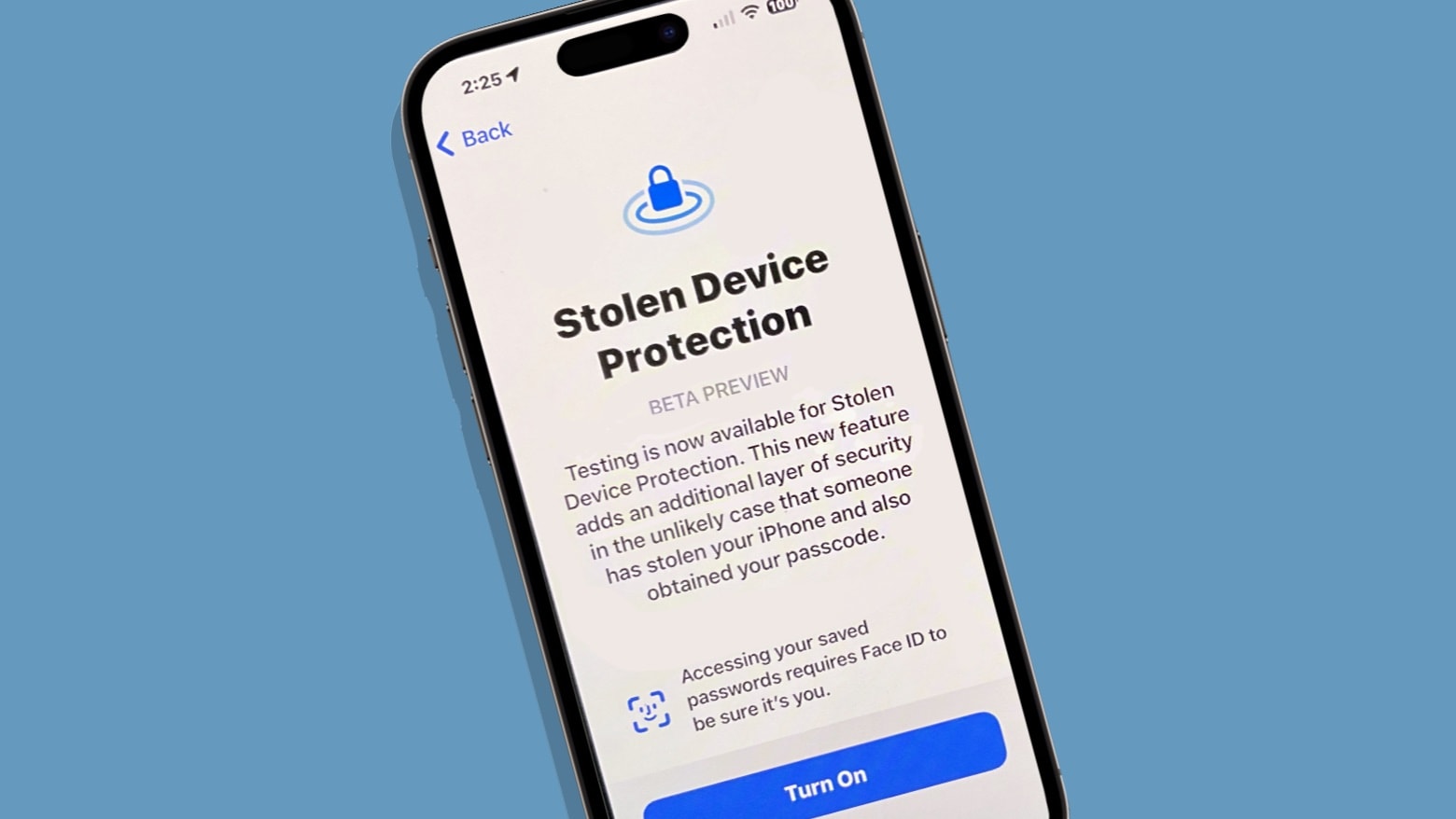
Image: Ed Hardy/Cult of Mac
iOS 26.4 will enable Stolen Device Protection by default on all iPhones.
Currently, this is an opt-in feature. It adds another layer of security when your iPhone is stolen by requiring biometric verification for accessing critical features. There’s also a one-hour delay for more sensitive actions when away from trusted home and work places.
You can turn it on or off here: Settings > Face ID & Passcode > Stolen Device Protection.
Creator Studio in Freeform
Apple announced several features for its Freeform app when it unveiled the Apple Creator Studio bundle last month. The premium features will go live in Freeform as part of iOS 26.4, giving subscribers access to a new Content Hub that includes graphics, photos and AI-powered tools.
Freeform also gets a new icon in the first iOS 26.4.
Shortcut action for charge limit
iOS 26.4 beta 1 adds a new Shortcuts action for setting a charge limit. It lets you create automations that adjust the iPhone’s charging limit based on specific triggers.
More new features coming to iOS 26.4 in beta 2?
If beta 1 is any indication, iOS 26.4 will pack far more features than its immediate predecessor. With a public release likely to land in March or April, expect the second beta to include even more changes.

Rajesh has been writing about consumer technology for over a decade, with a strong focus on iPhones, Macs and Apple’s ecosystem. He enjoys digging into Apple software updates, hardware changes, and discovering new Mac apps that make work faster and more enjoyable.
You can reach out to him at mail[at]rajeshpandey.me.


One response to “iOS 26.4 beta 4 gives us first look at Apple’s new emoji”
But the real question is will it fix the problem with being unable to easily rearrange app icons on my 2020 Gen 4 iPad Pro? Ever since I foolishly update from iOS 18 to 26 I’ve been pulling out my hair trying to move icons which is a known problem with 26 (Wish I’d known that beforehand).
Apple is really making me take a serious look at migrating to Android.