The Apple Watch, which started as a tech/fashion accessory and evolved into a health and fitness devices, is the world’s most popular smartwatch. It can handle a wide variety of the iPhone’s most popular functions — alerts, phone calls, playing music, etc. — and also track a user’s heart rate, sleep patterns and other health-related metrics.
It is an “incredibly accurate timepiece, an intimate and immediate communication device and a groundbreaking health and fitness companion,” Apple said at the product’s launch.
Apple CEO Tim Cook unveiled the original Apple Watch on September 9, 2014, calling it “the most personal device we’ve ever created.” But then the company made anxious consumers wait seven months for the first Apple Watch’s launch on April 24, 2015. With fancy showcases and a $17,000 gold model (called Apple Watch Edition), Apple focused on fashion.
From the very beginning, Apple Watch straps came in a wide variety of colors and were constructed from an array of materials. Plus, they were easily interchangeable, so someone could, for instance, wear a comfortable silicone Apple Watch band during a sweaty gym session, then switch to something much more luxurious for a dinner date.
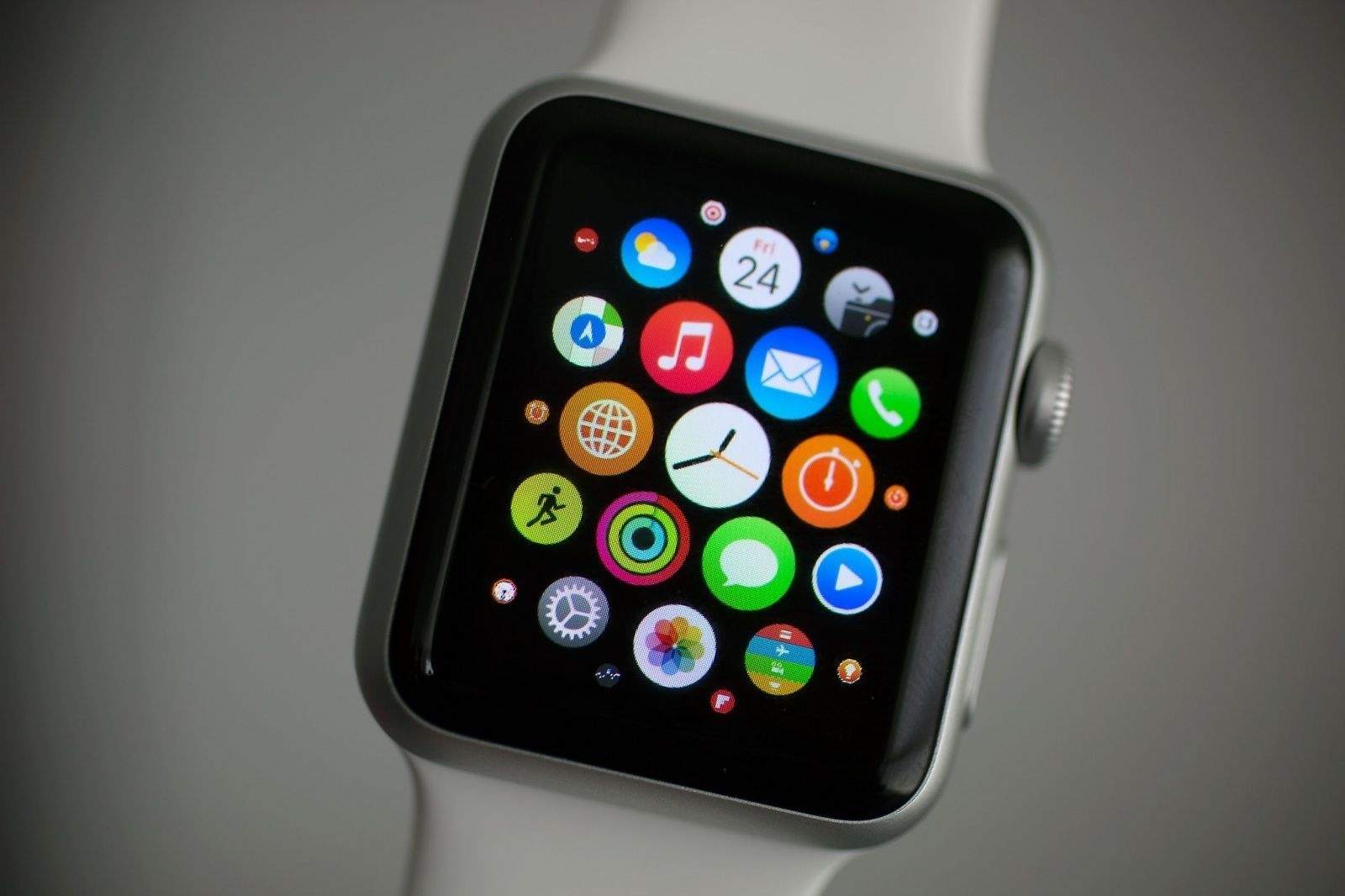
Additionally, users can customize watch faces, manage notifications and install apps tailored to their preferences, using Apple’s Watch app on the iPhone.
Like the iPhone, the Apple Watch utilizes a touchscreen for most interactions. Apple Watch owners also can use Siri voice commands.
Digital Crown and Taptic Engine
The Apple Watch also introduced several innovative features that set it apart from traditional timepieces. The Digital Crown, a small knob on the side of the watch that doubles as a push button, lets users scroll, zoom and interact with the interface without obstructing the display. The Taptic Engine provides subtle haptic feedback, notifying users of incoming notifications or providing prompts during workouts.
When the Apple Watch was released on April 24, 2015, it was met with both excitement and skepticism. Critics questioned its utility and wondered if it would become a niche gadget. However, consumers quickly embraced its sleek design, customizable interface, and array of features.
Apple Watch is fully integrated with other Apple devices, particularly the iPhone (which is required to use the smartwatch). Apple Watch can, for instance, be used to unlock a Mac. This seamless integration with the Apple ecosystem helped solidify the device’s place in the market. It quickly became the bestselling smartwatch in the world.
watchOS: The Apple Watch operating system
Just as the iPhone runs on iOS, the Apple Watch runs on watchOS. Apple upgrades the operating system every year, adding features exclusive to new devices as well some for older models. New versions of watchOS typically add new Apple Watch faces as well.
watchOS 1 powered the original Apple Watch. It included nearly two dozen stock apps, including Activity, Alarm, Calendar, Camera Remote, Mail, Maps, Messages, Music, Passbook (which will become Wallet in later versions), Phone, Photos, Remote, Settings, Siri, Stocks, Stopwatch, Timer, Weather, Workout and World Clock.
Key additions over the years include:
Home App, Scribble, Emergency SOS and the Breath app (watchOS 3).
Redesigned Music and Workout apps (watchOS 4).
Podcasts app and Walk-Talkie (watchOS 5).
Cycle Tracking, Noise, Calculator and Voice Memos apps, plus a new App Store for Apple Watch apps (watchOS 6).
Blood Oxygen app for Apple Watch Series 6 models, Activity app renamed to Fitness, plus new Memoji app and automatic handwashing detection (watchOS 7).
Crash Detection and Ovulation apps for Apple Watch Series 8 models (watchOS 9).
Double tap gesture for Apple Watch Series 9 and Apple Watch Ultra 2 (watchOS 10).
Apple Watch models
Apple Watch (1st generation)
Released on April 24, 2015, the original Apple Watch came in three models: the entry-level Apple Watch Sport with an aluminum body, the “regular” Apple Watch with a stainless steel casing and the Apple Watch Edition with a gold body, which cost $10,000-plus. All came with a built-in heart rate sensor powered by infrared and visible-light LEDs and photodiodes.
Apple’s first wearable introduced the Digital Crown and the Taptic Engine for subtle taps on the wearer’s wrist. It ran apps and allowed notifications, and offered health- and fitness-tracking capabilities. It allowed customization through Apple Watch faces and a variety of Apple Watch bands. However, the underpowered single-core S1 chip in the first-gen Apple Watch led to laggy performance.
Sizes: 38mm and 42mm
Apple Watch Series 1 and Series 2
Both released on September 16, 2016, these second-gen Apple Watch models benefited from upgraded processors that improved performance. The Series 1 ran on the Apple S1P, a variant of the dual-core Apple S2 chip with the processor’s GPS capability removed. It also added water resistance for swimming.
Apple Watch Series 2 ran on the Apple S2 with GPS enabled for for tracking outdoor workouts. It came with a brighter display and water resistance up to 50 meters. An Apple Watch Series 2 Edition model came with a white ceramic case.
Sizes: 38mm and 42mm
Apple Watch Series 3
Unveiled on September 22, 2017, Apple Watch Series 3 ran on a dual-core Apple S3 chip and came with an altimeter for tracking elevation. A variant with LTE cellular connectivity via an innovative eSIM allowed calls and streaming of Apple Music tracks and podcasts.
Sizes: 38mm and 42mm
Apple Watch Series 4
Announced on September 21, 2018, Apple Watch Series 4 brought the smartwatch’s first big redesign. Thinner bezels meant a bigger display, and the overall design was streamlined. The display was also much brighter than previous models. A new sensor worked with the ECG app to enable electrocardiograms. (Apple received clearance from the U.S. Food and Drug Administration for the watch’s ECG feature.)
With Apple’s S4 chip, a 64-bit dual-core processor, Series 4 also gained a performance boost. The smartwatch’s improved accelerometer and gyroscope boosted fitness tracking. And a new fall-detection feature could automatically call emergency features if the wearer suffered a fall.
Sizes: 40mm and 44mm
Apple Watch Series 5
Unveiled on September 10, 2019, during Apple’s “By Innovation Only” event, the Apple Watch Series 5 was the first model to feature an always-on Retina display. Clever animations allowed apps to “activate” when the watch was lifted, conserving battery power when the watch was lowered. A more energy-efficient Apple S5 chip brought better performance. And a built-in compass appealed to the outdoors crowd. Apple also added an International Emergency Calling feature for cellular models.
Apple Watch Series 5 Edition models arrived in three case options: ceramic and two titanium finishes (natural and space black).
Apple Watch Series 6
Released on September 15, 2020, during Apple’s “Time Flies” event, the Apple Watch Series 6 added a new sensor capable of monitoring the wearer’s blood oxygen saturation (SpO2). Coming at the peak of the COVID-19 pandemic, it was a perfect health-related feature.
The Apple S6 chip brought increased performance, while the Apple U1 chip enabled support for ultra-wideband technology for short-range communication with other compatible devices. The always-on display was 2.5 times brighter than the one in Series 5. Apple Watch Series 6 also added an always-on altimeter, 5 GHz Wi-Fi support and faster charging.
Sizes: 40mm and 44mm
Apple Watch SE
A budget model also released on September 18, 2020, the first-gen Apple Watch SE ran on the Series 5’s S5 chip. It lacked key features such as an always-on display, ECG and blood oxygen sensors, and support for ultra-wideband and 5 GHz Wi-Fi.
Sizes: 40mm and 44mm
Apple Watch Series 7
Released on October 15, 2021, Apple Watch Series 7 boasted a larger, more durable display with even thinner bezels. It added faster charging, slightly longer battery life and anIP6X dust-resistance rating.
Sizes: 41mm and 45mm
Apple Watch Series 8
Announced at Apple’s Far Out event on September 7, 2022, Apple Watch Series 8 added a new temperature sensor to power women’s health features like cycle tracking and ovulation estimates. It runs on a faster Apple SP8 chip and also adds more precise accelerometers, and a new Crash Detection feature that can call authorities after a car or motorcycle accident.
Sizes: 41mm and 45mm
Apple Watch Ultra
Also announced at the Far Out event, Apple Watch Ultra is a beefier model aimed at endurance athletes. A larger titanium case (49mm) with a flat front crystal makes it look more like a rugged sports watch. A brighter display proves better for outdoor activities.
A new Action button, which can trigger a specified app or function with a single touch, makes it easier to use in certain situations (like when wearing ski gloves or underwater). Integrated multi-band GPS, a water temperature sensor and a built-in siren also appeal to outdoor adventurers.
Size: 49mm
Apple Watch SE (second generation)
The final of three smartwatches unveiled at the Far Out event, the second-gen Apple Watch SE also runs on the SP8 chip and offers Crash Detection thanks to advanced accelerometers. However, the updated budget model does not feature an always-on display, a temperature sensor or ECG capabilities.
Sizes: 40mm and 44mm
Apple Watch Series 9
Announced at Apple’s “Wonderlust” event on September 12, 2023, the Apple Watch Series 9 runs on a more-efficient Apple S9 chip with a faster GPU and Neural Engine that enable on-device Siri. The main addition is a new “double tap” gesture: When the wearer taps a thumb and forefinger together, it’s as if they tapped the watch’s touchscreen. Series 9 also added a second-generation UWB chip for increased range and precision.
Sizes: 41mm and 45mm
Apple Watch Ultra 2
Also unveiled at the Wonderlust event, the Apple Watch Ultra 2 packs an even brighter display (up to 3,000 nits) as well as the new S9 chip for on-device Siri. The design remains the same, as do many of the rugged watch’s capabilities.
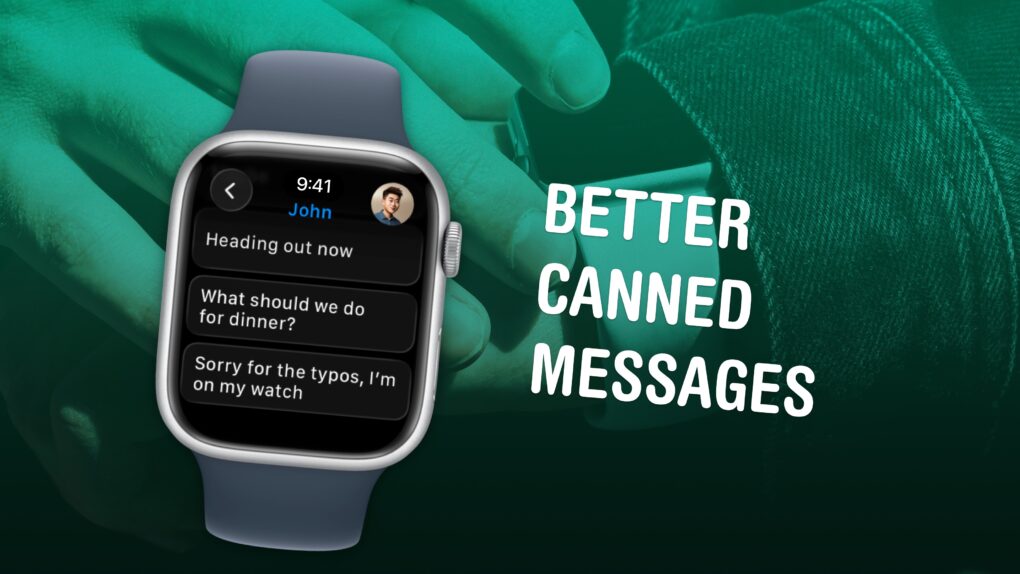
Texts you might actually send to someone. Image: D. Griffin Jones/Cult of Mac
Apple Watch texting is not fun, no matter which way you slice it. But it can be made a lot easier if you spend a few minutes setting up canned messages for you to instantly reply with later. It makes texting much easier. Here’s how to set it up.
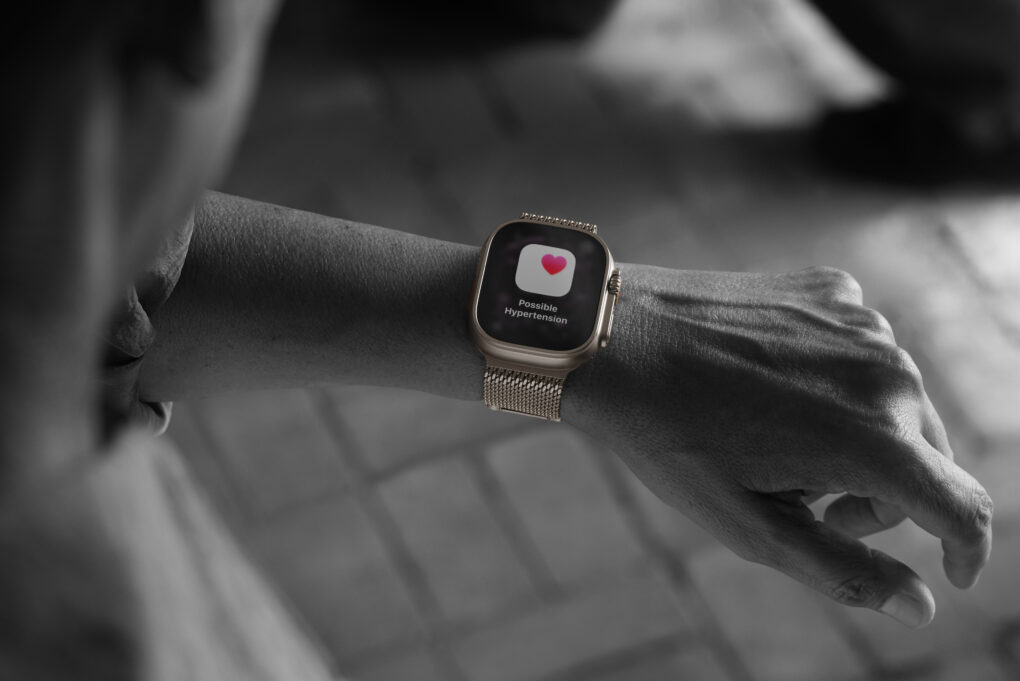
Apple Watch Ultra 3 is one of the models featuring Hypertension Notifications. Photo: Apple
For millions of Apple Watch owners, the Hypertension Notifications Feature available on recent models is a big leap in wearable health monitoring. It promises to alert users to potential high blood pressure before it leads to serious health problems. But how reliable are the alerts, and what should Apple users realistically expect?
I’ve had measurably high blood pressure for years. I wear Apple Watch 10, one of the models with hypertension alerts. And yet I’ve never seen one up close and personal. Apparently my meds are working!
Apple's shocking numbers start with $143.8 billion in gross revenue. AI image: Midjourney/Cult of Mac
“I am proud to say that we just had a quarter for the record books,” Apple CEO Tim Cook said during Thursday’s earnings call, before rattling off numbers that surprised Wall Street analysts — in a good way.
The highly successful quarter was also one for the stat geeks. Apple racked up several all-time highs during the quarter (technically Apple’s Q1 2026). From overall revenue (a new all-time high!) to customer satisfaction ratings (through the roof!), the numbers Apple put up during the 2026 holiday quarter will blow your mind.
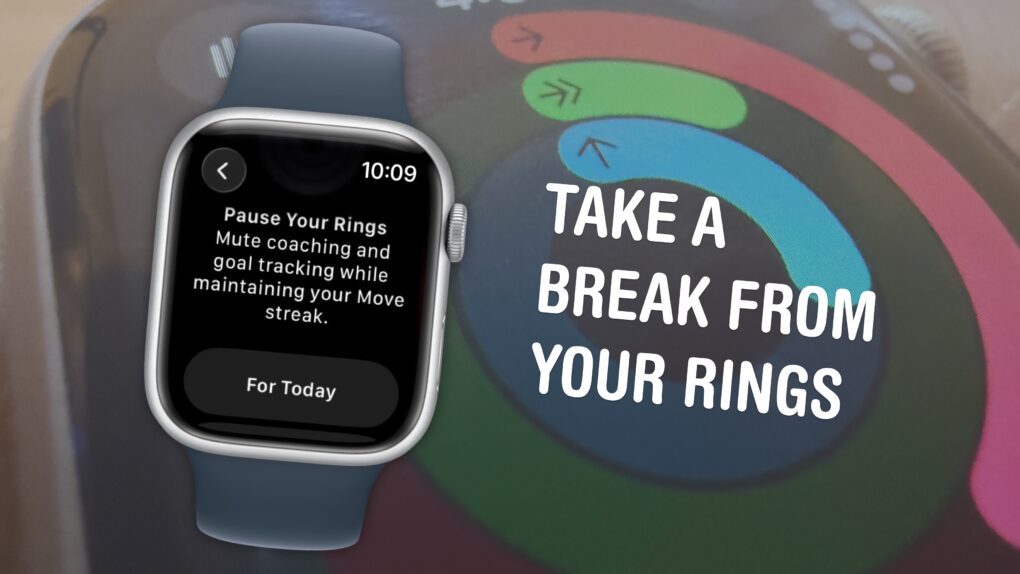
You can pause them without losing your streak. Image: D. Griffin Jones/Cult of Mac
The Apple Watch doesn’t just count your steps — its three Activity rings track different levels of energy you burn throughout the day. And the perpetual challenge to “close your rings” provides a motivational push that gamifies fitness.
Apple’s smartwatch gives you a bunch of options for customizing your Activity rings (and for taking a break when you need it). You can set different goals for each ring for different days of the week to fit your workout schedule. When you want a rest day or if you fall ill, you can take up to a month-long break without losing your streak.
If you’re all-in on the fitness tracking, you can add widgets that show your rings on your Apple Watch face and widgets on your iPhone. Or, on the other hand, if you find it all a bit annoying, you can turn off all the notifications so they won’t bother you anymore.
Here’s everything you need to know about the Apple Watch’s Activity rings.
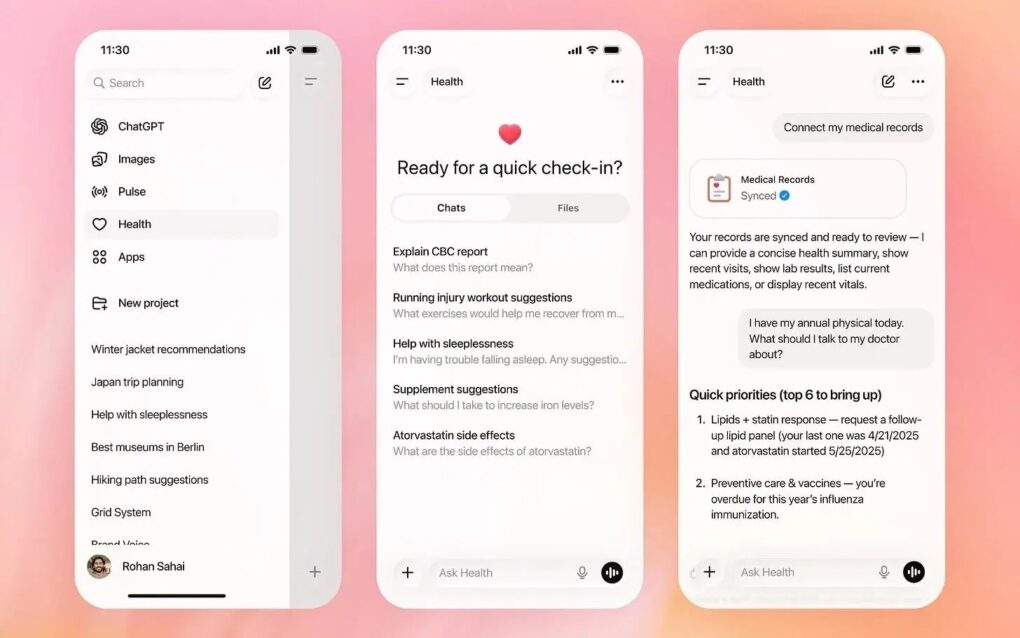
You might want to reconsider handing your health data to an AI bot. Photo: OpenAI
When Washington Post tech columnist Geoffrey A. Fowler gave ChatGPT access to a decade of his Apple Watch data, he expected useful insights. Instead, the AI delivered wildly inconsistent health assessments that left him questioning the readiness of AI-powered health tools.
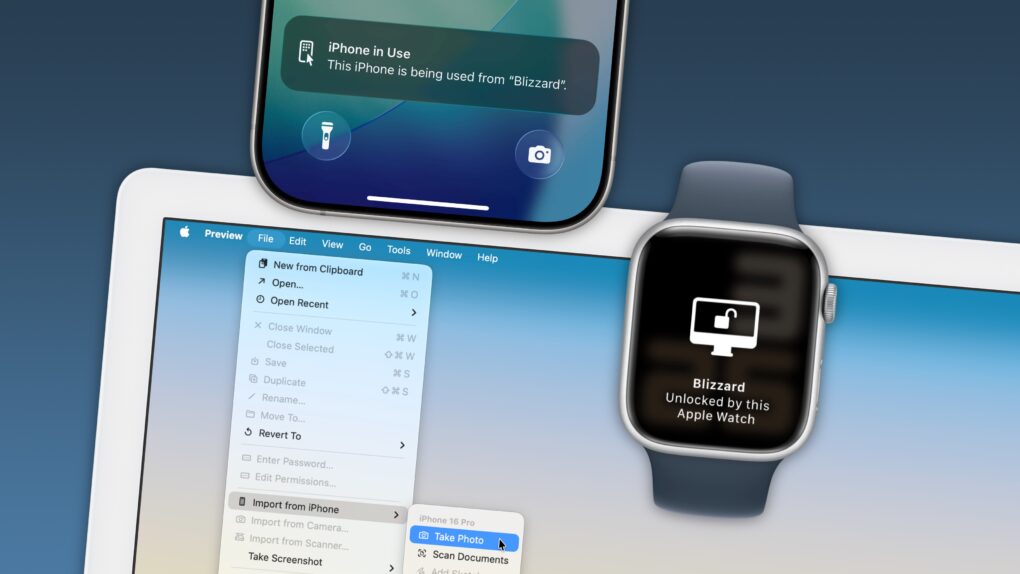
Your Apple devices can work together in more ways than you may expect. Image: D. Griffin Jones/Cult of Mac
Nothing illustrates the power of Apple’s ecosystem like the Continuity features that help your Mac, iPhone, iPad and Apple Watch work seamlessly together.
Thanks to Continuity, your iPhone can serve as your Mac’s webcam — and you can remotely control your iPhone from your Mac. You can start an email on one device and instantly pick it up on another. You can use the same keyboard and mouse with a Mac and iPad, copy and paste across devices and more.
These features flex the power of Apple’s hardware and software — and they would never be possible on a PC.
In this post (and the accompanying video), I will show you some of the time-saving, annoyance-busting Continuity features you can enjoy when you go all-in on the Apple ecosystem.
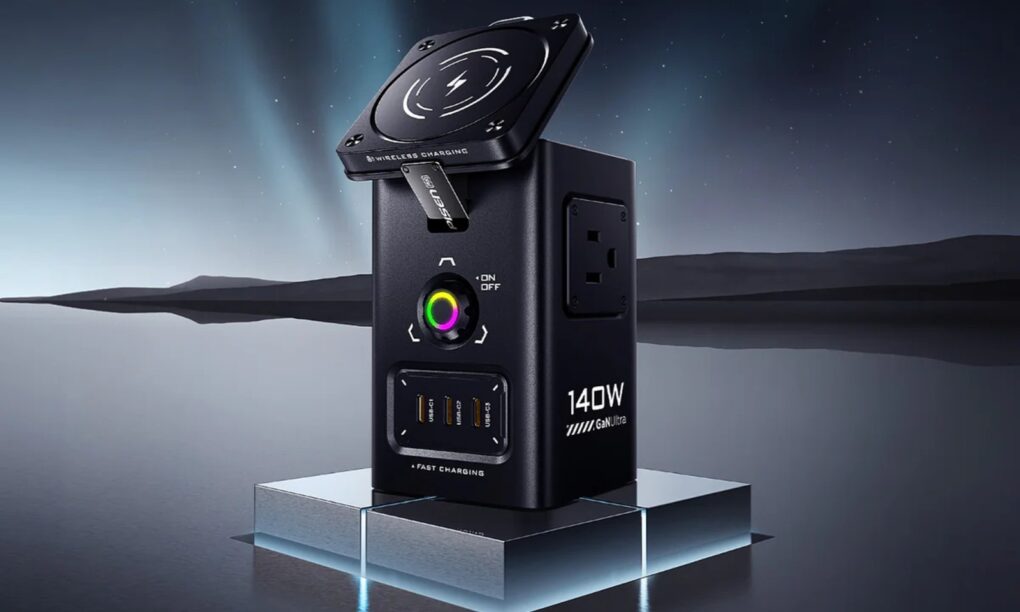
It has magnetic wireless charging, USB-C and USB-A charging and AC outlet charging via good ol' plugs. Photo: Pisen
The new Pisen Qi2 8-in-1 140W Mega Charging Hub — just launched on Amazon — offers Apple users a comprehensive desktop charging solution that combines wireless charging for iPhone and Apple Watch with high-power wired charging for MacBooks and iPads, the company said Thursday.
It features not only a Qi2 MagSafe charging platform for recent iPhones, but a magnetic Apple Watch charger, USB ports and even power outlets for plugs. And you can get it not only in basic black, but in a surprising yellow!
The alleged breach culled huge amounts of secret date, attackers claim. Photo: Apple/Cult of Mac
A major ransomware attack on Luxshare, one of Apple’s most critical manufacturing partners, allegedly exposed over 1TB of confidential data from the iPhone giant and other tech behemoths. Stolen information in the Luxshare data breach includes product designs, engineering documents and employee information spanning from 2019 to 2025, according to a new report.
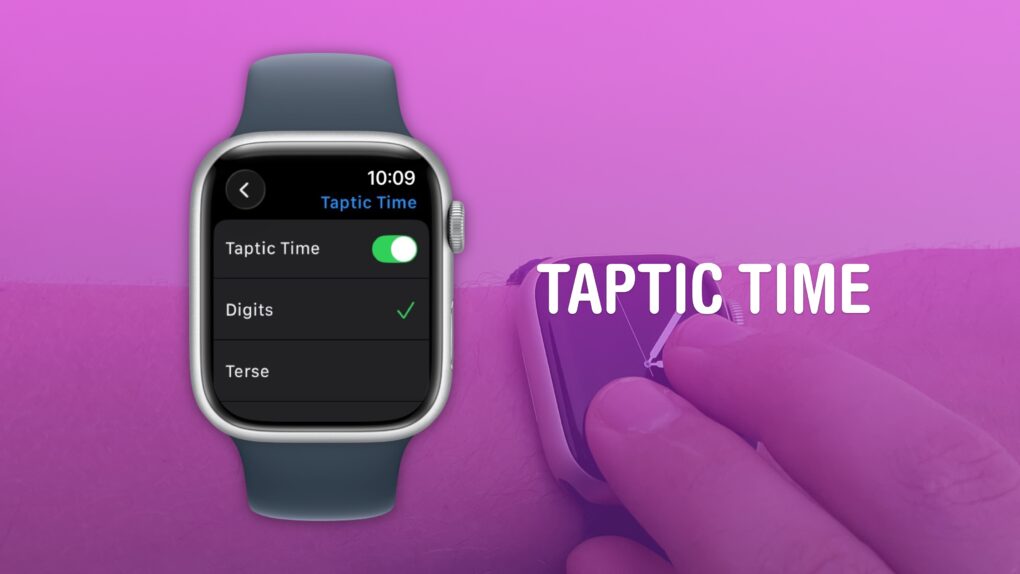
A clock you don’t even need to look at. What a time to be alive. Image: D. Griffin Jones/Cult of Mac
You can get the time without even looking at your Apple Watch using a little-known feature called Taptic Time. Simply hold two fingers on the device’s screen, and the watch will tap out the time on your wrist.
This is handy if you’re in a meeting and need to know the time, but you don’t want to look rude checking your watch. Or maybe you’re in the middle of a presidential debate.
Whatever the situation, turning on this little-known Apple Watch feature — and familiarizing yourself with how it works –can come in handy.
Letterpad was one of the first games we got to see on Apple Watch. Photo: NimbleBit
January 21, 2015: Months before the first Apple Watch goes on sale, users get a glimpse at what playing games might look like on the smartwatch. Thanks to Apple making the WatchKit API available to third parties, game developer NimbleBit releases a mockup of Letterpad, its simple, work-in-progress word game.
Suddenly, we get a peculiar desire to play games on our wrist that we haven’t had since the days of the Nintendo Game & Watch three decades earlier.
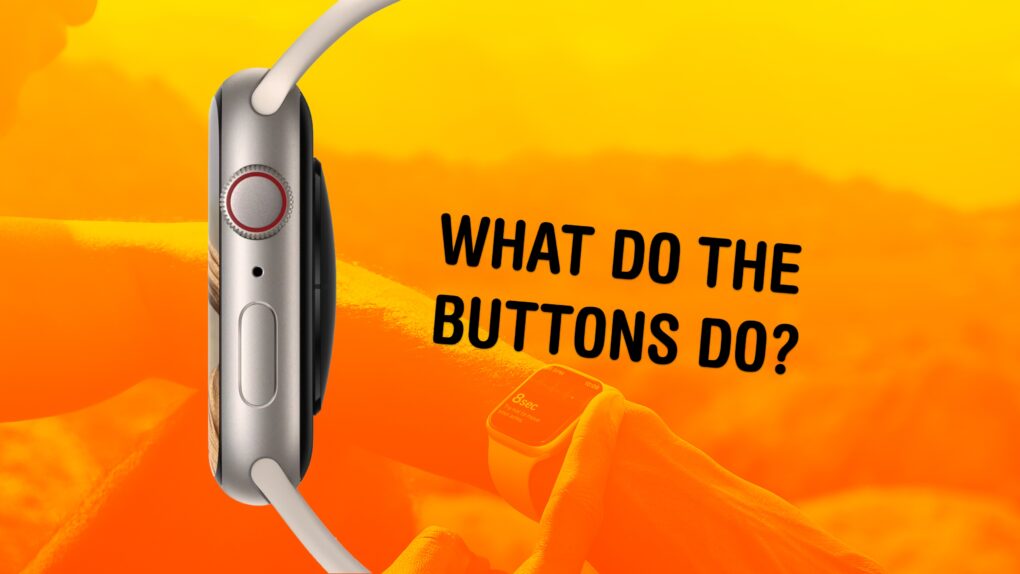
The buttons on the Apple Watch switch apps, activate Apple Pay, open Siri and more. Image: Apple/D. Griffin Jones/Cult of Mac
What do the buttons on the Apple Watch do? The Apple Watch borrows a lot from the iPhone, but the biggest difference between the two devices comes down to the way their buttons work. Each individual button does different things, depending on whether you click, double-click or hold them down.
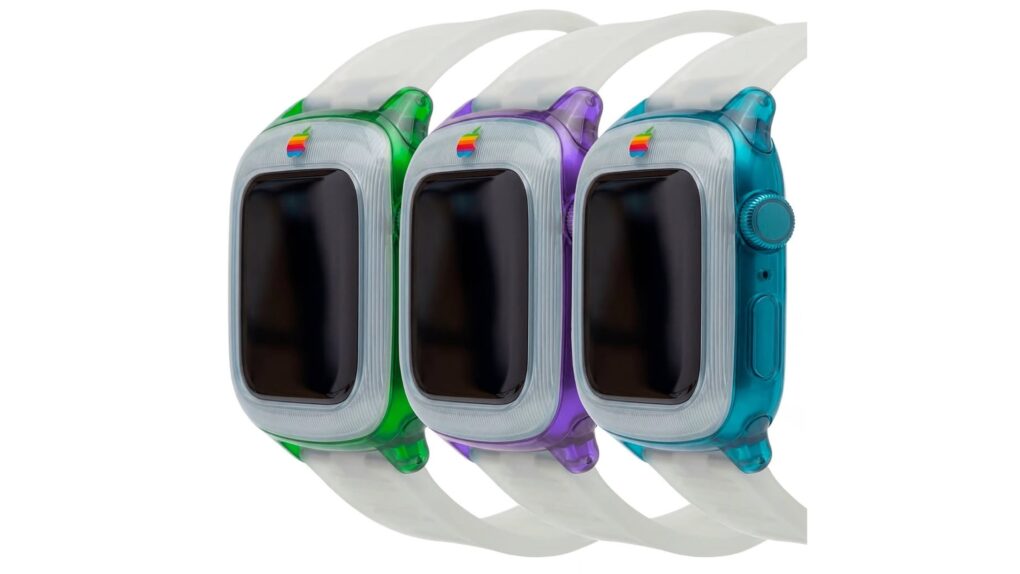
Apple fans are loving this juicy retro Apple Watch concept. Image: SaffyCreatives
A cool, colorful Apple Watch concept that borrows the design language of the original iMac is drawing raves on Instagram.
The instantly recognizable design features translucent plastic in the bright shades of the nonconformist computers that saved Apple’s bacon in the late 1990s.
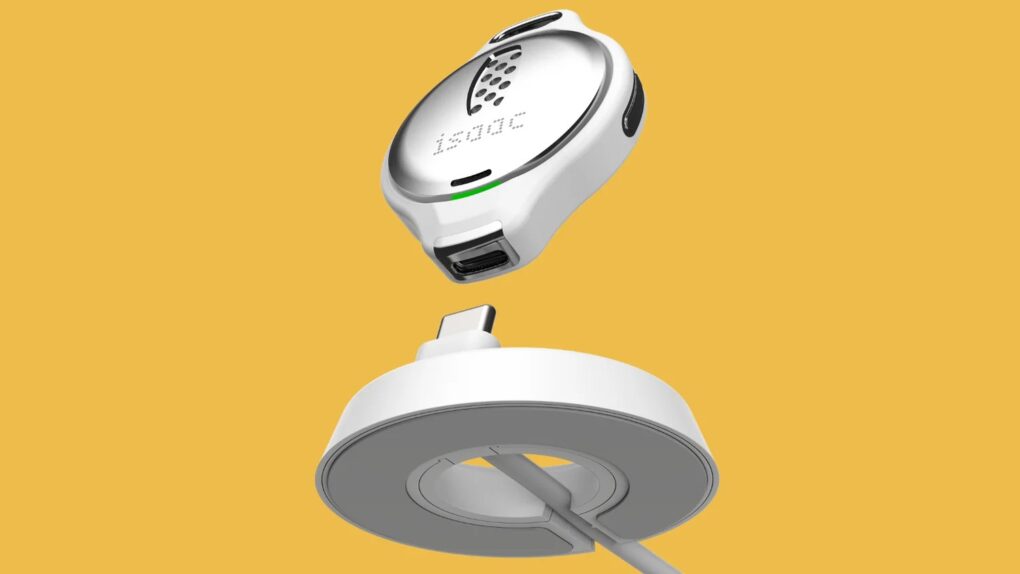
Shown here with a charger, the PreEvnt Isaac device measures breath and can be worn on a necklace. Photo: PreEvnt
Apple has spent years and millions of dollars trying to crack one of wearable technology’s biggest health challenges: noninvasive blood glucose monitoring for Apple Watch. Now, a promising new gadget at CES 2026 — the PreEvnt Isaac Non-Invasive Glucose Monitor — might offer a roadmap for how this long-awaited feature could finally arrive.
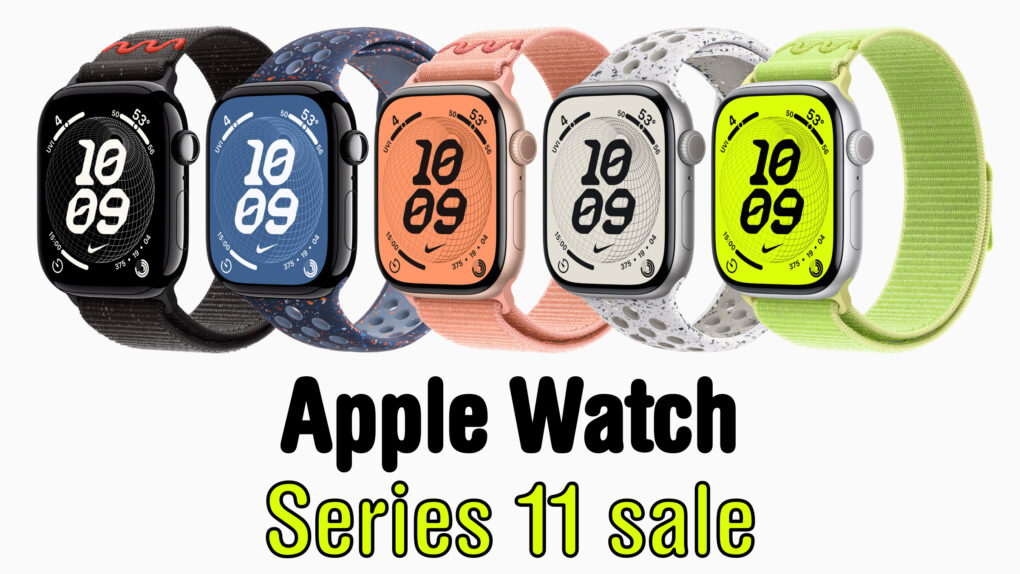
Apple Watch Series 11 comes in a range of colors and combos, but not everything's on sale ... yet. Image: Cult of Mac
If you didn’t get the smartwatch you wanted as a gift, take heart: a hot deal on Apple Watch Series 11 drops the cost to only $299 for the smaller 42mm size. That’s a $100 discount off Apple’s MSRP — 25% off!
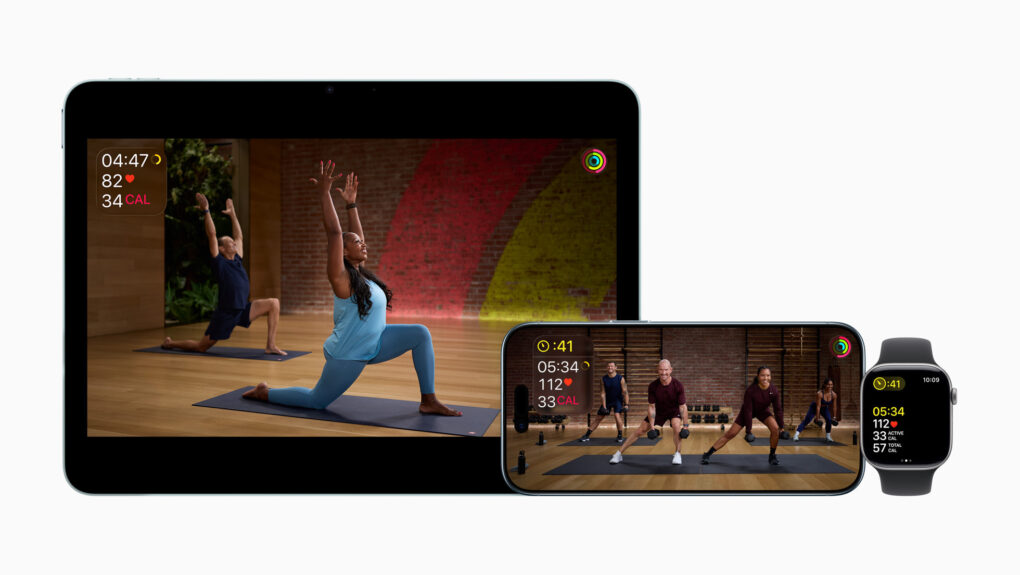
Apple Fitness+ introduced new ways to stay active and motivated to kick off 2026, including a new lineup of workout programs, Artist Spotlight workouts and new guests in Time to Walk. Photo: Apple
New research from the Apple Heart and Movement Study reveals that Apple Watch wearers tend to buck the trend of abandoned fitness goals, Apple said Friday.
Data shows Apple Watch users consistently maintain elevated exercise levels well past the notorious “Quitter’s Day” in mid-January. To build on that in 2026, Apple now offers more ways to keep Apple Watch users motivated so they can nail their New Year’s fitness resolutions.
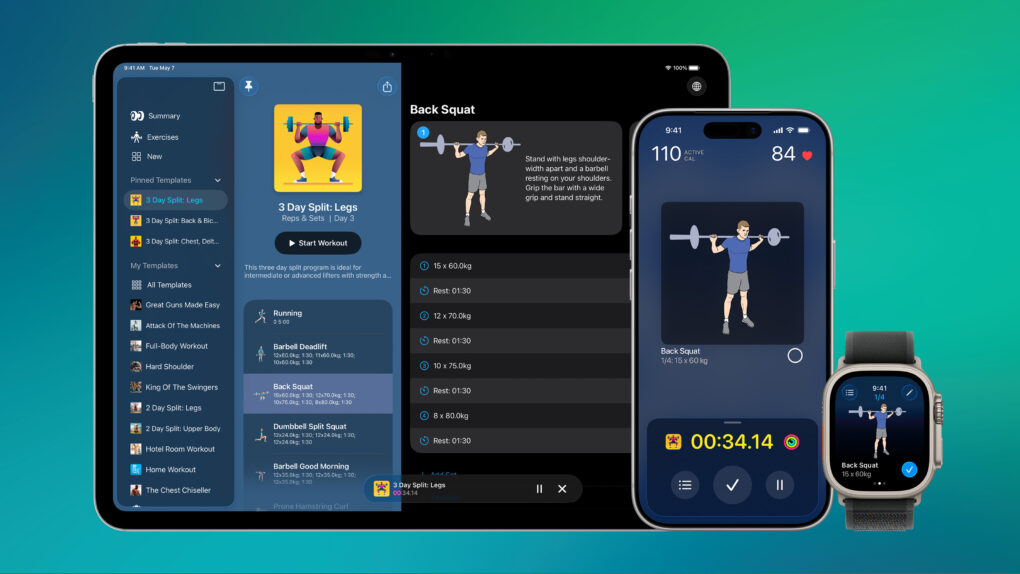
Reps & Sets works on iPad, iPhone, and Apple Watch.
Reps & Sets 26 is a brand-new strength training app designed exclusively for iPhone, iPad and Apple Watch. It was developed by a long-time Cult of Mac contributor: me, Graham Bower.
Reps & Sets 26 isn’t just another generic cross-platform fitness app. I made it Apple-exclusive, to take full advantage of the latest OS 26 technologies like CloudKit, SwiftUI and HealthKit, to deliver a truly native experience. And right now, it’s a free download. Perfect timing for your New Year’s resolutions. Get Reps & Sets 26 now, and get ripped in 2026.
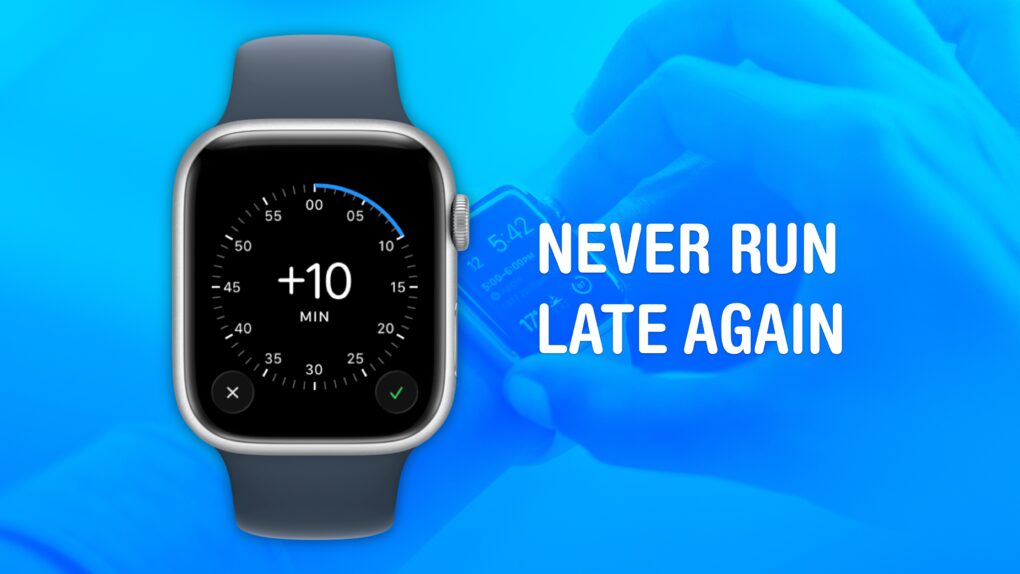
Cult of Mac is not legally responsible if you are still late after turning on this feature. Image: Crew/Wikimedia Commons/D. Griffin Jones/Cult of Mac
Set your Apple Watch time a few minutes ahead of the actual time and you might trick yourself out of running late every day. This is an officially supported feature, not a hack that will produce cascading, annoying side effects. And it doesn’t require you to set your smartwatch out of sync with internet time.
What will you gain? By running your Apple Watch a few minutes fast, you might nudge yourself to rush out the door a little earlier. And that might be enough to get you somewhere on time rather than late. If tardiness is a frequent problem for you, this little change could save your skin.
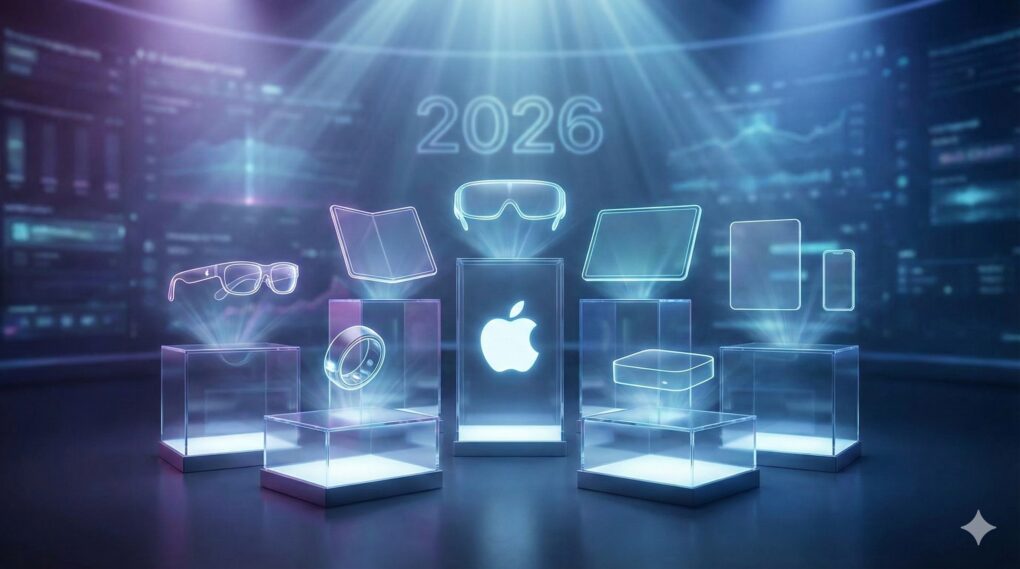
Apple has a busy 2026 in store. Which of these new and upgraded products can we expect? AI image Google Gemini/Cult of Mac
With more than a dozen new Apple products in the pipeline, 2026 is shaping up to be a busy and important year for the company. Among a plethora of high-profile device launches, we should see the first folding iPhone next year
If all the rumors prove true, Apple’s 2026 product road map looks bold, exciting and ambitious. Check out all the new products Apple likely will launch in 2026.
They look a lot better if you have a color printer. Photo: Killian Bell/Cult of Mac
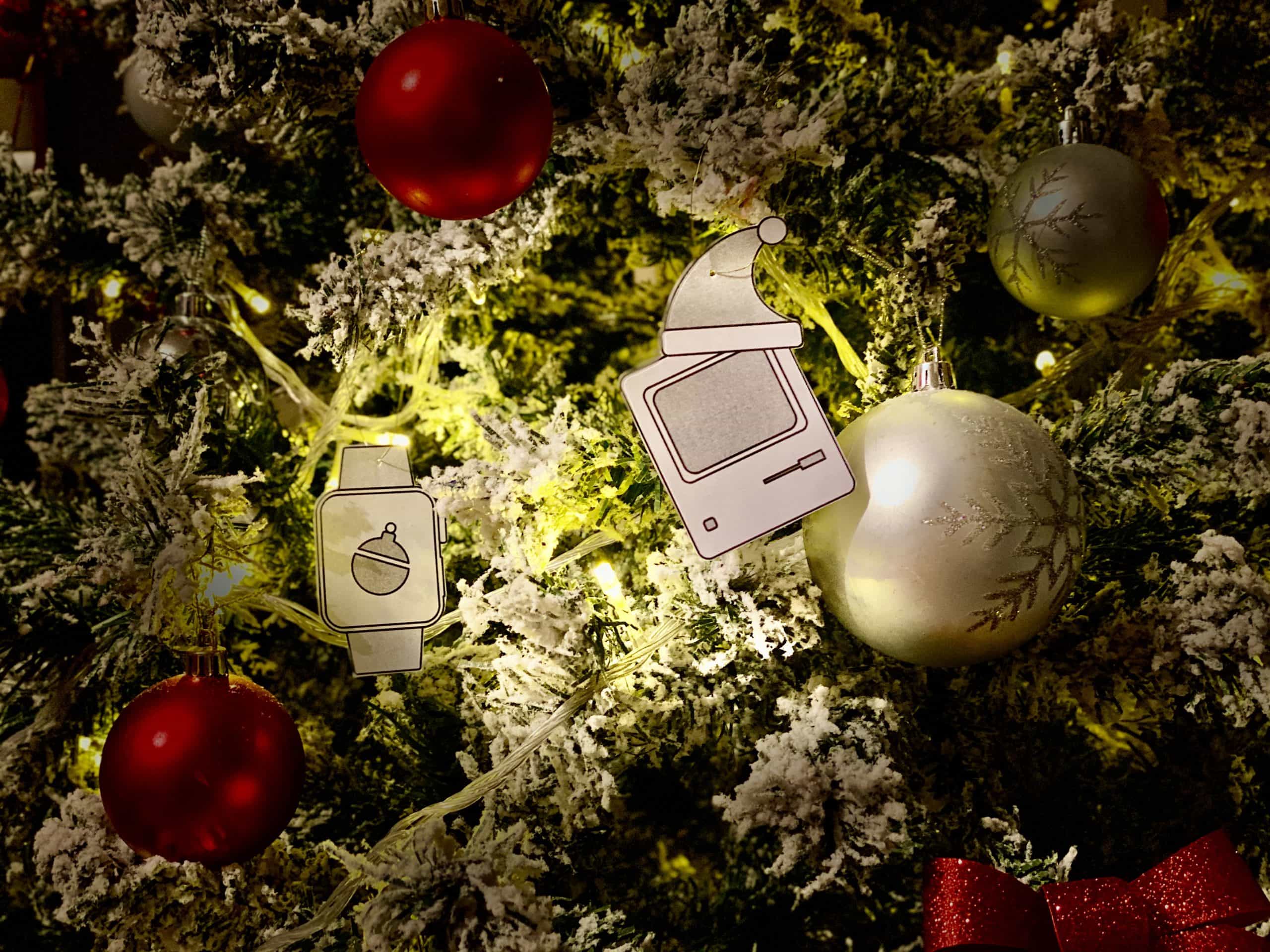
It’s not too late to give your Christmas tree a holiday makeover that any Apple fan would be proud of. Grab some string, download Cult of Mac’s awesome decorations inspired by iconic Apple devices, and get hanging!
How do you set up a new Apple Watch? Whether you got the surprisingly capable Apple Watch SE 3, the battery-boosted Apple Watch Series 11 or the rugged Apple Watch Ultra 3, you might be wondering how to get started. After all, the Watch is unlike any other Apple device, both in its dependence on an iPhone and in the way it works.
The good thing is, Apple has made it really, really easy to get things up and running. Let’s take a look.
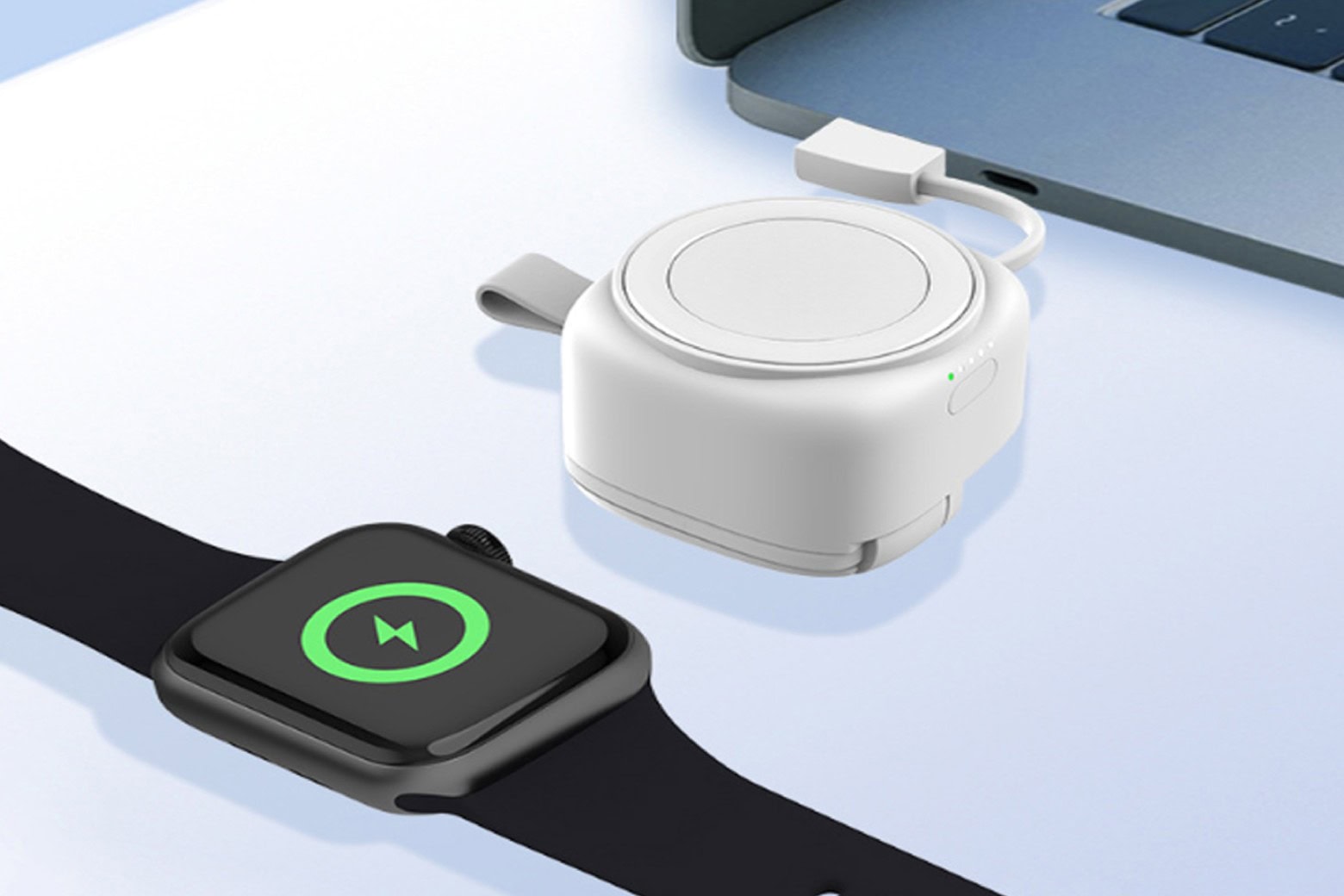
This Apple Watch accessory works as a battery pack or a wired charger. Photo: Cult of Mac Deals
When it comes to charging an Apple Watch, you typically have two choices: Use a wired charger that plugs into a power source or go with some sort of battery pack. This portable Apple Watch charger is different — it can do both. It comes with built-in USB-A and USB-C and USB-A cables so you can plug it into a computer or wall wart, and a 1,200mAh battery so you can use it to charge wirelessly wherever you go.
It’s ideal for anyone who’s always on the go and wants to keep their Apple Watch powered up without needing an outlet. At just $29.99, it’s a surprisingly capable Apple Watch charger. And it makes a great stocking stuffer for anyone who wears an Apple Watch!
This was a big year. Photo: Apple/D. Griffin Jones/Cult of Mac
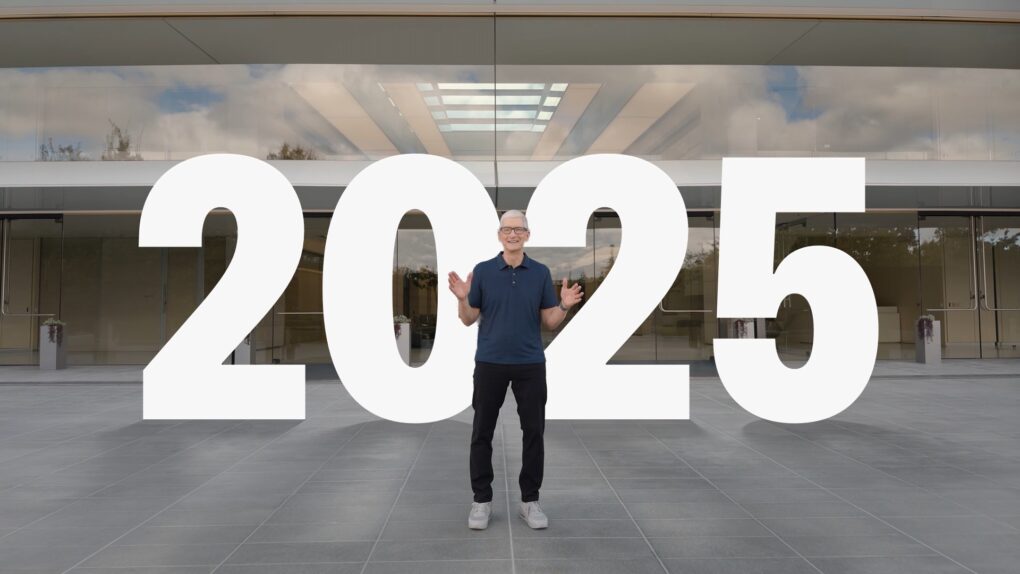
2025 was a big year for Apple. In this end-of-year roundup, we gathered up the most consequential news, groundbreaking rumors and biggest surprises of the last 12 months.
There were plenty of leaks — in fact, the entire iPhone 17 lineup was exhaustively shown off in the months leading up to September. We also knew most of the other product releases, from the MacBook Air and iPad Air to MacBook Pro and Vision Pro, would consist of simple spec bumps.
But there were tons of curveballs, too. Tariffs rattled Apple’s international supply chain. The Blood Oxygen app for Apple Watch made a sudden return. And no one was expecting a UI redesign quite like Liquid Glass.
iOS 26.3 beta 1 gives an early glimpse at some upcoming new features. Photo: Rajesh Pandey/Cult of Mac
Just days after pushing iOS 26.2 to the public, Apple seeded the iOS 26.3 beta 1 to developers on Monday. The next major point release of the iPhone operating system does not include radical new features, but it promises to bring some notable changes to the platform.
Below are all the changes we’ve discovered in iOS 26.3 beta 1.
It's not easy to find in a pile of miscellaneous clutter. Image: D. Griffin Jones/Cult of Mac
You can ping a lost Apple Watch from your iPhone, giving you an easy way to find your misplaced wearable.
If you take your Apple Watch off at the end of the day, forgetting to throw it on the charger, you might not remember where you left it the following morning. (The reverse has always been a cool feature of the Apple Watch. Read our post: How to find your lost iPhone with Apple Watch.)
Now, you can find a lost Apple Watch from your iPhone. Here’s how it works.
AirDrop is right up there with iMessage as a great Apple-exclusive feature. Learn how to use it. Image: D. Griffin Jones/Cult of Mac
If you want to know the fastest and easiest way to send someone photos, videos, files and so, so much more, you should know how to AirDrop. There’s no need to send an iMessage — Apple’s slick AirDrop feature will immediately send and open the content on someone else’s iPhone (or other Apple device). There’s no middle step.
AirDrop works iPhone-to-iPhone, iPhone-to-Mac, iPhone-to-iPad, Vision Pro-to-Mac — any combination and permutation of two Apple devices. And, if your friend has a Google Pixel 10, you can AirDrop with them, too!
Keep reading to find out everything you need to know about how to take advantage of AirDrop.


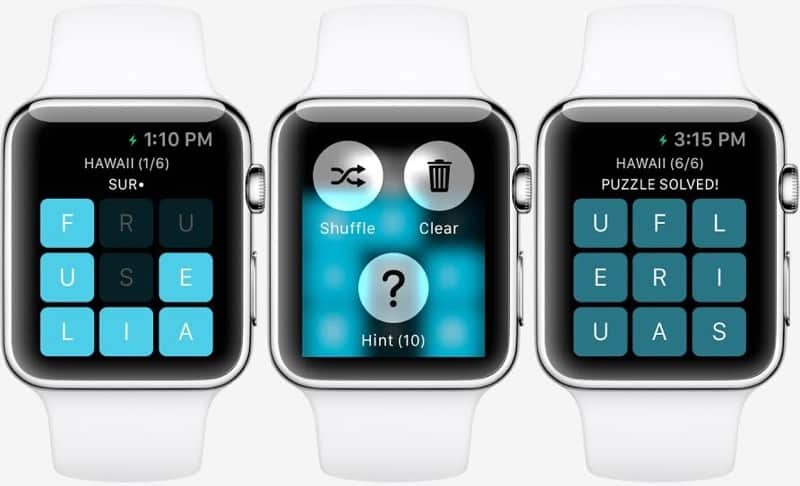
 January 21, 2015: Months before the first Apple Watch goes on sale, users get a glimpse at what playing games might look like on the smartwatch. Thanks to Apple making the WatchKit API available to third parties, game developer NimbleBit releases a mockup of Letterpad, its simple, work-in-progress word game.