Mobile menu toggle

Siri AI - page 3

Siri AI: This time Apple means it! [Cult of Mac podcast No. 24]

By •

Image of Siri AI logo on black background with the words,
After whiffing a couple years ago, Apple hits it out of the park with Siri AI.
Image: Cult of Mac

Apple WWDC26: This week on the Cult of Mac podcast: For once, Siri doesn’t leave us exasperated! After a week of WWDC26 surprises, we’re genuinely stoked about the promise of Siri AI.

Also on the Cult of Mac podcast:

  • The good news doesn’t stop with Siri. Loads of new Apple Intelligence features look useful and thoughtfully implemented.
  • Apple faces off against the European Union, and it looks like EU iPhone and iPad users will pay the price.
  • We talk about the new features coming in iOS 27, macOS 27 and watchOS 27.
  • And finally we wrap up with the results of our WWDC26 predictions game.

Listen to this week’s episode of the Cult of Mac podcast in the Podcasts app or your favorite podcast app. (Be sure to subscribe and leave us a review if you like it!) Or watch the video live stream, embedded below.


Skip the waitlist: Get the new Siri AI right now on macOS Golden Gate

By •

Justin Titi, Apple’s senior director of intelligent system experience engineering, using Siri AI on a MacBook Pro
It’s worth the wait. But you also don’t have to wait.
Photo: Apple

Even after updating all your devices to the OS 27 betas, you can’t get the new Siri AI right away. There’s a waitlist, and users are reporting that it can take days to get accepted. But on macOS Golden Gate, you can skip the waitlist with a little Terminal command.

First, you’ll need to install macOS Golden Gate. If you want to play it safe by installing it on an external volume, you’ll be disappointed — Apple Intelligence only works when macOS is running from your internal storage. So playing it safe is a little harder, unless you have enough free internal space to make a partition.

Whatever your approach, here’s how you can try out the new Siri on your Mac right now.

Update: In macOS 27 developer beta 2, this method no longer works, but there may be another solution.

Siri AI could tell you to take a break if conversations go too long

By •

An image with the word
Siri AI might tell you to take a break if you're getting too gabby.
Photo: Apple

Apple’s new Siri AI chatbot might know when you’ve been bending its ear — and encourage you to take a break. A hidden piece of code in iOS 27 reveals that Siri AI could remind you to chill out if a conversation runs too long.

It’s a small detail, but it suggests Apple is clearly thinking about what happens when you don’t stop talking to Siri.

How to download the iOS 27 developer beta and get Siri AI

By •

Download the iOS Beta graphic
Give me better Siri now!
Image: Apple/D. Griffin Jones/Cult of Mac

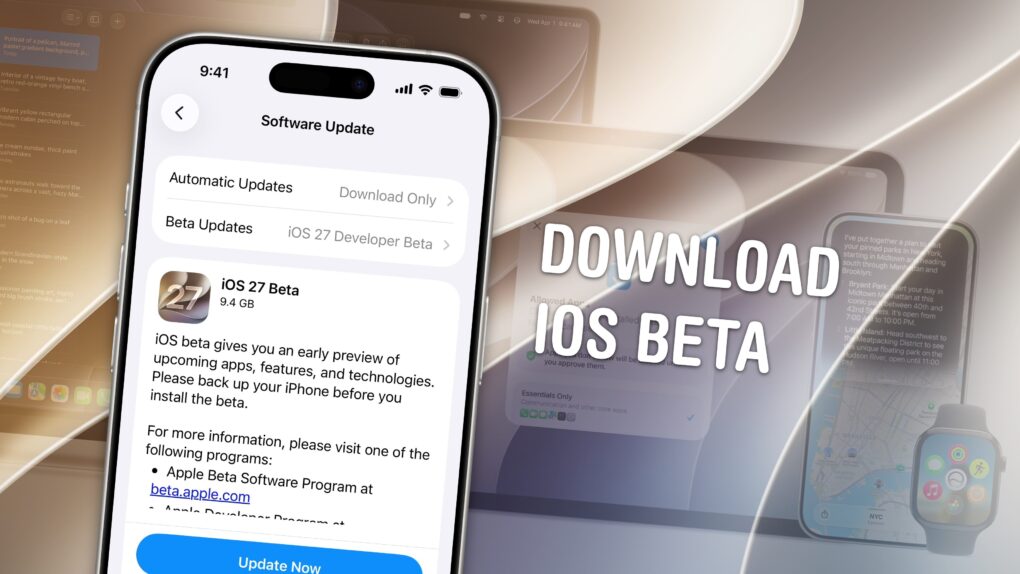
Anyone interested can download the iOS 27 developer beta for free — right now.

You’ll be among the first to try the exciting new Siri AI, which really does work as promised. It can answer complex questions about your digital life, understand what you’re asking for and look things up online with broad world knowledge. You’ll also get the other new Apple Intelligence features, a tweaked Liquid Glass design, improved speed and performance, and much more.

Of course, there are a few things you should look out for. Beta software is buggy and can lead to data loss. That being said, iOS 26 has been buggy since September. iOS 27 promises broader system stability — unlike most early betas, in my testing, the system runs smoother than before. But it comes at the expense of odd behavior you may find in third-party apps, since they haven’t been updated to support the new changes to Liquid Glass.

If you want to try it out, you should make sure you have a backup of your most important data with two copies of your photo library before you try installing. I’ll show you how.

WWDC26 recap: New software upgrades and Siri AI in 90 seconds

By •

WWDC26 Recap in 90 Seconds
Watch the keynote in just 2.0% of the time.
Image: Apple/D. Griffin Jones/Cult of Mac

At the WWDC26 keynote, Apple announced the next versions of all its operating systems with a swath of AI features. There are tweaks to the Liquid Glass design, a wide array of tiny quality-of-life and performance improvements, draconian parental controls and limits, and AI in every corner of the operating system.

It was an unusual WWDC keynote that disposed of the typical platform-by-platform format, and a relatively brisk runtime. But if you don’t have 76 minutes to spare, you can get the gist in just 90 seconds.

Apple shows how your apps can use Siri AI at Platforms State of the Union

By •

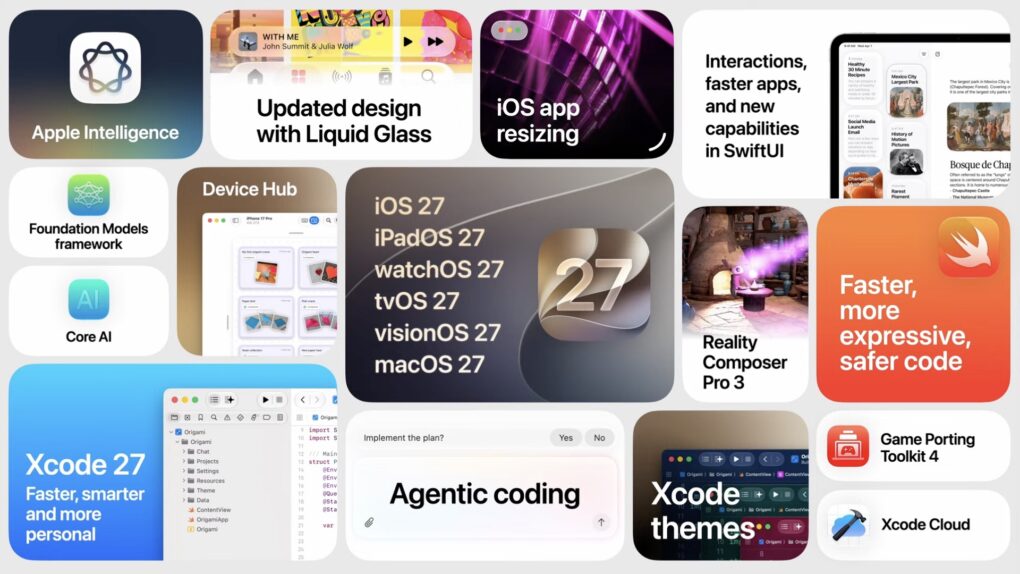
Developer features in the OS 27 releases
There are tons of new features for developers to dive into this summer.
Image: Apple

Apple WWDC26: At the Platforms State of the Union, Apple covered the nitty gritty on the new Siri AI and Apple Intelligence features, improved Liquid Glass design, Device Hub and more tools announced today.

Much nerdier than the morning keynote, this event covers the technical details of how developers are supposed to use and adopt the new features inside their apps with the latest developer tools.

You can watch the Platforms State of the Union on YouTube, in the Apple Developer app or on the web. Read on to see our live coverage of the event.