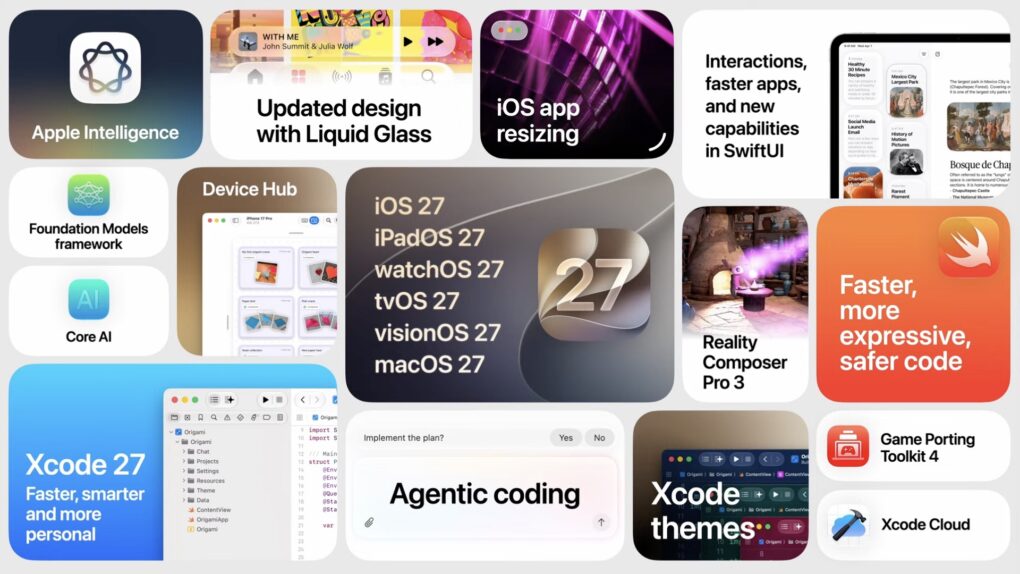
 At the Platforms State of the Union, Apple covered the nitty gritty on the new Siri AI and Apple Intelligence features, improved Liquid Glass design, Device Hub and more tools announced today.
Much nerdier than the morning keynote, this event covers the technical details of how developers are supposed to use and adopt the new features inside their apps with the latest developer tools.
You can watch the Platforms State of the Union on YouTube, in the Apple Developer app or on the web. Read on to see our live coverage of the event.
WWDC26 Platforms State of the Union
The biggest event at WWDC, Apple’s annual worldwide developer conference, is the Monday morning keynote where new OS updates are announced. But WWDC is actually a week-long conference, where Apple will outline in detail how developers can adopt new features in their apps before the updates are released in September.
In recent years, the Platforms State of the Union has become like a second keynote for developers. Apple goes into more depth about new developer tools, explains changes coming to the Swift programming language and goes into more technical depth.
Apple’s next-generation Apple Intelligence Foundation models
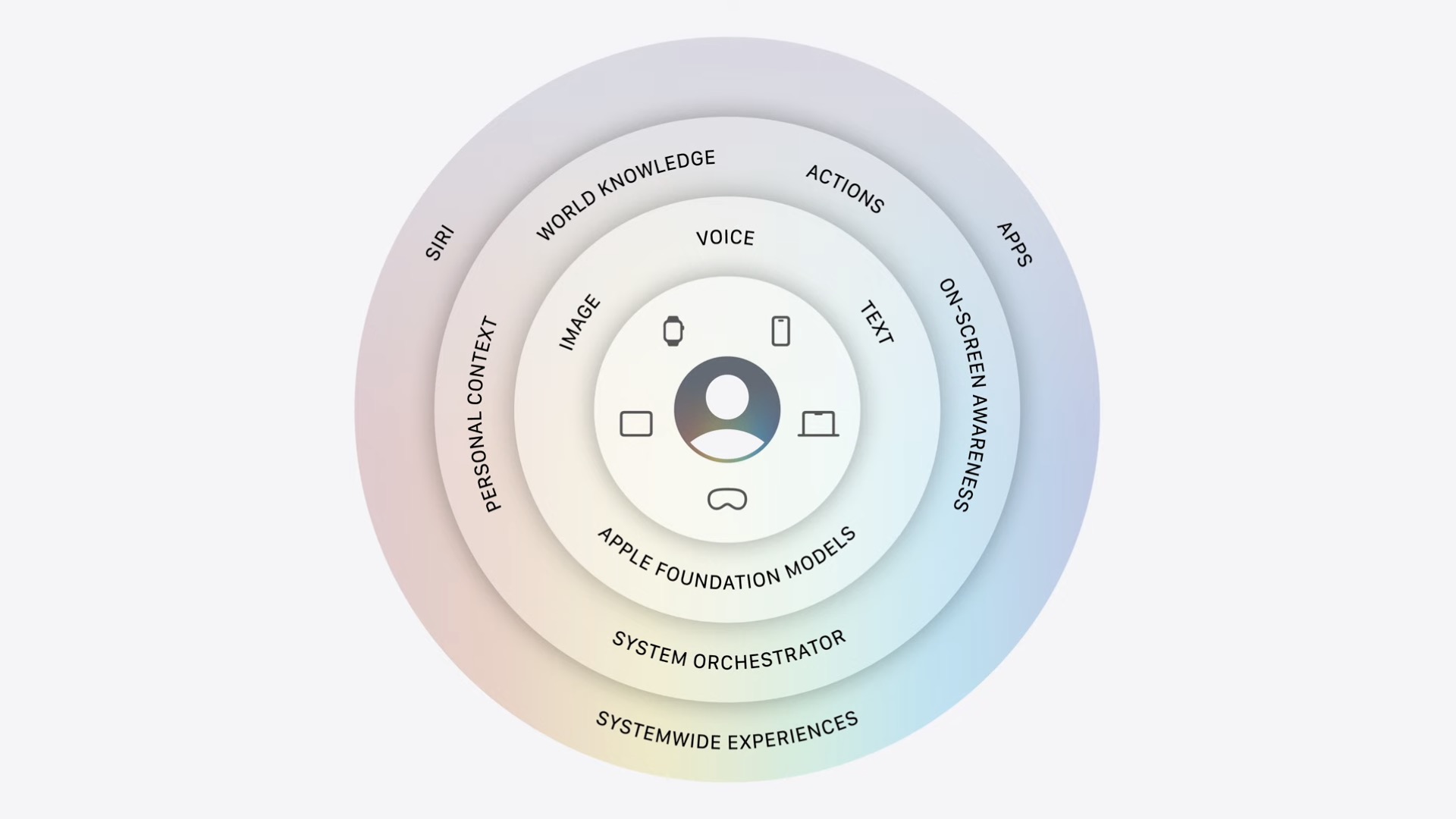
Image: Apple
The next-generation Apple Foundation models were developed in conjunction with Google, but are still just as private as before, with Private Cloud Compute. Developers will be able to use Private Cloud Compute for free if they have fewer than 2,000,000 cumulative downloads across all their apps. iCloud+ users will have additional access.
The Foundation models framework, which lets developers use on-device models, is even more powerful. Multimodal prompts allow developers to prompt the model with images as input — not just text. On-device models can quickly pull text and even QR codes out of images, too. Dynamic Profiles are an easy way to “let you swap models, tools, and instructions on the fly, so your app’s behavior can adapt within a continuous session.” The Evaluations framework and Foundation Models tool help you “validate that your intelligence-powered features work reliably,” and “visualize and debug model behavior in your apps.”
The Foundation models framework will be open-sourced later this summer.
The Core AI framework and Siri AI
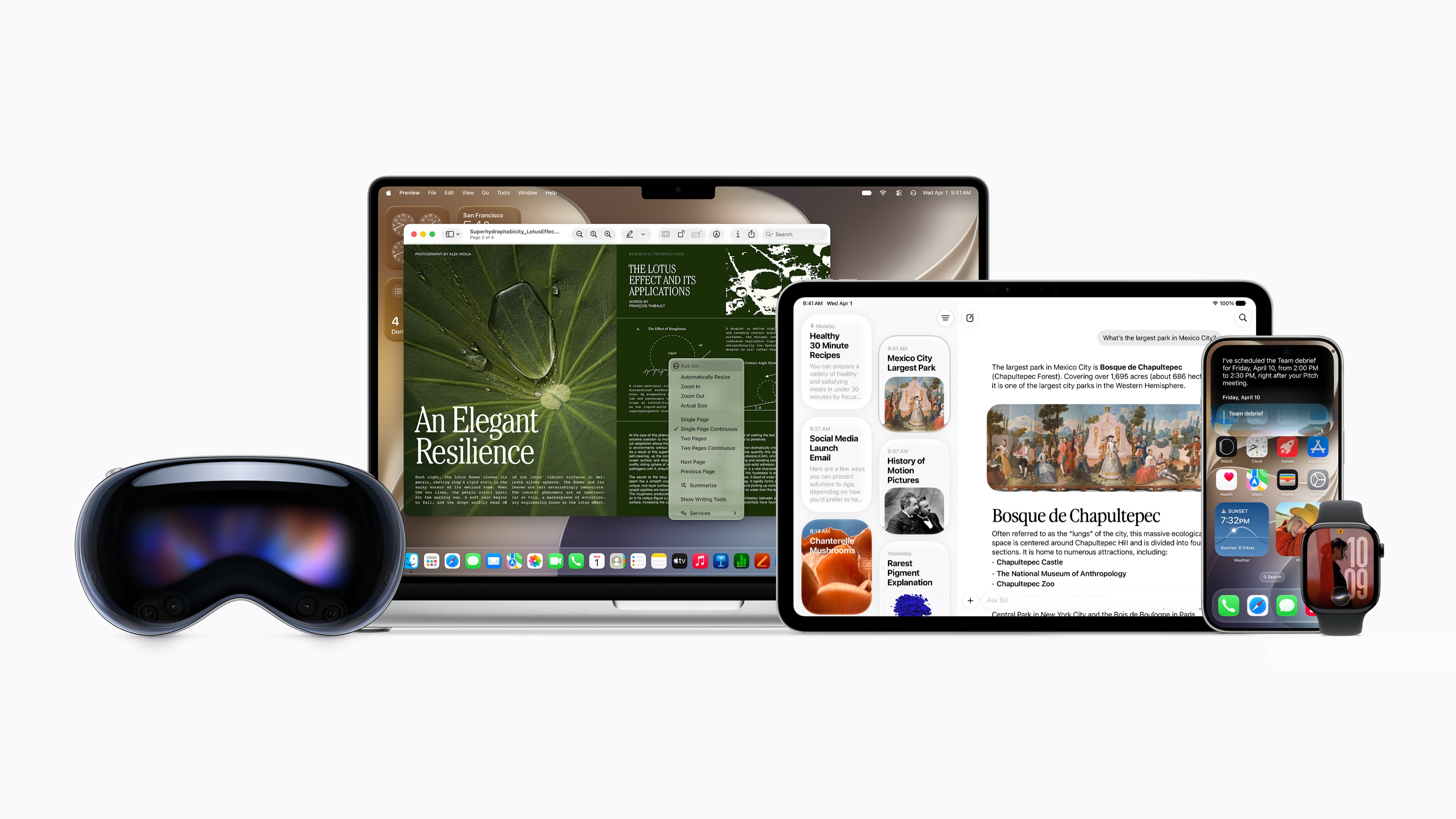
Photo: Apple
For deploying custom AI models inside your app, developers can use the new Core AI framework. “It delivers uncompromising performance” with modern memory safety, with tons of APIs for fine-tuning and specializing the model. You can optimize an existing PyTorch model for Core AI as well — leveraging a model already created for other platforms using Meta’s open-source ML library. Because Core AI runs on-device, there are zero ongoing costs.
Regular users will largely use Apple Intelligence through the new Siri AI — which your app can integrate with, too. App Intents power its agentic capabilities, which can perform actions on your behalf. Apps should adopt entity schemas, intent schemas and view annotations to power Siri’s ability to discover and interact with features inside third-party apps.
Tweaks to Liquid Glass design
Screenshot: Apple
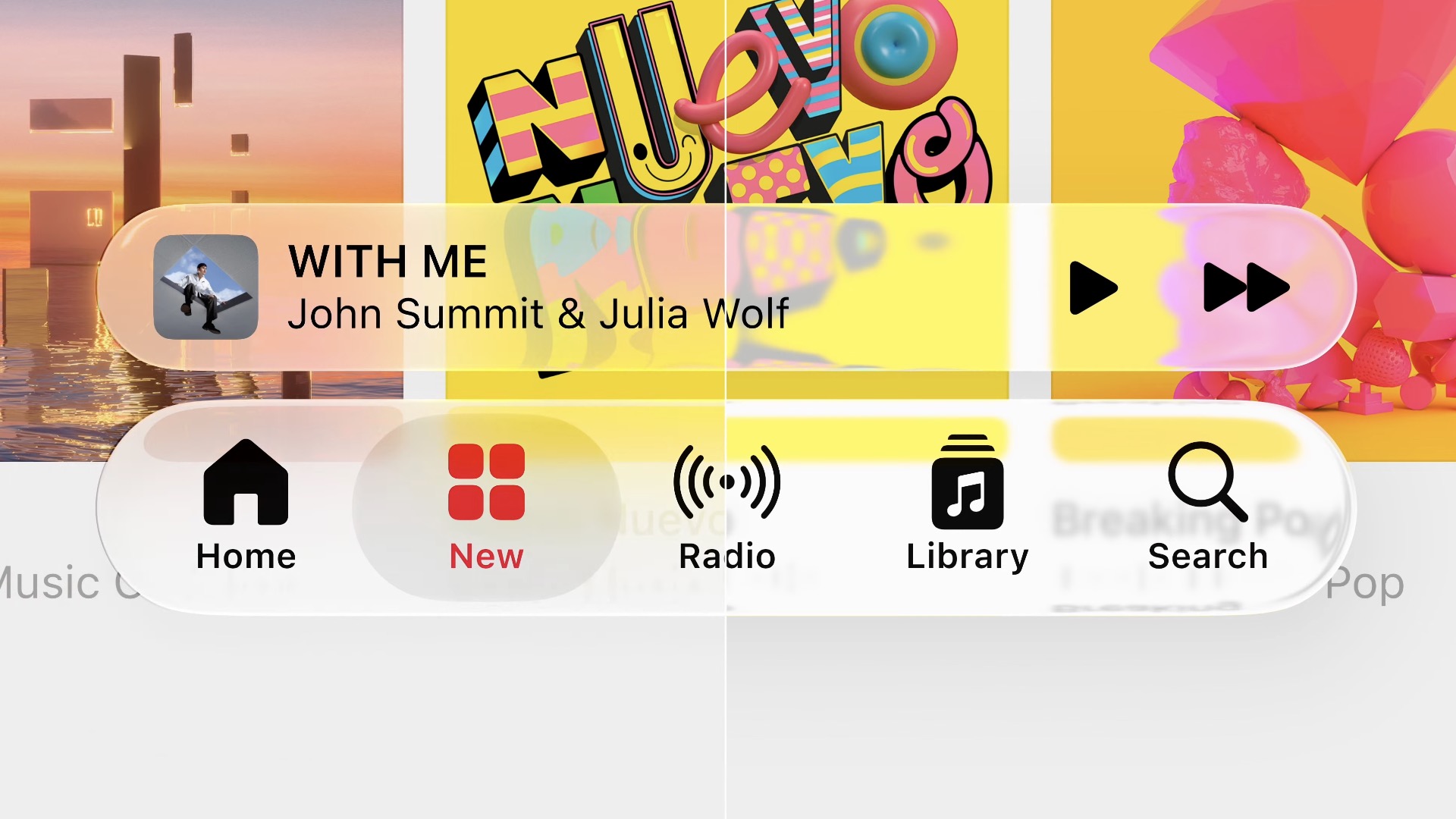
Apple focused on tons of small improvements to Liquid Glass with the 27 releases. By default, Liquid Glass has improved legibility by default, with complex backgrounds beneath a Liquid Glass toolbar appearing more diffused. There’s now a user-configurable slider to adjust the opacity of Liquid Glass elements.
On the Mac, the sidebar is now entirely separated — no longer inset — and with colorful icons. Toolbars have backgrounds again, just like in macOS 15 and earlier.
App icons appear crisper; developers can add a refraction effect for an extra glassy appearance. The Icon Composer app has been updated with these features, and can preview what icons will look like on the 26 releases, too.
Apple is now forcing iOS apps to be freely resizable. Apple says this feature is intended for iPhone mirroring on the Mac — but with a little reading between the lines, this appears to be a feature that will be important for the upcoming folding iPhone as well.
Developers are no longer able to opt out of using Liquid Glass design with all its 27 releases.
Improvements to SwiftUI
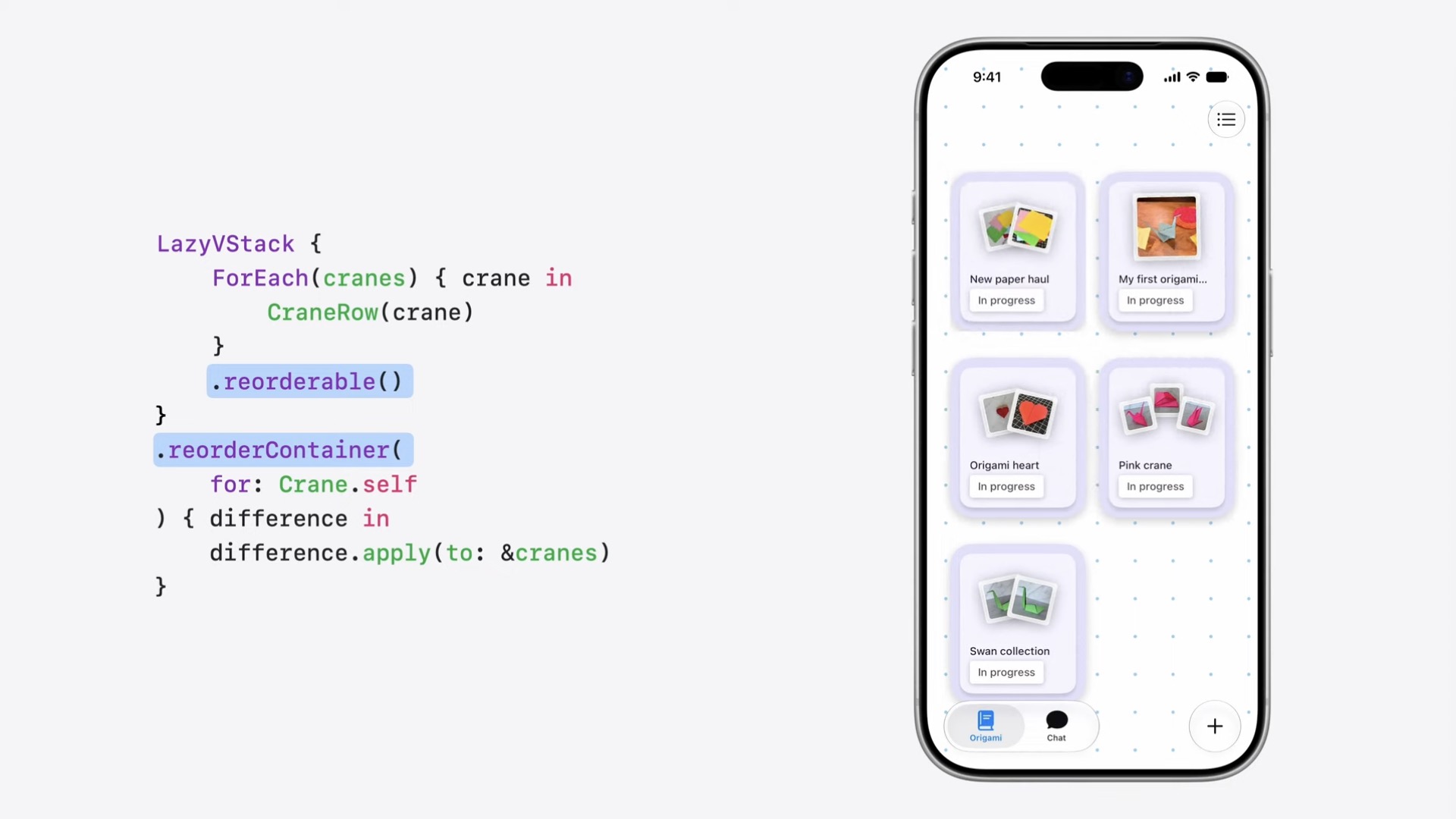
Image: Apple
SwiftUI is Apple’s cross platform framework for quickly developing native apps across all Apple platforms.
A new API lets SwiftUI list elements be freely reordered, as well as support swipe actions. Text selection has been improved significantly, especially with edge-case features like vertical text.
SwiftUI performance is another great focus. Long lists on the Mac, resizing on-screen elements, loading images and many other common tasks will perform far better. SwiftUI code can choose to read and write only new changes to a file, for greater performance.
SwiftUI has new APIs to handle toolbars on resizing windows. For big, busy toolbars, you can set which icons are higher priority and which go into an overflow menu.
New Swift 6.4 features
Apple reasserted that Swift is the best language to develop code for Apple platforms. Apple is adding major quality of life improvements to the latest version:
- You can hide warnings in specific areas of your code if you don’t want to deal with them right now.
- Alternatively, you can promote warnings to errors in specific areas that are critical to your app functionality.
- You can set feature availability across platforms using
anyAppleOS 27.0in place of listing out iOS, iPadOS, macOS, watchOS, etc. awaitnow works inside adeferblock — leading to easier and more reliable cleanup of resources.- The compiler is now able to type-check expressions in a more reasonable time (for the most common instances). Type checking error messages are more descriptive.
Apple is moving much of its own code to Swift — from its WebKit framework down to the lowest-level parts of the kernel.
New developer features in Xcode
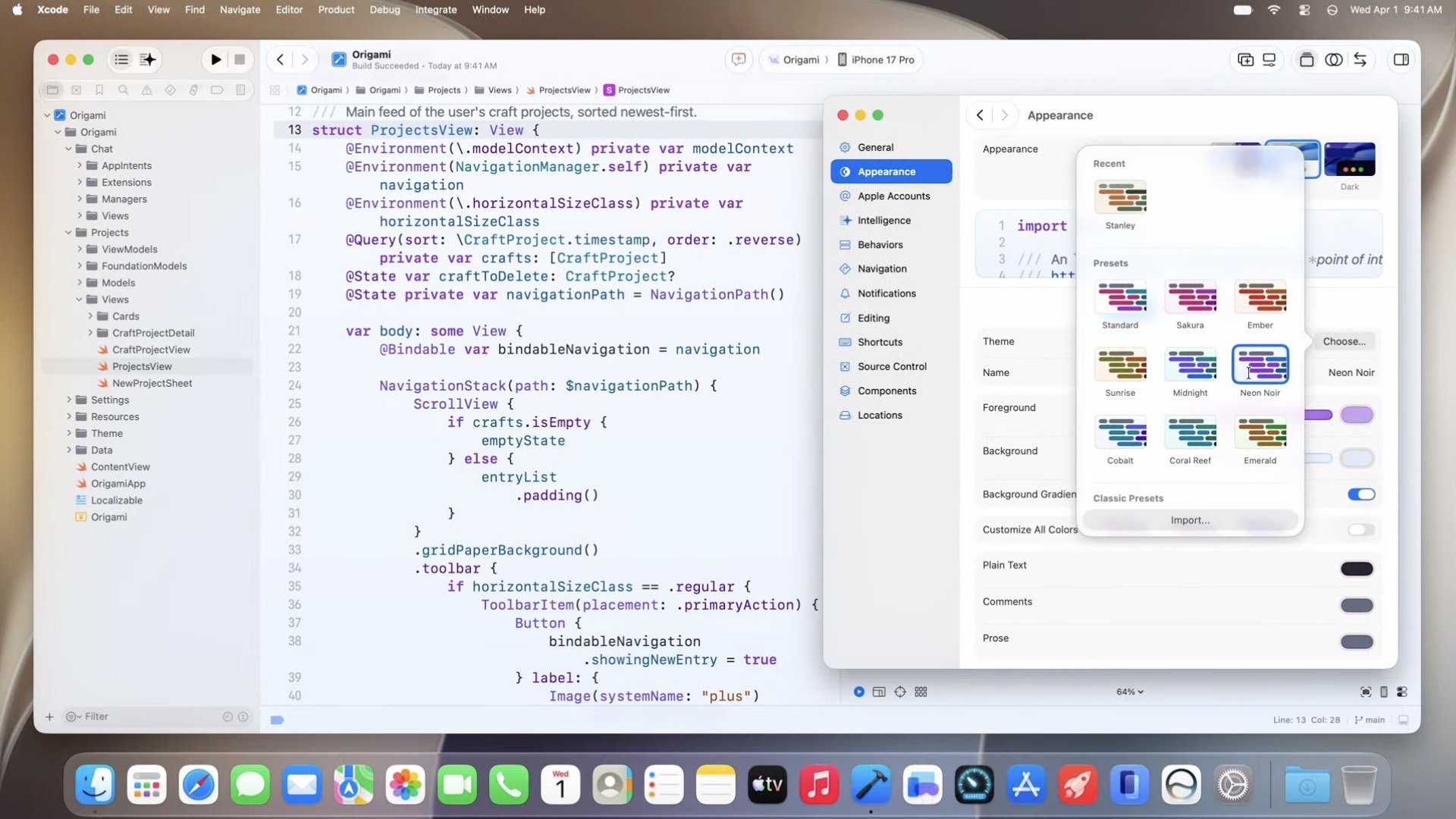
Screenshot: Apple
Xcode 27 is a 30% smaller download, with tons of little tweaks, features and optimizations. You can import Xcode settings from iCloud, so all your preferences sync without all the setup. Creating an app is faster, with fewer screens and buttons to click through. The toolbar is customizable as well, so you can put your most-used buttons right up top. Best of all, it features themes.
The new Device Hub app replaces Xcode’s Simulator of yore. It now adds a sidebar that lets you instantly change light and dark mode, change the text size, use multitouch gestures and more. You can resize the screen, to see how an app will work on the upcoming foldable iPhone.
Xcode 27 adds support for Google Gemini and the Agent-Client Protocol (ACP) for agentic code generation. Xcode’s new plugins integrate agents directly with Figma and GitHub. Extensive support for agents in Xcode can help with all stages of app development — creating and iterating on a plan, refining its implementation as it builds the app, and validating the code with tests and previews. Agents can now swipe, tap and type in the app in the simulator itself. Xcode can attempt to localize text, using the context of the interface to aid in picking accurate language for buttons and interface elements.
More WWDC26 news
Some of the big announcements at WWDC26:
- iOS 27 debuts at WWDC26 with brighter Siri, better Visual Intelligence
- Siri gets major redesign with chat interface and dedicated app
- macOS 27’s best new features go far beyond Siri AI and Liquid Glass tweaks
- iPadOS 27 gets faster and more useful with powerful new AI features
- visionOS 27 brings tons of tweaks and refinements, not just Siri AI
- iOS 27, iPadOS 27, macOS 27 compatibility list: Will your device get the update?
Developers can dive into even more detail on exactly how to adopt the new platform features in the WWDC26 session videos.

D. Griffin Jones was a writer, podcaster and video producer for Cult of Mac. Griffin has been a passionate computer enthusiast since 2002, when he got his first PC — but since getting a Mac in 2008, he hasn’t turned back. His skills in graphic and web design, along with video and podcast editing, are self-taught over 20+ years. Griffin has a bachelor’s degree in computer science and has written several (unpublished) apps for Mac and iOS. His collection of old computers is made up of 40+ desktops, laptops, PDAs and devices, dating back to the early ’80s.
Griffin writes for his personal blog, Extra Ordinary, and is currently looking for work.

