
 While Siri got a complete redesign to include a dedicated chatbot app, on-screen awareness and deeper integration with third-party tools, that’s not the only AI upgrade cited by Apple in Monday’s WWDC26 keynote. A bunch of new Apple Intelligence features are set to upgrade your life, too.
“Truly helpful AI must be centered on our users’ needs, deeply integrated into the products they rely on every day, grounded in personal context, and built with privacy at every step. That is our vision for Apple Intelligence,” said Craig Federighi, Apple’s senior vice president of software engineering.
“With useful features for browsing the web, expressing creativity, editing photos and so much more, today marks a big step forward on our journey to integrate powerful AI into the core of our platforms and make our products even more personal and useful,” he added.
The new features will become available with the release of iOS 27 and other OS updates coming in September 2026.
WWDC26: New Apple Intelligence features
Apple Intelligence‘s spotty track record since its introduction at WWDC24 disappointed users in various ways. What everyone really wanted — and soon will have — is a more responsive, smarter and capable version of Siri. That’s the one feature that has been repeatedly delayed, leading to behind-the-scenes management shuffling and a lawsuit over misleading advertising.
And the Apple Intelligence features the company has shipped haven’t proven especially useful. Image Playground, for example, produces mediocre images on par with small on-device diffusion models from years ago.
Having taken a more measured approach, Apple finally unveiled some newly developed Apple Intelligence features at WWDC26, as predicted by well-informed rumors. From a redesigned approach to visual understanding to AI-powered photo editing and smarter browser organization, the company pushes artificial intelligence well beyond Siri’s traditional domain.
Here’s the best we expect to see — outside of the Siri AI overhaul — arriving with iOS 27, iPadOS 27 and macOS 27 updates this fall.
15 great new Apple Intelligence features

Photo: Apple
15. File and folder names get AI suggestions
Here’s a small but useful addition. Apple Intelligence can now recommend names for files and folders based on their contents, showing up as suggestions as you save or create them.
14. Developers can tap Apple’s image and writing models
On the platform side, Apple is opening up its core AI capabilities — including the image-generation engine inside Image Playground and the Writing Tools text features — to third-party developers and AI providers. That means outside apps could start powering their own creative or writing tools using the same underlying models. The payoff here depends entirely on what developers build with it, but the downstream potential is significant.
13. Genmoji learns your habits and generates proactively
In iOS 27, Apple’s custom emoji generator Genmoji will now watch your photo library and frequently typed phrases to suggest personalized Genmoji without prompting. The underlying image model also improves quality noticeably. Plus, you can now describe modifications to a Genmoji after initial creation rather than starting over.
The same engine powers a natural-language wallpaper generator in iOS 27. That lets you describe a scene and produce a matching Home Screen background directly from settings.
12. System-wide proofreading catches grammar, not just spelling
iOS 27 extends Apple Intelligence to automatic grammar correction across the entire system — every app, every text field — going beyond the existing autocorrect and spell-check features. The upgrade flags and suggests fixes for grammatical errors as you type, not just misspellings.
11. Image Playground now generates photorealistic images
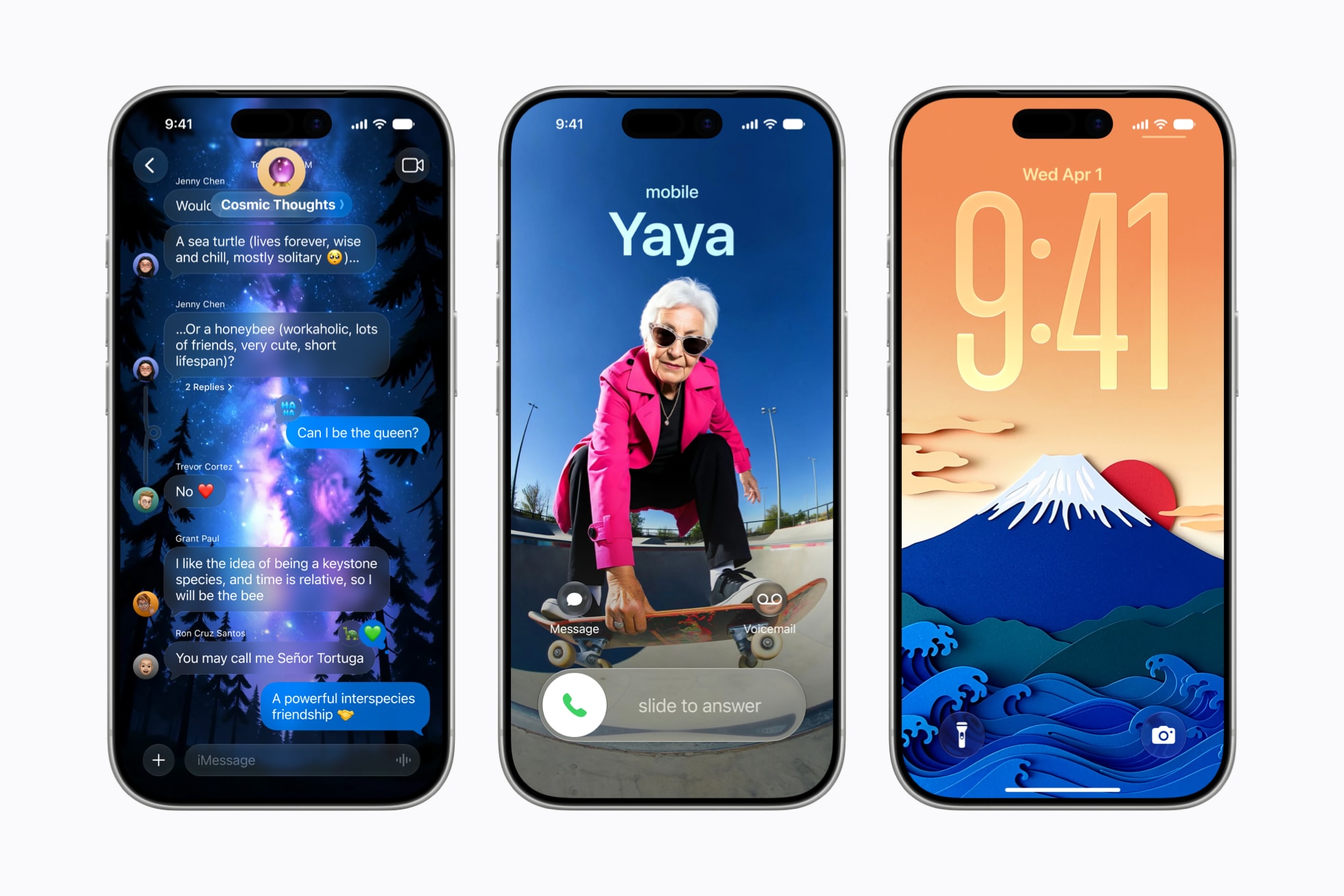
Photo: Apple
Image Playground, the image-generation app Apple shipped two years ago, produced results that looked cartoonish at best and like clip art at worst. A rebuilt Image Playground in iOS 27 adds a photorealistic style option, powered by a new generative model running on Private Cloud Compute rather than on-device.
The redesigned interface also introduces a “describe a change” field for iterating on images you’ve just created, tapping or circling objects to move or resize them. Generated images can now feed directly into Lock Screen wallpapers and Contact Posters, and all AI-edited or generated images carry a hidden SynthID watermark.
10. Shortcuts gets a natural-language builder
Apple’s Shortcuts app has always had a steep learning curve. The new Describe a Shortcut feature aims to flatten it. Just type a description of what you want to automate, and Apple Intelligence assembles the required steps. If the result isn’t quite right, describe the adjustment, and it updates the shortcut accordingly — no drag-and-drop required.
9. Home app tames notification floods and adds video search
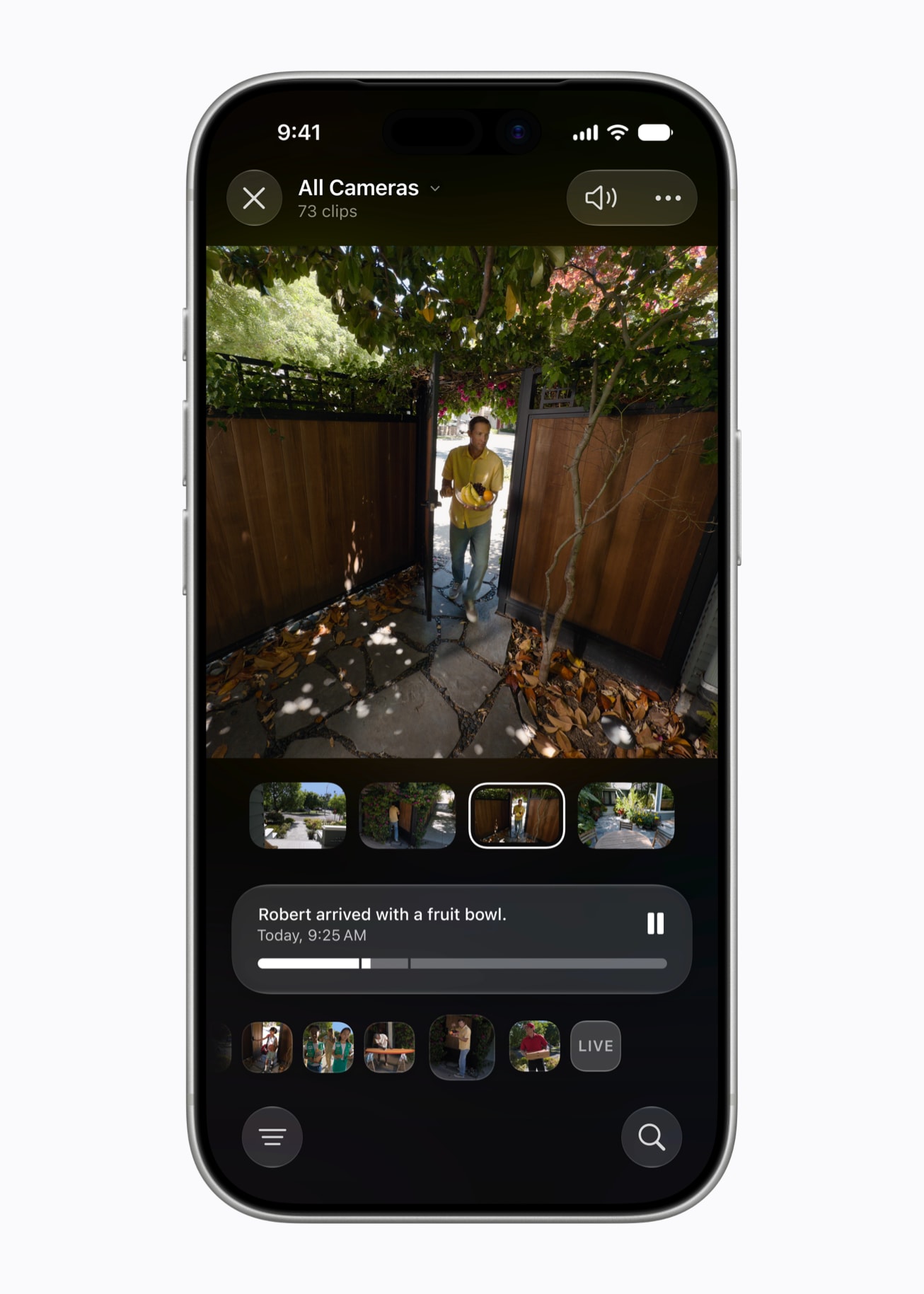
Photo: Apple
The Home app gets two notable Apple Intelligence upgrades. First, it learns to recognize repeated, related notifications — a door sensor triggering multiple times as someone comes and goes, for instance — and consolidates them into a single updating activity notification rather than a pile of separate alerts.
Second, HomeKit Secure Video cameras gain video search. Simply describe what you’re looking for (“package delivery,” “someone at the back gate”) and the app surfaces matching footage. Apple Intelligence also auto-highlights clips it considers noteworthy and can generate brief descriptions of video sequences so you understand what occurred without watching every clip.
8. VoiceOver and accessibility tools get richer AI understanding
VoiceOver in iOS 27 delivers more detailed descriptions of images and on-screen content for users who are blind or have low vision. Pressing the Action button activates Live Recognition, letting users ask specific questions about their physical surroundings and receive detailed responses.
Magnifier gains similar AI-powered exploration in a high-contrast interface. Voice Control now accepts descriptive language for buttons and controls rather than requiring users to memorize exact labels. Accessibility Reader, Apple’s customized reading tool for users with a range of disabilities, handles more complex source material and adds on-demand summaries and translation.
7. Calendar accepts plain-language event creation
Instead of tapping through multiple fields to schedule something, you can now describe an event to Calendar in plain language and let Apple Intelligence do the rest. As you type, the app identifies contacts and locations from your description and generates an appropriate event title automatically.
6. Call Context surfaces relevant info before you say a word
When you dial a business, the Phone app in iOS 27 uses Apple Intelligence to proactively pull related information from your device — confirmation codes, reservation numbers, flight details — and then surfaces them on screen before the conversation starts. Apple says Call Context works by identifying who you’re calling, not by listening to what you say, and runs entirely on-device.
5. Messages and Mail offer smarter action suggestions
In iOS 27, Apple Intelligence reads the context of incoming messages and emails to suggest relevant next steps without you having to ask. In Messages, if someone mentions a get-together, Apple Intelligence might offer to create a calendar event or find related photos in your library.
In Mail, suggestions can now reach into third-party apps to act on relevant content. Smart Reply in both apps learns your personal writing style and draws on it when generating suggested responses, making replies feel less generic.
4. Visual Intelligence moves into the camera — and gains new tricks
Visual Intelligence has a new home in iOS 27, surfacing through a Siri option inside the Camera app rather than living exclusively behind the physical Camera Control button. The feature also expands: It now reads nutrition labels, extracts contact details from business cards, and can split a restaurant bill by pointing the camera at it.
On macOS, Visual Intelligence arrives for the first time, letting users invoke it through the screenshot tool to pull context about anything on screen.
3. Safari auto-organizes your tabs

Photo: Apple
Anyone nursing a tab count north of 50 has a reason to upgrade to Apple’s latest operating systems. Safari in iOS 27 watches what you browse and automatically groups open tabs into thematic clusters — travel planning, shopping, work and the like — without any manual sorting. As you keep browsing, Safari continues updating those clusters and creates new ones when needed.
A companion feature called Notify Me lets you ask Safari to watch a specific page for changes — a product restock, a price drop, a schedule update — and alert you when something shifts. Third-party developers also gain a new way to build Safari extensions: Describe what you want in plain text and Safari generates a custom toolbar button on the spot.
2. Passwords can fix weak credentials automatically
Apple’s Passwords app harbors one of the more practically useful AI features in iOS 27. Where it previously flagged weak or compromised passwords, it now fixes them. With a single tap, Apple Intelligence navigates to the relevant website, signs in, upgrades the account to a strong password, and re-authenticates — handling the tedious loop that causes most people to ignore password warnings in the first place.
1. Photos gets a serious AI editing suite

Photo: Apple
Apple introduced four new AI photo-editing tools in iOS 27, replacing what had been a fairly anemic single-feature offering:
Extend pushes a photo’s borders outward in any direction, with AI filling the new space to match the existing scene — useful for straightening a crooked horizon or changing aspect ratio without cropping out a subject.
Spatial Reframing taps the 3D photo format Apple developed for Vision Pro, letting you drag and shift the apparent angle of a shot after the fact.
Enhance handles general quality improvements to color and overall image fidelity. Apple is also rebuilding its existing Clean Up tool from scratch, addressing widespread complaints that it left messy artifacts around removed objects.
Coming later: natural language photo editing, which lets you describe a crop or color change in plain text or by voice and have Apple Intelligence execute it.

David Snow, an expert on Apple hardware and software, writes on a variety of technological and cultural topics for Cult of Mac. They include Apple news, technology buying guides, and features about computer setups and Apple TV shows and movies.
With 30 years of experience covering technology and other subjects, he has written and edited for numerous print and online publications, including CMP Media, TechTV.com, CNET, Wired News, Red Herring magazine, Law.com, The National Law Journal and Law Technology News magazine. Among other roles, he served as executive editor of the Law.com network of websites and editorial director, technology, for ALM Media.
Snow graduated with a B.A. from Syracuse University with majors in magazine journalism and psychology. While there, he worked as a reporter for The Daily Orange newspaper and associate editor of Equal Time magazine.
Founder of the blog At the Waterline, he can be reached on X (formerly Twitter) via @atthewaterline and on Mastodon via @dsnow.


2 responses to “15 great new Apple Intelligence features to try (beyond Siri AI)”
I installed iPadOS 27 developer beta on my iPad Mini 7 to test out the new Siri. There was no indication that Siri had changed except a new Setting, “New Siri” which, when I tried to enable it, asked me if I wanted to join a waiting list. I don’t remember seeing or hearing anything about a waiting list in the Keynote. So it looks like this is the second time that Apple has said that new features are in the new OS without them actually being there.
Yeah, but will I still be able to turn Siri / Apple Intelligence off?
Because none of these ‘features’ are worth the strain on the devices and – more importantly – the damage done to communities and the environment.