Mobile menu toggle

Protect all your devices from hackers, trackers and other online creeps

By

Screenshots showing Surfshark VPN on Mac and iPhone.
Get three years of Surfshark VPN service for just $68.
Photo: Cult of Mac Deals

Surfshark VPN keeps you safe anywhere you go online, on an unlimited number of devices. This virtual private network can help you avoid hackers, trackers and regional restrictions.

Operating securely on the web is essential in the modern world. And right now, you can get a three-year subscription to Surfshark VPN for just $67.20 with code SURF. That’s a massive discount off the regular price of $430.

Unlock your iPhone’s hidden potential with StandBy mode

By

iPhone StandBy Mode
Turn your iPhone into a smart display on your desk.
Image: D. Griffin Jones/Cult of Mac

You can turn your iPhone into a smart display on your nightstand, at your desk or in the kitchen using StandBy mode. It’s an attractive way to put your iPhone to work as a small information board or digital clock when you’re not actively using it.

Of course, it works best if you own a phone with an always-on display. However, it works with any iPhone with MagSafe running iOS 17 or later. Best of all, StandBy remembers different preferences for different rooms, so you can set it up as a bedside clock in the bedroom, a digital photo frame in the living room, or a music controller in the kitchen.

Here’s everything you can do with StandBy on your iPhone.

Why Apple Watch users stick with fitness goals longer than most

By

Apple-Fitness-Plus-hero_big.jpg.large_2x (2)
Apple Fitness+ introduced new ways to stay active and motivated to kick off 2026, including a new lineup of workout programs, Artist Spotlight workouts and new guests in Time to Walk.
Photo: Apple

New research from the Apple Heart and Movement Study reveals that Apple Watch wearers tend to buck the trend of abandoned fitness goals, Apple said Friday.

Data shows Apple Watch users consistently maintain elevated exercise levels well past the notorious “Quitter’s Day” in mid-January. To build on that in 2026, Apple now offers more ways to keep Apple Watch users motivated so they can nail their New Year’s fitness resolutions.

Why 2026 is gonna be a banger for Apple [Cult of Mac podcast No. 1]

By

Image of a crystal ball with a translucent Apple logo, plus the words Cult of Mac podcast No. 1, used to illustrate a show notes post about Apple's new products coming in 2026.
Next year's going to be one for the ages.
Image: Cult of Mac

This week on the Cult of Mac podcast: Apple’s got a fantastic year ahead of it, with a genuinely prodigious pipeline of new products coming in 2026. From a folding iPhone and a low-cost MacBook to entirely new product categories, get ready for 12 months of exciting new Apple hardware.

In our first show under the new Cult of Mac branding, and our final podcast of 2025, we discuss all the great stuff that Apple fans have to look forward to in 2026.

Also on the Cult of Mac podcast:

  • We kick off with a thorough explanation of what’s up with the new podcast name, the direction we plan to take the show in 2026, and what Erfon is up to with The CultCast. We also apologize for any confusion about the changes (and, as always, we wish Erfon the best).
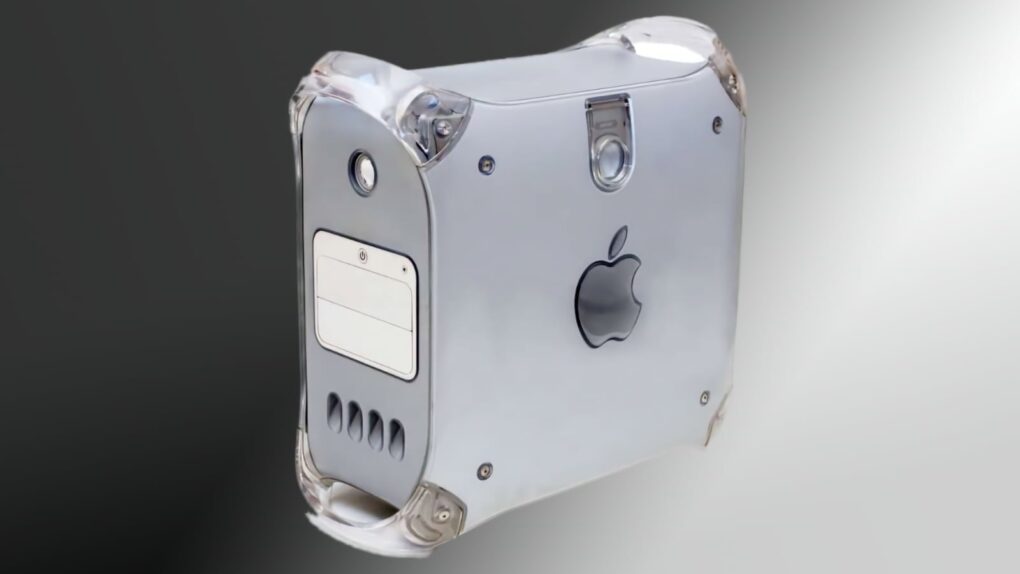
  • We wrap the show with Griffin’s dead Apple products draft, in which we each select discontinued hardware that’s ready for a comeback.

Listen to this week’s episode of Cult of Mac in the Podcasts app or your favorite podcast app. (Be sure to subscribe and leave us a review if you like it!) Or watch the video live stream, embedded below.

Today in Apple history: Apple II gets its first ‘killer app’

By

An Apple II with a copy of
An Apple II with a copy of "killer app" VisiCalc, on display at the Museum of Science in Boston.
Photo: Jean-Edouard Babin/Flickr CC

January 2: Today in Apple history: With VisiCalc, the Apple II gets its first killer app January 2, 1979: Entrepreneurs Dan Bricklin and Bob Frankston incorporate their company Software Arts to publish a program called VisiCalc. The first spreadsheet software for the Apple II, VisiCalc ultimately becomes personal computing’s first “killer app.”

The software, which sells for $100, helps transform personal computers from “cool to have” toys into “must have” business accessories.

New fitness app Reps & Sets 26 gets serious about strength training

By

Screenshots showing Reps & Sets 26 strength training app on iPhone, iPad and Apple Watch.
Reps & Sets 26 is a new fitness app designed exclusively for iOS 26, iPadOS 26 and watchOS 26.

Reps & Sets 26 is a brand-new strength training app designed exclusively for iPhone, iPad and Apple Watch. It was developed by a long-time Cult of Mac contributor: me, Graham Bower.

Reps & Sets 26 isn’t just another generic cross-platform fitness app. I made it Apple-exclusive, to take full advantage of the latest OS 26 technologies like CloudKit, SwiftUI and HealthKit, to deliver a truly native experience. And right now, it’s a free download. Perfect timing for your New Year’s resolutions. Get Reps & Sets 26 now, and get ripped in 2026.

3 apps to help you with your New Year’s resolutions [Awesome Apps]

By

Finish Your Goals with these New Years Resolution Apps
You can actually get it done — with these apps.
Image: D. Griffin Jones/Cult of Mac

Awesome AppsIt’s the new year! I have three apps that’ll help your New Year resolutions, to make sure you don’t break your streak within the very first week. 

Whether you’re trying to exercise more, work more efficiently or change your daily habits, these three apps will help you make a better 2026. Apple Fitness+ is a truly excellent service that serves up slick, highly produced videos that will help you work out. Toggl Track can help you stay focused at work, with running timers you can tag with projects and native calendar integration. And Goal Streak Calendar can help you achieve something new or break a nasty old habit, with daily reminders and streaks.

Check out our list to see how you can transform your 2026 with just three apps.

Discount code: Transfer and sync all kinds of files among your Apple devices

By

AnyTrans Mac app lets you transfer and sync files on Apple devices
Sidestep Apple's file-management hurdles with AnyTrans.
Photo: Cult of Mac Deals

AnyTrans is a one-stop content manager for iOS devices. The Mac app makes it easy to transfer any kind of data — music, photos, texts, whatever — among all your Apple gear.

And for a limited time, you can get a lifetime subscription to AnyTrans for just $19.97 with code SYNC10 (regularly $79.99).

Decorating your iPhone with tiny stickers is 2026’s hot new trend

By

Decorating your iPhone with tiny stickers is 2026's hot new trend
Think of your iPhone's camera plateau as a blank canvas ready to be personalized.
Screenshot: SK telecom

There’s a fun way to personalize your iPhone 17 Pro: tiny stickers around the camera. Social media is blowing up with pictures from people showing off how cool their handset looks with the new decorations.

The trend may have started in Korea, where it’s part of ponku — personalizing phones, cases, laptops, etc., with stickers. A recent iPhone 17 Pro ad made by a Korean wireless carrier certainly added fuel to the fire.

Easy Apple Watch hack will keep you on time, even if you’re always late [Pro Tip]

By

Never Run Late Again after you change your Apple Watch time
Cult of Mac is not legally responsible if you are still late after turning on this feature.
Image: Crew/Wikimedia Commons/D. Griffin Jones/Cult of Mac

Pro tip bug Set your Apple Watch time a few minutes ahead of the actual time and you might trick yourself out of running late every day. This is an officially supported feature, not a hack that will produce cascading, annoying side effects. And it doesn’t require you to set your smartwatch out of sync with internet time.

What will you gain? By running your Apple Watch a few minutes fast, you might nudge yourself to rush out the door a little earlier. And that might be enough to get you somewhere on time rather than late. If tardiness is a frequent problem for you, this little change could save your skin.

Why 2026 will bring the best MacBooks ever

By

2026 MacBook with a touchscreen
Rumors predict 2026 will bring the first MacBook with a touchscreen.
Image: ChatGPT

Apple will improve the MacBook line in multiple ways during 2026. We’re not talking the usual “chip and ship” updates — major changes are on the way. Really, there’s never been a better time to be in the market for a macOS laptop.

We can look forward to a complete redesign, possibly including a touchscreen. Plus, the most affordable MacBook ever is also reportedly coming next year.

Today in Apple history: Pirate app service Hackulous shuts down

By

Image of the app icon for Hackulous, a pirate app service that shut down on December 31, 2012.
At one time, Hackulous aspired to be a Napster for pirated apps.
Photo: Hackulous

December 31: Today in Apple history: Pirate app service Hackulous shuts down December 31, 2012: App piracy hub Hackulous shuts down, bringing an end to two of its most popular pieces of software, Installous and AppSync.

Before the shutdown, iPhone jailbreak tool Installous allowed users to install “cracked” or pirated apps on their iOS devices, thereby avoiding paying Apple and developers. AppSync let users sync their cracked apps with iTunes.

The shuttering of Hackulous is a clear sign that the iPhone jailbreaking era is coming to an end — and that the App Store’s revolutionary business model is sound.

Apple TV 2026: Your guide to the most anticipated new and returning shows

By

Highly anticipated Apple TV shows
Apple TV has plenty in store for 2026.
AI image: Grok/Cult of Mac

Apple TV is poised for a banner year in 2026, with an impressive slate of new original series, highly anticipated spinoffs and beloved returning favorites. From cyberpunk epics to gripping thrillers, the Apple TV 2026 lineup helps cement the streamer’s reputation as a powerhouse for quality programming.

Here’s your complete guide to the most highly anticipated shows coming to Apple TV next year.

Price drop: This AI-powered app takes notes for you, then summarizes them

By

Man working in front of a computer using AI note taker app My Noes AI
Get a lifetime of unlimited transcriptions and summaries for one low price.
Photo: Cult of Mac Deals

If you ever endured a long lecture or an hours-long all-hands meeting, you know this to be true: There’s no way you can jot down every single word your professor or colleague utters. Rather than scramble and stress about missing certain parts of a presentation, you could add an AI note taker like My Notes AI to your productivity tool kit.

This AI-powered note transcription and summarization app works with your iPhone, iPad and Mac to help you catch every single word. Think of it as your very own personal assistant! You can snag a lifetime subscription to My Notes AI for just $27.97 (regularly $299) with code NOTE. That’s the best price you’ll find online.

Grab great year-end deals on Samsung displays — up to $1,400 off!

By

Samsung Odyssey G9 curved gaming monitor
Here's a look at a monster Samsung gaming display.
Photo: Samsung

Apple and Samsung are hard-charging competitors in many areas, like smartphones, but Apple fans love some of Samsung’s wares — especially its excellent displays for use in Mac computer setups. And Samsung monitor deals abound right now. 

The big year-end sale Samsung just launched includes a bunch of great options — including $800 off a brilliant and massive 57-inch curved OLED display and a whopping $1,400 off a 55-inch model. 

7-port magnetic mini hub makes your iPhone way more useful [Review] ★★★★

By

Satechi OntheGo 7-in-1 Multiport Adapter review★★★★
Satechi OntheGo 7-in-1 Multiport Adapter helps creators and travelers do what they need with their iPhone.
Photo: Ed Hardy/Cult of Mac

Your iPhone is a powerful computer held back by its single port. Connect the Satechi OntheGo 7-in-1 Multiport Adapter, and you can connect to a wide range of accessories — external monitors, SSDs and more — all without adding too much bulk. It really builds upon the phone’s capabilities.

I’m not saying it’ll turn your iPhone into a mini MacBook, but if you’re toting a laptop on trips simply to watch TV shows or give a presentation on a large screen, this hub is for you.

Plus, it stands out by connecting to the MagSafe magnets built into your iPhone, so the accessory conveniently clings to the back of your device.

I tested it out with my iPhone 17 to see what the multiport adapter has to offer. Here’s what I found.

Today in Apple history: Microsoft hits the height of its ’90s power

By

December 1999 was a turning point for Microsoft.
December 1999 proved to be a turning point for Microsoft.
Image: Ste Smith/Cult of Mac

December 30: Today in Apple history: Microsoft hits the height of its power December 30, 1999: Microsoft hits the height of its 1990s dominance and begins its early-2000s decline, clearing a gap at the top for Apple.

After hitting an all-time high of $53.60, Microsoft stock starts to fall. Less than a year later, MSFT shares will fall more than 60% in value to $20.

15 new products to expect from Apple in 2026

By

Apple products due to launch in 2026
Apple has a busy 2026 in store. Which of these new and upgraded products can we expect?
AI image Google Gemini/Cult of Mac

With more than a dozen new Apple products in the pipeline, 2026 is shaping up to be a busy and important year for the company. Among a plethora of high-profile device launches, we should see the first folding iPhone next year

If all the rumors prove true, Apple’s 2026 product road map looks bold, exciting and ambitious. Check out all the new products Apple likely will launch in 2026.

Addictive app turns learning up to 71 languages into a game

By

Qlango app on a mobile device.
Qlango makes it easy and fun to learn more than 70 languages.
Photo: Cult of Mac Deals

If you value intuitive design and smart learning tools, the Qlango language learning app might be your new favorite way to tackle a foreign language. This gamified app offers lifetime access to a whopping 71 languages for just $27.97 (regularly $119.99).

Yup, with just a one-time payment, a world of international vocabulary is available at your fingertips.

Speed up Haptic Touch with this hidden iPhone setting [Pro Tip]

By

Haptic Touch: Make Your Phone Snappier
Speed up this universal gesture on your iPhone.
Image: D. Griffin Jones/Cult of Mac

Pro tip bug A hidden setting will speed up Haptic Touch, the fantastic feature that lets you preview links and bring up menus on your iPhone. If you use Haptic Touch all the time, like I do, changing this setting will make your iPhone feel turbocharged. With the settings tweak, your iPhone will bring up handy shortcuts — hidden actions, content previews and contextual menus — in a flash. And that saves you precious time as you tap around your screen. Alternatively, if you find Haptic Touch annoying and trigger it accidentally all the time, you can slow down the time needed to activate the gesture. That way, a tap won’t be mistaken for a tap-and-hold.

Price drop: AirPods airplane adapter makes in-flight entertainment sound great

By

Product shot of Eve II Bluetooth adapter for using AirPods and other earbuds on airplanes.
Use your AirPods to hear the plane's in-flight movies with this inexpensive Bluetooth transmitter and receiver.
Photo: Cult of Mac Deals

Even in 2025, most in-flight entertainment systems don’t offer Bluetooth connections. But with this affordable Bluetooth adapter, you can pop in your AirPods and enjoy your choice of the airline’s featured movies, TV shows and music in a glorious state of noise-cancellation-induced bliss.

That’s way better than packing an additional pair of wired headphones or using (or even purchasing) a crappy pair of earbuds on the plane. That’s why this Eve II Bluetooth Transmitter and Receiver is such a useful device for travelers. Perfect for any upcoming air travel, it’s on sale now for only $34.97 (regularly $59) with free shipping.

Today in Apple history: Apple ships world’s largest LCD display

By

The Cinema Display was Apple's first widescreen monitor.
Photo: Apple

December 29: Today in Apple history: Apple ships world's largest LCD display December 29, 1999: Apple starts shipping its unfathomably large 22-inch Cinema Display, the biggest LCD computer display available anywhere,

Apple’s all-digital flat panel is a far cry from the bulky cathode ray tube monitor of the original iMac, which took the world by storm the previous year. The Cinema Display is also Apple’s first widescreen display — and the first to sport a digital video interface.

This ultrawide display is a productivity powerhouse for Mac [Review] ★★★★

By

Alogic Edge 40-inch 5K2K Monitor review★★★★
This ultrawide display has Mac-friendly look, feel and functionality.
Photo: David Snow/Cult of Mac

After testing the Alogic Edge 40-inch Ultrawide 5K2K monitor with my M4 Pro MacBook Pro, I can confidently say the display represents one of the most compelling alternatives to Apple’s own monitors for productivity-focused users. The expansive high-res screen real estate and the sleek design are beautiful — and at a pretty reasonable price point of $1,349 (marked down 10% from $1,499).