Mobile menu toggle

WebKit privacy leak leaves iPhone and Mac users exposed

By

A Safari logo used in a story about WebKit privacy leaks.
A WebKit privacy leak can expose your iPhone or Mac’s real IP address even when using proxy browsers or iCloud Private Relay.
Image: Apple/Cult of Mac

Three recently discovered WebKit privacy leaks expose users’ real IP addresses on iPhone and Mac, even when they use a proxy browser or iCloud Private Relay, according to a new report.

This would mean Apple’s trusted privacy tools aren’t working as advertised. If you’ve relied on proxy browsers for anonymity or iCloud Private Relay for privacy, that protection apparently has some serious gaps.

Today in Apple history: Beginning of the end for clone Macs

By

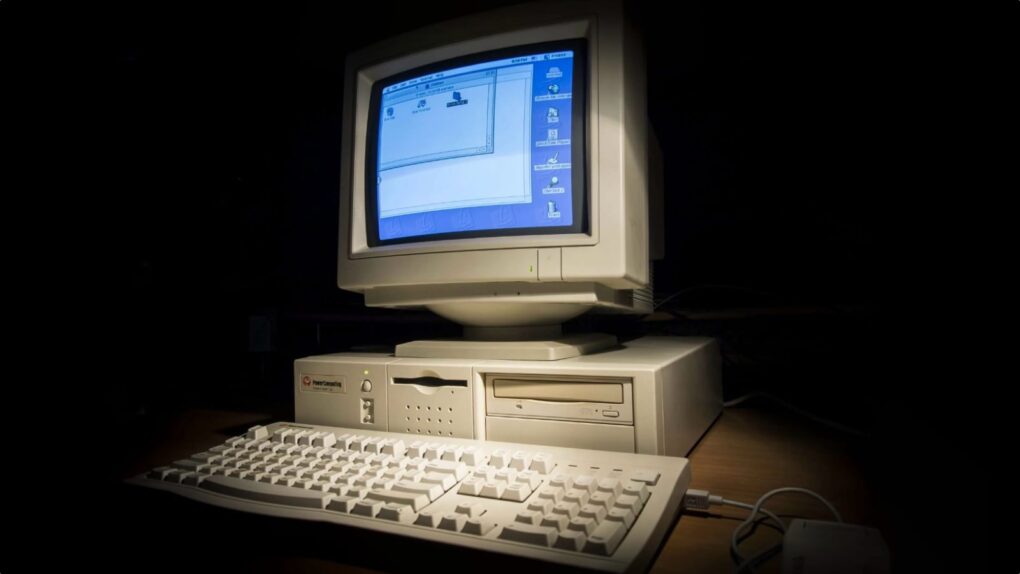
Photo of a Power Computing clone Mac with keyboard and a dark background
Clone Macs sounded like a good idea at first.
Photo: Antnik

August 5: Today in Apple history: Beginning of the end for Power Computing Mac clones August 5, 1997: Apple gets into a standoff with Power Computing, a maker of Macintosh clones. A very public clash at the Macworld Expo in Boston marks the beginning of the end for Apple’s mid-1990s strategy of licensing the Mac operating system.


“If the [Mac] platform goes closed, it is over,” predicts Power Computing CEO Joel J. Kocher of Apple’s strategy. “[It’s] total destruction. The kiss of death.” Of course, things don’t turn out exactly like that for Apple…

Ted Lasso returns with a fresh start as Apple TV revives a fan favorite

By

Photo of cast of Apple TV comedy series
Apple TV gives beloved comedy Ted Lasso a soft reboot with season four, which premieres Wednesday.
Image: Apple TV

Despite what really seemed like a series finale three years ago, Ted Lasso is back. Apple TV began streaming season four on Wednesday, reviving its Emmy-winning comedy with what amounts to a soft reboot rather than a direct continuation of the story.

Here’s what to look forward to as Ted, Coach Beard and all our favorites return.

Cancel Adobe Acrobat and get this Mac-compatible PDF editor — just $40 for life

By

Person editing a PDF on a laptop using Systweak PDF Editor Pro
Edit PDFs without getting locked out of advanced features with Systweak PDF Editor Pro.
Photo: Cult of Mac Deals

We love a good PDF editor that works on Mac, and Systweak PDF Editor Pro handles editing, converting, signing and locking down PDFs without touching the cloud.

It also works on iOS, Android and Windows. And right now, you can grab a lifetime subscription at a steep discount — just $39.99 (regularly $99.99).

iPhone 18e rumors: RAM, chip, design, price and more

By

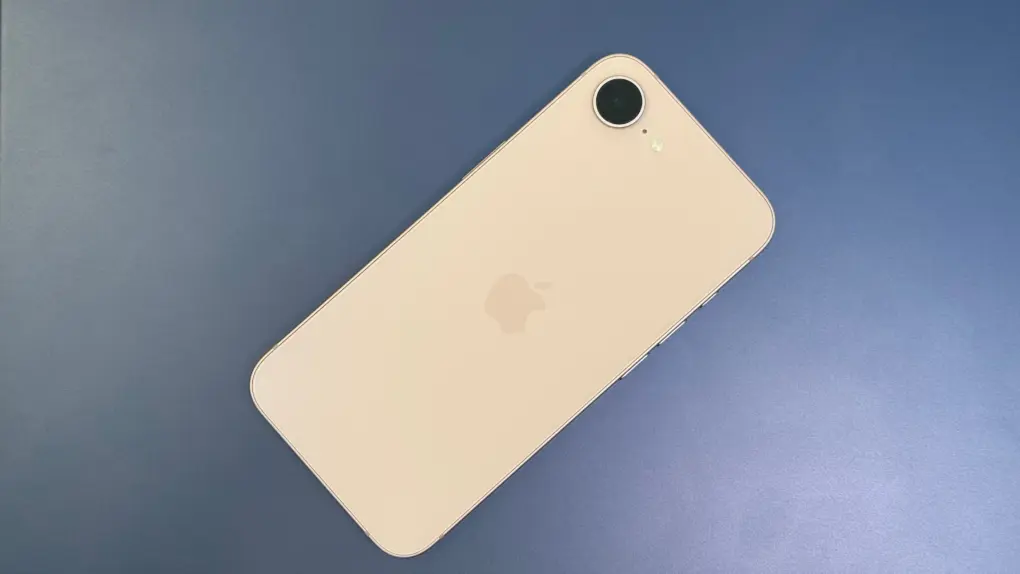
A picture of the iPhone 17e used in a story about iPhone 18e rumors.
iPhone 18e rumors point to a strange new RAM configuration, even as most other specs carry over unchanged from the iPhone 17e.
Photo: D. Griffin Jones/Cult of Mac

A handful of small but real changes are coming to Apple’s next budget iPhone, with iPhone 18e rumors pointing to a new chip and a RAM configuration nobody expected. None of it amounts to a redesign – this is still a budget phone, just slightly better.

The extra memory is the most interesting shift, but it comes with a catch. Most other specs, including the screen and camera, look set to carry over largely unchanged from the iPhone 17e. Here’s everything reported so far, and how solid each claim actually is.

Split View is still in iPadOS 26 — here’s how to use it

By

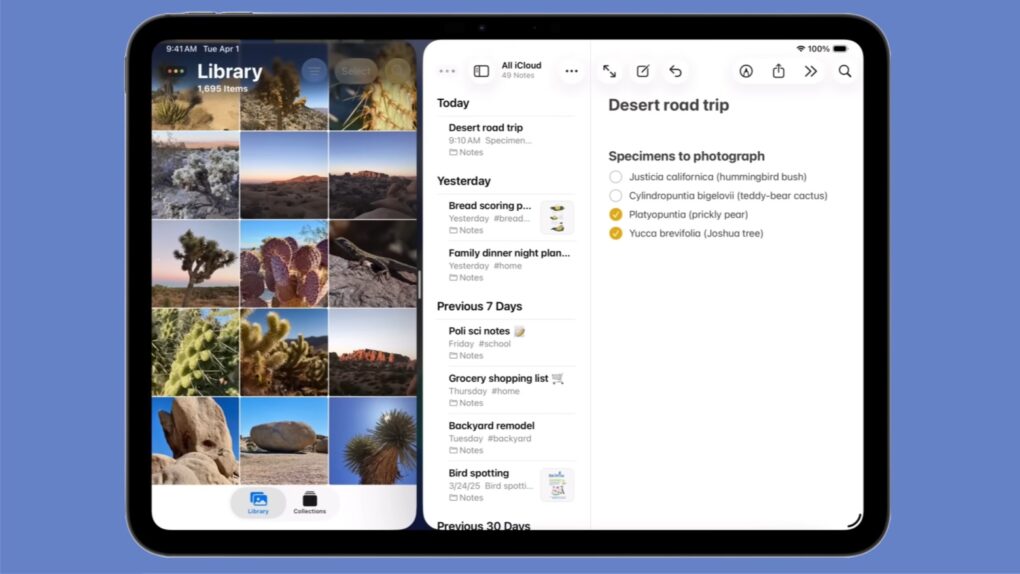
Split View is still in iPadOS 26
Installing iPadOS 26 doesn’t mean losing Split View from your iPad!
Graphic: Apple

Apple kept the iPad’s Split View feature alongside the new multitasking stuff in iPadOS 26, despite what you might have read online. And setting it up is as easy as a couple of flicks of your finger.

Here’s how to keep using Split View on your iPad. Apple even made a video that demonstrates what to do.

Razer Travel Case Folio cleverly combines keyboard case with tablet stand [Review] ★★★★★

By

Razer Travel Case Folio review★★★★★
The Razer Travel Case Folio keyboard case and stand is designed for gamers as well as productivity on the go.
Photo: Ed Hardy/Cult of Mac

The Razer Travel Case Folio is a combination keyboard case/stand created for gamers who need a keyboard while they game on the go with an iPad, Steam Deck or even an iPhone. And it’s also useful when you need to get some work done on your tablet.

Put a Razer Joro or an Apple Magic Keyboard into the folio, then deploy its built-in kickstand and it’s ready to prop up your tablet, gaming handheld, etc. for fun or productivity.

I tested the new accessory with my mobile setup. Here’s what I found.

New price cut: Get FastestVPN on 10 devices, just $22.50 for life

By

Save hundreds with this 10-device deal on a FastestVPN lifetime license.
Keep all your Apple devices safe with a low one-time payment.
Photo: Cult of Mac Deals

The more devices you own, the more difficult it becomes to protect your privacy from malicious actors and sanctioned snoops. This heavily discounted FastestVPN lifetime license guards up to 10 of your devices, from your MacBook to your iPhone, for just $22.50 with code AUG25.

Apple Photos lawsuit over facial recognition data can move forward

By

A picture of Apple Photos app on an iPhone, used in a story about a class action lawsuit on Apple.
The Apple Photos lawsuit centers on the app’s People album face-recognition feature.
Photo: Apple

Apple faces a $32.5 billion lawsuit over how its Photos app scans and stores faces. A federal judge cleared the case to proceed as a class action late last month, allowing millions of Illinois iPhone owners to join.

The case has been years in the making, and Apple has fought to shut it down at nearly every turn. Now it heads back to the court, with the company’s privacy practices on trial.

Apple caps bug bounty reports as AI ‘slop’ floods security team

By

Apple bug bounty reports capped after AI flood
Turns out there is such a things as too many bug bounty reports going to Apple.
Photo: Pexels CC

Apple decided to cap the number of bug bounty reports a researcher can have open at once. The move follows a flood of AI-generated “slop” that overwhelmed Apple’s internal security team this year.

But the cap almost backfired. A small Italian security firm had found a serious macOS flaw using ChatGPT, but they couldn’t report it because their group had already hit its new limit.

Today in Apple history: Steve Jobs acknowledges MobileMe failure

By

Apple MobileMe logo
MobileMe was the failed precursor to iCloud.
Image: Apple/Cult of Mac

August 4: Today in Apple history: Steve Jobs acknowledges MobileMe failure August 4, 2008: In an internal memo, Apple CEO Steve Jobs owns up to mistakes in launching MobileMe. He spins the company’s bungled cloud service rollout as a learning opportunity.

“It was a mistake to launch MobileMe at the same time as iPhone 3G, iPhone 2.0 software and the App Store,” Jobs writes in an email to Apple employees. “We all had more than enough to do, and MobileMe could have been delayed without consequence.”

Apple will eventually bring iPhone clipboard syncing to Windows PCs

By

One of Apple's best productivity features may soon work with Windows.
AI image: ChatGPT

Apple plans to bring one of the iPhone and Mac’s most useful ecosystem features — cross-device clipboard sync — to Windows PCs. Don’t expect it anytime soon, though, as the functionality likely won’t arrive until fall 2027 at the earliest.

Apple is not adding cross-device clipboard sync support for Windows PCs to iOS because it wants to, though. The feature stems from an interoperability request Microsoft submitted under the European Union’s Digital Markets Act.

Master AirDrop: Your ultimate guide to seamless file sharing on iPhone, iPad and Mac

By

How to AirDrop: Drop It My Way
AirDrop is right up there with iMessage as a great Apple-exclusive feature. Learn how to use it.
Image: D. Griffin Jones/Cult of Mac

If you want to know the fastest and easiest way to send someone photos, videos, files and so, so much more, you should know how to AirDrop. There’s no need to send an iMessage — Apple’s slick AirDrop feature will immediately send and open the content on someone else’s iPhone (or other Apple device). There’s no middle step.

AirDrop works iPhone-to-iPhone, iPhone-to-Mac, iPhone-to-iPad, Vision Pro-to-Mac — any combination and permutation of two Apple devices. And, if your friend has a Google Pixel 10, you can AirDrop with them, too!

Keep reading to find out everything you need to know about how to take advantage of AirDrop.

How a data-scrubber stopped my elderly relative from being scammed [Review] ★★★★

By

Incogni's personal data scrubbing app on an iPhone.★★★★
Incogni's personal data scrubbing service helped stop an elderly relative from getting scammed.
Photo: Leander Kahney/Cult of Mac

When fraudsters targeted an elderly relative of mine last year, they scammed her out of thousands of dollars. We tried to stop them, without much success. But then we scrubbed her personal data from the internet using a service called Incogni.

Surprisingly, using this affordable data removal service made all the difference. Here’s how I stopped my relative from getting scammed.

Unlock 20-plus top AIs for life for just $60

By

Image of a MacBook keyboard with a glowing blue AI key
Access multiple AI apps with a lifetime subscription to ChatPlayground AI.
Image: BoliviaInteligente/Unsplash License

ChatPlayground AI gives you easy access to more than 20 of the top AI models, all in one place — and all for one low price. It includes big names like ChatGPT, Claude, DeepSeek, Llama, Perplexity and Gemini, and it lets you send one prompt to multiple AIs simultaneously.

That means you can compare results to find the right AI tool for the job at hand, without jumping from one AI app to another. If you’re a heavy AI user, it will save you time as well as money. Normally $619, a lifetime subscription to ChatPlayground AI’s Unlimited plan is on sale now for only $59.25 with code AUG25.

Apple job listing hints at fitness features for rumored smart glasses

By

A picture of a person wearing glasses used in a story about Apple's rumored smart glasses.
Fitness features in Apple's rumored smart glasses could pick up where Vision Pro’s shelved workout plans left off.
Photo: Pexels

A new job posting reveals that Apple is already thinking about how to bring fitness features to its long-rumored smart glasses.

The company is looking to hire a “strategic product design leader” for its Vision Products Group. The role focuses on shaping health, wellness and fitness experiences across future visionOS hardware.

Leagues Cup tournament brings a month of international soccer action to Apple TV

By

Leagues Cup 2026 returns to Apple TV with every match streaming live
All 62 Leagues Cup matches will stream live on Apple TV.
Photo: Apple TV

The 2026 Leagues Cup tournament kicks off Tuesday, August 4. The month-long competition pits 18 Major League Soccer clubs against 18 teams from Mexico’s Liga MX, with all 62 matches streaming through Apple TV.

No separate subscription is required to enjoy the action – any Apple TV subscriber in 100 countries and regions can watch.

Chargeasap Miko is a tiny charger that’s always with you [Review] ★★★★☆

By

Chargeasap Miko★★★★☆
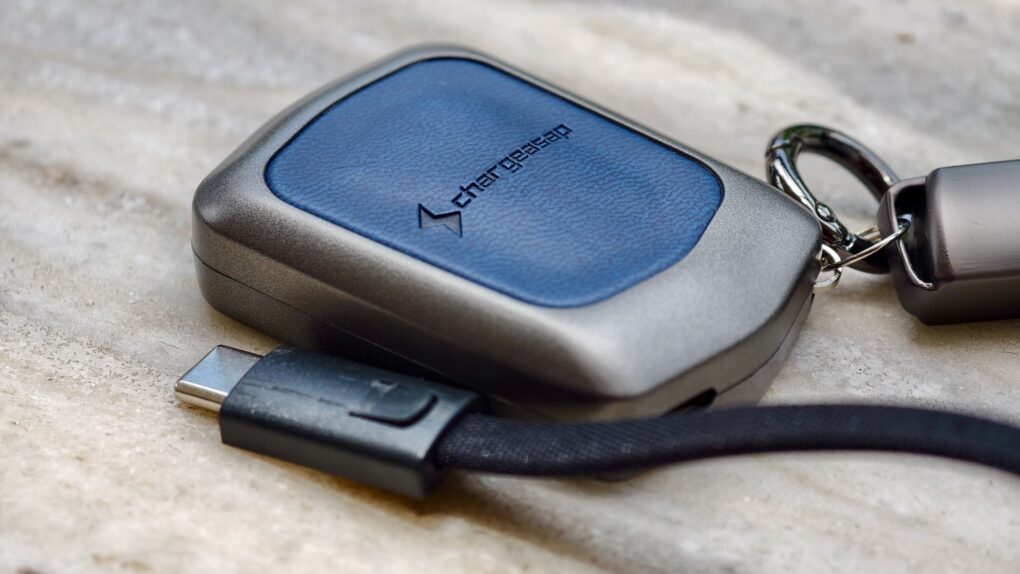
Meet the small but mighty Chargeasap Miko.
Photo: Rajesh Pandey/Cult of Mac

The Chargeasap Miko solves the biggest problem with tiny iPhone chargers: remembering to carry them in the first place.

Chargeasap calls it the world’s smallest 30W GaN charger, but the device’s dimunitive size isn’t its only strong point. The Miko packs several thoughtful design touches that help it stand out from the competition. Here’s how the tiny charger performs in real life.

Apple struggles to keep MacBook Air in stock

By

M4 MacBook Air sitting on a porch railing outside in broad daylight
Apple's sleekest MacBook is in short supply.
Photo: D. Griffin Jones/Cult of Mac

Apple can’t keep up with the MacBook Air’s demand due to the ongoing DRAM and NAND shortage. It is supposedly “struggling to keep the laptop in stock.”

Entry-level MacBook Air configurations are only available for shipping in late August, while custom configurations are listed for September delivery.

If you use ChatGPT, you need to see this AI tool

By

Screenshot showing Undetectable Humanizer with the words
Make your AI-generated writing sound ... human!
Image: Cult of Mac Deals

AI writing tools work wonders, but AI detectors can flag your content if it leans too heavily on robo-prose. If you want your AI writing to be undetectable, you must edit all that content yourself, but it takes time to add the human touch. Sometimes, there just isn’t room in the schedule, but that’s OK. There’s a robot for that, too. You can use an AI humanizer like Undetectable Humanizer.

The Undetectable Humanizer transforms your AI-generated text into natural, human-like prose to help it bypass AI detection systems. This tool is a great get for writers, content creators and business owners who need to save as much time as they can when creating engaging content. A lifetime subscription to this effective AI humanizer’s pro plan is on sale now for $139.99 (regularly $2,880).

Today in Apple history: Newton MessagePad inspires mobile revolution

By

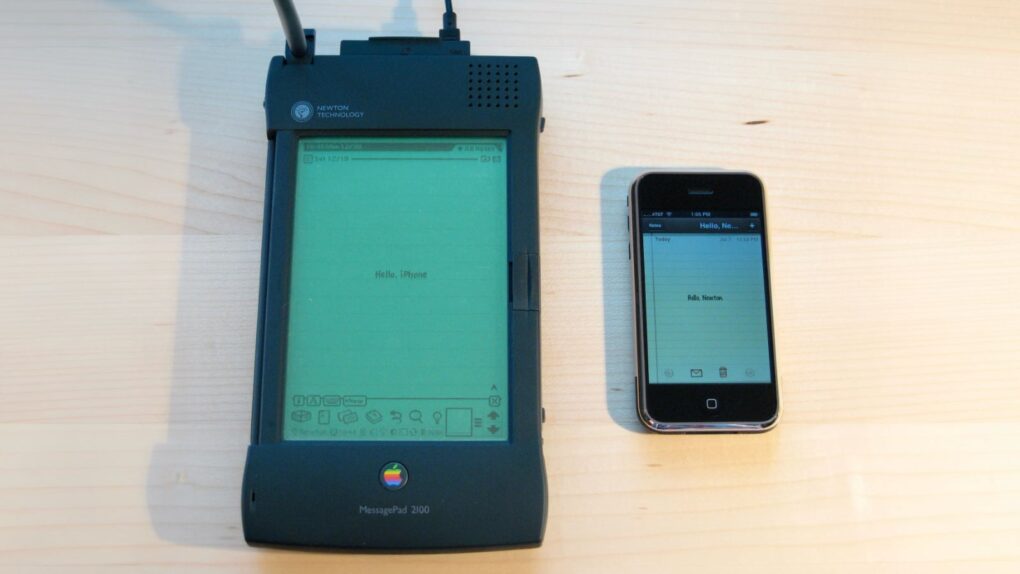
Photo of the original Newton MessagePad beside an early iPhone
The Newton MessagePad looks gigantic next to an iPhone.
Photo: Blake Patterson/Wikipedia CC

August 2: Today in Apple history: Newton MessagePad launch inspires mobile revolution August 2, 1993: Apple launches the Newton MessagePad, the first product in the company’s line of handheld personal digital assistants. While it will become the most unfairly maligned product in Apple history, the Newton is a revolutionary device.
It predates Apple’s push toward app-based mobile devices 14 years later with the iPhone. And, while often dismissed as a failure, the Newton ranks near the top of the list of Apple’s most influential creations.

2026 Mac mini rumor roundup: Not the usual speed boost

By

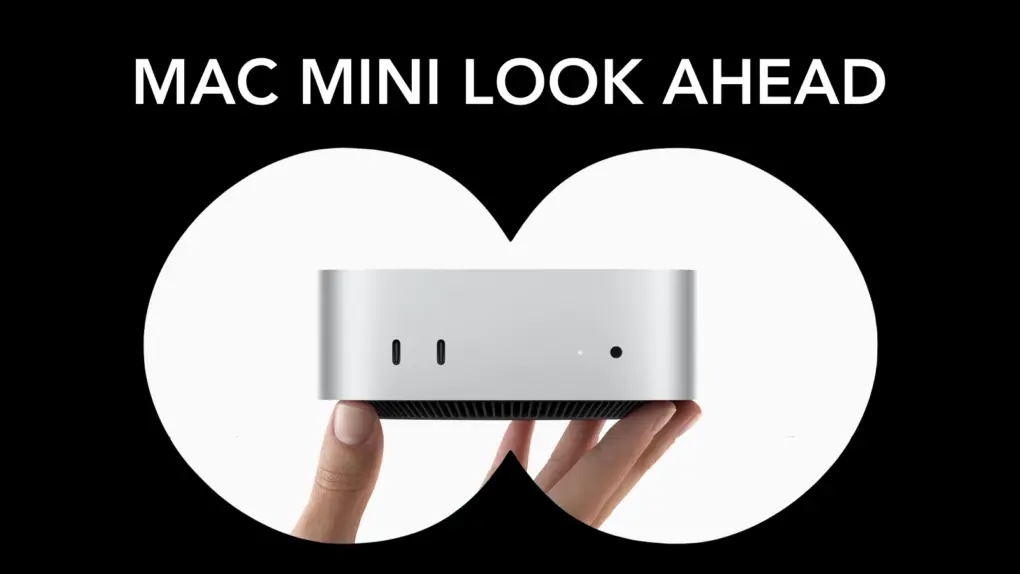
Mac mini rumors: M6 for everyone, M5 Pro for power users
Rumors indicate the 2026 Mac mini won't be a standard "ship and ship" upgrade.
Photo: Apple/Cult of Mac

Apple’s smallest desktop could get an unusual processor upgrade this fall. The 2026 Mac mini is reportedly moving to the basic M6 processor, but not the M6 Pro as would be expected.

Here’s everything the rumor mill says about Apple’s next Mac mini.

This Mac bundle packs 27 lifetime apps into one $29.99 deal

By

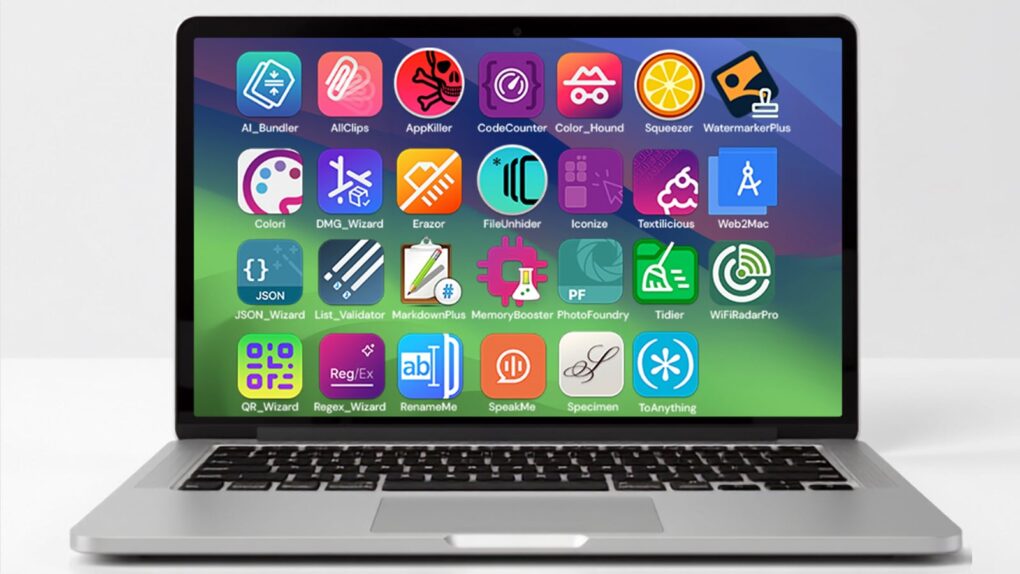
Image of a MacBook showing icons from The 27-App Lifetime Mac Bundle on its screen
This affordable bundle of indie apps gives your Mac superpowers (with zero recurring fees).
Image: Cult of Mac Deals

Tired of renting your software? The 27-App Lifetime Mac Bundle gives you permanent licenses to nearly every type of tool a Mac user could want, from design and productivity to developer tools and file utilities, with no monthly fees attached.

Built by indie developer Yanis Zafiropulos, who has been making Mac software since 2010, the bundle contains 27 native macOS apps that skip the bloat you would get from bigger, subscription-based suites.

Every app comes with free updates through its next major version and two Mac activations per app, so you can run the whole collection on a second machine too. And you can get the entire 27-App Lifetime Mac Bundle for just $29.99 (regularly $390).

Today in Apple history: Macintosh SE gets supersized storage

By

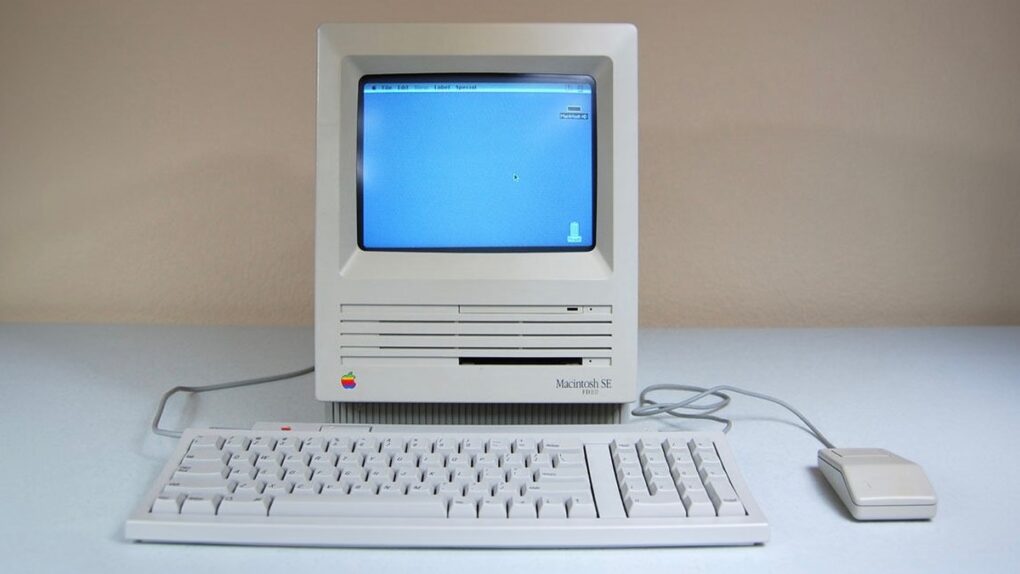
Photo of a Mac SE FDHD, the first Mac with a SuperDrive for high-density floppy disks.
The Mac SE FDHD was a mouthful to say — but what a computer!
Photo: Vetronic's Apple World

August 1: Today in Apple history: Macintosh SE gets supersized storage August 1, 1989: Apple gives the Macintosh SE a storage bump, courtesy of the new SuperDrive in the new Mac SE FDHD. The high-density floppy disks the SuperDrive uses offer an astonishing (for the time) 1.4MB of storage.

In terms of portable storage, it’s a big step up for most Mac owners. The HD floppy disks compare very favorably to the 400KB single-sided double-density (SSDD) disks and 800KB double-sided double-density (DDSD) disks in use at the time.